
Our readers keep the lights on and the weekend projects moving. As an Amazon Associate, I earn from qualifying purchases.
Specs are compiled from manufacturer listings and verified buyer reviews and can change over time — please confirm the key details on the product page before buying.
A budget PC should never make you feel the budget. You want a machine that boots fast, handles your apps, and doesn’t leave you staring at a spinner. The key is choosing the processor and memory that match your actual work, not the coolest case.
I’m Rikta — the founder and writer behind FitlyFast. This guide is built by comparing the manufacturers’ published specifications and the patterns across verified customer reviews, so you get each pick’s real strengths and trade-offs instead of marketing spin.
You will find a reliable desktop for work, study, or gaming that fits a tight budget by reading this guide to the best budget pc options available on Amazon with real owner insights. If you want the short version: the HP EliteDesk 800 G2’s 32GB of RAM makes it the value king for multitasking, while the HP RGB Gaming Desktop is the entry point for light gaming.
Our Picks at a Glance


How To Choose The Best Budget PC
A spreadsheet machine and a Fortnite rig are very different purchases. The good news is you can get serious power for little money with renewed business desktops and entry-level gaming towers. You just need to know what to check before you click buy.
Match the Processor to the Job
The processor is the part that does your thinking for the computer. For web browsing, word processing, and video calls, a mid-range quad-core chip (a chip with four processing cores) is more than enough. If you multitask heavily—dozens of browser tabs, photo editing, or light gaming—look for an “i7” or a modern Ryzen 5 chip. These handle more tasks at once without slowing down, so your workflow stays smooth.
RAM and Storage Are Your Real Friends
More RAM (memory, your computer’s short-term workspace) lets you run more apps at the same time without lag. A minimum of 16GB is comfortable for most people in this price range. For storage, an SSD (Solid State Drive, a chip-based drive with no moving parts) makes your computer boot up in seconds. A larger HDD (Hard Disk Drive, a spinning disk drive) gives you far more space for files and games, though it loads them slower.
Quick Comparison
| Model | Best For | Processor | Memory | Storage | Amazon |
|---|---|---|---|---|---|
| Dell Optiplex 9020 SFF★ Best Overall | Complete Office Bundle | Intel Core i5 | 16GB | 2TB HDD | Amazon |
| HP EliteDesk 800 G2Also Great | Heavy Multitasking | Intel i7 6700 | 32GB DDR4 | 1TB SSD | Amazon |
| Dell Optiplex 7050Top Performer | Business Power | Intel i7-7700 | 32GB DDR4 | 1TB SSD | Amazon |
| HP RGB Gaming Desktop | Entry Gaming | Intel i5-6500 | 16GB DDR4 | 512GB SSD | Amazon |
| STGAubron Xeon E5 | Starter Creators | Xeon E5 | 16GB | 512GB SSD | Amazon |
| STGAubron Core i5 | Streaming & Games | Intel i5 | 16GB | 512GB SSD | Amazon |
| Lenovo IdeaCentre AIO | Clean Desk Setup | Intel N100 | 8GB DDR4 | 512GB SSD | Amazon |
| suevery Ryzen 5 | Quiet Gaming | AMD Ryzen 5 | 16GB DDR4 | 512GB SSD | Amazon |
| YAWYORE R5 5600GT | Upgrade-Ready Gaming | AMD R5 5600GT | 16GB DDR4 | 1TB NVMe | Amazon |
In-Depth Reviews
1. Dell Optiplex 9020 SFF Computer Desktop PC
The complete office-in-a-box that solves your monitor problem on day one.
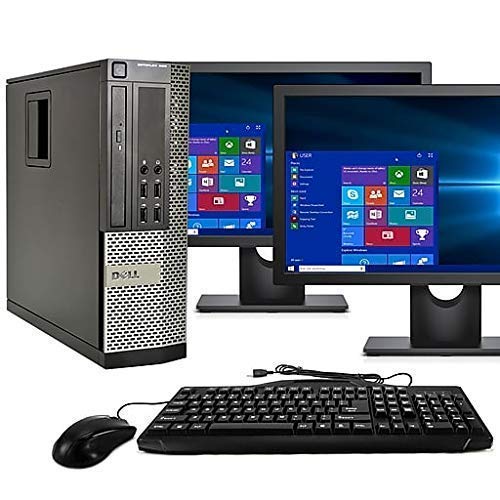
This Dell OptiPlex 9020 bundle solves the biggest hidden cost of a budget PC: the monitor. It includes two 24-inch LCD monitors right in the box, a fantastic setup for spreadsheets, stock trading, or just having a document on one screen and a browser on the other. The computer itself is powered by an Intel Core i5 processor with 16GB of RAM, giving you plenty of power for everyday office tasks and multitasking.
For storage, it steps up to a massive 2TB HDD (Hard Disk Drive, a spinning disk drive). It isn’t the fastest type of storage, but it gives you enormous space to store apps, photos, music, movies, and games without worrying about filling it up. It runs the latest Windows 11 Pro 64-bit and comes with WiFi and Bluetooth 4.0 connectivity. The bundle even includes a DVD-RW drive for watching movies or installing older software.
The reaction from owners is positive overall, with many calling it great value and noting the monitors have an “excellent picture.” As one buyer put it, “Had a little trouble getting both monitors to work at first but sellers tech support helped me out and now good to go,” which shows the included tech support is genuinely helpful. The trade-off is that quality control on these refurbished units can vary—some customers note cracked monitor stands or defective screens, so check the condition notes carefully and lean on the 90-day warranty.
Desk-Ready Deal: The dual 24″ monitors and huge 2TB storage make this the ultimate turnkey office setup for a no-fuss buyer who doesn’t want to shop for a screen separately.
Condition Lottery: Be ready to inspect the monitors on arrival; some units have arrived with cracked stands or screen issues.
2. HP EliteDesk 800 G2 Business Desktop
This renewed business tower packs 32GB of RAM and a 1TB SSD for heavy multitasking at a budget price.
This HP EliteDesk wins the overall spot because its 32GB of DDR4 RAM is double what most rivals offer, so dozens of browser tabs, a spreadsheet, and a video call can all run at once without stuttering. It pairs that with a 6th Gen Intel Core i7 6700 processor running at 3.4Ghz, which is a 40% more capable brain than an older i5 chip, so your apps open and switch faster.
You also get a 1TB SSD (Solid State Drive, a chip-based drive) instead of a slower spinning hard drive, so the computer boots in seconds and programs load almost instantly. The 4K (3840×2160) dual display support via the USB WiFi adapter’s connection lets you spread work across two monitors, a real boost for productivity, even if the listing’s display notes are a bit scattered.
Owners consistently describe the setup as “super easy.” One reviewer noted, “Great buy for me right now. No issues, set up was super easy and even my external hard drive work well with it.” The main trade-off is that this is a bare-bones tower assuming you have your own monitor, keyboard, and mouse. Some units ship with a cheap mouse that feels flimsy right from the start.
Flexes On Paper
- 32GB RAM crushes heavy multitasking
- Fast 1TB SSD for quick boots and loads
- 4K dual display support for a huge workspace
Know The Limits
- No monitor, keyboard, or mouse included
- Some report the bundled mouse is cheap
- Renewed units vary; check the seller warranty
Who it’s for: Anyone who wants real desktop power for office work, photo editing, or music production without spending a fortune, and who already has a monitor.
Think twice if: You need a complete “everything in the box” setup for a kid’s first computer, since you’ll have to source a display separately.
3. Dell Optiplex 7050 SFF Desktop PC
This compact SFF desktop delivers an i7-7700 and 32GB RAM in a space-saving case.
The Dell OptiPlex 7050 earns the top performer label by beating the EliteDesk on raw CPU speed. It runs a newer 7th-gen Intel Core i7-7700 processor clocked at 3.60GHz, making it a step faster than the i7 6700 in pick #1. Inside a Small Form Factor (SFF) case—a compact shell that slides into tight spots where a full tower won’t go—you still get 32GB of DDR4 RAM and a 1TB SSD (Solid State Drive), so business work, coding, and heavy browsing all stay snappy.
It even ships with a wired keyboard and mouse plus a wireless USB WiFi adapter, so you can get to work right away. Buyers report the machine “runs fine” and is “a good value.” Another praised it as an “Excellent little machine,” with the condition matching the “professionally renewed” description.
There’s one catch: reliability isn’t a guarantee with any renewed PC. While many are thrilled, a handful of buyers hit setup snags like an internet connection issue that froze the setup, or a defective DVD player needing replacement. That’s why the 90-day warranty from the seller matters—it’s your safety net if you get one of the occasional duds.
Compact Muscle: It packs an i7-7700 and 32GB RAM into a tiny chassis, perfect for a tidy workstation where the EliteDesk’s tower would be too bulky.
Vendor Variance: Your experience can hinge on the specific seller, so the 90-day warranty is a crucial backstop.
4. HP RGB Gaming Desktop Computer

This RGB-equipped tower with a GT 1030 GPU is an affordable entry point for 1080p gaming.
The GT 1030 inside this HP tower is a dedicated graphics card (a separate component just for rendering game visuals), which is what makes smooth 1080p gaming possible at all. That’s the reason it earns a gaming slot where the EliteDesk and OptiPlex can’t play. It’s powered by an Intel Quad Core i5-6500 processor that can boost up to 3.6GHz—about 6% more headroom than the 3.4Ghz EliteDesk—paired with 16GB of DDR4 RAM and a 512GB SSD for quick game loads.
The vibe helps too. RGB case lighting and a matching RGB mouse and keyboard make your desk feel like a gamer’s setup instantly. Buyers agree it’s an “Excellent starter computer” and “good value for a loaded feature filled unit,” running lighter titles like Foundry VTT or high-FPS indie games without a hiccup. It even has 600M Wi-Fi and Bluetooth 5.0 built in for wireless peripherals.
Be honest with yourself about what this can run. Modern AAA games at high settings will be a struggle; one owner summarized it’s “underpowered for modern games; only suitable for light tasks.” The bigger risk is the occasional DOA (Dead on Arrival) unit—one buyer mentioned it “Ran GTA V fine for 2 days, then completely dead”—which is why the 1-year parts & labor warranty is a vital safety net to verify before you buy.
Ready To Play
- Dedicated GT 1030 GPU for real gaming
- Full RGB setup included for the aesthetic
- Bluetooth 5.0 for wireless gear
Pump The Brakes
- Not meant for high-end modern AAA titles
- Reliability is mixed; a rare unit dies early
- WiFi can drop on some units after moving
Grab it if: You’re a new gamer wanting to play esports titles like CSGO, Roblox, or older GTA titles with a fun RGB aesthetic.
skip it if: Your dream is to play the newest heavy games at max graphics; you’ll need a bigger graphics card budget.
5. STGAubron Gaming PC Desktop (Xeon E5)

This Xeon-powered PC offers a server-grade CPU and dedicated GPU for entry-level content creation.
This STGAubron tower is for creators because its Intel Xeon E5 processor, a chip born in professional servers, is built to handle sustained heavy workloads like video rendering. These chips are often called “Server Grade i7” for that reason, and here they run up to 3.0GHz. With 16GB of RAM and a 512GB SSD, it’s a solid platform for homework, light video editing, streaming, and even day trading.
The AMD Radeon RX 550 4G video card handles the visuals, letting you output 4K (3840×2160) resolution to a desktop monitor via DisplayPort and HDMI. The value pitch is strong, and buyers see it. Reviews call it a “Great starter pc!” and note “My son bought this for himself with his birthday money. It was super easy to setup and the lights are a fun feature.” It comes with three RGB fans plus an RGB gaming mouse and keyboard, so you’re ready from the start. The 1-year parts & labor coverage offers some confidence.
The honest catch is longevity. While many units hum along nicely, the reliability pattern is genuinely split—when they fail, it often happens around the 4-month mark, whether it’s the WiFi or the wired internet giving out. It’s a “Buy at Your Own Risk” for some, but a fantastic value if you get a good unit and treat it as an entry point.
Value Play: Offers a server-grade Xeon CPU and a dedicated GPU for less than most prebuilts, making it a great first leap into PC gaming and editing.
Reliability Roll: The 4-month failure reports are too common to ignore, so lean on that 1-year warranty and the responsiveness of the seller if issues arise.
6. STGAubron Gaming PC Desktop (Core i5)
This gaming PC with an RX 560 4G GPU targets 60+ FPS in popular shooters and battle royales.
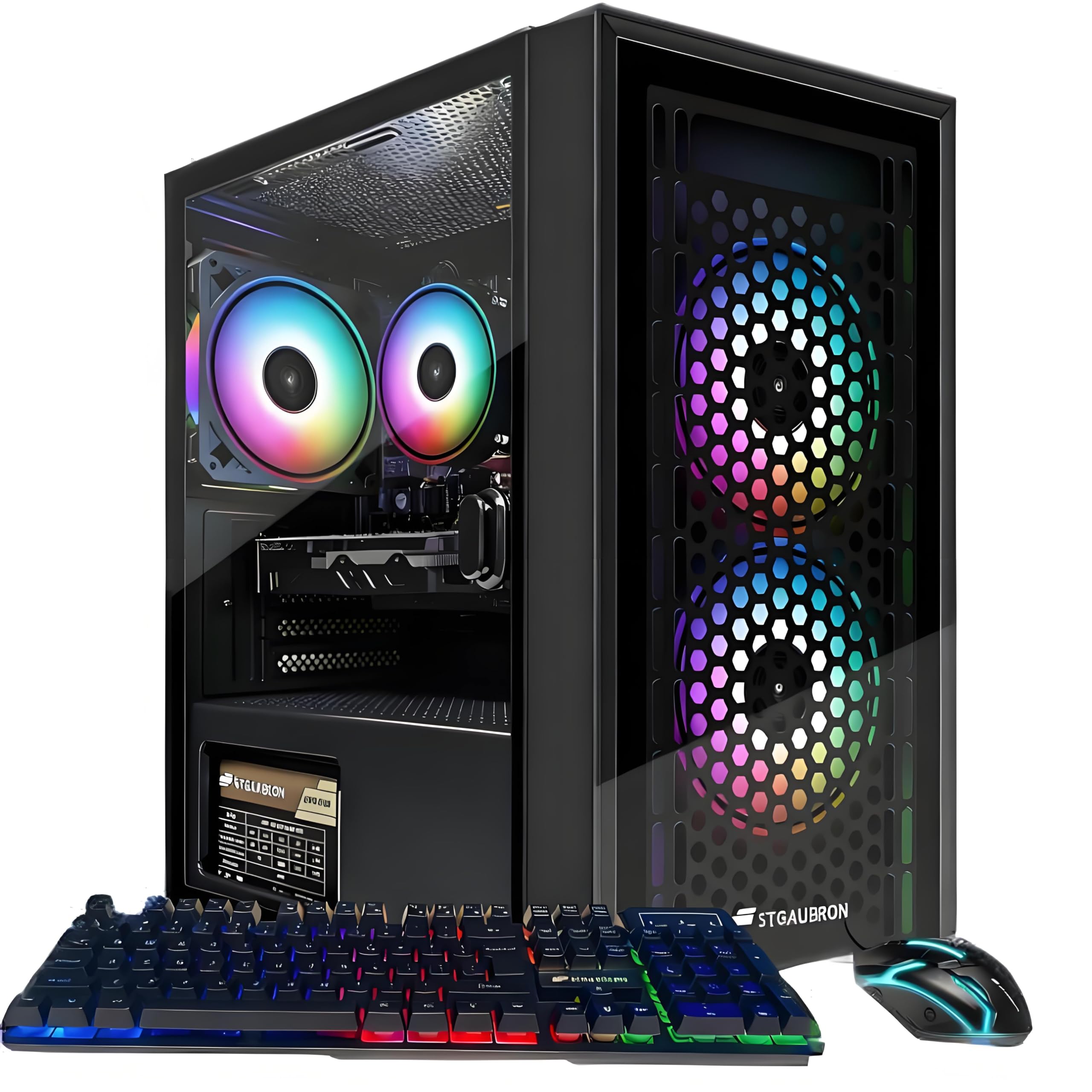
This STGAubron is the step up from the previous pick because its AMD Radeon RX 560 4G graphics card is stronger than the RX 550, and that’s the key to hitting playable frame rates. The maker claims this tower can run a huge list of popular titles—including Fortnite, GTA V, Valorant, Apex Legends, and Elden Ring—at 60+ FPS (frames per second, the smoothness measure for games). Power comes from an Intel Core i5 processor boosting up to 3.6GHz and 16GB of RAM.
Connectivity is a modern highlight. You get Wi-Fi 6 (the latest wireless standard for faster, more stable connections) and Bluetooth 5.0, plus three RGB fans and an RGB keyboard/mouse combo. Buyers are often pleasantly surprised, with one noting it was a “perfect entry-level” machine for a 13-year-old with “zero boot issues.” Another raves it’s “the best bang for your buck” for a great starter PC, highlighting the fast connectivity and quiet fans.
It’s not a high-end rig, so you’ll need to dial down graphics settings on the newest releases. The reviews also reveal a “bad bad bad” experience from one owner whose unit failed within a day with a frozen mouse and green screen, suggesting a potential motherboard issue. You’re playing the refurb lottery a bit here, but the 1-year parts & labor warranty and responsive seller support help mitigate the risk.
Built For Play
- RX 560 4G GPU targets 60+ FPS in popular games
- Modern Wi-Fi 6 for lag-free online play
- Quiet fans and a sleek RGB look
Check The Settings
- Newer AAA games demand lower graphics settings
- Occasional DOA units point to quality control issues
- Generic internal components in some builds
Reach for this if: You want a dedicated entry-level gaming rig that can smoothly run the most popular online shooters and battle royales from the start.
Look elsewhere if: You plan to play heavy simulation or max-setting AAA games; this is a starter, not a high-end beast.
7. Lenovo IdeaCentre All-in-One Desktop

This 24-inch all-in-one combines a full HD display and PC into one cable-free unit for tidy desks.
No tower, no tangle of wires—this Lenovo packs the entire computer into the back of a 23.8-inch Full HD IPS display, making it a dream for tidy home offices, student dorms, and reception desks. The screen is a highlight: an IPS (In-Plane Switching) panel that gives you wide viewing angles, anti-glare coating for bright rooms, 250 nits of brightness, and 99% sRGB color coverage so photos look vivid and accurate.
Inside, the Intel N100 processor with 4 cores and 8GB of DDR4-3200 RAM is tuned for everyday productivity. That means it handles web browsing, office apps, and video calls perfectly, rather than intense gaming. The 512GB PCIe SSD (a very fast type of storage drive) ensures quick boots and app launches. With Wi-Fi 6, Bluetooth 5.2, and a built-in HD camera and speakers, it’s genuinely ready for any daily task from the start.
Owners consistently praise it for its visual quality and speed, noting it “has a great picture and has a fast response” and easily set up. The only real complaint in the reviews is about the placement of the USB ports, which some find “very challenging to plug in stuff.” Just know that 8GB of RAM is the entry point; it’s fine for now, but you can upgrade it up to 32GB later if your needs grow.
Zero-Clutter Champion: The built-in 24″ FHD screen and slim design make it perfect for a clean, simple desk setup where a tower and monitor would take up double the room.
Not A Gamer: With 8GB RAM and integrated graphics, this is strictly for work and streaming, not modern gaming.
8. suevery Prebuilt Desktop Computer Gaming PC

This Ryzen 5 gaming PC stays quiet and cool in a stylish white case with RGB lighting.
Quiet operation is the headline here, which is rare at this price. The suevery tower pairs an AMD Ryzen 5 6-core processor that boosts up to 4.1GHz with an AMD Radeon RX 560 4GB graphics card, and owners mention the fans stay hushed even during long gaming sessions. With 16GB of high-speed DDR4 3200MHz memory, you get a machine that runs popular games like Marvel Rivals, Fortnite, and Planet Zoo smoothly.
Storage is a 512GB M.2 PCIe NVMe SSD—the maker claims it loads games and files up to 30 times faster than traditional hard drives. Buyers love the look too, describing it as a “great starter PC” that looks fantastic in the “white fish tank case” with customizable RGB lighting, running “cool and quiet” while handling “all games tested.”
Keep in mind this is aimed at entry-level gaming, not 4K ultra settings. The main thing to watch is the reliability consensus, which is mixed—while the majority rave about performance, a chunk of owners mention issues. One buyer had to fix a missing audio driver by downloading it from the motherboard maker’s site, and a few report needing a factory reset. It’s best suited for someone comfortable doing minor troubleshooting, backed by a good return policy.
Silent But Deadly
- 6-core Ryzen 5 CPU offers excellent value
- Stays quiet and cool under load with 6 fans
- Eye-catching white case with RGB lighting
Setup Snags
- Some units arrive missing drivers and need a fix
- Large footprint takes up desk space
- Reliability reports are mixed overall
Choose this if: You want a stylish, quiet, and capable entry-level gaming PC that handles popular games without breaking a sweat.
Steer clear if: You have zero patience for updating drivers or doing minor tech fixes on a brand-new machine.
9. YAWYORE Gaming PC Desktop Computer

This upgrade-ready gaming PC features a modern MSI motherboard and 1TB NVMe SSD for future expansion.
The YAWYORE is the smartest pick for future-proofing because it uses a name-brand MSI A520M-A PRO motherboard, a trusted part that ensures reliability and easy expansion. It runs the modern AMD Ryzen 5 5600GT processor, which goes from 3.6GHz up to 4.6GHz, paired with AMD Radeon Vega integrated graphics (graphics built into the CPU). That’s good enough to play 1080P mainstream games now, and the motherboard makes it easy to drop in a dedicated graphics card later for a massive performance leap.
The rest of the package is built for speed and longevity. You get 16GB of DDR4 3200MHz RAM and a huge 1TB M.2 NVMe PCIe SSD (a super-fast drive that makes everything feel instant). Power comes from a 550W 80PLUS Bronze certified power supply, which is more than enough headroom to support a future GPU upgrade. Five ARGB fans and smart temperature control keep it cool and relatively quiet.
Owners are impressed. Reviews gush with “It’s awesome!!!! Game doesn’t lag, great graphics” and describe it as a “Peak pc” that allows smooth streaming and gameplay in Roblox. The only caveat is that it’s a console-style “no GPU included” build, so the most demanding AAA games will be a stretch until you add a graphics card. As one owner reported, they’d “have to buy an extra GPU” for GTA role play.
Built To Grow
- Modern MSI motherboard for easy future upgrades
- Massive 1TB NVMe SSD storage
- 550W 80PLUS Bronze PSU supports a new GPU
The Next Step
- Integrated Vega graphics limit heavy AAA gaming
- You will want a dedicated GPU for high-end play
- Cable management can be fiddly
Pick this up if: You’re a beginner who wants a fast, reliable system today and a clear, easy path to make it a true gaming beast next year.
Be patient if: You expect to play the absolute newest AAA games at max settings immediately—you won’t until you add a graphics card.
Understanding the Specs
The Processor Puzzle (i5 vs. i7 vs. Ryzen)
Think of the processor as the brain doing all the thinking. Higher numbers like i7 or Ryzen 5 generally mean more power for multitasking and heavier apps than an i5. For everyday web and office use, an i5 is plenty; for photo editing, music production, or gaming, an i7 or modern Ryzen 5 will feel noticeably snappier.
RAM: The Multitasking Muscle
RAM is your short-term memory. More RAM means you can run more apps and browser tabs at the same time without slowing down. 16GB is the balance for most budget buyers, perfect for gaming and office work. If you do heavy video editing or run virtual machines, stepping up to 32GB ensures a smoother experience, like the EliteDesk and OptiPlex picks above.
FAQ
Is it safe to buy a renewed or refurbished PC?
How much RAM do I really need in a budget PC?
What is the difference between an SSD and an HDD?
Can a budget gaming PC run modern games like Fortnite or GTA V?
What does “SFF” mean in a desktop PC title?
Is an All-in-One PC good for a home office?
Why does an older i7 processor cost less than a new one?
Will a budget PC support two monitors?
Final Thoughts: The Verdict
If you want one dependable pick, the budget pc winner is the HP EliteDesk 800 G2 because its 32GB of RAM and fast 1TB SSD make everyday multitasking feel premium, not budget. If you want an entry-level gaming rig with RGB style, grab the HP RGB Gaming Desktop, or the YAWYORE R5 5600GT if you plan to upgrade later. And for a clean, cable-free desk setup for work and school, the Lenovo IdeaCentre All-in-One is the one to reach for.
How We Picked
We do not accept paid placement. Every pick is matched to a real buyer and a real use-case; we do not hands-on test units.
Sources & Methodology
Specifications: manufacturer listings and product documentation. Review insights: verified customer reviews, as of August 2026. Pricing: not shown on this page (it changes often); check the current price via the retailer link.
As an Amazon Associate, FitlyFast earns from qualifying purchases. This does not affect which products we feature.