
Our readers keep the lights on and the weekend projects moving. As an Amazon Associate, I earn from qualifying purchases.
Specs are compiled from manufacturer listings and verified buyer reviews and can change over time — please confirm the key details on the product page before buying.
The moment you draw directly on a screen instead of a blank pad, your linework changes — you stop guessing where the cursor is and just see it under the pen tip. For anyone chasing that experience without spending a fortune, the real question is which pen display delivers the essential specs without the premium brand markup.
I’m Rikta — the founder and writer behind FitlyFast. This guide is built by comparing the manufacturers’ published specifications and the patterns across verified customer reviews, so you get each pick’s real strengths and trade-offs instead of marketing spin.
Here is a clear rundown of the best budget drawing tablet with screen, ranked by the specs that matter most for art.
Our Picks at a Glance


How To Choose The Best Budget Drawing Tablet With Screen
The core of a pen display is the panel between you and your strokes. Budget-friendly models now pack the same features that cost double a few years ago, but you need to know which numbers actually change your drawing experience and which are just spec-sheet noise.
Color gamut is your real quality gate
A screen’s color gamut tells you how many colors it can show. A 143% sRGB rating means you see a wider, more vivid palette than a standard monitor, which keeps your on-screen art close to what prints or exports. Compare this number across models — a 125% sRGB panel will look noticeably flatter for saturated work.
Pressure sensitivity and the pen feel
Pressure levels tell you how many gradations the pen registers between the lightest tap and your hardest press. Higher numbers like 16K (16,000+) give smoother transitions for shading and brushwork. Also check for a battery-free stylus — it never needs charging, so you can draw for hours without a break.
Quick Comparison
| Model | Best For | Screen Size | Color Gamut | Pressure Levels | Amazon |
|---|---|---|---|---|---|
| UGEE UE16★ Best Overall | Wide color work | 15.4 inch | 143% sRGB | 16K | Amazon |
| UGEE UE12 PlusCompact Pick | Compact setups | 11.9 inch | 147% RGB | — | Amazon |
| VEIKK Studio 16Top Performer | Adjustable angles | 15.6 inch | 125% sRGB | 16384 | Amazon |
| Artisul D16 | Portable drawing | 15.6 inch | 76% Adobe RGB | 8192 | Amazon |
| XPPen Artist 12 3rd | Beginners on a budget | 11.9 inch | — | 16384 | Amazon |
| HUION Kamvas 13 (Gen 3) | Portable precision | 13.3 inch | 99% sRGB | 16384 | Amazon |
| HUION Kamvas 13 (Gen 3 + Stand) | Ergonomic setups | 13.3 inch | 99% sRGB | 16384 | Amazon |
| HUION Kamvas 16 (2021) | Large canvas fans | 15.6 inch | 120% sRGB | 8192 | Amazon |
In-Depth Reviews
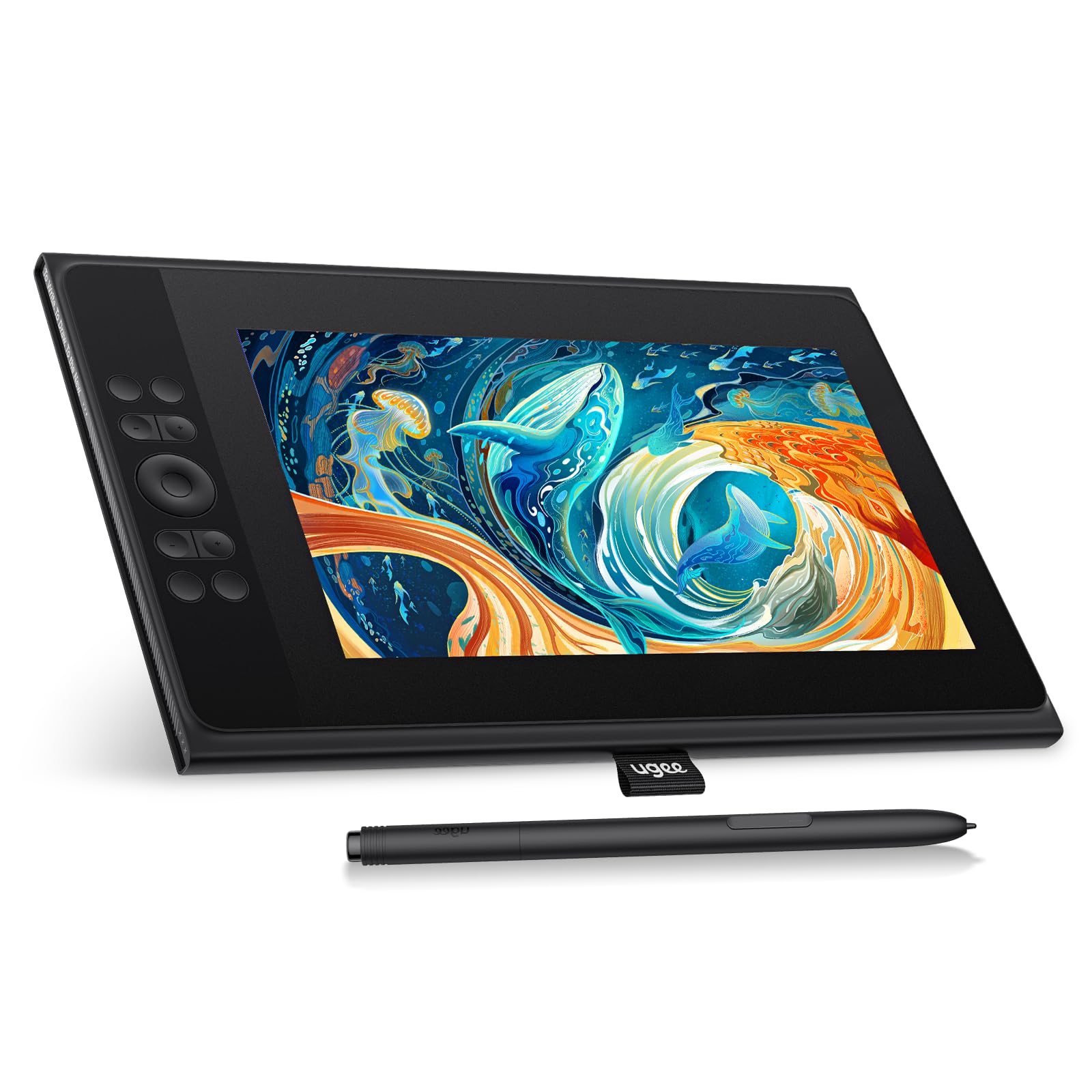
1. UGEE UE16 15.4 Inch Drawing Tablet
The wide-gamut value king that makes your colors pop without emptying your wallet.
This 15.4-inch pen display leads the list because it delivers the widest color range in the budget tier — a 143% sRGB gamut that reproduces 16.7 million colors with 8-bit depth. That means your reds stay red and your blues stay blue across the full brightness range, so the art you see onscreen travels well to print or export.
The 16K pressure sensitivity tracks the lightest feather of a stroke all the way to a bold press, giving you smooth shading transitions. It also beats the VEIKK Studio 16 on color head-to-head — 143% sRGB versus 125% sRGB — which is a 14% larger color range for more vibrant work. Four color spaces (sRGB, Adobe RGB, DCI-P3, and Black & White) let you switch modes depending on whether you are drawing, designing, or just reading.
What wins people over is the build quality and the easy setup, and the value is the second-most-praised trait. Buyers report it is perfect as a second screen with “decent enough color and size and several buttons for macros,” and note a “very slight buzzing at the power port” that disappears the moment you use headphones. The 8 physical shortcut keys plus a scroll wheel give you quick access to your most-used tools.
What you gain
- Widest budget color gamut at 143% sRGB
- 16K pressure sensitivity for fine line control
- 8 shortcut keys plus a scroll wheel
What to know
- Soft nibs wear faster with a heavy hand
- Long body needs a 20-inch backpack
Best for: artists who care about color accuracy and want the most screen for the money.
The trade-off: the 3-in-1 cable is packed separately, so check the parcel carefully before setup.
2. UGEE UE12 Plus 11.9 Inch Pen Display
A small-screened powerhouse whose color range outshines some larger rivals.
The 11.9-inch FHD (1920×1080) screen here is fully laminated and anti-glare, which virtually kills the parallax — the gap between pen tip and cursor — so your lines land exactly where you aim. On color it actually beats the bigger UGEE above, hitting a 147% RGB colour gamut versus 143% sRGB, so this compact panel is remarkably vivid for its price tier.
The battery-free stylus needs no charging and no cable, so you can draw all day without hunting for a charger. It connects to PC, Mac, and Android over a single full-featured USB-C cable (included), which makes this a genuinely clutter-free setup for a dorm desk or a small studio corner.
The anti-glare coating does come with a quirk — it can produce a rainbow sparkle on bright whites, and the 1080p resolution means tiny details can get tricky when zoomed out. Owners call it an “affordable, great first buy” and say the large bezels give comfortable hand rest while drawing. The one caution to know: check the brand’s compatibility page before buying if you plan to use it with a phone instead of a computer.
The strengths
- Top-shelf 147% RGB color range
- Fully laminated anti-glare screen
- Single USB-C cable connection
The quirks
- Anti-glare causes rainbow sparkle
- 1080p limits fine detail work
Reach for this if: you need a vivid, portable screen for a small desk and value color over canvas size.
Think twice if: you draw at high zoom levels where the 1080p resolution may feel limiting.
3. VEIKK Studio 16 15.6 Inch Graphics Tablet
Dual pens and a twisting dial turn a budget panel into a workflow machine.
The standout here is the red aluminum dial on the side of the 15.6-inch AG&AF IPS screen — a twist adjusts brush sizes in Photoshop while 5 customizable keys handle zoom, undo, or layer switches. That dial is a rare find at this level, and it keeps your hand on the canvas instead of reaching for the keyboard.
Display quality is the thing owners praise most, and it is easy to see why: a 1920×1080 FHD full-lamination matte screen with anti-glare and anti-fingerprint coatings. The 60-degree tilt function adds a natural shading angle, though this model’s 125% sRGB gamut falls short of the UGEE UE16’s 143% sRGB — a 14% smaller color range — so expect slightly flatter saturated colors.
You get two battery-free pens in the box: a slim one for detailed linework and a thicker grip for bold strokes, both with 16K pressure sensitivity. A stand tilts up to 90 degrees or lays flat, and the driver can rotate the display for left-handed users. One occasional unit arrives with a fault — one owner’s pen drew offset from the cursor from day three — but the overwhelming pattern is a 5-minute setup and vivid, adjustable color.
The highlights
- Twist-to-resize aluminum dial
- Two battery-free pens with 16384 levels
- Adjustable stand included
The limits
- 125% sRGB is narrower than rivals
- Stand can shift during drawing
Who it suits: digital artists who want hardware shortcuts and a studio-style dial without the premium price.
Who it doesn’t: anyone needing the widest possible color gamut for print-matched work.
4. Artisul D16 15.6 Inch Drawing Monitor

A featherweight 15.6-inch panel that slips into a bag and draws on the go.
At 3.42 pounds, this is the lightest full-size option in the lineup — a 15.6-inch canvas that genuinely travels well between studio, classroom, and coffee shop. The full-laminated screen keeps cursor positioning accurate, and the 178-degree viewing angle means you can see your work clearly even off-axis.
The P58B stylus packs 8192 pressure levels, a 5080 LPI handwritten resolution, and a 223 PPS reading rate, so line thickness responds smoothly to how hard you press. The 7 shortcut keys plus a quick dial are fully programmable and support both left- and right-handed use — you can undo, resize brushes, and scroll pages without touching the keyboard.
Value is the consistent praise, with owners calling it “a great value for its price” and a solid introduction to display tablets. The honest caveats: the pen needs an HDMI connection (an adapter may be required), short cables are included, and the anti-glare 76% Adobe RGB screen is accurate but not the widest. It also works with Krita for free, which keeps your software budget low.
The pluses
- Only 3.42 pounds for a 15.6-inch screen
- Battery-free pen with 8192 levels
- Adjustable stand with 6 angles included
The catches
- HDMI-only connection needs an adapter
- Short cables in the box
Grab it for: students and hobbyists who move between desks and want a big, light canvas.
skip it if: you are on a Mac with limited ports and prefer a single-cable USB-C hookup.
5. XPPen Artist 12 3rd 11.9 Inch Drawing Tablet
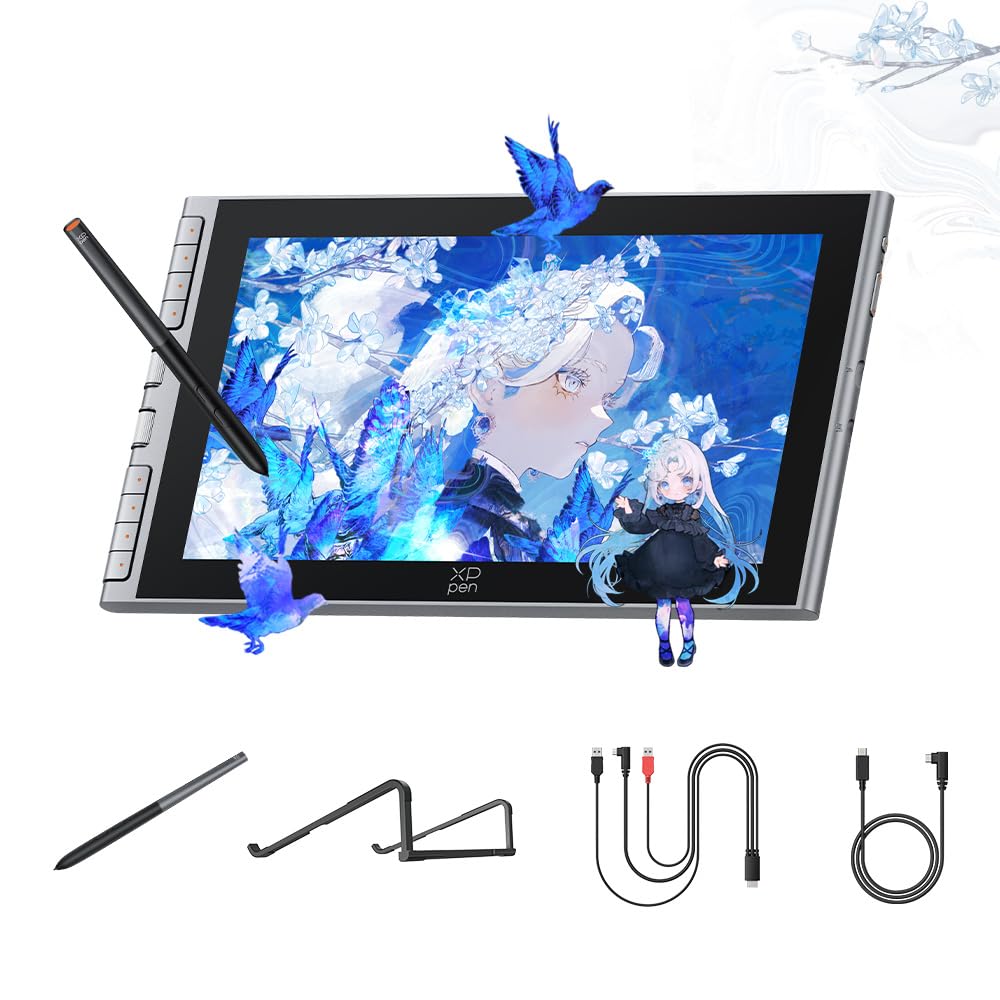
A paper-feel nano-etched screen and magnetic pen storage make this the beginner’s friend.
The defining feature here is the AG+AF nano-etched glass that mimics the natural resistance of paper while cutting glare and smudges. Full-lamination technology removes the air gap between nib and cursor, so what you draw is what you see with no offset — a huge confidence boost for someone on their first pen display.
Inside the X4 Smart Chip stylus sits 16,384 pressure levels with just 0.3mm of nib travel, which means rapid response and stable lines even with fast strokes. The stylus stores magnetically on the tablet’s side, so you will not lose it in a dorm room or a travel bag. Setup is a single full-featured USB-C cable to Windows, Mac, or Android — plug it in and it works.
Display quality is the top reason owners choose this, and the included S20 foldable stand is a welcome ergonomic addition that reduces neck fatigue during long study sessions. The weak spot is software reliability — some owners mention pen misalignment unless both the tablet and monitor run at matching 1080p resolution, and occasional driver glitches that need a restart. It pairs beautifully with Photoshop and Krita, and the 8 customizable shortcut keys put undo and zoom at your fingertips.
The wins
- Paper-feel nano-etched glass
- Magnetic stylus storage
- One-cable USB-C setup
The risks
- Pen misalignment when resolutions mismatch
- Driver updates occasionally need a restart
Best for: beginners who want a natural sketching feel and a truly portable single-cable setup.
Not ideal for: advanced users who need flawless driver stability for daily professional deadlines.
6. HUION Kamvas 13 (Gen 3) Drawing Tablet
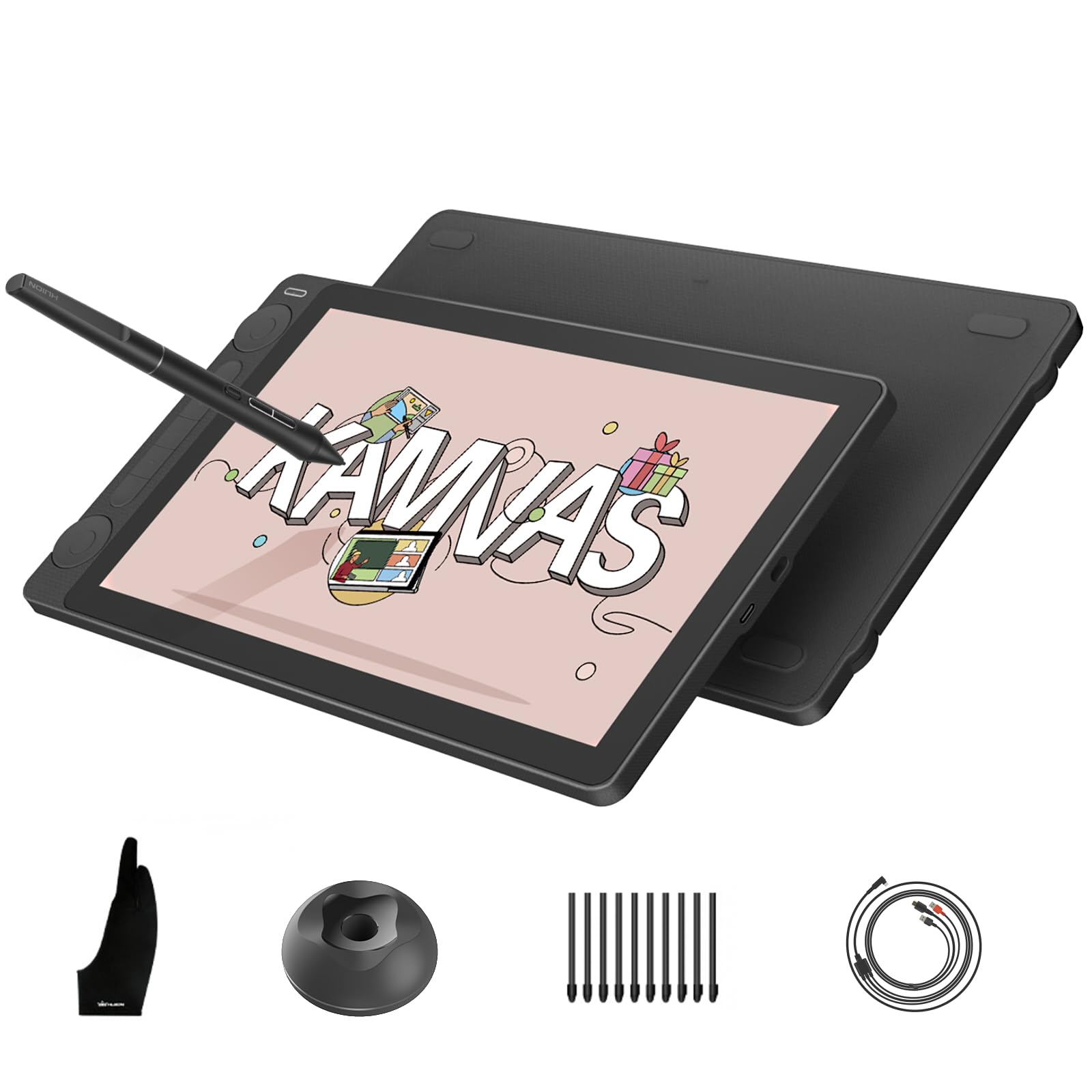
Factory-calibrated color and dual dials put this 13.3-inch panel a step above the budget pack.
The headline feature is rigorous color calibration — every unit ships factory-tuned to a Delta-E under 1.5 (a measure of color error, where lower is better) and includes a calibration certificate. That is the kind of color fidelity you normally pay double for, and it means your artwork appears onscreen almost exactly as it will print or export. The 99% sRGB and 90% Adobe RGB coverage backs it up with real range.
The PenTech 4.0 stylus uses a 2g IAF — the initial activation force, or how light a touch the pen registers — alongside 16,384 pressure levels, so even a feather-light tap produces a mark. The Canvas Glass 2.0 surface is nano-etched to reduce glare, sparkle, and image noise while keeping a paper-textured feel, and full lamination means your cursor sits right under the tip.
What owners rave about is the dual dial controllers and 5 silent press keys, which let you adjust canvas, brushes, opacity, and frames without touching the keyboard. The 865g weight and 11.7mm profile make it genuinely portable, though the 0.5-inch pen offset and glossy slide some customers note keep it from perfection. The 1080p resolution is sharp on a 13.3-inch screen and the crowd favorite is that it feels better than drawing with a mouse.
The strengths
- Factory color calibration with certificate
- Dual dials plus 5 silent keys
- 2g initial activation force
The trade-offs
- Pen can sit up to 0.5 inches off near edges
- Slightly glossy screen slides under the pen
Choose it for: artists who need trustworthy color for client work and prefer a compact, portable panel.
Be aware: the glossy canvas can feel slick compared to matte-coated rivals.
7. HUION Kamvas 13 (Gen 3) With Adjustable Stand

The same calibrated panel as above, now with an adjustable stand for neck-friendly angles.
This is the sibling of the previous pick — same 13.3-inch fully laminated screen, same 16384 pressure levels, same 99% sRGB coverage — with one crucial addition: the ST300 adjustable stand is in the box. That stand lets you tilt the canvas to a comfortable angle, which is a genuine neck-saver during long sessions and a real upgrade if your desk setup forces you to hunch.
The shared PenTech 4.0 technology delivers a natural, fluid drawing feel, and the 3 customized side buttons on the pen keep common tools one click away. On color you get the same Delta-E under 1.5 factory calibration and 16.7 million display colors, so this holds professional-grade fidelity. Connectivity is a simple USB-C single cable to PC, Mac, or Android, plus a 3-in-1 cable in the box for older setups.
Owners consistently call it an affordable alternative to a much pricier Wacom Cintiq, praising the matte anti-glare screen and buttery-smooth sensitivity in Clip Studio Paint. The recurring setup note is that some machines need driver tweaks for cursor alignment, and the 3-in-1 cable can be awkward with tight port layouts. The silent buttons and customizable dials earn steady praise for cutting keyboard use during drawing flow.
The additions
- ST300 adjustable stand included
- Silent press keys and dual dials
- Same calibrated 99% sRGB panel
The notes
- 3-in-1 cable can be inconvenient with tight ports
- Some machines need a driver tweak for cursor offset
Pick this over the sibling if: you draw for hours and want the ergonomic stand without buying it separately.
Pass if: you already own a monitor arm and need a tablet-only bundle.
8. HUION Kamvas 16 (2021) 15.6 Inch Drawing Tablet

Ten side keys and a 15.6-inch canvas make this the keyboard-free workhorse for big projects.
If you draw comics, edit photos, or work in 3D, the 10 customizable shortcut keys along the side let you flip between brush size, layer switches, and undo without touching the keyboard. That is the most dedicated button real estate in this lineup, and it keeps your creative flow uninterrupted for large, multi-layer projects.
The 15.6-inch display uses a 178-degree viewing angle and 5080 LPI resolution for sharp lines even from the side, with a 120% sRGB color gamut volume for vibrant, true-to-life colors. The anti-glare film delivers a pen-on-paper feel that cuts eye strain in bright studios, and full lamination virtually eliminates the gap between the nib and your cursor. The battery-free PW517 stylus captures every subtle pressure shift across 8192 levels and supports ±60-degree tilt for realistic shading.
Quality is what owners single out most, and the value is right behind it — the fully programmable buttons and responsive screen earn the praise “this is a fantastic drawing tablet” from its fan base. The honest trade-offs: the included stand is sturdy but does not lock into position, the cables run short and can pinch, and an occasional unit stops working and needs a replacement. At just 2.78 pounds and 0.47 inches thin, the Kamvas 16 slips into a backpack for campus or outdoor sketching sessions.
The perks
- 10 programmable shortcut keys
- 2.78 pounds and 0.47 inches thin
- ±60-degree tilt with battery-free pen
The gripes
- Stand does not lock into position
- Cables run short and pinch easily
Best suited to: graphic designers and 3D artists who want constant access to shortcuts on a big canvas.
Consider first: whether your monitor port layout can handle the HDMI-and-USB hookup, as the short cables are a common complaint.
Understanding the Specs
Color Gamut (sRGB, Adobe RGB, DCI-P3)
Color gamut is the range of colors a screen can display, usually expressed as a percentage like 143% sRGB. Higher percentages mean a wider, more vivid palette that keeps your art true-to-life from screen to print. Screens above 100% sRGB are considered wide-gamut, and 99% sRGB coverage is a solid studio baseline.
Pressure Sensitivity Levels
This number tells you how many gradations the pen registers between the lightest tap and your hardest press. Higher counts like 16K (16,384 levels) let you shade and vary line weight smoothly, while 8192 levels still work well for most artists. The 2g IAF, or initial activation force, measures how light a touch triggers a mark — lower is more sensitive.
Full Lamination and Parallax
Full lamination bonds the protective glass directly to the display panel, removing the air gap in between. That eliminates parallax — the visual offset between your pen tip and the cursor line — so the mark lands exactly where you aim. Non-laminated screens have a visible gap that makes fine linework trickier.
Battery-Free vs. Rechargeable Stylus
A battery-free stylus uses electromagnetic resonance to draw power from the tablet itself, so it never needs charging and stays evenly weighted forever. That matters for long sessions because a pen that dies mid-sketch breaks your flow. Most budget pen displays, including all the picks here, ship with battery-free pens plus spare nibs.
FAQ
Does a drawing tablet with screen work without a computer?
What is the difference between a pen tablet and a pen display?
How many pressure levels do I actually need for digital art?
Will a budget drawing tablet work with Photoshop and Krita?
Can I connect a drawing tablet to my phone or tablet?
What cables do I need to set up a pen display?
How long does a drawing tablet stylus nib last?
Is a battery-free stylus better than a rechargeable pen?
What does a higher color gamut percentage actually look like?
Is a bigger screen always better for drawing?
Final Thoughts: The Verdict
The crowd favorite for the budget drawing tablet with screen is the UGEE UE16 because it pairs the widest budget color gamut at 143% sRGB with 16K pressure sensitivity and an approachable setup. If you want the compact single-cable experience for a small desk, grab the XPPen Artist 12 3rd. And for a large canvas with maximum shortcut keys, the HUION Kamvas 16 is the one to reach for.
How We Picked
We do not accept paid placement. Every pick is matched to a real buyer and a real use-case; we do not hands-on test units.
Sources & Methodology
Specifications: manufacturer listings and product documentation. Review insights: verified customer reviews, as of August 2026. Pricing: not shown on this page (it changes often); check the current price via the retailer link.
As an Amazon Associate, FitlyFast earns from qualifying purchases. This does not affect which products we feature.