
Our readers keep the lights on and the weekend projects moving. As an Amazon Associate, I earn from qualifying purchases.
Specs are compiled from manufacturer listings and verified buyer reviews and can change over time — please confirm the key details on the product page before buying.
For a budget dash cam, the real test is whether the footage stays clear and readable when you need it most. Every model here records in at least 2.5K, but the deciding factor is night clarity and whether the mount survives a hot windshield. We’ve cut through the spec clutter to find budget cams that deliver reliable, readable evidence while staying affordable.
I’m Rikta — the founder and writer behind FitlyFast. This guide is built by comparing the manufacturers’ published specifications and the patterns across verified customer reviews, so you get each pick’s real strengths and trade-offs instead of marketing spin.
You want a budget dash cam that records clear video, installs without a headache, and won’t let you down—so we’ve sorted the affordable options by video sharpness, ease of setup, and real owner feedback to help you pick the one that fits your driving style and confidence.
Our Picks at a Glance
How To Choose The Best Budget Dash Cam
A cheap dash cam that works beats an expensive one that fails. But “works” differs for a daily commuter versus a rideshare driver, so first decide what you need to capture.
Front-only vs. front and rear
A front camera captures what’s ahead, covering most accidents and road incidents. A rear camera guards against rear-end collisions where the other driver falsely claims you hit them—a common dispute. For heavy traffic or street parking, a dual setup is worth the small extra cost.
Night vision is the real test
Most budget cams look great in daylight, but the real difference shows at night. Look for a large aperture (F1.5 or F1.8) and WDR (Wide Dynamic Range), which balances bright headlights against dark shadows. These two features determine whether you can read a license plate in a dim parking lot.
Parking mode expectations
Many cameras advertise 24-hour parking monitoring, but almost all of them require a separate hardwire kit connected to your car’s fuse box. Without that kit, the camera shuts off when the engine does. Figure out whether you’re willing to do that installation before you buy.
Storage and loop recording
Loop recording automatically overwrites the oldest footage when the card fills, so you never manually delete files. A built-in G-sensor (a small motion sensor) locks the clip when it detects a bump so a crash video can’t be erased. Check if the card is included—many budget picks ship with a 64GB card ready to go.
Quick Comparison
| Model | Best For | Video Quality | Field of View | Included Card | Amazon |
|---|---|---|---|---|---|
| Yonvim Dash Cam 2.5K★ Best Overall | All-round value with rear cam | 2.5K Front + Rear | 160° | 64GB | Amazon |
| 70mai M310 PlusBest Value 4K | Ultra-compact 4K front | 4K Front | 140° | None | Amazon |
| Miden S7Best Install Kit | Fast setup with tools included | 2K Front + 1080P Rear | 176° | 64GB | Amazon |
| HKOIZNBL Dual Cam | High-res rear coverage | 4K Front + 2.5K Rear | 170° | 32GB | Amazon |
| WOOLAACOO C5 | 5GHz WiFi for fast transfers | 4K Front + 1080P Rear | — | 64GB | Amazon |
| Huntermax 3-Channel | Adding an interior camera | 4K + 1080P + 1080P | 170° | 64GB | Amazon |
| 70mai A410 | GPS tracking and reliability | 2.5K Front + 1080P Rear | 125° | 64GB | Amazon |
| Jzones 4K | WiFi 6 fast downloads | 4K Front + 1080P Rear | 170° | 64GB | Amazon |
| FAIMEE F6 | Crowd-favorite dual recording | 4K Front + 2K Rear | 170° | 64GB | Amazon |
In‑Depth Reviews
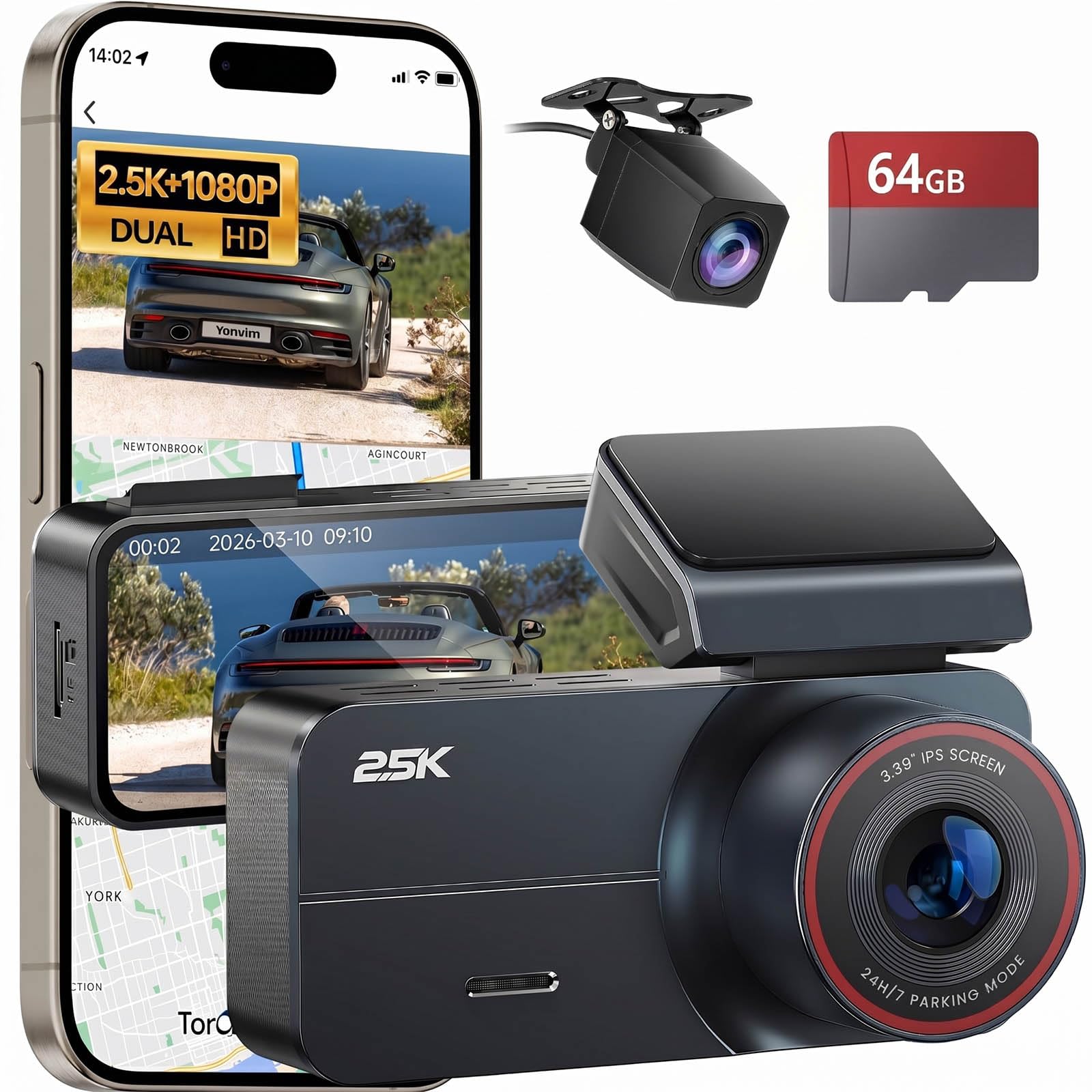
1. Yonvim Dash Cam 2.5K Front Rear
The complete front-and-rear package that nails the basics without a single upgrade nag.
This is the pick that gives you everything from the start: a 2.5K front camera, a rear camera, and a 64GB microSD card already pre-installed. The 160° field of view is 14% wider than the 70mai’s 140° lens, so you catch more of what’s sneaking in from the side of your car. Buyers report it takes clear video in very good quality, day and night, and that the crisp 3.39-inch IPS screen lets you see exactly what the lens is seeing in real time.
The built-in G-sensor locks clips when it detects sudden impact or braking, so your crash footage is protected from being overwritten by loop recording. GPS stamps your speed and location onto every recording—valuable evidence if you ever need to prove where you were. Setup takes about 30 minutes via the adhesive mount, and the whole thing runs off your cigarette lighter port right from the start.
The one real limitation: the mounting system gets mixed feedback from owners. Some find the adhesive unreliable on a windshield, so it’s worth pressing firmly and giving it time to cure. And if you want 24/7 parking monitoring, you’ll need to buy a separate hardwire kit—otherwise the camera turns off when your engine does. It also arrived with a 32GB card for some buyers despite the 64GB listing, so check what’s in your box.
What wins people over
- Easy to use is the top praise—owners find the interface and setup genuinely simple
- High build quality and clear video resolution come up constantly
- Wide-angle view without blocking your line of sight
The trade-offs
- Mounting adhesion is the main complaint—treat it gently
- Parking mode needs a separate hardwire kit that isn’t included
Reach for this if: you want one box that covers front, rear, storage, and GPS without buying anything else.
Look elsewhere if: you need true 24/7 parked recording—that requires extra wiring.
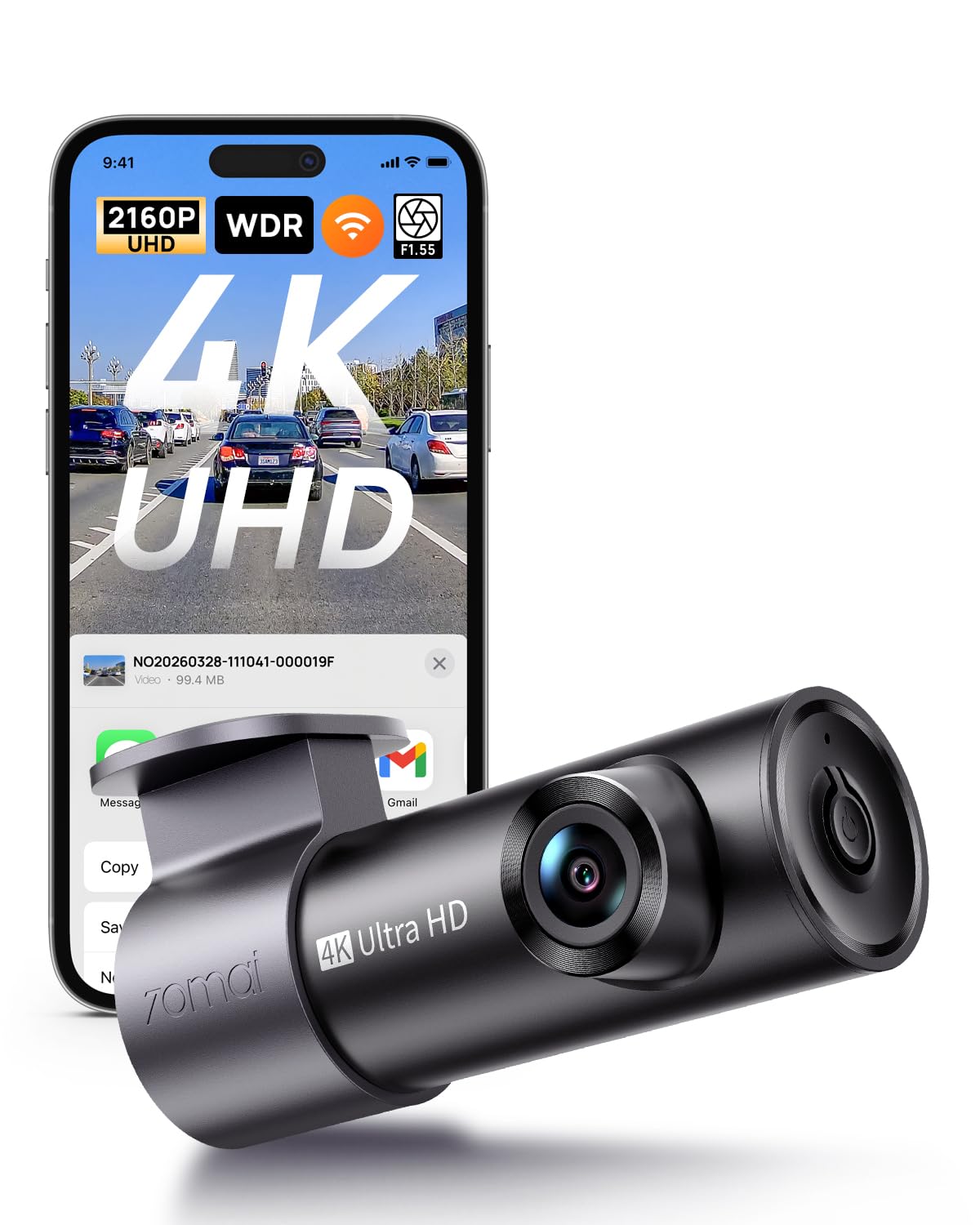
2. 70mai M310 Plus 4K Dash Cam
A screenless 4K powerhouse that hides behind your mirror and listens for commands.
If you want the sharpest front footage for the least money, this is your camera. The M310 Plus records in true 4K UHD, and owners consistently describe the clarity as sharp enough to read license plates at speed. Its F1.55 aperture (the opening that lets light in) is wider than the F1.8 on the Yonvim, which means better performance when the sun goes down. At just 76.7g, it’s featherweight and tucks discreetly behind your rearview mirror.
Unlike the Yonvim, there’s no screen here—you control everything through the WiFi app on your phone, which lets you view live footage, download recordings, and share clips in seconds. Voice control lets you lock videos or take photos hands-free while driving. A smart pre-recording feature locks up to 1–3 minutes of footage before an impact, so you capture what led up to a collision, not just the moment itself.
The catch is the connectivity: a number of owners find the app finicky to connect to, even though others report flawless performance. There’s no SD card in the box, so you’ll need to buy one (it supports up to 256GB). And since it’s screenless, you can’t glance at it to confirm it’s recording—you’ll trust the app or the voice prompts. It’s a fantastic value for the 4K quality, but it demands a little patience with the app setup.
The praise it earns
- Quality is the top mention—owners call the 4K video stunning for the price
- Compact size and easy 5-minute install with static stickers
- Voice control for locking clips and taking photos on the go
The honest downsides
- WiFi app connection issues come up often—be ready to troubleshoot
- No included memory card, so budget for a separate SD card
Best for: drivers who want maximum front-camera clarity and don’t mind phone-based controls.
Think twice if: you prefer a built-in screen for instant playback checks.
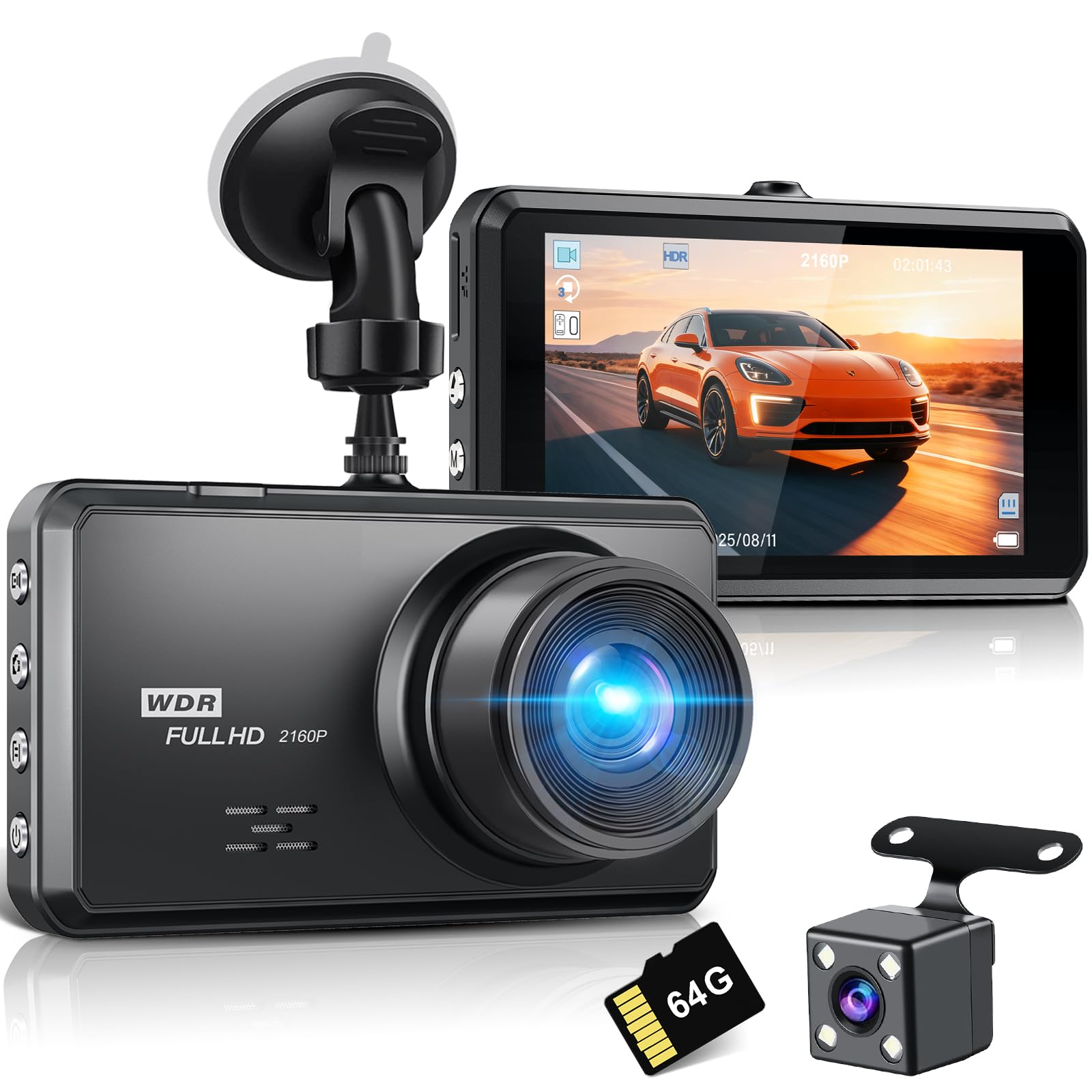
3. SHRINLUCK 2K Dual Dash Cam
The first-timer’s friend with a wiring crowbar and a 176° lens in the box.
This dual camera stands out for one simple reason: it includes everything a novice needs, including a wiring crowbar and a suction cup mount that owners say holds strong. The front records 2K while the rear shoots 1080P, and the 176° field of view is the widest of any pick here—beating the Yonvim’s 160° and the Huntermax’s 170° front coverage. Owners mention clear day footage and night vision that handles oncoming headlights without washing out.
The aluminum alloy case is a rarity at this price point. Unlike plastic shells, it dissipates heat more effectively, which matters when your car sits in summer sun. The 3.2-inch IPS screen is bright and easy to navigate, and the touch controls make menu adjustments simple. It also comes with a 64GB SD card plus a USB card reader, so you can pull footage off without juggling cables.
The reliability record is split, though. A few customers note the camera failing within a day and burning through memory cards, requiring frequent reformatting. That’s the exception rather than the rule—most praise its value and performance—but it’s worth knowing. The menu is also slightly tricky to figure out at first, though owners say it clicks after a bit of fiddling. At this price, the heat-dissipating case and included tools make it a compelling choice for newbies.
Why owners pick it
- Video quality is the top praise—clear day and night with WDR night vision
- Reliability and easy installation get frequent positive mentions
- A full 64GB card and reader are included, saving you money
Know before you buy
- A minority report reliability issues with power and card reformatting
- The menu system takes a little learning on first setup
Grab it for: a stress-free first-time install with tools and guidance included.
skip it if: you want the proven track record of a more established brand.
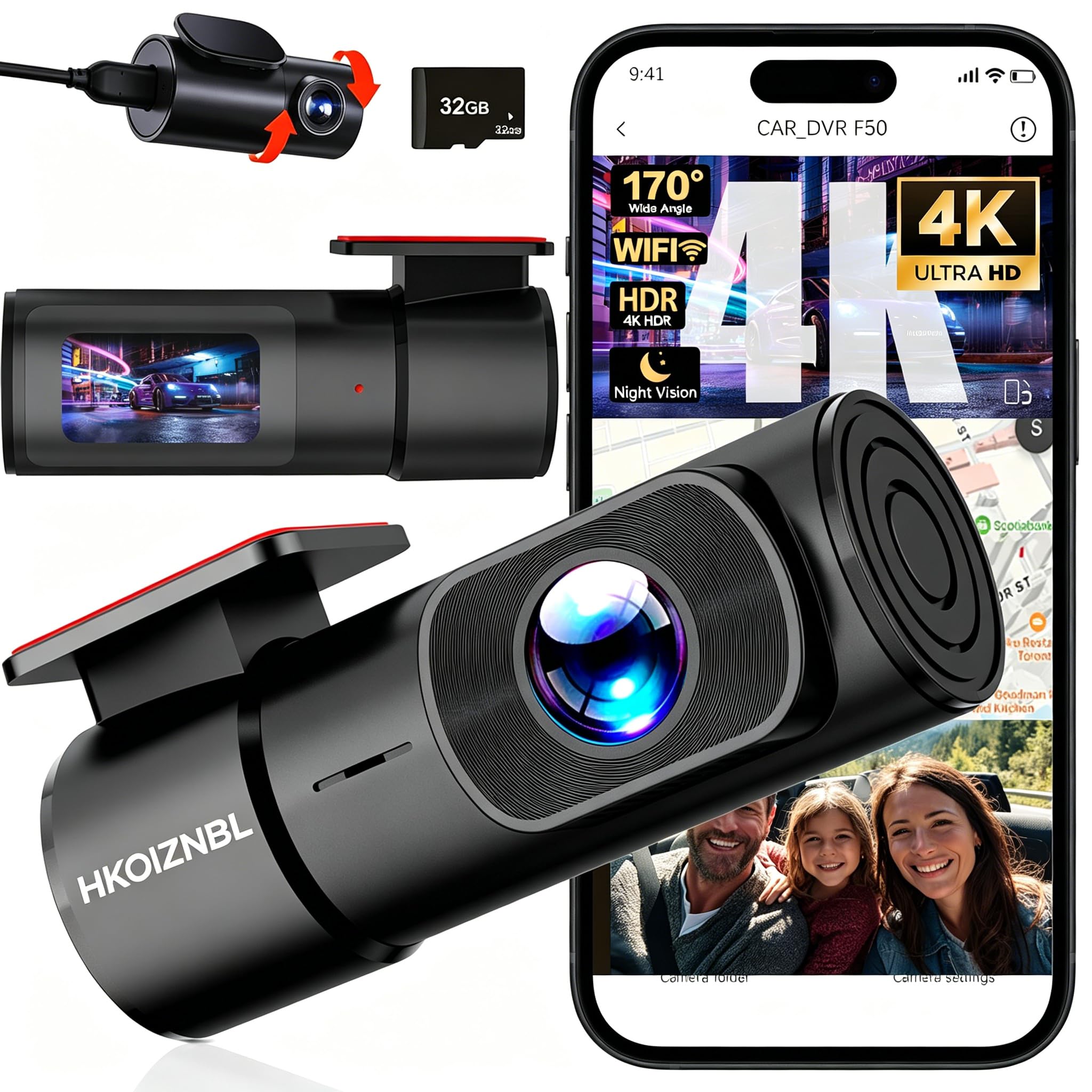
4. HKOIZNBL 4K+2.5K Dash Cam
The only budget pick that gives your rear camera 2.5K resolution to match the front.
Most dual cameras drop the rear unit to 1080P, but the HKOIZNBL records 4K up front and 2.5K in the back. That rear sharpness matters if you’re often hit from behind and need to read a plate that’s driving away. The 170° front and 150° rear lenses cover roughly three lanes of traffic, and owners say the wide angle records the full surroundings without distortion. Both cameras rotate to your preferred angle, which makes them work across sedans, SUVs, trucks, and even golf carts.
The built-in 5G WiFi is noticeably faster than the 2.4GHz on older models, so downloading clips through the app feels snappy rather than sluggish. Owners describe the app connection as quick and the recordings as reliable. You also get a 32GB card in the box—smaller than the 64GB on most rivals—but the camera supports up to 256GB if you want to upgrade. The F1.8 aperture and 6-glass lens handle low light well enough to catch plates at dusk.
Installation is the headline here, with owners noting it goes in without complex tools and the wiring fits most cars without a messy layout. That said, hiding the cables completely is hard work—it’s doable but fiddly. The 2-inch IPS screen is compact, which keeps the unit unobtrusive, but it’s smaller than the 3.2-inch screen on the SHRINLUCK. It’s a strong value pick, especially for anyone who wants rear-camera detail without paying premium prices.
The standout traits
- Installation is the most-praised aspect—fast and tool-free for many
- Clean day and night video with a wide, detailed view
- Front and rear dual recording covers all road conditions
The trade-offs
- Hiding cables completely takes patience and effort
- 32GB card feels skimpy next to the 64GB rivals include
Choose it for: the sharpest rear-camera footage in the budget tier.
Look past it if: you want the largest included storage card.
5. WOOLAACOO C5 Dual Dash Cam
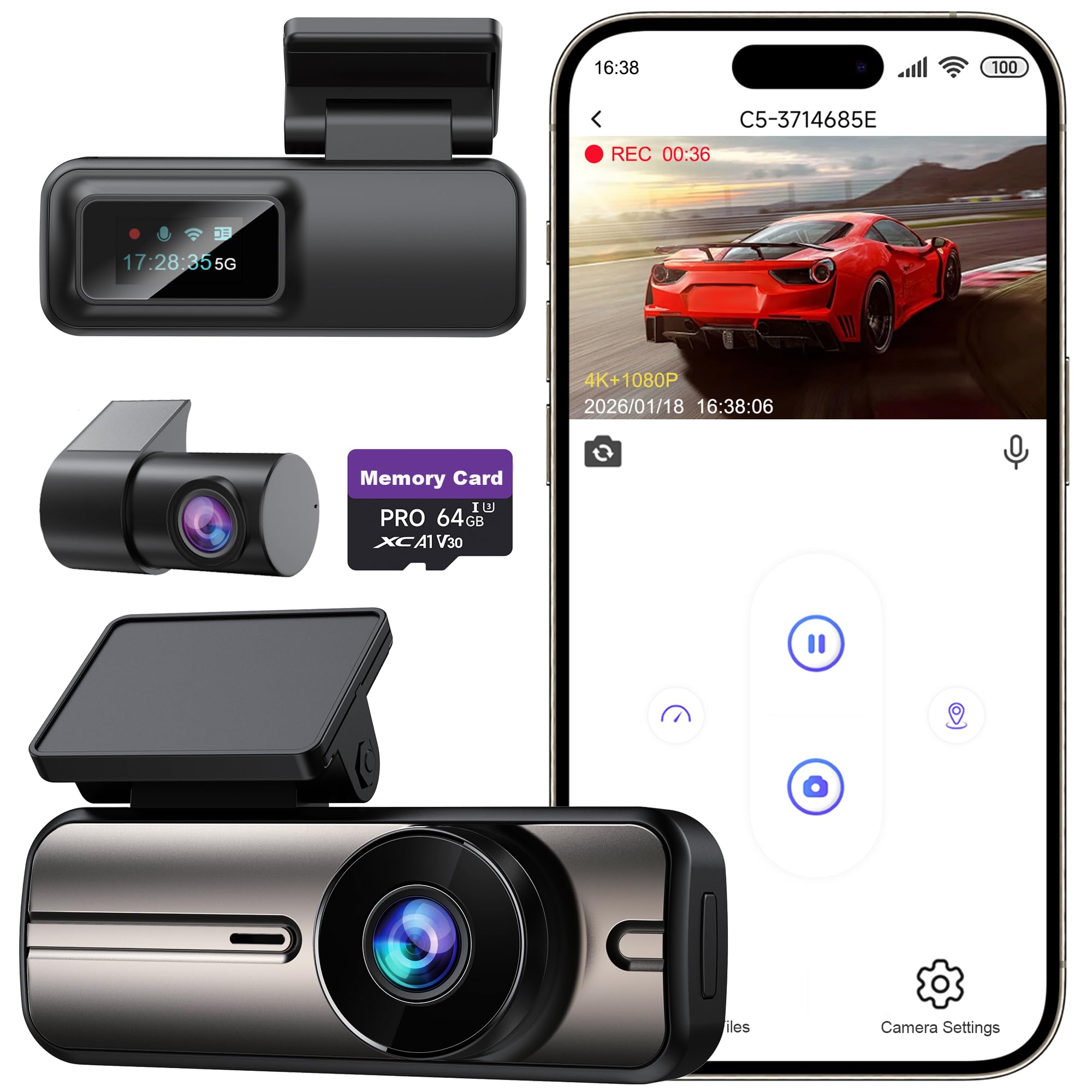
A discreet dual-cam with 5GHz WiFi and a bonus USB port to charge your phone.
This one earns its spot with two practical touches most budget cams skip. First, it uses 5GHz WiFi instead of the slower 2.4GHz band, so downloading 4K clips to your phone is notably quicker—owners describe the app as easy to use and the transfers as fast. Second, it includes an extra USB port, letting you charge your phone while the camera records. That’s a small convenience that matters on long road trips.
The front camera shoots 4K and the rear 1080P, with an F1.8 aperture and enhanced night vision for low-light and rainy conditions. Owners say the picture quality is great and easy to make out number plates during both day and night. The compact design won’t obstruct your view, and the included 64GB SD card is ready to go from the start. Loop recording overwrites older files automatically, while the G-sensor locks critical footage so it can’t be erased.
The biggest frustration is the membership requirement. One owner is blunt: “This dashcam requires you to purchase a membership for viewing your videos and timeline,” calling it a disappointing extra cost for basic functions. That’s a real consideration if you want to review footage on a timeline rather than clip by clip. The WiFi range is also limited to 3–5 meters, so you can’t pull footage while standing far from the car. It’s also not wireless—it must stay plugged into a power source to operate.
What owners like
- Clear imaging with easy plate reading at night
- Simple, straightforward install with clear instructions
- Discreet size that doesn’t block your view
What might annoy you
- A membership is required to access full video timelines
- WiFi range is short—3 to 5 meters max
Pick this if: fast phone downloads and a spare charging port top your list.
Steer clear if: subscription gates for basic viewing are a dealbreaker for you.
6. Huntermax 3-Channel Dash Cam
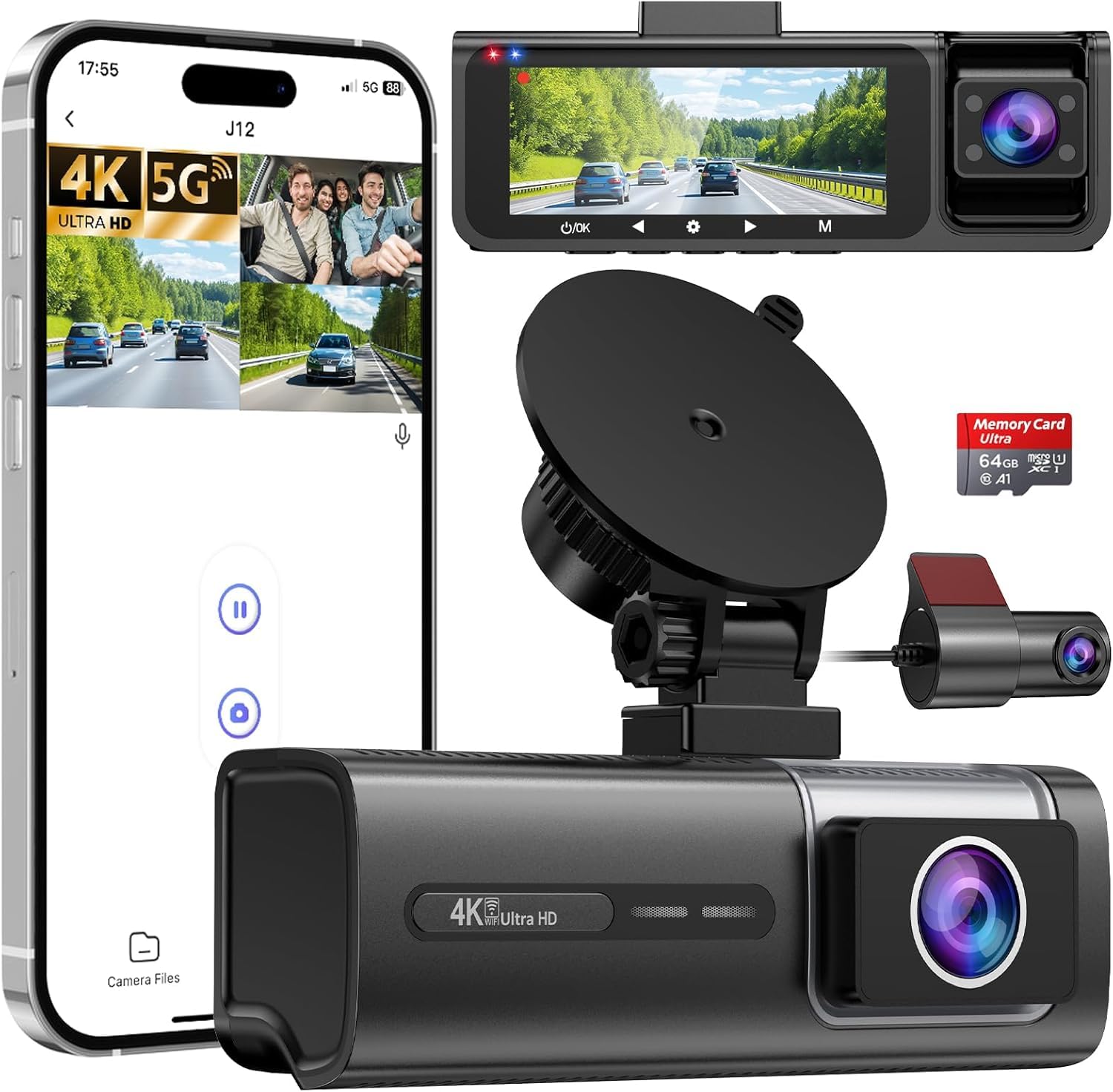
The ride-share essential that watches the road, the cabin, and everything behind you.
If you drive for a living, this is the camera that covers your bases. It records simultaneously with a 4K front camera, a 1080P interior camera, and a 1080P rear camera—three angles that eliminate blind spots for rideshare drivers or anyone who wants cabin protection. The front lens spans 170°, the interior 150°, and the rear 120°, and it’s one of the few budget cams that shoots at 60 FPS for smoother, more detailed motion capture. Owners call the 4K video super crisp.
The interior camera has 4 infrared LEDs, which is what lets it capture clear footage inside a dark cabin at night. The suction cup mount is stable and removes with a gentle twist, leaving no adhesive marks. Everything you need is in the box: the 64GB card, a card reader, trim tools, and cable organizers. Owners say the install takes about 20–30 minutes and the app is easy to check recordings on.
There are two honest catches. First, the app and connectivity get mixed feedback—several reviewers point out trouble connecting, and you can’t use CarPlay WiFi and the dashcam WiFi at the same time. Second, a few owners found that when the memory fills, the camera stops recording rather than overwriting the oldest footage, which defeats the purpose of loop recording. Check for firmware updates and test it with a full card early. At this price, the triple-camera coverage is genuinely hard to match.
Why it stands out
- Three synchronized cameras cover front, cabin, and rear
- Super crisp 4K video with smooth 60 FPS motion
- Infrared LEDs capture cabin details in the dark
Keep in mind
- App connectivity is inconsistent for some owners
- A full card may stop recording instead of looping over
Made for: rideshare and delivery drivers who need cabin coverage as proof.
Not ideal for: anyone who wants a flawless, set-and-forget app experience.
7. 70mai A410 Dash Cam Front and Rear
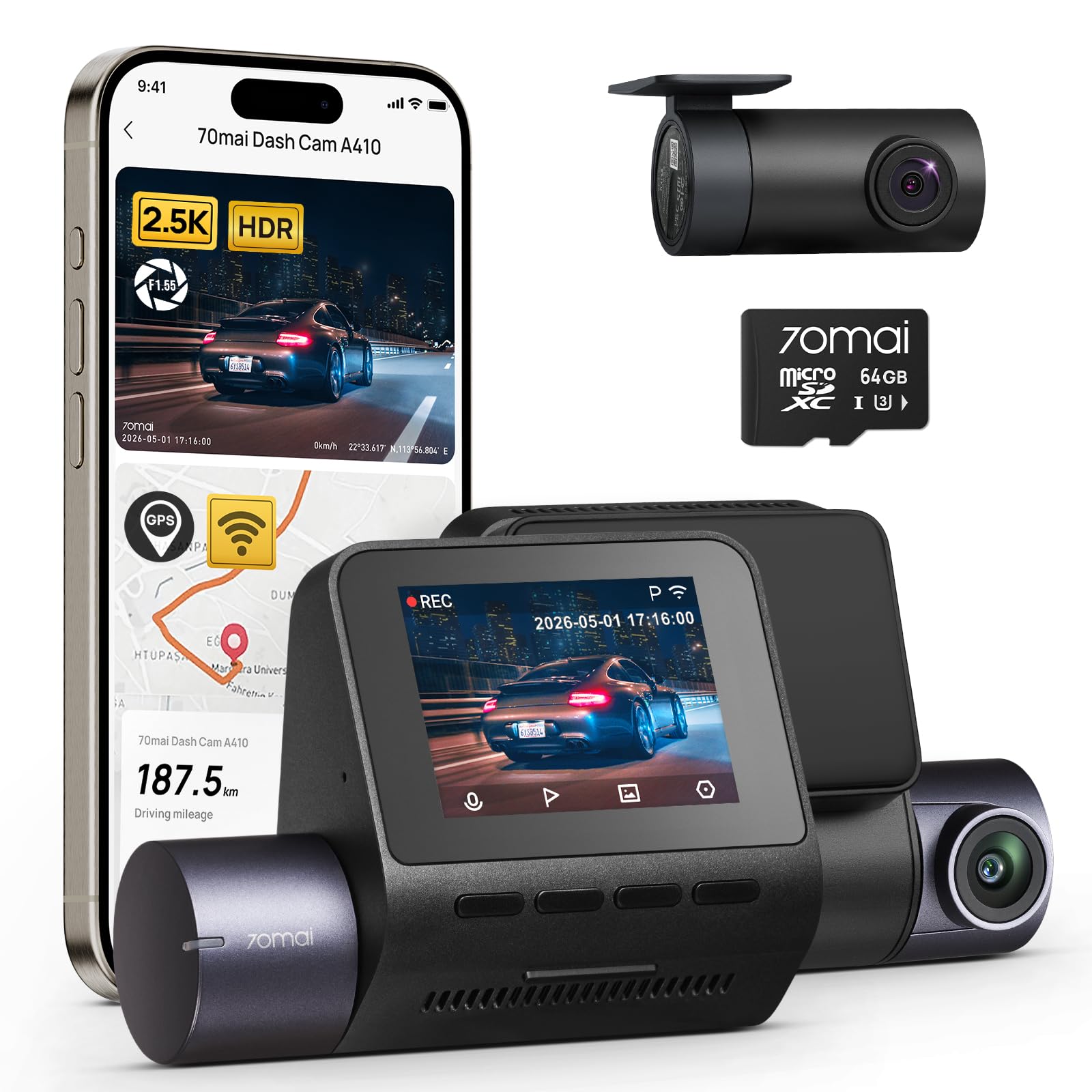
The brand-loyalist upgrade with real GPS tracking and a mount that won’t leave sticky residue.
This is the camera for repeat 70mai buyers—several owners note it’s their third purchase from the brand, which tells you something about trust. The front records 2.5K (2560x1440P) and the rear 1080P, with a 125° wide-angle lens. That’s a narrower field than the Yonvim’s 160°, but it means less fisheye distortion at the edges. The real differentiator is the built-in GPS, which embeds coordinates, speed, and timestamps directly onto your footage—creating documentation that’s easier to trust in a dispute.
The F1.55 aperture plus HDR technology delivers strong night vision, and owners confirm it handles varied lighting well. The electrostatic sticker mount is a standout feature: it holds firmly without sticky residue or suction failures, and it’s ideal for leased cars or frequent repositioning. Setup takes under 5 minutes, according to the brand, and owners agree the installation is super easy. The rear camera is so small you barely notice it.
Durability is a common theme in owner feedback, with reports of it withstanding extreme heat and cold without malfunctions—one owner’s previous unit died in Florida heat, and this one hasn’t. The trade-offs are minor: the cable is very long, almost too long, and the rear cable length gets mixed feedback from owners who found it short. The 125° lens also means you can’t always capture plates at a distance. It’s the priciest dual-cam here, but it earns it with proven reliability and GPS.
The core strengths
- Camera quality is the top praise—sharp, reliable, and durable
- Easy installation with residue-free electrostatic stickers
- Built-in GPS logs speed, route, and timestamps on footage
The honest limits
- Rear cable length draws mixed feedback
- 125° lens is narrower, so distant plates are harder to read
Worth it for: owners who want GPS-verified evidence and proven heat durability.
Reconsider if: you need the widest possible field of view.
8. Jzones 4K Dash Cam Front and Rear
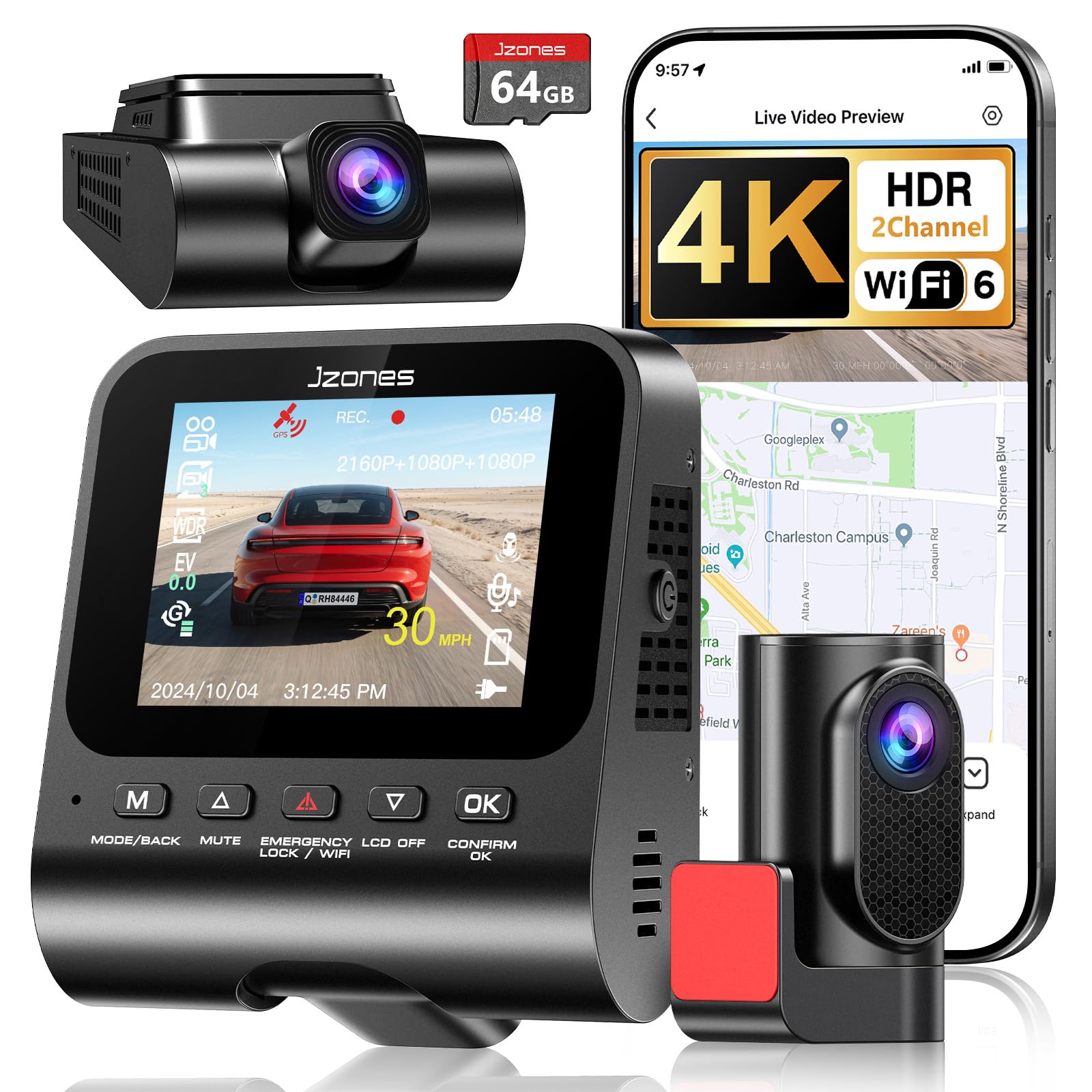
The tech-forward option that transfers 4K clips at up to 20MB/s over WiFi 6.
If you’re tired of waiting forever for a dash cam to send you a clip, this one solves it. It uses WiFi 6 (the latest wireless standard) to transfer 4K footage at up to 20MB/s, which means you can share video with an officer or an insurer on the spot. The front camera records 4K and the rear 1080P, with a 170° wide angle that owners say is very clear. It’s marketed squarely at rideshare and professional drivers who need verified evidence of their routes.
The F1.5 large-aperture lens and HDR work together for night driving, capturing pedestrians and signs where standard cameras fail. Built-in GPS logs real-time speed and routes, giving you a second layer of proof alongside the video. Owners found installation easy—one fitted the front and rear in their truck and hid all the wiring in under an hour. The included 64GB card is a smaller one that records about a 24-hour loop, which is plenty for daily driving.
The concerns here are real but worth sizing correctly. The screen is very small and almost impossible to see in daylight, according to one owner who used it on a 2,500-mile trip. And there’s a single report of a unit dying completely after less than 3 months—a rare but cautionary tale. The camera also announces when it turns on and off, which some owners find annoying. For the WiFi 6 speed and price, it’s a solid pick if you value fast transfer over a big screen.
What it does well
- WiFi 6 gives you 20MB/s transfers—among the fastest here
- Clear 4K footage with easy front-and-rear install
- Built-in GPS for logging speed and routes
Before you commit
- The small screen is hard to read in bright daylight
- A rare report of a unit failing after a few months
Ideal for: drivers who need rapid clip transfers for work or insurance claims.
Pass on it if: you rely on the built-in screen for day-to-day checks.
9. FAIMEE F6 4K+2K Dash Cam
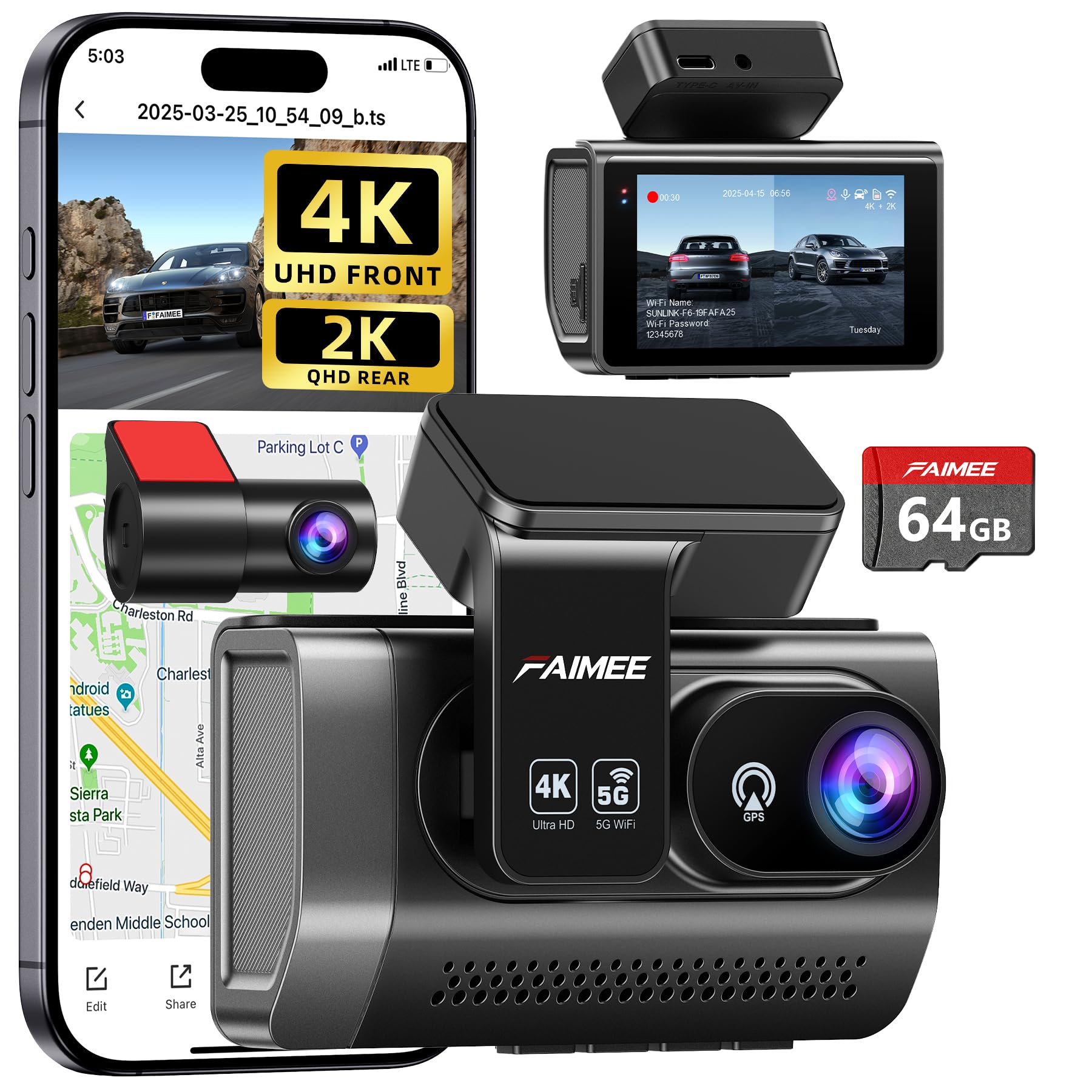
The most-reviewed budget dual-cam here, with 4K front and a sharp 2K rear lens.
With a loyal following among budget buyers, the FAIMEE F6 balances 4K front recording with a 2K rear camera (2304x1296P)—an upgrade over the 1080P rear units on most rivals. The 170° wide-angle lenses cover up to six lanes of traffic, and the F1.8 aperture plus WDR delivers sharp, balanced video in low light and high-contrast conditions. Owners consistently describe the video quality as clear and the setup as easy, with several noting it handles 100°F+ heat without issues.
The dual-band WiFi (5.8GHz/2.4GHz) gives you a faster, more stable connection to the FAIMEE app for live-view and instant downloads. The compact 3-inch IPS screen installs discreetly behind your rearview mirror, and the stick-on mount with clear instructions gets you running in minutes. It comes with a 64GB high-endurance memory card ready to record from the start, and supports expansion up to 256GB. The built-in GPS logs real-time speed, route history, and location coordinates.
The honest trade-offs: the camera body is larger than some rivals, which a few owners noted when comparing sizes. The crash detection can be oversensitive, triggering locks on minor bumps, and the manual requires some learning. Owners also recommend the hardwire kit for true parking coverage, though it’s not included. One owner summed it up simply: “Quality is nice and it is easy to use!” at a good price for the money. This is the safe, proven choice if you want a crowd-tested dual-cam.
What earns its fans
- Crisp 4K front and 2K rear footage at a budget price
- Easy setup with reliable daily performance
- Dual-band WiFi for fast app downloads and sharing
The lesser points
- Bulkier than some rivals—less discreet behind the mirror
- Crash detection can be oversensitive, locking files on small bumps
Best for: buyers who want the strongest rear-camera resolution at this price.
Consider others if: a smaller, more hidden camera body is a priority.
Understanding the Specs
Aperture (F-number)
The aperture is the opening that lets light into the lens, written as F1.5, F1.55, or F1.8. A lower number means a wider opening, which captures more light in dark conditions. This is the single most important spec for night driving—an F1.5 lens will read plates in a dim lot where an F1.8 struggles. It’s why the 70mai M310 and A410, both with F1.55 apertures, get praised for night vision.
Field of View (FOV)
Field of view (FOV) tells you how much of the road the lens captures, measured in degrees. A wider FOV (like 170° or 176°) lets you see more of what’s beside your car, but you may notice a slight fisheye curve at the edges. A narrower FOV (like 125° on the 70mai A410) keeps the image straighter but misses the sides. For most drivers, 140°–170° strikes the right balance between coverage and clarity.
FAQ
Do I need a front and rear dash cam, or is a front-only camera enough?
What does parking mode require, and is it included?
How much storage do I need, and is a card included?
Will a dash cam drain my car battery?
What is a G-sensor and why does it matter?
Is a 4K dash cam worth it over a 2.5K one?
How do WiFi and app control work on a budget dash cam?
What is WDR and how does it improve night video?
Will the adhesive mount damage my windshield?
Can I use the dash cam in extreme heat or cold?
Final Thoughts: The Verdict
For most drivers, the budget dash cam winner is the Yonvim Dash Cam 2.5K because it bundles front, rear, 64GB storage, and GPS into one no-fuss package. If you want the sharpest front footage, grab the 70mai M310 Plus for its 4K clarity and voice control. And for rideshare drivers who need cabin coverage, the Huntermax 3-Channel is the one to reach for with its triple-camera setup.
How We Picked
We do not accept paid placement. Every pick is matched to a real buyer and a real use-case; we do not hands-on test units.
Sources & Methodology
Specifications: manufacturer listings and product documentation. Review insights: verified customer reviews, as of August 2026. Pricing: not shown on this page (it changes often); check the current price via the retailer link.
As an Amazon Associate, FitlyFast earns from qualifying purchases. This does not affect which products we feature.