
Our readers keep the lights on and the weekend projects moving. As an Amazon Associate, I earn from qualifying purchases.
Specs are compiled from manufacturer listings and verified buyer reviews and can change over time — please confirm the key details on the product page before buying.
A business WiFi access point is the difference between a conference call that glitches and one that just works. You are not shopping for a home router here — you are buying the backbone that keeps every laptop, phone, and printer in your office connected at once. This guide breaks down the nine best options by coverage, speed, and how much management you actually want to do.
I’m Rikta — the founder and writer behind FitlyFast. This guide is built by comparing the manufacturers’ published specifications and the patterns across verified customer reviews, so you get each pick’s real strengths and trade-offs instead of marketing spin.
We have ranked the strongest contenders to help you find the right fit for your office, with the business wifi access point that delivers the best mix of speed, coverage, and reliability.
Our Picks at a Glance


How To Choose The Best Business WiFi Access Point
An access point (AP) is a device that broadcasts your wired internet connection as Wi-Fi, and picking the right one for a business is about more than raw speed. You need enough coverage for your floor plan, enough capacity for your devices, and a way to manage it that matches your technical comfort.
Coverage and Speed Matter Together
A single AP can only reach so far, so you often need to plan for a few units across an office. Speed is measured in megabits per second (Mbps) — the higher the number, the faster data travels to your devices. Wi-Fi 6 (the 802.11ax standard) is the current generation, and it handles many simultaneous connections far better than older Wi-Fi 5 gear.
Power Over Ethernet Simplifies Install
Power over Ethernet (PoE) lets one cable carry both data and electricity, so your AP can sit on a ceiling or high on a wall without a nearby power outlet. Look for 802.3at (also called PoE+) support if you want this flexibility, or check that a power adapter is included in the box.
Management Style Sets Your Workload
Before you buy, decide how you want to manage your network. Some access points (APs, devices that broadcast Wi-Fi to your office) work fine on their own with a quick app setup, perfect for a small office. Others plug into a controller system — a piece of software or hardware that manages several APs at once, handling roaming (moving between APs without dropping the connection) and guest networks. Choose between a single-interface cloud dashboard or a simple plug-and-play unit.
Quick Comparison
| Model | Best For | Max Speed | Coverage | Ports | Amazon |
|---|---|---|---|---|---|
| Ubiquiti U6+★ Best Overall | Mixed offices with UniFi users | 3 Gbit/s | 140 m2 | 1x Gigabit | Amazon |
| TP-Link EAP670Top Performer | High-density offices | 5400 Mbps | 250+ clients | 1x 2.5G | Amazon |
| TP-Link EAP650Best Value | Cloud-managed value | 2976 Mbps | Wide/Extended | 1x Gigabit | Amazon |
| TP-Link EAP615-Wall | Hotel rooms and cubicles | 1800 Mbps | 538 sq ft | 4x Gigabit | Amazon |
| ASUS EBA63 | ASUS AiMesh homes | 3000 Mbps | 2400 sq ft | 1x Gigabit | Amazon |
| TP-Link EAP610-Outdoor | Weatherproof yards | 1800 Mbps | Outdoor Mesh | 1x Gigabit | Amazon |
| NETGEAR WAX610 | Insight cloud management | AX1800 | 2500 sq ft | 1x 2.5G | Amazon |
| HPE AP22 | Small businesses with power bundle | 1200 Mbps | Wide coverage | 1x Gigabit | Amazon |
| Ubiquiti U7 Long-Range | Large homes and long halls | 1000 Mbps | 150 ft indoors | 1x Gigabit | Amazon |
In‑Depth Reviews
1. Ubiquiti U6+ Dual Band Access Point
Our pick — over 4.5★ from 900+ verified ratings; the strongest balance of quality and price.
The crowd favorite that blends into your ceiling and quietly serves every device in the room.
The U6+ earns its top spot because it covers roughly 1,500 square feet (140 m2) with a 3 Gbit/s wireless transmission speed, and owners consistently describe it as flawless and easy to set up. It supports the Wi-Fi 6 standard (802.11ax), so modern laptops and phones connect faster and stay stable even when dozens of devices are active. A Gigabit Ethernet port handles the wired connection, so your network does not bottleneck at the AP.
Installation is clean because of the PoE+ port, which pulls data and up to 25.5W of power through a single cable — no outlet needed on the ceiling. It requires a PoE+ injector (a Ubiquiti router is optional), and buyers report it replaces a weak second-floor router or extends 5GHz coverage to a basement with ease. The data encryption feature keeps unauthorized devices off your network, and it supports multiple SSIDs (separate Wi-Fi names) for guest, IoT, and staff networks.
Owners note the LED acts as a handy closet light, and the design looks sleek once mounted. The main trade-off is that it needs a Ubiquiti controller setup, which has a slight learning curve, and some find the value fair rather than cheap. As buyers put it: “Excellent access point with fast, reliable Wi-Fi coverage.”
What wins people over
- Fast, reliable Wi-Fi 6 coverage across a wide space
- Clean, simple setup through the UniFi app
- Single-cable PoE+ installation
Consider before buying
- Requires a PoE+ injector (UniFi router optional)
- Setup has a short learning curve for new users
The right fit: If you already use UniFi gear (Ubiquiti’s networking equipment) at your office or home, this AP gives you smooth, set-and-forget coverage without learning a new system.
A fair heads-up: Expect to budget for a PoE+ injector if you don’t own one yet.
2. TP-Link Omada EAP670 WiFi 6 AX5400
The heavy lifter for crowded offices, pushing 5400 Mbps to 250-plus clients at once.
This is the AP to pick when your office has more devices than people. The EAP670 boosts dual-band speeds up to 5400 Mbps and handles 250+ clients, so a full-floor plan of laptops and phones stays connected without drops. It runs Wi-Fi 6 with features like MU-MIMO (sending data to several devices at once) and beamforming (focusing the signal toward each device).
The 2.5 Gigabit Ethernet port is the standout spec — it is faster than the common 1 Gigabit port on most APs, so your wired backhaul does not strangle your Wi-Fi speed. Power it with 802.3at PoE+ from a switch, or use the included 12V/1.5A DC adapter. Owners mention it replaces two older APs and covers two floors plus a basement with superior range, and one owner runs 150+ devices without a single drop.
Management runs through the free Omada Essentials Cloud — no extra hardware or software fees — or through the Omada app. The slim design blends into an office ceiling, and the 5-year warranty adds long-term confidence. The catch: roaming features work best with an Omada controller, and band steering can cause a brief stall when you walk between APs.
Why it leads
- 5400 Mbps and 250+ client capacity
- 2.5G port for faster wired backhaul
- Free cloud management via Omada
What to watch
- Band steering may cause short stalls while roaming
- Best used with an Omada controller
Pick this if: You run a dense office or warehouse and need high-capacity Wi-Fi 6 with multi-gigabit wired speeds.
Look elsewhere if: You want a zero-config AP — this rewards a controller setup.
3. TP-Link Omada EAP650 WiFi 6 AX3000
A slim, reliable workhorse that delivers Wi-Fi 6 speeds up to 2976 Mbps without the premium price.
The EAP650 is the value pick that does not feel like a compromise. It hits dual-band speeds up to 2976 Mbps over Wi-Fi 6, and owners consistently praise its reliability, with one buyer noting it covers the entire house. Setup takes minutes through the Omada app — scan the serial number and you are ready, thanks to the free Omada Essentials Cloud management.
It gives you three power options: 802.3at PoE+, 48V/0.5A Passive PoE, or the included 12V/1.5A DC adapter. That flexibility means you can mount it on a ceiling with a single cable or plug it into a wall outlet near a desk. The ultra-slim design is built to blend into a modern office, hotel, classroom, or cafe without sticking out.
Advanced tools come standard: mesh Wi-Fi (multiple APs sharing one network), smooth roaming, WPA3 (the latest Wi-Fi security), band steering (pushing devices to the fastest band), and load balancing (spreading devices across bands). The 5-year warranty with free technical support is a strong safety net. Customers note a couple of setup niggles, and one noted the hardware revision shipped was older than the current model — worth confirming which version you receive.
Where it shines
- Reliable Wi-Fi 6 at a value price
- Three flexible power options, adapter included
- Free cloud management with no fees
Minor gripes
- May ship an older hardware revision
- Setup app has a slight learning curve
Buy it for: Small offices and cafes that want solid Wi-Fi 6, easy cloud setup, and a budget-friendly price.
skip it if: You need multi-gigabit wired speeds or 250+ device capacity — step up to the EAP670 instead.
4. TP-Link EAP615-Wall WiFi 6 AX1800

Disappears into the wall and gives each room its own private Wi-Fi network.
This is the AP for hotel rooms, office cubicles, and dorms where a ceiling puck just is not practical. The EAP615-Wall replaces a standard wall plate and delivers dual-band Wi-Fi 6 speeds up to 1800 Mbps right where people sit. Its defining feature is the 4 Gigabit Ethernet ports: one uplink that runs on PoE (802.3af/at), plus three downlink ports — one of which supports PoE pass-through to power a wired device like a phone or camera.
Owners love the clean, low-profile look and the easy single-gang mount. The Omada controller manages multiple units great, and reviewers point out steady connectivity and strong signal for a small space. The directional signal is a real fit consideration — it projects forward, so placement matters and closets or behind doors get weak coverage.
The recurring caveat is guest networks: there is no L2 client isolation on Omada APs, so multicast can leak between guest and main networks, potentially letting a guest cast to a TV. Some buyers went with Ubiquiti for that reason, but for a private network per room, this stays a solid, flexible choice.
Why it stands out
- In-wall design keeps rooms looking clean
- 4 Gigabit ports with PoE pass-through
- Easy single-gang mount and Omada management
A real limitation
- Directional signal is weak behind doors or in closets
- No L2 client isolation for guest networks
Made for: Hotels, cubicles, and per-room Wi-Fi where a flush wall plate beats a ceiling mount.
Not for: Open office floors needing 180-degree coverage — a ceiling AP like the EAP650 covers more.
5. ASUS ExpertWiFi EBA63 AX3000

The only PoE access point that slots straight into an ASUS AiMesh network.
If you already run an ASUS router, this is the AP that fits your ecosystem. The EBA63 supports up to 100 active devices at speeds up to 3000 Mbps over Wi-Fi 6, covering 2400 square feet. It supports both PoE and a standard AC adapter, so you have flexibility on where to place it — ceiling, wall, or desk.
Security is a genuine strength: it supports up to five SSIDs (separate network names) with VLAN support for device segregation, so your guest Wi-Fi stays separate from your staff network. It is built with materials meeting the UL94 5VB flammability standard on the top half and is compliant with IEC 60601-1-2, a standard for safety near medical equipment. Shoppers say setup takes about five minutes as an AiMesh node, with speeds of 300-600 Mbps typical and faster near the AP.
One honest fit note: connectivity feedback is mixed across buyers, with some reporting stable performance and others hitting occasional stability issues. Setup runs through the app only, and it defaults to wireless backhaul unless you manually set wired priority — a step that halves your throughput if you forget. It also needs 802.3at PoE+, not passive PoE.
Why it appeals
- smooth AiMesh integration with ASUS routers
- Up to 5 SSIDs with VLAN for network separation
- PoE and AC adapter power options
Before you buy
- App-only setup with a manual wired-backhaul step
- Connectivity stability is mixed across owners
Who this suits: ASUS router owners who want one more AP to extend AiMesh coverage without a new controller system.
Who should skip: Anyone building a multi-vendor network — this shines inside the ASUS ecosystem only.
6. TP-Link EAP610-Outdoor AX1800

Built to shrug off rain and beam Wi-Fi across the whole yard, shed, and farm.
When your business network needs to stretch outdoors, the EAP610-Outdoor is the AP that handles it. Its IP68 weatherproof enclosure (the highest dust and water-resistance rating) plus dedicated high-gain antennas deliver dual-band Wi-Fi 6 speeds up to 1800 Mbps in harsh conditions. Buyers report flawless coverage from house to garage to backyard, with one owner running a full farm yard of smart devices that never disconnect.
It also works as a Wi-Fi extender in range-extender mode, repeating an existing wireless signal — handy for expanding coverage without running new cable. Power it with 802.3at PoE or the included 48V/0.5A passive PoE adapter, and manage it through the Omada app or standalone mode. The 2-year warranty with free technical support is shorter than the indoor EAP650’s 5-year term, a fair trade for a weather-hardened unit.
The honest caveat: signal quality and connectivity get mixed feedback across owners. Most report strong, stable outdoor Wi-Fi, but some hit weak signals or connection drops, and reliability is the lowest-ranked aspect. Placement and line-of-sight matter a lot outdoors. One reviewer noted that true mesh (smooth roaming between units) requires an Omada controller (a separate management device) — running them as simple repeaters or APs works fine without it.
What makes it special
- IP68 rating shrugs off rain and dust
- Dedicated high-gain antennas for long range
- Can extend an existing Wi-Fi signal
Keep in mind
- Signal quality varies with placement and obstacles
- True mesh needs a separate Omada controller
Buy it for: Warehouses, farms, and any property with outdoor spaces that need rock-solid Wi-Fi.
pass on it if: You need smooth roaming across multiple outdoor units — budget for an Omada controller too, or you’ll be stuck with simple repeater mode.
7. NETGEAR WAX610 WiFi 6 AX1800

A cloud-managed workhorse that handles 200 devices and 2,500 square feet with ease.
The WAX610 is NETGEAR’s answer for businesses that want remote management without a hardware controller. It delivers dual-band AX1800 Wi-Fi 6 speeds across 2,500 square feet, supporting up to 200 client devices with MU-MIMO. The 2.5G Ethernet port connects wired at multi-gigabit speeds, so your Wi-Fi is not capped by a slower port.
Setup and management run through the NETGEAR Insight app, with a 1-year free Insight subscription included — let that lapse and you still have the app for local control. Security is solid: WPA3, network and client isolation (which keeps devices from seeing each other), and rogue AP detection (spotting fake access points). It supports up to 8 SSIDs, load balancing, band steering, and assisted roaming.
Owners mention it is easy to set up and manages well, with one noting it covers both floors of a house. It runs on PoE+ (802.3at), but the AC adapter is sold separately — check your power source before installing. Performance feedback is mixed, with an occasional unit running hot, and a few mention that the Insight cloud service has limits in controlling every option.
Where it wins
- 2.5G port for fast wired backhaul
- Up to 8 SSIDs with WPA3 and rogue AP detection
- 1 year free Insight cloud management
Fair warnings
- AC adapter not included; PoE+ required
- Performance feedback is mixed, some units run hot
Go with this if: You want cloud management from anywhere and need to support up to 200 devices across a wide space.
Think twice if: You have no PoE+ switch — the missing adapter means an extra purchase.
8. HPE Instant On AP22 WiFi 6

A 2×2 Wi-Fi 6 AP that sets up in minutes and includes the power adapter in the box.
For small businesses that want enterprise-grade gear without enterprise complexity, the HPE Instant On AP22 is a standout. It is a Wi-Fi Certified 6 access point with 2×2:2 architecture (two antennas for transmit, two for receive, two streams) that improves roaming and helps devices connect quickly. The dual-band speed tops out at 1200 Mbps — not the fastest here, but reliability is the story buyers tell.
This model (R6M49A) is the power bundle, so the 12V adapter and cord come in the box — a rare convenience. You can also power it via PoE from a switch or injector. Setup takes minutes through the Instant On mobile app or web portal, with no subscription or license required. Smart Mesh extends your network without extra cables, and Cloudflare integration adds secure, quick web browsing.
The recurring theme from owners is stability: one buyer replaced a flaky AT&T Wi-Fi setup and saw zero drops since install, while another praises its stability against major mesh brands. That said, connectivity and speed get mixed feedback — some report great performance, others hit connection drops, and it is not the fastest unit here. It also needs a separate router, so it is not an all-in-one.
Its strengths
- Power adapter included in the box
- Setup in minutes with no subscription
- Smart Mesh extends range without cables
Honest limits
- 1200 Mbps is slower than other Wi-Fi 6 picks
- Connectivity and speed get mixed owner feedback
Right for: Small businesses that value stability and easy setup over raw speed.
Not for: High-density offices needing 200+ device capacity — the NETGEAR WAX610 or EAP670 go further.
9. Ubiquiti UniFi U7 Long-Range
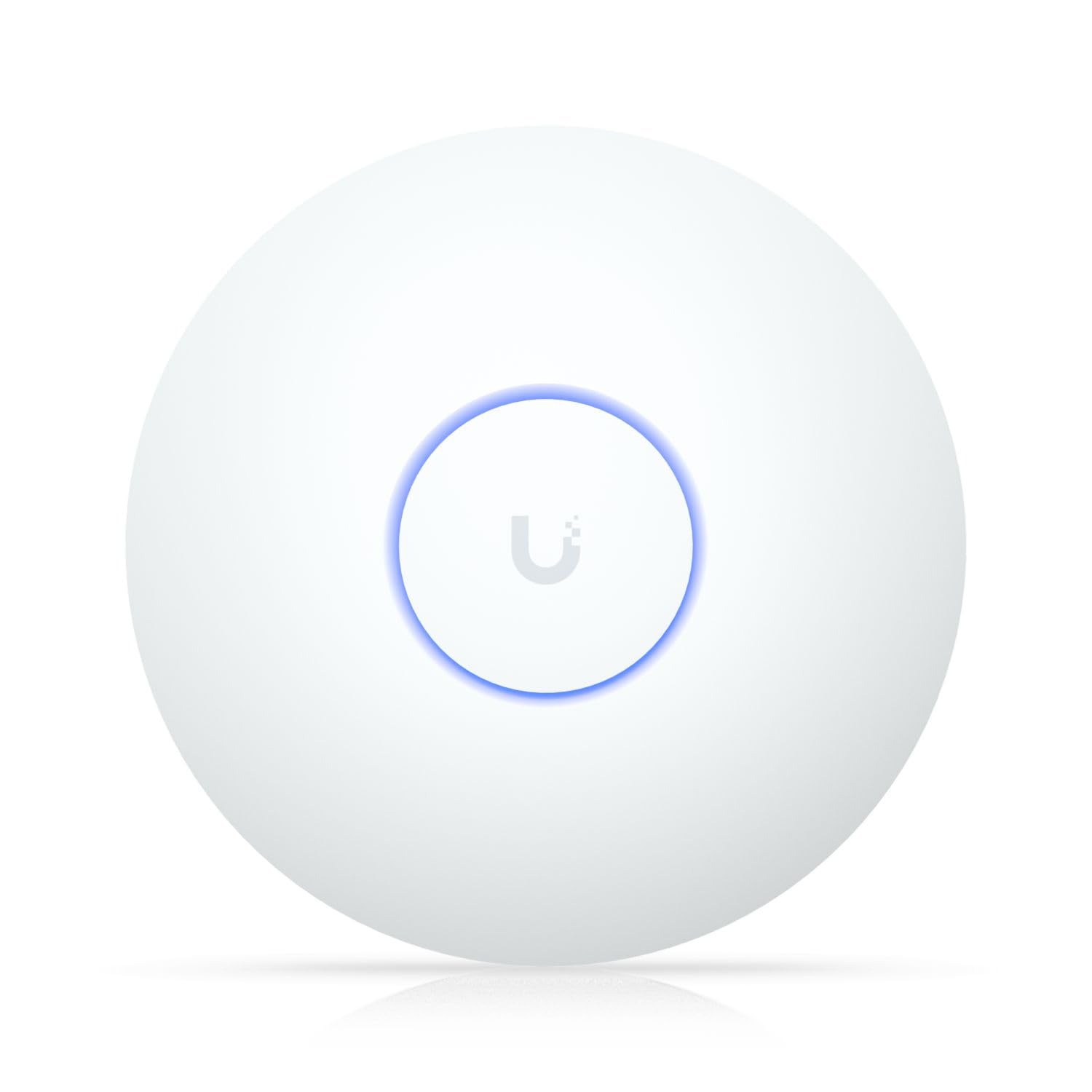
The long-distance specialist that blankets a whole house, backyard, and front yard in signal.
When range matters more than raw speed, the U7 Long-Range is the pick. It covers up to 150 feet indoors and supports the Wi-Fi 6 standard (802.11ax), with a data transfer rate of 1000 Mbps. Buyers consistently report impressive reach — one owner says it covers their entire house plus the back and front yards, while another runs it in a hot linen closet for a month without issue.
Setup is easy even as a standalone part of a non-UniFi network, and it attaches to a ceiling or wall with standard UniFi mounting. It connects via Wi-Fi and Ethernet, and management runs through the UniFi app. The expected spare-part availability is 10 years, a strong signal of long-term support for a business investment.
The honest trade-off is speed: customers note it sacrifices some bandwidth to achieve that long range, so it is not the choice for a dense office floor that needs maximum throughput. And it sat at the premium end of this list. But for a large home, a long hallway, or a retail storefront where coverage is the goal, this is the unit owners come back to — several bought it for the fifth time.
Its claim to fame
- Covers up to 150 feet indoors, including yards
- Easy standalone setup on any network
- 10-year spare-parts availability
Know the trade-off
- Lower speeds than other Wi-Fi 6 APs
- Premium price tier for this list
Choose this for: Large homes, showrooms, and long spaces where reaching every corner matters more than peak speed.
Pass if: You run a device-dense office — the EAP670 serves far more clients at higher speeds.
Understanding the Specs
Wi-Fi 6 (802.11ax)
The latest wireless standard that handles many devices at once without slowing down. Older Wi-Fi 5 (802.11ac) struggles when a dozen laptops, phones, and printers all connect to one AP. Wi-Fi 6 technology like 1024-QAM and MU-MIMO (multi-user, multiple-input, multiple-output) lets one AP talk to several devices simultaneously, so a busy office stays fast.
PoE and PoE+ Power
Power over Ethernet sends electricity through the same network cable that carries data, so your AP mounts anywhere — ceiling, wall, or outdoor pole — without a nearby outlet. PoE+ (802.3at) delivers more power, typically up to about 30 watts, which suits higher-performance APs. Some units include a power adapter in the box; others require a PoE switch or injector.
Coverage and Client Capacity
Coverage is measured in square feet or square meters and tells you how much floor space one AP can realistically serve. Client capacity is the number of devices an AP can handle at once. A small cafe might need 50 clients, while a busy warehouse could need 250. Match both numbers to your actual floor plan, not the biggest number you can find.
Controller vs Standalone Management
A standalone AP sets up in minutes through an app and works fine on its own. A controller-managed AP (via a cloud platform like Omada, Insight, or UniFi) lets you handle several APs, guest networks, and roaming from one dashboard. Controllers add setup effort but make scaling and security far easier as your business grows.
FAQ
Will a business WiFi access point work with my existing router?
What is the difference between an access point and a range extender?
Do I need a PoE switch to run a business WiFi access point?
How many devices can one business WiFi access point handle?
What is the difference between Wi-Fi 6 and Wi-Fi 5 for a business?
How do I know how many access points I need for my office?
Can I use a business WiFi access point in my home?
What does “smooth roaming” mean and do I need it?
Final Thoughts: The Verdict
The crowd favorite here is the Ubiquiti U6+ — it balances wide coverage, solid Wi-Fi 6 speeds, and that famously reliable UniFi ecosystem, backed by a strong owner following. If you want the fastest multi-client performance and free cloud management, the TP-Link Omada EAP670 with its 5400 Mbps and 2.5G port is the one to reach for. And for the best value with a 5-year warranty, the EAP650 delivers reliable Wi-Fi 6 without the premium price.
How We Picked
We do not accept paid placement. Every pick is matched to a real buyer and a real use-case; we do not hands-on test units.
Sources & Methodology
Specifications: manufacturer listings and product documentation. Review insights: verified customer reviews, as of July 2026. Pricing: not shown on this page (it changes often); check the current price via the retailer link.
As an Amazon Associate, FitlyFast earns from qualifying purchases. This does not affect which products we feature.