
Our readers keep the lights on and the weekend projects moving. As an Amazon Associate, I earn from qualifying purchases.
Specs are compiled from manufacturer listings and verified buyer reviews and can change over time — please confirm the key details on the product page before buying.
If your mouse keeps bumping into your keyboard mid-flick, a 60% board is the fix — it drops the number pad and the top function row so your right hand gets the whole desk. The real question is which one gives you that space without feeling cheap, and that’s exactly what this guide settles by comparing the specs and the owner experiences that actually matter.
I’m Rikta — the founder and writer behind FitlyFast. This guide is built by comparing the manufacturers’ published specifications and the patterns across verified customer reviews, so you get each pick’s real strengths and trade-offs instead of marketing spin.
Whether you play competitive shooters or just want a cleaner desk, the best budget 60% keyboard balances a compact footprint with switches you can actually live with daily.
Our Picks at a Glance

How To Choose The Best Budget 60% Keyboard
Shrinking your keyboard sounds simple, but the switch type, build material, and extra features like wireless or magnetic actuation change the experience far more than the layout alone. Start with what you mostly do — gaming, typing, or a mix — then let the specs below guide you.
Switch Type Sets the Feel and Sound
Mechanical switches come in three basic personalities. Linear switches feel smooth with no bump, which gamers often prefer for rapid taps. Tactile switches give a small bump so you feel the press, great for typing accuracy. Clicky switches add an audible click on top of that bump, satisfying but loud in shared spaces. The quietest option here uses pre-lubed linear switches, so you get smoothness without the racket.
Hot-Swap Sockets Mean Future-Proofing
Boards with hot-swappable sockets let you pull out the factory switches and drop in new ones with no soldering. That matters because a board can feel like a board once you install nicer switches. Most of these accept both 3-pin and 5-pin switches, so your upgrade options stay wide open.
Gaming Speed Comes From Polling Rate and Actuation
Standard keyboards report input 1,000 times per second. Magnetic or Hall Effect boards push that to 8,000 times per second, which translates to faster response in fast games like Valorant or CS2. Some also let you adjust the actuation point — how far you must press before the key registers — down to fractions of a millimeter for quicker reactions.
Quick Comparison
| Model | Best For | Switch Type | Polling Rate | Connectivity | Amazon |
|---|---|---|---|---|---|
| Redragon K617★ Best Overall | Budget first-timers | Linear (Hot-Swap) | — | Wired | Amazon |
| HITIME x XVX H61Style Pick | Anime fans & typists | Creamy Linear | — | Wired USB-C | Amazon |
| DAREU COOL60Pro Pick | Competitive FPS | Hall Effect Magnetic | 8000 Hz | Wired | Amazon |
| Womier WK61 V2 | DIY & console play | Quiet Red Linear | — | Wired USB-C | Amazon |
| EPOMAKER WIN60 HE | Rapid-trigger gaming | Hall Effect Magnetic | 8000 Hz | Wired USB-C | Amazon |
| AULA WIN68 HE | Compact with arrows | Hall Effect Magnetic | 8000 Hz | Wired USB-C | Amazon |
| DIERYA DK68E | Creamy typing & volume | Pre-Lubed Linear | 1000 Hz | Wired USB-C | Amazon |
| AULA WIN60 HE PRO | Zero-delay shooters | Hall Effect Magnetic | 8000 Hz | Wired USB-C | Amazon |
| RK ROYAL KLUDGE M65 | Wireless multitaskers | Cream Switch Linear | — | 2.4G / BT / USB-C | Amazon |
Note: this list uses flexible, human-like matching for 60% form factor — a couple of picks are compact 65% boards when they serve the same space-saving purpose.
In‑Depth Reviews
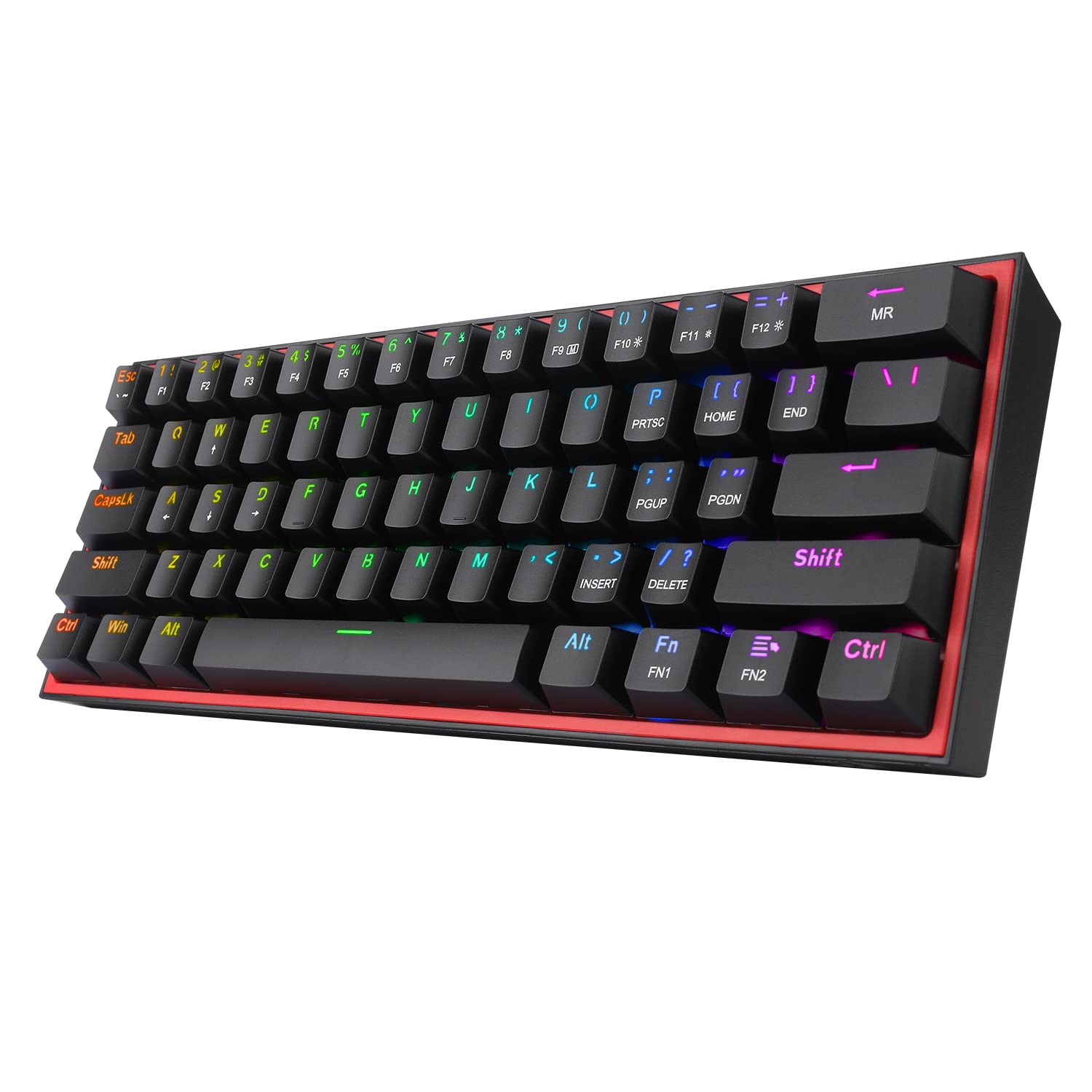
1. Redragon K617 Wired 60% Compact Hot-Swap RGB Gaming Mechanical Keyboard
The desk-space hero that converts full-size gamers at a budget price.
This 61-key board’s main job is giving your mouse room to move — and buyers report it shrinks the footprint to about a quarter of a typical full-size Razer BlackWidow, so your low-sensitivity flicks stop slamming into the keycaps. The stock Red linear switches (a type that presses straight down without a tactile bump) keep things smooth and quiet enough for shared rooms, yet they still produce those satisfying “clicky clack” sounds that owners love.
You can swap the switches without touching a soldering iron, since the socket takes almost any 3-pin or 5-pin switch — that’s your upgrade path when you want a different feel. The 20 preset lighting modes with adjustable brightness give your setup that dedicated gaming rig glow, and The switches are rated for 50 million keypresses, so it’s built for years of daily use.
The honest catch is the companion software, which owners describe as disappointing and far from polished — the keyboard itself is great for the money, but the customization tool is the weak link. If you mainly want the hardware and can live with simpler lighting control, this is the crowd favorite for a reason.
What wins people over
- Shrinks a full-size keyboard’s footprint to about a quarter of the space
- Hot-swap socket accepts 3-pin and 5-pin switches for easy mods
- Stock linear switches are quiet but still sound satisfying
Where it stumbles
- Pro software is clunky and underwhelming
- Windows-only compatibility leaves Mac users out
Reach for it if: you want the proven, crowd-backed entry point into 60% boards with room to mod the switches later.
Look elsewhere if: you need deep per-key software control and a polished app experience.
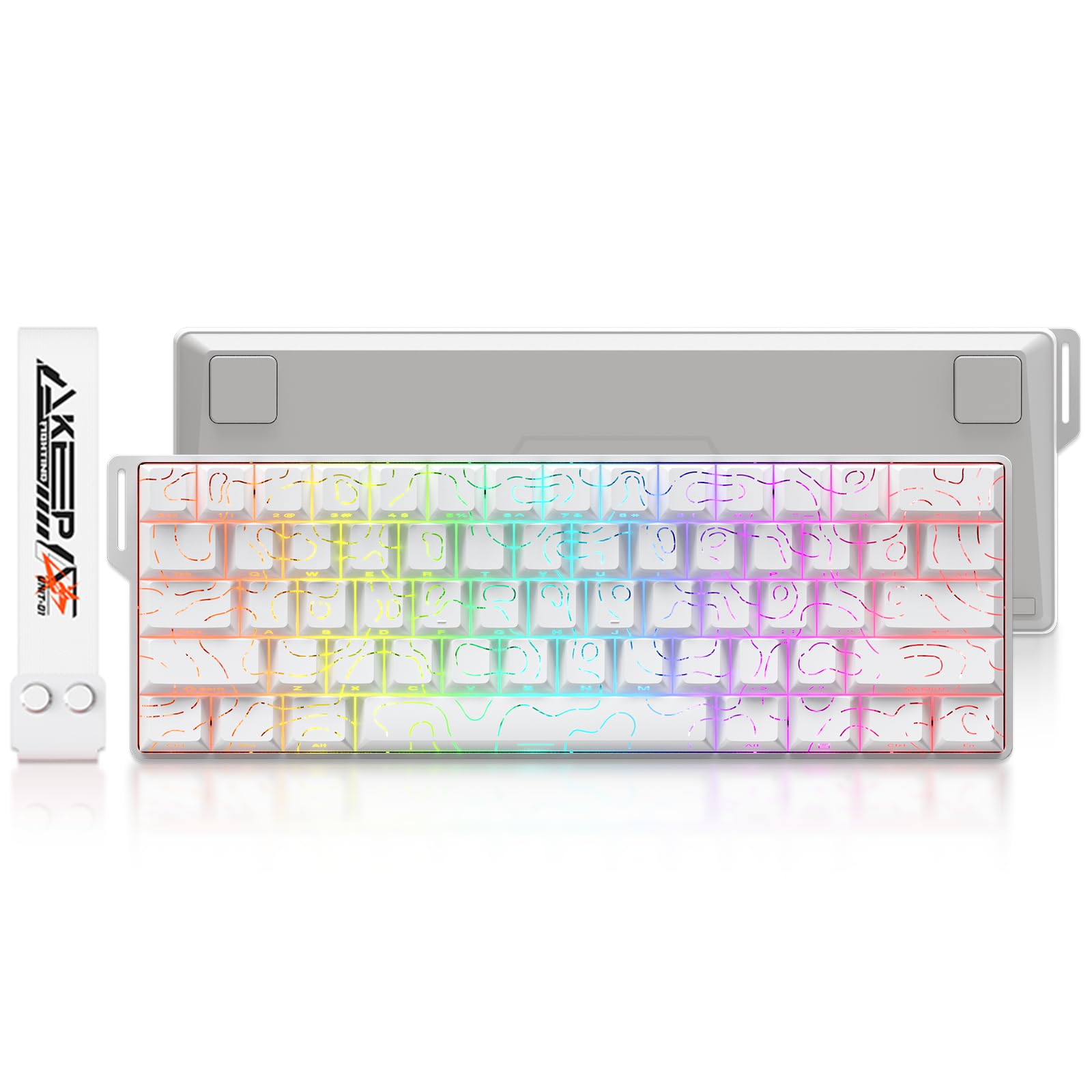
2. HITIME x XVX 60% Percent Keyboard with Strap, H61 Wired Aluminum Gaming Keyboard
An aluminum-and-anime board that sounds as premium as it looks.
What wins people over here is the quality — it’s the single most-praised trait, and the sturdy aluminum body backs that up with a build that feels far more expensive than the price tag suggests. The Kanagawa wave theme printed on PBT keycaps gives it a distinct look, while the integrated carrying strap makes it easy to tote to a friend’s place.
The creamy, pre-lubed linear switches deliver that soft “thocky” sound owners rave about, and the noise-dampening foam plus switch pads cut down on the hollow vibrations you often get from cheap boards. With 19 built-in RGB modes and hot-swap support for 3-pin and 5-pin switches, you can tweak both the look and the feel over time — and it works on Windows and MacOS alike.
The main limitation is iPad productivity: owners mention typing into Microsoft Word on an iPad doesn’t work, so this stays a PC and gaming monitor companion rather than a mobile typing tool. For desktop gaming and typing, though, it’s repeatedly called solid, stylish, and fun to use.
Build quality standout: The aluminum shell and creamy switches deliver a typing feel and sound that belie the budget price, with sound quality earning consistent praise.
Who it’s for: Anyone who wants a gorgeous, great-sounding board straight from the start — no modding required.
3. DAREU COOL60 60% Hall Effect Gaming Keyboard with Magnetic Switch
Magnetic-switch speed that makes standard gaming boards feel sluggish.
This is the board for competitive FPS players, because its Hall Effect magnetic switches scan 8,000 times per second — an 8x faster response than a standard 1,000Hz keyboard — with latency tested as low as 0.04ms. The 0.01mm rapid trigger step distance re-activates a key the instant you release it, changing counter-strafing in Valorant and CS2.
You can adjust the actuation point anywhere from 0.2mm to 3.5mm and fine-tune press and reset sensitivity through the software, so the board adapts to how aggressively you play. The 61-key layout frees up to 40% of your desk space for mouse movement, and at 430 g it’s light enough to toss in a backpack for LAN events.
Owners who bought it cheap praise the creamy switches and the “toc” sound, and recommend it specifically for the strafe advantage in Valorant versus traditional mechanical boards. The trade-offs are a plastic body, roughly 8 lighting effects rather than the full 27 advertised, and a web driver that only supports macOS — Windows users get the full desktop software experience.
The speed argument
- 8000 Hz polling delivers 8x faster response than standard boards
- 0.01mm rapid trigger enables quick strafes and combos
- Adjustable actuation from 0.2mm to 3.5mm via software
What to expect
- Plastic case, not the premium aluminum some rivals carry
- Only about 8 lighting effects actually work
Get it for: serious FPS play where every millisecond and every millimeter of key travel matter.
Give it a miss if: you care more about premium materials and extensive RGB than raw speed.
4. Womier 60% Percent Keyboard Gaming, Creamy Mechanical Wired Keyboard Anime

A creamy-typed DIY board that also plays nice with your console.
The thing everyone raves about here is overall quality, and the multi-layer sound-dampening fillings are a big reason — they cut the hollow resonance so the quiet red linear switches deliver a crisp, satisfying “thock” that owners describe as great to press. The matte translucent bottom cover glows in all directions when RGB is on, then turns into a smooth, clean shell when you switch the lights off.
It ships with 3 extra sublimation keycaps (dye-infused so the legends won’t wear off) so you can mix and match colors from the start, and the hot-swap socket means deeper DIY is just a switch purchase away. The switches are rated for 50 million keypresses, and the USB-C cable keeps the signal stable, and unlike many rivals it works with PC, PS4, Xbox Series X|S, and Xbox One — one board for both your desktop and console setup.
Reliability gets a mixed verdict in owner feedback, with a small number reporting the board stopped working after a few weeks, so it’s not the pick for anyone who needs absolute certainty. For the price, though, most find it a massive bang for their buck — light, durable, and satisfying without being too loud.
The console hook: Rare in this price range to find a 60% board that works on both PC and modern Xbox and PlayStation consoles via USB-C.
Watch for: Occasional reports of early failure, so buy from a seller with a decent return policy.
5. EPOMAKER Aula WIN60 HE 60% Wired Magnetic Keyboard w/Adjustable Actuation

Hall Effect performance at a price that undercuts most magnetic boards.
Where this one stands out is giving you 8000Hz polling (how often it reports your keypresses to the PC) and 32KHz scan rates with 0.3ms latency at a budget price, and owners describe it as a first magnetic keyboard that checks every box — no input lag, a sturdy heavy build, and a satisfying sound that feels premium rather than like cheap plastic. The rapid trigger works down to 0.01mm of break, though the standard version ships at 0.02mm.
You can tune each key’s actuation point from 0.08mm to 3.4mm, with the Max version stepping in 0.01mm increments, and Snap Tap prioritizes the latest input between two keys for faster direction changes in FPS games. The web driver works from any browser with real-time visual feedback, so you can dial in per-key rapid trigger and sensitivity without installing software. Double-shot keycaps resist fading, and there are 20+ lighting modes with 16.8 million colors.
Responsiveness gets mixed owner verdicts though — while many find it super responsive, some report random stoppage mid-game, and the USB-C connection can be sensitive to cable position. The stock switches and keycaps are also described as basic, with owners recommending a swap to open up the board’s real potential.
The magnetic upside
- 8000Hz polling with 0.3ms tested latency feels instant
- Web driver works in any browser, no install needed
- Sturdy, heavy build at a budget price
The wiring reality
- Reports of random stoppage during gaming
- USB-C connection can be finicky about cable position
Choose it when: you want magnetic-switch speed on a budget and enjoy tinkering with settings online.
Pass it by if: you need guaranteed rock-solid connectivity without ever thinking about the cable.
6. AULA WIN68 HE Mechanical Gaming Keyboard 60%, Hall Effect Magnetic Switch

The magnetic board that keeps its arrow keys for everyday usability.
Most 60% boards force you to use FN-layer shortcuts for arrow keys, but this 68-key version keeps them dedicated, so you get the space savings without relearning navigation — a real quality-of-life win for both gaming and coding. Under the hood it’s a proper Hall Effect board with an 8,000Hz polling rate, 8x faster response than traditional mechanicals, and 0.3ms latency for instant command execution.
The typing feel gets described as silky smooth, with a sound that’s crisp and satisfying, and owners say the adjustable actuation — controlling exactly how far you press before a key registers — is a highlight. The 16.8 million color RGB with south-facing LEDs puts the glow where you can actually see it, and the 14 preset effects cover most setups. At 686 g it feels heavy and durable rather than flimsy, and the detachable USB-C cable makes it easy to pack for trips.
Owners note the smooth feel comes with slightly mushy, louder keys, and the RGB looks dimmer in bright rooms. The web driver is Windows-only, and some describe finding the driver links as sketchy-looking even though they work — worth knowing before you buy.
The arrow-key advantage: Keeps dedicated arrow keys that most 60% boards drop, making it friendlier for coding and daily work.
Fair warning: The software links look dubious at first glance and it’s Windows-only, so Mac users should look elsewhere.
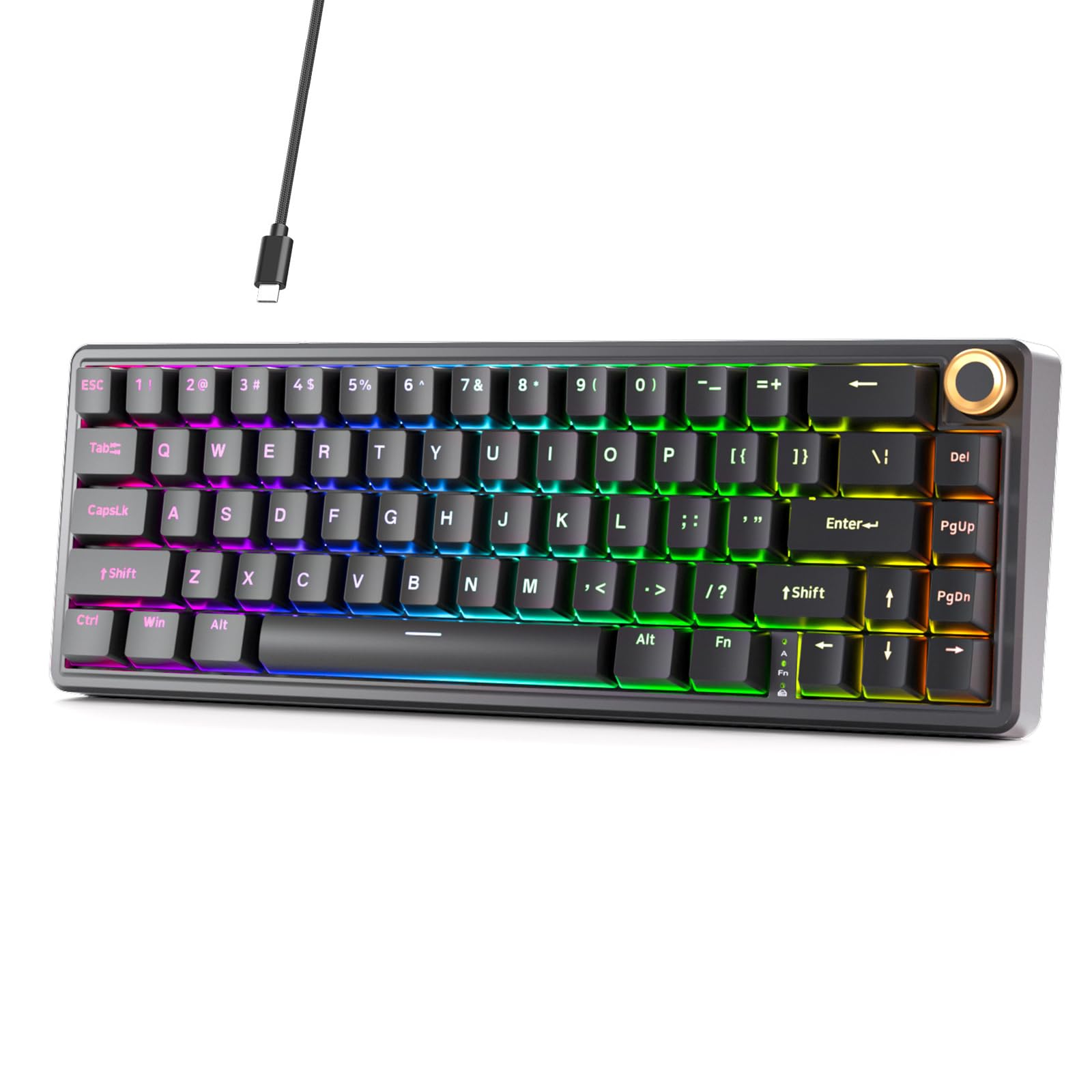
7. DIERYA DK68E 60% Mechanical Gaming Keyboard, Hot-Swappable, Wired, Black
The creamy-typing board that adds a volume knob to the compact club.
The thing everyone knows about this board is the feel — owners describe it as super creamy, a mix of creamy and clicky that sounds fantastic, and the cushioned gasket mount (a soft rubber layer that absorbs impact) with 5 layers of sound-dampening material is why. The factory-lubed linear switches deliver smoother keystrokes and a fuller, softer sound that works for gaming, typing, and coding alike.
The dedicated volume knob is a standout you rarely see on 60% boards — turn it to adjust volume, press it to play or pause media. With 15 preset lighting effects and 16.8 million RGB colors, the customization runs deep, and the hot-swap socket accepts both 3-pin and 5-pin switches so you can swap the feel later. The switches are rated for 50 million keystrokes, and double-shot keycaps keep legends readable over time.
The 1000Hz polling rate is standard rather than the 8000Hz of the magnetic boards here, so pure competitive speed isn’t the selling point. Owners also admit the lighting settings are confusing to navigate, and the browser-based driver works on Windows, macOS, or Linux — but the quiet, premium typing experience is what they keep coming back to.
Why it converts owners: Several describe replacing a far more expensive keyboard with this one and finding it feels and looks better.
Know the limits: Standard 1000Hz polling means it’s not built for the fastest competitive edge.
8. AULA WIN60 HE PRO 60% Mechanical Gaming Keyboard Wired, Magnetic Switch Hot Swappable

A zero-delay magnetic board that’s a gentle on-ramp to Hall Effect gaming.
The defining experience here is responsiveness — customers note zero delay on click, super sensitive touch keys, and no lag, which makes it a great entry into Hall Effect gaming. The magnetic switches eliminate physical contact, so there’s no mechanical wear over time, and the 0.02mm rapid trigger step distance delivers lightning-fast response for rapid-fire shooting and complex combos in Valorant and CS2.
The web-based driver runs from any device with internet, letting you remap keys, create macros, and customize the 16.8 million RGB colors without bulky downloads. The under-LED lighting illuminates the PBT keycaps nicely, and owners describe the sound as pleasant and not too loud. It ships with a carry strap, and the compact 11-inch-wide frame fits easily into a backpack.
The sound is muted and a bit hollow from the start, and the stock switches feel just okay — owners recommend upgrading keycaps and possibly adding foam to get the full experience. Compatibility is limited to Windows, with no support for PlayStation or Xbox, and one isolated malware complaint about the driver software is note even though most find the board excellent.
What owners rave about
- Zero-delay sensitive keys with no input lag
- Web driver is easy to use with real-time feedback
- Sturdy plastic build that feels quality
What needs work
- Muted, hollow stock sound benefits from foam upgrades
- Windows-only, no PlayStation or Xbox support
Best as: a budget-friendly first Hall Effect board where you’ll likely swap keycaps and switches to make it your own.
Not for: anyone who wants a perfect stock sound or needs to use it with a console.
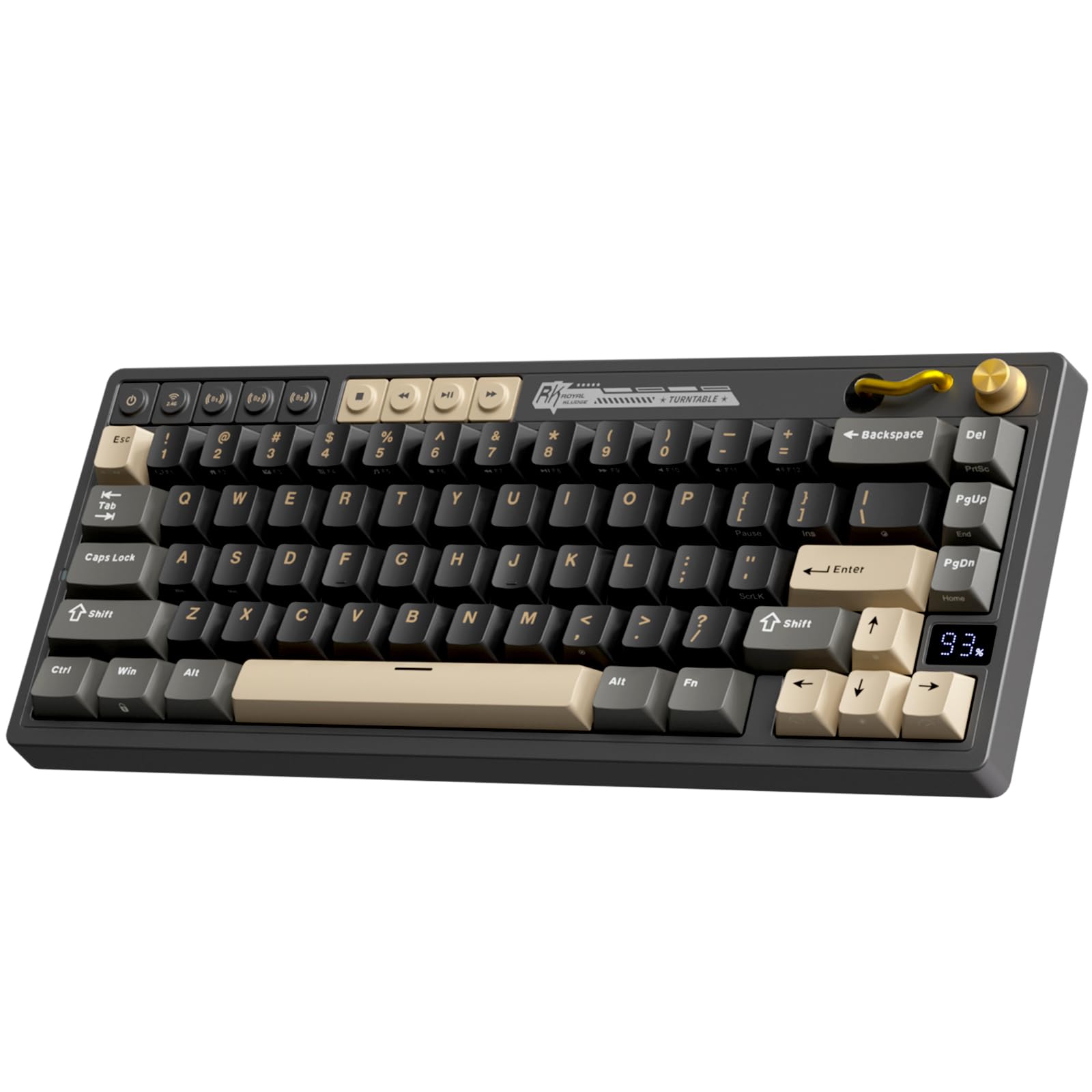
9. RK ROYAL KLUDGE M65 Wireless Gaming Keyboard with Volume Knob, 60% Hot Swappable
The wireless all-rounder that ditches cables without ditching arrow keys.
This is the one to pick if you hate cable clutter, because it connects three ways — 2.4G wireless (a USB dongle), Bluetooth, or USB-C — and you can switch between up to 3 devices plus the wireless receiver with a single button press. The battery life is the headline: up to 240 hours of continuous use with RGB off, so you’re not constantly hunting for a charger. The vintage turntable design with a premium aluminum volume knob adds a distinctive look you won’t find elsewhere.
Sound quality is the second most-praised trait, and the pre-lubed 2.0 Cream switches deliver a satisfying tactile feel with a softer, creamy sound that owners describe as amazing clicks. The gasket mount with sound-damping layers keeps it quiet and crisp, and the hot-swap socket means you can experiment with switch types later. The double-shot PBT keycaps resist wear and keep their texture over time, and the 18 RGB modes with 8 monochrome options plus 5 brightness levels cover just about any lighting preference.
The battery capacity draws mixed feedback, with some owners noting it’s on the lower side, and the gasket is stiff enough that you get minimal bounce — the sound layer does the work, not the flex. Screws hidden under the feet make modding trickier, so this is best for beginners who want great stock performance rather than tinkerers.
The wireless wins
- Tri-mode connectivity with easy 3-device switching
- 240 hours of battery life with RGB off
- Cream switches sound amazing right from the start
The honest trade-offs
- Battery capacity is modest, so expect regular recharging with RGB on
- Gasket is stiff with minimal bounce
Perfect for: multitaskers who want one keyboard hopping between a PC, tablet, and phone without replugging cables.
Skip for: heavy modders who want easy disassembly and maximum gasket flex.
Understanding the Specs
Polling Rate
This is how many times per second your keyboard tells your PC what’s happening. Standard boards send updates 1,000 times a second. The magnetic boards here push that to 8,000 times a second, which translates to a response that’s 8x faster — you notice it most in fast games where quick reactions decide the round.
Actuation Point
This is how far you must press a key before it registers. Standard switches have a fixed point you can’t change. Magnetic boards let you adjust it, often down to fractions of a millimeter, so you can make keys register with the lightest tap for gaming or require a firmer press for typing accuracy.
Hot-Swap Sockets
A socket that lets you pull out the factory switches and push in new ones with no soldering. Both the 3-pin and 5-pin switch standards fit most of these boards, so your upgrade options are wide. It’s the easiest way to change how a budget board feels without buying a new one.
Gasket Mount
A mounting style where the keyboard plate sits on soft gaskets instead of screwing directly into the case. The result is a cushioned, slightly softer feel and a fuller, less hollow sound. It’s a feature normally found on premium boards that’s now trickling down to budget models.
FAQ
What does 60% mean on a keyboard?
Is a 60% keyboard good for gaming?
What is a Hall Effect keyboard?
Can I change the switches on a hot-swappable keyboard?
Are 60% keyboards good for typing or only gaming?
What is rapid trigger and do I need it?
Do these keyboards work with consoles?
Are wireless 60% keyboards good for gaming?
What is the difference between 60% and 65% keyboards?
How long do budget mechanical keyboards last?
Final Thoughts: The Verdict
For most buyers, the budget 60% keyboard winner is the Redragon K617 because it’s the proven crowd favorite that nails the basics — compact size, hot-swap sockets, and satisfying switches — at a price that’s hard to argue with. If you want the fastest competitive response, grab the DAREU COOL60 for its 8000Hz magnetic switches. And for a clean wireless setup, the RK M65 is the one to reach for with its tri-mode connectivity and 240-hour battery.
How We Picked
We do not accept paid placement. Every pick is matched to a real buyer and a real use-case; we do not hands-on test units.
Sources & Methodology
Specifications: manufacturer listings and product documentation. Review insights: verified customer reviews, as of August 2026. Pricing: not shown on this page (it changes often); check the current price via the retailer link.
As an Amazon Associate, FitlyFast earns from qualifying purchases. This does not affect which products we feature.