
Our readers keep the lights on and the weekend projects moving. As an Amazon Associate, I earn from qualifying purchases.
Specs are compiled from manufacturer listings and verified buyer reviews and can change over time — please confirm the key details on the product page before buying.
If a lifetime of cloud subscription fees sounds like a slow leak in your wallet, a budget NAS is the fix. These little boxes park your photos, movies, and documents on drives you own, and the best ones are easier to set up than you think.
I’m Rikta — the founder and writer behind FitlyFast. This guide is built by comparing the manufacturers’ published specifications and the patterns across verified customer reviews, so you get each pick’s real strengths and trade-offs instead of marketing spin.
From a 2.5GbE port that speeds up backups to AI that sorts photos by face, here is the plain-English breakdown of the best budget nas for your home.
Our Picks at a Glance



How To Choose The Best Budget NAS
Buying a NAS is a multi-year storage decision, so you want to get the right balance of bays, speed, and ease of use the first time.
Decide on the number of drive bays first
A 2-bay unit gives you a place to mirror your data in RAID 1, so if one drive dies, your files survive on the other. A 4-bay model lets you run RAID 5 or 6, which trades one or two drives for much larger total capacity.
Don’t ignore the network port speed
The network port is the gateway to all your files. Standard Gigabit (1GbE) tops out around 125MB/s, while a 2.5GbE port boosts that ceiling and becomes essential if you stream 4K video or transfer large photo libraries.
Match the processor to your needs
If you only back up files, an entry-level chip is fine. If you want to stream or transcode 4K video to your TV, you need a processor with hardware decoding, and more RAM (4GB and up) keeps things smooth.
Quick Comparison
| Model | Best For | Drive Bays | Network Speed | RAM | Amazon |
|---|---|---|---|---|---|
| Synology DS124★ Best Overall | Simple 1-bay photo backup | 1 | 1GbE | — | Amazon |
| Synology DS223jAlso Great | Reliable 2-bay backups | 2 | 1GbE | — | Amazon |
| UGREEN NASync DXP2800Top Performer | Pro-grade home performance | 2 (+2 NVMe) | 2.5GbE | 8GB DDR5 | Amazon |
| UGREEN NASync DH2300 | First-time NAS owners | 2 | 1GbE | 4GB | Amazon |
| TERRAMASTER F2-425 | 4K media streaming hub | 2 | 2.5GbE | 4GB | Amazon |
| Asustor AS3302T v2 | Quiet all-rounder with 4K | 2 | 2.5GbE | 2GB DDR4 | Amazon |
| LincStation N1 | Advanced users running apps | 6 (2 SATA + 4 NVMe) | 2.5GbE | 16GB | Amazon |
| Asustor AS3304T v2 | Growing media libraries | 4 | 2.5GbE | 2GB DDR4 | Amazon |
In-Depth Reviews
1. Synology DS124
The no-fuss single-bay that guards your photos and home cameras with Synology’s trusted software.
A 1-bay NAS is the cheapest way to reclaim your data, and the DS124 is the best on-ramp Synology offers. At 3.94″ wide and 1247 g, it tucks into a shelf or behind a TV far more easily than the 6.54″ DS223j. It connects to your router so every device on the network can reach it.
What wins people over is the software package: free backup software with scheduled and live options, a surveillance app with 3 free camera licenses, antivirus, and ongoing updates. A networking-savvy owner finished setup in about 30 minutes and praised the UI and Android access. It also serves as a Kodi media source for streaming.
The biggest limitation is that one bay means no RAID mirroring — if that single drive fails, the data is gone unless you back it up elsewhere. A recurring cosmetic gripe is the cover that won’t reattach properly, and build quality earns mixed notes. For a simple photo backup hub at the lowest entry cost, it fits perfectly.
Why it wins for the price
- Full Synology software suite with surveillance, antivirus, and backups
- Compact alloy steel body that fits anywhere
- Free software updates and a 2-year warranty
The single-bay limits
- No RAID protection — one dead drive means lost data
- The cover is prone to not reattaching properly
- Build quality gets mixed feedback on durability
Perfect for: a first backup device for photos and documents, especially with Synology’s surveillance apps in play.
Not ideal for: anyone who wants drive-failure protection — that needs a 2-bay with RAID.
2. Synology 2-Bay DiskStation DS223j (Diskless)
The crowd-pleasing 2-bay that makes RAID 1 protection painless for your whole family’s files.
Mirroring your data in RAID 1 means a dead drive never takes your photos down with it, and the DS223j makes that setup feel routine. Owners describe it as the quiet, reliable backbone of a home backup plan.
What wins people over is performance you can feel: the review pages sum it up as a unit that handles its daily job without drama. One owner in the data calls out “two years running with 2x12TB Ironwolf in RAID 1” that “streams 4K UHD video/music flawlessly to TV” — a real-world longevity claim that is hard to argue with. The USB port on the back makes it easy to pull files off an old external drive without any fuss.
Its 1GbE port is standard-issue, not a 2.5x speed bump, so huge transfers take longer than on a 2.5GbE unit. That is the trade-off for a price that stays friendly. If you want the smoothest possible start and a system that “just works” for a first-time buyer, this is the one to beat.
What owners rave about
- Hardware that keeps running flawlessly even after two years of 24/7 duty
- Plug-and-play setup that gets you up and running in a single afternoon
- Quiet operation with no annoying fan noise in a bedroom or office
The honest trade-offs
- Standard Gigabit port limits you to roughly 125MB/s transfer speeds
- Drive compatibility is picky — some off-brand models won’t be recognized
- Software is powerful but has a learning curve beyond basic setup
Reach for this if: you want a dependable 2-bay NAS with a trusted name and the simplest possible path to mirrored backups.
Look elsewhere if: you need blazing 2.5GbE transfer speeds for editing large video files directly off the NAS.
3. UGREEN NASync DXP2800
A pro-grade performer that keeps the entry-level friendliness, with an Intel N100 that chews through 4K transcoding.
If you want to run Plex, Home Assistant, or a handful of Docker containers without buying a separate mini-PC, the DXP2800 is the budget NAS that refuses to feel budget. The Intel N100 quad-core CPU and 8GB of DDR5 RAM give it real headroom, and the 2.5GbE port at 334 megabits per second means big backups finish in a fraction of the time.
The thing everyone raves about here is ease of use — the UGOS Pro software is clean and welcoming for beginners, while still tucking Docker app support under the hood for when you grow. It is genuinely quiet, with one owner noting it”s barely noticeable in a quiet room. The 2x M.2 NVMe slots let you park the operating system and apps on fast SSDs, leaving the main bays free for storage.
The honest catch: setup demands a bit of networking knowledge, and the included manual only covers drive formatting, not the network configuration. Beginners should budget time for research. The premium aluminum build and slick interface make it worth the climb.
Power-user pick: The DXP2800 is the value king for anyone who wants Docker, 4K transcoding, and a fast 2.5GbE network port in one quiet box.
Setup hurdle: Not a true plug-and-play experience; you will want to read up on networking basics first.
4. LincStation N1
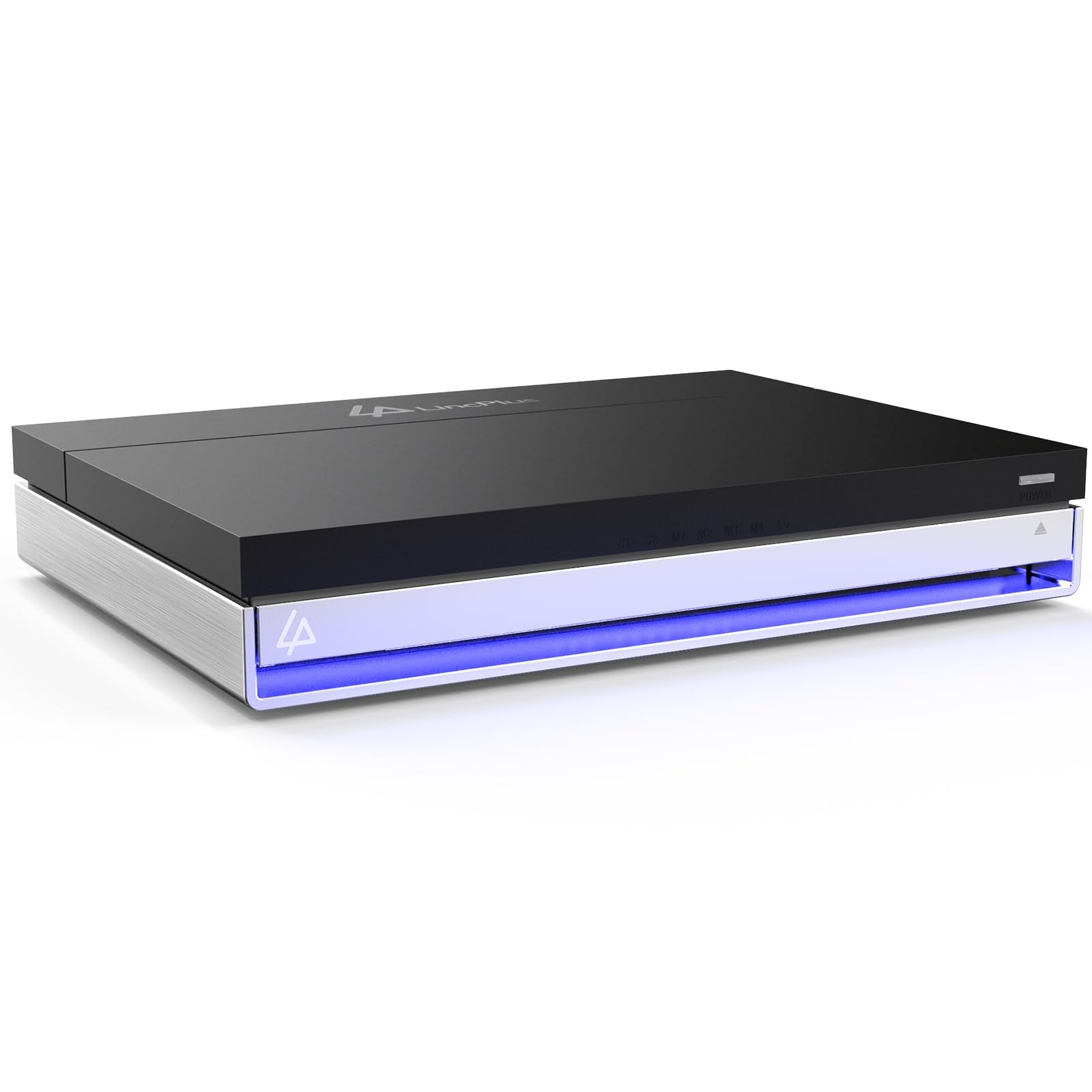
A compact 6-bay hybrid that pairs fast NVMe storage with 16GB of RAM and a licensed Unraid OS.
This one breaks the mold with its hybrid design: 2 bays for 2.5″ SATA drives and 4 slots for M.2 NVMe SSDs. That lets you run apps, VMs, and cache on lightning-fast NVMe while keeping big, cheap HDDs for bulk storage — all in a metal case the size of a book. It is a stunning amount of flexibility for the price.
The included Unraid Starter License is the quiet headline feature. It lets you mix drives of different sizes, protects you if a drive fails, and opens the door to Docker apps like Home Assistant. Owners praise its reliability and quiet operation, with one noting NVMe temps stay under 35°C thanks to the thermal design. The 2.5GbE port and HDMI 2.0 output for direct 4K video round out the package.
The trade-off: it uses 2.5″ SATA bays, not standard 3.5″ desktop drives, so you may need an external USB enclosure for old HDDs. The Intel N5105 CPU is also a touch light for full 10GbE networking, and a few buyers report having to reset the unit when it refuses to power on.
The flexibility wins
- 16GB RAM plus 4 M.2 NVMe slots for serious multitasking and app hosting
- Official Unraid license included, with a 30-day risk-free trial
- Compact metal chassis that runs cool and quiet
Know before buying
- No 3.5″ bays, limiting you to 2.5″ SATA drives or external USB
- Occasional power-on failure reported by some owners
- NVMe performance capped by a single PCIe x1 lane
Who it fits: Tinkerers and power users who want to run multiple apps, VMs, and a media server in one compact box.
Who it doesn’t: Beginners who want a simple plug-and-play appliance and have a drawer full of 3.5″ drives.
5. TERRAMASTER F2-425
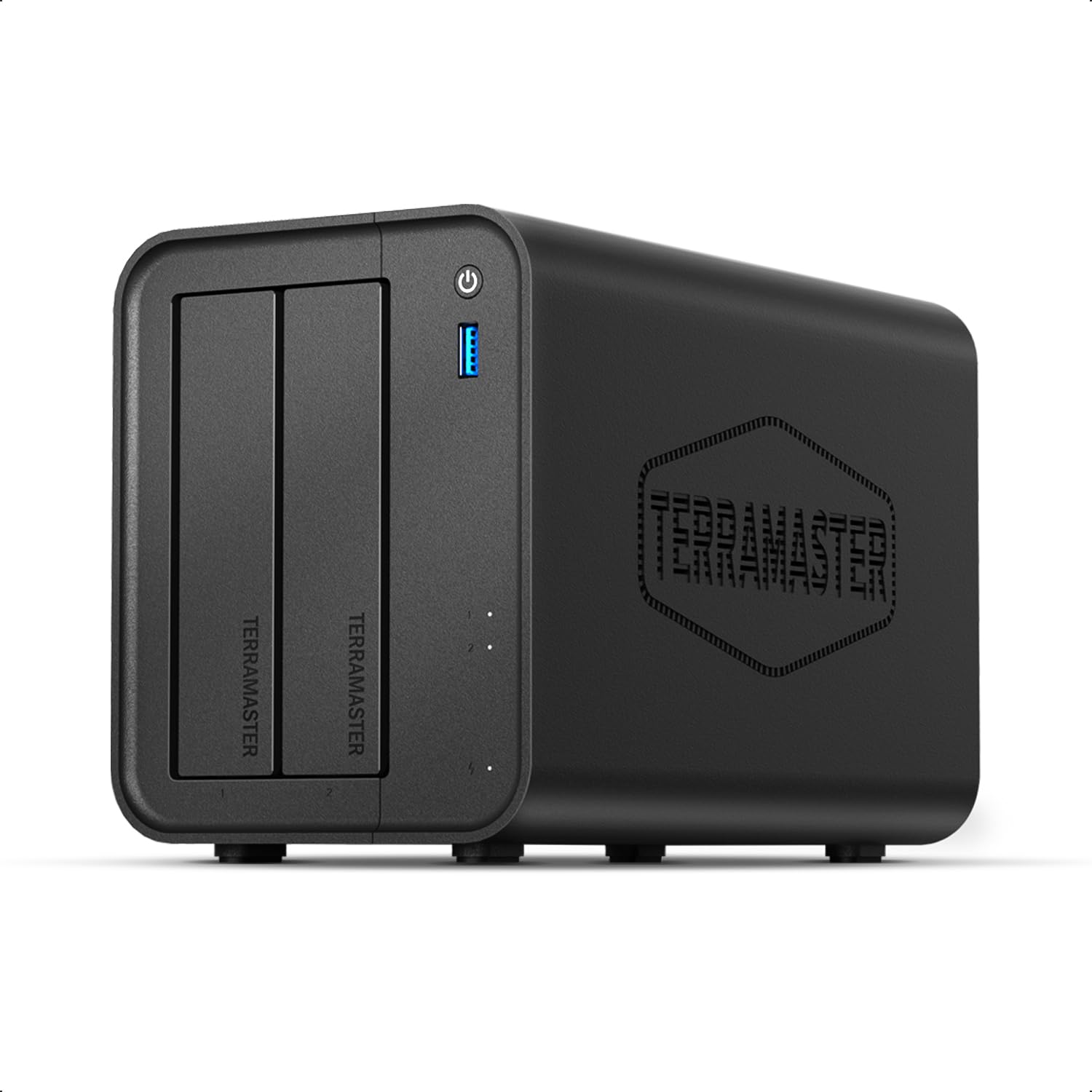
A quiet media-room star with an Intel chip that handles 4K H.265 transcoding and a whisper of just 19dB(A).
Built around an Intel x86 quad-core CPU and 4GB of RAM, the F2-425 is made for one job: smooth media streaming. It decodes 4K H.265 video in hardware and works with Plex, Emby, and Jellyfin, so your TV, tablet, and phone can all pull from the same library without stutter. The 2.5GbE port keeps multi-user access snappy.
Owners call it “fantastic for the price,” and the Intel QuickSync chip makes it the go-to for Plex transcoding. The TNAS Mobile app handles setup without a PC, and the tool-free, push-lock drive trays let you install a drive in about 10 seconds. Its 19dB(A) noise level suits a bedroom or office.
The trade-off is speed on the software side: initial RAID mirroring is slow, and the fan speed can only be adjusted manually through the mobile app. A few owners also note the build quality feels a bit plasticky, and one experienced a long boot time and login issues. For a media-focused first NAS, it still earns its place.
Media-first choice: The F2-425 delivers smooth 4K transcoding and quiet operation that media lovers will appreciate immediately.
Not for perfectionists: Fan control is manual-only, and some units ship with a plasticky feel.
6. UGREEN NASync DH2300

The friendliest on-ramp to private storage, with AI photo sorting that makes you wonder why you paid for cloud.
If you are leaving Google Drive or an external hard drive behind, the DH2300 is designed to make the switch painless — the brand calls it the “first NAS made easy.” Its UGOS software (the operating system that controls the device) is intuitive, and the AI photo album auto-tags faces, locations, and objects, so you can find any picture in seconds. It also hunts down and deletes duplicate photos automatically — a genuine time-saver for messy camera rolls.
Owners mention it is easy to set up, fast for transfers at up to 125MB/s, and quiet with SSDs installed. One owner calculated that the NAS plus a 12TB drive costs less than three years of cloud subscriptions. The 4GB of RAM on board keeps things smooth, though it does not support Docker or virtual machines — this is a storage appliance, not a tinkerer’s playground.
The recurring gripes are minor: remote access can be finicky until you input the correct ugreen linkID, and it is slightly audible in a very quiet room. For a beginner who wants centralized family storage without the learning curve, this is about as painless as it gets.
First NAS pick: The DH2300 makes private cloud storage genuinely easy, with AI photo tools your family will actually use.
The limit: No Docker or VM support means advanced users will hit a ceiling fast.
7. Asustor Drivestor 4 Pro Gen2 AS3304T v2

The 4-bay grower that scales storage for your family without forcing a bigger upfront spend.
When two bays start to feel tight, the AS3304T v2 gives you the freedom to expand. As a 4-bay unit it supports RAID 0, 1, 5, 6, and JBOD, so you can protect against a drive failure and still grow capacity over time. It runs on the same Realtek quad-core 1.7GHz processor and 2GB of DDR4 as its 2-bay sibling, with a 2.5GbE port for faster transfers.
The standout feature for media hoarders is MyArchive, which lets you hot-swap an extra disk in Bay 4 to expand storage on demand. Owners who moved from Synology praise the intuitive ADM interface, calling it comparable to DSM. It is a reliable workhorse for scheduled unattended backups and home office use, with a solid metal enclosure behind that 1500 g weight.
The trade-off: the ADM app store has fewer third-party apps than Synology or the Docker-heavy options, so you will lean on port forwarding and RSYNC for advanced use. It is a capable, no-fuss 4-bay for a growing library at a price that undercuts most rivals.
The 4-bay advantages
- RAID 5/6 support for efficient protection across many drives
- MyArchive hot-swap lets you add storage without opening the case
- 2.5GbE networking for faster backups and multi-device access
Before you commit
- Smaller third-party app ecosystem than major rivals
- 2GB RAM limits heavy multitasking and Docker use
- Advanced features need manual port forwarding
Choose this for: a growing media library and the flexibility of RAID 5/6 in a wallet-friendly 4-bay.
Pass if: you plan to run many Docker containers and need more than 2GB of RAM.
8. Asustor Drivestor 2 Pro Gen2 AS3302T v2

A quality metal-clad 2-bay that streamlines media streaming to your TV, Xbox, or Roku.
Sometimes you want a NAS that is just easy, and the AS3302T v2 delivers with an interface that has built-in walkthrough lessons for common tasks. Owners note how simple it is to stream music, videos, and photos to an Xbox, a Roku device, or a smart TV. The Realtek quad-core processor and 2GB of DDR4 keep things responsive for file sync and media streaming.
The 2.5GbE port delivers faster data transfers than standard Gigabit systems, and the tool-free drive bays make swapping drives a no-screw job. The metal enclosure adds a premium feel over the plastic of cheaper units. For a first NAS, the guided software lessons are a genuine help — you can set it up, forget a step, and replay the tutorial.
The honest negatives: network performance and noise both draw mixed feedback. One owner reported a fan failing after three days before being fixed by reseating it, and a different user found it too weak for a Jellyfin server without constant buffering. Treat this as a solid streaming box for normal use, not a transcoding powerhouse.
Streaming-simple: The AS3302T v2 excels at getting your media onto any screen with a friendly, guided setup.
The caveat: Heavier transcoding tasks like Jellyfin can cause buffering, and noise is hit-or-miss.
Understanding the Specs
RAID Levels Explained
RAID 1 mirrors your data across two drives, so one can fail without losing anything. RAID 5 spreads data across three or more drives for efficiency, and RAID 6 adds extra protection. For a budget NAS, RAID 1 is the simplest safety net that works with just 2 bays.
2.5GbE vs 1GbE
The network port controls how fast files move between your computer and the NAS. A standard Gigabit (1GbE) port tops out around 125MB/s, while 2.5GbE raises that ceiling by more than double. You will notice the difference with large video files or photo libraries.
Diskless Meaning
A diskless NAS ships without any hard drives inside, so you buy drives separately. This keeps the upfront price lower and lets you choose the exact capacity and brand you want. Most budget NAS units are diskless.
Processor and RAM
The CPU handles file transfers, streaming, and apps. An entry-level chip is fine for backups, but 4K video transcoding needs a processor with hardware decoding. RAM (4GB and up) keeps multitasking smooth when running several services.
FAQ
What does diskless mean on a budget NAS?
How many drive bays do I really need?
Can I use the NAS without a wired Ethernet connection?
How fast can a budget NAS transfer files?
Will a budget NAS stream 4K video?
Can I access my NAS from outside my home network?
What is the difference between Synology and Asustor software?
How long will a budget NAS last?
Final Thoughts: The Verdict
For the majority of shoppers, the budget nas winner is the Synology DS223j because it blends an easy setup with dependable 2-bay RAID 1 protection and a trusted software suite. If you want raw speed and Docker support, grab the UGREEN NASync DXP2800. And for the lowest entry cost with Synology’s camera and backup apps, the Synology DS124 is the one to reach for.
How We Picked
We do not accept paid placement. Every pick is matched to a real buyer and a real use-case; we do not hands-on test units.
Sources & Methodology
Specifications: manufacturer listings and product documentation. Review insights: verified customer reviews, as of August 2026. Pricing: not shown on this page (it changes often); check the current price via the retailer link.
As an Amazon Associate, FitlyFast earns from qualifying purchases. This does not affect which products we feature.