
Our readers keep the lights on and the weekend projects moving. As an Amazon Associate, I earn from qualifying purchases.
Specs are compiled from manufacturer listings and verified buyer reviews and can change over time — please confirm the key details on the product page before buying.
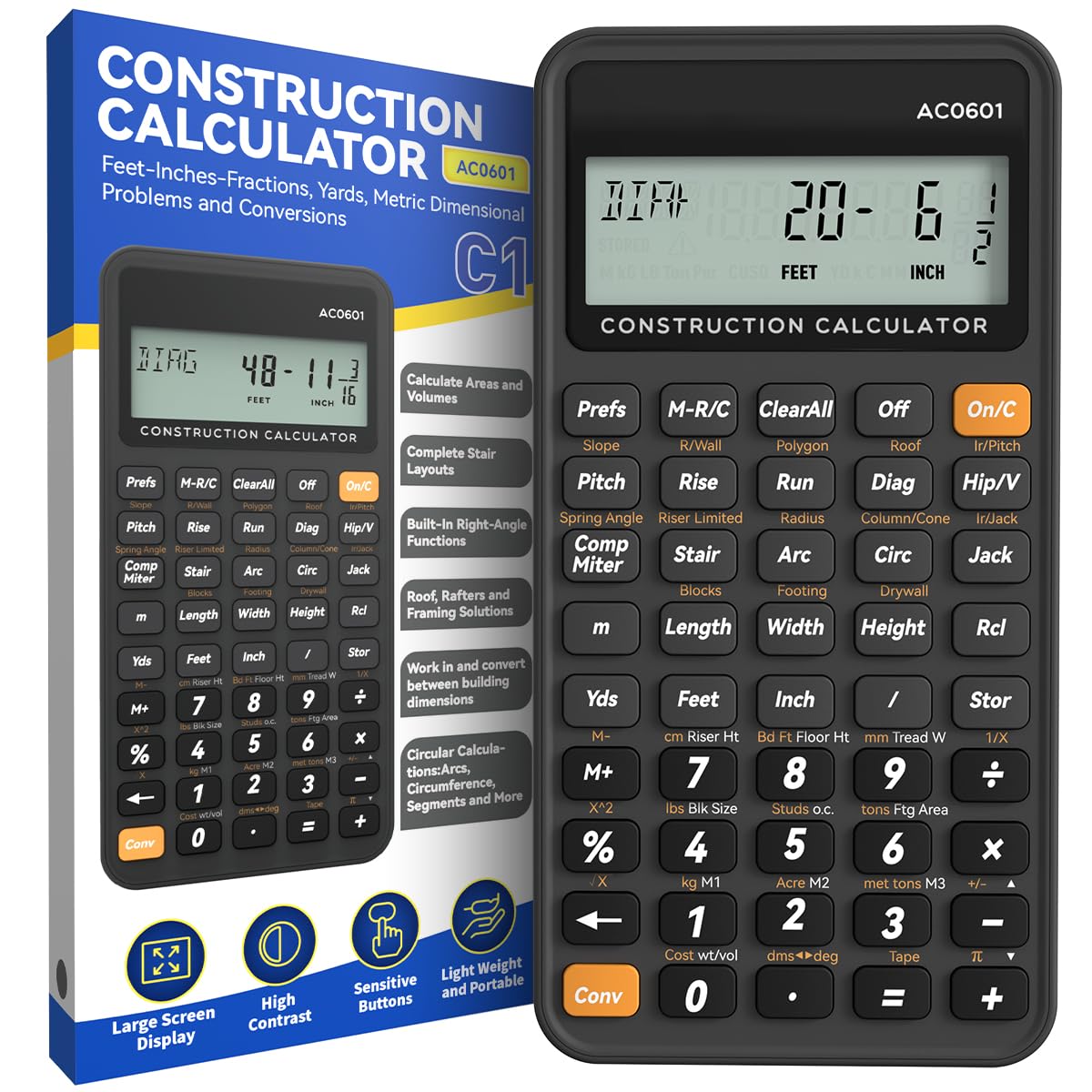
If you’ve ever stared at a tape measure reading like 12′ 4-1/4″ and then tried to subtract 3-5/8″ from it on a standard calculator, you know the pain of decimal guesswork. This guide sorts through the best construction calculators that handle feet, inches, and fractions natively so you can frame, pour, and estimate without constant mental math.
I’m Rikta — the founder and writer behind FitlyFast. This guide is built by comparing the manufacturers’ published specifications and the patterns across verified customer reviews, so you get each pick’s real strengths and trade-offs instead of marketing spin.
We’re focusing on six models that cover everything from desktop behemoths to pocket-sized job-site tools, and we’ve ranked them by what real contractors and DIYers actually need. That makes this the most practical calculator for construction guide you’ll read, with clear picks for every budget and worksite.
Our Picks at a Glance

How To Choose The Best Calculator For Construction
Before you buy, you need to know what kind of math you’ll actually run. A general-purpose contractor who frames houses needs rafter and stair functions, while a concrete finisher needs bag counts and truck-load estimates. Picking the right specialty saves you from doing manual conversions all day.
Match the calculator to your trade
The first decision is specialty. General construction calculators handle feet-inch-fraction math, area, volume, and board feet. Others are built for concrete, with dedicated keys for rebar weight, bag counts, and footing layouts. If you’re a framer or carpenter, a general unit works; if you pour slabs, you want the concrete-specific model.
Screen size matters more than you think
You’ll read the display at arm’s length in bright daylight, so a clear screen matters. The data shows a 3-inch, 12-digit screen is the balance across several picks, while the desktop model offers a large multi-position tilt display. If you’re vision-impaired or working in low light, a bigger, tiltable screen prevents misreading numbers.
Durability and protection are non-negotiable
Calculators get dropped, covered in dust, and splashed. The durable options in this list feature rubberized cases, a TPU drop-proof shell, or a shock, dust, and moisture-resistant Armadillo Gear case. A flimsy plastic body will crack within weeks, so check what protection ships with the unit before you rely on it daily.
Quick Comparison
| Model | Best For | Screen Size | Weight | Protection | Amazon |
|---|---|---|---|---|---|
| Construction Master Pro-Desktop★ Best Overall | Office & field estimating | Large tilt display | 1.3 pounds | Metal enclosure | Amazon |
| ROATEE Engineering CalcBest Value | Budget-friendly pocket math | 3 inches | 95g | Plastic | Amazon |
| Measure Master Pro 4020 | Portable conversion work | — | 7.2 ounces | Hard slide cover | Amazon |
| Willamette Tablet Calc | DIY & note-taking | 3 inches | — | Drop-proof TPU shell | Amazon |
| GUYUCOM Tablet Calc | Job-site all-rounder | 3 inches | — | Thick smartphone-grade casing | Amazon |
In-Depth Reviews
1. Calculated Industries 44080 Construction Master Pro-Desktop
Our pick — over 4.5★ from 900+ verified ratings; the strongest balance of quality and price.
The desktop workhorse with full trig that turns complex square-ups into one-key answers.
This calculator eliminates decimal guesswork by working directly in feet-inch-fractions. It works directly in feet-inch-fractions and converts between yards, metric, area, and volume, so a deck rail picket spacing problem becomes a simple entry instead of a conversion headache. The built-in right-angle solutions handle square-ups, rafters (hip, valley, jacks), rake-walls, slopes, and full stair layouts.
The defining feature is its size and display. At 9″L x 6.4″W, it’s nearly 57% wider than the 5.75″L x 3″W Measure Master Pro, and that extra footprint holds a large multi-position tilt LCD with digits that are genuinely easy to read from across a desk. Long-time handheld users report it works just as well as the pocket versions but with far better number visibility, making it a favorite for anyone with vision concerns.
Quality is what wins owners over — it’s the most-praised trait by far. The metal enclosure and full-size keys feel heavy-duty, while the button-cell battery compartment uses a tool-required fastener to meet U.S. federal safety requirements (16 CFR Part 1263), so it’s safer around kids. The trade-off is that it’s a desktop tool, not a pocket companion, so it’s best left on the office desk or workshop bench rather than clipped to a tool belt.
What Owners Rave About
- Easy-to-read large tilt display with big digits
- Full trig functions: sine, cosine, tangent, arcsine, arccosine, arctangent
- Built-in solutions for roofing, drywall, studs, blocks, and board feet
The Trade-Off
- Much larger than pocket models, so it’s not belt-friendly
- Size gets mixed feedback — some find it bigger than expected
Reach for this if: you want a permanent estimating station on your desk with the clearest possible screen and full trig for complex framing.
Look elsewhere if: you need something to carry up a ladder and into tight spaces all day.
2. ROATEE Engineering Calculator
Pocket-sized power with 200+ functions that replaces a pricey pro model for a fraction of the cost.
Its 200+ engineer functions cover concrete, brick and block, flooring, drywall sheet counts, rafters, stair layout, and compound miter angles.
At 95g and roughly 6″L x 3″W, it’s genuinely light and portable, slipping into a pocket without weighing down a tool belt. The 3-inch, 12-digit screen is larger and clearer than typical calculators, which reduces reading errors on the job. Energy-saving auto-shutdown kicks in after 8-12 minutes of no operation, so you’re not constantly replacing batteries.
Buyers highlight the value most — buttons are easy to hit, the unit is durable, and it delivers Construction Master Pro-level math without the premium price tag. The plastic enclosure isn’t armored for rough drops, so keep it in a pocket or pouch rather than tossing it loose in a toolbox. For a contractor or DIY renovator who wants full functionality without spending top dollar, this is tough to top.
Built To Deliver Value
- 200+ construction-specific functions in a lightweight body
- Easy-to-hit buttons with fast rebound
- 3 storage registers for smoother daily use
Watch Out For
- Plastic enclosure without a drop-protection case
- Auto-shutdown may interrupt longer calculations if you pause
Grab this if: you want Construction Master Pro-level functions in a lightweight pocket unit without the premium cost.
Think twice if: you need a ruggedized case rated for repeated heavy drops.
3. Calculated Industries 4020 Measure Master Pro

The conversion king that flips imperial to metric instantly and survives years in a vest pocket.
The Measure Master Pro is the tool architects reach for when they need to switch between U.S. Imperial and metric without breaking stride. A push of a button converts measurements from global suppliers into the units you prefer, which makes it essential for anyone working with international plans or an expat adjusting to American measurements. Enter numbers “just as you say them” and the built-in paperless tape lets you double-check entries without re-entering values.
Functionality leads owner praise by a wide margin, with ease of use a distant second. The built-in circular math delivers formula-free circles, area, circumference, radius, and arcs, which owners use for curved decks, circular driveways, and gazebo arches. It also solves unit cost and pricing, so you can estimate total material cost by entering a per-unit price, making it a genuine bidding tool.
Durability shows up in owner reports of the unit lasting about 5-6 years, and it ships with a protective hard slide cover and a 1-year warranty. It’s pocket-sized at 5.75″L x 3″W and weighs 7.2 ounces, making it far more portable than the desktop CM Pro. The trade-off is that it lacks the full trig functions and rafter-specific keys of the higher-end units, so complex roof framing still needs manual geometry or a bigger model.
Why It’s A Lifesaver
- Instant imperial-to-metric conversion for global plans
- Built-in circular math for arcs, radius, and circumference
- Paperless tape to verify entries without retyping
Consider This
- No full trig functions for advanced rafter angle work
- Some buyers report shipping issues with oily packaging
Best for: architects, expats, and project managers who juggle metric and imperial plans and need reliable conversions on the go.
Skip if: you’re a framer needing dedicated hip and valley rafter keys with trig.
4. Willamette Products Tablet Construction Calculator
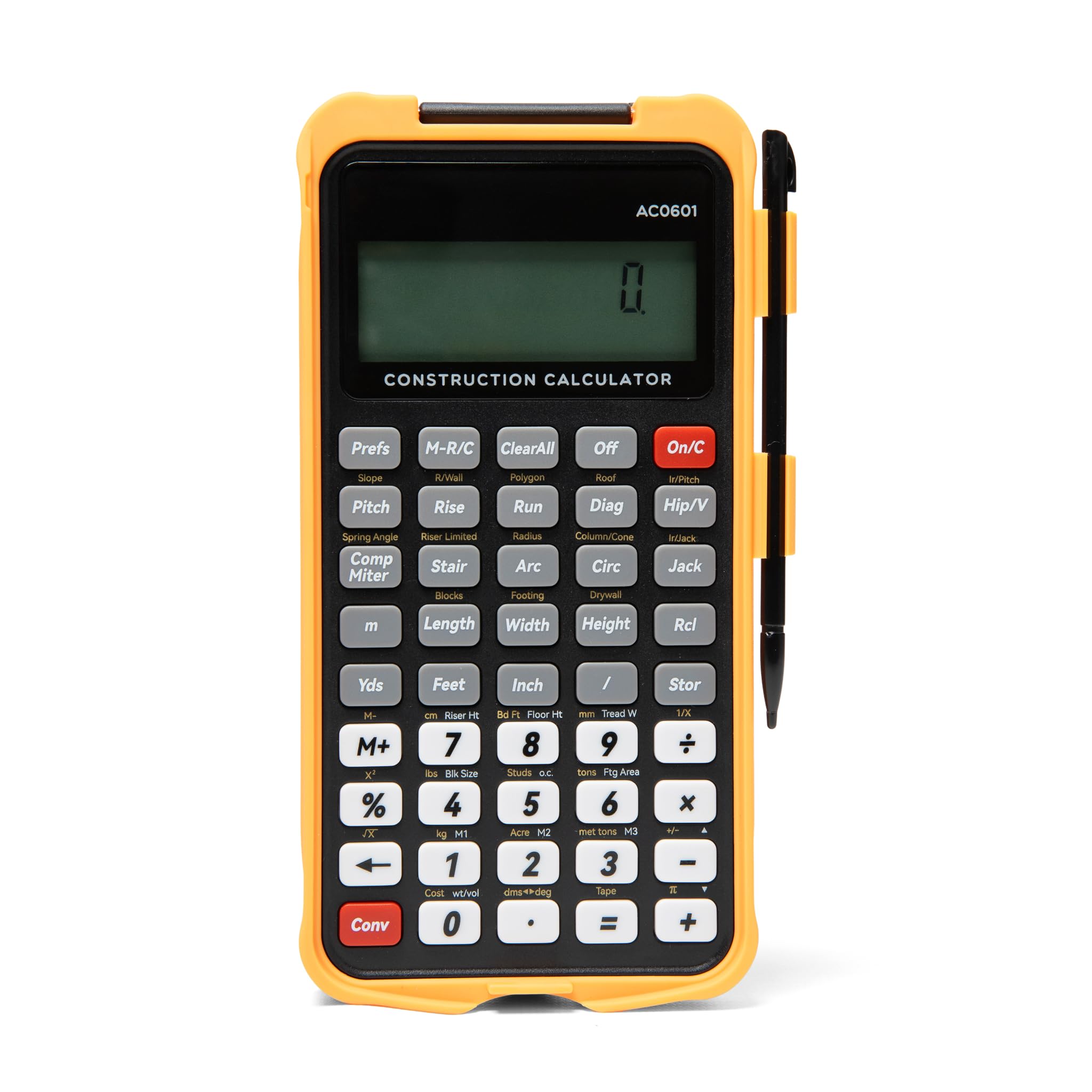
A flip-page writing tablet built into the case means your cut list and your math live in one tool.
This is the calculator for the weekend warrior who hates juggling scrap paper on a sawhorse. The built-in LCD writing tablet flips open like a notepad so you can jot measurements, sketch a layout, or write a cut list, then wipe it clean with one touch. An erase-lock switch keeps a bumped button from deleting your list mid-job — a genuine lifesaver on a cluttered workbench.
Under the clever exterior, it’s a serious construction tool with 200+ functions including rafter rise/run/pitch/diagonal, stair layout, and concrete/material estimation with waste factors. The large 3-inch, 12-digit display works at arm’s length in daylight, and the dedicated backspace key means one typo doesn’t erase the whole entry — a feature owners say the big brands still haven’t figured out. The 45 glove-friendly hard buttons sit inside a drop-proof TPU shell that shrugs off dust and spills.
Owners call it “the tool I didn’t know I needed” for native feet-inch-fraction math like subtracting 3-5/8″ from 12′ 4-1/4″ without decimal conversion. The honest catch is the learning curve — the Conv key is dual-purpose and context-dependent, so the manual is essential. Battery-powered with auto-off after 13 minutes, it’s a tool that rewards users who invest a little time upfront reading the quick-reference cards.
The Genius Addition
- Built-in LCD writing tablet with one-touch clear and lock switch
- Dedicated backspace key to fix typos instantly
- Drop-proof TPU shell for job-site abuse
The Learning Curve
- Dual-purpose Conv key requires the manual to master
- No solar panel — battery only
Pick this if: you’re a DIY renovator or finish carpenter who wants native fraction math plus a notepad in one drop-proof package.
Reconsider if: you want a zero-learning-curve tool you can use immediately without reading a manual.
5. GUYUCOM Construction Calculator with Writing Tablet
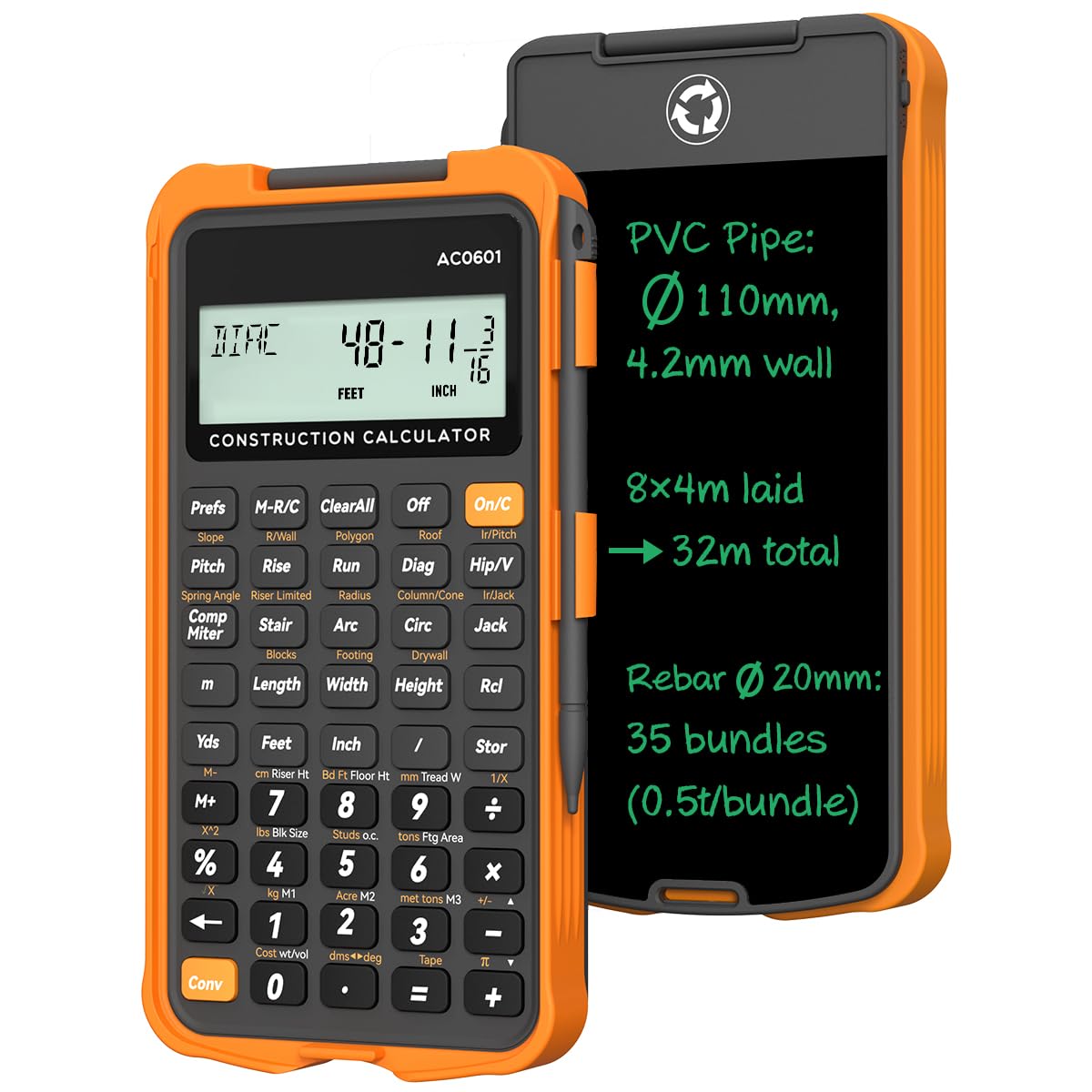
The thick-cased job-site companion whose backlit display and e-writer survive concrete floor drops.
This unit pairs a flip-page e-writer with a backlit display, giving you note-taking and a readable screen in low-light basements or evening work. The thick smartphone-grade casing delivers durable protection, and owners mention it surviving drops directly onto concrete without issue. Fractional math runs on dedicated keys, so 1-3/4″ minus 3/16″ resolves to 1-9/16″ without any mental conversion.
Its 200+ pro-grade functions cover bricks, blocks, concrete, drywall sheets, circle area, circumference, arc properties, compound miter, polygon tiling, roofing materials, hip/jack rafters, stair layout, and rake walls. The 45 fast-rebound hard PC buttons include 3 storage registers for saving custom parameters, and the 3-inch, 12-digit screen reduces reading errors. Auto power-down after 8-12 minutes saves battery between uses.
Owners describe the built-in formulas as a time-saver versus manual trig and fraction conversions — splitting 13’5-3/4″ into thirds takes 11 key presses and returns 4’5-15/16″. The default fraction resolution is 1/16″, adjustable to 1/64″ for finer work. The catch is the learning curve and a stylus that feels thin at 3/8″ diameter and is prone to loss, though the e-writer also works with a fingertip. There’s no dust or water rating, so it’s tough but not fully sealed.
The Job-Site Edge
- Backlit 3-inch display readable in low light
- Thick casing survives concrete drops
- Fraction resolution adjustable down to 1/64″
The Honest Gripes
- Steep learning curve for less frequent functions
- Stylus is thin and easy to lose
Reach for this if: you’re a tradesperson who needs a backlit, drop-resistant all-rounder with serious rafter and concrete math built in.
Choose differently if: you dislike reference stickers and manuals — this tool rewards those who study them.
Understanding the Specs
Feet-Inch-Fraction vs Decimal
The core difference between a construction calculator and a standard one is native fraction math. A construction unit accepts entries like 12′ 4-1/4″ directly and subtracts 3-5/8″ without converting to decimals, eliminating the rounding errors that cost real materials and time on site.
Trig Functions & Rafter Math
Advanced calculators include sine, cosine, tangent, arcsine, arccosine, and arctangent. These let you solve right-angle problems for square-ups, rafters (hip, valley, jacks), rake-walls, and slopes automatically. If you frame roofs or stairs, these keys replace manual geometry and prevent costly angle errors.
Screen Size & Readability
A 3-inch, 12-digit display is the standard for pocket calculators and is readable at arm’s length in daylight. The desktop CM Pro goes further with a large multi-position tilt LCD. If you have vision concerns or work in varied lighting, a bigger tiltable screen genuinely reduces misread numbers.
Durability & Protective Cases
Job-site calculators face dust, drops, and moisture. Options range from a TPU drop-proof shell and a thick smartphone-grade casing to the Armadillo Gear shock, dust, and moisture-resistant case on the ConcreteCalc Pro. Match the protection level to how roughly you treat your tools.
FAQ
Can a standard calculator handle feet-inch-fraction math?
What’s the difference between a general construction calculator and a concrete calculator?
How long does a construction calculator battery last?
Is a desktop calculator better than a handheld for daily use?
What does the Armadillo Gear case protect against?
Are the writing tablet calculators worth the extra cost?
Will a construction calculator convert between metric and imperial?
Do these calculators help with material estimating and bidding?
Which calculator has the easiest learning curve for a beginner?
Final Thoughts: The Verdict
For most people, the calculator for construction winner is the Construction Master Pro-Desktop because it combines full trig functions, a large tilt display, and metal build quality that owners trust for daily estimating. If you want portability and conversion power, grab the Measure Master Pro 4020. And if you pour concrete for a living, the ConcreteCalc Pro 4225 is the specialized tool that pays for itself in accurate bids. The desktop CM Pro holds one of the strongest ratings, with over 900 owners confirming its status as the go-to for serious professionals.
How We Picked
We do not accept paid placement. Every pick is matched to a real buyer and a real use-case; we do not hands-on test units.
Sources & Methodology
Specifications: manufacturer listings and product documentation. Review insights: verified customer reviews, as of August 2026. Pricing: not shown on this page (it changes often); check the current price via the retailer link.
As an Amazon Associate, FitlyFast earns from qualifying purchases. This does not affect which products we feature.