
Our readers keep the lights on and the weekend projects moving. As an Amazon Associate, I earn from qualifying purchases.
Specs are compiled from manufacturer listings and verified buyer reviews and can change over time — please confirm the key details on the product page before buying.
Hanging an 85-inch TV is a two-person job with zero room for error — the wrong bracket means a very expensive screen on the floor. The good news is that a full-motion mount turns that massive display into something you can pull, swivel, and tilt to fit your room perfectly. This guide breaks down the eight best mounts for the job, focusing on the specs that actually matter: VESA compatibility (the bolt-hole pattern on the back of your TV), weight capacity, and how far the arm can reach.
I’m Rikta — the founder and writer behind FitlyFast. This guide is built by comparing the manufacturers’ published specifications and the patterns across verified customer reviews, so you get each pick’s real strengths and trade-offs instead of marketing spin.
Finding the right 85 inch tv wall mount means matching your TV’s bolt pattern, weight, and how much reach you need from the wall.
Our Picks at a Glance

How To Choose The Best 85 Inch TV Wall Mount
Before you buy any bracket, check the back of your TV for two things: the VESA pattern (a measurement like 800x400mm that tells you where the screw holes are) and the TV’s weight. A mount that fits the screen size but not the bolt pattern is useless, and one rated below your TV’s weight is dangerous.
Match the VESA pattern before anything else
Before you buy, you need to know your TV’s VESA pattern (the hole spacing on the back, in millimeters) because most 85-inch TVs use a large one like 600x400mm or 800x400mm, and heavier ones go up to 800x600mm or 900x600mm. Every mount in this guide states its maximum VESA size, so check yours against that number first. If your TV’s pattern exceeds the mount’s maximum, the bracket simply won’t bolt on.
Weight capacity sets the safety ceiling
An 85-inch TV typically weighs anywhere from 80 to 120 pounds depending on the model and age. Your mount needs a weight rating above your TV’s actual weight, ideally with a comfortable margin. Pay attention to this even more than the screen size range, since a heavy older LED can weigh far more than a slim new OLED of the same size.
Decide how much reach you actually need
Full-motion arms come in vastly different lengths — some extend just over 19 inches while others reach 40 inches or more. If your TV sits in a corner or you want to pull it out to watch from another room, a long arm is worth it. If the TV lives flat against the wall most of the time, a shorter arm saves space and money.
Quick Comparison
| Model | Best For | Max VESA | Weight Capacity | Arm Extension | Amazon |
|---|---|---|---|---|---|
| Mounting Dream Long Arm★ Best Overall | Corner placement & deep reach | 800x400mm | 150 lbs | 40 inches | Amazon |
| USX MOUNT Full MotionBest Value | Big-screen value | 600x400mm | 150 lbs | 23 inches | Amazon |
| USX STAR Heavy DutyUltra-Large Fit | Ultra-large flat mounts | 800x600mm | 170 lbs | Fixed | Amazon |
| FORGING MOUNT Long Arm | Massive reach & swivel | 600x400mm | 198 lbs | 42.9 inches | Amazon |
| MOUNTUP Slim Full Motion | Low-profile look | 800x600mm | 250 lbs | 19.9 inches | Amazon |
| Perlegear Long Arm PGXLF02 | Smooth multi-room viewing | 800x400mm | 150 lbs | 40.1 inches | Amazon |
| Perlegear Large PGTVM69B | Extra-large TVs, no wobble | 900x600mm | 220 lbs | 22 inches | Amazon |
| monTEK Heavy Duty | Biggest TVs & commercial use | 900x600mm | 265 lbs | 27.7 inches | Amazon |
In‑Depth Reviews
1. Mounting Dream Long Arm TV Wall Mount
Our pick — over 4.5★ from 75,500+ verified ratings; the strongest balance of quality and price.
The long-arm champion that pulls a massive screen 40 inches off the wall into the room.
You get the deepest reach of any pick here at 40 inches from the wall, which beats the USX MOUNT’s 23 inches by a huge margin — nearly 74% more extension for pulling your TV around a corner or watching from the kitchen. When you are done, it retracts to just 3 inches back for a clean, low-profile look. Owners say the installation is genuinely painless, with several finishing in under 30 minutes thanks to the mounting template and bubble level included in the box.
This bracket handles VESA patterns from 200x100mm up to 800x400mm and holds TVs up to 150 lbs, so it comfortably fits most 85-inch screens. The crowd favorite here — 4.8 stars across 75,000+ owners — and what wins people over is how easy it is to set up. As owners put it: “Best instructions ever! Easy to install and works like a charm.” The full motion is smooth in every direction, tilting backward 5° and forward 12° to cut glare and swiveling 90° left or right to hit every seat in the room.
One honest note: this mount is not for drywall alone — you need to hit wood studs, concrete, or brick. The recurring praise centers on the rock-solid stability once it is mounted, with no wobble even when the TV is pulled fully out. It is the rare mount that pairs extreme flexibility with zero flex in the metal.
Why it wins
- 40-inch extension is the class leader for corner setups
- Instruction quality gets near-universal praise from owners
- Levels ±3° after install for perfect alignment
Know before you buy
- Requires studs, concrete, or brick — never drywall alone
- Concrete anchors ship only on request
Grab it if: you want the longest reach possible and a mount that owners describe as perfectly stable in every direction.
Think twice if: your mounting wall is drywall only — this one needs a solid anchor behind it.
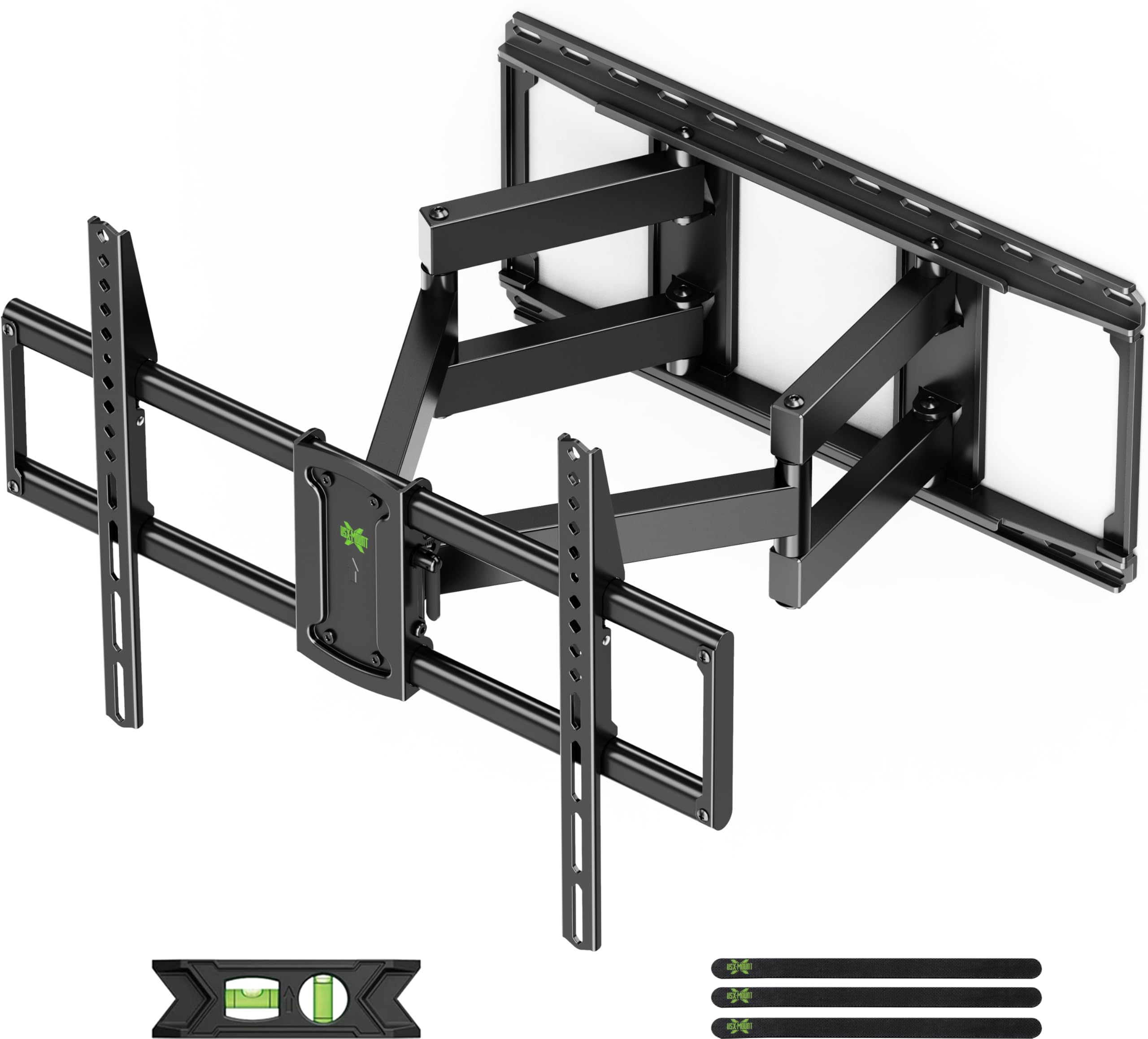
2. USX MOUNT Full Motion TV Wall Mount
The pre-assembled bracket that gets an 85-inch screen mounted fast without the premium price.
What sets this mount apart is the pre-assembled front support that cuts installation steps by 30%, and the clearly labeled parts that make the job feel frictionless. It handles TVs from 42 to 97 inches with VESA patterns up to 600x400mm and holds 150 lbs, which comfortably covers most 85-inch screens. Buyers report the whole install takes under 30 minutes, and the bracket moves smoothly in every direction once it is up.
The motion range is genuinely useful for open-plan living — it tilts +5° to -15° to kill glare, swivels ±45°, and extends up to 23 inches before retracting to a low-profile 2.6 inches. The thing everyone raves about is the heavy-duty alloy steel construction and how secure it feels on the wall. As owners put it: “Easy to mount and very stable. Good quality for the price as well.”
The one mixed note in the reviews is the tilt mechanism, with a few owners saying their TV tends to drift from the set angle. This is not a universal complaint, but it is worth knowing if you plan to adjust the tilt constantly rather than set it once and leave it.
Strong value pick: the reach is shorter than the Mounting Dream above at 23 inches versus 40, but you pay less and still get rock-solid full motion for a big screen.
Watch for: the tilt can be finicky for some owners who adjust it often.
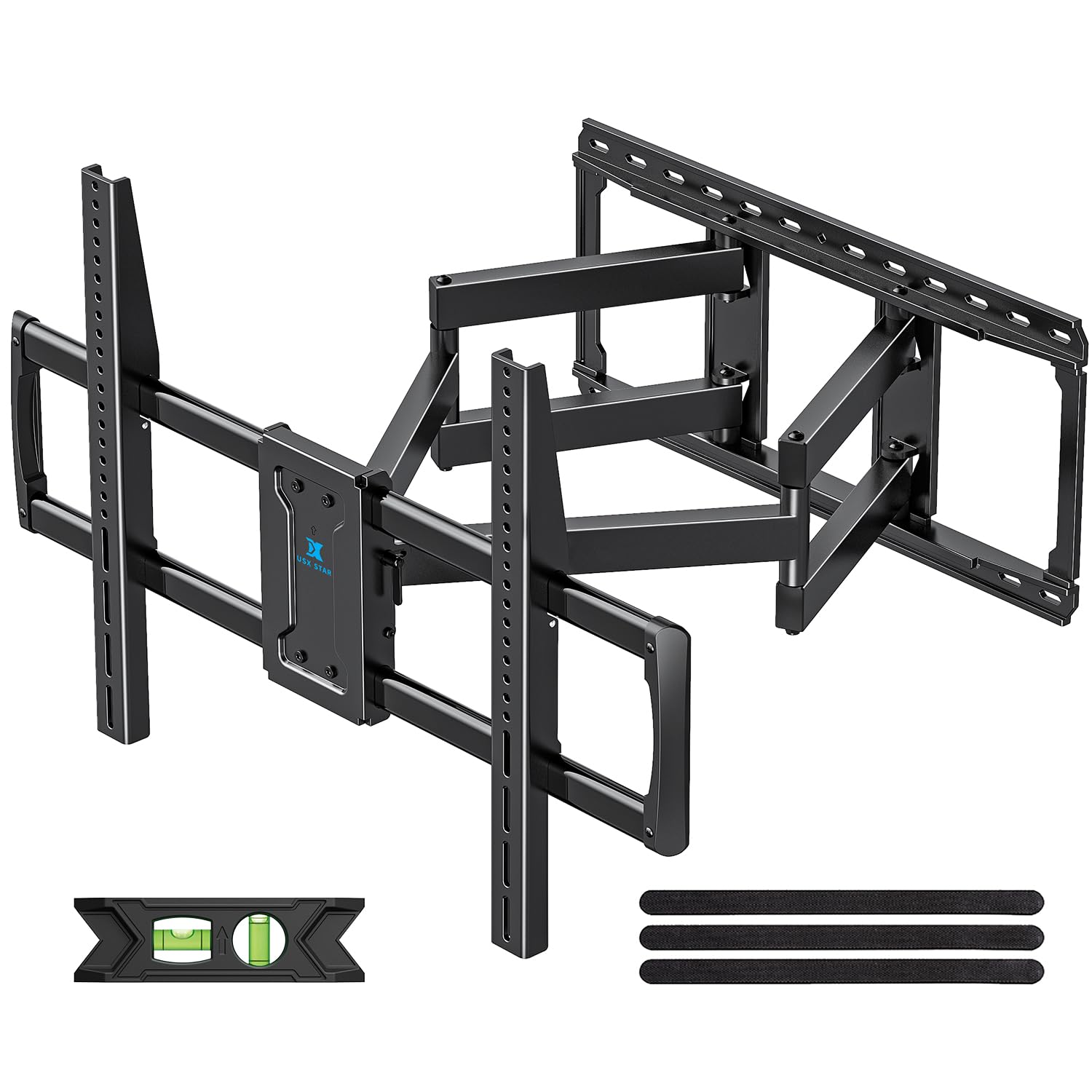
3. USX STAR Heavy Duty TV Wall Mount
A fixed-position heavyweight built for 98 and 100-inch screens that sit flush against the wall.
This is the mount for people with TVs that dwarf an 85-inch display. It supports screens from 37 to 100 inches with a maximum VESA of 800x600mm, which beats the USX MOUNT’s 600x400mm by a solid 33% in bolt-pattern coverage. The weight capacity sits at a beefy 170 lbs, and the high-strength steel construction earns the most praise — owners who mounted 98 and 100-inch TVs report the bracket feels like a tank against the wall.
The installation story is remarkably quick, with owners noting it took as little as 10 minutes to set up. It comes pre-assembled with a bubble level, Velcro cable straps, and a precise paper template, and the tool-free tilt lets you angle the screen without hunting for a wrench. Owners mention it sits perfectly flush and holds TVs well over 100 pounds with zero concern, and the 10-year manufacturer warranty backs that confidence.
The trade-off is clear: this is not a full-motion arm. It does not extend or swivel, so it only fits buyers who want their massive screen flat against the wall. The tilt feature also gets mixed feedback, mostly because a fixed mount’s tilt range is limited by design — fine for glare reduction, not for repositioning the TV across the room.
Best for: owners of 98 or 100-inch TVs who want a flush, rock-solid installation with a 10-year warranty and a fast setup.
Not for: anyone who needs to pull the TV out from the wall or angle it toward different seats.
4. FORGING MOUNT Heavy Duty Long Arm TV Wall Mount

Dual articulating arms that stretch nearly 43 inches to reach across an entire room.
If you want the single longest arm on this list, this is it — the 42.9-inch extension beats even the Mounting Dream’s 40 inches, making it the pick for pulling a TV out of a corner or angling it toward a completely different seating area. The dual articulating arm design is what allows that reach without sacrificing stability, and the 6-section steel construction has passed a 3-times loading test for extra confidence. It holds up to 198 lbs and fits VESA patterns up to 600x400mm, so most 85-inch TVs are well within its range.
The range of motion is the headline feature: a ±90° swivel, +5° to -12° tilt, and ±3° leveling give you almost unlimited positioning. Owners describe it as extremely heavy duty and note the long extension works perfectly for reaching across a room. One practical catch emerges clearly from the reviews — this mount is heavy, and most owners recommend a second person for installation. It is also rated for 16″, 18″, and 24″ stud spacing, and one owner noted their 16-inch spacing limited them to four lag screws.
There is a small honesty note here: the retail listing says 198 lbs, but at least one owner found a 165 lb rating sticker on the mount itself. That still comfortably handles an 85-inch TV, but it is worth knowing if you are pushing toward the heavier end of the spectrum.
What stands out
- 42.9-inch extension is the longest reach available here
- ±90° swivel covers nearly any viewing angle
- Dual-arm steel build feels rock solid when extended
Plan for
- Heavy bracket that really needs two people to install
- Sticker rating may read 165 lbs, not the advertised 198
Reach for this if: you need the absolute maximum arm length to pull a big TV around a corner or across an open floor plan.
Look elsewhere if: you are mounting solo — this one is genuinely a two-person job.
5. MOUNTUP TV Wall Mount
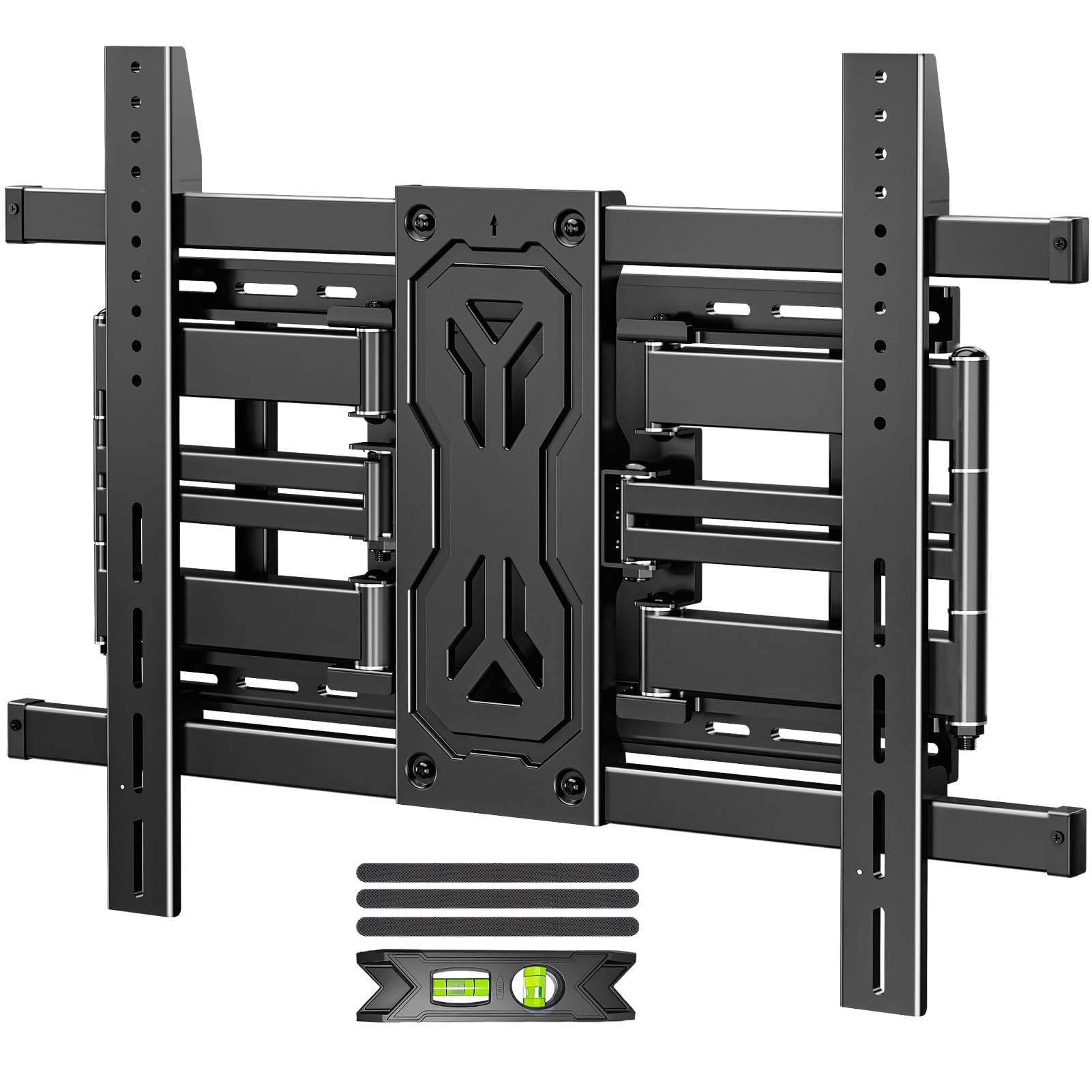
The reinforced six-arm bracket that sits just 1.65 inches off the wall while holding up to 250 lbs.
This is the mount for buyers who want serious strength without the bulk. When fully retracted, it sits only 1.65 inches from the wall, giving your 85-inch screen that flat, gallery-like look. The reinforced alloy steel six-arm design is what the reviewers single out most — customers note it holds an 85-inch TV with ease and feels super heavy in the hand, which they read as a confidence signal. The weight capacity tops out at 250 lbs, and it supports VESA patterns up to 800x600mm, so even heavier ultra-large screens are covered.
The full motion is versatile for open-plan spaces: tilt +15°/-15° to kill glare, swivel ±45°, and extend up to 19.9 inches. One owner noted the arms need a minor hand adjustment to keep the TV perfectly level after rotating, which is a small quirk rather than a flaw. Installation feedback is strong, with one owner finishing in about 20 minutes thanks to the pre-assembled frame, labeled hardware, bubble level, and cable ties.
This mount works on wood studs from 12 to 24 inches, concrete, and brick, but it carries the same warning as most heavy-duty mounts — never mount it on drywall alone. Owners at the top end of the weight range recommend pilot holes before driving the lag bolts, which is standard practice for anything this heavy.
Why it stands out: the 1.65-inch retracted profile is the slimmest of the full-motion picks here, so your screen hugs the wall when not in use.
Minor trade-off: you give up some reach — 19.9 inches versus 40 on the long-arm leaders.
6. Perlegear Long Arm Full Motion TV Wall Mount
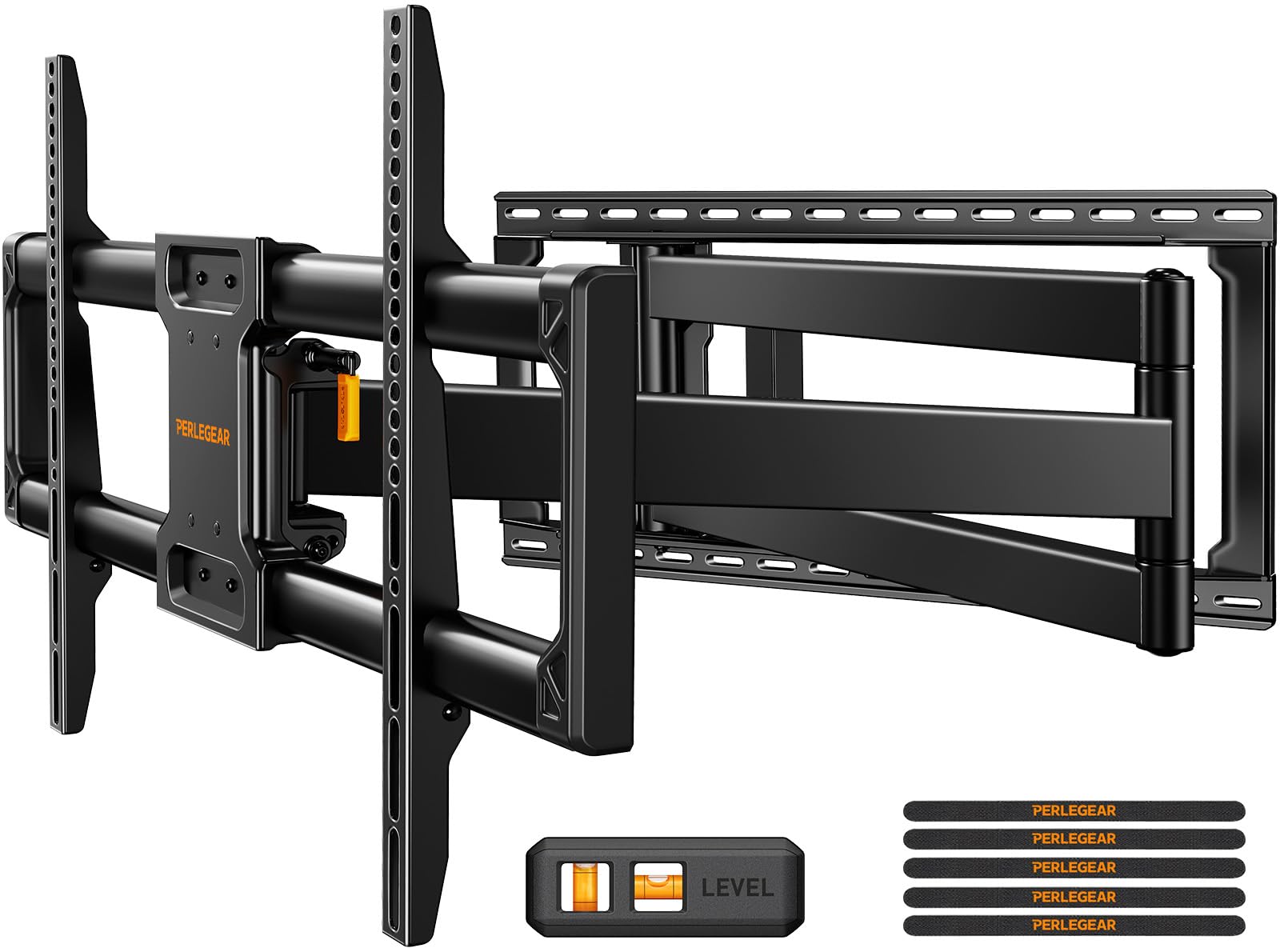
Cold-rolled steel and 40.1 inches of reach make this the smooth operator of the long-arm class.
This mount pairs a 40.1-inch extension arm with a wide, sturdy wall plate built from cold-rolled steel, and owners describe the movement as remarkably smooth. It has been through a 4x load test and a 6,000-time cycle test, which is the kind of engineering confidence you want behind a screen that weighs 150 lbs. The VESA range runs from 200x100mm to 800x400mm, and it fits 42 to 97-inch TVs — an 85 sits right in the happy middle.
The motion specs are generous: ±90° swivel, +5°/-15° tilt, and ±4° leveling after install. That swivel range is what makes it a strong corner-mount candidate, letting you pivot the screen between two rooms. Owners consistently praise the build quality and note installation takes roughly 15 minutes with the included drilling template and bubble level. The pre-assembled design means it is basically mount-the-plate, hang-the-TV, done.
One practical note from the reviews: it works with 8″, 12″, 16″, and 24″ wood studs, plus concrete and brick, but thin concrete walls may require Tapcon screws for a secure bite. It is a heavy mount, and while a solo install is possible, the feedback is clear that a helper makes it much safer.
What impresses
- 40.1-inch reach rivals the best long arms on this list
- 4x load test and 6,000-cycle test for durability confidence
- ±90° swivel makes corner mounting genuinely practical
Consider
- Thin concrete walls may need extra Tapcon screws
- Heavy bracket, so a second person is recommended
Pick this for: a long-arm mount where you want silky-smooth motion and the testing pedigree to back the strength.
Be aware: if your wall is thin concrete, budget for the right anchors before you start.
7. Perlegear Large Full Motion TV Wall Mount
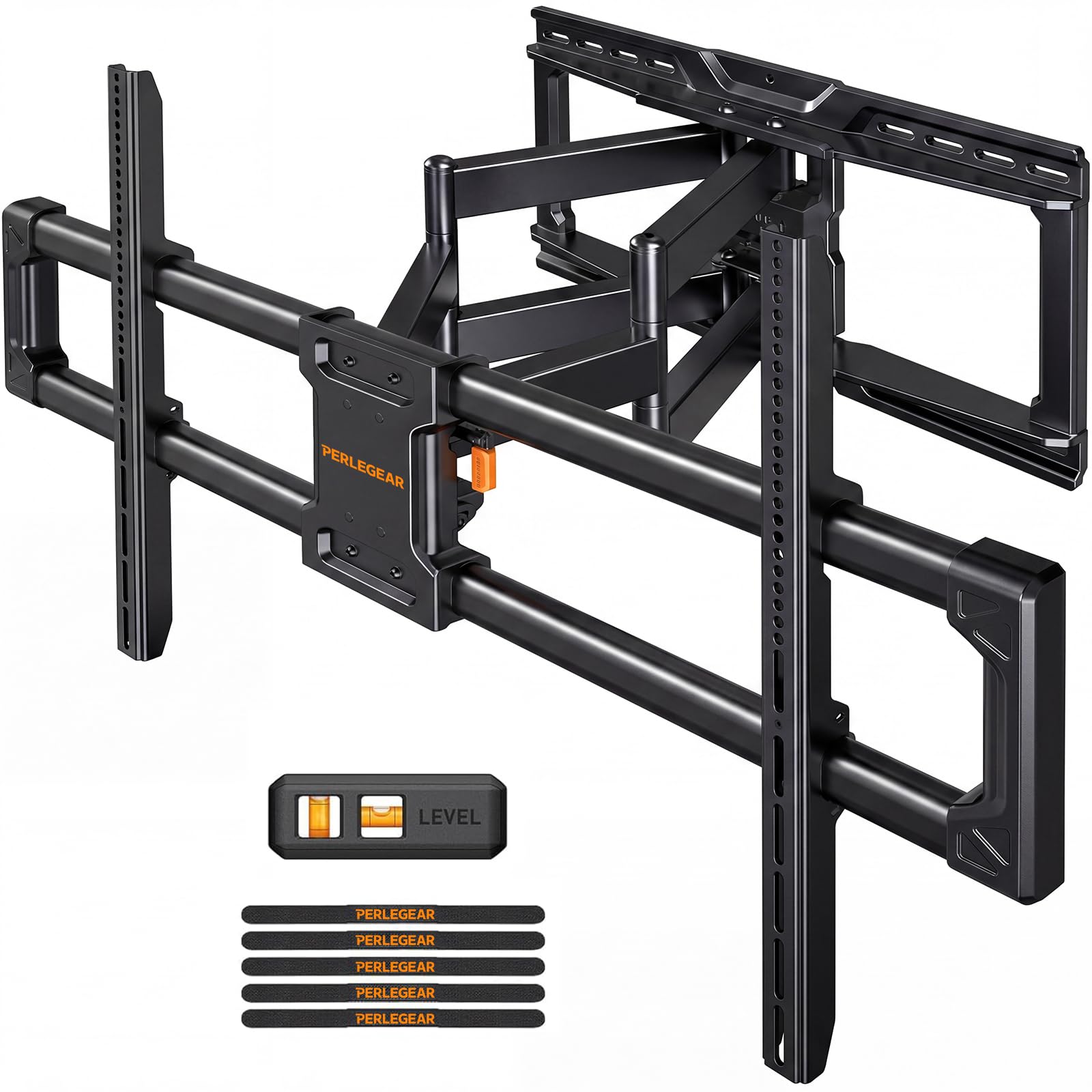
20% thicker steel and a reinforced wall plate that refuses to wobble even fully extended.
This is the mount for owners of 85-inch and larger TVs who have been burned by brackets that sag or shake. Perlegear builds it from 20% thicker steel with a reinforced everted structure wall plate, and the design goal is obvious the moment you read the reviews — owners with 85 and 100-inch screens report zero wobble even when the arm is fully pulled out. It carries up to 220 lbs and supports VESA patterns up to 900x600mm, which is the most generous bolt-pattern coverage of the full-motion picks here.
The extension reaches 22 inches and retracts to 3 inches, and the swivel turns 65° left or right — enough to redirect your screen from the living room toward an open kitchen. The steel is rated at 4X load test and a 6,000-cycle test, matching the durability focus of the other Perlegear. Installation is a claimed 3-step process with the screw-friendly wall plate, and owners consistently call it easy with clear instructions and a level included.
The most common praise centers on how secure the TV feels once it is up, with owners calling it absolutely solid. The honest downsides are minor: the wall plate is somewhat narrow, which can limit lateral stud alignment, and the TV clamps take a bit of fiddling to orient behind a large screen. It is also a two-person job for a screen this size.
The headline: 20% thicker steel and a 220 lb rating deliver the no-wobble confidence owners rave about on big screens.
Worth noting: the narrower wall plate means you should check your stud alignment before committing.
8. monTEK Heavy Duty Full Motion TV Wall Mount
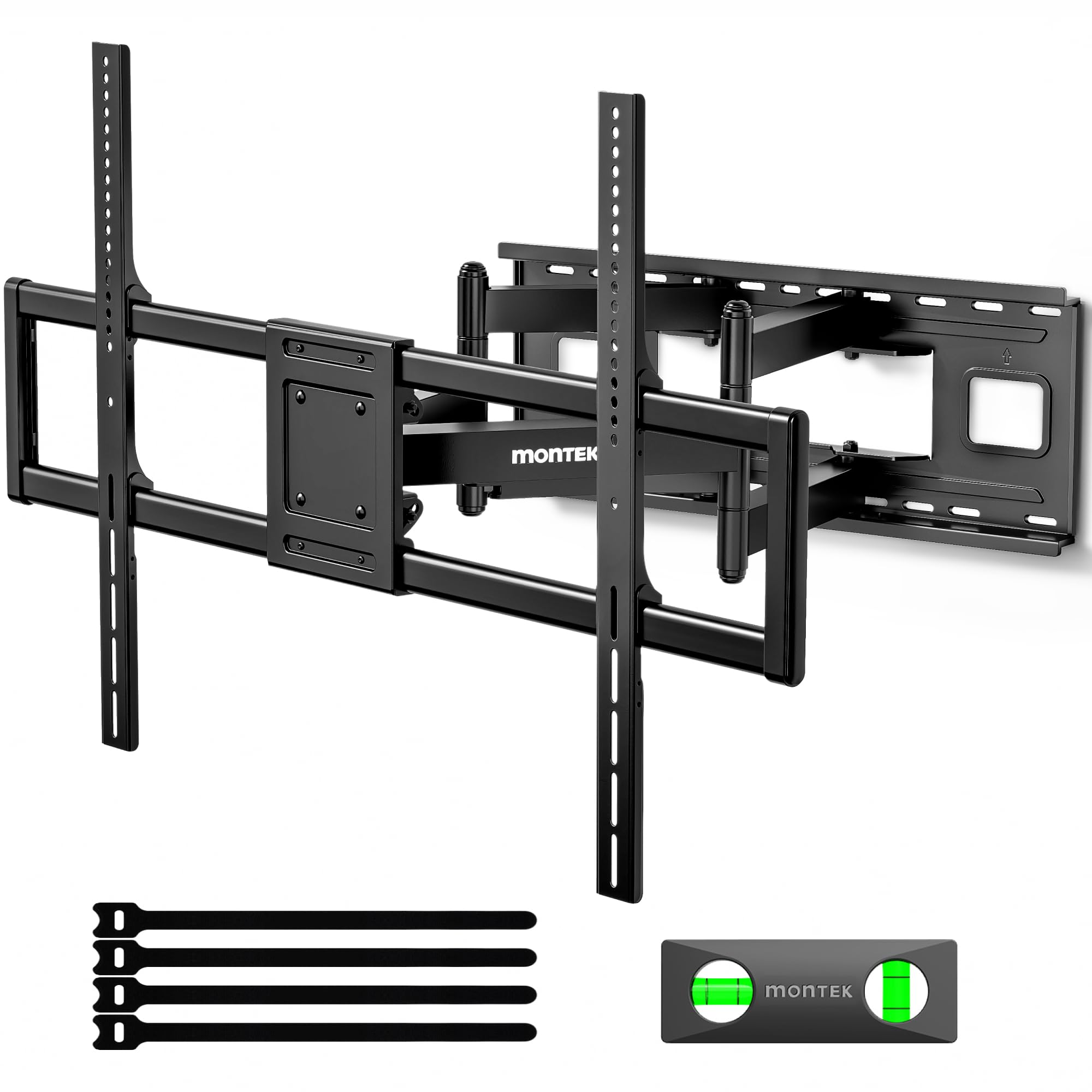
A 265-pound-rated tank with a 27.7-inch arm engineered for 100-inch-plus screens and commercial spaces.
If your TV weighs more than anything else on this list can handle, this is your answer. The monTEK holds up to 265 lbs and has passed a 4x load test, with the reinforced dual-arm structure designed specifically so a 100-inch-plus screen does not sag or shake when fully extended. It carries VESA patterns from 200x200mm to 900x600mm and fits screens from 60 to 120 inches, making it the most future-proof option if you plan to upgrade to an even larger display later.
The full motion is generous without being absurd: 27.7 inches of extension, ±60° swivel, and a tool-free +5°/-15° tilt that lets you adjust the angle without any knobs or wrenches. When retracted, the TV sits just 2.95 inches from the wall. The unique quick lock and release feature snaps the TV on and off in seconds, which is a real convenience for maintenance or future upgrades. It comes pre-assembled with all hardware, a bubble level, a mounting template, and a clear guide.
Owners of 98 and 100-inch TVs report the mount handles them with authority, describing it as solid, beefy, and a tank. The one clear caveat is weight — the bracket itself weighs 34.6 pounds, and the manufacturer explicitly recommends a two-person installation. Also note that studs are essential, and some owners found the M6 bolts they needed were not in the box.
The strengths
- 265 lb capacity tops the entire list for the heaviest TVs
- Tool-free tilt adjusts without any wrench
- Quick lock and release snaps the TV off in seconds
The honest costs
- 34.6 lb bracket genuinely needs two people to install
- Some owners needed to buy M6 bolts separately
Choose this for: the most massive TVs on the market or commercial setups where 265 lbs of capacity brings real confidence.
skip it if: you are mounting alone — the weight of the bracket itself demands a helper.
Understanding the Specs
VESA Pattern
VESA is the standard bolt-hole pattern on the back of your TV, measured in millimeters like 600x400mm or 800x600mm. It is the single most important spec because it determines whether a mount can physically bolt to your screen. Measure the horizontal and vertical distance between the mounting holes on your TV, then match that to the mount’s maximum VESA rating. An 85-inch TV commonly uses 600x400mm, though heavier and larger panels can go up to 900x600mm.
Weight Capacity
The weight rating tells you the heaviest TV the bracket can safely hold, and it is a hard ceiling — never exceed it. An 85-inch screen typically weighs between 80 and 120 pounds, so look for a mount rated comfortably above that with margin to spare. The mounts on this list range from 150 lbs up to 265 lbs, and the higher ratings exist for a reason: heavier older LED TVs can be surprisingly heavy compared to slim new OLED models.
Arm Extension vs. Reach
Full-motion mounts vary wildly in how far they pull the TV off the wall, from under 20 inches to over 40 inches. A long arm lets you pull the screen around a corner or angle it toward a different room, but it also creates more leverage on the wall. Shorter arms sit closer to the wall when retracted and often look cleaner. Decide whether you will actually use the reach before paying for it.
Stud Spacing Compatibility
Your wall studs are the horizontal wooden or metal supports behind the drywall that actually carry the weight. Mounts list compatible stud spacings like 16″, 18″, or 24″ — those are the distances between stud centers. Most homes use 16-inch or 24-inch spacing, so check yours before buying. Every heavy-duty mount on this list warns against drywall-only mounting, because drywall alone cannot support an 85-inch TV.
Tilt and Swivel Range
Tilt and swivel are the angles that let you adjust the screen to reduce glare or hit different seats. Tilt is typically +5° to -15° (the negative angle points the screen downward), while swivel can range from ±45° up to ±90° on the most flexible mounts. More rotation is not always better — it costs more and can complicate the install — so match the range to how many viewing positions you actually have.
Leveling After Install
Post-install leveling, usually ±3° or ±4°, lets you fine-tune the screen’s horizontal alignment after the bracket is mounted. This matters because walls and studs are rarely perfectly level, and a slightly crooked TV is maddening to look at. A mount with leveling adjustment means you do not have to get the wall plate perfectly level during installation — you can correct small errors afterward.
FAQ
Will an 85 Inch TV Wall Mount fit my specific 85-inch TV model?
Can I mount an 85-inch TV on drywall without studs?
What is the difference between a 23-inch and a 40-inch extension arm?
How much does an 85-inch TV actually weigh?
Is a full-motion mount worth it over a fixed one?
Can I install an 85-inch TV mount by myself?
What tools do I need to install a TV wall mount?
How long does installation actually take?
What does the VESA number like 800x400mm actually mean?
Are concrete and brick walls safe for an 85-inch TV mount?
Final Thoughts: The Verdict
For most people, the 85 inch tv wall mount winner is the Mounting Dream Long Arm because it combines the deepest 40-inch reach with near-universal praise for its rock-solid stability and genuinely excellent instructions. If you want the best balance of price and full-motion performance, grab the USX MOUNT. And for the heaviest 98 or 100-inch screens that need up to 265 lbs of capacity, the monTEK Heavy Duty is the one to reach for.
How We Picked
We do not accept paid placement. Every pick is matched to a real buyer and a real use-case; we do not hands-on test units.
Sources & Methodology
Specifications: manufacturer listings and product documentation. Review insights: verified customer reviews, as of August 2026. Pricing: not shown on this page (it changes often); check the current price via the retailer link.
As an Amazon Associate, FitlyFast earns from qualifying purchases. This does not affect which products we feature.