
Our readers keep the lights on and the weekend projects moving. As an Amazon Associate, I earn from qualifying purchases.
Specs are compiled from manufacturer listings and verified buyer reviews and can change over time — please confirm the key details on the product page before buying.
Picking a budget mouse feels like a coin flip — you either get a smooth, reliable pointer that lasts for years, or a finicky unit that eats batteries and stutters mid-scroll. The good news is that you do not need to spend a fortune to get a great daily driver. This guide cuts through the noise on the most reliable budget-friendly options, focusing on the specs that actually matter for work and play.
I’m Rikta — the founder and writer behind FitlyFast. This guide is built by comparing the manufacturers’ published specifications and the patterns across verified customer reviews, so you get each pick’s real strengths and trade-offs instead of marketing spin.
From silent clicks to 10,000 DPI sensors, here is the honest breakdown of the best budget mouse picks that deliver real value without the premium price tag.
Our Picks at a Glance

How To Choose The Best Budget Mouse
Before you add anything to your cart, you need to separate the marketing fluff from the features that actually change how your mouse feels on a Tuesday afternoon. Here are the three pillars of a genuinely good budget pick.
Connection Type: Wireless Freedom or Wired Reliability
You have three ways to connect a mouse, and each trades off convenience for reliability. A wireless mouse with a tiny USB receiver (a “nano receiver”) plugs into your laptop or PC — it is plug-and-play with no lag, but it occupies a USB port. Bluetooth frees up that port but can occasionally drop connection. A wired mouse is the most reliable with zero latency, but you are tethered to your machine. For a budget pick, a 2.4 GHz wireless receiver is the balance — it is fast, simple, and usually includes the receiver hidden inside the mouse itself.
DPI and Sensor: Cursor Speed That Fits Your Work
DPI, or dots per inch, measures how far your cursor travels for every inch you move the mouse. A higher DPI means a faster cursor — great for big monitors or gaming, where you need to whip across the screen quickly. Lower DPI (like 800 or 1200) gives you precise, controlled movement for detailed office work like spreadsheets. Many budget mice now offer adjustable DPI levels, letting you switch between speeds with a single button click, so you are not stuck with one setting.
Buttons and Ergonomics: Comfort Over Gimmicks
Standard mice have three buttons (left, right, and scroll wheel). Adding side buttons for forward and backward navigation speeds up web browsing significantly. An ambidextrous shape works for both left- and right-handed users, while a contoured, right-handed design often feels more natural for big hands. Pay attention to grip — textured sides and a matte finish help keep the mouse from slipping. If you are working all day, comfort and weight matter far more than a flashy look.
Quick Comparison
| Model | Best For | Connection | Buttons | Max DPI | Amazon |
|---|---|---|---|---|---|
| Amazon Basics Wireless★ Best Overall | Plug-and-play simplicity | 2.4 GHz USB | 3 | — | Amazon |
| Logitech M170Best Value | Everyday office work | 2.4 GHz USB | 3 | — | Amazon |
| Acer Wireless Mouse6-Button Pick | Large hands and DPI control | 2.4 GHz USB | 6 | 4000 | Amazon |
| wegear Wireless Mouse | Long battery life | 2.4 GHz USB | 6 | 4000 | Amazon |
| Redragon M602 | RGB gaming on a budget | Wired USB | 8 | 7200 | Amazon |
| Logitech M340 Silent | Quiet, stylish travel | 2.4 GHz USB | 3 | — | Amazon |
| Redragon M617 | Ultra-light gaming | Wired USB-C | 5 | 10000 | Amazon |
| CITLLA Multi-Device | Multi-device switching | Bluetooth + 2.4 GHz | 9 | 3000 | Amazon |
| ASUS TUF M3 Gen II | Durable, antibacterial gaming | Wired USB | 6 | 8000 | Amazon |
In‑Depth Reviews
1. Amazon Basics 2.4 GHz Wireless Mouse
The crowd-favorite pointer that proves a basic 3-button design still nails the essentials.
The single reason this mouse wins the overall spot is its sheer dependability — the crowd favorite at 4.5 stars across 60,000+ owners. It is a smooth, precise, wireless optical mouse that pairs to your laptop, desktop, or netbook using a 2.4 GHz USB nano receiver. That receiver conveniently stows inside the mouse body when you are on the move, so you will never lose the dongle at the bottom of a backpack.
Setup is genuinely plug-and-play — buyers report plugging it in and getting to work immediately, with one noting “plug and play” as the headline feature. The ambidextrous shape fits either hand, and at just 0.1 kg it is light enough to feel easy during a full workday. Keep in mind the receiver ships inside the mouse, so you need to pop it out before your first use. Battery life draws mixed feedback, with some owners getting weeks of use while others wish it lasted longer.
What wins people over is the price-to-performance ratio. Everything you need — responsive tracking, a sleep mode to save power, and a clean black finish — is here without any gimmicks. You get the guitar-pick tool included to open the battery compartment, plus batteries to start you off. It also works on Windows 2000, XP, Vista, 7, 8, and 10, so even older machines are covered.
What Owners Love
- True plug-and-play — works instantly with no drivers
- Nano receiver hides inside the mouse when traveling
- Ambidextrous shape suits either hand comfortably
What To Watch
- Battery life gets mixed reviews — some wish it lasted longer
- Only 3 buttons, so no side navigation keys
Who It Fits: The person who wants a reliable, no-fuss wireless pointer for work or school without thinking about specs.
The Trade-off: If you need side buttons or long battery endurance, this simpler 3-button design will feel limited.
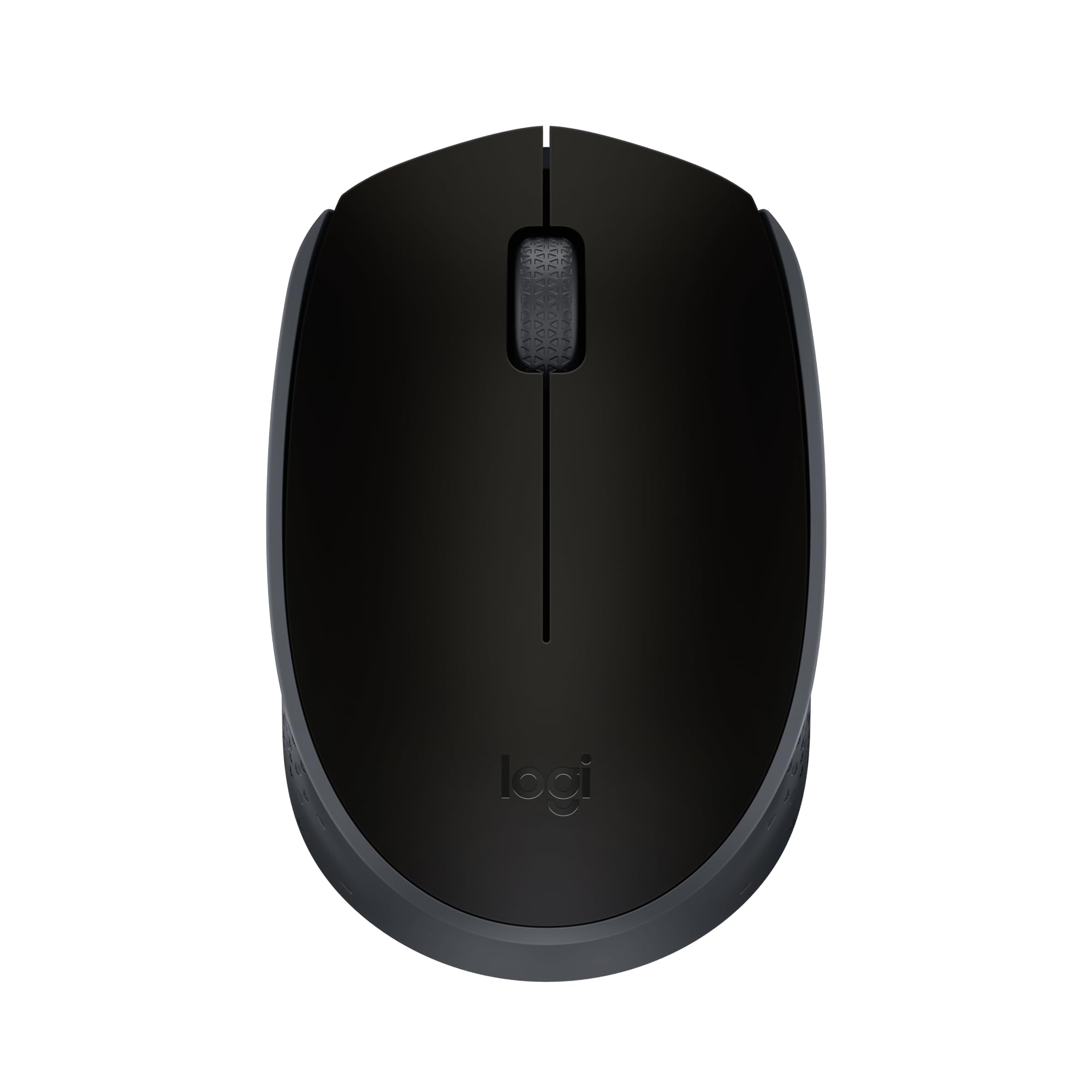
2. Logitech M170 Compact Wireless Mouse
A compact, ambidextrous pointer with enough battery endurance to outlast your work year.
Logitech’s M170 is the value king because it pairs a small, packable body with a 12-month battery life on a single AA — so you are not swapping cells every few weeks. It connects in about 3 seconds via a reliable USB receiver, and the ambidextrous design guides either hand into a natural position. The long-range connection works up to 33 ft (10 m) away, which is plenty for most desks and living rooms.
Owners consistently praise the instant setup and smooth tracking on almost any surface, with no mousepad required. Owners mention it “works from ~15ft, responsive, light click sound, battery-powered” — a solid real-world range that beats many pricier competitors. The optical tracking delivers smooth, accurate cursor control with a line-by-line scrolling wheel. At 3.86″L x 2.44″W, the M170 is noticeably more compact than the larger Acer wireless mouse (which measures 4.9″L x 2.7″W), making it the easier travel companion.
The recurring note is the size: some owners with larger hands find it too small for a full palm grip, though that same smallness is what makes it so tossable in a bag. It is compatible across Windows, macOS, Linux, Chrome OS, iPadOS, and Android, and it ships with the USB receiver tucked inside. The plastic body includes certified post-consumer recycled plastic at a minimum of 59% for the black version, which is a nice sustainability bonus.
The Highlights
- 12-month battery life on one AA battery
- 33 ft (10 m) wireless range for flexible desk setups
- Works across Windows, Mac, Chrome OS, and more
Keep In Mind
- Compact size may feel cramped for larger hands
- Scroll wheel can feel a little jumpy according to some owners
Reach For It If: You travel with your laptop and want a light, long-lasting pointer that disappears into a bag.
Look Elsewhere If: You have large hands and prefer a fuller, desk-sized grip for all-day comfort.
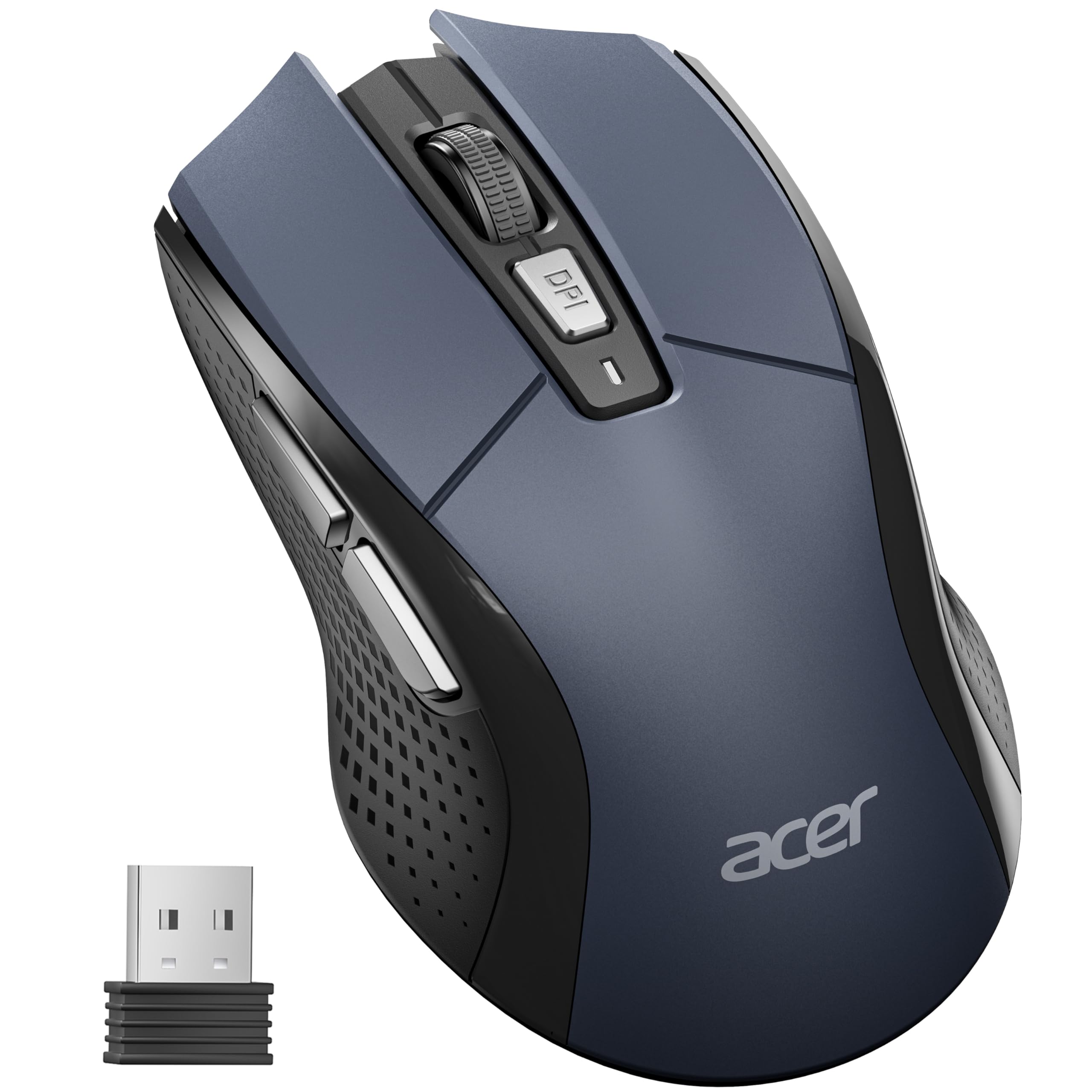
3. Acer Wireless Mouse (OMR339)
A full-sized 6-button mouse with adjustable DPI for medium-to-large hands that need room.
Acer’s wireless offering stands out for one defining spec: 5 adjustable DPI levels (800/1200/2400/3200/4000) that let you dial in the perfect cursor speed for detailed design work or fast browsing. At 4.9″L x 2.7″W, it is roughly 27% longer than the compact Logitech M170 (3.86″L x 2.44″W), giving large hands somewhere to land. The 6-button layout includes forward and backward side keys for one-click web navigation.
Owners highlight the value most — 16 buyers single out the price-to-feature ratio as the headline reason to buy, with responsiveness close behind at 9 mentions. One review sums it up: “The cursor idles when not in use, nice feature, and the side buttons for scrolling are nice, too.” The mouse enters standby after 10 minutes of inactivity and wakes with 2–3 clicks, which stretches battery life significantly on a single AA (not included). It is rated for up to 10 million clicks, so durability is built into the design.
The catch is the ergonomics take a little getting used to. It feels awkward at first but becomes more comfortable with continued use, and the sensor’s sleep mode can register an unwanted click when waking. A tiny minority report occasional ghost inputs from the side buttons. But for the price, you get a durable, responsive, full-sized wireless mouse with a visible low-battery warning light — a red flash that counts out your current DPI setting.
Value per dollar: The strongest argument for this pick is the adjustable DPI + 6-button combo at a budget price — hard to match in this tier.
Fit note: Designed for medium-to-large right hands; smaller users may find the fuller shape bulky.
Best for: Large-handed office workers who want side navigation buttons and on-the-fly cursor speed control.
Not ideal if: You need Bluetooth or a rechargeable battery — this is receiver-only and takes its own AA.
4. wegear Wireless Mouse (Blue)
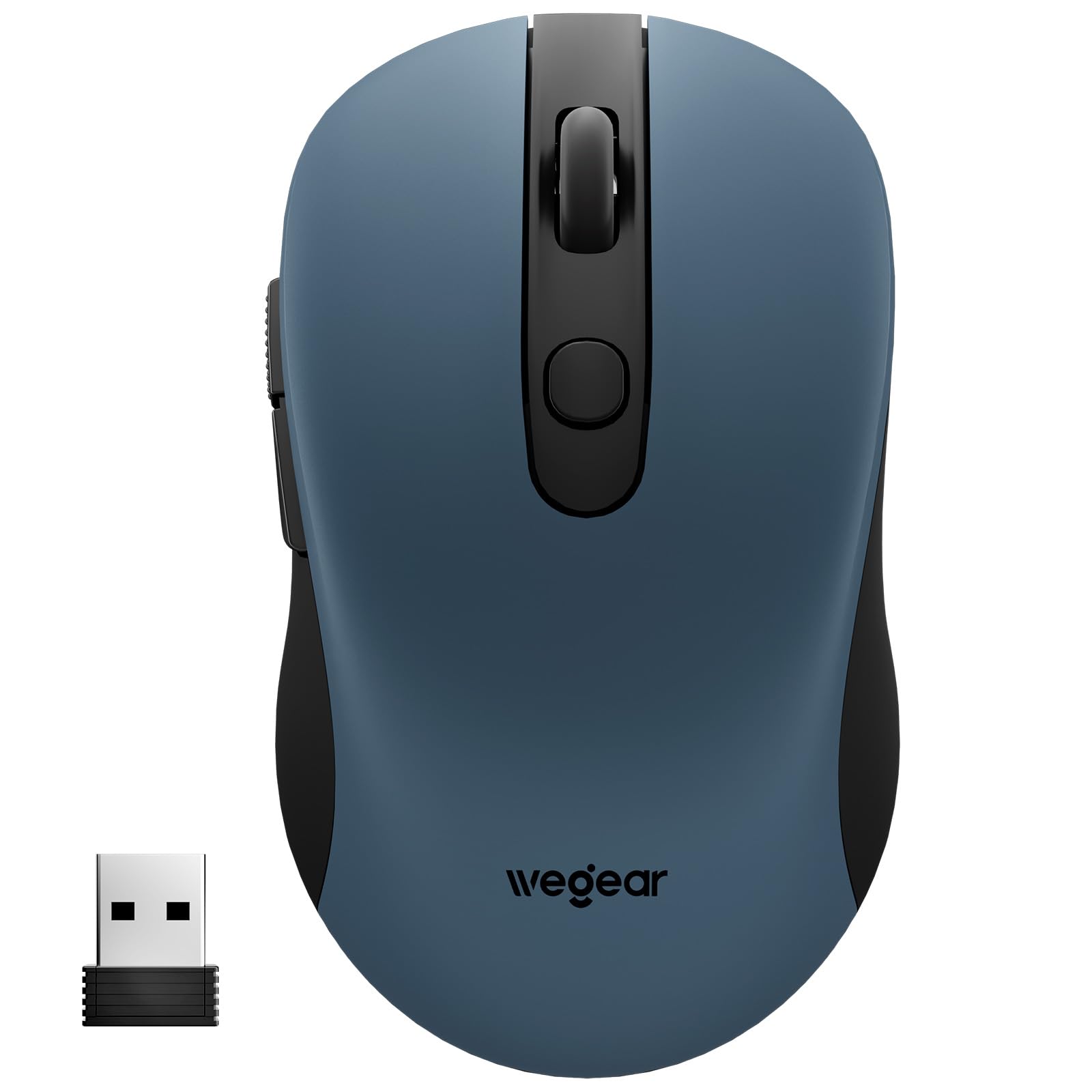
A contoured 6-button wireless mouse engineered to run up to 24 months on a single AA battery.
The wegear’s marquee feature is the 24-month battery life on one AA (not included) — the longest endurance claim in this budget lineup. It achieves this through an aggressive power-saving routine: the mouse enters sleep mode after just 8 minutes of inactivity and wakes with any click. A red LED alerts you when the battery runs low, so there are no surprise shutdowns mid-task.
Owners praise the build quality most — it is the single most-discussed aspect, with 80 people calling it out — ahead of value for money at 59 mentions. One enthusiastic buyer calls it “one of the best no-fuss peripherals I’ve added to my desk setup.” The right-handed contoured shape is designed to reduce hand strain during extended use, and it is tested to 5,000,000 clicks for long-term durability. The 6-button layout includes forward/back side keys, though these are not recognized on Mac.
You get 5 adjustable DPI levels (800/1200/1600/2400/4000) for adapting cursor speed between design work and everyday browsing. There is no physical on-off switch — a few owners find that odd, since the device appears to stay ready 24/7, but the auto-sleep handles the power saving for you. Compatibility is broad, spanning Windows 98SE through 11 and macOS 10.x, and the USB receiver stores at the bottom of the mouse.
Endurance edge: The 24-month battery claim plus the 8-minute auto-sleep make this the set-and-forget pick of the group.
Quirks: No power switch at all — you rely entirely on the sleep timer to save juice.
Reach for this if: You hate changing batteries and want a dependable wireless daily driver for work.
Think twice if: You use a Mac and need the forward/back side buttons to work — they are Windows and PC only.
5. Redragon M602 Gaming Mouse

A wired gaming staple with RGB lighting and 7200 DPI that has been around since 2015 for a reason.
The M602 is the gamer’s budget answer, delivering up to 7200 adjustable DPI and a high-precision sensor that keeps tracking consistent during fast play. With 8 programmable buttons and macro editing through Redragon’s software, you can remap functions, adjust speed, and even script macros for different games. The truly RGB backlit design offers 7 modes and effects — solid color, full RGB, or off — all switchable with a button click.
Launched in 2015, this model has a history of durability behind it, with a positive sharing rate of 96.8%. Owners regularly note it held up for years of use — one mentions a 3-year durability run and another compares its features favorably to a mouse, noting drag and butterfly click support. The ergonomic shape positions your fingers in dedicated spots for comfort in any grip, though the palm grip is the happy place and claw or fingertip grips are less comfortable.
The honest limitations: there is no lift-off calibration, so the cursor moves slightly when you pick the mouse up, and fast flick shots (like 180° turns in CS:GO) can cause the sensor to stop or jump. The middle button needs a hard press, the RGB has no brightness control, and occasional clicks may not register during rapid play. This is a wired mouse, so no battery worries — just a long braided cord that stays out of the way.
Why Gamers Like It
- 7200 DPI sensor stays responsive and stable
- 8 programmable buttons with macro support
- Truly RGB with 7 lighting modes
The Gamer Caveats
- No lift-off calibration — cursor drifts when lifted
- Fast flick movements can disrupt tracking
Who it suits: Budget gamers who want RGB, macros, and extra buttons without tripling their budget.
Who should pass: Competitive FPS players who need flawless lift-off and flick tracking will hit its limits.
6. Logitech M340 Silent Wireless Mouse

A slim, quietly-clicking travel mouse with 18 months of battery life and standout looks.
The M340’s defining trait is Silent Touch Technology, which removes 90% of click noise — meaning late-night work sessions will not echo through the house. It is a slim, ultra-compact wireless mouse that slips easily into a bag or even a pocket, and the Blue Galaxy pattern gives it a personality most budget mice lack. You get up to 18 months of battery life with auto-sleep to stretch it further, and the battery ships included so it works straight from the start.
Owners describe it as near-silent, comfortable, and easy on the wrist — one happy user notes it works great with a Samsung Book6 Pro and can be “easily tuck[ed] it in a pocket when taking my laptop from one location to another.” The compact profile fits smaller hands especially well, and the responsive optical tracking works instantly up to 10 meters away via the included 2.4 GHz USB receiver. It is compatible with Windows and Chrome OS and works with Surface devices.
This is a 3-button mouse — no side navigation keys — and it lacks Bluetooth, so you need that USB-A port. The plastic parts include a minimum of 42% certified post-consumer recycled plastic, which is a thoughtful touch. If you want a quiet, stylish, ultra-portable pointer that does the basics beautifully, this is the one.
Quiet advantage: The 90% click-noise reduction is the standout feature for shared spaces and late-night work.
Simplicity limit: No side buttons and receiver-only connectivity keep it basic by design.
Pick it if: You want a silent, eye-catching travel mouse for small hands and shared environments.
skip it if: You need forward/back buttons or Bluetooth pairing on a tablet or phone.
7. Redragon M617 Ultralight Honeycomb
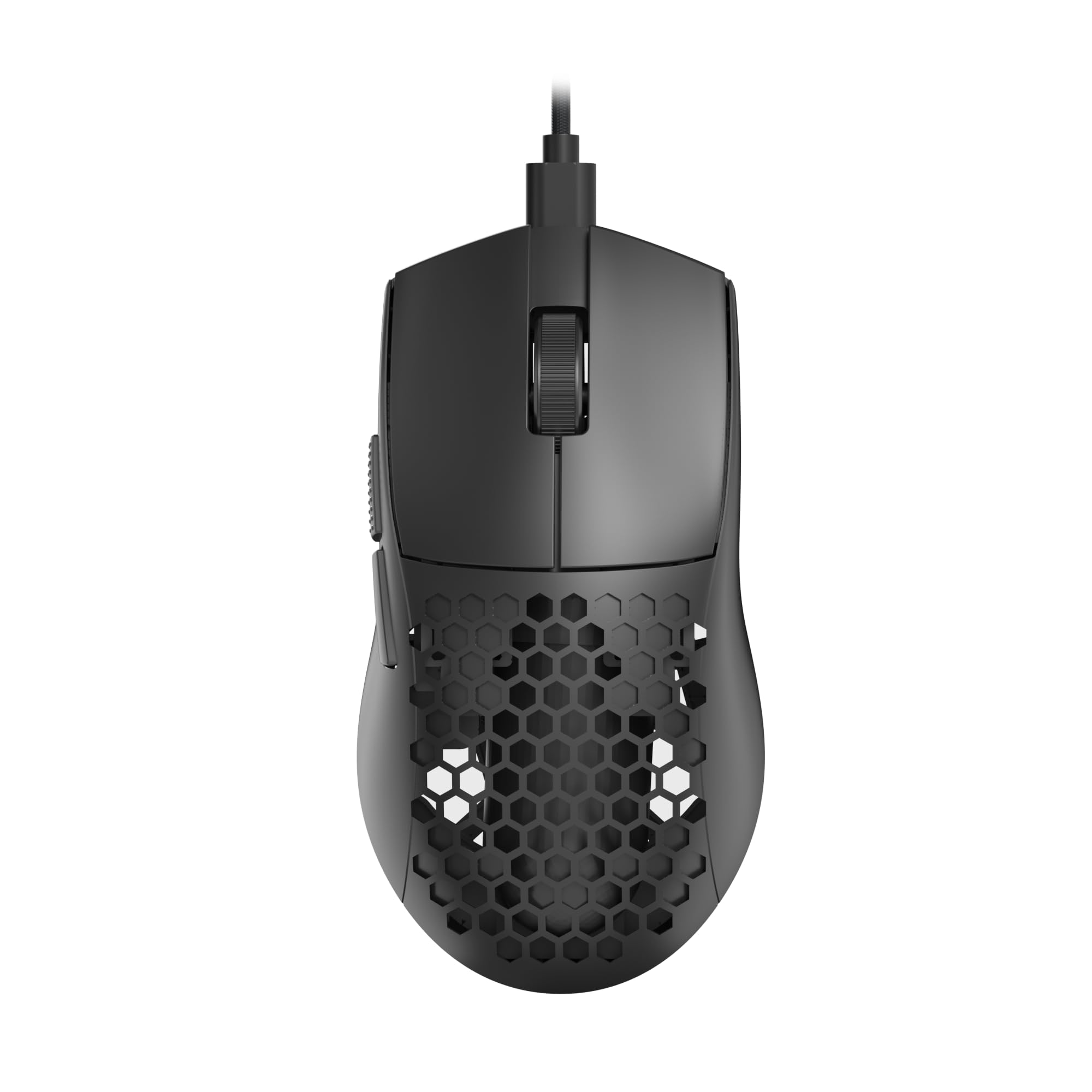
A 41-gram honeycomb shell with a drag-free paracord that feels like nothing in your hand.
At just 41g, the M617 is the lightweight king of this lineup — a featherweight build that owners describe as feeling “like nothing in your hand.” The honeycomb shell design keeps it airy while staying ergonomic for a comfortable grip during long gaming marathons. The paracord cable is incredibly lightweight and drag-free, delivering the feel of a wireless mouse without the battery or connection concerns.
Accuracy is a headline feature here, with a sensor capable of up to 10,000 DPI. The 5 programmable buttons (6 total with the clickable wheel) are customizable for hotkeys, media, and DPI settings through Redragon’s dedicated software, including multi-key macros and 5 configuration modes switchable with a single click. The symmetrical design suits extended sessions without fatigue, and the detachable Type-C cable makes it easy to pack.
The trade-offs are real. The software is Windows-only, leaving Linux users without customization — a frustration noted by some. There is no lift-off calibration, and the open honeycomb design can collect dust and debris, especially in the white version. A few customers note the lights stay on while the PC is powered off, which may be annoying if the mouse stays on your nightstand. Still, for pure featherweight performance at a budget price, this is a standout.
The Featherweight Upside
- 41g weight with drag-free paracord cable
- 10,000 DPI accurate sensor
- Symmetrical design for long sessions
The Featherweight Downside
- Software is Windows-only — no Linux or Mac tuning
- Honeycomb shell collects dust; lights stay on when PC is off
Best for: Gamers who want an ultra-light mouse and love customizing buttons and DPI in software.
Not for: Anyone who dislikes bare plastic shells or wants software on non-Windows systems.
8. CITLLA Wireless Bluetooth Mouse (L360)

A full-size multi-device mouse with 4-way scrolling and Bluetooth plus USB connectivity.
The CITLLA L360 is built for people juggling multiple machines. It connects via a 2.4G USB receiver or dual Bluetooth, letting you pair up to 3 devices and switch between them with a single button — perfect for moving from a laptop to a MacBook to a tablet without re-pairing. The 4-way scrolling wheel is the real highlight: press it sideways for horizontal navigation, and the scroll speed is several times that of an ordinary mouse.
Owners call the reliability the single most-discussed strength, with 94 people highlighting it, ahead of quality at 80. One buyer describes it as “everything I was looking for… very quiet, pretty much noiseless,” while another notes it “switches between USB and BT easily” with no drag or delay. The rubber side grips are sweat-proof and non-slip, and the full-size body measures 4.6 x 2.6 x 1.6 inches (117 x 67 x 41 mm) for a comfortable palm grip.
The headline spec is the battery life: up to 3 years and 4 months on the included 2 AA batteries, thanks to an energy-efficient power control system. The 9-button layout includes forward/back navigation and a DPI button cycling through 1000/1600/2400/3000. The catch is on Mac — the side buttons navigate apps instead of pages and are not customizable, and some owners find the full-size body slightly larger than expected. But the silent operation and multi-device flexibility make it a versatile desk companion.
Connectivity edge: Bluetooth plus USB plus a 3-device switch key puts multi-tasking owners ahead of single-receiver rivals.
Mac limitation: Side-button behavior differs on macOS, and there is no manufacturer software to remap them.
Who it fits: Multi-device users — laptop, tablet, MacBook — who want one silent mouse to rule them all.
Who it doesn’t: Mac-focused owners who rely on side-button customization will hit limitations.
9. ASUS TUF Gaming M3 Gen II

A 59-gram wired gaming mouse with IP56 dust and water resistance plus an antibacterial coating.
The ASUS TUF M3 Gen II is the durability-focused pick, standing out with an IP56 dust and water resistance rating — meaning it shrugs off the crumbs and spills that kill lesser mice. It weighs just 59 grams, a featherweight build crafted for right-handed gamers, and features an 8000 dpi optical sensor that delivers pixel-precise tracking. A dedicated DPI button switches between four sensitivity levels instantly, so you can drop speed for sniping then crank it up for sweeping shots.
Owners consistently highlight gaming performance — the single most-discussed aspect at 26 mentions — with responsiveness close behind at 12. One buyer calls it “a great gaming mouse at a low cost” that stayed durable past a full year of use, while another notes it pairs perfectly with ASUS ROG keyboard gear, including RGB sync. The ASUS Antibacterial Guard inhibits bacterial growth on the surface and buttons, a thoughtful extra for shared or sweaty sessions. PTFE mouse feet ensure swift, smooth glides across your pad.
The honest trade-offs: some owners find 59g almost too light, and durability feedback is mixed compared to the previous generation. A rare complaint involves ASUS’s registration software flagging a new mouse as already registered — a minor annoyance, not a functional issue. With 6 programmable buttons and a wired connection (so no battery worries), this is a solid all-rounder for gamers who want toughness without the premium price.
The Tough Stuff
- IP56 dust and water resistance for real durability
- 8000 dpi sensor with 4 on-the-fly sensitivity levels
- ASUS Antibacterial Guard keeps surfaces sanitary
The Fine Print
- 59g may feel too light for some owners
- Durability feedback is mixed versus the older model
Best fit: Gamers who want a tough, lightweight wired mouse with a high-DPI sensor and antibacterial confidence.
Consider else: If you prefer a heavier, more substantial feel or need wireless freedom, this wired pick may not satisfy.
Understanding the Specs
DPI and Sensor Sensitivity
DPI, or dots per inch, tells you how many pixels your cursor crosses for every inch you slide the mouse. Low settings (800–1200) give you fine control for detailed work like photo editing or spreadsheets. High settings (3200–10000) let you whip across a big monitor quickly, which is why gamers chase high DPI numbers. Most budget mice now offer adjustable DPI, so you can toggle between slow and fast without digging into settings menus.
Wireless Receiver vs Bluetooth
A 2.4 GHz wireless mouse uses a tiny USB nano receiver that plugs into your computer and communicates over a radio frequency dedicated to that dongle. It is lag-free and plug-and-play, but it occupies a USB-A port. Bluetooth skips the dongle entirely, which is ideal for tablets and thin laptops with few ports — but you may see occasional connection drops. Some multi-device mice offer both, letting you pair multiple machines and flip between them with a button.
FAQ
Will a budget wireless mouse work with my Chromebook or MacBook?
How much does DPI actually matter for everyday office work?
What is a nano receiver and why is it stored inside the mouse?
How long does a budget wireless mouse battery actually last?
Is a silent mouse worth the extra money?
What is the difference between a wired and a wireless gaming mouse at this price?
What does a side button actually do, and do I need them?
Can I use a budget mouse on a glass or glossy desk surface?
How many buttons do I really need in a budget mouse?
What does IP56 resistance mean on a gaming mouse?
Final Thoughts: The Verdict
The winner in this group is the Amazon Basics Wireless Mouse because it delivers dependable plug-and-play performance with a receiver that stores inside the mouse — the most reliable and least fussy option for the widest range of people. If you want side buttons and adjustable DPI on a full-sized body, the Acer Wireless Mouse is the smart grab, and if you are chasing featherweight gaming performance, the Redragon M617 at 41g with a 10,000 DPI sensor is the standout for the price.
How We Picked
We do not accept paid placement. Every pick is matched to a real buyer and a real use-case; we do not hands-on test units.
Sources & Methodology
Specifications: manufacturer listings and product documentation. Review insights: verified customer reviews, as of August 2026. Pricing: not shown on this page (it changes often); check the current price via the retailer link.
As an Amazon Associate, FitlyFast earns from qualifying purchases. This does not affect which products we feature.