
Our readers keep the lights on and the weekend projects moving. As an Amazon Associate, I earn from qualifying purchases.
Specs are compiled from manufacturer listings and verified buyer reviews and can change over time — please confirm the key details on the product page before buying.
Your semester will be defined by compiling code, running virtual machines, and keeping dozens of browser tabs alive — so the first spec to care about is RAM (the memory your computer uses to keep programs running at once). Aim for 32GB or more; that is what saves your week when everything is open at the same time.
I’m Rikta — the founder and writer behind FitlyFast. This guide is built by comparing the manufacturers’ published specifications and the patterns across verified customer reviews, so you get each pick’s real strengths and trade-offs instead of marketing spin.
These reviews balance raw processing power with the battery life and RAM that actually get you through a CS curriculum, making them strong computers for computer engineering students.
Our Picks at a Glance



How To Choose The Best Computers For Computer Engineering Students
Computer engineering coursework is memory-hungry, so start your search with RAM rather than the flashiest chip. A 32GB configuration lets you run an IDE, a virtual machine, and a database server at the same time without your system grinding to a halt; 16GB will work but you will feel the squeeze by junior year.
Prioritize RAM and Storage Over Clock Speed
Your processor matters, but any modern mid-range chip handles freshman coding. What stalls a laptop is a lack of memory and a slow hard drive. Look for 32GB of RAM and a 1TB SSD (a solid-state drive that boots Windows and loads projects in seconds) so you can keep your entire toolchain installed and instant.
Match the Screen to Where You Work
If you spend hours staring at code, a larger display with a 16:10 aspect ratio (taller than standard widescreen) gives you more lines of code on screen. A touchscreen is a nice convenience, but for engineering work it is not the deciding factor — resolution and brightness matter more for long reading sessions.
Battery Life Is a Lecture-Hall Asset
Engineering buildings rarely have enough outlets near every seat. A laptop rated for 20 hours of battery life survives a full day of classes without the charger. Pay attention to the watt-hour capacity (Wh) and published battery hours, since a power-hungry GPU will drain any battery faster than a thin-and-light design.
Quick Comparison
| Model | Best For | RAM | Storage | Battery Life | Amazon |
|---|---|---|---|---|---|
| Apple MacBook Pro M5★ Best Overall | Video editing and AI workloads | 24GB | 1TB SSD | All-day | Amazon |
| ASUS Vivobook 16Best Value | Remote work and schoolwork | 16GB | 1TB SSD | — | Amazon |
| HP 17 LaptopBig Screen | Large-screen multitasking | 32GB | 1TB SSD | Long | Amazon |
| GEEKOM GeekBook M16 | All-day battery endurance | 16GB | 512GB SSD | 24 hours | Amazon |
| Dell 16 Laptop | Touchscreen productivity | 16GB | 1TB SSD | — | Amazon |
| HP 2023 Essential | Heavy VM workloads | 32GB | 1TB SSD | — | Amazon |
| Microsoft Surface Laptop | Thin-and-light daily use | 16GB | 512GB SSD | 20 hours | Amazon |
| GEEKOM GeekBook X16 Pro | Crisp 2.5K display work | 32GB | 2TB SSD | 17 hours | Amazon |
| Lenovo ThinkPad L16 | Business travel durability | 32GB | 512GB SSD | Long | Amazon |
| Dell Precision 3490 | CAD and engineering work | 64GB | 2TB SSD | — | Amazon |
| Acer Nitro 16S | Gaming and 3D modeling | 32GB | 2TB SSD | — | Amazon |
| Lenovo ThinkBook 16 | Data-heavy workloads | 64GB | 2TB SSD | — | Amazon |
| LG gram Pro 17 | Ultra-portable 17-inch power | 32GB | 2TB SSD | 25 hours | Amazon |
In‑Depth Reviews
1. Apple MacBook Pro M5
Our pick — over 4.5★ from 350+ verified ratings; the strongest balance of quality and price.
The crowd favorite — 4.8 stars across 300+ owners — that flattens heavy compiling, video edits, and AI work without breaking a sweat.
The M5 chip pairs a 10-core CPU with a 10-core GPU, and buyers report it handles video editing for SwimSAFR content without slowing down. On a computer engineering track, that means your build scripts and rendering jobs stay fast, and the fans stay silent while they run.
The 14.2-inch Liquid Retina XDR display reaches 1600 nits peak brightness, keeping code readable even near a bright window. Three Thunderbolt 4 ports, an SDXC card slot, and HDMI cover your docking needs, and the 12MP Center Stage camera keeps you framed clearly on video calls.
Battery life easily lasts through a full workday, as owners mention, and the 3.41-pound weight is half that of a typical gaming laptop. The trade-off is the learning curve if you have only used Windows, but buyers who switched from ThinkPads and Alienwares call it the best laptop they have owned.
Why it wins: Owners rave about the performance — 71 buyers single it out — and the all-day battery is the second most-praised trait. The display’s inky blacks and HDR support make long coding sessions easy on the eyes.
The honest catch: The Space Black finish is a fingerprint magnet, and the white charger cable mismatches the black body. If you rely on Windows-only engineering tools, check that your software runs on macOS first.
Reach for this if: You want a luxurious, silent, powerful machine that sails through video editing and AI workloads and lasts a full day away from a charger.
Look elsewhere if: You need guaranteed compatibility with Windows-only lab software or you want the absolute maximum RAM for running multiple VMs simultaneously.
2. ASUS Vivobook 16
A price-conscious pick whose deca-core processor tops out at 5 GHz, making it a capable daily driver for schoolwork and casual gaming.
The 13th Gen Core i7-1355U runs 10 cores (deca-core) with a 5 GHz max speed, which is ample for compiling assignments and running an IDE. The 16GB RAM and 1TB SSD give you solid multitasking room, though power users may want more memory by senior year.
The 16-inch WUXGA display gives you a wide, tall workspace for code, and the SonicMaster audio keeps lectures and videos sounding clear. Customers note it is lightweight with a nice layout, and one owner’s son in IT recommended it as top quality for remote work.
At 16GB RAM it holds half the memory of the HP 17 in this list — a 2.0x gap that matters if you plan to run virtual machines. The main complaints are weak speakers at max volume and a low-quality webcam, so bring a headset for calls.
Solid all-rounder: Owners call it user-friendly and great for casual gaming plus schoolwork, with several praising the layout and light weight.
Know the limits: The camera and speakers are the weakest links, so video calls may look and sound average. Also, 16GB RAM is the floor for engineering multitasking, not the balance — you will feel the squeeze by junior year.
Best for: A first-year student who wants a reliable, affordable laptop for daily coding and classes without overspending.
Think twice if: You plan to run heavy VMs or need a crisp webcam for frequent video presentations, since those are this machine’s soft spots.
3. HP 17 Laptop
The desktop replacement with a 17.3-inch screen and 32GB RAM that lets you run multiple programs and dozens of browser tabs at once.
This HP doubles the RAM of the ASUS Vivobook above — 32GB versus 16GB — so you can keep an IDE, a database, and a VM open simultaneously. The AMD Ryzen 5 processor clocks up to 4.3GHz, and HP claims it beats an i7-1165G7, giving you 16% less top speed than the Vivobook’s 5 GHz but far more memory headroom.
The 17.3-inch FHD display is the size reviewers point out they were looking for, paired with a numeric keypad that makes data entry painless. Battery life is a standout, with owners reporting it “lasts for long time,” and the laptop feels very lightweight despite its size.
A few caution points: one buyer found the advertised MS Office was a pirated key that would not activate, so plan to use LibreOffice, and an occasional unit has arrived with altered specs. Most owners, though, call it a good buy and excellent value for the price.
What owners love
- 32GB RAM handles heavy multitasking with ease
- Beautiful vivid graphics and colors on a 17.3-inch screen
- Long battery life praised across reviews
- Easy setup and user-friendly experience
Watch for
- Bundled MS Office key may fail to activate
- USB Type-C port is data-only, not for charging or monitors
- A rare unit has arrived with spec mismatches
Pick it for: A big, bright screen and 32GB RAM at a mid-range price, ideal for running multiple engineering tools side by side.
skip it if: You want a guaranteed legitimate Office license from the start or you need USB-C charging and display output.
4. GEEKOM GeekBook M16
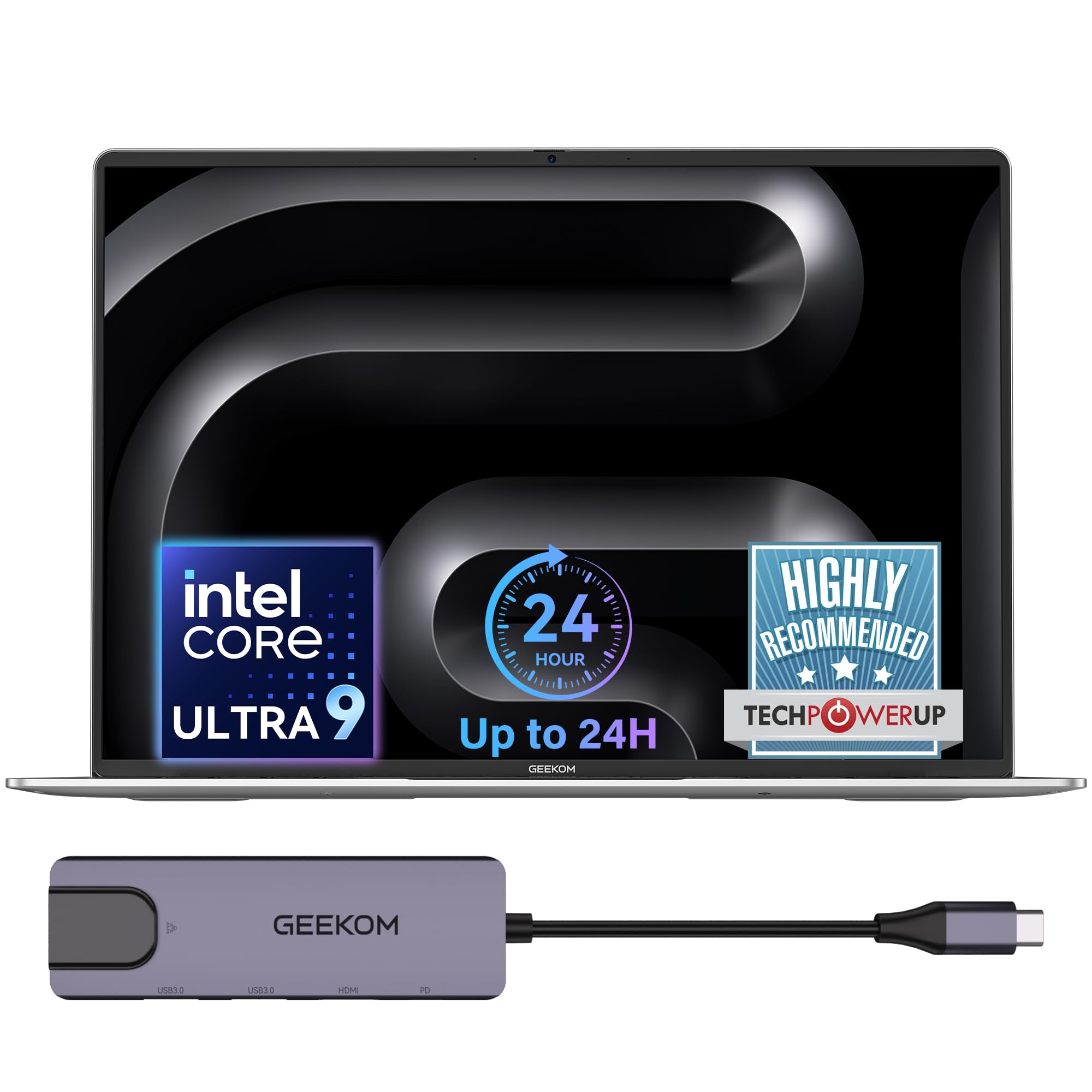
The marathon runner of this list, with a 99.9Wh battery promising 24 hours and a 10-minute charge that powers hours of light work.
The Intel Core Ultra 9 185H sustains 55W of output on battery power via GeekBook’s Dynamic Tuning Technology, so heavy workloads stay responsive even unplugged. The 16GB LPDDR5 memory runs at 6400MHz, and the 512GB PCIe Gen4 SSD boots Windows fast.
You get more room to work on a 16-inch 16:10 IPS display (a screen that is taller than typical 16:9, so you see more code without scrolling) with a 90% screen-to-body ratio for a more rich workspace. A 40Gbps USB4 port (a fast connection for external drives) and HDMI 2.0 let you hook up to three external displays, so you can spread your IDE, browser, and terminal across screens. A fingerprint reader and DTS:X Ultra dual speakers round out the package, and the included 5-in-1 docking station adds desktop-class ports for peripherals.
Owners call it an amazing machine and a MacBook alternative, praising the fast charging, long battery, and lightweight design. The IceBlade 3.0 dual-fan cooling system boosts air pressure by 50% to keep the chassis cool during heavy workloads. The catch is 512GB of storage, which fills quickly with large projects and virtual machines.
The verdict: Buyers rave about the value, calling it great quality, super light, and fast, with strong praise for the screen and sound.
The trade-off: Storage is the bottleneck at 512GB, so budget for an external drive or cloud storage for your coursework and VM images.
Reach for this if: You spend full days on campus and want a laptop that genuinely lasts from an 8 a.m. lab through an evening study session.
Look elsewhere if: You need more than 512GB of built-in storage or you want the maximum 32GB RAM for running several VMs at once.
5. Dell 16 Laptop

A 16-inch 2K touchscreen with a 16:10 ratio that gives you crisp, expansive visuals for long coding and reading sessions.
The 2K display delivers edge-to-edge clarity, and the 16:10 aspect ratio shows more vertical content — so more lines of code fit on screen. Dell ComfortView Plus cuts harmful blue light while preserving true-to-life color, which helps during marathon study nights.
Under the hood sits an Intel Core 7 150U processor with 16GB DDR5 RAM and a 1TB SSD, giving you smooth multitasking for schoolwork and light productivity. The up-to-FHD camera with wide dynamic range and temporal noise reduction keeps you looking sharp on video calls.
Buyers find the build quality excellent for the price, with one calling it a great mid-line computer that is running exceptionally well. A couple of owners note the keyboard layout is a bit odd, and some recommend Windows 11 Pro over Home for more settings control, but overall satisfaction runs high.
Build quality wins: Owners praise the solid construction — 14 buyers single it out — and consider it great value for the money.
The trade-off: The 16GB RAM is fine for coursework but feels tight if you plan to run multiple heavy VMs, and the unusual keyboard layout takes getting used to.
Best for: Students who want a bright, touch-sensitive 2K display and reliable Dell build quality for everyday engineering coursework.
Think twice if: You need 32GB of RAM for intensive virtualization or you strongly prefer a conventional keyboard layout.
6. HP 2023 Essential Laptop

A 32GB RAM powerhouse that one buyer says is great for heavy VM work, staying quiet with no fan issues.
The 13th Gen Intel Core i7-1355U runs 10 cores with a 5.0 GHz max turbo frequency, and the 32GB DDR4 RAM handles multiple applications and browser tabs at once. The 1TB PCIe NVMe SSD delivers fast bootup and quick data transfer for large projects.
Shoppers say great performance for heavy virtual machine work, with the 32GB and 1TB configuration running quietly. The 17.3-inch HD+ touchscreen with a backlit keyboard and fingerprint reader makes daily use smooth, and the clear large display earns praise.
The honest downsides: display quality and touch sensitivity get mixed feedback, and HDMI is the only video port — USB ports lack video support, so an external monitor needs a DisplayLink adapter. A few owners also find the touchpad overly sensitive, causing stray double-clicks.
The standout: Performance draws the most praise — 21 buyers highlight it — with value for money close behind, especially for heavy multitasking.
The catch: The display and touch response are mixed, and the single HDMI port limits external monitor setups without extra hardware.
Pick it for: Running multiple VMs and demanding applications on a budget, with 32GB RAM and a large touchscreen to show for it.
pass on it if: You need multiple external monitors or you want a display with rich, saturated colors for design work.
7. Microsoft Surface Laptop (2024)

A razor-thin Copilot+ PC with a 120Hz touchscreen that one long-time reviewer calls the proper MacBook Air competitor.
The Snapdragon X Plus processor with 10 cores delivers snappy ARM performance, with buyers reporting Office opens in 1-2 seconds and browsers in under a second. The 13.8-inch touchscreen is brighter and more color-accurate than the MacBook Air, with a smooth 120Hz refresh rate.
Battery life is a genuine asset at up to 20 hours, letting you leave the charger at home for a full day of classes. The build is top-tier with a replaceable SSD, a USB-A port that beats the Air’s connectivity, and a faster Windows Hello login.
One experienced IT owner warns of USB-A driver incompatibilities with some devices on the ARM architecture, and occasional resume-from-battery-saver glitches. For basic daily use and schoolwork, though, owners praise the sleek design, great battery, and perfect size.
What wins people over: The sleek design, color, and perfect size earn consistent praise, along with good battery life and easy setup.
The honest caveat: ARM architecture can cause peripheral compatibility headaches, and it is not built for heavy gaming or graphic design.
Reach for this if: You want an ultra-portable, beautiful Windows laptop with class-leading battery life for daily coursework and productivity.
Look elsewhere if: You rely on niche USB hardware or you need heavy GPU power for gaming, 3D rendering, or CAD work.
8. GEEKOM GeekBook X16 Pro

A 2.8-pound featherweight with a 2.5K 120Hz screen and 32GB RAM that one owner calls the best laptop they have ever had.
The 16-inch IPS display delivers 2560 × 1600 resolution, 100% sRGB coverage, and 400 nits brightness for vivid, sharp visuals. The 120Hz refresh rate makes scrolling and animations feel fluid, which is a pleasure when browsing documentation.
Inside sits an Intel Core Ultra 9 185H with 16 cores and 22 threads, backed by 32GB of LPDDR5x memory at 7500MHz and a 2TB PCIe Gen4 SSD. A dedicated NPU works alongside the CPU and GPU for on-device AI, and the 77Wh battery delivers up to 17 hours on a charge.
The included 65W GaN charger is 30% smaller than a typical adapter and tops up to 80% in about an hour. Owners praise the light weight, big screen, and long battery, though one reviewer found the keyboard and trackpad combination frustrating due to the off-center trackpad from the 10-key layout.
The big draw: Owners love how lightweight it is with such a large screen, and many call the speed and battery life excellent.
The trade-off: The off-center trackpad from the numeric keypad bothers some typists, so consider an external mouse if you type for hours.
Best for: Students who want a huge, sharp 120Hz display and 2TB of storage in a 2.8-pound frame they can carry all day.
Think twice if: You type extensively and dislike an off-center trackpad, or if you need battery beyond the 17-hour mark.
9. Lenovo ThinkPad L16
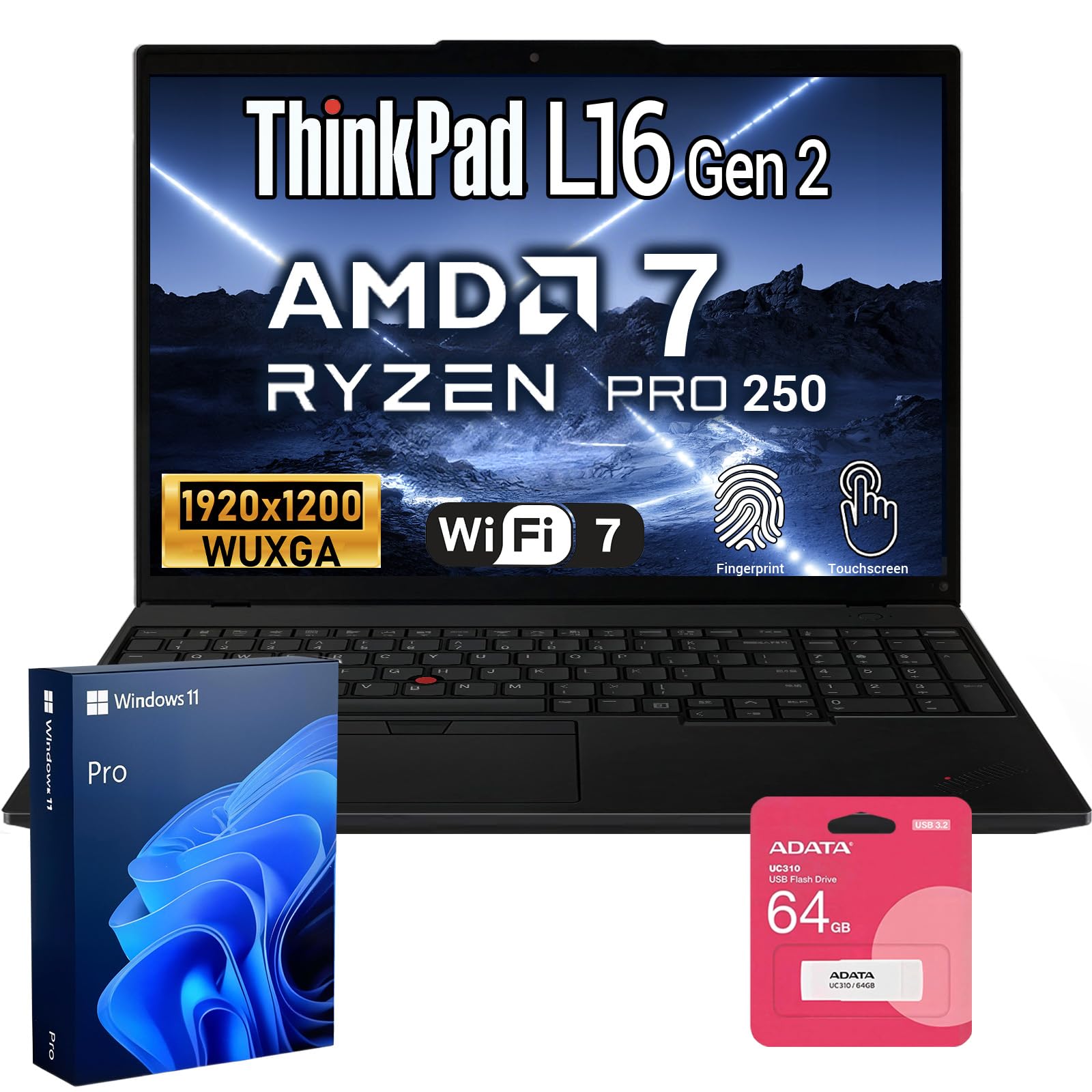
The rugged travel companion an accountant calls a great road PC, with a backlit and numeric keyboard built for long typing sessions.
The AMD Ryzen 7 Pro 250 processor clocks up to 5.1 GHz with integrated smart AI capabilities, and 32GB DDR5 RAM keeps demanding applications moving. The 512GB NVMe SSD provides fast boot times, and Windows 11 Pro brings advanced security, virtualization, and remote desktop support.
The 16-inch FHD+ touchscreen runs at 1920×1200 with a 60Hz refresh rate, paired with a reliable 47Wh battery for all-day endurance. The ThinkPad name carries its reputation here, with owners finding the rugged shell and functional keyboard ideal for daily road use.
Buyers praise it as lightweight yet durable, and the bundle includes a 64GB USB flash drive for extra portable storage. One fast typist, though, found that typing quickly caused the laptop to stop and lose paragraphs, and the 23 total ratings make this a less-proven choice than others on this list.
The appeal: Owners describe it as a great functional travel PC for accountants — rugged, lightweight, and durable with a solid keyboard.
The caveat: One reviewer experienced dropped keystrokes at high typing speeds, and the lower review count means less crowd data to judge by.
Pick it for: A business-grade, durable laptop with the ThinkPad keyboard feel and Windows 11 Pro for professional coursework and travel.
it’s not for you if: You are an extremely fast typist worried about dropped input, or you want a machine with a larger community of verified owners.
10. Dell Precision 3490

A true mobile workstation at 3.09 pounds, tested to MIL-STD 810H military standards for durability in demanding conditions.
The Intel Core Ultra 5 135H processor runs 14 cores up to 4.6GHz, and the 64GB DDR5 RAM plus 2TB SSD handle CAD design, 3D rendering, and simulation without breaking a sweat. This is the machine built for architects, engineers, and technical users handling heavy professional software.
The 14-inch FHD display supports up to three external monitors via HDMI and Thunderbolt at 4K@60Hz without a docking station. Two Thunderbolt 4 ports, two USB-A, HDMI, and Ethernet give you workstation-class connectivity, and the 1080p HDR webcam with privacy shutter handles video calls.
Owners call it well-made with excellent craftsmanship and reliable performance, noting it arrives on time and in excellent condition. The resealed upgrade means a three-year warranty on the memory and SSD from Issaquah Highlands Tech, with Dell supporting the rest until March 2027. The 14-inch screen is smaller than most on this list, though the portability compensates.
The strength: Owners praise it as solid, reliable, and worth the money, ideal for development and database work that demands real horsepower.
The trade-off: A 14-inch display is compact for heavy CAD work, and the low review count means the long-term picture is less established.
Reach for this if: You run CAD, 3D rendering, or simulation tools and want 64GB RAM plus a rugged MIL-STD tested chassis.
Look elsewhere if: You prefer a large 16 or 17-inch screen for your primary workspace, since this stays compact at 14 inches.
11. Acer Nitro 16S
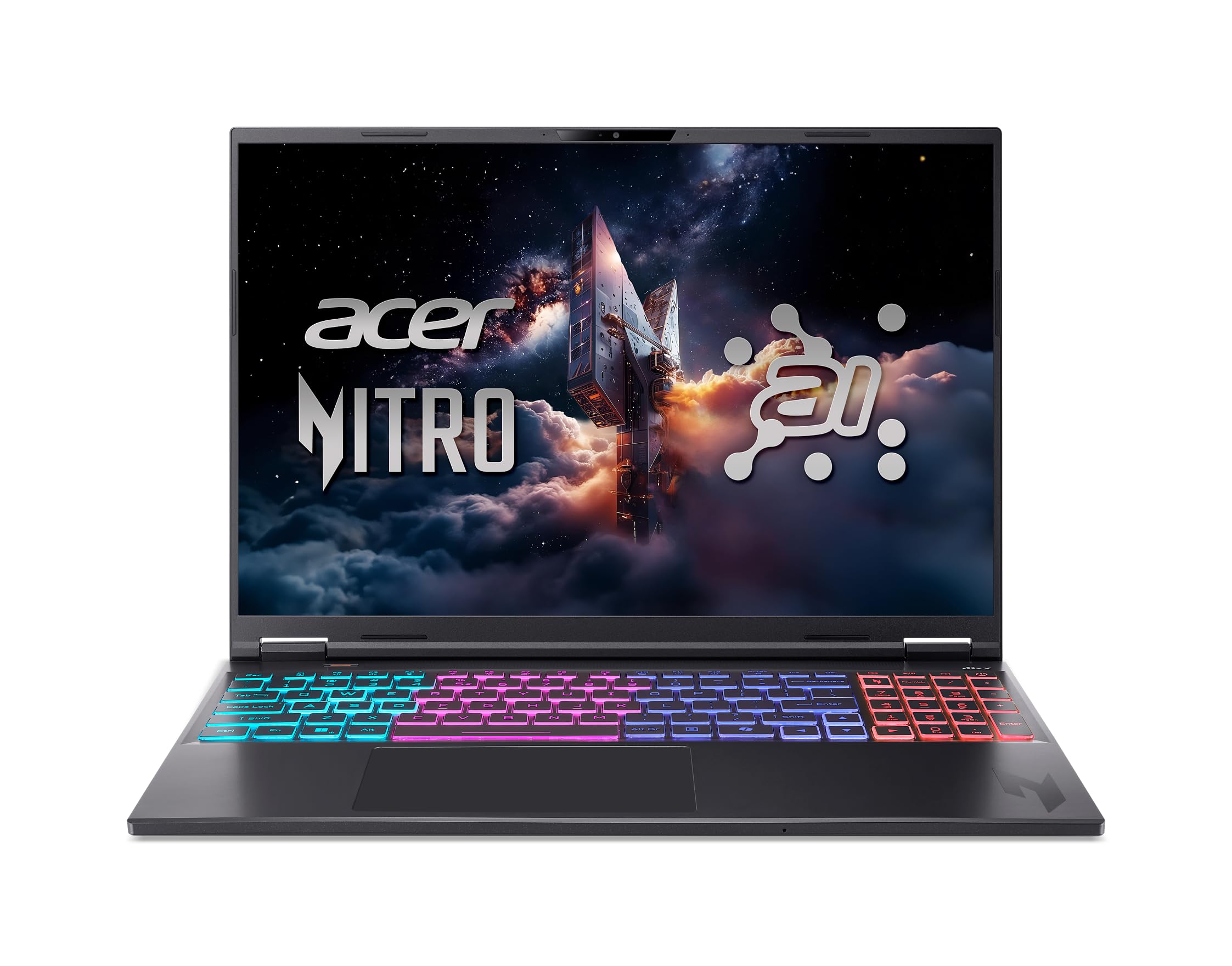
The gaming powerhouse with an RTX 5070 Ti GPU that handles 4K Photoshop files and AAA titles like Spider-Man 2 with ease.
The NVIDIA GeForce RTX 5070 Ti Laptop GPU brings full ray tracing and 992 AI TOPS of horsepower, making this the strongest graphics performer on this list. The AMD Ryzen AI 9 365 processor with 10 cores and 73 overall AI TOPS drives both elite gaming and premium productivity.
The 16-inch WQXGA display offers 2560 × 1600 resolution, 100% sRGB coverage, and a 180Hz refresh rate for fluid motion. With 32GB DDR5 RAM and a 2TB Gen 4 SSD, this machine is built for 3D modeling, AI work, and demanding design software.
Buyers report excellent gaming performance and appreciate that large 4K Photoshop files handle without issue. The main complaints are loud fans (though a quiet mode exists) and a weak camera, plus a storage quirk — 2TB comes as two physical 1TB drives with no empty M.2 slot for expansion.
The appeal: Buyers call it a powerful deal with a sturdy build, great for gaming and design, and a favorite Acer brand experience.
The catch: Expect fan noise under load, a poor webcam, and dual 1TB drives instead of a single 2TB if you plan to upgrade storage later.
Best for: Students who game heavily and also run 3D modeling or AI workloads, wanting one machine that does both at high fidelity.
Think twice if: You need a quiet laptop for lecture halls — the fans are loud — or you need an empty slot for future storage expansion.
12. Lenovo ThinkBook 16 Gen 8
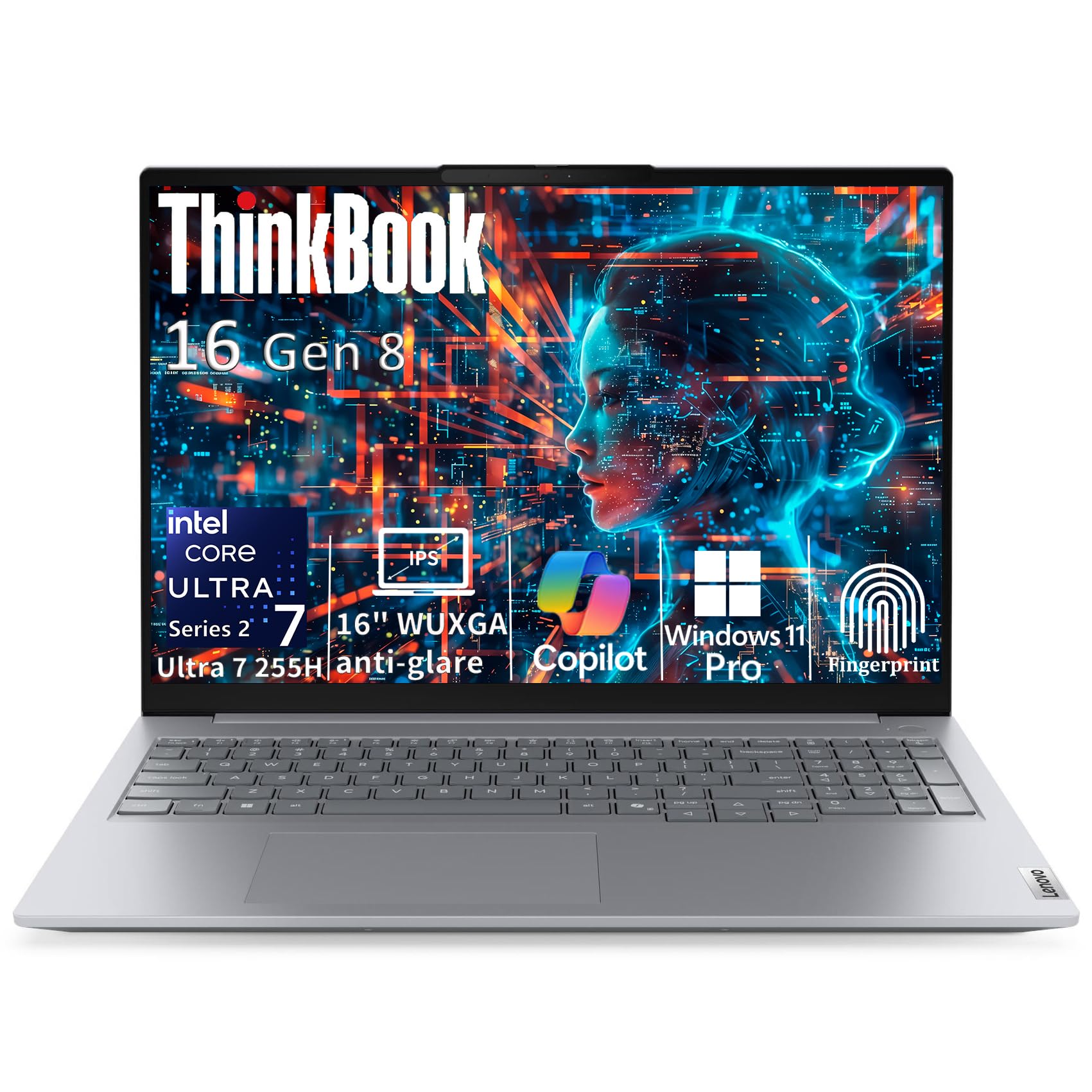
A 64GB RAM data specialist with a 16-core Intel Core Ultra 7 that one owner says never lags or freezes.
The Intel Core Ultra 7 255H runs 16 cores with 6 performance cores up to 5.1GHz, and the 64GB DDR5 RAM handles massive datasets and demanding multitasking. The 2TB PCIe NVMe SSD gives you ample space for large files, databases, and project archives.
The 16-inch WUXGA IPS display (1920×1200, 300 nits, anti-glare) provides 11% more vertical workspace than standard Full HD. Thunderbolt 4 at 40Gbps enables 4K display output and fast data transfer, while Intel Arc 140T graphics handles video editing and CAD workflows.
Owners praise the build quality and performance, with one noting it never lags or freezes and another calling it great value. A couple of buyers hit issues — one returned it due to frequent WiFi drops, an unreliable fingerprint reader, and persistent Norton pop-ups. The 3.75-pound weight and 0.69-inch profile keep it portable for a 16-inch machine.
What impresses: Build quality earns the most praise — 9 buyers highlight it — and performance follows closely for handling demanding data workloads.
The trade-off: A few owners dealt with WiFi drops and fingerprint reader hiccups, so test those features early in your return window.
Pick it for: Heavy data analysis, database work, and large multitasking sessions with 64GB RAM and a fast Thunderbolt 4 connection.
look elsewhere if: You are unlucky with WiFi reliability — a handful of units had connectivity issues — or you want a lighter daily carry.
13. LG gram Pro 17

The 3.3-pound 17-inch miracle that one owner calls exactly what they wanted — the lightest Windows laptop of this size.
The Intel Core Ultra 9 285H processor with a 5.4 GHz max speed and 32GB DDR5 RAM delivers smooth, high-performance computing. The NVIDIA RTX 5050 GPU handles light gaming and fast rendering, with one buyer playing CS2 and Fortnite at great frame rates.
The 17-inch display fits in a 0.6-inch-thin, 3.3-pound frame that has passed seven military-grade standards for resilience. The 90Wh battery lasts up to 25 hours of video playback, with a variable refresh rate (31Hz–144Hz) balancing smoothness and efficiency.
Owners praise the premium fit and finish, easy one-hand open, and easiest typing with a full numeric keyboard. The trade-offs: setup can be frustrating with interfering antivirus and unnecessary apps, there is no Ethernet port, and the USB-C port is used by the power adapter.
The standout: Performance and slim design earn equal praise — owners note it never feels laggy and is impressively thin and light.
The catch: Expect a cluttered initial setup with bundled apps, and plan for a USB-C hub since power uses one of the few ports.
Reach for this if: You want a massive 17-inch screen in a 3.3-pound body with 25 hours of battery — the ultimate portability-plus-screen combo.
Look elsewhere if: You need Ethernet connectivity or multiple free USB-C ports without a hub, or you want a cleaner out-of-box experience.
Understanding the Specs
RAM: The Real Multitasking Muscle
RAM is the memory your computer uses to keep programs running at once. For computer engineering, 32GB is the balance because it lets you run an IDE (the software where you write and compile code), a virtual machine (a simulated computer inside your real one), and a database side by side. 16GB works but gets tight by junior year, and 64GB is for heavy data work or lots of VMs.
CPU Cores and Clock Speed
The processor’s clock speed (in GHz) shows how fast each core runs, while the core count shows how many tasks it can juggle. A 4.3GHz chip with many cores often beats a 5GHz chip with fewer for compiling code, so look at cores and threads rather than just the headline speed.
SSD Storage and Boot Times
An SSD (solid-state drive) stores your files and loads everything instantly, unlike older spinning hard drives. A 1TB SSD holds your OS, tools, and projects comfortably; 2TB gives you room for virtual machine images and large datasets without an external drive.
Battery Life in Real Hours
Published battery hours (like 20 or 24 hours) tell you how long a laptop lasts on a charge in ideal conditions. Your real-world time will be lower with heavy compiling or gaming, so aim for a machine rated at least 17-20 hours to survive a full campus day.
FAQ
How much RAM do I really need for a computer engineering degree?
Is a touchscreen necessary for engineering students?
Will a laptop with 16GB RAM handle virtual machines?
Is a gaming laptop overkill for computer engineering?
How long should the battery last for a full day of classes?
Is 512GB of storage enough for engineering coursework?
Should I buy a Windows laptop or a MacBook for engineering?
What does the core count in a processor actually do for me?
Is a 17-inch screen too big to carry to class?
Do I need a dedicated GPU for engineering software?
Final Thoughts: The Verdict
For most students, the computers for computer engineering students winner is the Apple MacBook Pro M5 because it pairs 24GB of unified memory with a silent M5 chip and all-day battery that owners consistently praise. If you want a budget-friendly Windows machine with solid specs, the ASUS Vivobook 16 delivers reliable daily performance. And for maximum RAM at a mid-range price, the HP 17 Laptop with 32GB is the one to reach for.
How We Picked
We do not accept paid placement. Every pick is matched to a real buyer and a real use-case; we do not hands-on test units.
Sources & Methodology
Specifications: manufacturer listings and product documentation. Review insights: verified customer reviews, as of August 2026. Pricing: not shown on this page (it changes often); check the current price via the retailer link.
As an Amazon Associate, FitlyFast earns from qualifying purchases. This does not affect which products we feature.