
Our readers keep the lights on and the weekend projects moving. As an Amazon Associate, I earn from qualifying purchases.
Specs are compiled from manufacturer listings and verified buyer reviews and can change over time — please confirm the key details on the product page before buying.
You want a computer stick that turns any HDMI screen into a full Windows PC, boots fast, and runs your daily apps without overheating. Your pick depends on your workload: dual-screen productivity, 24/7 digital signage, or dedicated 4K streaming. This guide matches processor and ports to your job so you get a stick that runs cool and reliable.
I’m Rikta — the founder and writer behind FitlyFast. This guide is built by comparing the manufacturers’ published specifications and the patterns across verified customer reviews, so you get each pick’s real strengths and trade-offs instead of marketing spin.
Whether you are upgrading a home office or deploying digital signage, this breakdown of the best computer stick models on the market today focuses on real-world performance, heat, and connectivity to help you decide.
Our Picks at a Glance
How To Choose The Best Computer Stick
Match the processor and ports to your daily task—these sticks handle office apps and media, not gaming. Be honest about your use: streaming video, running office software, or powering a digital sign that never turns off. Each job needs a different stick; this guide breaks down which specs matter for yours.
Match the Processor to Your Workload
The processor decides what the stick can handle, so pick based on your workload. The Intel N100 (up to 3.4GHz) in the top pick handles snappy daily tasks and office work, while the older Celeron J4105 (2.5 GHz max) in a budget option suits light browsing and media. If you run Windows 11 Pro, choose a processor that meets its demands without choking.
Storage and Expansion Realities
Most sticks ship with 8GB RAM and either 128GB or 256GB of internal storage, but your files will outgrow that fast. Look for a Micro SD card slot for easy expansion — here that ranges from 1TB up to 2TB depending on the model. The ability to plug in an external SSD or HDD matters if you store large media libraries.
Connectivity and Display Outputs
Check the stick’s ports: dual HDMI for two monitors, Gigabit Ethernet for wired stability, and USB PD3.0 for power-bank use. Dual HDMI ports let you run two monitors at once, which is a genuine productivity boost. A Gigabit Ethernet port gives you a stable wired connection, while WiFi 5 or WiFi 6 handles wireless. If you want to power the stick from a power bank, you need USB PD3.0 support, which requires an output above 12V and 24W.
Quick Comparison
| Model | Best For | Processor | Max Display Resolution | Max Storage Expansion | Amazon |
|---|---|---|---|---|---|
| MeLE PCG02 N100 (8GB/128GB)★ Best Overall | Daily office & multimedia | N100 (Up to 3.4GHz) | 3840×2160 | 1TB (Micro SD) | Amazon |
| OuuOee Celeron J4105 (8GB/128GB) | Budget pocket streaming | Celeron J4105 (Up to 2.5 GHz) | 3840×2160 | 1TB (Micro SD) | Amazon |
In‑Depth Reviews
1. MeLE Stick PC with Windows 11 Pro, PCG02 N100 (8GB/128GB)
Our pick — 4.5★ from 200+ verified ratings; the strongest balance of quality and price.
The crowd-pleasing stick that makes a 75-inch screen feel like a real office desktop.
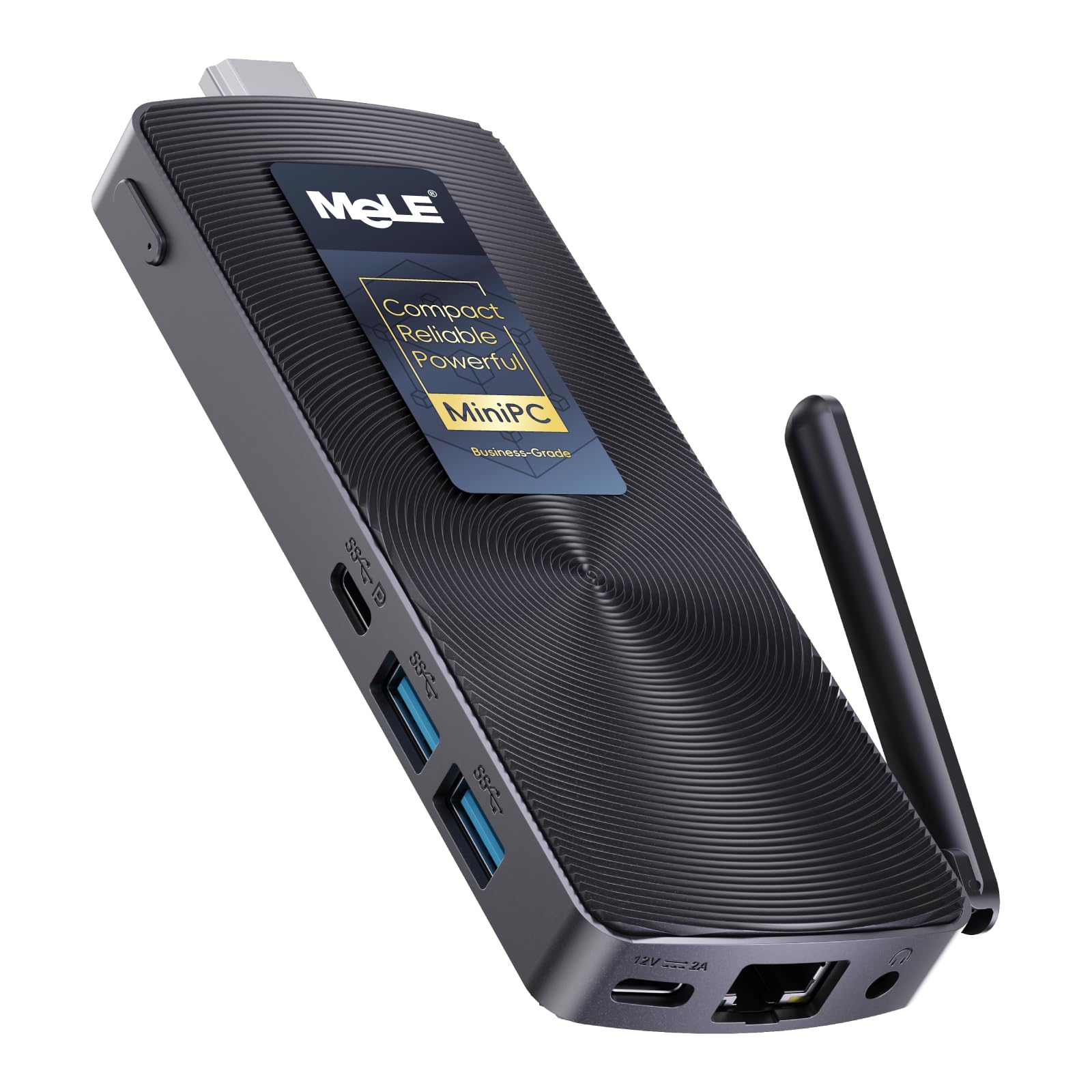
This is the stick that owners keep calling the best PC stick they have used, and the reason is the Intel N100 processor with 4 cores running up to 3.4GHz. That translates to accounting software, office suites, and video meetings that run smoothly instead of stuttering. Weighing just 0.26 lbs and measuring 5.1×2.0x0.52 in, it vanishes behind a monitor or TV.
The dual display support is the standout feature for multitaskers. You get 4K UHD resolution at 60Hz through both HDMI 2.0 and USB-C (DP1.4) outputs, so you can run two screens side by side. Connectivity is solid with WiFi 5 (802.11ac), Bluetooth 5.1, and Gigabit Ethernet, plus 8GB RAM and 128GB storage that expands via Micro SD up to 1TB or USB 3.2 Gen 2 ports for external drives up to 5TB.
What wins people over is the functionality, with the majority of owners praising how it handles real work. The fanless design runs completely silent, and buyers report it even handles Ubuntu and 4K media playback without buffering. The one thing to plan for is heat — owners mention “It really gets very hot when in use,” so keep it in open air or add a metal heatsink underneath.
Why owners love it
- N100 processor (4 cores, up to 3.4GHz) feels snappy for daily office work
- Dual 4K output at 60Hz for a true two-monitor setup
- Fanless and silent with support for 24/7 operation
What to plan for
- Runs hot during heavy use, so it needs airflow or a heat sink
- Boots in about 4 seconds but is not a powerhouse for heavy multitasking
Grab it if: you want a reliable all-rounder for office apps, dual displays, and occasional 4K media.
Note: keep it in a ventilated spot; this stick generates noticeable heat under load.
2. MeLE PCG02 Pro Mini PC Stick, N5105 (8GB/128GB)
A dependable workhorse that runs dashboards and digital signs around the clock.
This is the stick to pick when your PC never gets to sleep. It is built for 24/7 operation with a fanless passive cooling design, and owners confirm it works “fantastic” running a dashboard on a screen all day. For digital signage, IoT, or a home theater that stays on, this is the model that keeps going.
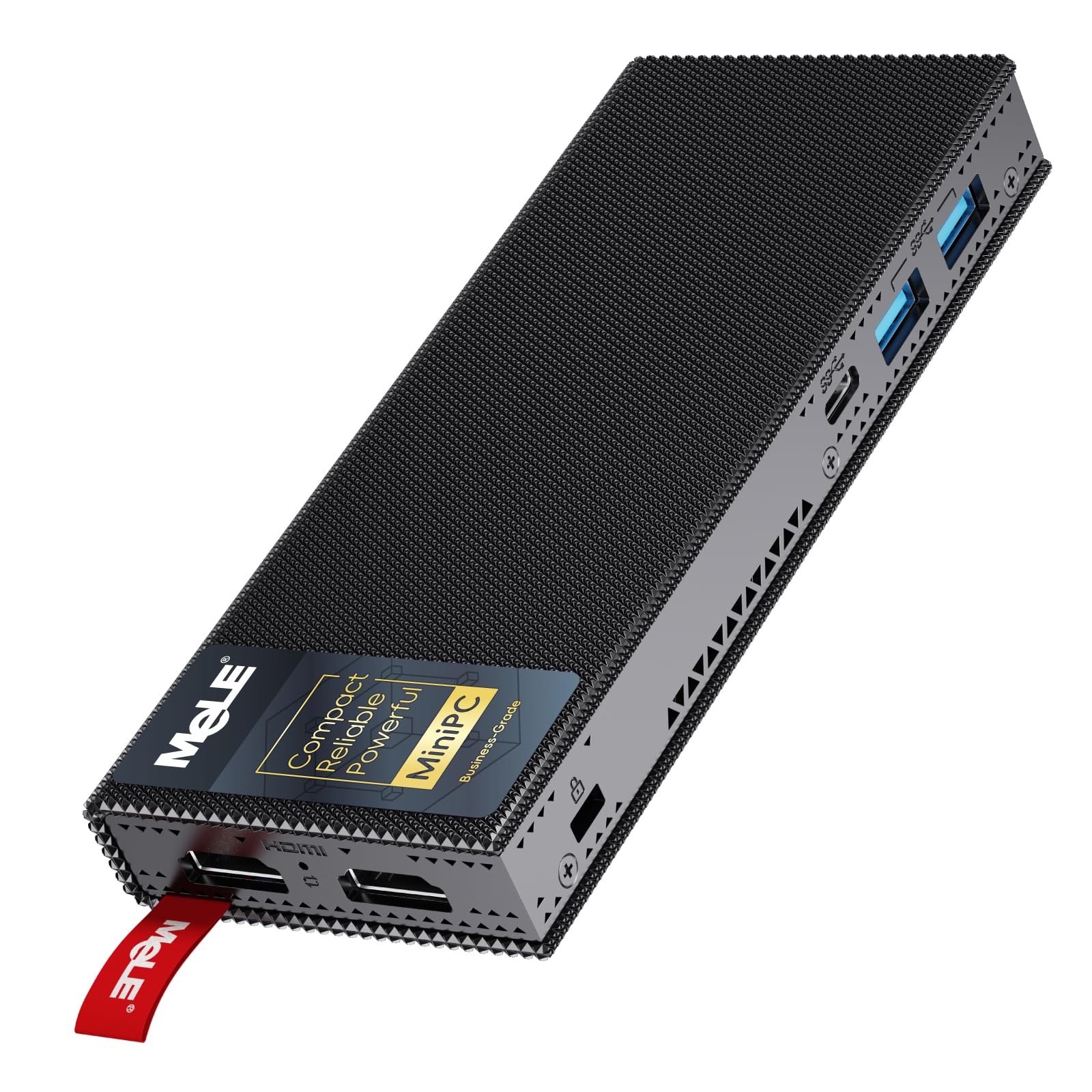
It packs 256GB of storage — double the 128GB on the standard N5105 model — which gives you room for apps and media without reaching for a Micro SD card immediately. The processor is the N5105 running up to 2.8 GHz, and the machine supports dual HDMI 2.0 outputs for two displays. WiFi 5 and Bluetooth 5.1 round out the wireless side, with Gigabit Ethernet for a stable wired hookup.
The honest reality is that heat gets mixed reactions. The manufacturer notes the surface will run at 55°C to 70°C, which is hotter than traditional fan-cooled PCs but meets the IEC62368-1:2018 safety standard. Some owners say it barely gets warm; others find the case hot. Buyers also note the USB connectivity is fine but the lack of USB-C support can be an annoyance for newer peripherals.
Always-on design: fanless cooling, dust resistance, and silent operation make it ideal for unattended setups.
Heat reality: expect a warm case (55°C to 70°C) — it is safe but noticeably hotter than a fan-cooled mini PC.
Best if: you run kiosks, dashboards, or signage that needs to stay on 24/7.
Think twice if: you need USB-C connectivity or a cool-touch case for a desktop setup.
3. MeLE Stick PC with Windows 11 Pro, PCG02 N100 (8GB/256GB)
A pocket-size stick that fits anywhere and pairs neatly with a projector or smart TV.
This is the entry-level pick for anyone who wants a Windows 11 Pro machine that fits in a pocket and costs very little. It is powered by the steady Celeron J4105 processor running up to 2.5 GHz — slower than the N100 by a noticeable margin — with 8GB DDR4 RAM and 128GB of storage. The Micro SD slot expands it up to 1TB.
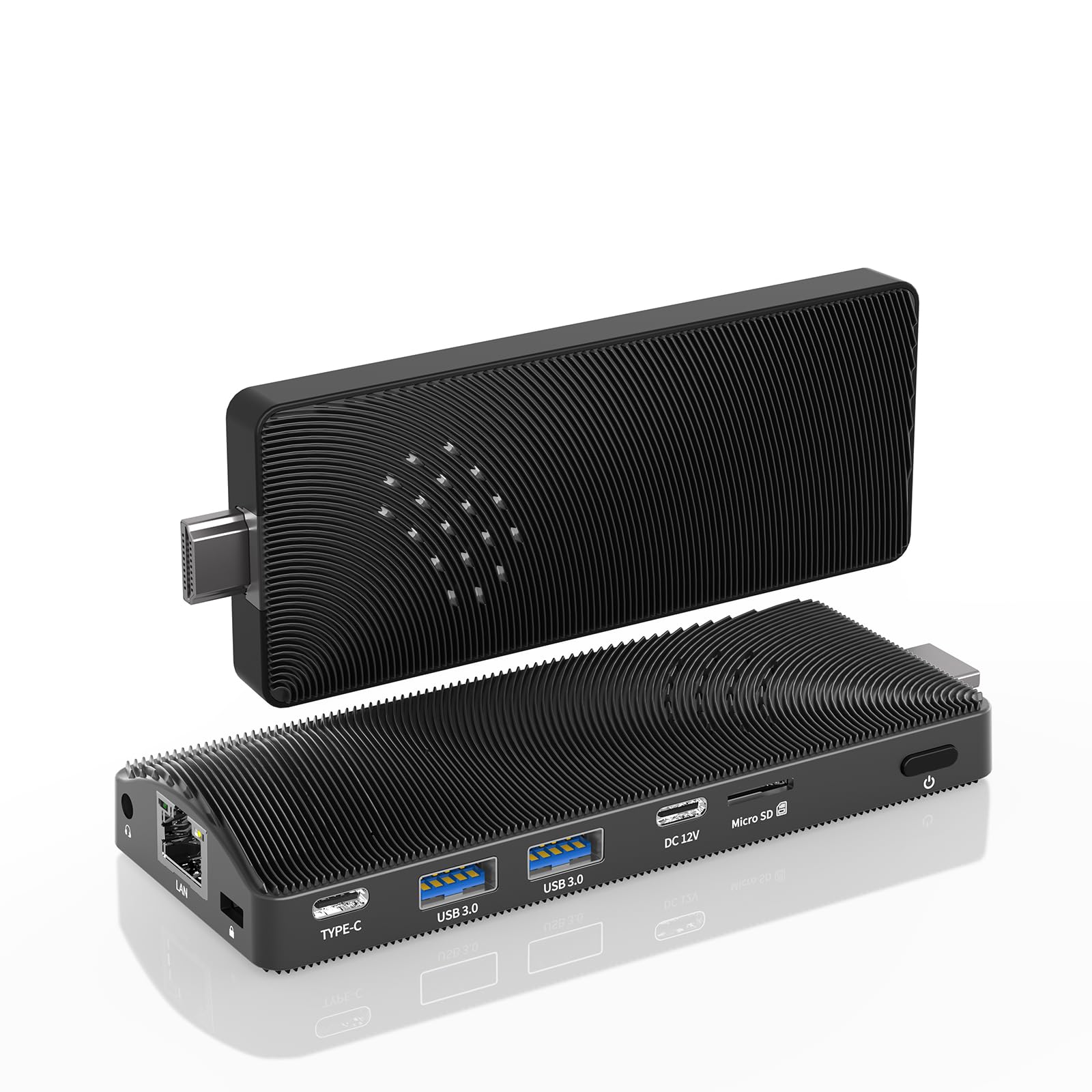
What owners genuinely enjoy is the portability and the processing speed for basic tasks. It works well on a projector or smart TV, and one buyer called it a perfect pairing for Viture XR Pro AR glasses as a portable streaming PC. The port selection is generous for the class: 2x USB 3.0, a TF card reader, HDMI 2.0, Gigabit LAN, and a 3.5mm audio jack, plus USB PD 3.0 charging above 24W.
The honest caveat is that this is a hobbyist or media-server machine, not a daily workhorse. Owners mention it runs very hot and is slow. More importantly, there is a sharp split on the operating system: it advertises Windows 11 Pro, but some units arrive running Windows 10 and are “unsuable” once updated to Windows 11, in one blunt owner’s words. Check the OS version on arrival and consider this a budget streaming stick rather than a productivity PC.
What you get
- Pocket-size design at a budget-friendly price
- USB PD 3.0 charging above 24W for power-bank use
- Clean of malware and runs Windows 11 Pro for basic tasks
What to check
- Slow performance and significant heat under load
- Some units ship with outdated Windows versions — verify on arrival
Best for: a cheap portable streaming PC or hobbyist media server.
Who it is not for: anyone needing a fast, dependable daily work PC — look at the N100 models instead.
Understanding the Specs
Processor Generation
The processor is the heart of the stick. The Intel N100 (4 cores, up to 3.4GHz) is the current standard for smooth daily tasks and office work. The slightly older N5105 (up to 2.9 GHz) is a solid mid-range choice, while the Celeron J4105 (2.5 GHz) is the budget option that handles light media. Always match the chip to your workload — a streaming stick does not need the N100’s speed, but a dual-monitor office setup does.
Fanless Cooling and Heat
All the sticks here use fanless passive cooling, which means zero noise and better dust resistance for 24/7 operation. The trade-off is surface heat — expect 55°C to 70°C on the case, which is safe (meeting IEC62368-1:2018) but noticeably warm. Place the stick in open air or attach a metal heatsink if it runs hot in your setup.
USB Power Delivery (PD3.0)
USB PD3.0 lets you power the stick from a power bank or any source delivering over 12V and 24W. It lets you power the entire computer from a power bank or any source delivering over 12V and 24W. That turns a stick into a truly mobile desktop you can use anywhere — a coffee shop, a classroom, or a trade show booth — without hunting for a wall outlet.
Display Outputs
Check how many screens you need. Dual HDMI 2.0 ports let you run two displays at once for real multitasking, supporting 4K resolution at 60Hz. Single-HDMI sticks cap you at one screen but still deliver sharp 4K video for streaming. If your monitor uses USB-C, look for a stick with a USB-C DP1.4 output.
FAQ
Can a computer stick replace my desktop for office work?
Will a computer stick run on my TV or monitor?
How much storage do I really need in a stick PC?
Do computer sticks run Windows 11 Pro smoothly?
Why do these sticks get so hot?
Can I run a computer stick from a power bank?
What is the difference between WiFi 5 and WiFi 6 on a stick?
Can a computer stick run Linux or Ubuntu?
How long does a computer stick last?
Final Thoughts: The Verdict
For most people, the best computer stick is the MeLE PCG02 N100 (8GB/128GB) because its N100 processor delivers the best balance of snappy daily performance, dual 4K displays, and reliable connectivity at a price that makes sense. If you need dual-screen productivity, grab the MeLE PCG02 Pro N5105 and its WiFi 6 and USB PD3.0. And for 24/7 digital signage or a dedicated streaming box, the MeLE PCG02 Pro N5100 with 256GB is the one to reach for.
How We Picked
We do not accept paid placement. Every pick is matched to a real buyer and a real use-case; we do not hands-on test units.
Sources & Methodology
Specifications: manufacturer listings and product documentation. Review insights: verified customer reviews, as of August 2026. Pricing: not shown on this page (it changes often); check the current price via the retailer link.
As an Amazon Associate, FitlyFast earns from qualifying purchases. This does not affect which products we feature.