
Our readers keep the lights on and the weekend projects moving. As an Amazon Associate, I earn from qualifying purchases.
Upgrading from a standard 60Hz office monitor to a 144Hz panel is the single most impactful change you can make for competitive gaming. You stop seeing choppy frames and start reacting to enemy movement with fluid, screen-tear-free precision — that edge comes down to how well a monitor manages its pixel response time and refresh rate ceiling.
I’m Rikta — the co-founder and writer behind FitlyFast. I’ve spent hundreds of hours analyzing panel technologies, adaptive sync implementations, and real-world input latency data across dozens of mid-range and premium 1080p 144Hz monitors to separate marketing specs from actual gaming performance.
This guide compares nine carefully selected monitors to help you find the best 1080p 144hz monitor for your budget and play style.
How To Choose The Best 1080p 144Hz Monitor
Not all 144Hz monitors deliver the same motion clarity. The panel type — IPS, VA, or OLED — dictates contrast, viewing angles, and response time consistency. Your graphics card also determines whether you benefit from G-Sync or FreeSync. Understanding these specs ensures your money goes toward real performance, not a glossy box.
Panel Technology: IPS vs. VA vs. OLED
IPS panels offer the widest viewing angles and most accurate color reproduction, making them ideal for both gaming and content consumption. VA panels trade viewing angles for deeper black levels and higher contrast — useful for dark-room immersion but prone to slower pixel transitions. OLED delivers infinite contrast and near-instant response times but comes at a premium price not often seen in the 1080p 144Hz segment.
Adaptive Sync: FreeSync and G-Sync Compatibility
Frame rate fluctuations below 144Hz can introduce screen tearing without adaptive sync. FreeSync is an open standard built into most modern 1080p 144Hz monitors and works with both AMD and some NVIDIA GPUs. G-Sync Compatible certification adds an extra layer of validation for NVIDIA users — look for it if you run a GeForce card and want consistent tear-free gameplay across a wider variable refresh rate window.
Response Time and Overdrive Settings
Advertised response times — 1ms MBR vs. 1ms GTG — measure different things. Motion Blur Reduction (MBR) strobes the backlight to reduce perceived blur but can introduce flicker or lower brightness. GTG (grey-to-grey) measures actual pixel transition speed. A monitor’s overdrive implementation also matters: aggressive overdrive can cause inverse ghosting (white trails behind dark objects), while conservative overdrive leaves motion blur. The best 1080p 144Hz monitors balance both without artifacts.
Quick Comparison
On smaller screens, swipe sideways to see the full table.
| Model | Category | Best For | Key Spec | Amazon |
|---|---|---|---|---|
| LG 24G411A-B | IPS | Best Overall Value | 120Hz native / 144Hz O/C, 1ms MBR | Amazon |
| ASUS VG259Q3A | Fast IPS | 180Hz Competitive Play | 180Hz, 1ms GTG, ELMB | Amazon |
| Dell S2425HSM | IPS | Ergonomic Office + Gaming | 144Hz, 1ms MPRT, height adj. | Amazon |
| Acer KB272 P6bi | IPS | Large 27″ Screen | 27″ 144Hz, 1ms VRB | Amazon |
| EVICIV Portable Monitor | QLED | Portable Dual-Screen Setup | 24″ 144Hz, 0.1ms, 4.50 nits | Amazon |
| Gawfolk 32″ Curved | VA | Immersive Curved 32″ | 32″ 240Hz, 2ms GTG, VA | Amazon |
| ASUS VG27AQM5A | Fast IPS | Premium 1440p Performance | 27″ 300Hz, 0.3ms GTG | Amazon |
| AOC Q27GAZDV | QD-OLED | Ultimate OLED Image Quality | 27″ 240Hz, 0.03ms, OLED | Amazon |
| Samsung Odyssey G7 G70F | Fast IPS | Dual 4K/FHD Performance | 27″ dual 4K 180Hz / FHD 360Hz | Amazon |
In‑Depth Reviews
1. LG 24G411A-B 24-inch Ultragear IPS

The LG 24G411A-B strikes the best balance of price and performance for the 1080p 144Hz segment. Its native 120Hz refresh rate overclocks to 144Hz, and the 1ms MBR keeps fast motion clean — useful for shooters and racing titles where split-second clarity matters. The IPS panel covers 99% sRGB, producing vivid, true-to-life color out of the box that won’t look washed out compared to budget VA alternatives.
FreeSync and G-Sync Compatible support work together to eliminate tearing across a wide variable refresh rate window. Real-world pixel response from the IPS panel is consistent without aggressive overdrive artifacts — no visible inverse ghosting even during high-speed camera panning in testing. The slim bezel and tilt-adjustable stand keep desk clutter low, and the OnScreen Control app adds split-screen capability for productivity setups.
Some buyers note the stand feels lightweight and can wobble on uneven surfaces — a VESA arm or aftermarket mount solves this instantly. Brightness is average at 250 cd/m², so very bright rooms may require some shade. For the price, you get G-Sync validation, IPS color, and a clean overclock path to 144Hz — a rare combination at this budget tier.
Why it’s great
- IPS panel with 99% sRGB coverage for accurate, vivid color
- G-Sync Compatible + FreeSync dual adaptive sync support
- Clean overclock from 120Hz to 144Hz without stability issues
Good to know
- Stand is lightweight and may wobble — VESA arm recommended
- Brightness is capped at 250 nits, not ideal for very bright rooms
- No built-in speakers
2. ASUS TUF Gaming VG259Q3A 25″ Fast IPS

The ASUS VG259Q3A pushes beyond the 144Hz baseline to 180Hz, giving competitive gamers an extra 36 frames per second of headroom. The Fast IPS panel delivers a 1ms GTG response time that feels snappy in fast-paced shooters like Valorant and Overwatch, and the Extreme Low Motion Blur (ELMB) technology syncs with the backlight to reduce motion blur without the brightness penalty of traditional MBR implementations.
Built-in 1.5W x 2 speakers are functional for casual use but lack low-end presence — external speakers or a headset are preferable for extended sessions. The build quality feels robust with a sturdy adjustable stand that offers tilt, swivel, pivot, and height adjustments, making it easy to dial in an ergonomic viewing position. Shadow Boost lifts dark-area details without overexposing bright regions, giving a tactical advantage in dimly lit game environments.
The DisplayWidget Center software lets you tweak overdrive, game modes, and blue light filtering using a mouse instead of on-screen buttons — a genuine convenience for frequent settings changes. Power consumption stays under 18W, making it an energy-efficient choice for extended LAN sessions or multi-monitor setups. For slightly more than entry-level pricing, the ASUS delivers a full competitive feature set.
Why it’s great
- 180Hz native refresh with ELMB motion clarity
- Full ergonomic stand (height, tilt, swivel, pivot)
- DisplayWidget Center for mouse-based settings control
Good to know
- Built-in speakers are mediocre and lack bass
- Headphone jack fails to mute built-in speakers automatically
- Limited to HDMI 2.0 — DisplayPort recommended for full 180Hz
3. Dell S2425HSM 24 Plus IPS

The Dell S2425HSM is the rare 1080p 144Hz monitor that prioritizes ergonomic adjustability without inflating the price. Its stand offers height, tilt, pivot, and swivel — a feature set typically reserved for mid-range office monitors — making it ideal for users who split time between work spreadsheets and gaming sessions. The IPS panel produces accurate colors at 99% sRGB with a 1500:1 contrast ratio that gives blacks more depth than typical 1000:1 IPS panels.
Integrated dual 3W speakers are genuinely usable for everyday desktop audio, delivering fuller sound than the typical 1W monitor speakers. Dell’s 4-star TÜV certification for blue light reduction means you can work late without eye fatigue, and the anti-glare coating minimizes reflections in brightly lit rooms. The 1ms MPRT keeps motion blur in check, though the panel is capped at 144Hz without overclocking support.
Connectivity is limited to HDMI — no DisplayPort, which means you lose VRR advantages if your GPU relies on DisplayPort for adaptive sync. The ash white finish is a refreshing alternative to the black slabs dominating the category, though it shows smudges more readily. For hybrid work/gaming setups where ergonomics and audio matter as much as frame rate, Dell delivers a polished package.
Why it’s great
- Full ergonomic stand with height, tilt, pivot, and swivel
- Dual 3W speakers with better-than-average monitor audio
- 1500:1 contrast ratio for deeper blacks than typical IPS
Good to know
- HDMI-only connectivity — no DisplayPort for adaptive sync
- Ash white finish shows marks and smudges easily
- No overclocking — refresh rate is fixed at 144Hz
4. Acer KB272 P6bi 27″ IPS
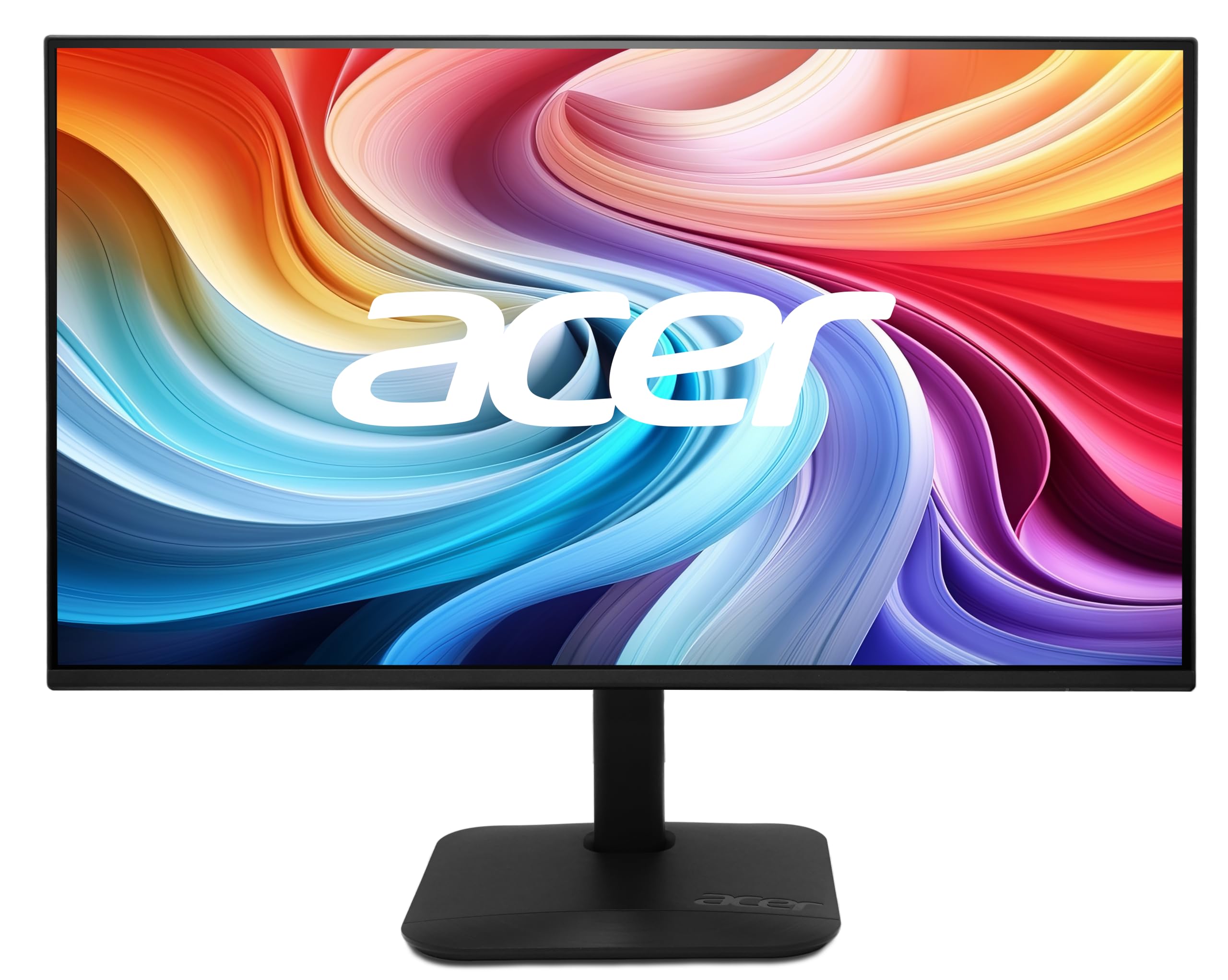
The Acer KB272 P6bi offers the largest screen real estate in the budget-friendly tier at 27 inches, making it a strong choice for users who want a bigger display without moving to 1440p. The IPS panel delivers consistent 178-degree viewing angles and 99% sRGB coverage, so colors stay accurate even when you lean back. The ZeroFrame design minimizes bezels, creating a near-seamless look that works well in multi-monitor configurations.
FreeSync support pairs nicely with the 144Hz refresh rate to eliminate tearing in the 40-144Hz window, and the 1ms VRB (Visual Response Boost) reduces motion blur during fast transitions. Tilt adjustment is present, but height and swivel are missing — you’ll need a VESA arm for ergonomic flexibility. The 250 nits brightness is typical for this tier, adequate for indoor use but not bright enough to combat direct sunlight.
Connectivity includes both HDMI and VGA, though the VGA port is essentially legacy at this point. A single HDMI port limits multi-console setups without a switcher. Build quality feels solid for the price point, and the on-screen menu is straightforward. For the price, the 27-inch size and IPS color fidelity make this a compelling entry-level choice for players who prioritize screen real estate over ergonomic fine-tuning.
Why it’s great
- 27-inch IPS panel with 99% sRGB and wide viewing angles
- ZeroFrame bezel design ideal for multi-monitor setups
- FreeSync + 1ms VRB for smooth, tear-free gaming
Good to know
- No height or swivel adjustment — tilt only
- Only one HDMI port and a legacy VGA port
- Brightness limited to 250 nits
5. EVICIV 24″ Portable QLED 144Hz
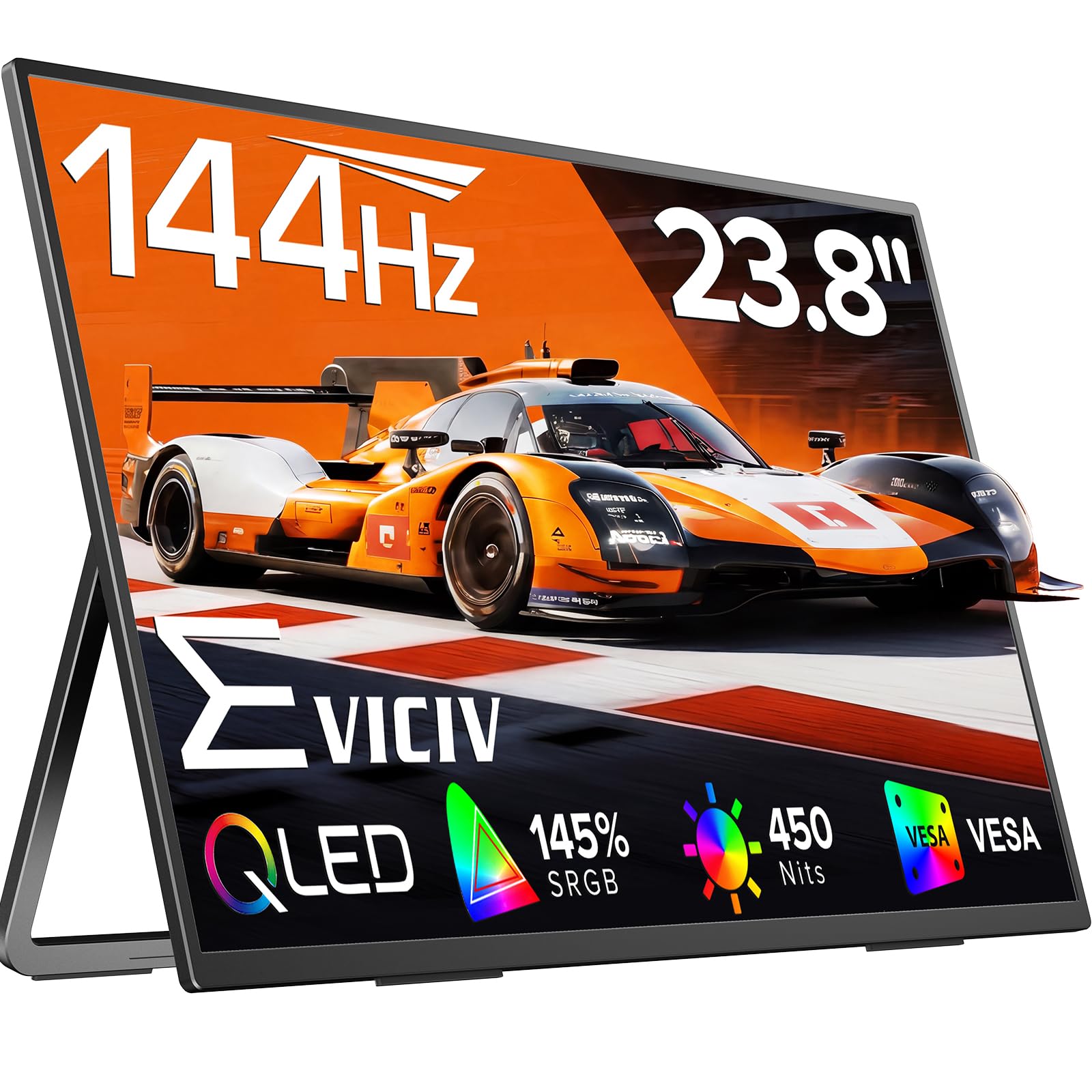
The EVICIV 24-inch portable monitor breaks the category mold by packing a QLED panel — typically seen in premium TVs — into a lightweight, VESA-compatible frame. The QLED technology pushes color gamut to 145% sRGB, delivering noticeably more vibrant reds and greens than standard IPS panels. At 450 nits peak brightness, it’s usable even in well-lit rooms or near windows, which is rare for budget-tier monitors.
Despite the portable form factor, the 144Hz refresh rate and 0.1ms response time keep motion smooth and ghosting minimal during fast-paced gaming. Dual USB-C inputs support single-cable power and video delivery from modern laptops, while HDMI works for consoles. The 2000:1 contrast ratio exceeds typical IPS performance, giving dark scenes more depth. The built-in 360-degree adjustable bracket and VESA 100x100mm mounting provide versatile placement options.
The compact 24-inch size makes it a perfect secondary display for laptop users who want a high-refresh-rate gaming screen on the go. However, it is still a portable monitor — the stand is less stable than a fixed desktop unit, and cables tend to dangle without integrated cable management. For dual-screen productivity setups or LAN party portability, this QLED panel offers image quality you won’t find in comparable portable monitors.
Why it’s great
- QLED panel with 145% sRGB and 450 nits peak brightness
- Ultra-low 0.1ms GTG response time for minimal ghosting
- USB-C single-cable connectivity and VESA mountable
Good to know
- Stand stability is lower than fixed desktop monitors
- Limited to 120Hz over HDMI — use USB-C for full 144Hz
- No DisplayPort input available
6. Gawfolk 32″ Curved VA 240Hz

The Gawfolk 32-inch Curved monitor brings a huge VA panel with a 4000:1 static contrast ratio to the budget arena, offering deep blacks that far surpass any IPS monitor in the same price range. The 1800R curvature wraps the 32-inch screen around your peripheral vision, creating a more immersive feel for single-player titles and cinematic content. At 240Hz, it exceeds the 144Hz baseline by a wide margin, though pixel response from the VA panel is slower than IPS — expect some dark-level smearing in high-contrast transitions.
FreeSync support works to eliminate tearing, and the flicker-free backlight reduces eye strain during long sessions. Color gamut is listed at 72%, which is narrower than the 99% sRGB IPS competitors — colors will appear less saturated and slightly muted. The stand offers only tilt adjustment, and the build feels light for a 32-inch panel. VESA 100x100mm mounting is supported, which is almost mandatory given the stand’s limited ergonomics.
For users who prioritize contrast and screen size over color accuracy and fast pixel transitions, this is a tempting value. The 32-inch size at 1080p results in a lower pixel density (around 69 PPI), so text and UI elements appear less sharp than on a 24-inch 1080p monitor. This is best suited for immersive gaming in darker rooms where the VA contrast excels.
Why it’s great
- VA panel with 4000:1 contrast for deep, immersive blacks
- 240Hz refresh rate for smooth motion well above the 144Hz standard
- 1800R curve enhances peripheral immersion in single-player games
Good to know
- 72% sRGB color gamut — colors look visibly muted vs. IPS alternatives
- Low 69 PPI makes text appear less sharp on the 32-inch screen
- Tilt-only stand — VESA arm is necessary for ergonomic use
7. ASUS TUF VG27AQM5A 27″ Fast IPS

The VG27AQM5A operates in a higher resolution class — 1440p QHD — but earns mention because its 300Hz refresh rate and 0.3ms GTG response time set the benchmark for what a high-end 1080p 144Hz buyer should expect from a premium upgrade path. The Fast IPS panel delivers near-instant pixel transitions that make 144Hz look sluggish by comparison, and the 95% DCI-P3 color gamut (100% sRGB equivalent) provides rich, vibrant color that makes gaming environments pop.
Extreme Low Motion Blur Sync (ELMB Sync) is the standout feature here — it allows ELMB backlight strobing to work simultaneously with adaptive sync (FreeSync Premium), eliminating both ghosting and tearing without the brightness penalty that normally accompanies strobing. The DisplayWidget Center software lets you adjust overdrive, shadow boost, and game modes without diving into the OSD. Built-in speakers are adequate for desktop audio but not a substitute for dedicated speakers.
The ergonomic stand offers full height, tilt, swivel, and pivot adjustments, making it easy to find a comfortable viewing angle. HDR10 support adds depth to compatible titles, though peak brightness is moderate for true HDR impact. For competitive gamers who eventually plan to upgrade to 1440p, this monitor future-proofs your setup while delivering a premium experience today.
Why it’s great
- 0.3ms GTG response time for virtually imperceptible pixel delay
- ELMB Sync combines strobing + adaptive sync simultaneously
- 95% DCI-P3 color gamut with full ergonomic adjustments
Good to know
- 1440p resolution requires a strong GPU to maintain high frame rates
- Moderate brightness limits HDR impact
- Premium pricing reflects the high-refresh QHD segment
8. AOC Q27GAZDV 27″ QD-OLED

The AOC Q27GAZDV represents the pinnacle of image quality in this guide with its QD-OLED panel. True blacks — where pixels turn off completely — produce an infinite contrast ratio that makes every luminous detail in HDR content pop. The 240Hz refresh rate and 0.03ms GTG response time are effectively instantaneous, eliminating all ghosting and motion blur. Colors cover 110% DCI-P3, delivering a richness that no IPS or VA panel can match.
HDMI 2.1 connectivity supports 4K 120Hz on PS5 and Xbox Series X, though the native resolution is 1440p QHD. G-Sync Compatible certification ensures smooth tear-free gameplay across a wide VRR range. The ergonomic stand offers full height, tilt, swivel, and pivot adjustments, and the built-in USB 3.2 hub provides convenient peripheral connectivity. VESA mount compatibility adds flexibility for multi-monitor setups.
The primary trade-off is brightness — the OLED panel peaks at a conservative 200 nits full-field, which is lower than typical IPS monitors. This means bright rooms with direct sunlight will wash out the image. OLED burn-in risk is present with static UI elements over thousands of hours, though modern pixel refresh cycles mitigate this. For the ultimate gaming image quality, especially in darker environments, the Q27GAZDV is unmatched in its class.
Why it’s great
- QD-OLED with infinite contrast and per-pixel illumination
- 0.03ms GTG response time — effectively zero motion blur
- 110% DCI-P3 color gamut for rich, vibrant HDR gaming
Good to know
- Brightness limited to 200 nits — not ideal for bright rooms
- Potential OLED burn-in risk with static HUD elements
- Premium price reflecting the advanced QD-OLED technology
9. Samsung Odyssey G7 G70F 4K/FHD

The Samsung Odyssey G7 G70F uses a Fast IPS panel with a dual-mode feature that lets you toggle between 4K 180Hz for immersive single-player titles and FHD 360Hz for ultra-responsive competitive play — all in a single 27-inch monitor. The 4K mode delivers four times the pixel density of standard 1080p, making text and textures razor-sharp for productivity and visually rich games. In FHD mode, the 360Hz refresh rate reduces motion blur to an imperceptible level, giving esports athletes a genuine edge.
G-Sync Compatible and FreeSync Premium support ensure tear-free gameplay across both resolution modes. The 1ms GTG response time keeps pixel transitions fast, and HDR10 adds depth to compatible content. The ergonomic stand provides full height, tilt, swivel, and pivot adjustments, and Auto Source Switch+ automatically detects and switches between connected devices — a convenience for multi-platform setups. The matte finish reduces glare effectively.
The major consideration is the price, which is the highest in this guide — you’re paying for the dual-mode flexibility and 360Hz ceiling in FHD. Burn-in is not a concern here as with OLED, but the contrast ratio is a standard IPS 1000:1, so blacks won’t match VA or OLED panels. For gamers who play both graphically demanding AAA titles and fast-paced competitive shooters and want one monitor to do both, the G70F is a versatile powerhouse.
Why it’s great
- Dual-mode: 4K 180Hz for immersion, FHD 360Hz for competitive play
- G-Sync Compatible and FreeSync Premium dual adaptive sync
- Full ergonomic stand with height, tilt, swivel, and pivot
Good to know
- Premium pricing reflects the dual-mode technology
- Standard IPS 1000:1 contrast — blacks are not as deep as VA or OLED
- No built-in speakers
FAQ
Can a 1080p 144Hz monitor run on a laptop with only HDMI 1.4?
Do I need a G-Sync Compatible monitor if I have an NVIDIA GPU?
Is a 27-inch 1080p monitor blurry for text and productivity?
Can I use a 144Hz monitor with a console like PS5 or Xbox Series X?
What is the practical difference between 144Hz and 240Hz in competitive shooters?
Final Thoughts: The Verdict
For most users, the best 1080p 144hz monitor winner is the LG 24G411A-B because it balances IPS color accuracy, G-Sync compatibility, and a clean overclock path to 144Hz at a budget-friendly price point. If you want a bigger 27-inch screen for immersive gaming, grab the Acer KB272 P6bi. And for the absolute best image quality with QD-OLED contrast and near-zero response time, nothing beats the AOC Q27GAZDV.