
Our readers keep the lights on and the weekend projects moving. As an Amazon Associate, I earn from qualifying purchases.
Motion blur and choppy scrolling aren’t just an annoyance—they mess with your eye coordination and slow you down whether you’re grinding through a project or tracking a fast-moving target. Stepping up to a display that refreshes at 120Hz instantly turns jerky transitions into fluid, easy-to-follow motion that feels natural.
I’m Rikta — the co-founder and writer behind FitlyFast. For this guide, I’ve spent countless hours correlating user feedback with the technical performance of each monitor to identify the ones that genuinely deliver on their refresh-rate promises without hidden bottlenecks.
Whether you’re upgrading your home office or setting up a balanced gaming rig, finding the right 120hz monitor makes every interaction noticeably smoother without forcing you to pay a premium for 240Hz speeds you may not actually need.
How To Choose The Best 120Hz Monitor
Not every “120Hz” monitor delivers the same experience. The real-world smoothness depends on the panel technology behind the refresh rate, the resolution it’s driving, and the sync technology used to keep the frame rate matched to the display. Prioritize the specs that align with whether you prioritize color-critical work, immersive single-player gaming, or competitive speed.
Panel Type: IPS for Color, VA for Contrast
An IPS panel offers wider viewing angles and more accurate colors, making it the preferred choice for creative professionals and anyone who values consistent image quality from different positions. VA panels deliver deeper black levels and higher native contrast, which creates more dramatic HDR-style images but can suffer from slower pixel transitions that introduce visible dark-level smearing.
Resolution vs. Refresh Rate Trade-Off
A 1080p panel at 120Hz is very easy for most graphics cards to drive, but you sacrifice pixel density and desktop workspace. At QHD 1440p, the 120Hz refresh rate remains very achievable for mid-range GPUs while providing much sharper text and image detail. 4K at 120Hz requires HDMI 2.1 or DisplayPort with DSC and a powerful graphics card—the visual payoff is stunning but the hardware demands are significantly higher.
Sync Technology: FreeSync vs. G-Sync Compatibility
AMD FreeSync is an open standard that works over HDMI and DisplayPort, dynamically adjusting the monitor’s refresh rate to match the GPU’s output to eliminate tearing without the penalty of V-Sync input lag. NVIDIA G-Sync Compatible certification means the monitor has passed validation to work similarly with GeForce cards. Both achieve the same tear-free goal; the key is checking that your specific GPU brand is supported by the monitor’s adaptive sync range.
Quick Comparison
On smaller screens, swipe sideways to see the full table.
| Model | Category | Best For | Key Spec | Amazon |
|---|---|---|---|---|
| Samsung 27″ S3 (S32GF) | Entry-Level | Everyday use & light gaming | 1080p / IPS / 120Hz | Amazon |
| Samsung Odyssey G5 G50F | Value | Budget-friendly 1440p gaming | 1440p / IPS / 180Hz | Amazon |
| Alienware AW2725DM | Mid-Range | Competitive FPS & open-world | 1440p / IPS / 180Hz | Amazon |
| LG 27G640A-B UltraGear | Performance | High-FPS 1440p gaming | 1440p / IPS / 300Hz | Amazon |
| Dell 27 Plus S2725QS | Productivity | Work & casual use | 4K / IPS / 120Hz | Amazon |
| ASUS TUF VG27AQM5A | Pro Gaming | Fast-paced competitive play | 1440p / Fast IPS / 300Hz | Amazon |
| ASUS ROG Strix XG27UCG | Dual-Mode | 4K immersion & 1080p esports | 4K 160Hz / FHD 320Hz | Amazon |
| INNOCN 49C1R | Ultrawide | Productivity & sim racing | 5120×1440 / VA / 120Hz | Amazon |
| Dell UltraSharp U4025QW | Professional | Color-accurate productivity | 5K2K / IPS-Black / 120Hz | Amazon |
In‑Depth Reviews
1. Dell 27 Plus 4K Monitor S2725QS

The Dell S2725QS strikes an exceptional balance between razor-sharp 4K clarity and a 120Hz refresh rate that transforms everyday desktop navigation into a buttery-smooth experience. The IPS panel covers 99% sRGB, and the 1500:1 contrast ratio provides noticeably deeper black levels than typical IPS monitors, making text pop and images feel more dimensional.
AMD FreeSync Premium keeps scrolling and video playback free of tearing, and the integrated speakers deliver fuller sound than most built-in monitor audio solutions. The ComfortView Plus feature reduces blue light below 35% without washing out color accuracy, which is a genuine advantage for long work sessions followed by light gaming.
The included HDMI 2.1 cable ensures you hit the full 120Hz at 4K out of the box, and the height-adjustable stand with pivot capability adds ergonomic versatility. The 0.03ms response time is technically specified but primarily benefits motion clarity in productivity scenarios rather than competitive FPS gaming.
Why it’s great
- True 4K resolution at 120Hz with HDMI 2.1 support
- 1500:1 contrast ratio for an IPS panel is excellent
- ComfortView Plus reduces blue light without color shift
Good to know
- Not ideal for competitive esports due to higher latency than dedicated gaming monitors
- Minor backlight vignetting reported on some units
2. LG 27G640A-B UltraGear

The LG 27G640A-B pushes well beyond 120Hz to deliver a 300Hz QHD experience, but it earns its place here because its HDMI 2.1 ports allow full-bandwidth 120Hz at 1440p on PS5 or Xbox Series X, making it a genuine console-friendly high-refresh monitor. The Fast IPS panel covers 95% DCI-P3, producing vibrant colors with minimal ghosting at any frame rate.
Dynamic Action Sync reduces input lag to near-instantaneous levels, and the Black Stabilizer lifts shadow details in dark game scenes without washing out the entire image. The stand offers full ergonomic adjustment including pivot, which is rare at this performance tier, and the USB-C port with 15W power delivery adds desk-convenience for peripherals.
The 1300:1 static contrast ratio is slightly above average for IPS, and the matte anti-glare coating handles bright room lighting well. The built-in speakers are weak but workable for system sounds, and the aggressive sleep mode can be tuned via the on-screen menu.
Why it’s great
- Dual HDMI 2.1 ports for console 120Hz gaming at 1440p
- 300Hz refresh rate for PC esports at 1440p
- Full ergonomic stand with height, swivel, tilt, and pivot
Good to know
- Factory calibration may need minor color adjustments
- Included DP cable was reported faulty in some units
3. Alienware 27 Gaming Monitor AW2725DM

The Alienware AW2725DM delivers a superb all-around QHD experience rated for 180Hz but fully backward-compatible with 120Hz sources, and its VESA DisplayHDR 400 certification pushes peak brightness to 400 nits for stronger highlight punch than uncertified panels. The DCI-P3 95% color coverage ensures rich, saturated hues in games and photo editing alike.
NVIDIA G-Sync Compatible and AMD FreeSync support means tear-free operation regardless of your GPU brand, and the 1ms GtG response time keeps fast motion crisp. The anti-glare screen and hardware-based low blue light solution reduce eye strain during extended sessions without distorting color the way software-based blue light filters often do.
The stand provides full height, pivot, swivel, and tilt adjustment, and the included DisplayPort 1.4 cable handles the full 180Hz bandwidth at 1440p. Users consistently note the solid build quality and absence of dead pixels or severe backlight bleed, indicating good quality control.
Why it’s great
- DisplayHDR 400 certified for 400-nit peak luminance
- Full ergonomic stand and robust build quality
- Dual adaptive sync compatibility
Good to know
- No built-in speakers or headphone jack
- HDMI limited to 144Hz, needs DP for full 180Hz
4. ASUS ROG Strix XG27UCG

The ASUS ROG Strix XG27UCG redefines versatility with its native dual-mode operation—switching between 4K at 160Hz for stunning single-player immersion and 1080p at 320Hz for ultra-responsive competitive play. This makes it a single-monitor solution for gamers who play both graphically demanding titles and fast-paced esports.
The Fast IPS panel with 1ms GtG response and Extreme Low Motion Blur Sync eliminates ghosting and tearing simultaneously, while 95% DCI-P3 coverage delivers vivid, accurate colors. The DisplayWidget Center software allows adjustments via mouse, reducing reliance on the on-screen display joystick.
Connectivity includes DisplayPort 1.4 with DSC for 4K 160Hz, HDMI 2.1 for the same at 120Hz, and USB-C for laptop compatibility. The RGB lighting on the rear stand adds aesthetic flair, and the heavy-duty build includes a fully adjustable stand.
Why it’s great
- True dual-mode switching between 4K 160Hz and FHD 320Hz
- Excellent 95% DCI-P3 color gamut and low motion blur
- DisplayWidget Center for easy software-based adjustment
Good to know
- 4K 160Hz requires DisplayPort with DSC support
- Premium price justified by dual-mode versatility
5. Samsung Odyssey G5 G50F
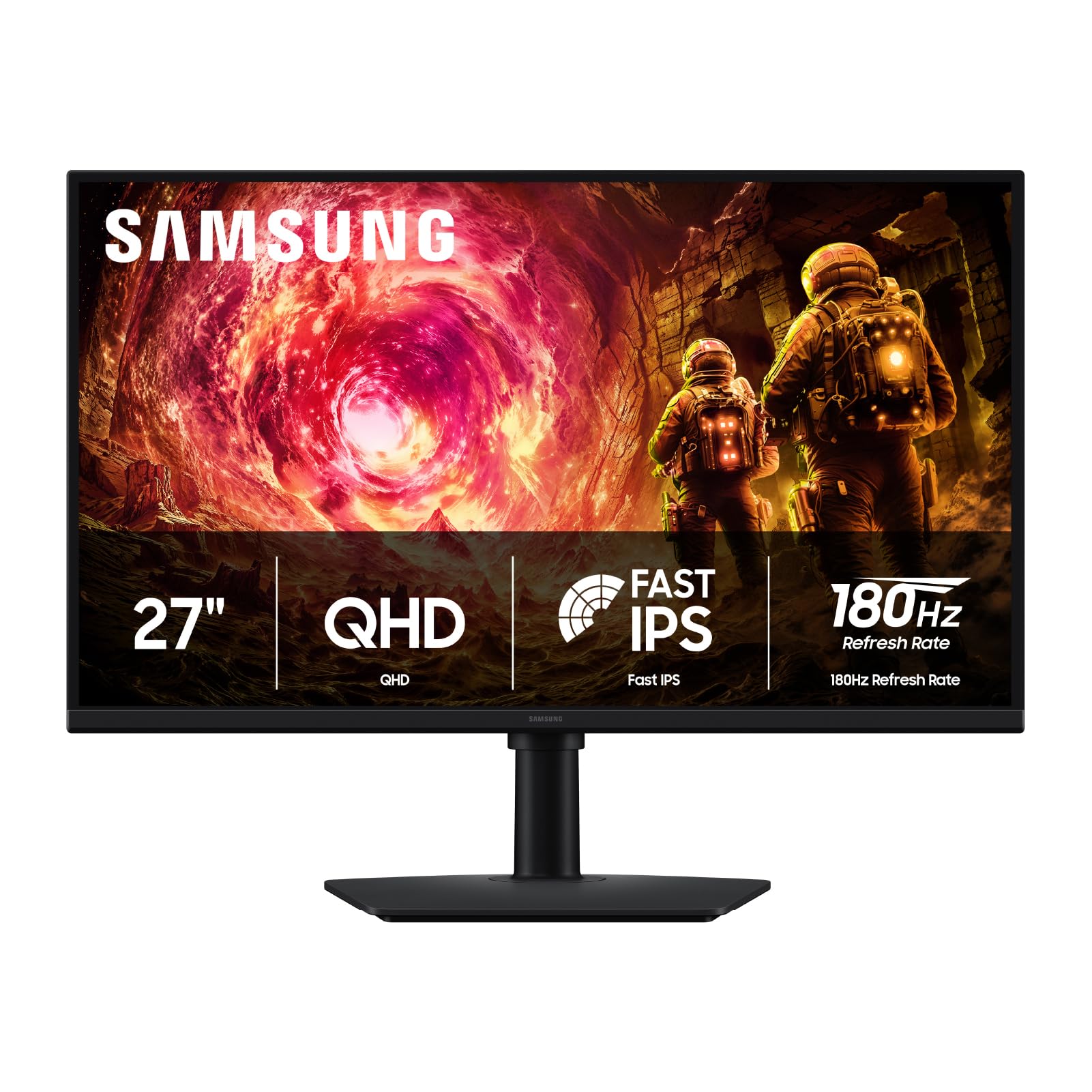
The Samsung Odyssey G5 G50F delivers QHD resolution at 180Hz, offering exceptional motion clarity that benefits 120Hz sources just as much. The Fast IPS panel covers 99% DCI-P3, producing rich, saturated colors that rival monitors costing significantly more, and the 178-degree viewing angle ensures color consistency across the full screen.
NVIDIA G-Sync Compatible and AMD FreeSync support eliminate screen tearing across a wide VRR range, while HDR10 certification provides brighter highlights and more nuanced shadows than standard SDR content. The Black Equalizer lifts dark area details without crushing the rest of the image, and the Virtual Aim Point overlay improves crosshair precision.
The ergonomic stand offers height, tilt, swivel, and pivot adjustment, and the Auto Source Switch+ feature automatically detects active inputs, simplifying multi-device setups. The only minor limitation is single HDMI and single DisplayPort inputs, but included cables cover both.
Why it’s great
- QHD resolution with 99% DCI-P3 for vibrant, accurate color
- 180Hz refresh rate with dual G-Sync and FreeSync compatibility
- Full ergonomic stand with height, tilt, swivel, and pivot
Good to know
- DP 1.2 supports full 180Hz but HDR10 requires HDMI at 144Hz
- Rear joystick controls can feel imprecise at first
6. ASUS TUF Gaming VG27AQM5A

The ASUS TUF Gaming VG27AQM5A pairs a 300Hz refresh rate with ASUS’s Extreme Low Motion Blur Sync, which allows ELMB motion blur reduction to work simultaneously with variable refresh rate technology. This eliminates both motion blur and screen tearing at the same time, delivering the sharpest motion clarity available at the QHD resolution class.
The Fast IPS panel achieves a 0.3ms GtG response time in its minimum configuration, dramatically reducing ghosting in fast-paced scenes. With 95% DCI-P3 coverage and a 1300:1 static contrast ratio, the color performance rivals premium displays while maintaining the speed needed for competitive gaming.
The Shadow Boost brightens dark areas without overexposing highlights, and the DisplayWidget Center allows all monitor adjustments via mouse clicks. Built-in speakers provide convenience, and the DisplayPort 1.4 cable is included. Some units have reported minor dead pixel issues, though quality control appears generally solid.
Why it’s great
- ELMB Sync reduces motion blur alongside variable refresh rate
- 0.3ms response time for near-instantaneous pixel transitions
- 95% DCI-P3 color gamut with solid 1300:1 contrast ratio
Good to know
- Moderate brightness may struggle in very bright rooms
- On-screen menu navigation can be slow and awkward
7. INNOCN 49C1R

The INNOCN 49C1R delivers a massive 49-inch 32:9 ultrawide experience with 5120×1440 resolution and a 120Hz refresh rate, effectively replacing two QHD monitors with a single seamless curve. The VA panel achieves a 3000:1 native contrast ratio, producing deep blacks and vibrant highlights that make both productivity layouts and gaming feel immersive.
FreeSync Premium compatibility keeps the 120Hz motion smooth and tear-free across the wide field of view, and HDR400 certification provides decent peak brightness for supported content. The 1800R curvature wraps the display gently around your peripheral vision, reducing eye movement strain during long work sessions.
Connectivity includes USB-C 65W power delivery for single-cable laptop setups, HDMI 2.1, DisplayPort 1.4, built-in speakers, and even an RJ45 Ethernet jack. The Picture-in-Picture and Picture-by-Picture modes allow simultaneous input display, which is invaluable for multi-tasking professionals.
Why it’s great
- 5120×1440 resolution provides dual QHD screen real estate
- 3000:1 VA contrast for deep blacks and rich colors
- USB-C 65W power delivery with extensive connectivity hub
Good to know
- HDR performance is mediocre; SDR mode looks better
- Stand is thin and stable but lacks height adjustment
8. Dell UltraSharp U4025QW

The Dell UltraSharp U4025QW is a professional-grade 40-inch 5K2K monitor that achieves a 120Hz refresh rate while maintaining IPS-Black technology for deep black levels that approach VA performance without sacrificing the wide viewing angles IPS is known for. The 99% sRGB and 2000:1 contrast ratio deliver exceptional color accuracy and shadow detail for photo and video editing.
The built-in Thunderbolt 4 hub provides 140W power delivery and daisy-chain capability, while the RJ45 Ethernet port and multiple USB-A connections streamline a clean desktop setup. The integrated KVM switch allows seamless control of two connected computers with a single keyboard and mouse, switching between inputs instantly.
The 600-nit brightness makes HDR content truly pop, and the anti-glare coating handles reflections effectively. The 21:9 curved form factor eliminates the bezel gap of dual-monitor setups, making it ideal for financial trading, video editing timelines, and spreadsheet-heavy workflows where horizontal real estate is critical.
Why it’s great
- 5K2K resolution with 120Hz refresh rate and IPS-Black panel
- Thunderbolt 4 hub with 140W power delivery and KVM switching
- 600-nit brightness for excellent HDR and bright-room visibility
Good to know
- Very expensive compared to standard QHD ultrawide monitors
- Downward-facing ports can be difficult to access on a desk
9. Samsung 27″ S3 (S32GF)

The Samsung 27″ S3 (S32GF) is a budget-friendly 1080p monitor that hits a clean 120Hz refresh rate on an IPS panel, making it an affordable entry point into smooth motion for home office use, casual gaming, and media consumption. The 72% color gamut coverage is modest but sufficient for everyday content, and the IPS wide viewing angles ensure consistent colors when viewing from the side.
Eye Saver Mode reduces blue light emission, and the Flicker-Free backlight minimizes eye strain during extended sessions. The slim bezel design with an ultra-thin profile looks modern on any desk, and the included HDMI cable supports the full 120Hz at 1080p without needing a DisplayPort connection.
The non-adjustable height stand is the main limitation, but the monitor supports VESA mounting for use with monitor arms. The on-screen menu requires a firm press on the power button, which is awkward at first but becomes manageable. Overall, it’s a reliable IPS monitor that delivers smooth motion at a budget-friendly price point.
Why it’s great
- IPS panel with 120Hz refresh rate at a budget-friendly position
- Eye Saver and Flicker-Free modes for reduced eye strain
- Slim bezel and lightweight design for easy desk integration
Good to know
- Stand is non-adjustable in height; VESA mounting recommended
- Only 72% color gamut coverage limits color-critical work
FAQ
Is 120Hz noticeable compared to 60Hz for desktop work?
Can I run a 120Hz monitor with an older graphics card?
Does HDMI support 120Hz or do I need DisplayPort?
What is VRR and why does it matter for a 120Hz monitor?
Final Thoughts: The Verdict
For most users, the 120hz monitor winner is the Dell 27 Plus S2725QS because it combines true 4K clarity with a buttery-smooth 120Hz refresh rate, excellent 1500:1 contrast, and built-in speakers, making it perfect for both productivity and casual gaming. If you prioritize high-frame-rate gaming at QHD resolution, grab the LG 27G640A-B UltraGear for its 300Hz potential and dual HDMI 2.1 ports. And for the ultimate professional workspace with 5K2K resolution and a built-in Thunderbolt hub, nothing beats the Dell UltraSharp U4025QW.