
Our readers keep the lights on and the weekend projects moving. As an Amazon Associate, I earn from qualifying purchases.
Expanding your creative or professional output to a true 13×19 canvas demands a printer that doesn’t compromise on color accuracy, paper handling, or long-term running costs. The difference between a print that looks good and one that stops viewers is entirely in the hardware—specifically, the ink system, printhead technology, and media path design.
I’m Rikta — the co-founder and writer behind FitlyFast. I’ve spent hundreds of hours analyzing the technical specifications, customer feedback, and real-world performance of the current 13×19 photo and wide-format printers so you don’t have to wade through conflicting marketing claims.
Whether you are a small business owner, fine-art photographer, architect, or dedicated hobbyist, finding a reliable 13×19 photo printer that delivers consistent results without consuming your budget in ink costs is the single most impactful decision you can make for your workflow.
How To Choose The Best 13×19 Photo Printer
Selecting the right 13×19 printer is a balancing act between initial cost, per-print expense, color gamut requirements, and the physical media you intend to use. Beginners often focus on the upfront price, but the real value lies in the cost per high-quality print over two years of ownership.
Start by identifying your primary output: glossy photo paper demands high gamut dye or pigment inks, while technical documents or fine art matte papers benefit from dedicated black ink channels and wide color gamuts. Your paper type will also inform whether you need a rear straight-through paper path for thick cardstock or a roll feed for continuous banners.
Ink Architecture: The Core Decision
The biggest differentiator is whether the printer uses standard ink cartridges, a supertank system with refillable bottles, or a professional high-channel setup. Standard cartridges offer lower upfront cost but higher per-page expense. Supertank systems like Epson’s EcoTank dramatically cut the cost per print but may use dye-based inks with shorter archival life. Professional models with multiple ink channels (8 to 10) deliver the widest color gamut and best black-and-white tonality but come with higher hardware and ink replacement costs.
Paper Handling and Media Flexibility
A true 13×19 photo printer must handle a variety of media weights and finishes without jamming. Look for a rear straight-through paper path if you plan to use thick fine-art paper or cardstock above 300 gsm. For high-volume users, a front cassette or dual paper trays save time by eliminating the need to swap media frequently. If you produce large-format posters or banners, roll support is essential—models like the HP DesignJet T210 and Canon imagePROGRAF TC-21 offer this capability.
Quick Comparison
On smaller screens, swipe sideways to see the full table.
| Model | Category | Best For | Key Spec | Amazon |
|---|---|---|---|---|
| Epson EcoTank Photo ET-8550 | Supertank | Cost-conscious photo enthusiasts | 6-color ink with gray, up to 6200 color pages | Amazon |
| Epson SureColor P700 | Professional | Fine art & high-gamut printing | 10-color UltraChrome PRO10 with Violet | Amazon |
| Canon PIXMA PRO-200S | Dye-based | Vibrant color photo output | 8-color dye system, 3.0″ color LCD | Amazon |
| Epson Workforce Pro WF-7310 | Business | High-volume office documents | 25 ppm B&W, PrecisionCore Heat-Free | Amazon |
| Canon PIXMA TS9521Ca | All-in-One | Home crafting & documents | 5-ink system, 4.3″ touchscreen | Amazon |
| HP DesignJet T210 (8AG32D) | Plotter | Posters & CAD prints up to 24″ | 24″ roll feed, 45s per A1 | Amazon |
| HP DesignJet T210 (8AG32T) w/ Care Pack | Plotter | CAD + 2-year onsite support | 24″ roll, 2-year HP Care Pack | Amazon |
| Canon imagePROGRAF TC-21 | Large-Format | Entry-level 24″ roll poster printing | 280 ml ink included, 4-color | Amazon |
| Epson Artisan 1430 | Legacy | Budget-friendly 13×19 with CD/DVD | 6-color Claria, CD/DVD printing | Amazon |
In-Depth Reviews
1. Epson EcoTank Photo ET-8550

The ET-8550 is the smartest choice for anyone who prints frequently at 13×19 and wants to stop worrying about cartridge costs. Its refillable ink tanks use a 6-color Claria ET Premium dye set that includes a dedicated gray channel, producing smooth gradients and neutral black-and-white prints without metamerism issues. The integrated scanner and copier add real value for a mixed-use home office or creative studio.
Print quality is exceptional on glossy photo papers, with vibrant, saturated colors that pop. On matte fine art stock, the dye-based ink lacks the same density as pigment, but for general photography and scrapbooking, the results are more than satisfactory. The included ink bottles provide up to 6,200 color pages, bringing the per-print cost down dramatically compared to cartridge-based rivals.
The rear manual feed slot reliably handles thick media up to about 300 gsm, though some users report occasional pickup issues with very heavy paper. Borderless 13×19 printing looks clean, and the quiet operation is a bonus in a shared workspace. Wireless setup is straightforward, and the touchscreen interface is responsive.
Why it’s great
- Dramatically lower per-print cost with refillable ink tanks
- 6-color system with gray for neutral B&W prints
- Borderless up to 13×19 with excellent gloss photo quality
Good to know
- Dye-based ink is less archival than pigment alternatives
- Rear feed can struggle with thick art paper on first attempt
- Auto tray selection can be unreliable
2. Epson SureColor P700

The P700 is engineered for the discerning fine-art photographer who demands maximum archival stability. Its UltraChrome PRO10 ink set includes a dedicated Violet channel that expands the color gamut into deep blues and purples, making it a top-tier choice for landscape and studio work. The separate nozzles for Photo Black and Matte Black eliminate ink-switching waste, a major frustration in older pro models.
Print sharpness at 5760×1440 dpi is rendered with exceptional precision, and the Carbon Black Driver mode dramatically increases Dmax on glossy papers, delivering deep, rich blacks that rival darkroom prints. The 4.3-inch customizable touchscreen is intuitive, and the interior LED light helps monitor ink levels and paper status in dim environments.
At 23 percent smaller than the previous generation, the P700 fits better on a desk but still requires dedicated space. Roll media support is available via an optional attachment, and sheet media up to 1.5 mm thick is fed through the rear slot without curling. The trade-off is the higher cost of genuine Epson cartridges, though the archival print life of up to 200 years color and 400 years B&W justifies the expense for serious artists.
Why it’s great
- 10-color gamut with Violet for unmatched color range
- Dedicated Photo Black and Matte Black nozzles
- Carbon Black Driver for superior Dmax on glossy media
Good to know
- High per-print cartridge cost
- Roll feed is an optional accessory
- Single-feed for 13×19, no auto duplex
3. Canon PIXMA PRO-200S

The PRO-200S is Canon’s answer to the dye-based photo enthusiast who wants vibrant, gallery-quality prints without jumping to a full pigment workflow. Its 8-color dye ink system produces exceptionally wide color gamut with smooth transitions in skies and skin tones, making it a favorite among wedding photographers and hobbyists who print on high-gloss papers. The 48-bit color depth processing ensures that subtle tonal variations are preserved in the final output.
Print speeds are respectable for the category—a bordered A3+ print in 90 seconds—and the printer operates quietly during long sessions. Borderless printing spans from small formats all the way up to 13×19, with consistent edge-to-edge coverage. The 3.0-inch color LCD monitor is basic but sufficient for checking ink levels and printer status.
Setup can be finicky, especially connecting to Wi-Fi networks with strong interference, and users with less technical confidence may struggle. Ink consumption is non-trivial on Canon’s proprietary cartridges, with some users reporting rapid depletion of the Photo Black after roughly 30 full-page prints. The printer also does not include 11×14 paper size support in its driver, which may frustrate those using that specific format.
Why it’s great
- Vibrant 8-color dye gamut with excellent gloss rendering
- 48-bit internal processing for smooth tonal transitions
- Quiet, fast A3+ bordered print in 90 seconds
Good to know
- Challenging setup and Wi-Fi connectivity
- Rapid ink cartridge depletion in heavy use
- No 11×14 paper size in driver
4. Epson Workforce Pro WF-7310
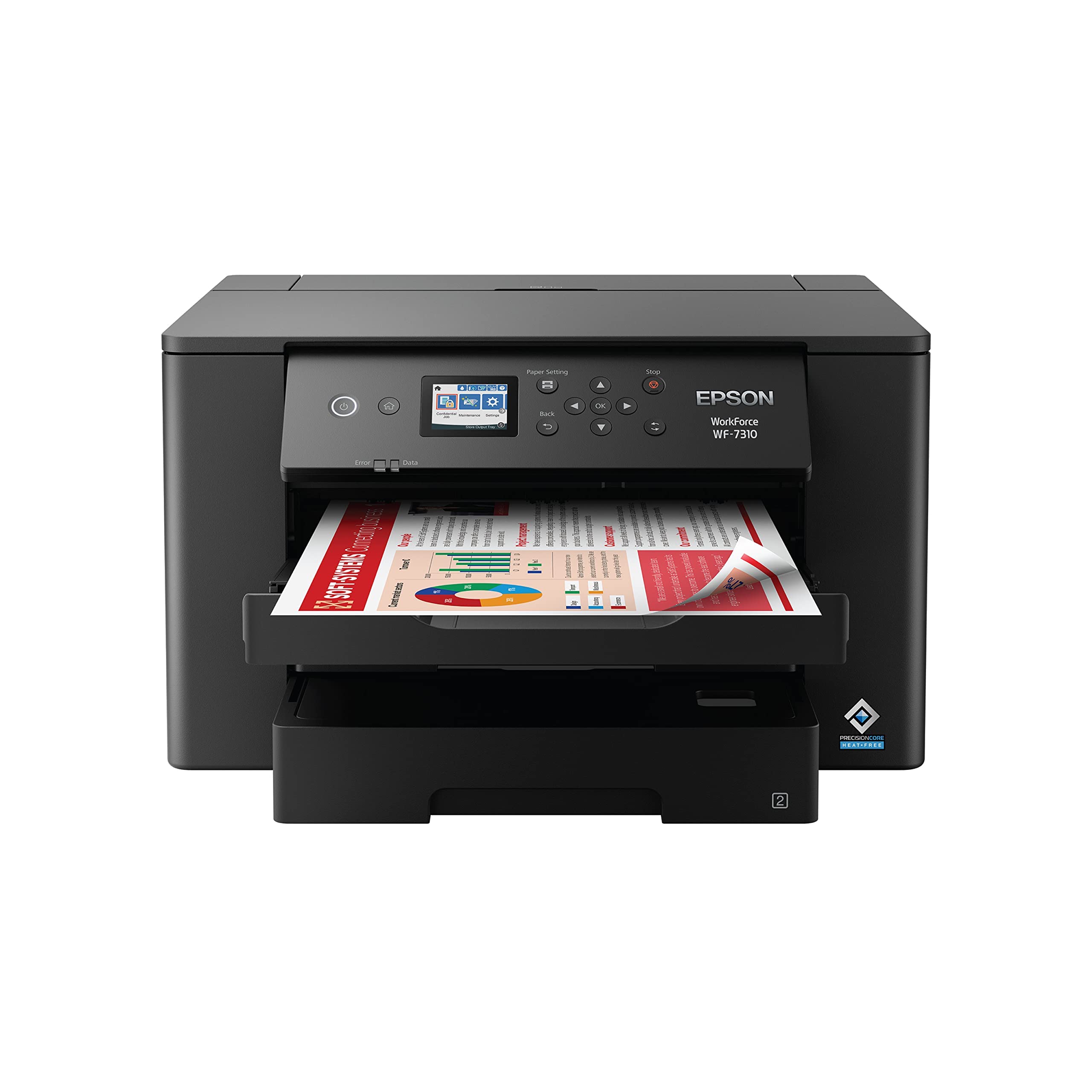
The WF-7310 is a dedicated single-function wide-format printer built for speed and reliability in a busy office or small business. Its PrecisionCore Heat-Free Technology delivers 25 pages per minute in black and 12 in color on standard sizes, and it handles 13×19 with consistent auto-duplexing—a rarity at this price point. The DURABrite Ultra instant-dry pigment inks produce sharp, water-resistant text and vivid colors that won’t smudge even on coated papers.
The 500-sheet paper capacity is split into two 250-sheet trays, plus a rear feed for specialty media, allowing you to keep different paper types loaded simultaneously. The 2.4-inch color display and Smart Panel App provide solid control and status monitoring. Setup is slightly more involved than consumer models, but once configured, the printer is exceptionally reliable.
One significant drawback: Epson locks firmware to reject third-party ink cartridges, forcing you into its own expensive supplies. Additionally, the printer will not print black-and-white if any color cartridge is empty—a serious frustration for office environments. The single-function design (no scan/copy) may also be a limitation for those seeking an all-in-one.
Why it’s great
- Fast 25 ppm B&W with auto duplex up to 13×19
- 500-sheet input with dual trays for media variety
- Instant-dry pigment inks resist smudging
Good to know
- Blocks third-party ink via firmware updates
- Cannot print B&W if any color cartridge is empty
- Single-function printer only
5. Canon PIXMA TS9521Ca

The TS9521Ca is a versatile all-in-one that reaches just beyond standard letter size to 11×17, making it a more accessible entry point for crafters and small-business owners who occasionally need wide-format documents. It features print, copy, and scan functions with a 20-sheet auto document feeder and a 4.3-inch touchscreen that simplifies common tasks. The five individual ink cartridges let you replace only the color that runs out, reducing waste.
Print quality for photos and graphics on glossy paper is above average for its class, and the printer supports a wide range of media including envelopes, business cards, and banners. Setup is quick through the Canon PRINT app, and wireless performance is solid. The 200-sheet paper capacity is split between a bottom cassette and rear tray, giving flexibility for different media types.
Reliability is the main concern here—several users report a 5100 error that can occur after a few months of use, often related to objects placed on the scanner lid or paper tray alignment issues. The printer also consumes ink relatively quickly, especially when printing color documents frequently. It uses dye-based ink, which is less water-resistant than pigment, so prints should be handled with care.
Why it’s great
- Versatile all-in-one with scan, copy, and fax
- 5-ink system allows individual color replacement
- 4.3-inch touchscreen simplifies operation
Good to know
- Frequent 5100 error reports after months of use
- Ink consumption is high for color printing
- Dye-based prints not water-resistant
6. HP DesignJet T210 (8AG32D)

The DesignJet T210 is a 24-inch roll-fed plotter that easily handles 13×19 sheets using an optional accessory, making it a dual-purpose machine for CAD, poster, and large-format photo printing. Its pigment-based HP 712 inks deliver crisp lines and vivid colors on a wide range of media, from bond paper to glossy photo rolls. The automatic horizontal cutter ensures clean roll-fed prints without manual trimming.
Speed is a standout: up to 45 seconds per A1/D-size page, and 59 A1 prints per hour, which keeps long print runs moving efficiently. The HP Click software simplifies the workflow with PDF error checking, auto-nesting, and drag-and-drop printing from common design applications. Gigabit Ethernet, USB 2.0, and Wi-Fi give flexible connectivity options for network environments.
The primary downside is the locked-in HP OEM cartridge system, which must be ordered online since local availability is poor. Users report the printer uses minimal ink for routine maintenance compared to competitor plotters, but the cartridge cost remains high. The one-year limited warranty is standard but may feel short for a business-critical device.
Why it’s great
- Versatile 24-inch roll format with 13×19 sheet capability
- Fast 45-second A1 print speed
- HP Click software streamlines poster and CAD workflows
Good to know
- Proprietary HP cartridges not locally available
- Optional sheet feeder required for 13×19
- One-year warranty may be insufficient
7. HP DesignJet T210 (8AG32T) w/ Care Pack
This bundle of the T210 includes a 2-year HP Care Pack with onsite support, making it the ideal choice for businesses that cannot afford downtime. The hardware is identical to the standard T210—24-inch roll capacity, pigment inks, and fast A1 print speed—but the extended support provides peace of mind with next-business-day on-site service if something goes wrong. For architects, engineers, and print shops, this can mean the difference between a missed deadline and normal operations.
Print quality for technical line drawings is exceptionally sharp, with HP-GL/2 support ensuring accurate vector output from CAD software. The printer also handles poster-size photo prints on gloss and satin media, though color accuracy requires proper ICC profile management. The automatic roll feed and cutter handle media rolls up to 24 inches wide without manual intervention.
As with the standard version, the locked OEM cartridge system is the main operational cost to watch. The bundle price is slightly higher than the base model, but for a business-critical machine, the two-year support term is a worthwhile investment. The 500 MB memory is adequate for large print files but may be a bottleneck for very complex raster images.
Why it’s great
- 2-year on-site support included with bundle
- High-speed 45-second A1 prints
- HP-GL/2 support for precise CAD output
Good to know
- Locked to HP OEM cartridges
- Memory limited to 500MB for complex files
- Optional sheet feeder for 13×19 sheets adds cost
8. Canon imagePROGRAF TC-21

The imagePROGRAF TC-21 is Canon’s entry-level 24-inch desktop roll printer that also supports cut-sheet media up to 13×19 via its automatic sheet feeder. It ships with a generous 280 ml of ink (70 ml per color), which is the most in its class and provides immediate value out of the box. The 4-color pigment ink system (CMYK) delivers crisp text and vibrant posters suitable for indoor signage, maps, and classroom materials.
Setup is guided by an animated interface on the tiltable touchscreen, making it more accessible to first-time plotter buyers. Top and front access doors make ink refilling and roll replacement straightforward. Wired Ethernet and USB are included, along with Wi-Fi for wireless printing from mobile devices. The TC-21 is ENERGY STAR and EPEAT Gold rated, reflecting its energy efficiency.
Software limitations are the main concern: the driver does not natively support 12×18 (ARCH B) sheet media, requiring a custom size workaround that introduces small margins. Additionally, some users encountered persistent error codes shortly after purchase and reported difficulty with Canon’s warranty process. The 4-color gamut is narrower than models with additional channels, so fine-art photography may lack the depth of a 6- or 8-color system.
Why it’s great
- 280 ml ink included, best in its class
- 24-inch roll support in a desktop footprint
- Tiltable touchscreen with animated setup guides
Good to know
- Driver lacks native ARCH B sheet support
- Some reported early error codes
- 4-color gamut limits fine-art photo output
9. Epson Artisan 1430

The Artisan 1430 is a legacy model that remains popular for budget-conscious users who need true 13×19 borderless printing plus the unique ability to print directly on CDs and DVDs. Its 6-color Claria dye-based ink produces vibrant, high-definition photos that, on the right paper, rival dedicated photo printers. The printer also supports wireless printing from smartphones and tablets through the Epson Connect app.
Print quality is impressive for the age of the design, with smooth gradations and sharp detail on glossy media. Many users pair the Artisan 1430 with a Continuous Ink Supply System (CISS), which drops the per-print cost to pennies by using bulk ink bottles instead of cartridges. The printer has a loyal following among scrapbookers and crafters who value the 12×12 borderless scrapbook page support and reliable disc printing.
The most significant downside is that the Artisan 1430 is discontinued, meaning warranty and driver support from Epson is minimal. It also lacks duplex printing and uses a USB connection for initial setup, which may be inconvenient. Third-party ink compatibility varies widely, and some users report occasional banding or color shifts when using non-OEM supplies.
Why it’s great
- True 13×19 borderless printing at a low entry cost
- Direct CD/DVD disc printing capability
- Works well with affordable CISS systems
Good to know
- Discontinued model with limited support
- No automatic duplex printing
- USB cable required for initial setup
FAQ
Can a 13×19 photo printer also handle thick fine-art paper?
What is the advantage of a supertank printer for 13×19 photos?
Do I need roll paper support for 13×19 printing?
Final Thoughts: The Verdict
For most users, the 13×19 photo printer winner is the Epson EcoTank Photo ET-8550 because it combines stunning photo quality with a radically low per-print cost thanks to its refillable ink tank system. If you demand archival-grade prints with the widest possible color gamut, grab the Epson SureColor P700. And for large-format poster and CAD work that also handles 13×19 sheets, nothing beats the versatility of the HP DesignJet T210.