
Our readers keep the lights on and the weekend projects moving. As an Amazon Associate, I earn from qualifying purchases.
That dual-monitor setup you’ve been dreaming of for competitive gaming finally has a clear winner. The jump from 1080p to 1440p delivers a tangible 77% increase in pixel density, and pairing that with a 144Hz (or higher) refresh rate transforms motion clarity in fast-paced shooters and open-world RPGs. But with panel technologies splintering into IPS, VA, QD-OLED, and WOLED, the “right” choice depends on where you sit—literally and figuratively.
I’m Rikta — the co-founder and writer behind FitlyFast. This guide is the result of hundreds of hours spent cross-referencing panel specifications, real-world response times, color gamut volumes, and adaptive sync implementations to separate genuine upgrades from marketing noise.
After combing through over a decade of comparative data on refresh rates, contrast ratios, and HDR certifications, I’ve built the definitive shortlist for the best 1440p 144hz monitor across every meaningful price tier and use case.
How To Choose The Best 1440p 144Hz Monitor
Not all 1440p 144Hz monitors are created equal. The biggest trap buyers fall into is assuming a high refresh rate alone guarantees a smooth experience. Panel type, adaptive sync implementation, and color gamut coverage fundamentally determine the visual quality you’ll get, and each matters differently depending on whether you’re a competitive FPS player, a single-screen creator, or someone who splits time between Excel and Elden Ring.
Panel Technology: IPS vs. VA vs. OLED
IPS panels dominate the mid-range with wide viewing angles and consistent color, but they suffer from poor native contrast (around 1,000:1) and noticeable IPS glow in dark rooms. VA panels offer better contrast (3,000:1 or more) at the expense of slower response times and gamma shift off-angle. OLED technology—both QD-OLED and WOLED—delivers infinite contrast and near-instantaneous pixel response (0.03ms GtG), which makes motion clarity feel dramatically faster even at the same refresh rate. The trade-off is lower sustained brightness and the need for burn-in mitigation routines.
Refresh Rate: The Law of Diminishing Returns
Jumping from 60Hz to 144Hz is a transformative upgrade—motion judder nearly vanishes and mouse input feels directly connected to the crosshair. Going from 144Hz to 240Hz is noticeable but subtle; the difference in perceived smoothness shrinks with each doubling. For this guide, every monitor reviewed runs at 144Hz or higher, and many of the OLED entries are native 240Hz. If your GPU can push 240 frames in your main titles, the extra headroom is worth it. If not, 144Hz remains the sweet spot for price-to-performance balance.
Adaptive Sync: G-Sync Compatible vs. FreeSync Premium
Variable refresh rate technology eliminates screen tearing by synchronizing the monitor’s refresh window to your GPU’s frame output. NVIDIA’s G-Sync Compatible certification is a hardware-tested standard that guarantees tear-free performance across a wide VRR range. AMD FreeSync Premium adds a requirement for low framerate compensation (LFC), which keeps the experience smooth even when frame rates dip below the monitor’s floor. Most modern monitors support both, but if you run an NVIDIA GPU, a G-Sync Compatible badge removes the guesswork.
Color Accuracy and HDR: Specs vs. Reality
The HDR10 logo is nearly ubiquitous, but actual HDR performance varies wildly. True HDR requires high peak brightness (over 600 nits) and deep black levels. IPS monitors with DisplayHDR 400 can accept and tone-map an HDR signal, but the result rarely looks better than standard SDR. OLED monitors with HDR True Black 400 or 500 certifications deliver the real experience: specular highlights that pop against absolute black backgrounds. For color-critical work, look for DCI-P3 coverage above 90% and a factory calibration report with Delta E < 2.
Quick Comparison
On smaller screens, swipe sideways to see the full table.
| Model | Category | Best For | Key Spec | Amazon |
|---|---|---|---|---|
| LG 27GS93QE | WOLED | True black in bright rooms | 98.5% DCI-P3, Anti-Glare | Amazon |
| Samsung Odyssey OLED G6 | QD-OLED | Competitive 240Hz gaming | 240Hz, Pantone Validated | Amazon |
| MSI MAG 272QP QD-OLED | QD-OLED | Burn-in warranty peace of mind | 3-year warranty, Graphene Heatsink | Amazon |
| Acer Predator X27U | QD-OLED | Budget OLED entry point | 240Hz, 0.03ms, 99% DCI-P3 | Amazon |
| AOC Q27GAZDV | QD-OLED | Ergonomic OLED with USB hub | 240Hz, Height Adjustable, USB 3.2 | Amazon |
| INNOCN 2780s | QD-OLED | 280Hz overclock for tight budgets | 280Hz, 0.03ms, Built-in Speakers | Amazon |
| AOC Q27GAZD | QD-OLED | Flat entry-level OLED gaming | 240Hz, 147% sRGB, HDR400 | Amazon |
| Samsung Odyssey OLED G5 | QD-OLED | Cinematic dark-room gaming | 180Hz, Glare Free, Auto Source Switch+ | Amazon |
| ASUS ProArt PA278CGV | IPS | Color-accurate work + gaming | ΔE < 2, 90W USB-C PD | Amazon |
| ViewSonic VX3418C-2K | VA | Ultrawide productivity on a budget | 3440×1440, 180Hz, 4000:1 Contrast | Amazon |
| LG 27GL83A-B | IPS | No-frills 1440p 144Hz performance | 1ms GtG, 99% sRGB, G-Sync Compatible | Amazon |
In‑Depth Reviews
1. LG 27GS93QE

The LG 27GS93QE uses a WOLED panel (white OLED with color filters) instead of the more common QD-OLED architecture, and that distinction matters in two critical ways. First, blacks remain absolute black even in a brightly lit room—QD-OLED panels can take on a subtle purple hue under strong ambient light due to their lack of a polarizer. Second, the matte anti-glare coating on the LG manages reflections without introducing the text fuzziness that plagues some glossy QD-OLED screens. The 240Hz refresh rate and 0.03ms response time deliver motion clarity that makes IPS panels feel sluggish by comparison.
Color accuracy out of the box is excellent, with 98.5% DCI-P3 coverage and a VESA DisplayHDR True Black 400 certification that actually delivers on its promise—specular highlights in games like Cyberpunk 2077 look punchy while dark alley scenes retain full shadow detail. The monitor comes with a handy remote control for navigating the OSD, and the stand offers full height, tilt, pivot, and swivel adjustment. Both HDMI 2.1 ports support full 240Hz on PS5 and Xbox Series X, making it a true next-gen console companion.
The only real concession is peak brightness, which tops out around 400 nits. That is sufficient for a dim-to-moderate room, but HDR content won’t have the blinding highlights you get from high-end Mini-LED displays. LG includes a 2-year warranty that covers the OLED panel, and the pixel cleaning routine is unobtrusive, running automatically when the monitor enters standby. For buyers who want OLED’s infinite contrast without the ambient-light quirks of QD-OLED, this is the reference standard.
Why it’s great
- WOLED retains true black in bright rooms, unlike QD-OLED
- Excellent stand ergonomics with height, tilt, swivel, pivot
- Anti-glare coating manages reflections without text blur
- Dual HDMI 2.1 ports for full 240Hz on consoles
Good to know
- Peak brightness is modest for HDR highlights
- No built-in speakers for casual use
2. Samsung Odyssey OLED G6 (G61SH)

The Samsung Odyssey OLED G6 (G61SH) is the brand’s latest QD-OLED offering, and it directly addresses the two biggest complaints about the earlier G5 model: the stand and the refresh rate ceiling. This unit ships with a fully height-adjustable ergonomic stand that pivots, tilts, and swivels, and it runs at a native 240Hz with a 0.03ms response time. The QD-OLED panel delivers the characteristic infinite contrast and vibrant color volume—99% DCI-P3 coverage—that makes HDR content look genuinely three-dimensional.
Samsung’s Glare Free technology is a polarizing feature: it diffuses ambient reflections so effectively that the screen looks matte even with direct overhead light, which is fantastic for usability. However, it slightly reduces perceived contrast in very bright rooms compared to a glossy panel. The OLED Safeguard system uses a thermal modulation approach to actively prevent burn-in, and Samsung backs it with a 3-year warranty that covers the panel—a confidence-building policy for first-time OLED buyers. Pantone Validation for 2,100+ colors and 110+ skin tone shades makes this monitor genuinely useful for photo editing work beyond gaming.
The connectivity is adequate but not class-leading: one DisplayPort 1.4 and one HDMI 2.1. The OSD is controlled via a simple joystick, and the monitor supports both G-Sync Compatible and FreeSync Premium for tear-free gameplay across GPU ecosystems. Text clarity is slightly worse than a high-end IPS panel due to the QD-OLED subpixel layout, but at normal viewing distances the fringing is barely perceptible. If you want Samsung’s ecosystem polish—including Auto Source Switch+—this is the best QD-OLED Samsung has made at 27 inches.
Why it’s great
- Height-adjustable stand and ergonomic flexibility
- 3-year warranty with burn-in coverage
- Pantone Validated for color-accurate creative work
- Glare Free coating eliminates distracting reflections
Good to know
- Only one HDMI 2.1 port limits multi-console setups
- Text clarity slightly softer than IPS panels
3. MSI MAG 272QP QD-OLED X24

MSI’s MAG 272QP QD-OLED X24 packs a graphene heatsink inside the chassis that allows passive cooling without a fan, which means the monitor stays completely silent under load while the panel runs at optimal temperatures for longer lifespan. The 26.5-inch Quantum Dot OLED panel uses an enhanced subpixel arrangement that improves image sharpness compared to first-generation QD-OLED panels—text fringing is dramatically reduced, making this a legitimate choice for mixed productivity and gaming use.
Color performance is outstanding: 99% DCI-P3 coverage with factory calibration targeting Delta E ≤2, and the 10-bit panel handles 1.07 billion colors without banding. The 240Hz refresh rate combined with 0.03ms GtG response time earns a VESA ClearMR 13000 rating, meaning motion clarity is about as good as it gets at this price. The stand is fully adjustable with height, tilt, swivel, and pivot, and the connectivity suite includes DisplayPort 1.4a, HDMI 2.1 with CEC support, and a USB hub.
MSI’s Gaming Intelligence software adds genuinely useful features like Smart Crosshair (an AI-driven reticle that adapts to the scene) and OLED Care 2.0, which automates pixel refresh and panel maintenance without interrupting gameplay. The 3-year warranty explicitly covers burn-in, addressing the single biggest hesitation for OLED newcomers. The only real complaint from owners is that the default picture settings are too dark and desaturated—switching to the Racing or FPS mode fixes this, but it’s an extra step out of the box.
Why it’s great
- Graphene heatsink for silent, fanless operation
- Enhanced subpixel layout reduces text fringing
- 3-year warranty covers burn-in
- HDMI 2.1 CEC support for streamlined console control
Good to know
- Default color settings require manual adjustment
- Heavy base takes up significant desk space
4. Acer Predator X27U W1bmiipprx

The Acer Predator X27U is the most affordable QD-OLED monitor in this lineup, and it achieves that price point by using a slightly older generation QD-OLED panel that lacks the enhanced subpixel structure found on the MSI or Samsung G6. That means text clarity is noticeably softer—if you read documents or code all day, a high-end IPS will look sharper. But for pure gaming, the trade-off is worth it: 240Hz, 0.03ms response time, and 99% DCI-P3 color gamut deliver a visual experience that IPS simply cannot match.
The build uses more plastic than the premium options, and the stand, while functional with height, tilt, swivel, and pivot, feels less sturdy. Panel brightness is the monitor’s weakest link—it is dimmer than competitors, and HDR performance is merely acceptable rather than impressive. The brightness limitation is especially noticeable in well-lit rooms, where the glossy screen finish picks up reflections that can wash out dark scenes. G-Sync Compatible certification means it works flawlessly with NVIDIA GPUs, and the HDMI 2.1 ports support full 240Hz on PS5.
ZeroFrame design gives the monitor a near-bezel-less look that suits multi-monitor setups, and the OSD provides a solid set of gaming tools including a crosshair overlay and frame counter. The image retention refresh tool runs automatically to prevent burn-in, and at this price point, the Acer is the easiest entry into OLED gaming. If you can manage the brightness limitations and don’t do heavy text work, this is the smartest dollar-for-dollar OLED buy on the market.
Why it’s great
- Lowest price point for QD-OLED gaming
- 240Hz and 0.03ms response for buttery motion
- 99% DCI-P3 delivers vibrant, punchy colors
- ZeroFrame design minimizes bezels
Good to know
- Panel brightness is lower than competitors
- Text fringing is noticeable for productivity use
- Plastic build feels less premium
5. AOC Q27GAZDV

The AOC Q27GAZDV is essentially a more feature-rich version of the base AOC Q27GAZD, adding a fully ergonomic stand and a USB 3.2 hub that the cheaper model lacks. The QD-OLED panel is the same generation: 240Hz refresh rate, 0.03ms GtG response, and 110% DCI-P3 coverage that makes colors look hyper-saturated in a pleasing way. The stand offers height, tilt, swivel, and pivot adjustment, which is a rarity at this price tier for OLED monitors and a significant convenience for users who switch between seated and standing desks.
HDR400 True Black certification means the monitor can sustain 400 nits peak brightness while maintaining inky blacks, and the 1,500,000:1 contrast ratio makes dark scenes in games like Alan Wake 2 look genuinely immersive. The connectivity is generous: two HDMI 2.1 ports (supporting full 240Hz on consoles), one DisplayPort 1.4, and a 4-port USB 3.2 hub that makes it easy to plug in peripherals. The OSD is controlled via a five-way joystick that AOC has refined over several generations—it’s intuitive and fast to navigate.
There are no built-in speakers, and the anti-glare coating is less aggressive than the Samsung Glare Free solution, so reflections can be distracting in bright rooms. Owners report that the monitor performs well with both NVIDIA G-Sync Compatible and AMD FreeSync, with no flickering in the VRR range. For anyone who wants an OLED with proper ergonomic adjustability and a built-in KVM-adjacent hub, this is the most complete package at its price point.
Why it’s great
- Full ergonomic stand with height, tilt, swivel, pivot
- Built-in USB 3.2 hub for peripheral connectivity
- Dual HDMI 2.1 for console 240Hz support
- Excellent DCI-P3 coverage for vibrant HDR
Good to know
- No built-in speakers
- Reflections can be distracting in bright rooms
6. INNOCN 2780s

The INNOCN 2780s stands out in one specific way: its native 280Hz refresh rate is the highest among all monitors on this list, offering a 16% improvement over the 240Hz standard. In real-world gaming, that translates to a slight but measurable reduction in motion blur for esports titles like Valorant and Overwatch 2, especially when your GPU can maintain frame rates above 240 FPS. The QD-OLED panel delivers infinite contrast and 99% DCI-P3 coverage, so single-player titles look just as immersive as competitive ones.
The build quality is decent for the price, with a white chassis that stands out from the sea of black monitors. The stand offers height, tilt, and pivot adjustment, and the monitor includes built-in speakers that are serviceable for system audio but lack the bass and clarity for immersive gaming. HDMI 2.1 is included, supporting full 280Hz from compatible GPUs and 240Hz on consoles. The OSD is straightforward to navigate with a joystick control, and G-Sync Compatible certification ensures tear-free gameplay with NVIDIA cards.
The main compromises come in brightness and warranty. Peak brightness tops out around 400 nits, which limits HDR impact in bright rooms. The warranty is a standard 1-year, though INNOCN offers a 30-day free replacement window for defects. For buyers who prioritize raw refresh rate above all else and want to push competitive gaming to its absolute limit, this is the fastest 1440p OLED you can buy without jumping to 360Hz panels that demand double the budget.
Why it’s great
- 280Hz refresh rate beats standard 240Hz OLEDs
- QD-OLED panel with infinite contrast
- Full ergonomic stand with height, tilt, pivot
- HDMI 2.1 for high-refresh console compatibility
Good to know
- HDR peak brightness is modest
- Built-in speakers are mediocre
- 1-year warranty is shorter than competitors
7. AOC Q27GAZD

The AOC Q27GAZD is the stripped-down sibling of the Q27GAZDV, sacrificing the ergonomic stand and USB hub to hit a lower entry price for QD-OLED. The panel itself is identical to the more expensive model: 240Hz refresh rate, 0.03ms GtG response, 147% sRGB and 110% DCI-P3 coverage. HDR400 True Black certification ensures deep blacks with decent highlight brightness, and the 1,500,000:1 contrast ratio makes dark scenes look properly cinematic.
The stand is the weakest part—it offers tilt adjustment only and sits relatively low to the desk, which can be uncomfortable for taller users. AOC clearly expects buyers to use a monitor arm, and the 100x100mm VESA mount is easy to install. The bezels are thicker than the ZeroFrame designs from competitors, but this is a cosmetic trade-off that doesn’t affect performance. The glossy QD-OLED screen produces vibrant colors in dim rooms but reflects overhead lights more than matte panels.
Connectivity is limited to HDMI 2.1 and DisplayPort—there is no USB hub and no built-in speakers. The HDMI port is capped at 165Hz, so you must use DisplayPort to hit the full 240Hz. For buyers who already own a monitor arm and don’t need ergonomic desk adjustment, this is the cheapest way to get true QD-OLED performance. The savings compared to the GAZDV are meaningful, and the core panel experience is identical.
Why it’s great
- Lowest price for QD-OLED with 240Hz
- Identical panel to higher-priced AOC models
- HDR400 True Black for deep contrast
- VESA mount compatible for monitor arm users
Good to know
- Stand only offers tilt adjustment
- HDMI limited to 165Hz; needs DP for 240Hz
- No USB hub or built-in speakers
- Glossy screen reflects ambient light
8. Samsung Odyssey OLED G5 (G50SF)

The Samsung Odyssey OLED G5 (G50SF) is the more budget-oriented sibling of the G6, and the key difference is the refresh rate: 180Hz instead of 240Hz. For the vast majority of gamers, that 60Hz gap is barely perceptible in practice—180Hz is still dramatically smoother than 144Hz, and most mid-range GPUs will struggle to push past 180 FPS at 1440p in demanding titles anyway. The QD-OLED panel delivers the same infinite contrast and vibrant color that makes Samsung’s OLED lineup so compelling.
The Glare Free coating is the same technology used on the G6, and it works superbly at eliminating reflections in bright rooms. However, the stand is not height-adjustable—it only offers tilt—which is a major ergonomic compromise for a premium monitor. The monitor also lacks built-in speakers, and the connectivity is limited to one HDMI and one DisplayPort. OLED Safeguard with Thermal Modulation is included to actively prevent burn-in, and the monitor is Pantone Validated for color accuracy.
HDR10 support with 1,000,000:1 contrast ratio makes this an excellent monitor for dark-room gaming and movie watching. The Auto Source Switch+ feature automatically detects and switches to the active input, which is useful if you alternate between a PC and a console. The 0.03ms response time ensures there is zero perceptible ghosting, even in fast motion. For buyers who want OLED immersion at a lower refresh rate and don’t mind using a monitor arm, this is a smart value play.
Why it’s great
- Infinite QD-OLED contrast for immersive gaming
- Glare Free coating eliminates reflections
- 180Hz is still smooth for most gamers
- OLED Safeguard active burn-in prevention
Good to know
- Stand is not height-adjustable (tilt only)
- Limited to one HDMI and one DisplayPort
- No built-in speakers
- Brightness runs lower than premium OLEDs
9. ASUS ProArt PA278CGV

The ASUS ProArt PA278CGV is the only monitor on this list designed specifically for color-critical creative work that also happens to game at 144Hz. The IPS panel covers 100% sRGB and 95% DCI-P3, and it comes Calman Verified with a factory calibration report guaranteeing Delta E < 2. That level of accuracy is essential for photo editing, video grading, and design work where color shift between displays is unacceptable. The 144Hz refresh rate is modest by gaming standards but still a meaningful upgrade from 60Hz for casual to moderate gaming.
The connectivity suite is unparalleled: DisplayPort 1.4, HDMI, and a USB-C port that delivers 90W Power Delivery. That 90W PD means you can run a laptop from the monitor with a single cable—charging, video, and data all through one USB-C connection. The stand offers height, tilt, swivel, and pivot adjustment, and the built-in 4-port USB 3.2 Gen 1 hub makes it easy to connect peripherals. The matte screen finish eliminates reflections without the text clarity trade-offs of QD-OLED.
HDR support is limited to DisplayHDR 400, which means it can accept an HDR signal but lacks the brightness and contrast to deliver a convincing HDR experience. The 1,000:1 static contrast ratio is typical for IPS, so blacks appear gray in dark rooms. For a dedicated creator who wants to game on the same display without sacrificing color accuracy, the ProArt is the clear choice. For pure gaming, an OLED panel will deliver a more immersive experience.
Why it’s great
- Factory-calibrated Delta E < 2 color accuracy
- USB-C with 90W Power Delivery for single-cable laptops
- Full ergonomic stand with height, tilt, swivel, pivot
- Built-in USB hub for peripheral management
Good to know
- HDR performance is limited by IPS contrast ratio
- 144Hz is modest compared to 240Hz OLEDs
- No built-in speakers
10. ViewSonic VX3418C-2K
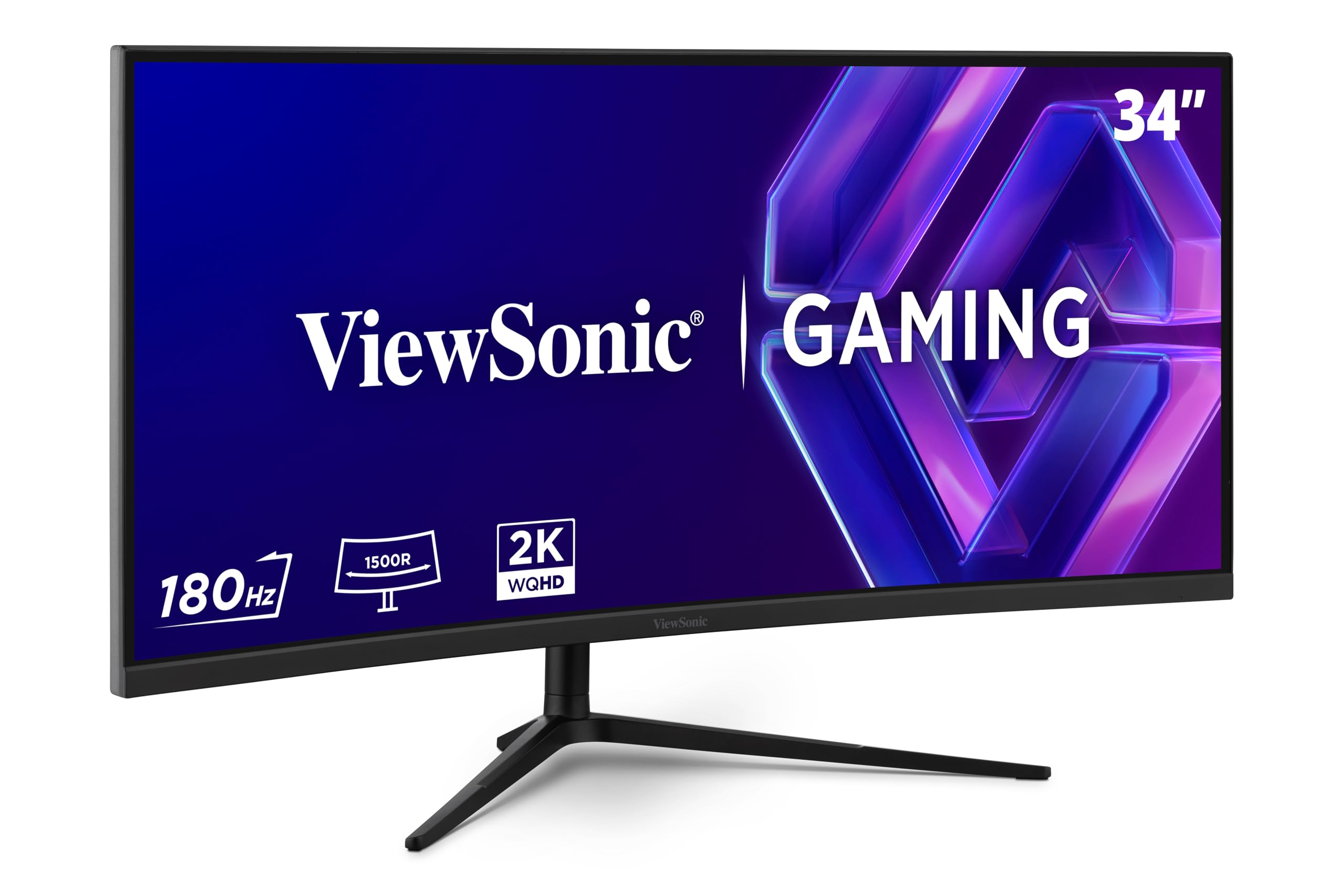
The ViewSonic VX3418C-2K is the only ultrawide monitor in this lineup, offering a 34-inch 1500R curved VA panel with a 3440×1440 resolution. That extra horizontal space over standard 16:9 1440p is transformative for productivity—you can comfortably tile three browser windows or a timeline editor alongside reference panels. For gaming, the 21:9 aspect ratio provides a wider field of view in supported titles, making racing and flight sims feel genuinely immersive. The 180Hz refresh rate and 1ms MPRT response time keep motion smooth in fast-paced games.
The VA panel delivers a 4,000:1 native contrast ratio, which is significantly better than IPS and produces deeper blacks in dark scenes. However, VA panels have slower pixel response in dark transitions, which can result in noticeable black smearing in high-contrast motion. FreeSync Premium with LFC keeps the experience tear-free across a wide VRR range, and the monitor includes pre-set visual modes for FPS, RTS, and MOBA games. The stand offers height, tilt, and swivel adjustment, though it is less sturdy than premium alternatives.
The built-in speakers are nearly useless—tinny and low volume—so plan for external speakers or headphones. The OSD is intuitive with a joystick control, and the anti-glare coating manages reflections well. For buyers who want a single display for productivity and immersive ultrawide gaming without spending over , this ViewSonic delivers strong value. The 250-nit brightness is average, so HDR performance is modest, but the VA contrast ratio makes SDR content look rich and dimensional.
Why it’s great
- 34-inch 21:9 ultrawide for immersive gaming and productivity
- 4,000:1 VA contrast delivers deep blacks
- 180Hz refresh rate for smooth motion
- FreeSync Premium with LFC for tear-free gameplay
Good to know
- VA black smearing visible in dark transitions
- Built-in speakers are poor quality
- 250-nit brightness limits HDR impact
11. LG 27GL83A-B

The LG 27GL83A-B is the monitor that defined the 1440p 144Hz category for years, and it remains the gold standard for buyers who want proven, reliable performance without the complexity or cost of OLED. The 27-inch IPS panel delivers 99% sRGB coverage with excellent color accuracy and wide viewing angles, and the 1ms GtG response time (using LG’s IPS-overdrive implementation) is fast enough that ghosting is imperceptible in real gameplay. Adaptive Sync works flawlessly with both NVIDIA G-Sync Compatible and AMD FreeSync Premium.
The stand offers full ergonomic adjustment—height, tilt, pivot, and swivel—making it one of the most comfortable monitors for long sessions straight out of the box. The 3-side borderless design looks clean on any desk, and the joystick-based OSD is fast and intuitive. Black Stabilizer is a genuinely useful feature that brightens dark areas without overexposing highlights, giving a competitive edge in shadowy corners. HDR10 support is standard—the monitor can accept and tone-map HDR signals, but the 1,000:1 IPS contrast ratio means you won’t get true HDR depth.
The single HDMI port is limited to 1440p at 144Hz, but the DisplayPort handles the full resolution and refresh rate without issue. There are no built-in speakers, and the HDR implementation is basic, but neither of those criticisms matters for the core use case: smooth, colorful, responsive 1440p gaming at a price that leaves room for a better GPU. For the buyer who wants the most reliable, best-supported 1440p 144Hz IPS monitor ever made, this LG is still the answer.
Why it’s great
- Proven reliability and years of positive user feedback
- Full ergonomic stand with height, tilt, pivot, swivel
- G-Sync Compatible and FreeSync Premium support
- 99% sRGB coverage for accurate colors
Good to know
- HDR is basic due to modest contrast ratio
- Only one HDMI port limits multi-console setups
- No built-in speakers
FAQ
Is 144Hz worth it over 60Hz at 1440p resolution?
Can I use a 1440p 144Hz monitor with my PS5 or Xbox Series X?
What GPU do I need to run 1440p 144Hz well?
How important is HDR on a 1440p gaming monitor?
Is text fringing on QD-OLED monitors a dealbreaker for productivity?
Final Thoughts: The Verdict
For most users, the best 1440p 144hz monitor winner is the LG 27GS93QE because its WOLED panel delivers true black performance in bright rooms, the anti-glare coating manages reflections beautifully, and the dual HDMI 2.1 ports make it a seamless console companion. If you want the absolute highest refresh rate for competitive gaming on a tight budget, grab the INNOCN 2780s. And for color-accurate creative work that still games smoothly, nothing beats the ASUS ProArt PA278CGV with its 90W USB-C Power Delivery and Calman Verified accuracy.