
Our readers keep the lights on and the weekend projects moving. As an Amazon Associate, I earn from qualifying purchases.
The 1440p 24-inch monitor market is a specific niche that caters to users who refuse to compromise on pixel density. You get the sharpness of a Retina-like experience without the desk space requirement of a 27-inch panel, making text and fine details look incredibly crisp. This size is the sweet spot for competitive gamers, CAD designers, and anyone who values a clear, dense image over sheer screen real estate.
I’m Rikta — the co-founder and writer behind FitlyFast. My focus is on deep market research and analyzing hardware specifications, from pixel pitch and color gamut coverage to refresh rate capabilities and connectivity options, ensuring I can identify the monitors that truly deliver on their promises.
This buying guide breaks down the top contenders for a 1440p 24 inch monitor, evaluating their performance across build quality, panel technology, and overall value to help you find the perfect fit for your setup.
How To Choose The Best 1440p 24 Inch Monitor
Choosing the right 1440p monitor at this specific size requires a focus on pixel density, panel technology, and your primary use case. You are not just buying a screen; you are investing in a tool that will define your visual experience for years.
Panel Technology: IPS, OLED, and Your Needs
The panel type dictates color accuracy, contrast, and viewing angles. IPS panels are the standard for color-critical work, offering excellent consistency and wide viewing angles. OLED panels deliver perfect blacks and infinite contrast but can be more expensive and are rarer in the 24-inch segment. For general use and productivity, a high-quality IPS panel is often the best balance of cost and performance.
Refresh Rate and Response Time
While 60Hz is the baseline for office work, a monitor with a 75Hz or higher refresh rate provides a noticeably smoother experience for everyday scrolling and multitasking. For gaming, 120Hz or 144Hz is the entry point for fluid motion. The response time, measured in milliseconds (ms), determines how quickly a pixel changes color. Lower is better for reducing motion blur, with 4ms (GtG) being solid for general use and 1ms ideal for competitive gaming.
Connectivity and Ergonomics
Look for a monitor that supports your workflow. A USB-C port with power delivery can transform your desk into a single-cable setup for a laptop, handling video, data, and charging. An ergonomic stand with height, tilt, and swivel adjustments is critical for long-term comfort. VESA mount compatibility is also a key feature for using aftermarket monitor arms.
Quick Comparison
On smaller screens, swipe sideways to see the full table.
| Model | Category | Best For | Key Spec | Amazon |
|---|---|---|---|---|
| Lenovo Q24h-10 | IPS LCD | USB-C Productivity & Value | 23.8″ IPS · 75Hz · 99% sRGB | Amazon |
| Pisichen Touchscreen | IPS LCD | Touchscreen & High Refresh | 23.8″ IPS · 144Hz · 2ms | Amazon |
| AOC Agon PRO AG276QZD2 | QD-OLED | High-End HDR Gaming | 26.5″ QD-OLED · 240Hz · 0.03ms | Amazon |
| ASUS ROG Strix XG27AQDMGR | WOLED | Premium OLED with Burn-In Protection | 26.5″ WOLED · 240Hz · 0.03ms | Amazon |
| ASUS ROG Swift PG27AQDM-R | WOLED | OLED Excellence with Monitor Arm | 26.5″ WOLED · 240Hz · 0.03ms | Amazon |
| LG 27GX790A-B Ultragear | OLED | 480Hz Esports Dominance | 26.5″ OLED · 480Hz · 0.03ms | Amazon |
| ASUS ROG Swift PG27AQDP | WOLED | 480Hz with Anti-Flicker Tech | 26.5″ WOLED · 480Hz · 0.03ms | Amazon |
In‑Depth Reviews
1. Lenovo Q24h-10 23.8-inch QHD Monitor

The Lenovo Q24h-10 is the gold standard for a productivity-focused 1440p 24-inch monitor. Its 23.8-inch IPS panel delivers a 99% sRGB color gamut with a 178-degree viewing angle, ensuring consistent, vibrant colors from any position. The 3-side NearEdgeless design keeps the focus on the screen, making it an excellent choice for multi-monitor setups or a clean, modern desk.
The standout feature is its USB-C hub functionality, which provides up to 80W of power delivery to a connected laptop. This transforms it into a single-cable docking station for video, data, and charging. The 75Hz refresh rate and 4ms response time are a noticeable upgrade from a standard 60Hz panel, offering smoother cursor movement and scrolling without any major gaming compromises.
TÜV Rheinland Eye Comfort certification with flicker-free and low blue light technology makes it one of the safest monitors for long workdays. The integrated 3W speakers are functional for system sounds, and the VESA mount compatibility allows for easy arm attachment. For a workspace that demands clarity and connectivity, this is a top-tier pick.
Why it’s great
- Excellent 99% sRGB color accuracy
- USB-C with 80W power delivery for single-cable laptop setup
- Sharp 1440p on a 23.8″ panel provides high pixel density
Good to know
- Built-in speakers are mediocre
- Stand offers only tilt adjustment
- Glossy screen finish may cause reflections in bright rooms
2. Pisichen Touchscreen 23.8″ 2K 144Hz Monitor
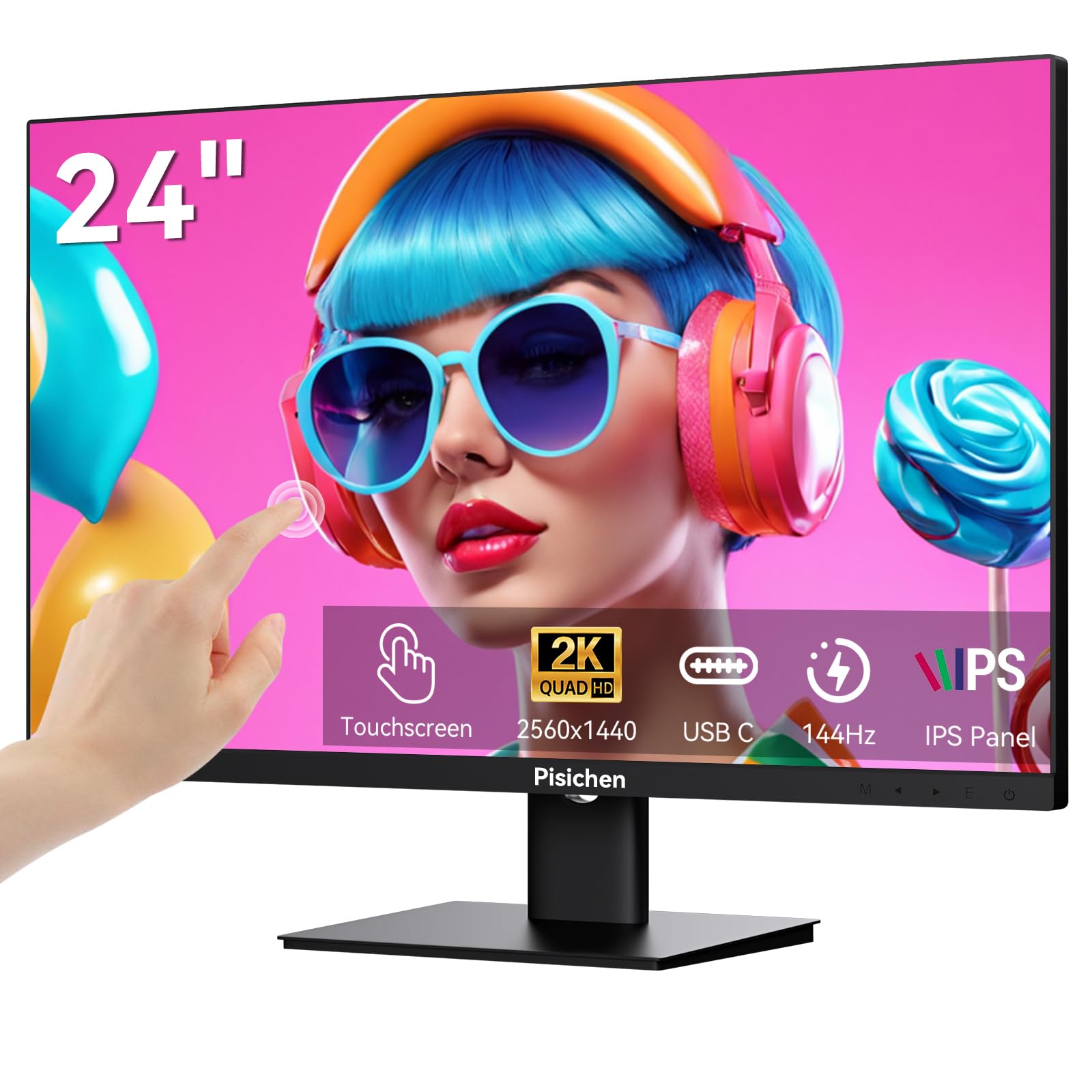
The Pisichen Touchscreen monitor offers a unique combination of a high pixel density QHD resolution and a responsive 144Hz refresh rate on a 23.8-inch panel. This makes it a rare find for users who want both sharp visuals and smooth motion, whether for interactive design work or a more dynamic gaming experience. The 10-point capacitive touchscreen adds a layer of intuitive control rarely seen in this size and resolution bracket.
Its IPS display technology provides a wide 178-degree viewing angle and a 3000:1 contrast ratio, delivering deeper blacks than typical IPS panels. The fast 2ms response time, coupled with FreeSync support, effectively reduces motion blur and screen tearing during gameplay. This is a monitor that handles both fast-paced content and precision tasks with equal agility.
Connectivity is flexible with USB-C, HDMI, and DisplayPort options, allowing you to connect modern laptops and consoles easily. The VESA mount compatibility and sleek, frameless design help integrate it into any existing setup. While a minority of units may arrive with defects, the performance-per-dollar for a touch-enabled 1440p high-refresh monitor is unmatched.
Why it’s great
- 10-point capacitive touchscreen adds direct interactivity
- 144Hz refresh rate with 2ms response time for fluid motion
- High 3000:1 contrast ratio for an IPS panel
Good to know
- Quality control can be inconsistent, with occasional dead pixels
- Touch functionality may not be ideal for all traditional gaming glass setups
3. AOC Agon PRO AG276QZD2 27″ QD-OLED Monitor

The AOC Agon PRO AG276QZD2 brings the dramatic visual leap of QD-OLED technology to the 1440p arena. With a 240Hz refresh rate and an astonishing 0.03ms GtG response time, motion is rendered with an almost ethereal clarity and zero perceptible blur. The self-luminous OLED panel delivers true blacks and an infinite contrast ratio, making every game scene look deeply dimensional.
Color performance is a standout feature, covering 101% of the DCI-P3 color gamut and 136.7% of sRGB, which provides incredibly vibrant and accurate HDR visuals. The HDR10 compliance ensures rich detail across diverse lighting scenarios. For competitive and immersive gaming, this combination of speed and image quality is difficult to beat at its price point.
The monitor includes a solid stand with height adjustment, built-in speakers, and a subtle RGB backlight for setup ambiance. It’s worth noting that the base is somewhat wobbly when the desk is bumped, and the standalone HDR performance, while good, may not rival more expensive professional OLEDs. For pure gaming fidelity, this is a compelling step up.
Why it’s great
- Stunning QD-OLED image quality with perfect blacks and vibrant HDR
- 240Hz refresh rate with 0.03ms response for ultra-smooth gaming
- Excellent out-of-box color calibration with a calibration report
Good to know
- Stand can feel wobbly under physical movement
- Text fringing can be noticeable for productivity work
- OLED burn-in prevention routines can be slightly intrusive
4. ASUS ROG Strix XG27AQDMGR 27″ OLED Monitor
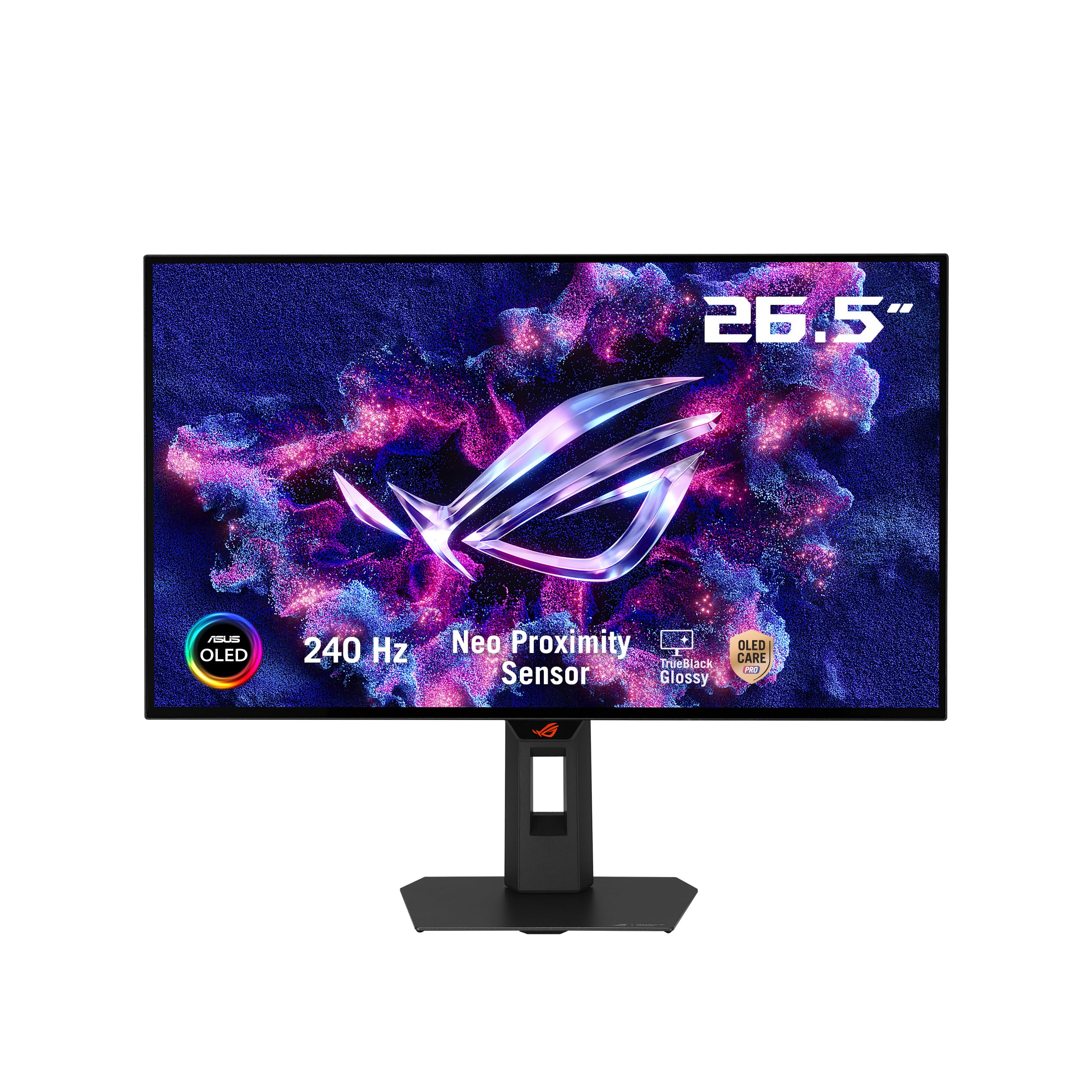
The ASUS ROG Strix XG27AQDMGR is a 26.5-inch WOLED gaming monitor that excels in both pure performance and long-term ownership. The 240Hz refresh rate and 0.03ms response time provide the same silky-smooth motion as other high-end OLEDs, but the key differentiator is ASUS OLED Care Pro. The Neo Proximity Sensor detects when you step away and switches the screen to black, significantly reducing the risk of burn-in.
It boasts a 99% DCI-P3 gamut, true 10-bit color, and a Delta E < 2 color difference, making it suitable for color-sensitive work alongside gaming. The VESA DisplayHDR 400 True Black compliance ensures deep blacks and bright highlights. The included DisplayWidget Center software allows you to adjust OLED Care settings and monitor profiles easily with a mouse, adding a layer of convenience.
The build quality is robust, with an excellent ergonomic stand that offers height, tilt, and swivel adjustments. The inclusion of a DisplayPort 2.1 (DP80) cable and a 3-year warranty with burn-in coverage provides significant peace of mind. While the HDR brightness could be higher, the overall package of speed, color, and protection makes it a top contender.
Why it’s great
- Neo Proximity Sensor for automatic burn-in prevention
- Excellent color accuracy with 99% DCI-P3 and Delta E < 2
- Includes 3-year warranty with burn-in coverage
Good to know
- HDR peak brightness could be a bit higher
- Some users report minor gray banding on solid backgrounds
- Matte coating can create a slight grainy appearance in bright light
5. ASUS ROG Swift PG27AQDM-R 27″ OLED Monitor

The ASUS ROG Swift PG27AQDM-R is a premium 26.5-inch WOLED monitor built for the discerning user who demands top-tier image quality and hardware. Its custom heatsink and intelligent voltage optimization are designed for superior heat management, which directly reduces the risk of burn-in over the monitor’s lifespan. This is an engineering-first approach to longevity.
The anti-glare micro-texture coating is a standout feature, effectively reducing reflections while maintaining excellent color accuracy. The 240Hz refresh rate, 0.03ms response time, and G-Sync compatibility make it a powerhouse for competitive play. The Delta E < 2 color difference and 99% DCI-P3 gamut mean it’s as suited for creative work as it is for gaming.
A major perk is the inclusion of a high-quality steel monitor arm in the box, saving you the added expense and installation time. The 3-year warranty with burn-in coverage further solidifies its value. While the matte coating can slightly diffuse sharpness compared to a glossy panel, the overall package of build, performance, and accessories is excellent.
Why it’s great
- Custom heatsink and voltage optimization for reduced burn-in risk
- High-quality steel monitor arm included in the box
- Excellent anti-glare coating for accurate colors in bright rooms
Good to know
- Matte coating can make text appear slightly softer than glossy panels
- HDR can appear washed out on some units without calibration
- Price can fluctuate significantly
6. LG 27GX790A-B Ultragear 27″ OLED Monitor

The LG 27GX790A-B Ultragear is a 27-inch QHD OLED monitor engineered for the extreme demands of competitive esports. The headline feature is its blistering 480Hz refresh rate, which, combined with a 0.03ms response time, delivers motion clarity that is nearly indistinguishable from reality. For players of fast-paced shooters, this means every frame is seen with absolute precision.
It utilizes a future-ready DisplayPort 2.1 connection to handle the massive data bandwidth required for 480Hz at 1440p. The OLED panel provides a 1.5M:1 contrast ratio and DisplayHDR True Black 400, ensuring games have both incredible speed and vivid, deep visual depth. G-Sync and FreeSync Premium Pro compatibility ensure a tear-free experience across all platforms.
The design is virtually borderless, and the stand offers full height, tilt, swivel, and pivot adjustments. The included 2-year warranty covers the OLED panel, which is a welcome reassurance. While this monitor focuses heavily on speed, its color performance and deep blacks mean it handles single-player games and media consumption with equal prowess.
Why it’s great
- 480Hz refresh rate for unmatched esports motion clarity
- Future-ready DisplayPort 2.1 for maximum bandwidth
- DisplayHDR True Black 400 with a 1.5M:1 contrast ratio
Good to know
- Premium pricing places it at the top of the market
- Requires a high-end GPU to fully drive 480Hz
- Limited to a 2-year warranty compared to some competitors’ 3-year
7. ASUS ROG Swift PG27AQDP 27″ WOLED Monitor

The ASUS ROG Swift PG27AQDP is another world-first contender, being one of the first 1440p OLED monitors to achieve a 480Hz refresh rate. The 26.5-inch WOLED panel, with its 0.03ms response time, delivers an unparalleled level of motion fluidity. What sets it apart is the exclusive ROG OLED Anti-Flicker technology, which helps reduce flicker during refresh rate fluctuations, providing a more stable and comfortable visual experience.
Its 99% DCI-P3 color gamut and Delta E < 2 color difference make it a powerhouse for HDR gaming and content viewing. The AI Assistant feature adds a layer of gamer convenience, helping you navigate settings and optimize your experience. The 3-year warranty with burn-in coverage gives you the confidence to use it heavily without constant worry.
Text clarity on this WOLED panel is notably better than on many other OLEDs, making it a more viable candidate for mixed-use scenarios that include office work. While some initial firmware versions had bugs, newer revisions have stabilized the experience, making it a top-tier 480Hz choice for those who prioritize anti-flicker performance and text readability.
Why it’s great
- Exclusive anti-flicker technology for a stable viewing experience
- Excellent text clarity for an OLED monitor
- 480Hz refresh rate with 0.03ms response time
Good to know
- HDR performance is adequate but not class-leading
- Some early firmware issues with OSD and DSC
- Matte coating can be slightly grainy for some users
FAQ
Why would I choose a 24-inch 1440p monitor over a 27-inch 1440p?
Is 75Hz a worthwhile upgrade from 60Hz for productivity?
Can an OLED monitor be used as a daily driver for office work?
Final Thoughts: The Verdict
For most users, the 1440p 24 inch monitor winner is the Lenovo Q24h-10 because it perfectly balances high pixel density, excellent color accuracy, and transformative USB-C connectivity at a strong value. If you want buttery-smooth motion and touchscreen interactivity, grab the Pisichen Touchscreen 144Hz. And for the ultimate visual fidelity and speed that blows past 144Hz, nothing beats the LG 27GX790A-B Ultragear or the ASUS ROG Swift PG27AQDP.