
Our readers keep the lights on and the weekend projects moving. As an Amazon Associate, I earn from qualifying purchases.
Flat screens just don’t cut it anymore. When you’re tracking a pixel-perfect headshot in a competitive shooter or losing yourself in a sprawling RPG, a curved panel pulls the edges of the action into your peripheral vision, creating a depth that a flat monitor simply cannot replicate. The real hunt isn’t for just any curved display—it’s for the sweet spot where resolution, refresh rate, and panel technology converge without breaking your bank.
I’m Rikta — the founder and writer behind FitlyFast. I’ve spent years parsing through panel specifications, analyzing real-world user feedback, and tracking market trends to separate the genuine performance upgrades from the marketing fluff.
After scouring hundreds of reviews and technical datasheets, I’ve narrowed the field down to the eleven monitors that actually deliver on their promises. This guide is your definitive resource for finding the absolute best 1440p curved gaming monitor to match your playstyle and desk.
How To Choose The Best 1440p Curved Gaming Monitor
The market is flooded with curved monitors, but the right one for you hinges on a few non-negotiable specs. Ignore the gigabyte-sized marketing clichés and focus on what actually dictates your in-game experience: the curvature, the panel type, the refresh rate, and how you’ll connect it.
Curvature: Immersion vs. Discomfort
Curvature is measured in millimeters (R rating). A smaller number means a tighter curve. The standard 1500R is a gentle wrap that works for most desk setups. A 1000R curve, found on monitors like the Samsung Odyssey G65B, matches the human eye’s natural field of view, creating a more intense sense of depth. However, an aggressive 800R curve, like on the LG 34GX90SA-W, demands you sit directly in the center of the arc or the perspective warps. Match the curve to your typical viewing distance—not just your aesthetic preference.
Panel Technology: The Color and Contrast Battle
VA panels offer deep blacks and high contrast ratios (like 4000:1) but can suffer from slow pixel response in dark transitions, leading to black smearing. OLED and QD-OLED panels—seen on the ASUS ROG Strix and Alienware—deliver per-pixel lighting, infinite contrast, and near-instantaneous response times (0.03ms), but they are more expensive and require care to avoid burn-in. IPS is rare in curved 1440p panels for gaming, but when present, it offers wide viewing angles and excellent color accuracy at the cost of contrast.
Refresh Rate and Response Time: Speed You Can Feel
240Hz is the current sweet spot for competitive gaming, offering a buttery-smooth experience that a 165Hz panel can’t match. The ZZA and AOC monitors push to 300Hz, which is overkill for most single-player titles but a genuine edge in esports. Response time (1ms MPRT or 0.03ms GtG) reduces ghosting. Look for native GtG ratings over MPRT (Moving Picture Response Time) as the latter is a marketing number that often exaggerates real-world performance.
Connectivity: Don’t Bottleneck Your Monitor
If you’re aiming for 240Hz at 1440p, you need a DisplayPort 1.4 or HDMI 2.1 connection. HDMI 2.0 caps out at 144Hz at this resolution. Many budget monitors (like the Sceptre) ship with older cables, so you may need to buy a proper DP 1.4 cable separately. Check your GPU’s output ports—using the wrong cable locks you out of the full refresh rate potential of your new display.
Quick Comparison
On smaller screens, swipe sideways to see the full table.
| Model | Category | Best For | Key Spec | Amazon |
|---|---|---|---|---|
| AOC CQ27G4ZH | Mid-Range | Competitive Esports | 300Hz / 0.3ms MPRT | Amazon |
| KTC H32S25E | Mid-Range | Intense 1000R Immersion | 1000R Curve / 240Hz | Amazon |
| Samsung Odyssey G65B | Mid-Range | Smart Features & HDR600 | 1000R / HDR600 | Amazon |
| KOORUI 34″ Ultrawide | Mid-Range | Ultrawide Multitasking | 3440×1440 / 240Hz | Amazon |
| ZZA Z32U | Mid-Range | High Refresh Rate Value | 300Hz / 1ms | Amazon |
| Sceptre C345B-QUT168 | Budget | Entry-Level Ultrawide | 3440×1440 / 180Hz | Amazon |
| CRUA 45″ Ultrawide | Premium | Massive Work & Play | 5120×1440 / 240Hz | Amazon |
| ASUS ROG XG34WCDG | Premium | QD-OLED Color Accuracy | QD-OLED / 175Hz | Amazon |
| Alienware AW3423DW | Premium | G-Sync Ultimate & QD-OLED | QD-OLED / 175Hz | Amazon |
| ASUS ROG XG49VQ | Premium | Super Ultrawide Sim Racing | 32:9 / 144Hz | Amazon |
| LG 34GX90SA-W | Premium | Ultimate OLED & Speed | 800R / 240Hz OLED | Amazon |
In‑Depth Reviews
1. AOC CQ27G4ZH

The AOC CQ27G4ZH nails the perfect balance of speed, size, and price. With a 300Hz refresh rate and an incredibly fast 0.3ms MPRT response time, this 27-inch 1500R VA panel is built for gamers who prioritize fluid motion above all else. The QHD resolution ensures text and textures are crisp, while the VA panel delivers a strong 16:09 contrast ratio that makes dark scenes in horror or strategy games far more legible than a typical IPS panel would.
The standout feature here is the 3-Year Zero-Bright-Dot warranty, a rare policy that covers the most common defect in modern monitors. The height-adjustable stand is a welcome addition at this price tier, allowing you to dial in your ergonomic setup without buying a third-party arm. Flicker-Free and low blue light technologies mean you can run marathon sessions without your eyes feeling scorched.
Connectivity is robust with one DP 1.4 and dual HDMI 2.0 ports, though you’ll need to use the DisplayPort to unlock the full 300Hz refresh rate. Some user reports mentioned early failure, but the warranty coverage provides a solid safety net. For a mid-range investment, this monitor delivers a competitive edge that rivals far more expensive options.
Why it’s great
- 300Hz refresh rate is genuine competitive advantage for esports.
- Height-adjustable stand saves you money on aftermarket arms.
- 3-Year Zero-Bright-Dot warranty offers rare peace of mind.
Good to know
- Full 300Hz requires DisplayPort; HDMI caps at 144Hz.
- Some units have been reported with early failure.
2. KTC H32S25E

The KTC H32S25E takes a different approach to immersion by employing a tight 1000R curvature, which wraps the 32-inch screen around your field of view. This 2K 1440p VA panel offers a 240Hz refresh rate and 1ms response time, making it a strong contender for fast-paced action titles. The 4000:1 contrast ratio is a highlight, providing deep blacks that make HDR content on this model feel punchier than its price suggests.
Setup is straightforward, and the frameless design makes it feel modern on any desk. The dual HDMI and dual DisplayPort inputs are generous—you can keep a PC, console, and streaming box all connected simultaneously. The tilt adjustment is basic, but the core panel performance is where this monitor earns its keep. Adaptive Sync eliminates tearing, and the 1000R curve genuinely reduces head movement during long sessions.
The main trade-off is the lack of height adjustment on the stand; you’ll need a VESA arm to dial in your perfect eye level. Some users noted dead pixels out of the box, though this appears to be a QC variance rather than a systemic issue. For the price, the KTC delivers a premium-feeling curve that few competitors can match at this price tier.
Why it’s great
- 1000R curve provides an enveloping, immersive gaming experience.
- 240Hz and 1ms ensure fluid, responsive gameplay.
- 4000:1 contrast ratio delivers excellent depth in dark games.
Good to know
- Stand lacks height adjustment; VESA mount recommended.
- Panel quality control can be inconsistent.
3. Samsung Odyssey G65B

The Samsung Odyssey G65B is more than just a monitor—it’s a smart gaming hub. The 27-inch 1000R curved QHD panel delivers a stellar 240Hz refresh rate with a 1ms (GTG) response time, but the real differentiator is its built-in Gaming Hub. You can stream Xbox Game Pass, GeForce Now, and other cloud services directly without a PC, making this an excellent option for a dorm room or secondary setup.
DisplayHDR 600 certification is a significant step up from the HDR400 found on most monitors at this price. Combined with the VA panel’s 2,500:1 contrast ratio, it reveals detail in shadowy corners that cheaper monitors would crush into black. The 1000R curve is aggressive but comfortable at a typical arm’s length, pulling you into single-player campaigns. The sleek white-backed design also adds a premium aesthetic to any desk.
On the downside, the smart interface can be intrusive—users report undismissable update pop-ups and a convoluted menu system. The monitor also lacks a proper USB hub. If you can tolerate the software quirks, the hardware performance is top-tier for a mid-range investment, offering a feature set that no other monitor in this list can replicate.
Why it’s great
- Built-in Gaming Hub allows cloud streaming without a PC.
- HDR600 provides far better brightness and contrast than typical budget HDR.
- 1000R curve creates a deep, immersive viewing experience.
Good to know
- Smart interface suffers from intrusive update prompts.
- No USB hub; OSD navigation can be cumbersome.
4. KOORUI 34″ Ultrawide
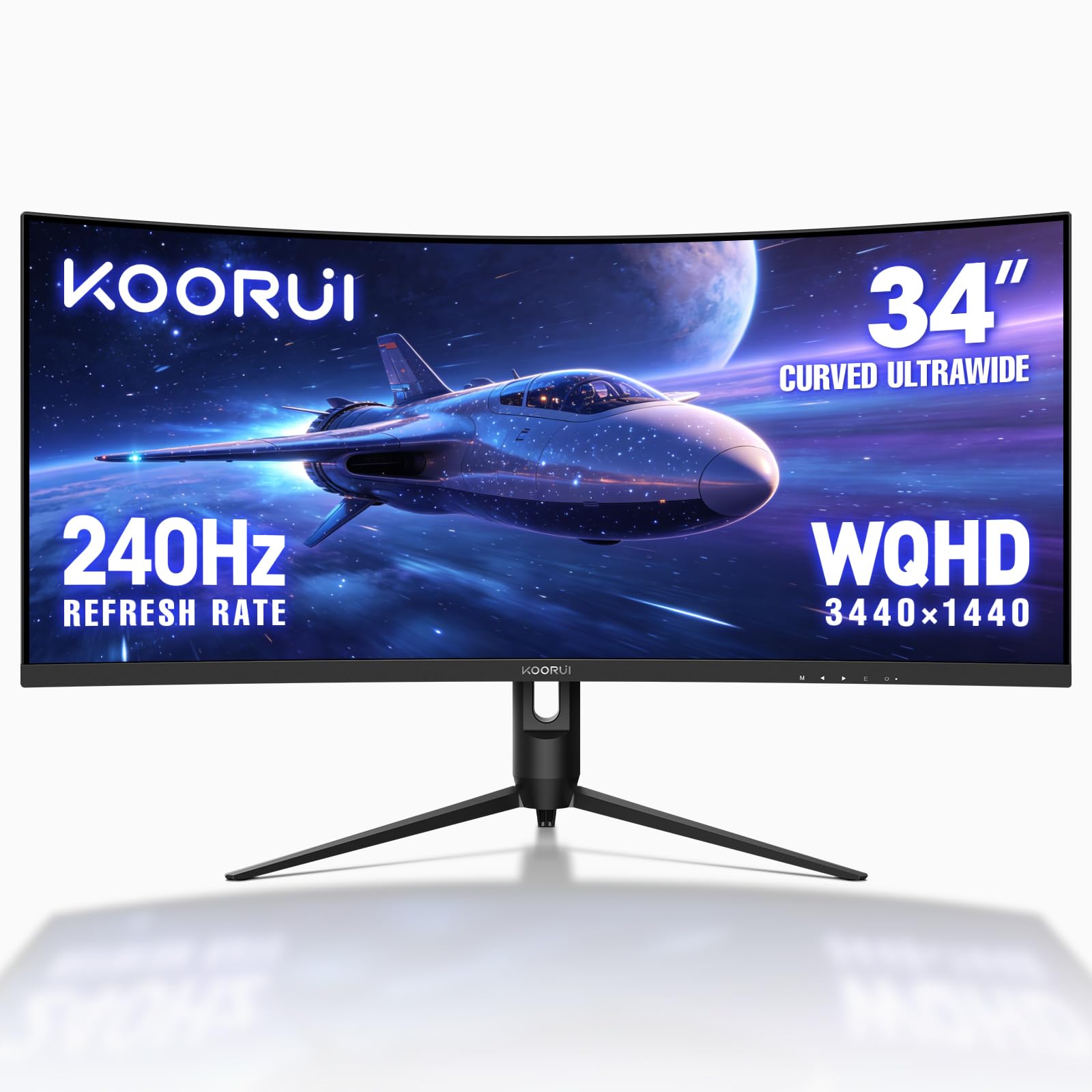
The KOORUI 34-inch ultrawide is a serious proposition for those who want the desk-wrapping immersion of a 21:9 ratio without emptying their wallet. The 3440×1440 WQHD resolution offers a massive 30% more screen real estate than a standard 16:9 QHD panel, and the 1500R curvature keeps the edges comfortably in view. At 240Hz with a 1ms response time, this monitor handles both fast-paced shooters and productivity workflows with equal ease.
Color performance is impressive for a VA panel at this price, covering 98% of the DCI-P3 color space. The 4000:1 contrast ratio ensures deep blacks, making it a solid choice for cinematic cutscenes and dark single-player games. The ergonomic stand offers full height, tilt, and swivel adjustments—a rarity for ultrawide monitors in this price band. Picture-in-Picture and Picture-by-Picture modes let you display two inputs simultaneously, a huge boon for multitaskers.
The built-in speakers are basic and won’t replace a dedicated headset. Some users noted the menu button can be fiddly, and the monitor lacks a USB-C port for modern laptops. But for a well-rounded, high-refresh-rate ultrawide, the KOORUI punches far above its weight class.
Why it’s great
- 3440×1440 ultrawide resolution offers excellent multitasking space.
- 240Hz refresh rate with 1ms response is fast enough for competitive play.
- PIP/PBP modes allow easy dual-input multitasking.
Good to know
- Built-in speakers are weak; plan to use headphones.
- Menu controls can be frustrating to use.
5. ZZA Z32U
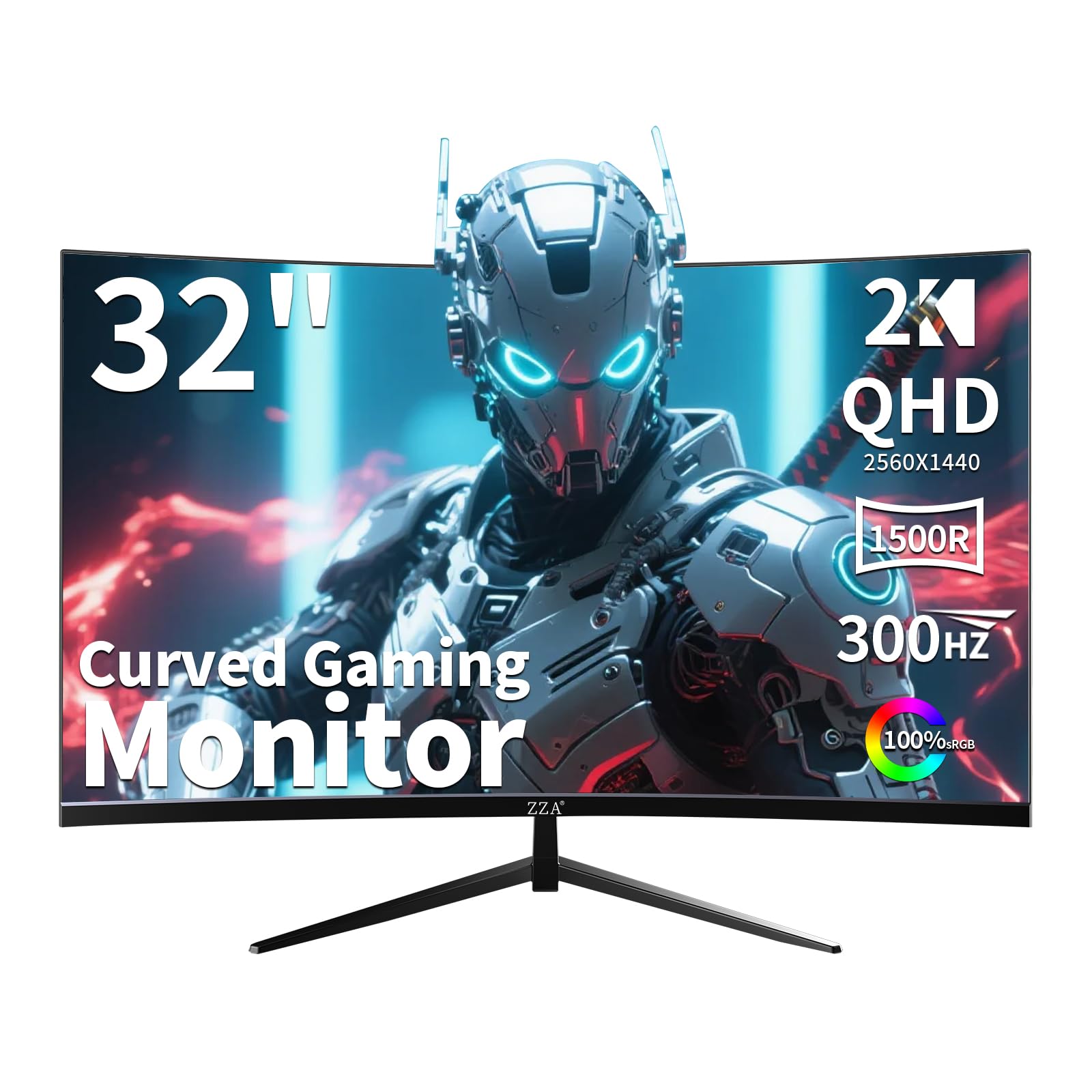
If pure frame rate is your goal, the ZZA Z32U delivers a staggering 300Hz refresh rate on a 32-inch 1500R curved VA panel. This is a monitor built explicitly for competitive gaming—the combination of QHD 2560×1440 resolution and 300Hz produces an incredibly fluid image that even expensive 240Hz panels struggle to match. The 1ms response time keeps ghosting to a minimum, and the panel supports both AMD FreeSync Premium and NVIDIA G-Sync Compatibility, ensuring a tear-free experience regardless of your GPU brand.
The 1500R curvature is comfortable for a 32-inch screen, providing a gentle wrap that reduces eye strain during long sessions. The stand offers full height, tilt, and swivel adjustments, which is generous for a monitor at this price point. The 2000:1 contrast ratio is decent, though not as deep as the best VA panels; colors appear vibrant and accurate out of the box.
Some users reported dead pixels and the omission of advertised USB ports is disappointing. The monitor also lacks built-in speakers, so plan to use a headset or external audio. At this price, the ZZA offers the highest refresh rate per dollar, making it a fantastic choice for esports enthusiasts who value speed above all else.
Why it’s great
- 300Hz refresh rate is unmatched at this price for competitive edge.
- Full ergonomic stand with height, tilt, and swivel adjustments.
- Dual sync support works with both AMD and NVIDIA GPUs.
Good to know
- Some units have arrived with dead pixels.
- Advertised USB port missing; no built-in speakers.
6. Sceptre C345B-QUT168

The Sceptre C345B-QUT168 is the entry-level champion for anyone wanting an ultrawide 1440p experience on a tight budget. At 3440×1440 with a 1500R curve and up to 180Hz refresh rate, it offers a massive canvas for both gaming and productivity. The 99% sRGB color gamut ensures respectable color accuracy, and the 1ms MPRT response time keeps motion blur under control in most scenarios.
The 21:9 ratio is a game-changer for immersion in racing simulators and open-world RPGs, and the extra screen width allows for efficient split-screen multitasking. The built-in speakers are surprisingly functional for casual use, and the blue light filter helps reduce eye strain. Setup is plug-and-play, and the monitor includes both DisplayPort and HDMI inputs, though you’ll need a DP cable to hit the 180Hz refresh rate.
Where the Sceptre shows its budget roots is the stand—it’s tilt-only with no height adjustment, forcing you to prop it up or buy a VESA arm. Some users reported backlight bleed and occasional dead pixels. The sharpness is not as refined as more expensive monitors. But for the price, the Sceptre delivers a genuine ultrawide QHD experience that was simply impossible to find at this cost just a few years ago.
Why it’s great
- Genuine 3440×1440 ultrawide resolution at an entry-level price.
- 180Hz refresh rate offers smooth gameplay for most genres.
- Built-in speakers and blue light filter for all-day use.
Good to know
- Stand is tilt-only; no height adjustment included.
- Backlight bleed and dead pixel reports from some users.
7. CRUA 45″ Ultrawide
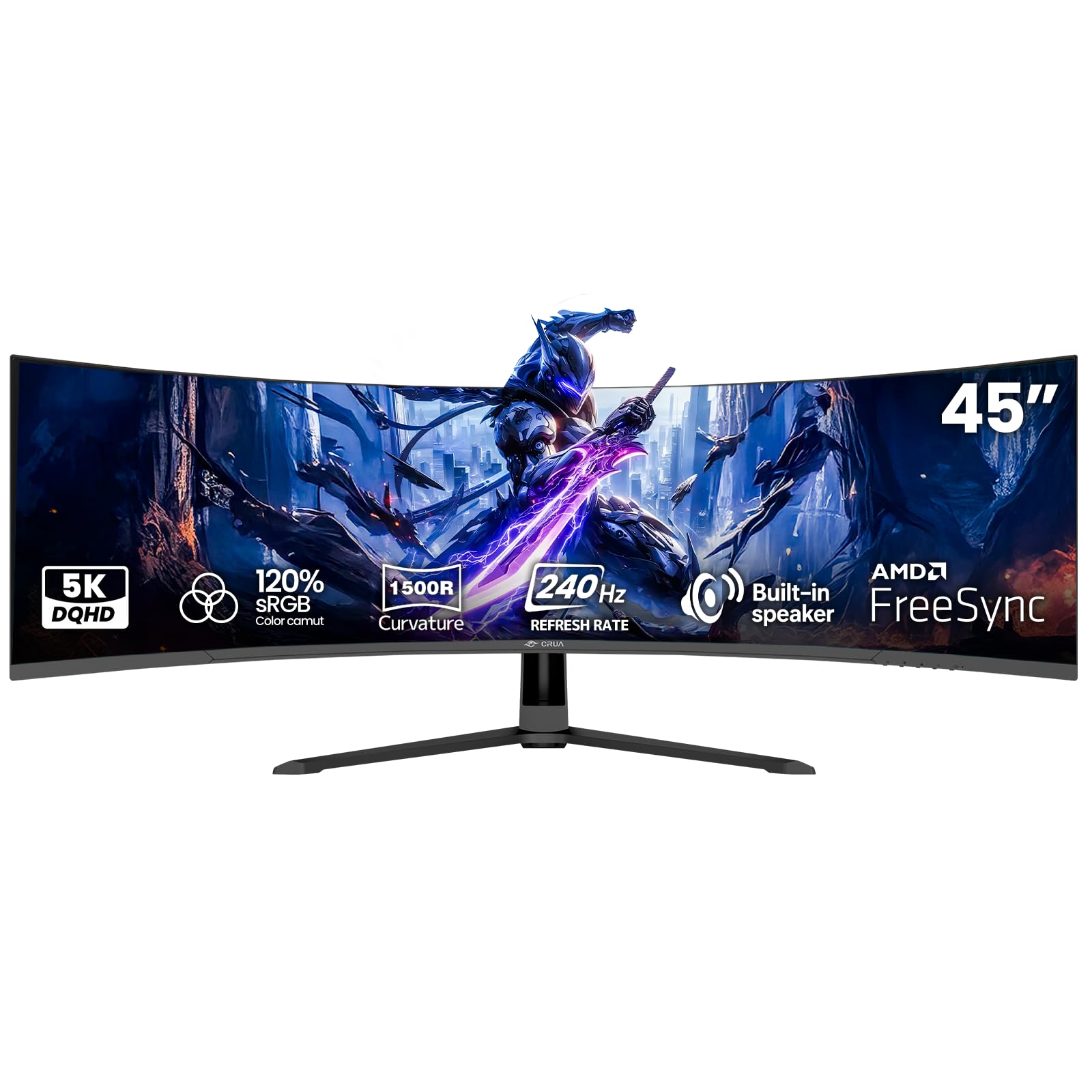
The CRUA 45-inch is a statement piece. Its 32:9 aspect ratio and 5120×1440 DQHD resolution effectively deliver the workspace of two QHD monitors side by side without a bezel gap. The 1500R curvature is essential for a screen this wide—it wraps the massive display around you, making it feel less like a wall of pixels and more like a cockpit. This is a monitor built for simulation gamers, traders, and creative professionals who need maximum horizontal real estate.
Performance is solid for a VA panel: 240Hz refresh rate, 1ms response time, and a 120% sRGB color gamut produce vibrant, fluid visuals. AMD FreeSync compatibility helps keep tearing at bay. The built-in speakers are adequate for meetings and streaming but won’t thrill gamers. The 45-inch size also supports 100x100mm wall mounting, freeing up desk space in a big way.
The major drawbacks are the physical footprint—this monitor demands a deep desk or an arm—and the potential for glare on the large curved surface. Some users have reported a high-pitched whine from the power adapter, though this appears to be unit-specific. For the price, the CRUA offers a level of immersion that rivals monitors costing significantly more, making it a smart choice for those who prioritize scale over pixel density.
Why it’s great
- 5120×1440 resolution replaces a dual-monitor setup seamlessly.
- 240Hz refresh rate keeps the massive screen feeling fluid.
- 1500R curve is necessary and effective for a 45-inch panel.
Good to know
- Demands significant desk depth or a monitor arm.
- Some reports of power adapter noise; panel can be glossy.
8. ASUS ROG Strix XG34WCDG

The ASUS ROG Strix XG34WCDG is a visual masterpiece, leveraging a 34-inch QD-OLED panel to deliver colors and contrast that VA and IPS monitors simply cannot match. With a 3440×1440 resolution, 175Hz refresh rate, and an astonishing 0.03ms response time, this monitor is as fast as it is beautiful. The 99.3% DCI-P3 color gamut, true 10-bit color depth, and Delta E < 2 rating make it a legitimate tool for photo and video editing alongside gaming.
ASUS’s OLED Care Pro features are a highlight, including a Neo Proximity Sensor that detects when you step away and automatically switches to a black screen to reduce burn-in risk. The monitor is also G-Sync Compatible, ensuring buttery-smooth frame pacing. The ROG Gaming AI technology offers practical tools like dynamic crosshairs and frame rate counters without overlays. The 3-year warranty includes burn-in coverage, which is rare in the OLED space.
The drawbacks are few but notable: there is no built-in speaker, and the 3.5mm audio jack can be unreliable. The USB ports are hub-only, meaning they don’t support video or audio passthrough. As an ultrawide QD-OLED, it demands a powerful GPU to push 3440×1440 at high refresh rates. For those who can afford the premium, the XG34WCDG offers a near-perfect blend of speed and image fidelity.
Why it’s great
- QD-OLED panel delivers unbeatable color accuracy and contrast.
- OLED Care Pro with proximity sensor reduces burn-in risk.
- 3-year warranty includes burn-in coverage for peace of mind.
Good to know
- No built-in speakers; 3.5mm audio output can be unreliable.
- Requires high-end GPU to reach 175Hz in demanding games.
9. Alienware AW3423DW

The Alienware AW3423DW is a legend in the QD-OLED space, and for good reason. This 34.18-inch 3440×1440 display is built around a Quantum Dot OLED panel that achieves a 1,000,000:1 contrast ratio and covers 149% of the sRGB color gamut. The picture quality is jaw-dropping—deep, inky blacks alongside incredibly bright highlights without blooming. It’s a monitor that makes every game look like its cinematic trailer.
G-Sync Ultimate certification ensures flawless frame synchronization, and the 0.1ms GtG response time is among the fastest available. The 1800R curve is more relaxed than the 1000R panels, but it still provides a comfortable sense of depth. The Lunar Light white design and customizable AlienFX RGB lighting add a unique aesthetic. Creator Mode allows color-critical work, letting you switch between DCI-P3 and sRGB color spaces with precision.
The trade-offs are significant for some. The monitor forces a mandatory pixel refresh every 4 hours (10 minutes) and a panel refresh after 1000 hours (1 hour), which can interrupt gameplay. There is no HDMI 2.1 port, so console users are limited to 100Hz over HDMI. The glossy panel can be a problem in bright rooms. For a high-end investment, the AW3423DW delivers an image that few can rival, but the OLED maintenance rituals may frustrate some users.
Why it’s great
- QD-OLED panel offers infinite contrast and stunning color.
- G-Sync Ultimate ensures premium, tear-free gameplay.
- Creator Mode is a rare bonus for content creators.
Good to know
- Mandatory pixel refreshes can interrupt long gaming sessions.
- No HDMI 2.1; glossy screen can reflect room lights.
10. ASUS ROG Strix XG49VQ

The ASUS ROG Strix XG49VQ is a super-ultrawide specialist with a 49-inch 32:9 aspect ratio. It’s a different beast than the other monitors here, offering a 3840×1080 resolution—effectively two 1080p screens side-by-side. The 1800R curve is gentle for a 49-inch panel but still effective in wrapping the edges into your vision. The 144Hz refresh rate and FreeSync 2 HDR certification make it an excellent choice for simulation games and racing titles.
This monitor excels in multitasking. Tools like Windows Powertoys FancyZones allow you to partition the massive screen into multiple efficient windows, making it a productivity powerhouse. The DisplayHDR 400 certification and 90% DCI-P3 coverage provide decent color performance for a VA panel. The stand offers full ergonomic adjustments including height, tilt, and swivel, and it supports VESA mounting.
The main compromise is resolution: 3840×1080 on a 49-inch screen results in a pixel density of about 81 PPI, which can look fuzzy for text-heavy work or when sitting close. G-Sync compatibility can cause blue ghosting on some NVIDIA cards. The HDR implementation is also on the lower end (HDR400), offering little dynamic range benefit. For sim racing and productivity, the XG49VQ is unmatched, but it’s not a general-purpose monitor.
Why it’s great
- 32:9 ratio provides an unparalleled field of view for sim racing.
- Excellent for multitasking with window manager tools.
- Full ergonomic stand with height adjustment included.
Good to know
- 1080p vertical resolution leads to low pixel density.
- HDR400 is underwhelming; G-Sync can cause ghosting on some NVIDIA cards.
11. LG 34GX90SA-W

The LG 34GX90SA-W represents the bleeding edge of curved gaming monitors. Its 34-inch WQHD OLED panel features an aggressive 800R curve that is the steepest of any monitor on this list, creating an almost panoramic immersion. Combined with a 240Hz refresh rate and a lightning-fast 0.03ms (GtG) response time, this monitor delivers an experience that is both intensely immersive and incredibly responsive. The 1,500,000:1 contrast ratio and DisplayHDR True Black 400 certification produce visuals that simply glow off the screen.
LG’s webOS platform is a major differentiator, offering built-in access to Netflix, Prime Video, and cloud gaming services like GeForce NOW and Amazon Luna, allowing you to game without a PC. The HDMI 2.1 and USB-C (65W power delivery) inputs ensure future-proof connectivity for next-gen consoles and modern laptops. The Ultra Low Glare coating is effective at minimizing reflections, keeping you focused on the action.
The price reflects its flagship status. The 2-year warranty is shorter than some competitors and does not explicitly cover burn-in. The stand has a somewhat controversial grey-blue tint that clashes with the white chassis. The webOS interface, while powerful, can feel laggy compared to a direct PC connection. For those seeking the absolute best visual package and smart features, the LG is the reigning champion.
Why it’s great
- 800R curve provides the most immersive OLED experience available.
- 240Hz and 0.03ms response set a new standard for speed.
- Built-in webOS allows streaming and cloud gaming without a PC.
Good to know
- Premium cost commands a high budget from the buyer.
- 2-year warranty does not explicitly cover OLED burn-in.
FAQ
Can a mid-range GPU handle a 1440p 240Hz curved monitor?
Is a VA panel better than an OLED for a 1440p curved gaming monitor?
Does a 1500R curve work on a 27-inch monitor?
Final Thoughts: The Verdict
For most users, the best 1440p curved gaming monitor winner is the AOC CQ27G4ZH because it delivers an unbeatable combination of a 300Hz refresh rate, a warranty that protects against dead pixels, and a price that defines the mid-range sweet spot. If you want the deep blacks and color accuracy of a QD-OLED, grab the ASUS ROG Strix XG34WCDG. And for the ultimate immersive experience with an aggressive 800R curve and built-in smart features, nothing beats the LG 34GX90SA-W.