
Our readers keep the lights on and the weekend projects moving. As an Amazon Associate, I earn from qualifying purchases.
Shifting from a standard IPS or VA panel to a 1440p OLED gaming monitor is the single most noticeable visual upgrade you can make to your rig. The move to per-pixel lighting eliminates backlight bleed and delivers an infinite contrast ratio, transforming dark scenes in games like Alan Wake 2 or Cyberpunk 2077 from muddy gray to pitch black with brilliant highlights. The difference is not subtle—it is a complete change in how game worlds are rendered.
I’m Rikta — the co-founder and writer behind FitlyFast. Every monitor in this guide has been researched and analyzed through dozens of hours of spec comparison, customer feedback synthesis, and market positioning to find the best balance of motion clarity, color fidelity, and burn-in prevention for your specific gaming habits.
Whether you are a competitive esports player chasing the fastest response times or a single-player connoisseur craving HDR pop, this guide will help you find the ideal 1440p oled gaming monitor for your setup and budget.
How To Choose The Best 1440p OLED Gaming Monitor
Buying your first OLED monitor means navigating panel generations, burn-in anxiety, and connection bandwidth limits. Focus on three core differentiators: the panel type (QD-OLED versus WOLED), the refresh rate your GPU can actually drive, and the built-in OLED care features that protect your investment. Ignore marketing fluff about “true blacks” — all OLEDs deliver those. What matters is how bright they get, how they handle reflections, and whether the stand allows proper ergonomics for your desk setup.
Panel Technology: QD-OLED vs. WOLED
QD-OLED panels use a blue OLED layer with quantum dots to produce red and green, resulting in higher color volume and peak brightness, especially in HDR scenes. WOLED panels use a white OLED layer with color filters, offering more accurate out-of-box colors and a true black floor without the slight purple tint that QD-OLED can exhibit under bright ambient light. For a dark room, QD-OLED provides more vibrant pop; for a bright room with windows, WOLED’s native black level holds up better.
Refresh Rate and Your GPU
A 360Hz monitor is wasted if your graphics card cannot maintain 360 FPS in your favorite titles at 1440p. Modern cards like the RTX 4070 and above can drive 240Hz in most competitive shooters, but only top-end hardware pushes past 360 FPS consistently. Match the refresh rate to your actual GPU performance to avoid paying for bandwidth you cannot use. The 240Hz sweet spot balances cost and fluidity for the widest range of hardware.
Burn-In Prevention and Warranty
All modern OLED gaming monitors include pixel refresh, logo detection, and screen savers to reduce static image retention. Some, like the MSI MPG 271QRX and Samsung Odyssey G6, add active cooling systems or custom heatsinks to further dissipate heat and extend panel life. A three-year warranty that explicitly covers burn-in is the gold standard — brands like ASUS, Alienware, and Samsung offer this, while others offer two years with panel coverage. Prioritize burn-in warranty terms over minor spec differences.
Connectivity and Future-Proofing
HDMI 2.1 with full 48 Gbps bandwidth is essential for 1440p at 240Hz with HDR and VRR enabled. DisplayPort 1.4 with DSC is sufficient for 1440p 360Hz, but DisplayPort 2.1 (found on the LG 27GX790B-B) supports higher bandwidth without compression, a future-proofing advantage. USB-C with power delivery is a convenience bonus for laptop users, enabling single-cable video, charging, and peripheral connection.
Quick Comparison
On smaller screens, swipe sideways to see the full table.
| Model | Category | Best For | Key Spec | Amazon |
|---|---|---|---|---|
| MSI MPG 271QRX | QD-OLED | Competitive FPS Gaming | 360Hz / 0.03ms GtG | Amazon |
| LG 27GS93QE | WOLED | Accurate SDR Color | 240Hz / 0.03ms GtG | Amazon |
| INNOCN 2780s | QD-OLED | Budget Entry OLED | 280Hz / 0.03ms GtG | Amazon |
| ASUS ROG XG27AQDMG | WOLED | Glossy Picture Quality | 240Hz / Custom Heatsink | Amazon |
| Samsung Odyssey G6 G60SD | QD-OLED | High-FPS Esports | 360Hz / 0.03ms GtG | Amazon |
| Alienware AW2725DF | QD-OLED | All-Round Gaming | 360Hz / 3-Year Warranty | Amazon |
| LG 27GX790B-B | WOLED | Extreme Refresh Rates | 540Hz / 0.02ms GtG | Amazon |
| Samsung G6 G60SF (500Hz) | QD-OLED | World’s First 500Hz OLED | 500Hz / TrueBlack 500 | Amazon |
| Samsung Odyssey G6 G61SD | QD-OLED | Balanced Mid-Range | 240Hz / 0.03ms GtG | Amazon |
| LG 39GX90SA-W | WOLED | Ultrawide Immersion | 240Hz / 800R Curve | Amazon |
| Alienware AW3425DW | QD-OLED | Curved Ultrawide Gaming | 240Hz / 1800R Curve | Amazon |
In‑Depth Reviews
1. MSI MPG 271QRX QD-OLED

The MSI MPG 271QRX hits the exact sweet spot for competitive and casual gamers alike with its 360Hz refresh rate and 0.03ms GtG response time on a QD-OLED panel. Colors are vivid with Delta E≤2 accuracy, and the VESA DisplayHDR True Black 400 certification ensures that dark scenes in games like Diablo IV have zero backlight bleed. MSI OLED Care 2.0 includes pixel shift, taskbar detection, and a panel refresh timer to mitigate burn-in over years of use.
Connectivity is fully future-proofed with HDMI 2.1 supporting full 48 Gbps bandwidth for console gaming at 1440p 120Hz, plus a USB-C port with KVM functionality that lets you toggle between a gaming PC and a work laptop using a single keyboard and mouse. The adjustable stand offers height, tilt, and swivel, making long sessions comfortable.
The only real trade-off is the typical QD-OLED quirk: a slight purple tint to black levels when ambient light hits the screen directly. In a dark or dimly lit room, this is invisible. For the price-to-performance ratio, this is the most complete 1440p OLED package currently available.
Why it’s great
- Next-gen 360Hz QD-OLED with blistering response
- Full HDMI 2.1 48 Gbps bandwidth
- KVM switch for multi-device setups
Good to know
- QD-OLED can show purple tint in bright rooms
- Stand is solid but takes desk space
2. LG 27GS93QE Ultragear OLED

The LG 27GS93QE uses a WOLED panel that delivers true blacks without the purple tint issue that QD-OLED panels sometimes show. The anti-glare matte finish is close to glossy in clarity but far easier to keep clean and reduces reflections in bright rooms. With 240Hz, 0.03ms GtG, and 98.5% DCI-P3 coverage, colors look accurate straight out of the box.
It supports both NVIDIA G-Sync Compatible and AMD FreeSync Premium Pro, covering both GPU ecosystems without tearing or stutter. The stand offers full ergonomic adjustment including height, tilt, pivot, and swivel. It also includes a 2-year limited warranty covering the OLED panel.
The only downside is the lower peak brightness compared to QD-OLED alternatives, hovering around 275 nits typical. This means HDR highlights are less punchy in brightly lit rooms. However, in a controlled lighting environment, this monitor provides the best value for gamers who prioritize accurate black levels and a matte finish.
Why it’s great
- True blacks with WOLED tech, no purple tint
- Near-glossy matte finish, easy to clean
- Precise out-of-box color accuracy
Good to know
- Lower typical brightness than QD-OLED
- HDR pop is less intense in bright rooms
3. INNOCN 27″ QD-OLED 2780s

The INNOCN 2780s brings QD-OLED technology to a more accessible entry point without sacrificing the core visual benefits: perfect blacks, vibrant colors, and a 1.5M:1 contrast ratio. The 280Hz refresh rate and 0.03ms response time are competitive with high-end options, and the white chassis design stands out if you are building a lighter-themed battlestation. HDMI 2.1 support ensures compatibility with PS5 and Xbox Series X at 1440p 120Hz.
Build quality is solid for the price bracket, with a fully adjustable stand offering height, tilt, and pivot adjustments. The built-in speakers are functional for system audio but are tinny and lack bass — plan to use headphones or external speakers for gaming.
The main limitation is the black level adjustment range, which some users find limited for fine-tuning shadow detail in very dark games. Still, as a first QD-OLED monitor, the jump from VA or IPS is transformative, and INNOCN offers lifetime technical support with a 30-day replacement window.
Why it’s great
- Best entry price for QD-OLED tech
- 280Hz refresh rate for smooth gameplay
- White design for themed setups
Good to know
- Built-in speakers are weak
- Limited black level adjustment range
4. ASUS ROG Strix XG27AQDMG

The ASUS ROG Strix XG27AQDMG is a 26.5-inch WOLED monitor with a glossy finish that delivers the most cinematic image quality of any 1440p OLED monitor. The custom heatsink and advanced airflow design actively manage thermals to reduce burn-in risk, and ASUS OLED Anti-flicker technology smooths out refresh rate fluctuations that can cause annoyance during VRR use. The 240Hz refresh rate and 0.03ms response time are standard for the class, but the 99% DCI-P3 coverage and uniform brightness setting make this a hybrid monitor equally capable for gaming and creative work.
Connectivity includes HDMI 2.1 for console use and DisplayPort 1.4 with DSC for PC. The stand is robust with height, tilt, and swivel adjustments. The 3-year warranty explicitly includes burn-in coverage, which is the industry gold standard for peace of mind.
The glossy coating is a double-edged sword: it makes colors and contrast look punchier than any matte panel, but reflections are more visible in brightly lit rooms. If your gaming space has controlled lighting, this is the best-looking 1440p OLED you can buy. Some users report VRR flicker with certain GPU configurations, which is mitigated by using a high-quality DP 1.4 cable.
Why it’s great
- Glossy OLED with incredible color pop
- Custom heatsink for burn-in protection
- 3-year warranty with burn-in coverage
Good to know
- Glossy screen reflects ambient light
- VRR flicker can occur without quality cable
5. Samsung Odyssey G6 G60SD

The Samsung Odyssey G6 G60SD is a purpose-built esports monitor featuring a QD-OLED panel with 360Hz refresh rate and a near-instant 0.03ms response time. Samsung’s Dynamic Cooling System uses a pulsating heat pipe to dissipate heat five times faster than traditional graphite sheets, directly addressing the primary cause of OLED burn-in. The Glare Free technology reduces reflections by 54% compared to standard anti-reflection film, making it one of the most usable OLED monitors in rooms with windows or overhead lights.
AMD FreeSync Premium Pro provides tear-free gaming, and the monitor includes logo detection and taskbar detection that automatically dims static elements to prevent burn-in. The 3-year warranty adds further reassurance. The stand is fully adjustable, and the slim metal design looks clean on any desk.
The main drawback is a known reliability issue with the power button joystick, which some users report breaking with minimal use. Samsung’s warranty service for this specific part has received poor reviews, so handling the monitor gently is advised. For the price, this is the best pure 360Hz OLED for competitive play, provided you are careful with the hardware.
Why it’s great
- 360Hz with industry-leading motion clarity
- Dynamic Cooling System prevents burn-in
- Glare Free tech for bright-room use
Good to know
- Joystick button can be fragile
- Samsung warranty service mixed reviews
6. Alienware AW2725DF OLED

The Alienware AW2725DF is a 26.7-inch QD-OLED monitor that balances high-performance gaming specs with a strong burn-in warranty. The 360Hz refresh rate and 0.03ms GtG response time deliver fluid motion, while 99.3% DCI-P3 coverage and Delta E<2 accuracy ensure that both games and creative work look true to life. The stand offers full height, tilt, swivel, and pivot adjustments, making it one of the most ergonomic options in this category.
It supports AMD FreeSync Premium Pro and is G-Sync Compatible, and the VESA DisplayHDR True Black 400 certification delivers deep blacks with good highlight detail. The 3-year warranty explicitly covers burn-in, which is the most generous policy in this segment. The build quality is typical Alienware — premium materials and a sturdy base.
The downsides include a slight purple tint to the QD-OLED coating in bright rooms, and the surface is a fingerprint magnet that requires regular wiping with a microfiber cloth. Text clarity is slightly lower than a high-end IPS due to the OLED subpixel layout, though it is fine for general productivity. At its typical sale price, this is the best balanced 360Hz OLED for users who want a single monitor for gaming and work.
Why it’s great
- 3-year burn-in warranty included
- Full ergonomic stand with pivot
- 360Hz with great color accuracy
Good to know
- QD-OLED purple tint in bright rooms
- Fingerprint magnet on screen surface
7. LG 27GX790B-B Ultragear OLED
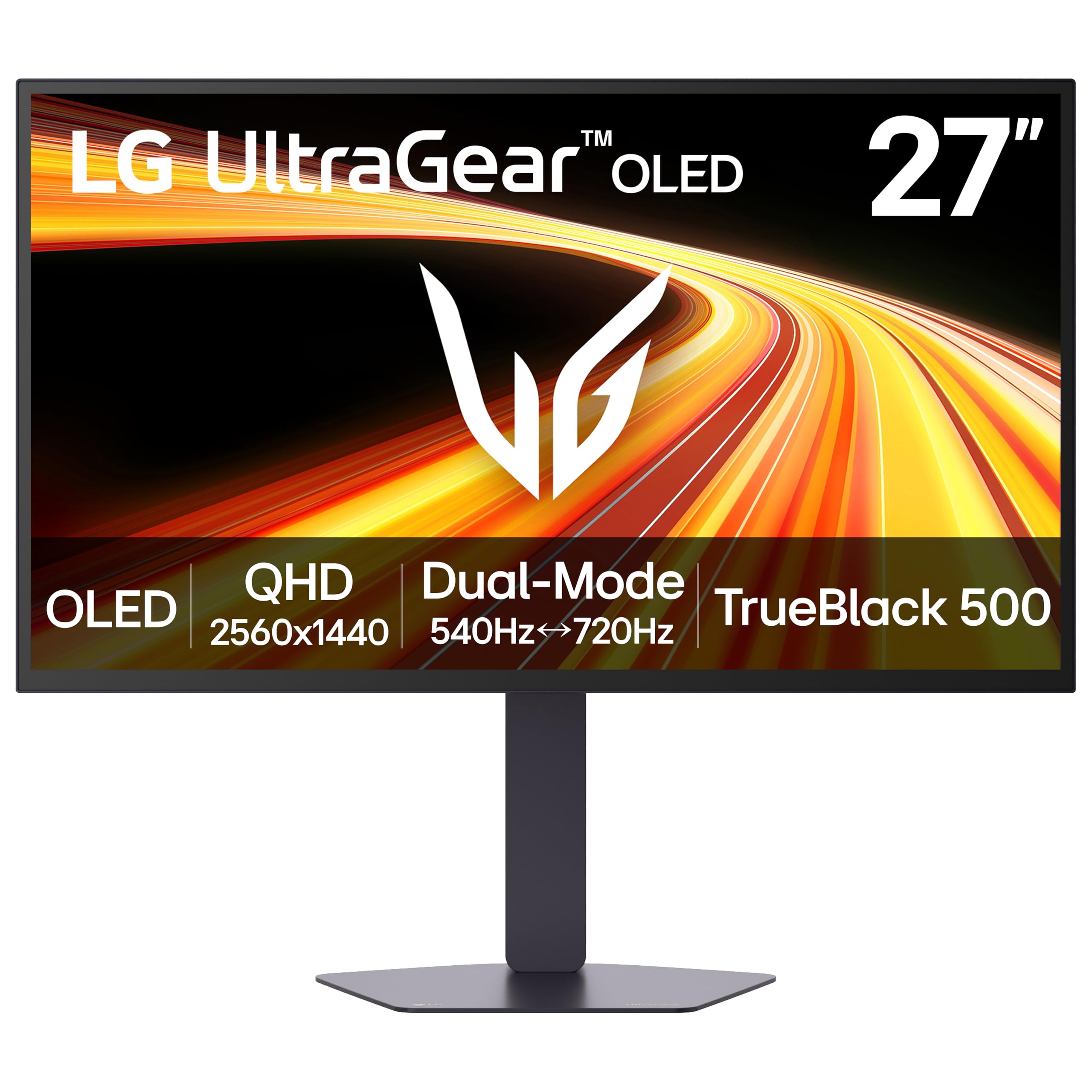
The LG 27GX790B-B pushes the boundaries of OLED speed with a 4th-generation Primary RGB Tandem OLED panel that hits an incredible 540Hz at QHD resolution (or 720Hz at HD via Dual Mode). The 0.02ms GtG response time is the fastest in this list, making it the definitive choice for competitive esports where every millisecond counts. The DisplayHDR True Black 500 certification and 335 nits typical brightness make it LG’s brightest OLED monitor yet, with reduced ABL that keeps highlight detail visible during intense action.
DisplayPort 2.1 support is a key differentiator, providing enough bandwidth for the extreme refresh rates without needing Display Stream Compression. Dual HDMI 2.1 ports handle console gaming simultaneously. The matte finish is effective in bright rooms, and the stand offers full ergonomic adjustment.
The bezel bottom is larger than some competitors, which can be visually distracting for users sensitive to asymmetry. The proprietary power cable is also a minor nuisance. For the price, this monitor is specifically for competitive gamers with top-tier GPUs — the 540Hz mode is largely wasted on mid-range hardware.
Why it’s great
- World’s fastest 540Hz OLED refresh rate
- DisplayPort 2.1 for uncompressed bandwidth
- Brightest LG OLED with reduced ABL
Good to know
- Large bottom bezel may bother some users
- Requires top-tier GPU for max refresh
8. Samsung Odyssey G6 G60SF (500Hz)
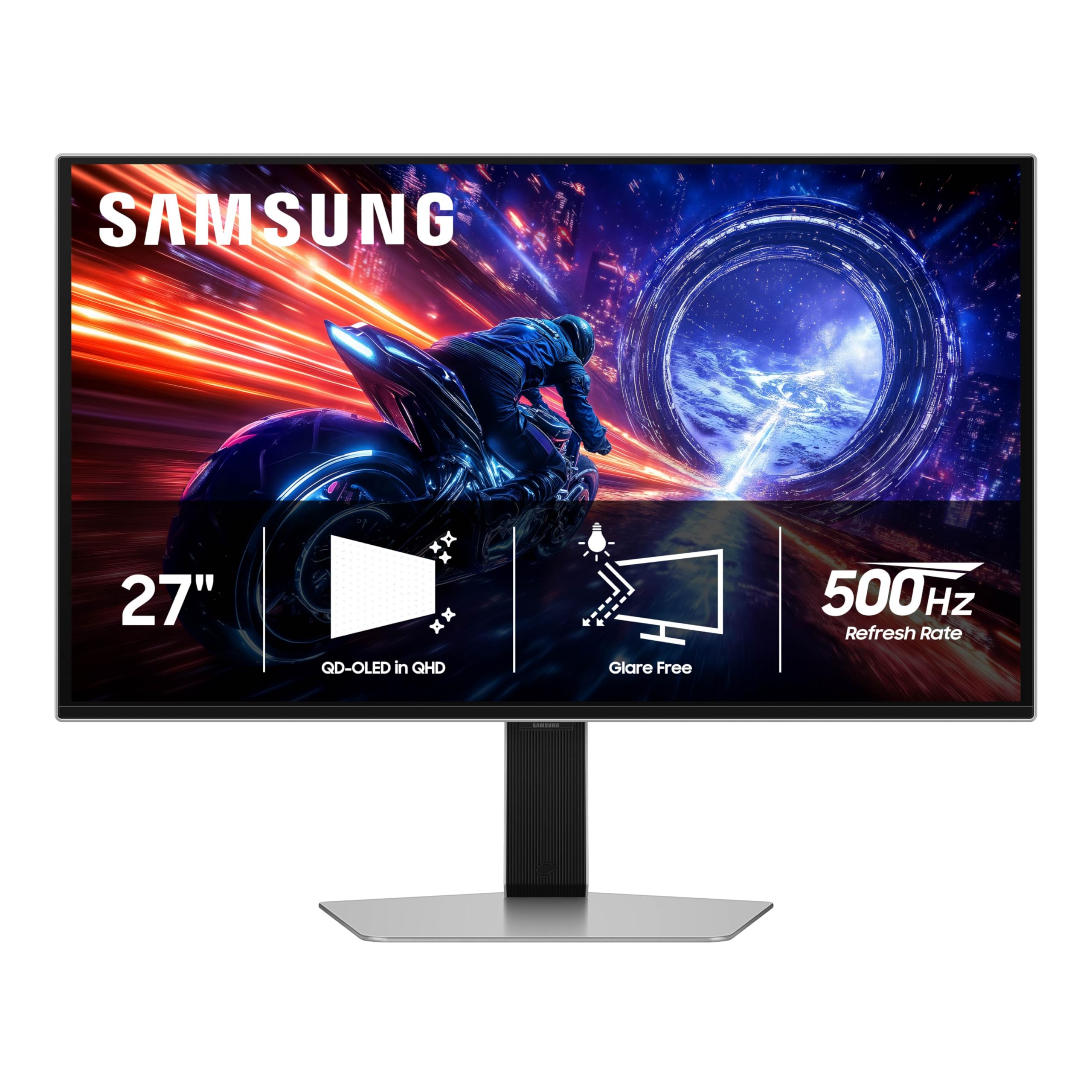
The Samsung Odyssey G6 G60SF is the world’s first OLED monitor to reach a 500Hz refresh rate, paired with a 0.03ms GtG response time and QD-OLED panel technology. This refresh rate eliminates motion blur completely even in the fastest-paced shooters, and the VESA DisplayHDR TrueBlack 500 certification provides peak brightness of 1000 nits for standout HDR highlights. The Glare Free coating keeps reflections to a minimum in most room conditions.
It supports G-Sync Compatible and AMD FreeSync Premium Pro, ensuring smooth frame pacing across both ecosystems. The ergonomic stand offers tilt, height, and pivot adjustments. Like the G60SD, this model includes the Dynamic Cooling System and a 3-year warranty.
The same joystick power button durability concern applies here as with the G60SD model. Some users report that the back button can break easily, and Samsung’s warranty has denied claims for this as user error. If you are willing to treat the controls gently, this monitor offers a performance tier that no other 1440p OLED can match at this refresh rate.
Why it’s great
- First 500Hz OLED monitor on the market
- DisplayHDR TrueBlack 500 with 1000 nits peak
- Extensive burn-in protection features
Good to know
- Joystick button can be fragile
- Premium price for niche refresh rate
9. Samsung Odyssey G6 G61SD

The Samsung Odyssey G6 G61SD offers the same QD-OLED panel quality as the higher-end G60 models but at a more accessible price and a standard 240Hz refresh rate. Colors are vibrant, blacks are inky, and the anti-glare coating effectively reduces reflections. The Dynamic Cooling System with pulsating heat pipe is still present, providing premium burn-in protection at a mid-range price. The metal finish on the stand and bezel adds a premium tactile feel.
G-Sync Compatible and AMD FreeSync Premium Pro support cover both GPU ecosystems, and the monitor includes logo and taskbar detection for automatic brightness reduction on static elements. The screen saver dims after 10 minutes of inactivity. The stand offers height adjustment.
The one persistent flaw across Samsung models is the JOG button, which feels flimsy and has been reported to fail. Additionally, the permanent pixel shift feature cannot be disabled, which means you lose about 2-3 pixels of screen real estate on each edge as the image periodically shifts. Some users find this distracting. For the price, this is a strong mid-range QD-OLED if you can tolerate the pixel shift quirk.
Why it’s great
- Premium QD-OLED with metal design
- Dynamic Cooling System at mid-range price
- G-Sync Compatible and FreeSync Premium Pro
Good to know
- Pixel shift cannot be turned off
- JOG button feels flimsy
10. LG 39GX90SA-W Ultragear OLED

The LG 39GX90SA-W is a 39-inch ultrawide WOLED monitor with a steep 800R curve that surrounds your periphery for maximum immersion in racing and flight sims. The 3440 x 1440 resolution at 240Hz with a 0.03ms response time delivers smooth motion across the wide aspect ratio. LG’s webOS is integrated directly into the monitor, giving you access to Netflix, Prime Video, and cloud gaming services like GeForce NOW without needing a PC connected.
USB-C with power delivery supports single-cable connection to a laptop, providing video, data, and charging. The anti-glare surface keeps reflections low, and the 2-year limited warranty covers the OLED panel. The stand is white to match the chassis.
The 39-inch size and steep curve demand a deep desk — at least 30 inches of depth — to maintain comfortable viewing distance. The webOS interface is handy but can be sluggish compared to a dedicated streaming device. This monitor is best for gamers who prioritize ultrawide immersion over pure competitive speed.
Why it’s great
- 800R curve for deep immersion
- Built-in webOS for streaming and cloud gaming
- USB-C with power delivery for laptops
Good to know
- Requires deep desk for comfortable viewing
- webOS can feel sluggish at times
11. Alienware AW3425DW

The Alienware AW3425DW is a 34.2-inch ultrawide QD-OLED monitor with a 240Hz refresh rate, 0.03ms response time, and an 1800R curve that provides immersive wraparound views without the extreme steepness of 800R panels. The 3440 x 1440 resolution offers 99.3% DCI-P3 coverage with Delta E<2 accuracy, and VESA DisplayHDR TrueBlack 400 delivers deep blacks with 1000 nits peak brightness in HDR highlights. The monitor supports AMD FreeSync Premium Pro and is G-Sync Compatible.
Alienware’s build quality is premium, with a fully adjustable stand offering height, swivel, and tilt. The included microfiber cloth is a thoughtful addition for cleaning the QD-OLED surface, which smudges easily. The 3-year warranty covers burn-in, giving long-term peace of mind for this price tier.
Text clarity is slightly soft due to the QD-OLED subpixel layout, making it less ideal for heavy spreadsheet or coding work. The 1800R curve is subtle enough to work for both gaming and productivity, but the glossy coating means reflections are visible in bright rooms. If you want a wide immersive gaming canvas with the highest color fidelity, this is a top contender.
Why it’s great
- Stunning ultrawide QD-OLED with 240Hz
- 3-year burn-in warranty
- 1800R curve for subtle immersion
Good to know
- Text clarity is soft for productivity
- Glossy coating reflects ambient light
FAQ
Will a 1440p OLED monitor suffer burn-in from the Windows taskbar?
Can I use a 1440p OLED monitor for office work and coding?
What GPU do I need to run a 360Hz 1440p OLED monitor?
Is the glossy or matte screen coating better for gaming?
Final Thoughts: The Verdict
For most users, the 1440p oled gaming monitor winner is the MSI MPG 271QRX QD-OLED because it offers a perfect balance of 360Hz speed, vivid QD-OLED colors, and comprehensive OLED Care features at a mid-range price. If you want the best black levels in a bright room without any purple tint, grab the LG 27GS93QE. And for extreme competitive performance where every frame matters, nothing beats the LG 27GX790B-B with its 540Hz dual-mode speed.