
Our readers keep the lights on and the weekend projects moving. As an Amazon Associate, I earn from qualifying purchases.
Chasing pixel-perfect motion across a dark dungeon corridor, you notice the smear — that ghostly trail from your old LCD panel that ruins immersion. A 1440p OLED monitor wipes that artifact clean, delivering per-pixel lightning and true blacks that make every game world feel tangible.
I’m Rikta — the co-founder and writer behind FitlyFast. For this guide, I’ve analyzed panel specifications, burn-in mitigation technologies, and real-world performance benchmarks across over a dozen of the most compelling 1440p OLED displays currently available.
Whether you need blistering 360Hz response for competitive esports or cinematic HDR for single-player epics, the right choice balances refresh rate, panel generation, and warranty coverage. This deep dive into the best 1440p oled monitor options will help you match the perfect panel to your gaming style.
How To Choose The Best 1440p OLED Monitor
Selecting your first OLED gaming monitor involves more than picking the highest refresh rate. You must weigh panel chemistry against your room lighting, budget constraints against burn-in protection, and form factor against desk depth. Here are the critical factors that separate a smart purchase from a regrettable one.
Panel Type: QD-OLED vs WOLED
Quantum Dot OLED panels, used by Samsung and MSI, offer wider color volume and higher peak brightness, but their lack of a polarizer means blacks can appear slightly purple in bright rooms. WOLED panels, found in LG and some ASUS models, deliver true inky blacks even with ambient light and feature a matte anti-glare coating. Choose QD-OLED for dark room immersion and WOLED for bright, mixed-use spaces.
Refresh Rate and Response Time
While 240Hz is already a massive upgrade from standard 60Hz panels, competitive gamers benefit from 360Hz or even 540Hz rates. The real advantage of OLED, however, is the 0.03ms response time — pixels transition nearly instantly, eliminating motion blur entirely. At 540Hz, motion clarity on the ASUS PG27AQWP-W approaches CRT levels, a genuine advantage in fast-twitch titles.
Burn-in Mitigation and Warranty
OLED burn-in from static HUD elements remains the primary long-term concern. Look for features like pixel cleaning routines, logo and taskbar dimming, and proximity sensors that blank the screen when you step away. A warranty that explicitly covers burn-in, such as ASUS and MSI three-year plans, provides essential peace of mind for daily use.
Quick Comparison
On smaller screens, swipe sideways to see the full table.
| Model | Category | Best For | Key Spec | Amazon |
|---|---|---|---|---|
| ASUS ROG Swift PG27AQWP-W | WOLED | Competitive 540Hz | 0.02ms / DP 2.1 | Amazon |
| ASUS ROG Strix XG27ACDNG | QD-OLED | All-Round 360Hz | Custom Heatsink | Amazon |
| ASUS ROG Strix XG27AQWMG | WOLED | Glossy HDR Clarity | Tandem OLED / 280Hz | Amazon |
| MSI MAG 271QPX QD-OLED | QD-OLED | Value 360Hz Gaming | 3rd Gen QD-OLED | Amazon |
| Samsung Odyssey OLED G6 | QD-OLED | Bright Room Gaming | Glare Free / 240Hz | Amazon |
| LG 27GS93QE Ultragear | WOLED | True Blacks on Budget | 1.5M:1 Contrast | Amazon |
| Alienware AW3425DW | QD-OLED | Ultrawide Immersion | 99.3% DCI-P3 | Amazon |
| LG 45GX900A-B | WOLED | 45-inch Curved Action | 800R Curve / 240Hz | Amazon |
| Samsung Odyssey OLED G9 | QD-OLED | Dual 27″ Replacement | 5120×1440 / 144Hz | Amazon |
| Deco Gear 49″ QD-OLED | QD-OLED | Productivity + Gaming | 90W USB-C / KVM | Amazon |
| INNOCN 49C1S | VA LCD | Entry Ultrawide | 5120×1440 / 240Hz | Amazon |
In‑Depth Reviews
1. ASUS ROG Swift PG27AQWP-W

The PG27AQWP-W represents the pinnacle of 1440p OLED engineering, featuring a dual-mode capability that switches between QHD at 540Hz and HD at 720Hz. The Tandem OLED technology pushes WOLED brightness 15% higher than previous generations while delivering 25% larger color volume, and the 0.02ms response time eliminates any perceptible motion blur. The TrueBlack Glossy panel produces zero haze, making text and fine details remarkably crisp for an OLED display.
ASUS includes the Neo Proximity Sensor as part of their OLED Care Pro suite, which automatically blanks the screen when you step away, significantly reducing cumulative burn-in risk. Connectivity is future-proofed with DisplayPort 2.1 UHBR20 offering full 80Gbps bandwidth, plus two HDMI 2.1 ports. The three-year warranty includes burn-in coverage, making this a safe long-term investment.
Some users report noticeable grey banding on uniform dark gradients, and the monitor speakers are notably quieter than competitors. The white chassis may not suit all setups, but for competitive gamers who prioritize fluidity above all else, this display has no equal at 1440p.
Why it’s great
- 540Hz refresh eliminates all motion blur
- DP 2.1 with full 80Gbps bandwidth
- Neo Proximity Sensor for burn-in prevention
Good to know
- Grey banding reported on some units
- Monitor speakers are quieter than average
- White colorway limits aesthetic flexibility
2. ASUS ROG Strix 26.5” XG27ACDNG

The XG27ACDNG balances high-end QD-OLED performance with a mid-range price point that undercuts most 360Hz competition. The 26.5-inch QD-OLED panel delivers the hallmark vivid colors and deep blacks of Samsung’s panel technology, while the custom heatsink and advanced airflow design actively manage heat to reduce pixel degradation. The 360Hz refresh rate and 0.03ms response time produce buttery smooth motion in fast-paced shooters.
ASUS OLED Care+ includes anti-flicker technology that minimizes perceivable flicker during refresh rate fluctuations, a common annoyance on variable refresh rate OLEDs. The VESA DisplayHDR 400 True Black compliance confirms excellent black level performance, and the 99% DCI-P3 coverage handles HDR content with authority. The three-year warranty includes burn-in coverage, matching the industry’s best support.
Height adjustment is limited compared to some competitors, and the pixel cleaning pop-up can interrupt gameplay if not scheduled during idle time. Some legacy games may not display correctly at 360Hz, requiring manual refresh rate adjustment. Overall, this is the most balanced 360Hz OLED you can buy.
Why it’s great
- 360Hz QD-OLED at a compelling price
- Custom heatsink reduces burn-in risk
- Excellent color volume and HDR performance
Good to know
- Limited height adjustment range
- Pixel cleaning pop-up can be intrusive
- Some older games incompatible with 360Hz
3. ASUS ROG Strix 27” XG27AQWMG
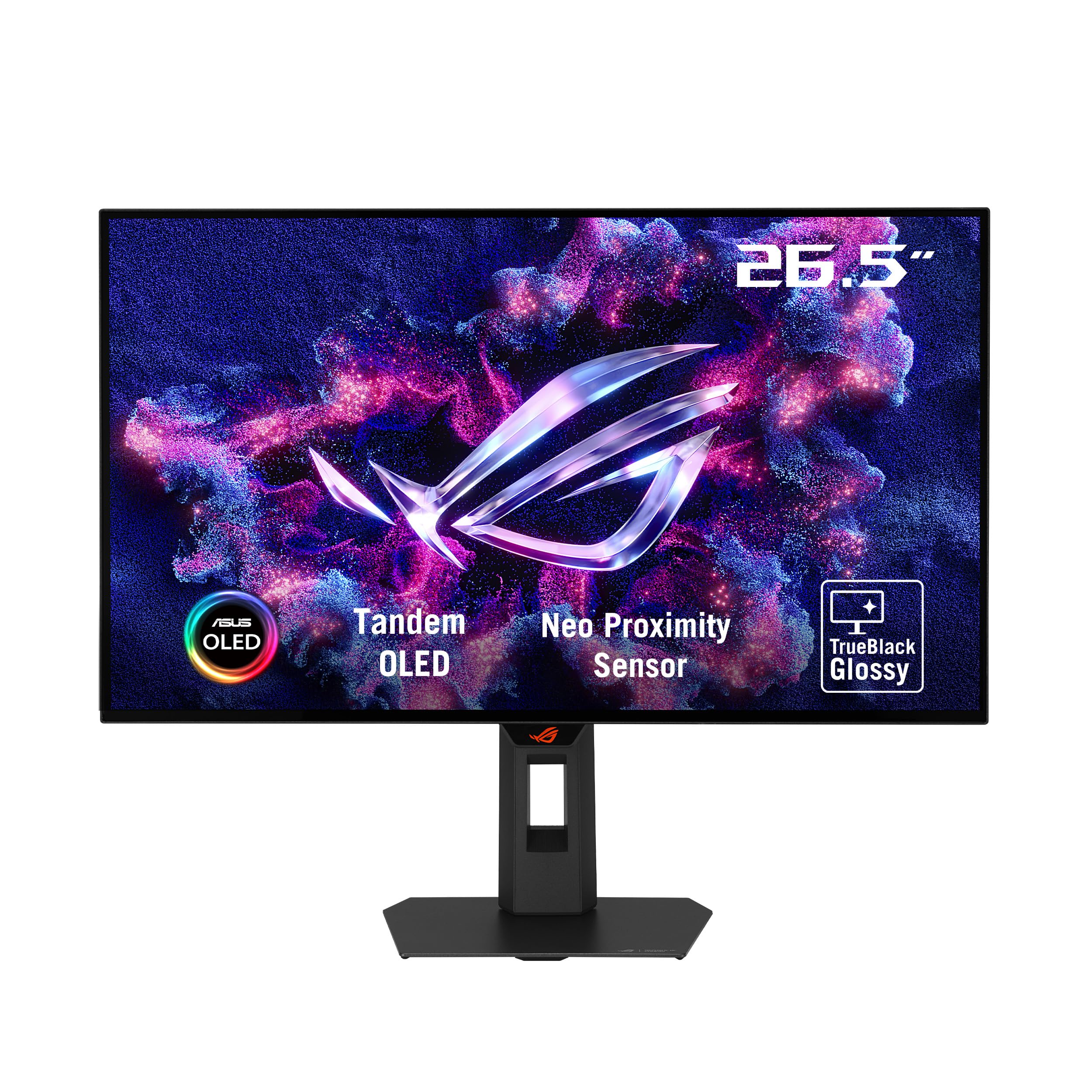
The XG27AQWMG stands apart with its TrueBlack Glossy tandem WOLED panel, producing zero surface haze for exceptionally sharp imagery. The Tandem OLED architecture pushes peak brightness 15% higher than earlier WOLED generations, reaching VESA DisplayHDR 500 True Black certification. The 280Hz refresh rate may not match the highest-end 360Hz offerings, but the glossy coating makes colors appear more saturated and blacks deeper in controlled lighting.
ASUS includes the Neo Proximity Sensor as part of OLED Care Pro, which detects user absence and blanks the screen to prevent burn-in from static content. The DisplayWidget Center software allows mouse-based control of all OLED care functions. The three-year burn-in warranty provides peace of mind, and the built-in power supply reduces cable clutter compared to external brick designs.
Several users report grey banding on uniform gray backgrounds, though this often diminishes after 100 hours of use and multiple pixel refresh cycles. The 280Hz refresh rate, while fast, may feel like a compromise to those who have experienced 360Hz. For those who prioritize image sharpness and HDR brightness over raw refresh rate, this glossy WOLED is a standout.
Why it’s great
- Zero-haze glossy panel for sharpest text
- DisplayHDR 500 True Black certification
- Neo Proximity Sensor prevents burn-in
Good to know
- Grey banding common in first 100 hours
- 280Hz may feel slower than 360Hz alternatives
- Firmware updates required to fix horizontal lines
4. MSI MAG 271QPX QD-OLED

The MSI MAG 271QPX delivers 3rd generation QD-OLED technology with 360Hz refresh rate at one of the lowest price points in the category. The Delta E ≤ 2 color accuracy out of the box makes it suitable for both gaming and light creative work, while the VESA DisplayHDR 400 True Black standard ensures deep blacks and solid contrast. The 0.03ms GtG response time produces zero ghosting, and HDMI 2.1 support provides full 48 Gbps bandwidth for console gaming.
MSI OLED Care 2.0 includes pixel shift, panel protect, and taskbar detection features to combat burn-in. The three-year burn-in warranty matches ASUS and Samsung in coverage scope. The stand offers tilt and height adjustment, and the slim bezel design looks clean on any desk. The overall value proposition is strong for those wanting flagship OLED performance at a mid-range investment.
Display Stream Compression (DSC) is required to reach 360Hz at full 10-bit color, which introduces a slight delay when alt-tabbing. Variable refresh rate flicker can appear in loading screens. These are common OLED teething pains rather than MSI-specific issues, but worth noting for multi-monitor setups.
Why it’s great
- 3rd Gen QD-OLED with 360Hz speed
- Delta E ≤ 2 color accuracy out of box
- Three-year burn-in warranty included
Good to know
- DSC introduces alt-tab delay
- VRR flicker in loading screens
- Burn-in still requires proactive management
5. Samsung Odyssey OLED G6 (G61SD)

The Odyssey OLED G6 features Samsung’s QD-OLED technology with a Glare Free coating that reduces reflections by 54% compared to standard anti-reflection films, making it the best choice for brightly lit gaming rooms. The 240Hz refresh rate and 0.03ms response time deliver smooth, tear-free gameplay, and the Dynamic Cooling System uses a pulsating heat pipe for five times better thermal management than graphite sheets. The slim metal design with a silver bezel adds a premium aesthetic.
Samsung includes several burn-in countermeasures: a Thermal Modulation System that predicts surface temperature and adjusts brightness, logo and taskbar detection that dims static elements, and a screen saver that activates after 10 minutes of inactivity. G-Sync compatibility and FreeSync Premium Pro support ensure smooth variable refresh rate performance across both NVIDIA and AMD GPUs.
The Pixel Shift feature cannot be disabled, leaving visible gaps at the screen edges that some users find distracting. The single JOG button for OSD navigation feels flimsy compared to competitors. The silver bezel may not suit all setups, and the lack of a glossy option means slightly less punchy colors in dark rooms.
Why it’s great
- Glare Free coating excels in bright rooms
- Dynamic Cooling System prevents burn-in
- Slim metal design with premium feel
Good to know
- Pixel Shift cannot be disabled
- JOG button feels flimsy
- Silver bezel may clash with black setups
6. LG 27GS93QE Ultragear

The LG 27GS93QE is the most affordable true OLED gaming monitor on this list, offering WOLED technology with a 240Hz refresh rate and 0.03ms response time. The 1.5M:1 contrast ratio produces exceptionally deep blacks, and the VESA DisplayHDR True Black 400 certification ensures HDR content looks punchy. The anti-glare low reflection coating minimizes distractions, making this a solid choice for mixed lighting conditions.
The monitor supports both NVIDIA G-Sync and AMD FreeSync Premium Pro for tear-free gameplay across any GPU. HDMI 2.1 connectivity enables full 240Hz at 1440p from next-gen consoles. The stand offers full height, tilt, and pivot adjustments, and the 2-year limited warranty covers the OLED panel. The matte finish avoids the purple-black washout that QD-OLED panels exhibit in bright rooms.
Brightness is lower than QD-OLED alternatives, making HDR content less impactful in well-lit spaces. The pixel cleaning process occurs during standby and can be slightly audible. Despite these trade-offs, this is the clear entry point for experiencing genuine OLED gaming without stretching your budget.
Why it’s great
- True WOLED blacks at entry-level price
- Anti-glare coating works well in light
- Full ergonomic stand adjustments
Good to know
- Lower peak brightness than QD-OLED
- Pixel cleaning can be audible
- 2-year warranty shorter than competitors
7. Alienware 34 AW3425DW

The Alienware 34 AW3425DW combines a 34.2-inch WQHD QD-OLED panel with a gentle 1800R curve for immersive ultrawide gaming. The 21:9 aspect ratio provides significantly more peripheral vision in racing and flight simulators, while the 240Hz refresh rate keeps motion smooth. The 99.3% DCI-P3 coverage and Delta E < 2 color accuracy deliver vivid, faithful colors out of the box, and the VESA DisplayHDR True Black 400 ensures deep shadow detail.
Adaptive sync support includes NVIDIA G-Sync Compatible, AMD FreeSync Premium Pro, and VESA AdaptiveSync, covering all GPU ecosystems. The sleek black design with Alienware branding fits well in gaming-focused setups. The stand provides height, tilt, and swivel adjustments, and the included DisplayPort and HDMI cables simplify setup.
QD-OLED text clarity is slightly fringed on small fonts due to the subpixel layout, which can be an issue for productivity work. Peak brightness is lower than mini-LED alternatives, making HDR less impactful in bright rooms. The burn-in risk requires proactive management through pixel refresh routines, though no major issues have been widely reported.
Why it’s great
- Immersive 34-inch QD-OLED ultrawide
- 99.3% DCI-P3 with Delta E < 2 accuracy
- Triple adaptive sync compatibility
Good to know
- Text clarity fringed for productivity
- Lower peak brightness than mini-LED
- Burn-in requires proactive management
8. LG 45GX900A-B Ultragear

The LG 45GX900A-B uses an aggressive 800R curve on a 45-inch WQHD WOLED panel to create the most immersive gaming canvas on this list. The 240Hz refresh rate and 0.03ms response time deliver fast, fluid motion, while the 1.5M:1 contrast ratio and DisplayHDR True Black 400 certification ensure deep blacks and vibrant highlights. The 21:9 aspect ratio provides extra vertical space compared to 32:9 super ultrawide alternatives.
Connectivity includes HDMI 2.1, DisplayPort 1.4, and USB Type-C with 65W power delivery, enabling single-cable laptop connectivity. The monitor is UL-verified for flicker-free, discomfort glare free, and low blue light platinum certification, making extended sessions more comfortable. The 2-year limited warranty covers the OLED panel, and OLED Care tools automate pixel cleaning.
The 45-inch size at WQHD resolution results in a lower pixel density than 27-inch 1440p options, making fine text less sharp. Some users report vertical line issues and inconsistent LG warranty support, which is a concern for long-term ownership. The 800R curve is very aggressive and may not suit all desk setups or productivity workflows.
Why it’s great
- Immense 45-inch screen with 800R curve
- USB-C with 65W power delivery
- UL-verified low blue light and flicker-free
Good to know
- Lower pixel density than 27-inch 1440p
- Aggressive curve not for everyone
- LG warranty support reported inconsistent
9. Samsung Odyssey OLED G9 (G91SD)

The Samsung Odyssey OLED G9 is effectively two 27-inch QHD panels fused into a single 49-inch 32:9 display, providing Dual QHD resolution at 5120 x 1440. The QD-OLED technology delivers vibrant colors and deep blacks across the entire ultrawide canvas, while the 144Hz refresh rate and 0.03ms response time prioritize visual fidelity over raw speed. The 1800R curve wraps the screen around your field of view for immersive gaming.
The Thermal Modulation System prevents burn-in by predicting surface temperature and adjusting brightness accordingly. Logo and taskbar detection dims static elements, and the screen saver activates after 10 minutes of inactivity. The ergonomic stand offers height and tilt adjustments, and G-Sync compatibility ensures tear-free gameplay with NVIDIA GPUs. Picture-in-Picture mode allows simultaneous input from two sources.
The 144Hz refresh rate is low compared to dedicated gaming monitors, and some users report brightness mismatch between the two fused panels on uniform gray backgrounds. Random white flashes have been reported with VRR enabled in Firefox. Samsung warranty support varies significantly by region, with some users experiencing poor service.
Why it’s great
- Two 27-inch QHD panels fused seamlessly
- QD-OLED colors and blacks across 49 inches
- Thermal Modulation System prevents burn-in
Good to know
- 144Hz slower than dedicated gaming monitors
- Brightness mismatch possible between halves
- Samsung warranty support inconsistent
10. Deco Gear 49″ QD-OLED
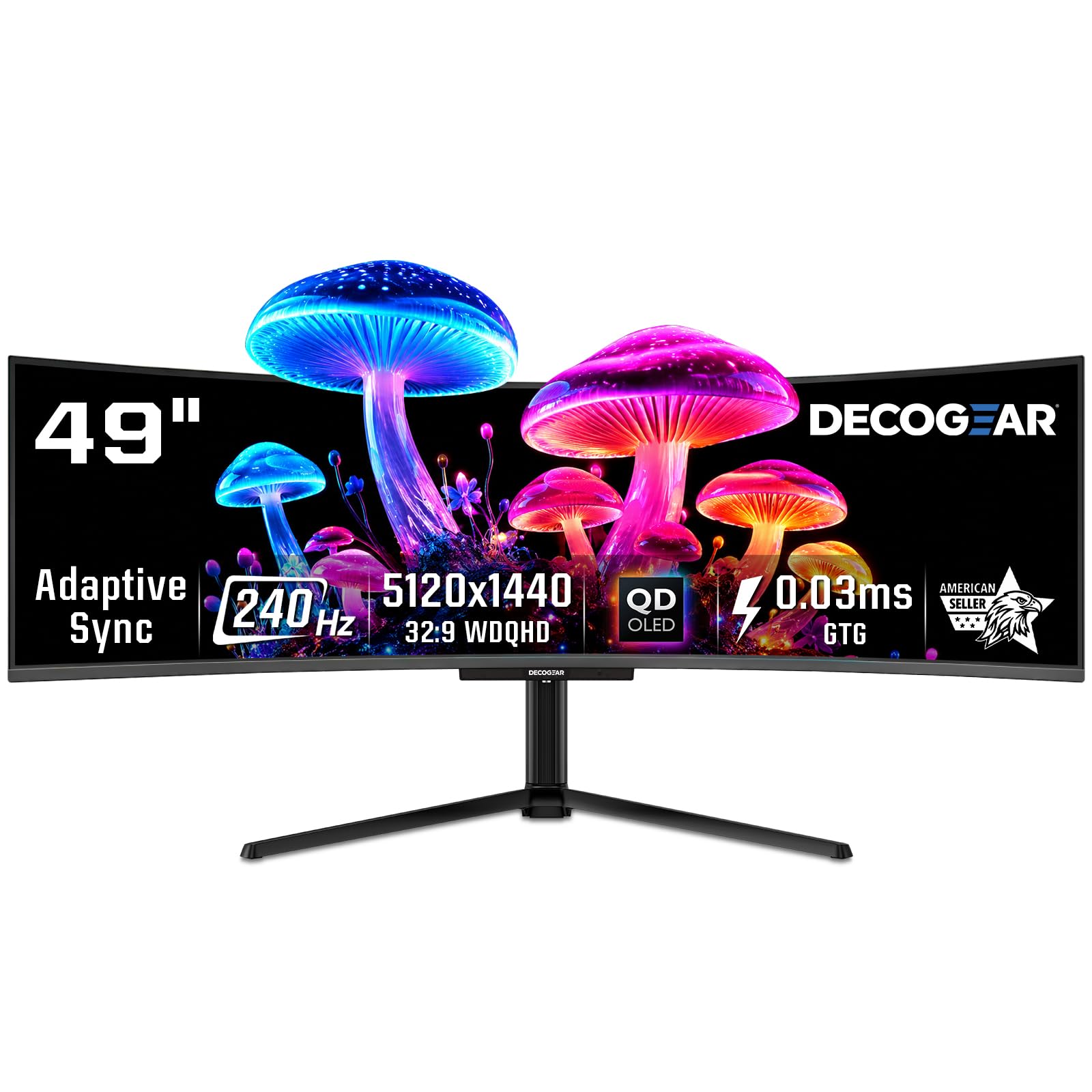
The Deco Gear 49-inch QD-OLED monitor matches the Samsung panel chemistry with a 240Hz refresh rate — significantly faster than the G9’s 144Hz. The 5120×1440 Dual QHD resolution provides the same pixel real estate as two 27-inch monitors, while the included built-in KVM switch allows seamless control of two systems with a single keyboard and mouse. The 90W USB-C power delivery charges a laptop while transmitting the display signal.
The 1.5M:1 contrast ratio and 1.07 billion color support produce stunning HDR content, and the 1800R curve wraps the screen around you for immersive gaming. Adaptive sync compatibility reduces screen tearing, and the PIP/PBP functionality lets you view two input sources simultaneously. The RGB lighting on the rear adds a gaming aesthetic.
Build quality concerns have been reported, with some units failing after a few months of use and customer support offering limited resolution. The power cable is reportedly prone to internal wire breakage due to tight packaging. For buyers willing to accept some risk, the combination of 240Hz and KVM functionality at this price point is unmatched.
Why it’s great
- 240Hz refresh on 49-inch QD-OLED
- Built-in KVM for dual system control
- 90W USB-C power delivery
Good to know
- Build quality concerns with early failures
- Power cable prone to internal breakage
- Customer support reportedly inconsistent
11. INNOCN 49C1S Curved Monitor
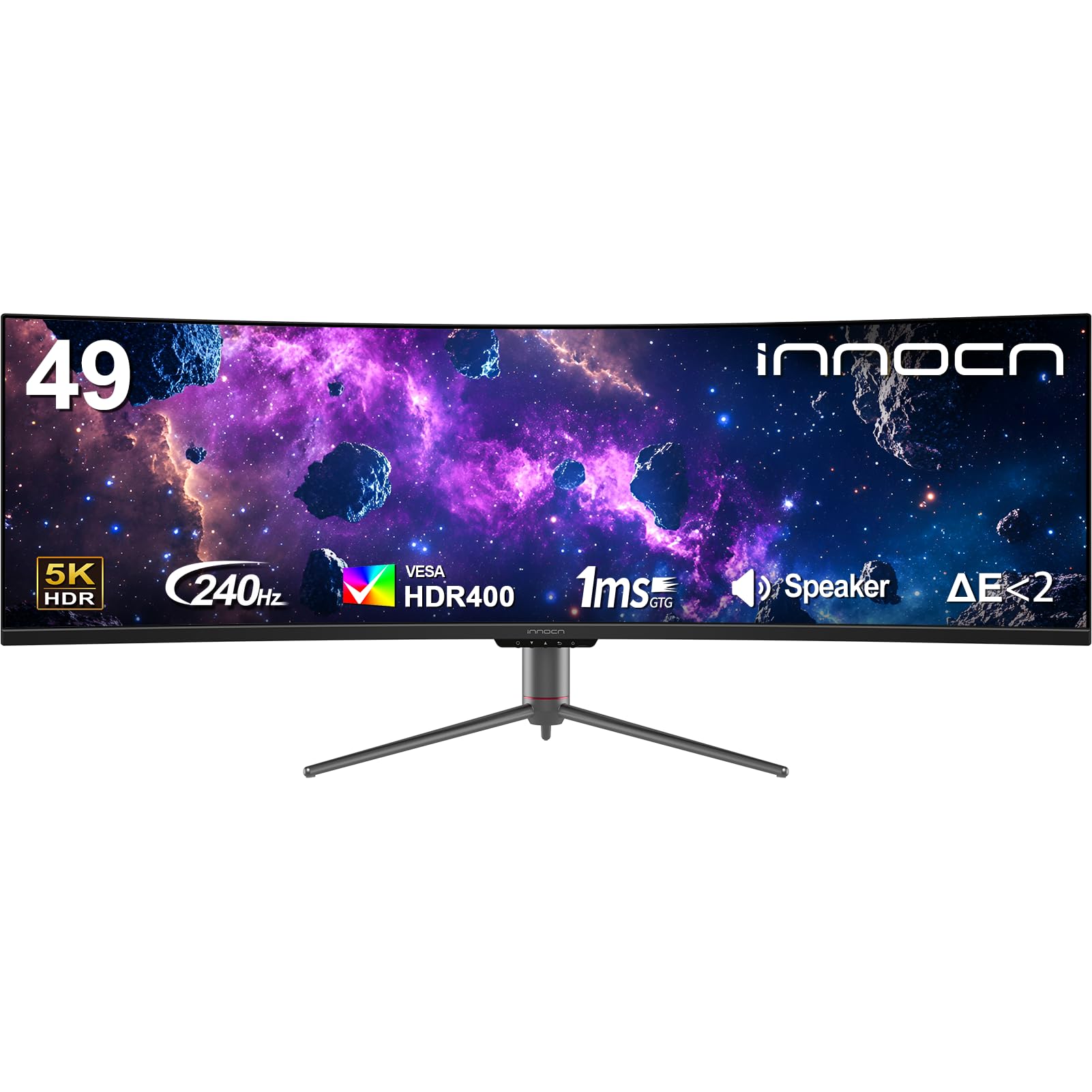
The INNOCN 49C1S is the only VA panel on this list, included as a budget-friendly entry to the 49-inch ultrawide form factor. The 5120×1440 Dual QHD resolution matches the OLED competitors, while the 240Hz refresh rate and 3000:1 contrast ratio provide decent gaming performance. The 1800R curvature reduces eye fatigue during long sessions, and the HDR400 certification ensures basic HDR support.
Connectivity is comprehensive with dual DisplayPort 1.4, HDMI 2.1, USB-C with 65W power delivery, and a built-in KVM. The PIP/PBP split screen technology allows simultaneous input from two sources. The 99% sRGB coverage delivers accurate colors for productivity work, and the stand offers height, tilt, and swivel adjustments. The built-in speakers are adequate for casual use.
The VA panel cannot match OLED contrast, black depth, or response times. Some units arrive with pixelation or dead pixels, and the OSD interface is cumbersome to navigate. For buyers who want the ultrawide real estate but cannot stretch to an OLED budget, this monitor provides a functional alternative with clear trade-offs in image quality.
Why it’s great
- Budget-friendly 49-inch ultrawide entry
- 240Hz refresh and 3000:1 contrast
- Comprehensive ports with USB-C 65W
Good to know
- VA panel cannot match OLED quality
- Pixelation and dead pixel reports
- OSD interface is cumbersome
FAQ
Does a 27-inch 1440p OLED have good enough pixel density for text work?
How often should I run pixel cleaning on my OLED gaming monitor?
Is a 360Hz OLED monitor noticeably better than 240Hz for competitive gaming?
Final Thoughts: The Verdict
For most users, the best 1440p oled monitor winner is the ASUS ROG Strix XG27ACDNG because it combines 360Hz QD-OLED performance, a custom heatsink for burn-in resistance, and a three-year warranty at a mid-range price point. If you want the absolute fastest motion clarity, grab the ASUS ROG Swift PG27AQWP-W with its 540Hz dual-mode WOLED panel and DP 2.1 connectivity. And for ultrawide immersion, nothing beats the Alienware 34 AW3425DW with its 34-inch QD-OLED curved display and 240Hz speed.