
Our readers keep the lights on and the weekend projects moving. As an Amazon Associate, I earn from qualifying purchases.
The difference between a 60Hz screen and a smooth 180Hz panel isn’t just a number—it’s the split-second edge that turns a missed flick into a kill shot. For gamers and desktop users alike, a 180Hz monitor is the sweet spot where fluidity meets affordability without forcing you into the premium 240Hz price bracket.
I’m Rikta — the co-founder and writer behind FitlyFast. For this guide, I’ve spent countless hours analyzing panel types, response time implementations, color gamut specs, and real-world usability trade-offs across nine top-selling 180Hz monitors to bring you a clear, data-driven recommendation.
Whether you prioritize deep contrast from a VA panel, the color accuracy of an IPS display, or the immersion of a 1500R curve, the right choice boils down to your specific use case. This is the definitive analysis to help you pick the best 180hz monitor for your exact setup and budget.
How To Choose The Best 180Hz Monitor
Buying a high-refresh monitor is straightforward until you realize that resolution, panel type, curvature, and adaptive sync all interact to either make or break your experience. Here’s how to cut through the marketing noise and find the panel that actually fits your rig and your eyes.
Panel Type: IPS vs. VA
This is the single biggest decision. IPS panels deliver superior color accuracy, wider viewing angles, and consistent brightness—making them the go-to for creative professionals and gamers who play titles where color matters (think RPGs and racing sims). VA panels, conversely, offer much deeper contrasts with native contrast ratios up to 3000:1, producing inky blacks that make dark scenes in survival horror or open-world games pop. The trade-off? VA panels can show ghosting in very dark transitions, while IPS panels suffer from backlight glow in dark rooms.
Resolution: QHD 1440p is the Sweet Spot
At 27 inches and above, Full HD (1080p) looks soft and pixelated for general desktop use. QHD (2560×1440) is the ideal match for a 180Hz monitor because it provides a sharp image without demanding the raw GPU horsepower that 4K requires to hit high frame rates. Most mid-range to upper-mid-range graphics cards can drive QHD at 180 FPS in competitive titles, giving you the perfect balance of clarity and speed.
Connectivity: DisplayPort Is Often Essential
A recurring theme across virtually every 180Hz monitor is that HDMI ports are capped at 144Hz or lower, especially at QHD resolution. To unlock the full 180Hz refresh rate, you must use a DisplayPort cable (usually version 1.4). If your laptop only has HDMI output or you plan to use a console, verify the supported refresh rate over HDMI before buying. Also check for USB-C with DisplayPort Alt Mode if you want a single-cable setup for a modern laptop.
Quick Comparison
On smaller screens, swipe sideways to see the full table.
| Model | Category | Best For | Key Spec | Amazon |
|---|---|---|---|---|
| Alienware AW2725DM | Premium IPS | Competitive gaming with vivid colors | QHD IPS, 400 nits, G-Sync | Amazon |
| Samsung Odyssey G50D | Premium IPS | Immersive QHD with HDR 400 | QHD Fast IPS, HDR 400, 32″ | Amazon |
| ASUS ROG Strix XG32UCG | High-End 4K | Dual-mode 4K/FHD versatility | 4K Fast IPS, 0.3ms, Dual Mode | Amazon |
| KTC H27P3 | Creator 5K | Mac users & color-critical work | 5K IPS, 99% DCI-P3, USB-C 65W | Amazon |
| LG 27GS60QC-B | Curved VA | Immersive single-player gaming | QHD VA, 1000R curve, 1ms | Amazon |
| AOC CQ27G4H | Curved VA | Budget curved QHD with FreeSync Premium | QHD VA, 1500R, 0.5ms MPRT | Amazon |
| ASUS TUF VG32WQ3B | Curved VA | Large-screen console & PC gaming | QHD VA, 1500R, 0.5ms, 31.5″ | Amazon |
| Dell S2725DSM | Productivity IPS | Office work & general use with built-in speakers | QHD IPS, 144Hz, Built-in 6W speakers | Amazon |
| Gawfolk GFTY981 | 4K Curved | 4K immersion on a tight budget | 4K VA, 1500R, 240Hz max | Amazon |
In‑Depth Reviews
1. Alienware AW2725DM

The Alienware AW2725DM nails the critical trifecta for a competitive 180Hz monitor: a fast IPS panel with a 1ms GtG response, robust G-Sync and FreeSync support, and a fully ergonomic stand that tilts, swivels, pivots, and adjusts in height. The DCI-P3 95% color coverage and VESA DisplayHDR 400 certification mean your games look vivid without the oversaturation that plagues cheaper panels. Many reviewers noted zero dead pixels and minimal backlight bleed, a testament to Alienware’s quality control.
You’ll need a DisplayPort 1.4 cable to hit the full 180Hz refresh rate—HDMI is capped at 144Hz, a common limitation across this category. The build is rock-solid with a premium matte black finish that resists fingerprints, and the on-screen display (OSD) is intuitive and fast to navigate via the joystick. The hardware-based low blue light solution reduces eye fatigue during marathon sessions without washing out colors.
The absence of built-in speakers and a headphone jack is the only real compromise, but for most gamers using a DAC or headset, this is a non-issue. Given the combination of color accuracy, responsive performance, and full adjustability, this is the most versatile pick for anyone coupling a 180Hz monitor with a solid mid-range GPU for QHD gaming.
Why it’s great
- Full ergonomic stand with height/pivot/swivel/tilt
- DCI-P3 95% coverage with DisplayHDR 400
- Strong build quality with consistent panel QC
Good to know
- No built-in speakers or headphone jack
- Full 180Hz requires DisplayPort connection
2. Samsung Odyssey G50D Series (32-Inch)

Stepping up to a larger 32-inch QHD canvas, the Samsung Odyssey G50D delivers a Fast IPS panel that hits 180Hz with a 1ms GtG response time and VESA DisplayHDR 400 certification for punchier highlights. The 178-degree viewing angles are genuinely wide, meaning the image stays consistent whether you’re leaning back or sharing the screen. The 350-nit brightness is solid for most indoor lighting, though hardcore HDR enthusiasts will still want a higher-tier panel.
The stand is one of the best in this segment: it offers height, tilt, swivel, and pivot adjustment, making it easy to find a comfortable viewing position. Eye Saver Mode and Flicker-Free technology reduce strain during extended sessions, and G-Sync compatibility ensures tear-free performance with both NVIDIA and AMD graphics cards. Several users reported that the default color calibration needs manual tweaking—plan to spend about 30 minutes dialing in the settings to your preference.
There is some minor overshoot visible at certain overdrive settings, but in real-world gameplay, the motion clarity is very good. For the price, the combination of a 32-inch QHD Fast IPS panel with full HDR 400 support and a premium adjustable stand makes this a compelling option for gamers who want a larger display without sacrificing speed or color fidelity.
Why it’s great
- Fully adjustable stand (height, tilt, swivel, pivot)
- DisplayHDR 400 with bright, vivid highlights
- G-Sync Compatible with wide FreeSync support
Good to know
- Default color calibration requires manual adjustment
- HDMI limited to 144Hz at QHD resolution
3. ASUS ROG Strix XG32UCG

The ASUS ROG Strix XG32UCG is a versatile powerhouse that redefines what a high-refresh monitor can do. Its dual-mode capability lets you switch between 4K at 160Hz for immersive single-player experiences and Full HD at 320Hz for competitive esports, all on a single 32-inch Fast IPS panel. The 0.3ms response time (minimum) is among the fastest in this class, and the Extreme Low Motion Blur Sync (ELMB SYNC) works simultaneously with variable refresh rate to eliminate both ghosting and tearing.
Color performance is excellent with a 95% DCI-P3 gamut and 130% sRGB coverage, and the dynamic contrast ratio of 100,000,000:1 delivers deeper blacks than typical IPS panels. The build is premium with a tripod socket for streaming setups, a USB-C port with DisplayPort Alt Mode for single-cable laptop docking, and the DisplayWidget Center for mouse-controlled OSD adjustments. The stand is fully ergonomic with height, tilt, swivel, and pivot adjustments.
The biggest consideration is the price point—it sits at the top of the 180Hz monitor tier, and you’re paying for the dual-mode flexibility and elite motion clarity. For anyone who plays both story-driven 4K titles and high-frame-rate shooters on a single monitor, this is the ultimate all-rounder. It also serves as an excellent productivity display thanks to the crisp 4K text rendering and wide color gamut.
Why it’s great
- Unique dual-mode 4K 160Hz / FHD 320Hz
- 0.3ms response with ELMB SYNC for blur-free motion
- USB-C with DP Alt mode and 95% DCI-P3 coverage
Good to know
- Premium pricing reflects the dual-mode technology
- Requires a high-end GPU to leverage 4K 160Hz fully
4. KTC H27P3 5K Monitor

The KTC H27P3 is a unique entry in the 180Hz monitor space because it’s primarily a 5K (5120×2880) professional display that can switch to a 2K (2560×1440) mode at 160Hz for gaming. This dual-mode design is a dream for Mac users who want retina-class clarity for design work (at 5K 60Hz) but still enjoy smooth gameplay when needed. The 99% DCI-P3 and 100% sRGB coverage with ΔE<2 out of the box means this is suitable for color-graded video editing and photo work.
Connectivity is forward-thinking with a USB-C port delivering 65W Power Delivery—enough to charge a MacBook Pro or high-end laptop while driving the display. The brightness peaks at 500 cd/m² with HDR400 support, which is ample for well-lit rooms and HDR content. An included screwdriver and DP cable make setup straightforward, and the stand offers full height, pivot, and tilt adjustments, though the build feels slightly less premium than the Alienware or Samsung options.
There is a known firmware bug where the monitor’s OSD becomes unresponsive after waking from rest mode, requiring an input switch to reset. This is an inconvenience for daily use but doesn’t affect image quality. For professionals who need 5K real estate and occasional 2K 160Hz gaming, the KTC H27P3 offers an unparalleled value proposition that no other monitor in this price range matches.
Why it’s great
- True 5K resolution for Mac and creative workflows
- USB-C with 65W Power Delivery for single-cable laptop setup
- Calibrated color with ΔE<2 and 99% DCI-P3 coverage
Good to know
- OSD can become unresponsive after sleep mode
- Gaming mode limited to 2K 160Hz, not 180Hz
5. LG 27GS60QC-B Ultragear

The LG 27GS60QC-B brings a steep 1000R curvature to a QHD VA panel, wrapping your peripheral vision and drawing you into single-player worlds like few other 27-inch monitors can. The VA panel’s native 3000:1 contrast ratio delivers deep, inky blacks that make the dark caves of survival horror and the night skies of open-world RPGs look genuinely immersive. Color reproduction hits 99% sRGB, and HDR10 support adds punch to supported games.
The 180Hz refresh rate and 1ms GtG response time keep motion crisp in fast-paced titles, though VA panel owners should expect some dark-level ghosting when the overdrive is set too high—keeping it on the “Faster” setting mitigates this. The stand is tilt-only, so you’ll want a VESA arm if height adjustment is important. The three-side virtually borderless design looks clean on any desk, and the screen real estate feels substantial thanks to the immersive curve.
Build quality is solid for its price tier, with a lightweight chassis that won’t stress weaker desks—a detail several owners specifically appreciated. The gaming GUI offers FPS counter, Black Stabilizer, and Dynamic Action Sync, all accessible via the responsive joystick. For gamers who prioritize immersion and contrast over color accuracy for competitive play, this LG Ultragear offers one of the most cinematic experiences at its price point.
Why it’s great
- 1000R curvature creates deep immersion
- 3000:1 contrast ratio delivers true blacks
- Lightweight build and responsive gaming GUI
Good to know
- Tilt-only stand; no height or swivel adjustment
- VA panel may show dark ghosting in some transitions
6. AOC CQ27G4H

The AOC CQ27G4H is a value-oriented curved gaming monitor that packs a 27-inch QHD VA panel with a 1500R curvature, 180Hz refresh rate via DisplayPort, and an impressive 0.5ms MPRT response time. The 3000:1 native contrast ratio provides deep blacks and good shadow detail, while the high dynamic contrast and HDR readiness make supported content visually engaging. FreeSync Premium certification ensures tear-free gameplay within the variable refresh rate window.
Build quality is a mixed bag—while the panel itself performs well with vibrant colors and minimal ghosting for a VA display, the stand has received criticism for wobbling and issues with crooked mounting. Replacing it with a VESA arm (100x100mm) is a common and recommended upgrade. The monitor supports dual HDMI 2.0 ports and DisplayPort 1.4, though you’ll need the DP cable to hit the full 180Hz refresh rate. Eye care technologies including Flicker-Free and low blue light modes help during long sessions.
Wake-from-sleep times have been reported as slower than average, occasionally requiring a power cycle. However, for the price-conscious gamer who wants a curved QHD panel with high refresh and deep contrast, and is willing to invest in a third-party mount, the AOC CQ27G4H delivers excellent core display performance. The 3-year zero-bright-dot warranty is a nice safety net for panel defects.
Why it’s great
- Excellent 3000:1 contrast ratio for deep blacks
- FreeSync Premium certified for smooth gameplay
- 3-year zero-bright-dot warranty included
Good to know
- Stand can be wobbly or crooked; VESA arm recommended
- HDMI ports limited to 144Hz; full 180Hz needs DisplayPort
7. ASUS TUF Gaming VG32WQ3B

The ASUS TUF Gaming VG32WQ3B offers a generous 31.5-inch QHD canvas with a 1500R curvature, making it a strong candidate for gamers who want a large, immersive screen without jumping to a 4K panel that would tank frame rates. The VA panel delivers the deep contrast you’d expect, and the 0.5ms MPRT response time keeps motion reasonably clean. The Extreme Low Motion Blur (ELMB) technology works to reduce ghosting, though it cannot be used simultaneously with FreeSync.
Shadow Boost is a standout feature for competitive titles—it brightens dark areas without over-exposing bright ones, giving you an advantage in shadowy corners. The color gamut covers 120% sRGB and 90% DCI-P3, resulting in punchy, saturated colors out of the box. Input options include DisplayPort 1.4 and dual HDMI 2.0, with the usual caveat that the full 180Hz requires DisplayPort. The stand is tilt-adjustable only and has short legs that some users found limiting, but VESA mounting is an option.
For console gaming, the VG32WQ3B supports VRR over HDMI and looks great with PlayStation 5 and Xbox Series X at 1440p. The Screen size is genuinely large—make sure your desk depth can accommodate a 31.5-inch screen. Several owners praised it as one of the best entry-level large monitors for both productivity and gaming, thanks to the crisp QHD resolution and smooth refresh rate.
Why it’s great
- 31.5-inch QHD VA with 1500R curvature is very immersive
- Shadow Boost enhances visibility in dark game areas
- Wide color gamut with 90% DCI-P3 coverage
Good to know
- Stand legs are short and tilt-only
- ELMB cannot be used alongside FreeSync
8. Dell S2725DSM

At first glance, the Dell S2725DSM doesn’t scream “gaming monitor”—it’s a 144Hz display in a category built around 180Hz—but its inclusion here speaks to its versatility as a hybrid productivity and casual gaming monitor. The 27-inch QHD IPS panel delivers the crisp text rendering and consistent color that Dell is known for, and the 1500:1 contrast ratio is above average for IPS, producing decent blacks for a non-VA panel. The 4-star TÜV-certified eye comfort reduces blue light without the yellow tint that plagues lesser implementations.
The stand is a highlight—it offers height, tilt, pivot, and swivel adjustments with smooth, precise movement. The built-in dual 3W speakers are genuinely usable for YouTube, conference calls, and light gaming, saving desk space and eliminating the need for external speakers for general use. With HDMI 2.1 (TMDS) and DisplayPort 1.4, connectivity is future-proof, though the 144Hz cap means it’s not a competitive esports monitor.
For the buyer who needs an all-day productivity monitor that can handle occasional 1440p gaming at high refresh rates, the Dell S2725DSM is a compelling choice. The ash-white color scheme is a refreshing departure from the sea of black gaming monitors, and the thin bezels look modern on any desk. If your primary use is 60% work and 40% play, this delivers the best total package with its ergonomics and built-in audio.
Why it’s great
- Full ergonomic stand with height, pivot, swivel, tilt
- Built-in dual 3W speakers for desk-clutter-free audio
- Excellent IPS color consistency for productivity work
Good to know
- Limited to 144Hz, not true 180Hz gaming
- No USB-C connectivity for modern laptops
9. Gawfolk GFTY981 32-Inch 4K
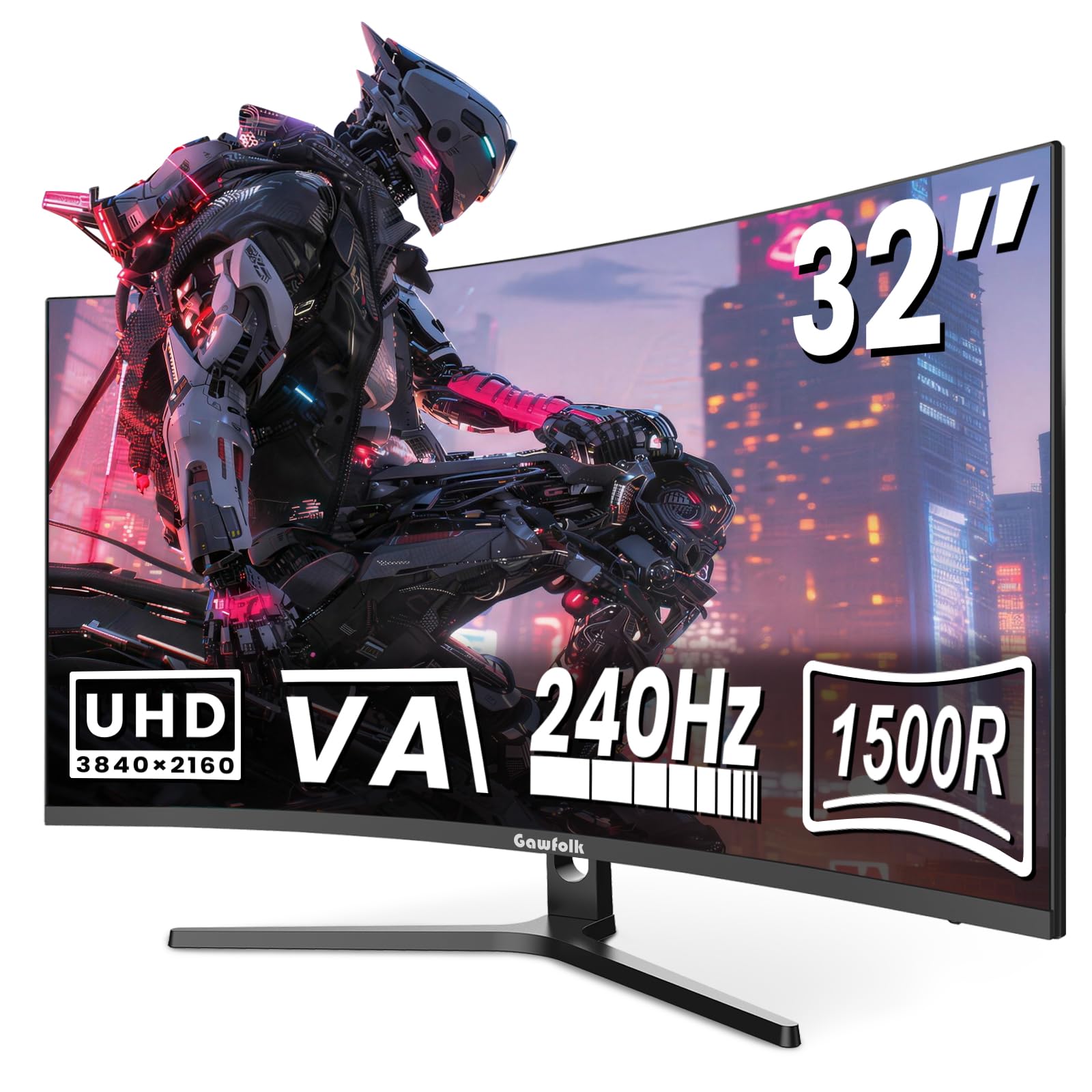
The Gawfolk GFTY981 is a budget-oriented 4K curved monitor that punches above its price with a 32-inch UHD VA panel, 1500R curvature, and a maximum 240Hz refresh rate (though it operates at 180Hz in many real-world modes). For buyers who prioritize 4K resolution for desktop workflow and casual gaming over high refresh rate, this is an affordable entry point. The VA panel’s 3000:1 contrast ratio delivers deep blacks and good HDR-like highlights for the price, and the matte screen finish reduces reflections in bright rooms.
The build is lightweight and the monitor supports 75x75mm VESA mounting, which is recommended given the basic tilt-only stand. Connectivity includes dual HDMI and DisplayPort, but the lack of USB-C is a miss for modern setups. There have been reports of 4K display defects (flickering lines) with inconsistent manufacturer support, so buying from a retailer with a good return policy is advisable. The built-in speakers are a welcome addition for mixed use, though audio quality is basic.
For a user on a tight budget who wants a large 4K curved screen for productivity and non-competitive gaming, the Gawfolk GFTY981 offers impressive specifications on paper. However, the potential for panel defects and spotty customer support means you’re taking a risk that the more established brands don’t require. If you can test it immediately upon arrival and are prepared to return a faulty unit, the value proposition is hard to beat at this price point.
Why it’s great
- 4K UHD resolution with 3000:1 contrast on a large 32-inch screen
- 1500R curvature adds immersion to movies and games
- Very affordable entry point into 4K high-refresh territory
Good to know
- Some units reported flickering in 4K mode; inconsistent QC
- Customer support response has been unreliable
FAQ
Can I actually see a difference between 144Hz and 180Hz?
Is G-Sync or FreeSync more important for a 180Hz monitor?
Do I need a special cable to run a 180Hz monitor at full refresh rate?
Final Thoughts: The Verdict
For most users, the best 180hz monitor winner is the Alienware AW2725DM because it combines a fast IPS panel, robust G-Sync and FreeSync support, full ergonomic adjustability, and excellent color accuracy into a reliable package that works for both competitive gaming and creative work. If you want deep contrast and immersive curvature for single-player titles, grab the LG 27GS60QC-B Ultragear. And for the ultimate dual-purpose panel that handles 5K productivity and 2K 160Hz gaming, nothing beats the KTC H27P3.