
Our readers keep the lights on and the weekend projects moving. As an Amazon Associate, I earn from qualifying purchases.
Your fiber or cable plan delivers over a gigabit, but your router drops that wired throughput to a fraction the moment data hits the LAN. That bottleneck kills NAS transfers, chokes multi-room streaming, and adds latency to competitive gaming. A dedicated multi-gig router with 2.5GBASE-T ports is the only way to keep the full bandwidth alive.
I’m Rikta — the co-founder and writer behind FitlyFast. I’ve spent hundreds of hours dissecting router firmware stacks, port configurations, and real-world throughput benchmarks to separate marketing specs from measurable performance in the multi-gig market.
Whether you run a home lab, edit 4K video over a LAN, or simply want every megabit your ISP provides, choosing the right 2.5gb router comes down to wired port count, WiFi generation, and VPN throughput — not sticker claims.
How To Choose The Best 2.5GB Router
A 2.5GBASE-T port is not a universal spec — some routers offer one shared WAN/LAN, others give you five discrete multi-gig ports. Understanding the difference determines whether your wired devices actually see multi-gig throughput.
Port Count and Architecture
A single 2.5GbE WAN port does nothing for internal wired transfers. You need at least one additional 2.5GbE LAN port to connect a NAS or gaming PC at multi-gig speeds. Routers like the GL.iNet Flint 2 and Flint 3 provide multiple dedicated 2.5GbE LAN ports, enabling a true multi-gig local network.
WiFi Generation and Backhaul
WiFi 6 can deliver real-world speeds of 800–900 Mbps, but only WiFi 6E (6 GHz band) and WiFi 7 (MLO technology) can wirelessly saturate a 2.5 Gbps WAN connection. If you rely on wireless mesh backhaul, ensure the router supports 6 GHz or tri-band MLO to avoid capping your multi-gig link.
VPN Throughput
Many routers advertise high data rates but drop to under 200 Mbps under VPN load. For remote work or secure site-to-site connections, look for hardware-accelerated WireGuard. Routers built on OpenWRT, like the GL.iNet Flint series, typically maintain 680–900 Mbps VPN throughput, far exceeding closed-source alternatives.
Firmware Flexibility
Closed firmware limits your ability to install ad blockers, traffic shaping (SQM), or custom VLANs. OpenWRT-based routers give you full control over bufferbloat, DNS filtering, and packet prioritization — critical for low-latency gaming and multi-device households.
Quick Comparison
On smaller screens, swipe sideways to see the full table.
| Model | Category | Best For | Key Spec | Amazon |
|---|---|---|---|---|
| GL.iNet FLint 3 (BE9300) | Premium | High-throughput VPN & wired multi-gig | 5x 2.5GbE ports | Amazon |
| NETGEAR Nighthawk RS500 | Premium | Maximum wireless speed & coverage | BE12000, 3,000 sq. ft. | Amazon |
| Synology RT6600ax | Premium | Prosumer security & VLAN control | 5 SSIDs, Threat Prevention | Amazon |
| Ubiquiti UDR7 | Premium | UniFi ecosystem & PoE integration | 10G SFP+, Wi-Fi 7 | Amazon |
| NETGEAR Nighthawk RS200 | Mid-Range | Entry-level Wi-Fi 7 upgrade | BE6500, 2.5 Gbps WAN | Amazon |
| GL.iNet FLint 2 (MT6000) | Mid-Range | OpenWRT flexibility & bufferbloat control | 2x 2.5GbE, SQM/Cake | Amazon |
| ASUS RT-BE58U | Mid-Range | Wi-Fi 7 future-proofing on a budget | 3600 Mbps, AiProtection | Amazon |
| TP-Link Archer AX80 | Mid-Range | Long-range Wi-Fi 6 coverage | 8 antennas, 4804 Mbps | Amazon |
| TP-Link Deco XE70 Pro | Budget | Value mesh with 6 GHz backhaul | 2,900 sq. ft., 200 devices | Amazon |
In‑Depth Reviews
1. GL.iNet Flint 3 (GL-BE9300)

The Flint 3 sets the gold standard for a multi-gig router by offering five discrete 2.5 Gbps ports — one WAN and four LAN. This architecture allows you to wire a NAS, a gaming PC, a workstation, and a mesh node all at multi-gig speeds without any port sharing or throughput competition. The incoming 1 Gbps fiber connection is fully usable on every wired device simultaneously.
Under the hood, the MediaTek MT7988A quad-core ARM processor and 1 GB of DDR4 RAM handle WireGuard VPN at up to 680 Mbps without noticeable CPU strain. The OpenWRT-based firmware gives A+ bufferbloat scores with Cake SQM, making this the lowest-latency router at this price point for competitive gaming. MLO (Multi-Link Operation) on the 6 GHz band delivers 950 Mbps wireless throughput on a 1 Gbps plan.
The built-in AdGuard Home blocks tracking at the DNS level, and the Bark integration provides parental controls without subscription creep. The only trade-off is that the WiFi range is modest — about 2,000 square feet — so larger homes may need an additional access point positioned centrally.
Why it’s great
- Five full 2.5 Gbps ports provide unmatched wired flexibility
- WireGuard VPN at 680 Mbps with Cake SQM for near-zero bufferbloat
- No cloud account required; full local admin via browser or app
Good to know
- WiFi range is moderate for its class, about 2,000 sq. ft.
- USB 3.0 NAS throughput dips to around 30 MB/s
2. NETGEAR Nighthawk RS500 (BE12000)

The RS500 delivers the highest wireless throughput in this lineup, rated at BE12000 (up to 12 Gbps aggregate). In real-world terms, that translates to saturating a 2.5 Gbps fiber connection on the 6 GHz band with zero buffering during 8K streaming or large file downloads. The tri-band design includes a dedicated 6 GHz radio for ultra-low latency gaming traffic.
Coverage is rated at 3,000 square feet, and user reports confirm strong signal penetration through multiple floors and exterior walls. The 2.5 Gbps WAN/LAN port is complemented by three Gigabit LAN ports, though the wired LAN side is limited to 1 Gbps per port. If you need multiple multi-gig wired devices, an external switch is required.
The Nighthawk app provides straightforward setup and device management, but the router reboots after internet outages and doesn’t auto-recover. For households that prioritize raw wireless speed and have a single multi-gig wired device, the RS500 is unmatched. The lack of custom firmware means VPN throughput is capped at lower speeds compared to OpenWRT alternatives.
Why it’s great
- Highest WiFi 7 throughput — saturates 2.5 Gbps easily
- Excellent 3,000 sq. ft. coverage with strong wall penetration
- Intuitive Nighthawk app for quick setup and monitoring
Good to know
- Only one 2.5GbE port — wired multi-gig limited without a switch
- No auto-recover after ISP outage; needs manual reboot
3. Synology RT6600ax

The RT6600ax is built for users who need granular network segmentation without a subscription. Its SRM (Synology Router Manager) software allows you to create up to five separate SSIDs, each with its own VLAN, firewall rules, and traffic policies. This is the ideal solution for isolating IoT devices, guest networks, and work traffic on a single physical connection.
The single 2.5 Gbps WAN/LAN port handles ISP multi-gig plans, but the remaining four ports are Gigabit Ethernet. For homes with a NAS and a gaming PC, an external 2.5GbE switch is necessary. The tri-band WiFi (2.4 GHz, 5 GHz, and expanded 5.9 GHz spectrum) provides robust coverage across a typical 2,000 sq. ft. home with good channel diversity.
The integrated Threat Prevention engine scans traffic for malicious patterns without a license fee, and the VPN server supports up to 40 simultaneous connections with two-factor authentication. User feedback highlights the intuitive interface and frequent firmware updates, though some units experience 5 GHz dropouts that require manual channel selection to resolve.
Why it’s great
- Best-in-class free security, parental controls, and VLAN management
- Up to 40 simultaneous VPN clients with 2FA
- Intuitive SRM software with regular updates
Good to know
- Only one 2.5GbE port; remaining LAN ports are 1 Gbps
- Some users report 5 GHz disconnects that need manual channel tuning
4. Ubiquiti UDR7
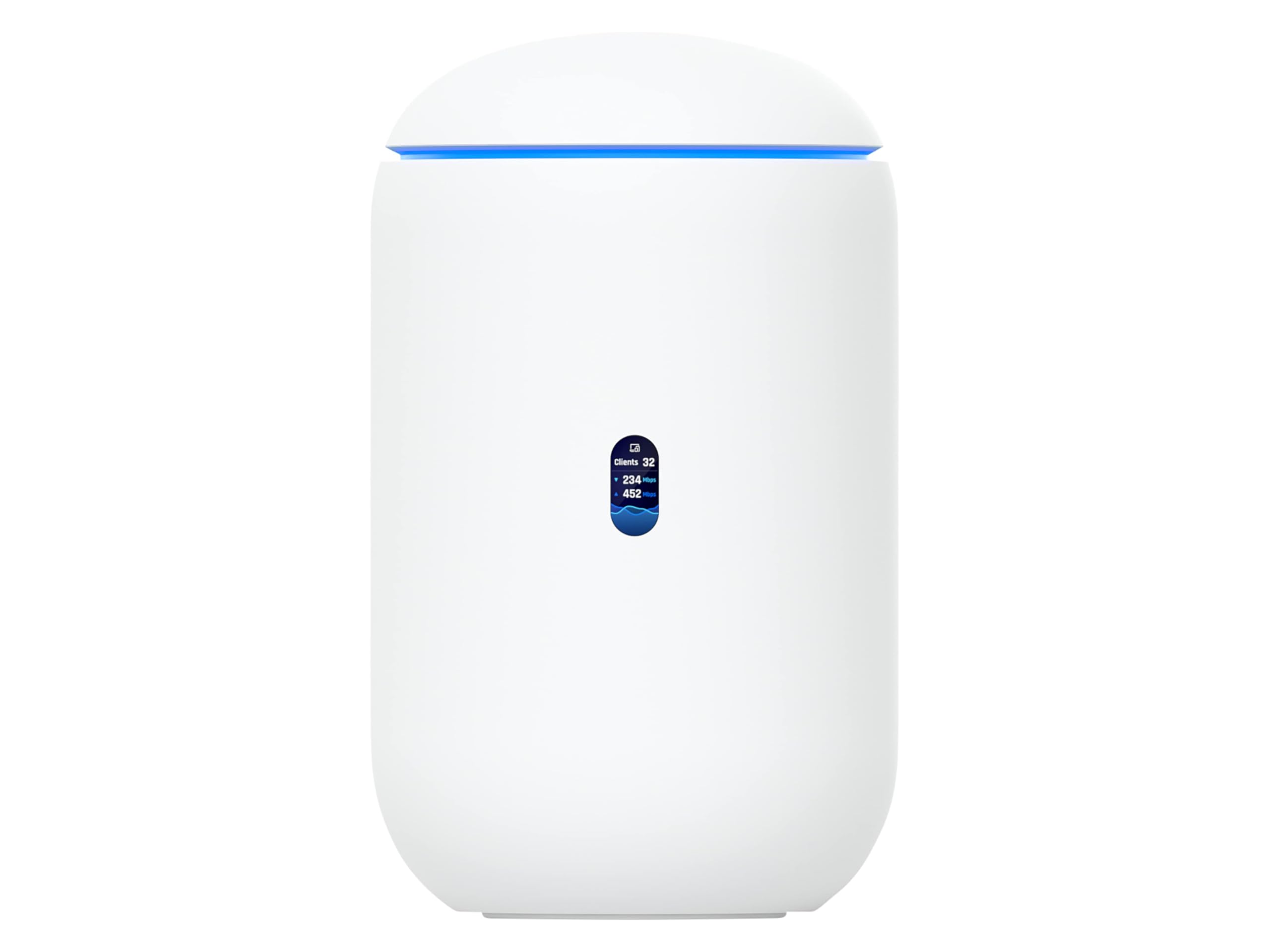
The UDR7 is the gateway router for Ubiquiti’s UniFi ecosystem, combining a 10 Gbps SFP+ WAN port with a 2.5 Gbps RJ45 WAN and integrated WiFi 7. It can manage up to 30 UniFi devices and 300+ clients, making it a natural choice for small businesses or prosumer homes already invested in UniFi access points and switches.
The integrated 4-port switch includes one PoE port, allowing direct connection of a UniFi camera or access point without a separate injector. The WiFi 7 implementation delivers solid 6 GHz performance, and the UniFi Network application provides deep insight into traffic flows, client health, and RF environment scanning from a single pane.
Setup is done entirely through the UniFi mobile app, which automates adoption of existing UniFi devices. The trade-off is that the UDR7 is tied to the Ubiquiti ecosystem — advanced configuration beyond the defaults requires familiarity with UniFi’s controller interface. For standalone use without UniFi gear, the value proposition narrows significantly.
Why it’s great
- 10 Gbps SFP+ port for fiber ISP uplinks
- Manages full UniFi environment with PoE switch built in
- Simplified deployment via UniFi mobile app
Good to know
- Locked into Ubiquiti ecosystem for optimal use
- Limited advanced features unless using UniFi controller
5. NETGEAR Nighthawk RS200 (BE6500)

The RS200 brings WiFi 7 to a more accessible price point while retaining the essential 2.5 Gbps WAN port. The BE6500 rating means aggregate wireless throughput of up to 6.5 Gbps, which is sufficient to saturate a 1 Gbps fiber plan with room to spare for local wireless transfers. The dual-band design lacks a dedicated 6 GHz radio, so the 5 GHz band handles peak traffic.
Coverage is solid at 2,500 square feet, and user reviews consistently report a 50% speed improvement over ISP gateways. The Nighthawk app makes initial setup painless, though some devices need to be reconnected with saved passwords after switching SSIDs. The router does not include a built-in modem, so a separate cable or fiber modem is required.
The key limitation is the single 2.5 Gbps port — all other LAN ports are Gigabit. If your NAS and gaming PC both need multi-gig, you’ll need a switch. For the user with a single multi-gig device and a desire to step into WiFi 7 without a large investment, the RS200 delivers a clean upgrade path.
Why it’s great
- Affordable entry to WiFi 7 with 2.5 Gbps WAN
- Reliable 2,500 sq. ft. coverage with simple app setup
- Delivers noticeable speed boost over standard ISP routers
Good to know
- Single 2.5GbE port; wired multi-gig requires an external switch
- Dual-band only — no dedicated 6 GHz radio
6. GL.iNet Flint 2 (GL-MT6000)

The Flint 2 remains the top choice for users who need SQM/Cake bufferbloat control on a multi-gig connection. By applying Cake Smart Queue Management at the hardware level, this router eliminates latency spikes during heavy uploads or downloads — a critical feature for competitive gamers and real-time video callers. The dual 2.5 Gbps ports (one WAN, one LAN) let you keep a multi-gig wired device without degrading the ISP pipe.
Built on OpenWRT with a custom GL.iNet interface, the admin panel is fast, responsive, and completely local — no cloud account required. The WireGuard implementation pushes up to 900 Mbps, and the built-in AdGuard Home blocks ads and trackers system-wide. The MediaTek MT7986A quad-core processor and 1 GB DDR4 RAM handle over 100 connected devices without breaking a sweat.
The retractable external antennas provide good coverage, but the WiFi performance is comparable to closed-source routers at the same price point. Firmware updates are frequent and support a wide range of third-party packages via the opkg repository. The lack of a 6 GHz radio means WiFi 6 clients max out at around 800 Mbps in real-world conditions.
Why it’s great
- A+ bufferbloat rating with Cake SQM for lag-free gaming
- WireGuard VPN throughput up to 900 Mbps
- OpenWRT with AdGuard Home, no subscription or cloud account
Good to know
- No 6 GHz band — WiFi maxes out at 5 GHz
- Only two 2.5GbE ports; rest are Gigabit
7. ASUS RT-BE58U

The RT-BE58U drops WiFi 7 capability into a compact, internal-antenna chassis at a price that undercuts most tri-band alternatives. The dual-band configuration (2.4 GHz + 5 GHz) with 4096-QAM modulation pushes aggregate speeds up to 3.6 Gbps, and MLO allows simultaneous connection to both bands for improved stability. The 2.5 Gbps WAN port accepts multi-gig ISP plans without breaking the bank.
ASUS AiProtection Pro, powered by Trend Micro, provides free commercial-grade network security, and the separate Smart Home Master feature lets you create up to three SSIDs for IoT management. The admin interface is available through both the ASUS Router app and a web browser — no account required for basic setup. Setup time is under 10 minutes, and the router handles over 30 devices on a 1 Gbps connection without buffering.
Coverage is rated at 2,000 square feet, which works well in apartments and small homes, but the internal antennas limit range compared to external-antenna designs. Parental controls and DNS filtering can be overly aggressive, occasionally blocking legitimate traffic when set to strict modes. For a compact, future-proofed router with a manageable feature set, the RT-BE58U is a solid foundation.
Why it’s great
- WiFi 7 and MLO at a budget-friendly price point
- Free AiProtection Pro security without subscription
- Fast 10-minute setup, no account required
Good to know
- Internal antennas limit range to about 2,000 sq. ft.
- Parental controls and DNS filtering can be overly restrictive
8. TP-Link Archer AX80 (AX6000)

The Archer AX80 covers large homes and outdoor spaces without needing mesh satellite nodes. Its eight external high-gain antennas with Beamforming deliver 4804 Mbps on the 5 GHz band, and user reports confirm signal strength throughout 3,500+ sq. ft. properties, including garages and backyards. The 2.5 Gbps WAN/LAN port accepts multi-gig ISP plans.
As a dual-band AX6000 router, it uses MU-MIMO and OFDMA to handle many devices efficiently — households with 30+ IoT gadgets, cameras, and streaming clients see no noticeable slowdown. The TP-Link HomeShield free tier provides basic network security and parental controls, while OneMesh compatibility allows adding range extenders without a full mesh system.
The web interface is straightforward, and the Tether app provides mobile management, though the initial setup scan may redirect incorrectly for some ISPs. VPN performance is limited compared to OpenWRT routers, and the Archer AX80 doesn’t support 6 GHz bands. For users who prioritize raw coverage distance over multi-gig LAN expansion, this is the strongest option.
Why it’s great
- Eight high-gain antennas provide exceptional 3,500+ sq. ft. coverage
- Handles 30+ devices on 5 GHz without performance loss
- OneMesh support for easy future range extension
Good to know
- Only one 2.5GbE port; remaining LAN ports are Gigabit
- No 6 GHz band — WiFi 6 only, not WiFi 6E or 7
9. TP-Link Deco XE70 Pro (AXE4900)

The Deco XE70 Pro is the most affordable mesh system in this lineup that still includes a 2.5 Gbps WAN/LAN port and support for the 6 GHz band via WiFi 6E. The single-pack unit covers 2,900 square feet — enough for many medium-sized homes — and the tri-band configuration dedicates the 6 GHz radio to mesh backhaul when used in a multi-unit setup.
Setup is genuinely plug-and-play, with the Deco app completing configuration in under 15 minutes. Users moving from ISP gateways report speed doubling from 15 Mbps to 360 Mbps at far corners of the home, and the 2.5 Gbps port ensures the system won’t bottleneck a multi-gig ISP plan. The HomeShield security suite provides basic malware blocking and parental controls.
The primary limitation is that each Deco XE70 Pro unit has only one 2.5 Gbps port and two Gigabit LAN ports — wired multi-gig expansion is not possible without a switch on the WAN side. AI-powered roaming works well but is not as aggressive as dedicated mesh systems from eero or Nest. For a budget-friendly entry point into 6 GHz mesh networking, this Deco delivers impressive value.
Why it’s great
- Lowest-cost mesh system with 2.5 Gbps port and 6 GHz band
- True plug-and-play setup under 15 minutes
- Dramatically improves coverage in thick-wall or old homes
Good to know
- Only one 2.5 Gbps port per unit — no wired multi-gig LAN
- No in-app speed test; remote management limited
FAQ
Do I need a 2.5 Gbps router if my ISP plan is only 1 Gbps?
What is the difference between WiFi 6E and WiFi 7 for multi-gig routers?
Can I run a VPN at full 2.5 Gbps speeds on these routers?
What does SQM/Cake do for gaming and streaming?
Final Thoughts: The Verdict
For most users, the 2.5gb router winner is the GL.iNet Flint 3 because its five discrete 2.5 Gbps ports, WiFi 7 MLO, and OpenWRT firmware deliver unmatched wired flexibility and low-latency performance. If you need the highest wireless speed and have a single multi-gig device, grab the NETGEAR Nighthawk RS500. And for bufferbloat-free competitive gaming on a budget, nothing beats the GL.iNet Flint 2.