
Our readers keep the lights on and the weekend projects moving. As an Amazon Associate, I earn from qualifying purchases.
Specs are compiled from manufacturer listings and verified buyer reviews and can change over time — please confirm the key details on the product page before buying.
Buying a convertible that actually pulls double duty without leaving you stuck with a sluggish keyboard or a screen that feels cramped takes some digging. This guide breaks down seven models that hit different price points, from budget-friendly Chromebooks to premium AI-powered machines, so you can focus on which one fits the way you actually work.
I’m Rikta — the founder and writer behind FitlyFast. This guide is built by comparing the manufacturers’ published specifications and the patterns across verified customer reviews, so you get each pick’s real strengths and trade-offs instead of marketing spin.
After looking at the specifics of screen resolution, processor speed, RAM, storage, and battery life across seven different models, you can confidently pick the right 2-in-1 tablet for your daily routine without getting lost in the tech specs.
Quick Picks
- Microsoft Surface Pro (2024) — Premium Power
- HP OmniBook X FLIP Copilot+ PC — Large Screen Power
- FUNYET 14″ 2-in-1 Laptop Touchscreen — Spec Champion
- ASUS Chromebook Flip CX1 — Chromebook Convertible
- 11 inch 2-in-1 Laptop (BNCF) — Compact Windows Power
- Jumper New 2-in-1 Laptop/Tablet — 2K Screen Value
- HP 14 2-in-1 Chromebook (Renewed) — Budget Chromebook
How To Choose The Best 2-in-1 Tablet
The first big choice is operating system: ChromeOS is lean and secure, great for web-based work and students, while Windows 11 gives you full desktop app compatibility for heavier software needs. Your decision here sets the tone for everything else.
Processor and RAM
The CPU handles the heavy lifting. You will see Intel N-series, Celeron, Pentium Gold, and AMD Ryzen options. For basic browsing and document editing, an Intel N100 or Celeron is enough. For multitasking with many tabs or light creative work, aim for a Pentium Gold or Ryzen 5. Pair that with at least 8GB of RAM — 4GB can feel cramped with several apps open. 12GB or 16GB is ideal for future-proofing.
Storage and Display
SSD storage (64GB to 512GB) determines how many apps and files you can keep. Cloud storage helps, but local space matters for offline work. For the screen, look for a Full HD (1920×1080 or 1920×1200) IPS panel at minimum — it gives you sharp text and good viewing angles. Higher resolutions like 2K (2000×1200) add crispness for reading and video.
Quick Comparison
| Model | Best For | Screen | RAM / Storage | Battery Life | Amazon |
|---|---|---|---|---|---|
| Microsoft Surface Pro (2024) | Premium AI Power | 13″ Touch | 16GB / 512GB | 14 hours | Amazon |
| HP OmniBook X FLIP | Large Screen Performance | 16″ 2K Touch | 16GB / 512GB | Up to 21 hours | Amazon |
| FUNYET 14″ 2-in-1 | High Value Specs | 14″ 1920×1200 | 16GB / 512GB | 10 hours | Amazon |
| ASUS Chromebook Flip CX1 | Versatile Chromebook | 14″ FHD 1920×1080 | 8GB / 128GB | 11 hours | Amazon |
| 11″ Win 11 2-in-1 | Portable Windows Work | 11″ FHD 1920×1200 | 12GB / 256GB | 34.2Wh | Amazon |
| Jumper 12″ 2-in-1 | Affordable 2K Screen | 12″ 2000×1200 | 12GB / 256GB | 8 hours | Amazon |
| HP 14 Chromebook (Renewed) | Budget Chromebook | 14″ FHD | 4GB / 64GB | — | Amazon |
In‑Depth Reviews
1. Microsoft Surface Pro (2024)

The flagship convertible that blends raw AI power with a premium tablet form.
If you want the most flexible and powerful 2-in-1 available, the Surface Pro packs a Snapdragon X Plus 10-core processor and 16GB of RAM into a sleek 13-inch touchscreen body. The 14-hour battery life easily outlasts a full workday, and the versatile kickstand lets you shift from laptop to sketchbook without wrestling with a hinge. Buyers report the setup is quick and the device feels premium and lightweight, though the Flex Keyboard and Slim Pen are sold separately, adding to the total cost.
At 512GB of storage, you have room for heavy apps and files, and the AI-accelerated Copilot+ features bring real-time help right into Windows. One reviewer noted their old Surface Pro lasted over 10 years, pointing to solid long-term build quality. The main trade-off is that the Snapdragon ARM processor can cause some program incompatibilities, so check your essential apps first.
Flagship Strengths
- Fast Snapdragon X Plus processor with AI capabilities
- Long 14-hour battery life for all-day use
- Premium, lightweight design with a sturdy kickstand
Consider These
- Keyboard and stylus sold separately
- ARM chip may not run all legacy Windows apps
Best for: Professionals and students who want a top-tier, portable machine with the latest AI features and don’t mind investing in accessories.
Watch out for: The need to purchase the keyboard separately and potential software compatibility with ARM-based apps.
2. HP OmniBook X FLIP Copilot+ PC

A 16-inch convertible that delivers desktop-class performance with a versatile 360° hinge.
For those who value screen real estate, the OmniBook X FLIP offers a 16-inch WUXGA 2K touchscreen with 400 nits of brightness and 178-degree viewing angles, making it excellent for creative work or split-screen multitasking. It is powered by the AMD Ryzen AI 5 340 processor and a 50 TOPS NPU, designed to handle AI-accelerated tasks easily. With 16GB of LPDDR5x RAM and a 512GB PCIe Gen4 SSD, it blazes through everyday work and gaming — one buyer confirmed it runs Fortnite with zero lag, even with many tabs open.
Reviewers praise the smooth touchscreen and the premium design with a backlit keyboard, though some note it is slightly heavy for daily commuting. Battery life is a standout: one buyer mentioned 58% battery lasted 5 hours, and HP claims up to 21 hours. The main complaint involves a BIOS update that caused a boot issue, quickly resolved with an online guide. Unlike the Surface Pro, this 2-in-1 includes the keyboard and hinge in the base price.
Screen & Speed
- Large 16-inch 2K touchscreen with wide viewing angles
- Powerful AMD Ryzen AI processor with exceptional multitasking
- Very long battery life for all-day productivity
Size Trade-off
- Larger and heavier than typical 2-in-1 tablets
- BIOS update issues reported by a few users
Reach for this if: You need a large, vibrant screen for creative work or gaming and want a powerful, AI-ready machine that includes a keyboard.
Look elsewhere if: Ultra-portability is your top priority, as its size and weight are more like a traditional laptop.
3. FUNYET 14″ 2-in-1 Laptop Touchscreen

A feature-packed mid-range option that punches above its weight with 16GB of RAM and a bright 14-inch screen.
The FUNYET 2-in-1 comes with an Intel N100 processor, 16GB of DDR5 RAM (6400MHz), and a 512GB SSD, specs typically found on much pricier models. The 14-inch 1920×1200 touchscreen covers 100% sRGB, making colors pop for media consumption and light photo editing. At just 2 pounds and 0.4 inches thick, it is remarkably portable, and the detachable backlit keyboard adds to its flexibility. Owners mention the screen is bright and high-quality, and the magnetic keyboard is convenient, automatically shutting off when detached.
The 10-hour claimed battery life is generous, though some users report getting 6-7 hours in real use, which is still solid for a full workday. One owner reported the keyboard occasionally jumps and uses a special charging cable, which is a minor inconvenience. Compared to the Jumper 12-inch model, the FUNYET offers double the storage and a larger screen, making it a strong contender for users who want desktop-class specs in a portable shell.
Great Value Specs
- Generous 16GB DDR5 RAM and 512GB SSD for smooth multitasking
- Lightweight design at 2 pounds with a detachable backlit keyboard
- Vibrant 100% sRGB display for accurate colors
Minor Quirks
- Real-world battery closer to 6-7 hours
- Keyboard requires a special charging cable
Perfect for: Users who want high RAM and storage without paying a premium, and value a lightweight, detachable design for work and play.
Keep in mind: Battery performance varies, and the keyboard’s separate charging could be a minor hassle.
4. ASUS Chromebook Flip CX1

A rugged, versatile Chromebook with a 360-degree hinge that adapts to any task.
You get a 14-inch FHD (Full High Definition, 1920×1080) NanoEdge touchscreen that flips into tent, stand, and tablet modes, so you can watch movies or sketch without a keyboard. The build meets US Military Grade standard MIL-STD 810H (a durability test for drops, dust, and temperature extremes) yet weighs just 3.59 lbs. Inside, an Intel Celeron N4500 processor (2.8 GHz) with 8GB of RAM and 128GB of eMMC (embedded MultiMediaCard, a type of flash storage) handles everyday browsing, document editing, and video calls smoothly. Customers note the setup is fast and smooth with an Android or iPhone via QR code, and the screen is vivid and responsive.
Battery life is a key strength: one customer observed “Battery 7-14 hrs depending on usage,” and the official spec is up to 11 hours, giving you plenty of flexibility. The Chromebook runs ChromeOS, which is secure and integrates well with Google apps, but it is not designed for gaming or heavy graphics work. The 360-degree hinge feels sturdier than a detachable keyboard, and the device comes with a free Google One AI Premium plan for 3 months.
Flexible & Durable
- Four versatile modes with a military-grade rugged build
- Excellent battery life up to 11 hours
- Lightweight at 3.59 lbs and responsive touchscreen
ChromeOS Limits
- Not suitable for gaming or demanding graphic applications
- eMMC storage is slower than SSD
Ideal for: Students and everyday users who want a tough, long-lasting convertible Chromebook for web-based tasks and media.
Not for: Anyone needing Windows-specific software or planning to run intensive games or creative suites.
5. 11 inch 2-in-1 Laptop (BNCF)
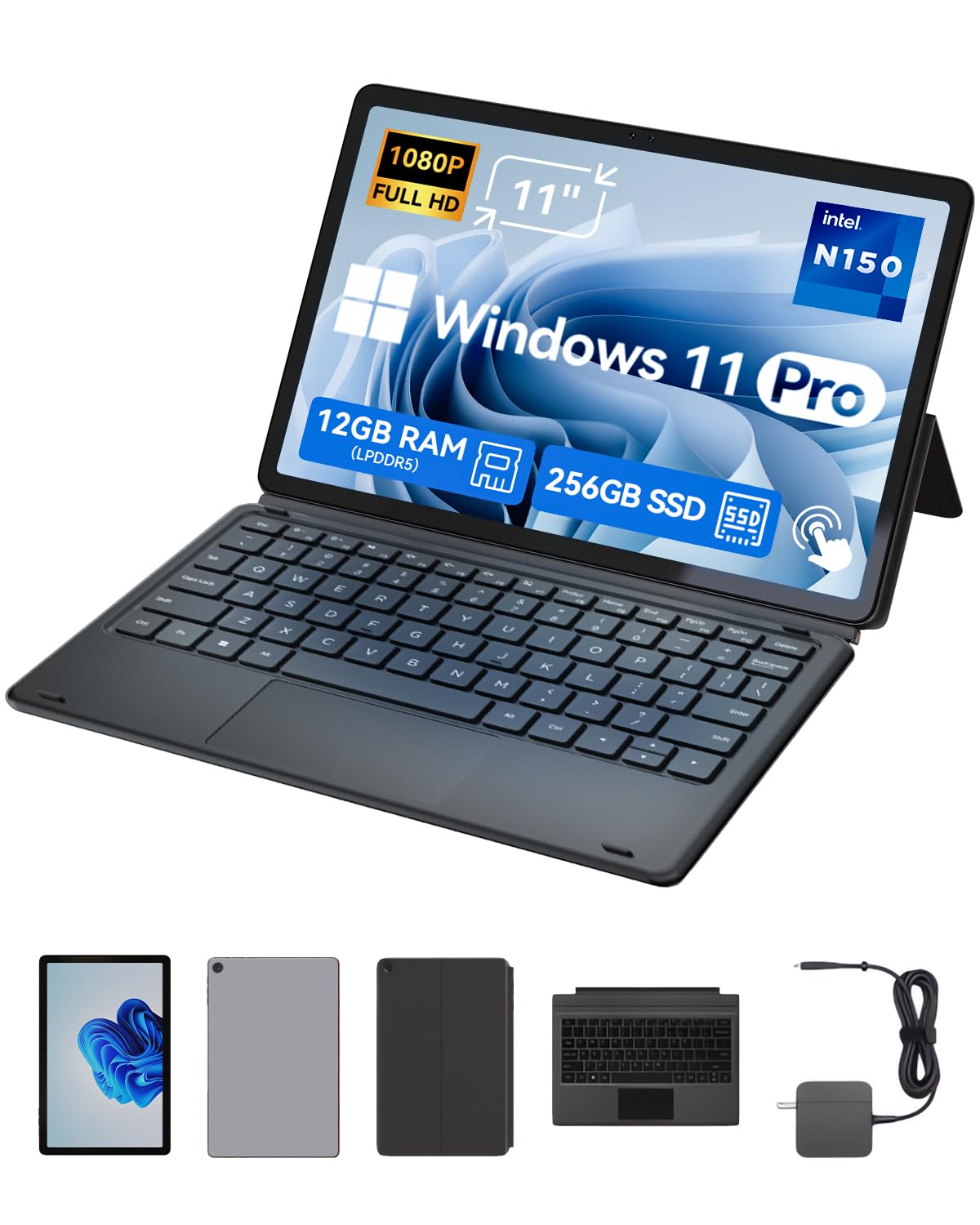
A lightweight 11-inch Windows tablet that packs surprising speed into a compact metal body.
If you prioritize portability, this 2-in-1 has a rugged aluminum chassis that weighs just 635g (1.4 lbs) as a tablet, and with the included magnetic keyboard and case, it still comes in at 1106g (2.44 lbs). The 12GB of DDR5 RAM and 256GB NVMe SSD ensure smooth multitasking and fast file transfers.
The device comes with dual cameras (5MP+8MP), Wi-Fi 6, and a 34.2Wh battery with Type-C fast charging. The included pogo pin keyboard and kickstand let you switch between tablet and laptop modes instantly. However, some buyers reported quality control issues, like missing accessories and keyboard ghosting. The 11-inch screen is noticeably smaller than the 14-inch models, which makes it more pocketable but less comfortable for prolonged typing.
Ultra-Portable Setup
- Very lightweight at 635g (tablet only) with a durable metal body
- Fast Twin Lake N150 processor and ample 12GB of RAM
- Sharp, vibrant FHD touchscreen display
Build Concerns
- Some reports of keyboard quality issues and missing accessories
- Smaller 11-inch screen may not suit everyone
Great for: Travelers and students who need an ultra-light Windows device that can handle basic work and media on the go.
Be aware of: Potential quality issues with the included keyboard and a smaller screen that may limit productivity.
6. Jumper New 2-in-1 Laptop/Tablet
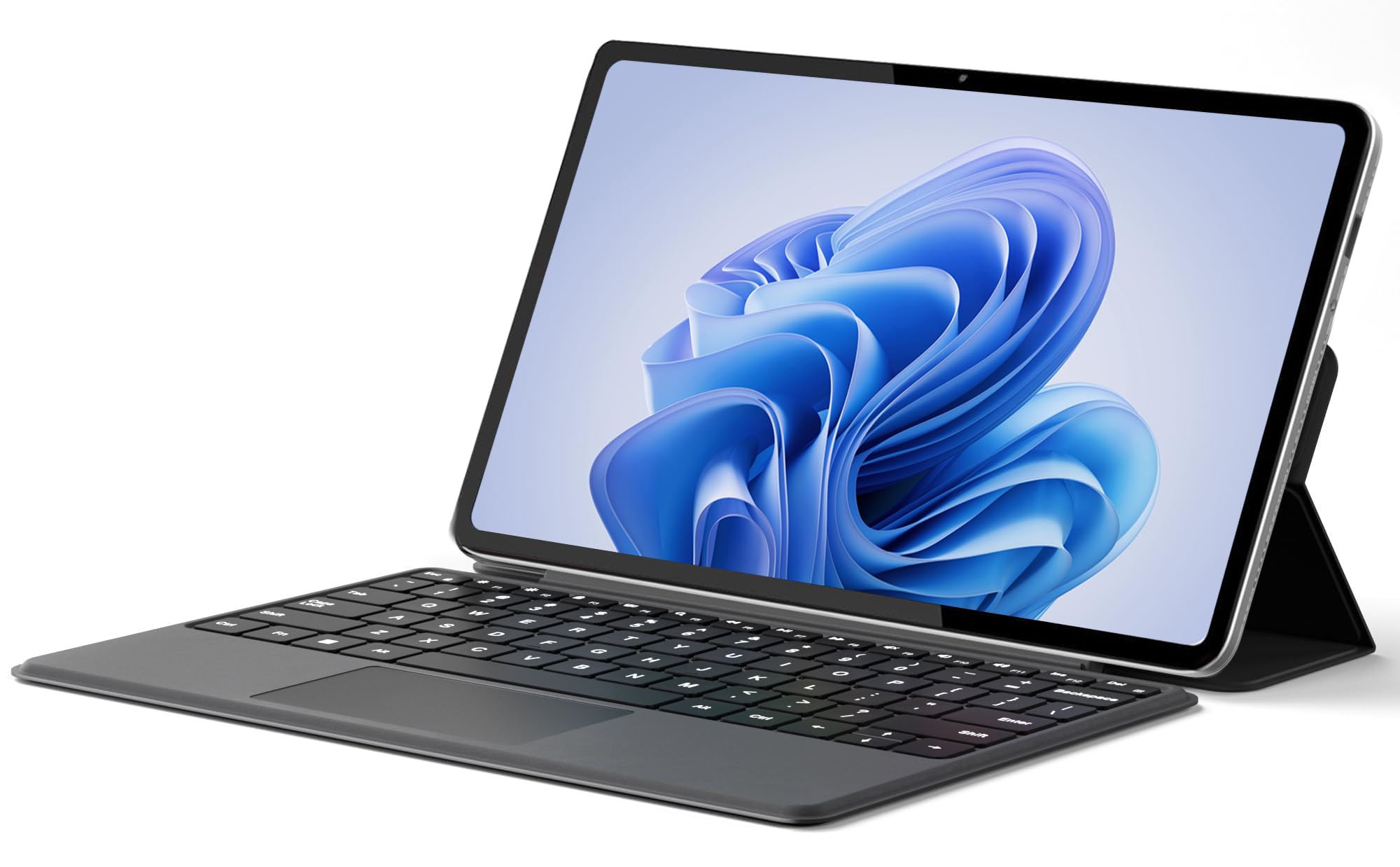
A budget-friendly convertible that brings a sharp 2K screen and solid memory to the table.
The Jumper 2-in-1 features a 12-inch 2000×1200 FHD IPS touchscreen with an in-cell full-fit anti-glare design, making it crisper than standard 1080p panels. It runs on an Intel Pentium Gold 6500Y processor with 12GB of RAM and a 256GB SSD, delivering enough power for daily office work, web browsing, and video streaming. Reviewers point out it “Handles 20+ Chrome tabs without lag,” proof of the 12GB RAM, which is 3x the RAM of the HP 14 Chromebook’s 4GB. The 4300mAh battery supports up to 8 hours of video playback, giving you a full day of light use.
The metal body stays thin at 0.64kg (1.4 lbs), and it comes with a detachable magnetic leather keyboard and a multi-angle stand. Dual full-featured Type-C ports handle charging, data, and video output, adding to its flexibility. The main downside is the keyboard, which has shallow keys — fine for short bursts, but less comfortable for heavy typing. Compared to the 11-inch BNCF, this Jumper offers a larger, higher-resolution screen, making it a better choice for media consumption.
Screen & Portability
- Sharp 2K (2000×1200) anti-glare IPS touchscreen
- Lightweight at 0.64kg with a premium metal build
- Ample 12GB RAM for smooth multitasking
Keyboard Feel
- Detachable keyboard has shallow key travel
- 8-hour battery is decent but not top-tier
Pick this if: You want an affordable Windows 2-in-1 with a high-resolution 2K screen for watching videos and reading, and you value a light build.
skip it if: You do a lot of heavy typing, as the shallow keyboard may not suit your needs.
7. HP 14 2-in-1 Chromebook (Renewed)

An entry-level Chromebook that covers the basics for a very low cost.
The HP 14 Chromebook features a 14-inch FHD IPS touchscreen with a 360-degree flip design, offering solid screen quality at a budget price. It is powered by an Intel N100 processor (up to 3.4 GHz), 4GB of DDR5 RAM, and 64GB of storage, making it suitable for light web browsing, email, and cloud-based apps. The 64GB storage is a 4.0x gap versus the Jumper’s 256GB, so plan on using Google Drive heavily. Buyers are generally very pleased, with one saying it has “clear pixel, amazing screen quality, portable, long battery life, thin” and works great for a child’s homeschooling.
ChromeOS runs quickly and securely, and the device includes Wi-Fi 6 and Bluetooth 5 for modern connectivity. This is a no-frills machine for those on a tight budget who need a reliable convertible for basic tasks. It is a renewed (refurbished) unit, which keeps the price low but may not come with a full warranty.
Basic Value
- Lowest price point for a functional 2-in-1 Chromebook
- Good 14-inch FHD touchscreen with 360° flip
- Fast Wi-Fi 6 and Bluetooth 5 connectivity
Hardware Limits
- Only 4GB of RAM, limiting multitasking
- Small 64GB storage; requires heavy cloud use
- Renewed unit, not brand new
Suitable for: Students or casual users on a strict budget who need a Chromebook for basic web browsing and document editing.
Not for: Power users who need to run multiple apps simultaneously or store large files locally.
Understanding the Specs
Processor (CPU) and Graphics
The brain of your tablet determines how fast apps load and how many tasks you can juggle at once. An Intel N100 or Celeron is fine for basic browsing and office work. A Pentium Gold or AMD Ryzen 5 handles heavier multitasking and light creative work. The NPU in the OmniBook X FLIP adds AI features for things like real-time video effects and background blur.
RAM and Storage
RAM (memory) affects how many apps you can keep open without slowing down. 4GB is minimum for ChromeOS, but 8GB or more is better for Windows 11. Storage (SSD) determines your local file space. 64GB is tight; 256GB is comfortable; 512GB gives you room for large media and games. eMMC storage is slower than an SSD, so avoid it if you value fast boot times.
FAQ
What is the difference between a 2-in-1 tablet and a traditional tablet?
Can I use a stylus with any 2-in-1 tablet?
Is ChromeOS or Windows 11 better for a 2-in-1 tablet?
How much RAM do I really need in a 2-in-1 tablet?
What does a 360-degree hinge mean for a convertible?
Why is the battery life on some 2-in-1 tablets shorter than advertised?
Can I upgrade the RAM or storage in a 2-in-1 tablet later?
Are 2-in-1 tablets good for gaming?
What is the difference between eMMC and SSD storage?
Will a 2-in-1 tablet replace my laptop completely?
Final Thoughts: The Verdict
For most buyers, the 2-in-1 tablet winner is the FUNYET 14″ because it delivers a fantastic balance of high RAM, large storage, a bright screen, and a lightweight design at a mid-range price. If you want the absolute best performance and AI features in a portable package, grab the Microsoft Surface Pro (2024). And for a durable, long-lasting Chromebook that is perfect for students and web-based work, the ASUS Chromebook Flip CX1 is a fantastic choice.
How We Picked
We do not accept paid placement. Every pick is matched to a real buyer and a real use-case; we do not hands-on test units.
Sources & Methodology
Specifications: manufacturer listings and product documentation. Review insights: verified customer reviews, as of July 2026. Pricing: not shown on this page (it changes often); check the current price via the retailer link.
As an Amazon Associate, FitlyFast earns from qualifying purchases. This does not affect which products we feature.