
Our readers keep the lights on and the weekend projects moving. As an Amazon Associate, I earn from qualifying purchases.
A 24-inch 4K monitor occupies a unique spot in the display world, delivering a pixel density that makes text razor-sharp and images incredibly detailed without dominating your desk. This size hits the sweet spot for professionals who need clarity without the sprawling footprint of larger screens, making it ideal for dual-monitor setups, color-critical work, or simply a cleaner workspace.
I’m Rikta — the co-founder and writer behind FitlyFast. I’ve spent countless hours analyzing monitor specifications, reading user reports, and comparing panel performance to find the models that truly deliver on their 4K promises at this compact size.
Whether you are a programmer wanting crisp code, a photo editor needing accurate colors, or a Mac user looking for a seamless second screen, this guide breaks down the best options available. Let’s find the 24 inch 4k monitor that fits your exact needs and budget.
How To Choose The Best 24 Inch 4K Monitor
Choosing a 24-inch 4K monitor means prioritizing pixel density and color accuracy over sheer size. At this scale, the 3840×2160 resolution delivers an incredibly sharp image with a pixel density of roughly 184 PPI, making text look like print and eliminating the need for scaling on many operating systems.
Pixel Density & Scaling: The Real Advantage
The most immediate benefit of a 24-inch 4K monitor is the high pixel density. This makes everything from code to spreadsheets look crisp and clear. For macOS users, 4K at this size offers a perfect “looks like 1920×1080” Retina scaling option, giving you sharp text and generous screen real estate without the interface being too small.
Color Accuracy & Gamut: For Creative Professionals
If your work involves photo or video editing, look for monitors covering at least 99% sRGB or 95% DCI-P3. A factory-calibrated Delta E of less than 2 ensures colors are accurate out of the box. The ViewSonic VP2488-4K, for instance, boasts Pantone Validation, making it a reliable tool for color-critical tasks.
Connectivity: The USB-C Factor
A USB-C port with Power Delivery is a game changer for laptop users. It allows you to connect, charge, and transmit video with a single cable, keeping your desk clean. Monitors like the ViewSonic VP2488-4K offer Thunderbolt 4 with 100W charging, which is ideal for powering a MacBook Pro or high-end laptop.
Quick Comparison
On smaller screens, swipe sideways to see the full table.
| Model | Category | Best For | Key Spec | Amazon |
|---|---|---|---|---|
| ViewSonic VP2488-4K | Premium | Mac Users & Color Work | 24″ 4K, Pantone Validated, TB4 | Amazon |
| BenQ MA270UP | Premium | MacBook Ecosystem | 27″ 4K, 90W USB-C, P3 Gamut | Amazon |
| ASUS ProArt PA279CRV | Premium | Photo & Video Editing | 27″ 4K, Delta E < 2, 96W PD | Amazon |
| Samsung ViewFinity S8 | Mid-Range | General Productivity | 27″ 4K, HDR10, USB Hub | Amazon |
| Dell S2725QS | Mid-Range | Mixed Work & Play | 27″ 4K, 120Hz, FreeSync Premium | Amazon |
| INNOCN 27C1U-D | Mid-Range | Budget USB-C Monitor | 27″ 4K, USB-C 65W, Delta E<2 | Amazon |
| LG 27UP650K-W | Mid-Range | Value 4K for Office | 27″ 4K, 95% DCI-P3, HDR400 | Amazon |
| Amzfast AMZG27F6U | Mid-Range | Gaming & Productivity | 27″ 4K 160Hz, Dual Mode | Amazon |
| UPERFECT 23.8″ QLED | Premium Portable | Portable 4K Screen | 23.8″ 4K, QLED, 400 nits | Amazon |
| Odmenot O2401 | Mid-Range Portable | Travel & Second Screen | 24″ 4K, 120% sRGB, Portable | Amazon |
| Innoview 23.8″ Portable | Budget Portable | On-the-Go 4K Setup | 23.8″ 4K, 100% sRGB, Speakers | Amazon |
In‑Depth Reviews
1. ViewSonic VP2488-4K

The ViewSonic VP2488-4K is a standout for Mac users, offering a true 24-inch 4K IPS panel with Pantone Validation and 98% DCI-P3 coverage. Its Thunderbolt 4 connectivity delivers a massive 40Gbps bandwidth and up to 100W power delivery, making it an ideal single-cable solution for a MacBook Pro or Mac Mini. The 500-nit brightness ensures excellent visibility even in bright rooms.
The advanced ergonomic stand supports tilt, swivel, pivot, and height adjustment, making it easy to find a comfortable viewing angle. The frameless design also makes it excellent for a multi-monitor daisy-chain setup via Thunderbolt 4, a feature rarely seen at this size. This monitor delivers colors that match Apple’s internal displays very closely.
Some users report occasional reconnection issues after sleep, and the OSD controls can be a bit confusing at first. However, for the sheer pixel density and color accuracy available in a compact 24-inch frame, the VP2488-4K is currently the most compelling option for creative professionals.
Why it’s great
- Pantone Validated with excellent P3 coverage
- Thunderbolt 4 with 100W PD
- Full ergonomic stand
Good to know
- Can be buggy with USB reconnect after sleep
- Complex menu navigation
2. BenQ MA270UP

The BenQ MA270UP is designed from the ground up for the Mac ecosystem. Its “Mac Color Match” technology and P3 wide color gamut deliver a visual experience that closely mirrors the internal display of a MacBook Pro. The 27-inch 4K IPS panel is bright at 400 nits and offers a high 2000:1 contrast ratio, providing excellent depth for photos and videos.
Connectivity is a highlight, with dual USB-C ports—one delivering 90W for your MacBook and another providing 15W to charge an iPad or iPhone. The integrated controls allow you to adjust the monitor’s brightness and volume directly from your MacBook keyboard, which is a seamless integration competitor often miss. The full ergonomic stand is also included.
The monitor lacks built-in speakers and a webcam, and the stand feels slightly less premium than the ProArt option. However, for anyone deeply invested in the Apple ecosystem who wants Studio Display clarity without the price tag, the MA270UP is a brilliant alternative.
Why it’s great
- Near-perfect color match for MacBook
- 90W USB-C with keyboard controls
- High contrast ratio
Good to know
- No built-in speakers or camera
- Stand feels a bit basic for the price
3. ASUS ProArt Display PA279CRV

The ASUS ProArt PA279CRV is a serious tool for color-critical work. It covers 99% of both DCI-P3 and Adobe RGB, is Calman Verified, and comes factory-calibrated to a Delta E of less than 2. This makes it a reliable choice for photographers and videographers who need consistent, accurate color from the moment they unbox the 27-inch 4K IPS panel.
Its connectivity is robust, featuring a USB-C port with 96W Power Delivery, DisplayPort In and Out for daisy-chaining, and an HDMI port. The stand is premium, offering smooth tilt, swivel, pivot, and height adjustments with integrated cable management. The matte screen finish helps reduce glare without softening the image.
This is a 60Hz monitor, not ideal for high-refresh-rate gaming. The OSD button controls are also a bit dated compared to joystick-based systems. For pure professional color work in a 27-inch 4K format, however, the PA279CRV is an industry standard for good reason.
Why it’s great
- Excellent Adobe RGB and DCI-P3 coverage
- Factory calibrated with high accuracy
- 96W USB-C power delivery
Good to know
- Limited to 60Hz refresh rate
- Button controls feel outdated
4. Samsung ViewFinity S8 (S80D)

The Samsung ViewFinity S8 is a solid, no-nonsense 27-inch 4K monitor aimed at productivity. It delivers sharp text and good color for its price tier, with HDR10 support adding a bit of extra pop to compatible content. The Easy Setup Stand is genuinely tool-free and supports height, tilt, swivel, and pivot adjustments, making it highly flexible for any desk.
Connectivity is practical, including HDMI, DisplayPort, and a USB-C hub. The monitor also features TÜV-certified Intelligent Eye Care, which adjusts brightness and color temperature to reduce eye strain during long work sessions. Its matte screen is excellent for reducing reflections in bright offices.
The speakers are not included, and the single-button joystick for the OSD can be frustrating to use. It also lacks USB-C Power Delivery, so you will still need a separate charger for your laptop. For a clean, sharp, and adjustable productivity screen, it is a very strong contender.
Why it’s great
- Excellent ergonomic stand
- Sharp 4K text clarity
- Strong eye-care features
Good to know
- No built-in speakers
- No USB-C Power Delivery
5. Dell 27 Plus 4K S2725QS

The Dell S2725QS is a rare find: a 27-inch 4K monitor that offers a 120Hz refresh rate. This makes it an exceptional choice for users who want razor-sharp text for work during the day and smooth, tear-free visuals for casual gaming at night. The IPS panel delivers 99% sRGB and a high 1500:1 contrast ratio, providing vibrant colors and deep blacks.
It comes with integrated speakers that are a noticeable improvement over the previous generation, and its ultra-thin bezels and ash white finish give it a modern, minimalist look. The stand is fully adjustable, supporting height, tilt, swivel, and pivot. It also features AMD FreeSync Premium and is G-Sync compatible.
Some users have reported a persistent yellow tint on certain units, and the HDR performance is adequate but unremarkable. For the combination of high refresh rate and sharp 4K resolution, the S2725QS offers fantastic value for a mixed-use scenario.
Why it’s great
- 120Hz refresh rate for smooth motion
- 1500:1 contrast ratio
- Improved built-in speakers
Good to know
- Some units have a yellow tint
- HDR performance is average
6. INNOCN 27C1U-D

The INNOCN 27C1U-D packs a strong punch for its price, offering a 27-inch 4K IPS display with a USB-C port that delivers 65W of power to a connected laptop. It is factory-calibrated to a Delta E of less than 2, making it a very viable option for budget-conscious creatives who need accurate color straight out of the box.
The monitor supports HDR400 and its 1.07 billion colors (8-bit + FRC) provide smooth gradients. The stand is fully ergonomic, offering height, tilt, swivel, and pivot adjustments, and the VESA mount compatibility makes it easy to attach to an arm. The included USB-C cable makes for a simple, one-cable laptop setup.
The built-in speakers are very poor and the OSD buttons are unintuitive. Some users also report color issues when using the HDMI port. For the price, it is a reliable USB-C monitor that handles both productivity and light creative work well.
Why it’s great
- Factory-calibrated Delta E < 2
- USB-C with 65W PD
- Full ergonomic stand
Good to know
- Terrible built-in speakers
- Unintuitive button controls
7. LG 27UP650K-W

The LG 27UP650K-W is a clean, white-finished 27-inch 4K monitor that delivers impressive color performance for its price point, covering 95% of the DCI-P3 color gamut. The IPS panel is bright at 400 nits and supports VESA DisplayHDR 400, providing a noticeable step up in dynamic range for HDR content compared to standard monitors.
Its ergonomic stand supports height, tilt, and pivot adjustments, making it comfortable for long work sessions. Features like the Black Stabilizer and Dynamic Action Sync are useful for gaming, helping you see details in shadows and reduce input lag. The LG Switch app allows for easy screen splitting.
This model lacks USB-C connectivity, which is a significant drawback for modern laptop users. The white stand may also yellow over time according to some users. For a simple, colorful, and adjustable 4K monitor, it is a great value for non-creative office or media consumption use.
Why it’s great
- Wide 95% DCI-P3 color gamut
- HDR400 support
- Good ergonomic stand
Good to know
- No USB-C connectivity
- White stand may yellow over time
8. Amzfast AMZG27F6U
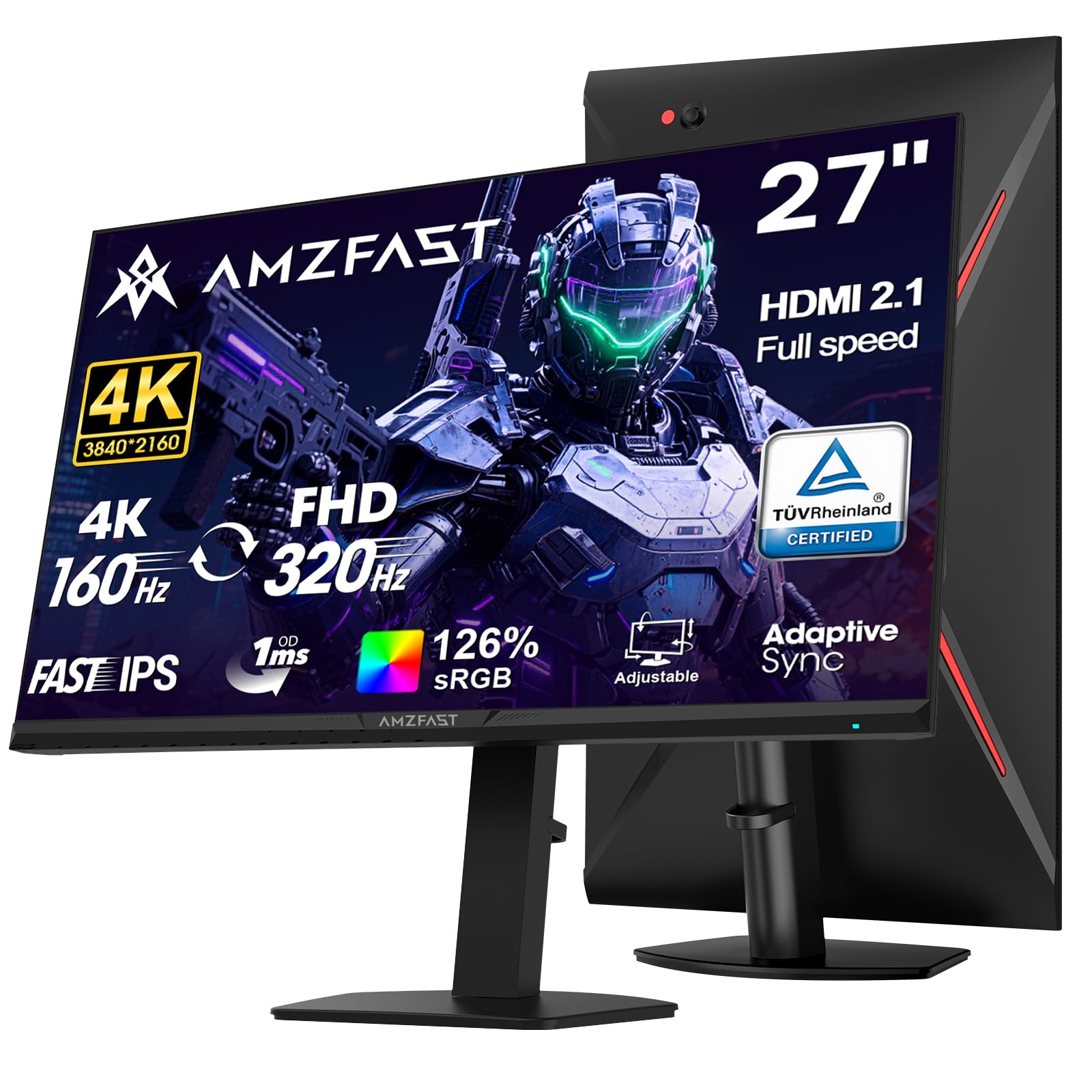
The Amzfast AMZG27F6U is a gaming-focused 27-inch 4K monitor that offers a unique Dual Mode feature, allowing you to switch between 4K at 160Hz and FHD at 320Hz. This makes it highly versatile, offering high resolution for immersive single-player games and blistering refresh rates for competitive shooters. The Fast IPS panel has a 1ms MPRT response time.
It supports HDR400 and covers 126% sRGB and 93% DCI-P3, delivering vibrant and punchy colors. Connectivity is solid with dual HDMI 2.1 ports supporting 4K 144Hz and dual DP 1.4 ports supporting 4K 160Hz. The stand is fully ergonomic, allowing for height, pivot, swivel, and tilt adjustments.
The build quality of the stand is a common complaint, with some users reporting a noticeable tilt. The HDR mode can also be a bit aggressive on the colors. For a gamer who wants the flexibility of both speed and resolution, this is a powerful mid-range choice.
Why it’s great
- Dual Mode: 4K 160Hz or FHD 320Hz
- Fast IPS with 1ms response
- Dual HDMI 2.1 ports
Good to know
- Stand build quality can be inconsistent
- HDR mode can be overly vivid
9. UPERFECT 23.8″ QLED
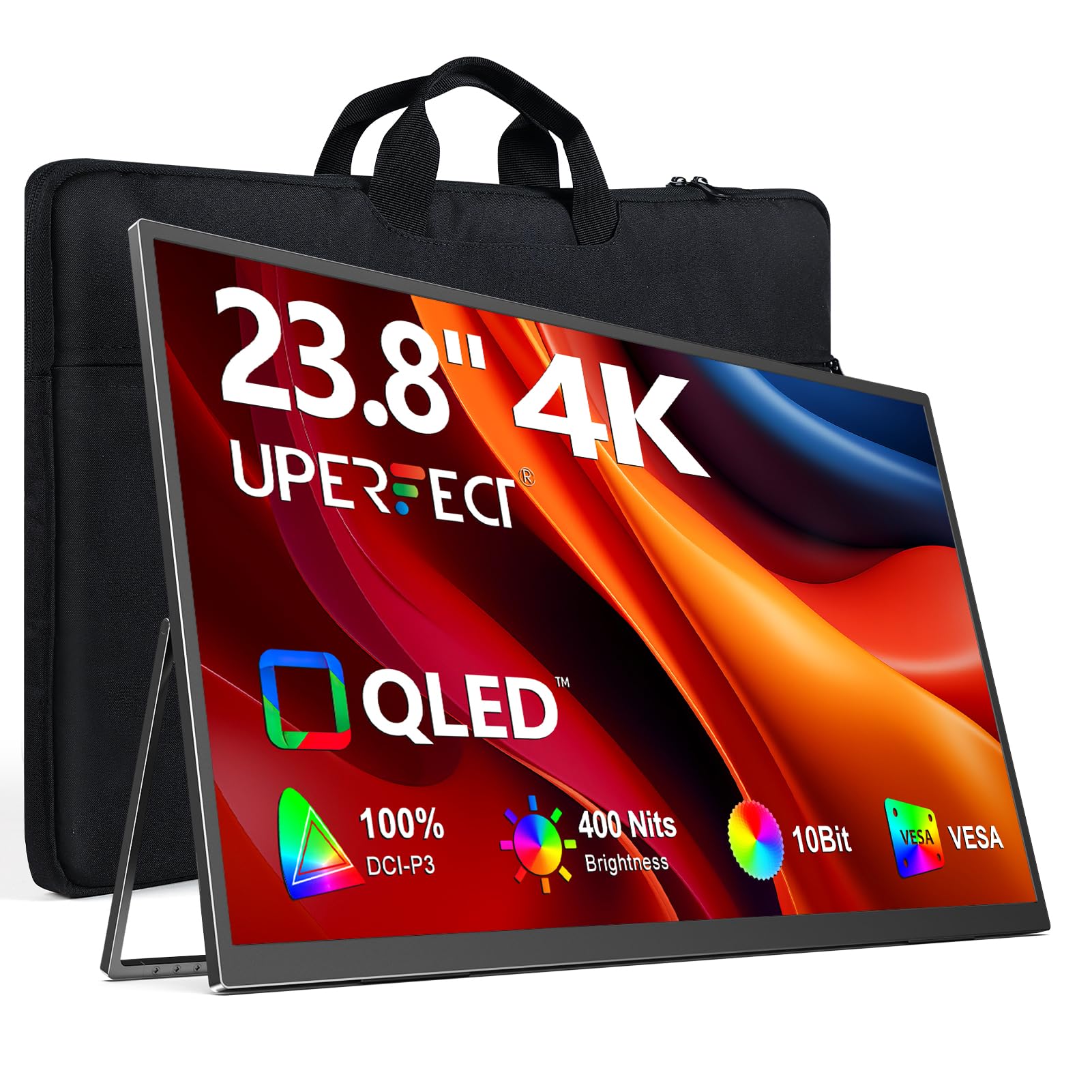
The UPERFECT 23.8″ QLED takes the portable monitor concept to a new level. It combines a large 23.8-inch screen with QLED technology, delivering a wider color volume of 100% DCI-P3 for purer reds, deeper greens, and brighter blues than standard IPS panels. This 4K UHD display is ideal for professionals who need accurate color on the go.
At 400 nits of brightness, it remains usable in various lighting conditions. It features a built-in 180-degree adjustable stand and a VESA mount option (75x75mm), offering great flexibility for desktop or wall mounting. Connectivity via USB-C and HDMI ensures compatibility with laptops, consoles, and mini PCs.
To achieve the peak brightness of 400 nits, an external power supply is required; USB-C power alone limits it to 300 nits. The viewing angles are also not as strong as a premium desktop panel. For a portable professional display that prioritizes color accuracy, this is a top-tier choice.
Why it’s great
- QLED panel for superior color volume
- 100% DCI-P3 coverage
- Versatile stand and VESA mount
Good to know
- Lower brightness without external power
- Viewing angles could be better
10. Odmenot O2401
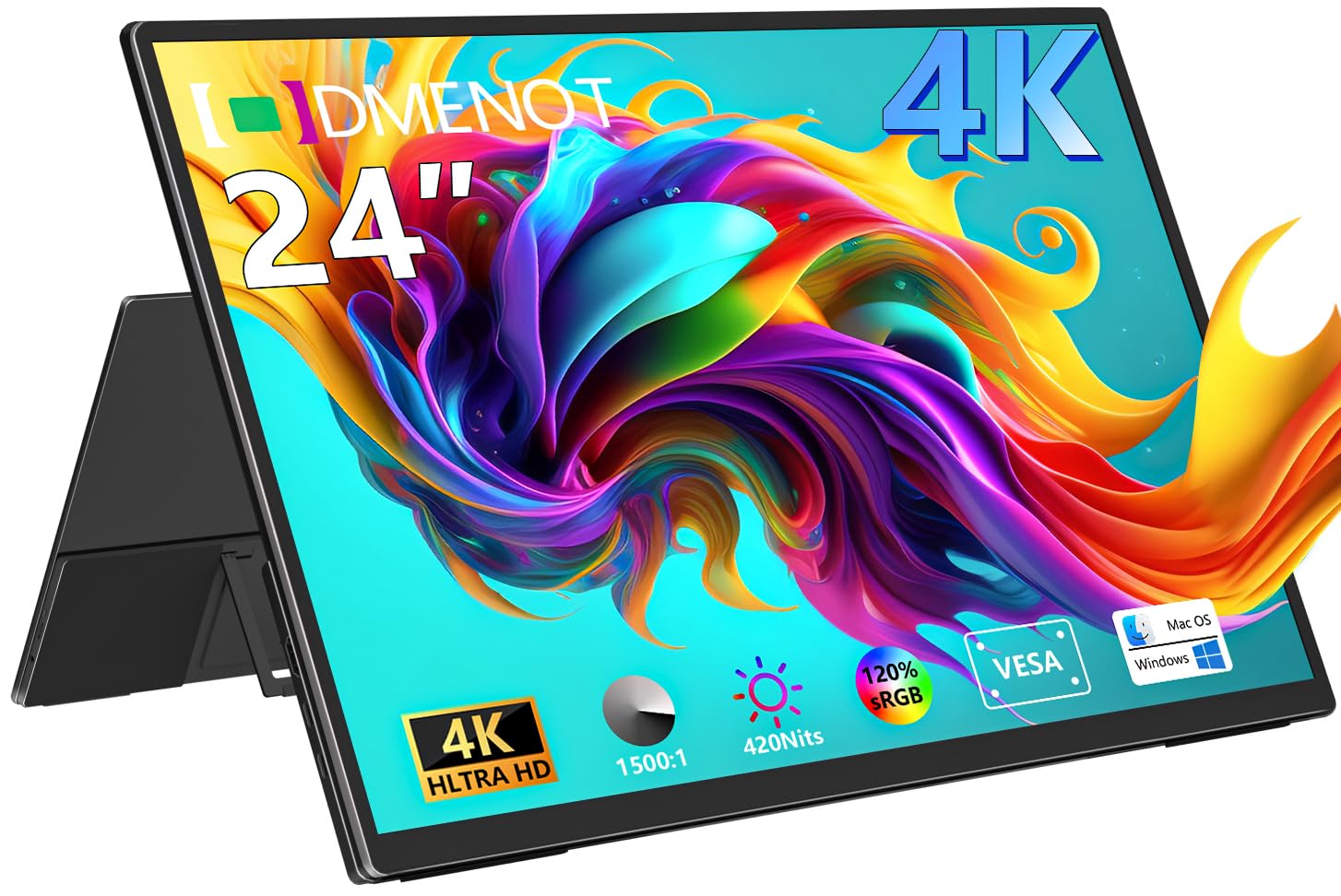
The Odmenot O2401 is a large 24-inch portable monitor that delivers sharp 4K resolution with a wide 120% sRGB color gamut. Its high pixel density makes text appear incredibly crisp, which is great for spreadsheet work, coding, and reading documents on the go. The 420-nit brightness level is excellent for a portable display.
It is designed for true portability with a built-in foldable stand and support for VESA mounts. The plug-and-play compatibility with USB-C and HDMI makes it easy to connect to any laptop, console, or mini PC. The inclusion of both a mini-HDMI and full-function USB-C ports ensures broad compatibility.
The controls for volume and settings are difficult, requiring many button presses. It also requires a separate power adapter to reach peak brightness, which adds to your travel load. For users who want a true 24-inch 4K portable monitor for productivity on the move, this is a solid, bright option.
Why it’s great
- Large 24-inch 4K screen in a portable form
- 120% sRGB color coverage
- High 420-nit brightness
Good to know
- Complicated controls for settings
- Requires external power for max brightness
11. Innoview 23.8″ Portable

The Innoview 23.8″ Portable Monitor offers an entry-level way to get a large 4K screen for travel or as a secondary display. The 23.8-inch IPS panel covers 100% sRGB, delivering accurate and vibrant colors suitable for photo review, media consumption, and standard productivity tasks. Its 2000:1 contrast ratio provides decent depth for an IPS panel.
It features a versatile 180-degree adjustable kickstand and includes built-in speakers, which are a rare find on portable monitors. Connectivity via USB-C and HDMI ensures it works with most modern laptops, tablets, and gaming consoles right out of the box. The monitor is lightweight at about 2.2 kg.
Customer support experiences have been positive, with reports of quick replacements for defective units. The build quality is described as “slim line” and not the most rugged for frequent travel. For a budget-friendly way to add a large 4K portable screen to your setup, the Innoview is a functional and affordable starting point.
Why it’s great
- Large 23.8-inch 4K portable screen
- 100% sRGB with good contrast
- Includes built-in speakers
Good to know
- Build quality feels light and somewhat flimsy
- Not as bright as premium portable monitors
FAQ
Is 4K worth it on a 24-inch monitor?
Will a 24-inch 4K monitor work well with a MacBook?
What is the difference between a portable and a standard 24-inch 4K monitor?
Final Thoughts: The Verdict
For most users, the best 24 inch 4k monitor winner is the ViewSonic VP2488-4K because it offers a rare true 24-inch 4K panel with Pantone-level color accuracy and Thunderbolt 4 connectivity. If you want a seamless MacBook experience with keyboard controls and a glossy screen, grab the BenQ MA270UP. And for pro-level color work that requires Adobe RGB coverage, nothing beats the ASUS ProArt PA279CRV.