
Our readers keep the lights on and the weekend projects moving. As an Amazon Associate, I earn from qualifying purchases.
A 24-inch monitor hits a sweet spot: large enough for comfortable multitasking yet compact enough to fit any desk, dorm, or dual-screen setup. The challenge is sorting through refresh rates, panel types, and connectivity to find the one that matches your real-world needs—whether that’s precise color work, fluid gaming, or reliable daily productivity.
I’m Rikta — the co-founder and writer behind FitlyFast. I’ve spent countless hours analyzing panel specifications, refresh rate performance, and connectivity options across dozens of models to bring clarity to the crowded 24-inch monitor market.
The market is packed with compelling choices, but focusing on specific specs like IPS panel quality, refresh rate efficacy, and color accuracy determines which unit truly stands out as the best 24 inch monitor for your particular workflow.
How To Choose The Best 24 Inch Monitor
Selecting a 24-inch monitor involves more than just checking the resolution. You need to weigh panel technology against your main use case—office productivity, creative color work, or casual to competitive gaming. Each spec directly impacts your daily experience.
Panel Type: IPS vs. VA vs. TN
For a 24-inch form factor, IPS panels dominate because they offer the best balance of color accuracy, brightness consistency, and wide 178-degree viewing angles. VA panels provide deeper contrast ratios (often 3000:1), making them strong for dark-room movie watching, but they suffer from slower response times. TN panels are rare at this size now; they offer the fastest response but poor viewing angles and washed-out color.
Refresh Rate and Adaptive Sync
Standard office monitors sit at 60Hz, but a 120Hz panel dramatically improves perceived smoothness during everyday cursor movement and scrolling. For gaming, 144Hz or higher is ideal. Pair this with Adaptive Sync (FreeSync or G-Sync Compatible) to eliminate screen tearing without the performance hit of V-Sync. The 120Hz and 144Hz options in this list provide a visible upgrade over 60Hz at a modest price increase.
Color Accuracy and Connectivity
If you edit photos, design graphics, or review video, you need a monitor with at least 99% sRGB and factory calibration (Delta E < 2). For home office flexibility, USB-C with power delivery simplifies your desk setup by carrying video, data, and laptop charging through a single cable. HDMI and DisplayPort remain essential for older laptops and gaming consoles.
Quick Comparison
On smaller screens, swipe sideways to see the full table.
| Model | Category | Best For | Key Spec | Amazon |
|---|---|---|---|---|
| ASUS ProArt PA247CV | Premium | Color-Accurate Professional Work | ΔE < 2, 100% sRGB/Rec. 709 | Amazon |
| LG UltraGear 24G411A-B | Gaming | Competitive 144Hz Gaming | 144Hz OC, 1ms MBR, IPS | Amazon |
| Samsung Odyssey G3 G30A | Gaming | Vertical/Ergonomic Gaming Setup | 144Hz, 1ms, Height Adj. | Amazon |
| Samsung S3 S32GF | Mid-Range | Balanced Home & Office Use | 120Hz, IPS Panel | Amazon |
| BenQ GW2490T | Ergonomic | Long Work Sessions | Height/Tilt/Pivot Adj. | Amazon |
| KTC H24F7 | High-Performance | 240Hz Ultra-Smooth Gaming | 240Hz, Fast IPS, HDR400 | Amazon |
| ViewSonic VA2456A-MHD | Budget | Budget-Conscious Home Office | 120Hz, IPS, 3 Inputs | Amazon |
| ASUS VA249QG | Entry-Level | Versatile Budget Setup | 120Hz, 1ms, VGA Port | Amazon |
In‑Depth Reviews
1. ASUS ProArt Display PA247CV

The ProArt PA247CV is built for professionals who cannot tolerate color drift. Factory calibration to Delta E < 2 and full coverage of sRGB and Rec. 709 gamuts make it a reliable tool for photo retouching, video editing, and design proofing straight out of the box. The IPS panel delivers consistent brightness and color across the entire 24-inch screen, so you are not second-guessing your edits when you shift your seating position.
Connectivity is its other standout feature. The USB-C port provides 65 watts of power delivery plus video and data in a single cable, decluttering your desk when connected to a compatible laptop. It also includes HDMI, DisplayPort, and a USB 3.1 hub for legacy peripherals. The included quick-release stand supports height, tilt, swivel, and pivot adjustments, making it easy to find an ergonomic viewing angle.
At 75Hz, the refresh rate is higher than a standard office 60Hz panel, giving smoother cursor movement, but it is not designed for high-frame-rate gaming. The built-in speakers are weak and best reserved for system sounds. For any creative professional seeking a color-accurate, USB-C hub monitor that fits a dual-screen layout, this is the top choice.
Why it’s great
- Factory calibrated Delta E < 2 color accuracy
- USB-C with 65W power delivery and data hub
- Full ergonomic stand (height, pivot, swivel, tilt)
Good to know
- Limited to 75Hz refresh rate
- No included calibration software
- Onboard speakers are barely adequate
2. LG UltraGear 24G411A-B

The LG UltraGear 24G411A-B brings competitive-grade speed to a compact 24-inch frame. It runs at a native 120Hz and can be overclocked to 144Hz, providing fluid motion in fast-paced shooters and racing titles. The 1ms Motion Blur Reduction (MBR) technology cuts ghosting effectively, keeping fast-moving objects crisp. With both NVIDIA G-Sync Compatible and AMD FreeSync support, screen tearing is eliminated regardless of your GPU brand.
The IPS panel achieves up to 99% sRGB coverage and HDR10 support, delivering vibrant, punchy colors that surpass typical budget gaming monitors. LG’s Dynamic Action Sync reduces input lag, while the Black Stabilizer lifts shadows in dark scenes so you can spot enemies lurking in corners. The Crosshair overlay tool adds a custom aiming reticle, a useful edge in FPS titles.
Where the UltraGear stumbles is the stand. It offers tilt adjustment only and is somewhat wobbly, which may bother users who bump their desk. For a solid setup, plan on using a VESA mount or monitor arm. The lack of built-in speakers is standard for this gaming tier, so external audio is required. For pure 144Hz gaming on a 24-inch screen, this LG delivers on performance.
Why it’s great
- 144Hz overclocked refresh rate with 1ms MBR
- Excellent color gamut for gaming visuals
- G-Sync Compatible and FreeSync support
Good to know
- Stand is unstable and tilt-only
- No built-in speakers
- Brightness peaks at 250 nits
3. Samsung Odyssey G3 G30A

The Odyssey G3 is a rare find: a 24-inch gaming monitor that combines a 144Hz refresh rate with a fully ergonomic stand. The panel uses VA technology, delivering a 3000:1 contrast ratio that produces deep, inky blacks—noticeably better than typical IPS monitors for dark room gaming. The 1ms response time keeps motion clear, and AMD FreeSync Premium synchronizes the refresh rate to eliminate stuttering.
This monitor includes height, tilt, swivel, and pivot adjustments, allowing you to rotate it into a vertical orientation for coding or document reading. The slim metal base looks clean and provides stability. Connectivity includes DisplayPort and HDMI, with the best performance achieved via the DisplayPort cable included in the box. The FHD resolution looks sharp at this screen size and the VA panel’s contrast makes games like horror titles and cinematic RPGs feel more immersive.
The Odyssey G3 does not include built-in speakers, so you will need external ones. The VA panel also means viewing angles are narrower than IPS; colors shift if you view from the side. For a gamer who wants both high-refresh smoothness and a versatile, adjustable stand for multi-position use, this Samsung is a strong contender.
Why it’s great
- High 3000:1 contrast for deep blacks
- Full ergonomic stand with vertical pivot
- 144Hz with FreeSync Premium support
Good to know
- VA panel has limited off-angle color accuracy
- No built-in speakers
- IPS alternatives offer better color for creative work
4. Samsung S3 S32GF
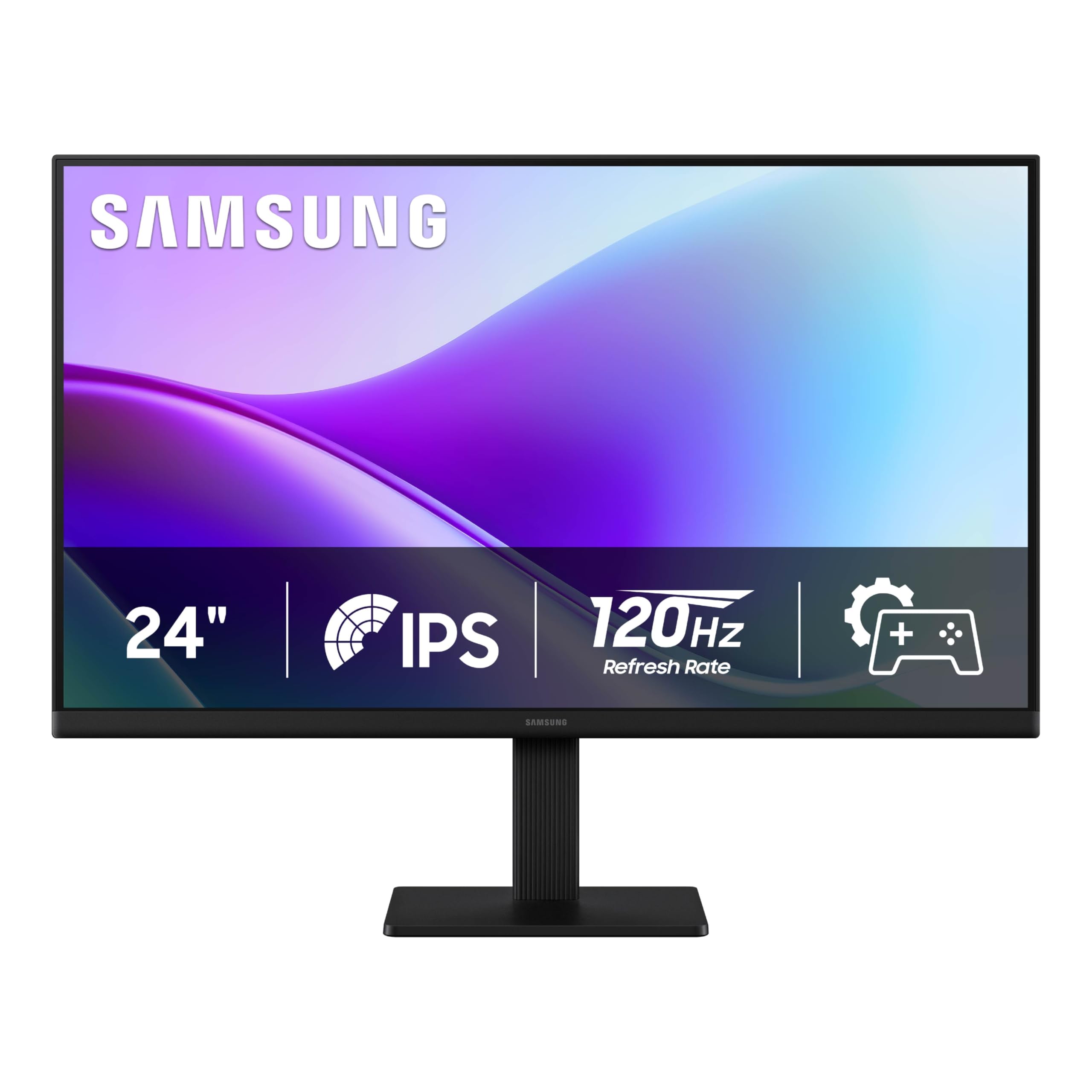
The Samsung S3 S32GF sits in the sweet spot for mixed-use buyers who want smoother motion than a standard 60Hz office monitor without paying the gaming tax. Its 120Hz IPS panel makes scrolling through documents, browsing the web, and watching video feel significantly more fluid. The IPS display maintains color fidelity across wide viewing angles, making it a solid choice for sharing your screen during meetings or watching content with others.
Samsung includes Eye Saver Mode and Flicker-Free technology, which reduce blue light emission and eliminate PWM flicker to reduce eye fatigue during long workdays. The Game Picture Mode lets you switch to optimized color settings for different genres, though this monitor is more about smooth general use than competitive frame rates. The super slim bezels create a clean, modern look that works well in multi-monitor setups.
The stand offers tilt adjustment only, and brightness maxes out at 250 nits, which may feel dim in a very bright room. It also lacks DisplayPort, relying on HDMI alone. For anyone seeking an affordable upgrade to a 120Hz IPS panel for everyday productivity and light entertainment, this model delivers without unnecessary frills.
Why it’s great
- 120Hz IPS for smooth daily use
- Eye Saver and Flicker-Free reduce strain
- Ultra-slim bezels multi-screen friendly
Good to know
- Only tilt adjustment on stand
- No DisplayPort, HDMI-only
- 250 nits peak brightness
5. BenQ GW2490T

The BenQ GW2490T is engineered for comfort and productivity over long working hours. Its 100Hz refresh rate is a noticeable step up from the standard 60Hz office monitor, making cursor tracking and window animations smoother without the higher cost of a 144Hz gaming panel. The IPS panel delivers 99% sRGB color gamut, providing accurate colors for document work and occasional photo edits.
The standout feature is the ergonomic stand, which offers height adjustment, tilt, swivel, and pivot rotation. This flexibility allows you to position the screen at the ideal eye level, reducing neck and shoulder strain. BenQ’s Brightness Intelligence Technology (B.I. Tech) automatically adjusts brightness and color temperature based on ambient room lighting, which helps maintain visual comfort throughout the day.
Some users report the base is overly large, taking up significant desk real estate. The built-in speakers are weak, suitable only for system alerts. The listed refresh rate is 60Hz on the spec sheet, but real-world performance reaches 100Hz via supported connections. For anyone prioritizing ergonomics and eye care over gaming speed, this BenQ is a top-tier office companion.
Why it’s great
- Full ergonomic stand (height, pivot, swivel, tilt)
- Brightness Intelligence auto-adjusts for eye comfort
- 100Hz refresh for smoother office tasks
Good to know
- Stand base is quite large
- Onboard speakers are low quality
- Some units have wake-from-sleep issues
6. KTC H24F7
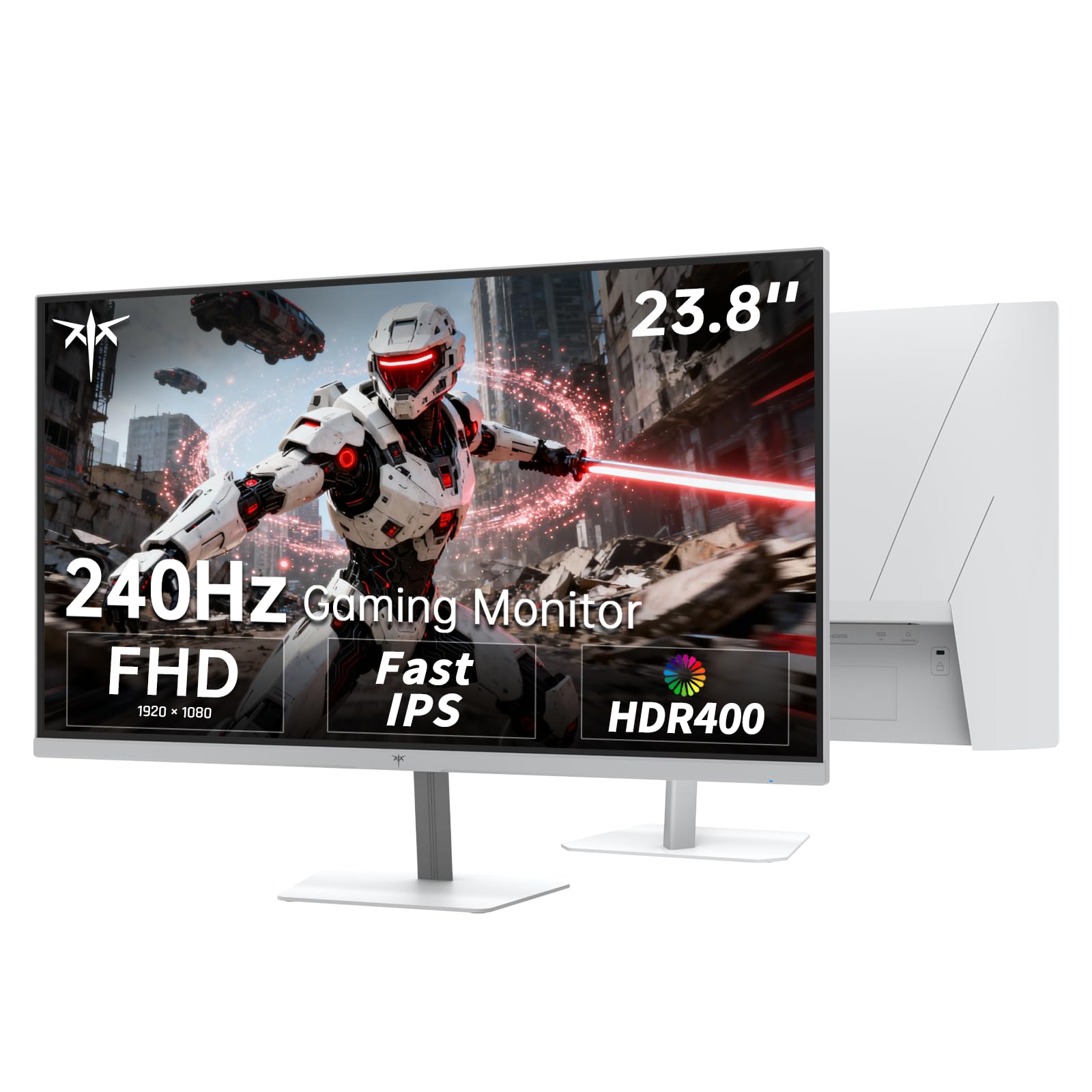
The KTC H24F7 is built for ultra-high refresh rate gaming at a price that beats most competitors. A 240Hz Fast IPS panel paired with 1ms MPRT response time delivers incredibly fluid motion for esports titles like Valorant and Overwatch. Adaptive Sync (FreeSync and G-Sync Compatible) ensures frame delivery remains tear-free during intense firefights. The 116% sRGB color gamut and 400 cd/m² brightness with HDR400 certification produce vivid, punchy visuals that exceed the typical budget gaming monitor.
This white-finished monitor includes versatile ports: two HDMI 2.0, one DisplayPort 1.4, and a USB 2.0 port for firmware updates. All video ports support the full 240Hz refresh rate, so you can maintain maximum performance regardless of your connection. The tilt adjustment (-5° to 15°) and VESA 100x100mm mount compatibility give you basic positioning options, and the low blue light mode helps reduce eye strain during long sessions.
The stand is limited to tilt only, and the USB 2.0 port is not a full hub for peripherals—it is only for firmware updates. Despite these minor compromises, the core performance—240Hz on a Fast IPS panel—is outstanding for the price point. If frame rate is your priority, this KTC delivers elite speed without emptying your wallet.
Why it’s great
- True 240Hz refresh rate on Fast IPS
- High color gamut (116% sRGB) and HDR400
- All video ports support 240Hz output
Good to know
- USB 2.0 port is firmware-only, not a hub
- Limited to tilt adjustment on stand
- White finish may not suit all setups
7. ViewSonic VA2456A-MHD

The ViewSonic VA2456A-MHD proves that a tight budget does not have to mean a basic display. It combines a 120Hz IPS panel with a 1500:1 contrast ratio, delivering deeper blacks than the typical 1000:1 IPS monitor. This contrast advantage makes documents pop and video content look richer. The SuperClear IPS technology ensures colors remain consistent when viewed from an angle, which is useful for collaborative work.
Connectivity is generous for the price tier, offering HDMI, DisplayPort, and VGA inputs. That VGA port is a lifesaver if you need to connect an older desktop or legacy equipment. The VA2456A-MHD also includes Flicker-Free technology and a Blue Light Filter to reduce eye fatigue during extended use. The on-screen menu provides presets for Game, Movie, Web, Text, and Mono, letting you quickly adapt the display to your current task.
The trade-offs are the basic stand with tilt-only adjustment and the 250 nits brightness ceiling, which can feel lackluster in sunlit rooms. The built-in speakers are adequate for casual use but thin for music or action movies. For a reliable 120Hz IPS monitor that covers all connection bases at an entry-level price, this ViewSonic is hard to beat.
Why it’s great
- 120Hz IPS with 1500:1 contrast ratio
- Includes VGA port for legacy devices
- Five customizable picture presets
Good to know
- Tilt-only stand, no height adjustment
- 250 nits brightness in bright rooms
- Built-in speakers are mediocre
8. ASUS VA249QG

The ASUS VA249QG packs four key features into a single low-cost monitor: a 120Hz IPS panel, 1ms MPRT response, 99% sRGB color gamut, and Adaptive-Sync. This combination makes it a surprising all-rounder for mixed productivity and casual gaming. The frameless design keeps the footprint small, and VESA mount compatibility lets you attach it to an arm for a cleaner desk layout. The matte screen finish reduces glare effectively.
Connectivity is unusually broad, including HDMI, DisplayPort, and VGA. The VGA port is a rare inclusion at this level, making this monitor an excellent companion for older PCs or server-room diagnostic stations. ASUS Eye Care technology, featuring TÜV-certified Flicker-Free and Low Blue Light, helps maintain visual comfort across long sessions. The joystick-based OSD navigation is intuitive and responsive.
The built-in speakers are notably weak—several users describe the audio as tinny, reminiscent of early PC speakers. The stand provides tilt-only adjustment and no height or swivel capability. Some units require disabling the default Eco mode to achieve full brightness. For a budget-friendly entry into 120Hz IPS territory with legacy VGA support, the VA249QG covers the essentials.
Why it’s great
- 120Hz IPS with 1ms for smooth performance
- VGA, HDMI, and DisplayPort connectivity
- 99% sRGB with TÜV eye care certification
Good to know
- Speakers are very low quality
- Stand is tilt-only, basic build
- Eco mode can dim the display
FAQ
Is 1080p still good on a 24-inch monitor?
What is the real difference between 60Hz and 120Hz for non-gamers?
Final Thoughts: The Verdict
For most users, the best 24 inch monitor winner is the LG UltraGear 24G411A-B because it delivers a true 144Hz gaming experience with excellent color and adaptive sync at a mid-range price. If you want professional-grade color accuracy and USB-C convenience, grab the ASUS ProArt PA247CV. And for a budget-friendly 120Hz IPS monitor with legacy VGA support, nothing beats the ASUS VA249QG.