
Our readers keep the lights on and the weekend projects moving. As an Amazon Associate, I earn from qualifying purchases.
A 27-inch screen is the sweet spot for desks that demand clarity without overwhelming the room, but finding a true TV at that size is rare—most options are actually monitors built for dual duty. You want a crisp picture for streaming, smooth motion for casual gaming, and a panel that won’t strain your eyes during a full workday, all without a stand that eats your entire desk. The trick is knowing which specs actually deliver that experience versus which are just marketing numbers on a box.
I’m Rikta — the founder and writer behind FitlyFast. I’ve tracked the small-screen display market for years, comparing refresh rates, color gamut claims, and panel technologies to separate real performance from spec-sheet fluff.
Whether you need a secondary screen for spreadsheets or a dedicated monitor for a compact entertainment setup, this guide cuts through the noise to help you find the right 27 inch tv for your space and your budget.
How to Choose the Best 27-Inch Display
When shopping for a 27-inch screen that doubles as a TV, the panel type, refresh rate, and built-in features determine whether you get a seamless viewing experience or constant frustration. Here’s what matters most for a small-space entertainment hub.
Panel Technology: IPS vs. VA vs. TN
IPS panels offer the widest viewing angles and most accurate colors, making them ideal for a room where you watch from the bed or a side chair. VA panels deliver deeper blacks and higher contrast ratios, which helps in darker rooms, but the viewing angles are narrower. TN panels are faster for competitive gaming but sacrifice color and viewing angle quality—skip them for any TV-like use.
Refresh Rate and Motion Handling
A standard 60Hz display works fine for watching most shows, but a 100Hz or 120Hz refresh rate dramatically smooths out fast camera pans in sports, action movies, and casual gaming. Variable refresh rate support like FreeSync or G-Sync eliminates screen tearing when connected to a gaming PC or modern console, making the picture feel far more polished.
Built-in Audio and Connectivity
Built-in speakers on monitors are often thin, but some models pack decent sound for a bedroom or dorm setup. More important are the ports: at least one HDMI input is essential, but a DisplayPort is nice for PC users, and USB ports let you charge devices or connect peripherals without reaching for the tower. A headphone jack is a lifesaver for late-night viewing.
Quick Comparison
On smaller screens, swipe sideways to see the full table.
| Model | Category | Best For | Key Spec | Amazon |
|---|---|---|---|---|
| LG 27U411A-B | Mid-Range | Smooth motion & vibrant color | 120Hz, 99% sRGB | Amazon |
| BenQ GW2790 | Mid-Range | Eye-care & long work sessions | Eye-Care, 100Hz | Amazon |
| Sceptre Curved 27-inch | Budget | Immersive curved viewing | 100Hz, R1500 Curved | Amazon |
| ASUS VA27EHF | Mid-Range | Frameless multi-monitor setups | 100Hz, 1ms MPRT | Amazon |
| Dell SE2725HM | Mid-Range | Blue light reduction & reliability | ComfortView Plus, 100Hz | Amazon |
| ViewSonic VX2776-SMHD | Premium | Office entertainment & presets | IPS, 100Hz, 102% sRGB | Amazon |
| Amazon Basics 27-inch | Budget | Built-in speakers & USB hub | Built-in Speakers, 4 USB | Amazon |
| Samsung M5 (M50D) | Premium | Smart TV features & streaming | Smart Hub, Gaming Hub | Amazon |
| Dell S2725QS | Premium | 4K resolution & crisp detail | 4K UHD, 120Hz | Amazon |
In-Depth Reviews
1. LG 27U411A-B

The LG 27U411A-B hits the sweet spot for a compact entertainment screen, delivering a fluid 120Hz refresh rate and a 99% sRGB color gamut that makes streaming content and games look vibrant. The IPS panel maintains consistent colors from almost any angle, so you can lean back on the couch without the image washing out. Its three-side borderless design keeps the footprint clean, and the slim stand frees up desk space for a soundbar or console.
For a 27-inch display worn between work and play, Dynamic Action Sync and Black Stabilizer give it an edge in casual gaming, reducing input lag and brightening dark scenes without washing out highlights. The Reader Mode lowers blue light emissions for comfortable evening browsing, and the Switch app lets you split the screen into custom zones—handy for multitasking with a laptop and a streaming window side by side.
The main trade-off is the limited built-in speakers, which sound thin for music and action scenes. You’ll want external speakers or headphones for a true TV-like experience. The stand only offers tilt adjustment, so if you need height or swivel, a VESA arm is the way to go. For the price, however, the combination of 120Hz smoothness and IPS color fidelity is hard to beat in this size class.
Why it’s great
- Smooth 120Hz motion eliminates stutter in sports and fast scenes
- Vibrant 99% sRGB coverage with accurate IPS color reproduction
- Reader Mode reduces eye strain during late-night use
Good to know
- Built-in speakers lack punch for immersive audio
- Stand is tilt-only, no height or swivel adjustment
- HDR10 performance is basic, not true high dynamic range
2. BenQ GW2790

The BenQ GW2790 prioritises eye comfort without cutting corners on image clarity, making it a strong choice for anyone spending hours reading, coding, or streaming. Its 100Hz refresh rate is noticeably smoother than standard 60Hz panels for everyday scrolling and video playback, while the IPS panel delivers 99% sRGB coverage with anti-glare coating that tames reflections in bright rooms. The adaptive brightness sensor automatically adjusts the backlight to match ambient light, which is rare at this level and genuinely reduces eye fatigue.
BenQ’s Eye-Care technology includes low blue light and flicker-free operation certified to reduce strain during extended sessions. The tilt screen lets you dial in a comfortable viewing angle, and the dual HDMI ports plus DisplayPort give plenty of flexibility for connecting a streaming device, laptop, and game console without swapping cables. The built-in speakers are serviceable for dialogue and casual music, though they lack bass for action movies.
Where the GW2790 falls short is the stand, which offers tilt only with no height or swivel, and the 250-nit brightness is adequate for indoor use but not for very bright rooms. Some users report the auto-brightness can be too aggressive in dim settings. If you prioritize long-term viewing comfort and reliable color performance over flashy extras, this BenQ delivers a calm, consistent experience.
Why it’s great
- Adaptive backlight sensor reduces eye strain in changing light
- Strong 99% sRGB color accuracy for creative work
- Dual HDMI and DisplayPort for versatile device connections
Good to know
- Stand only tilts, no height or swivel adjustment
- Maximum brightness is modest for very sunny rooms
- Built-in speakers lack low-end depth
3. Sceptre Curved 27-inch C275W-1920RN
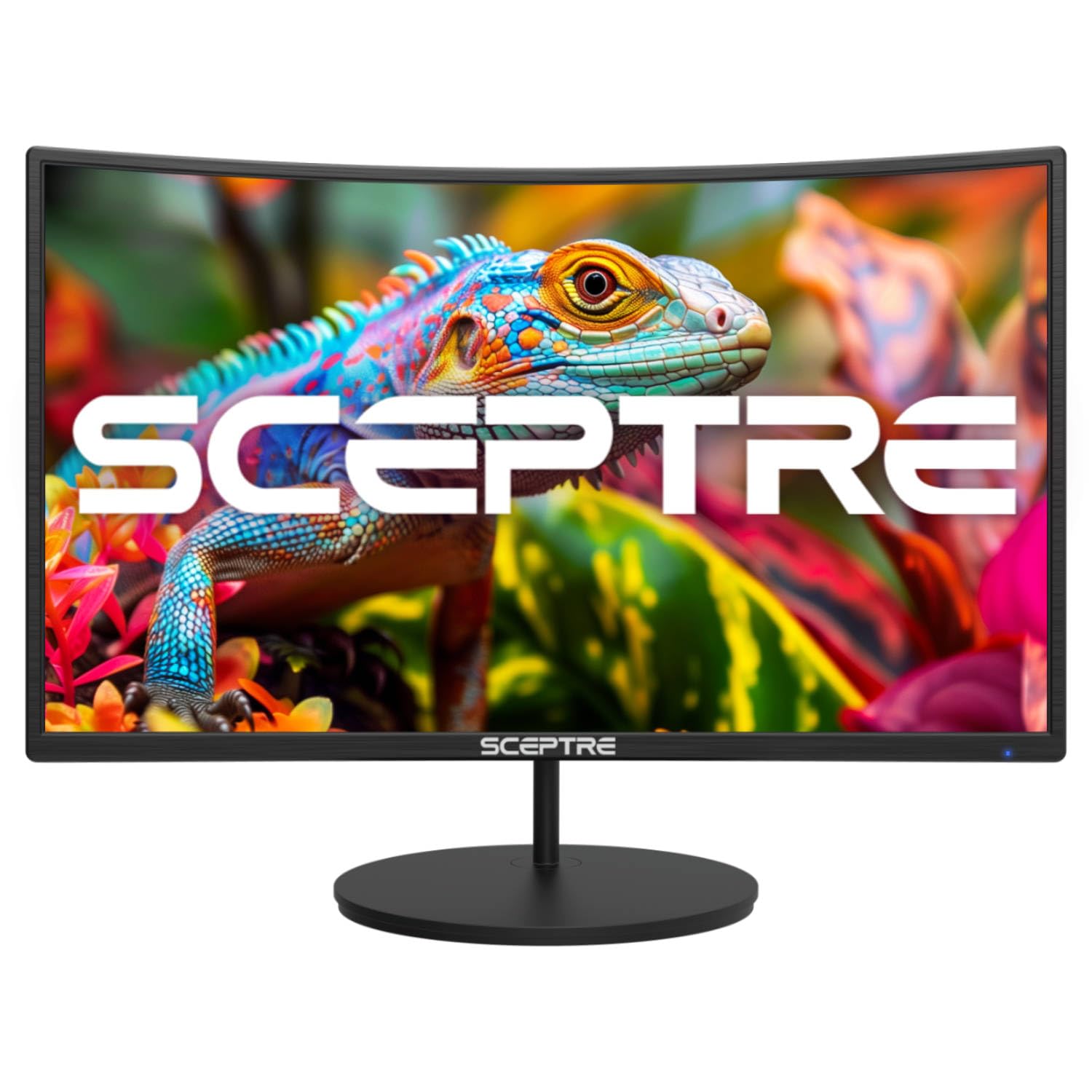
The Sceptre Curved 27-inch brings a gentle 1500R curve to the desktop, wrapping the edges of the screen toward you for a more natural field of view during gaming or movie watching. The 100Hz refresh rate and FreeSync compatibility smooth out fast motion and eliminate tearing, making it a capable budget option for console or PC gaming on a 27-inch display. The VA panel delivers a contrast ratio up to 3000:1, producing deeper blacks than typical IPS monitors, which helps dark scenes in films pop with more depth.
Built-in speakers keep the setup simple without external audio, and the headphone output is conveniently placed for private listening. The VESA mount compatibility lets you wall-mount it to save desk space, while the blue light filter reduces eye fatigue during longer sessions. The 98% sRGB coverage is solid for the price point, offering punchy colors that feel lively for streaming content.
On the downside, the viewing angles are narrower than IPS panels—if you watch from the side, colors shift and wash out. The stand is functional but feels less sturdy than pricier models, and the on-screen menu navigation is clunky. For a curved entry-level screen that prioritizes contrast and immersion over absolute color accuracy, this Sceptre holds its own.
Why it’s great
- R1500 curve creates a more immersive viewing wrap
- High contrast ratio delivers deep blacks for dark scenes
- FreeSync support eliminates screen tearing in games
Good to know
- Narrower viewing angles compared to IPS panels
- Stand feels less premium than competitors
- On-screen menu controls are a bit fiddly
4. ASUS VA27EHF

The ASUS VA27EHF stands out with its nearly invisible bezels, making it an excellent candidate for dual-monitor setups where seamless edges matter. The IPS panel delivers 178-degree viewing angles, so colors stay consistent whether you’re the primary viewer or someone sitting off to the side in a shared space. SmoothMotion technology pushes the refresh rate to 100Hz with a 1ms MPRT response time, providing fluid motion and sharp transitions in action-heavy content.
ASUS Eye Care features TÜV Rheinland-certified flicker-free and low blue light tech, which helps during long workdays or movie marathons. The VESA mount compatibility makes it easy to attach to an arm or wall, further reducing desk clutter. The HDMI cable is included in the box, and the single-month Adobe Creative Cloud access is a nice bonus for creative users setting up a workspace.
Potential downsides include the lack of built-in speakers—you’ll need external audio for any TV-like use. The 72% sRGB coverage is decent for office tasks but falls short of the vibrant color gamut found on more premium models. The stand is tilt-only and feels lightweight, but that’s also what keeps the price accessible. For a clean, space-efficient display that handles both productivity and media well, the VA27EHF is a smart buy.
Why it’s great
- Ultra-thin bezels ideal for seamless multi-monitor setups
- Fast 1ms MPRT response for smooth, clear motion
- TÜV-certified low blue light reduces eyestrain
Good to know
- No built-in speakers require external audio
- Color gamut is limited to 72% sRGB
- Stand only tilts, no height or swivel
5. Dell SE2725HM

The Dell SE2725HM builds on the brand’s reputation for reliable office displays but adds a smoother 100Hz refresh rate that elevates scrolling and video playback beyond the standard 60Hz experience. ComfortView Plus is Dell’s always-on low blue light solution that reduces harmful emissions without washing out colors, a genuine benefit for anyone who spends eight hours on spreadsheets then streams a movie at night. The anti-glare matte finish cuts reflections effectively, making it usable near a window or under overhead lights.
The 16.7 million color IPS panel delivers accurate hues that feel balanced out of the box, and FreeSync support keeps motion smooth when connected to a compatible device. The small-footprint stand includes a cable holder to keep the desk tidy, and the tilt adjustment lets you angle the screen comfortably. VESA mount compatibility gives the option to use an arm for more flexibility.
The main limitations are the single HDMI port alongside a legacy VGA input—no DisplayPort or USB ports, which limits connectivity for modern laptops and docks. Built-in speakers are absent, so external audio is mandatory. The 72% sRGB coverage is adequate for productivity but lacks the vibrancy needed for photo editing or HDR content. If you need a straightforward, eye-friendly screen for mixed daily use, the SE2725HM is a dependable workhorse.
Why it’s great
- ComfortView Plus reduces blue light without color distortion
- Anti-glare matte finish handles bright room reflections well
- Tilt stand with cable management keeps the desk clean
Good to know
- No built-in speakers or USB hub
- Only one HDMI port, no DisplayPort
- Color gamut is average for creative work
6. ViewSonic VX2776-SMHD

The ViewSonic VX2776-SMHD delivers a slightly wider color gamut than most rivals at 102% sRGB, resulting in richer, more saturated hues that make streaming movies and casual photo editing more engaging. The IPS panel keeps colors accurate across wide viewing angles, so the image stays consistent whether you’re centered at a desk or watching from a side chair. With a 100Hz refresh rate and FreeSync support, motion handling is fluid and tear-free for gaming and fast-paced video
One of its standout features is the preset modes—Game, Movie, Web, Text, and Mono—that let you switch between optimized settings depending on what you’re doing. The ultra-thin bezels give the screen a modern, nearly borderless look, and the flexible connectivity with HDMI, DisplayPort, and VGA means it works with older laptops and newer consoles alike. Flicker-Free technology and a blue light filter help during extended sessions.
The main compromise is the stand, which offers only tilt adjustment and feels a bit wobbly for the price point. The 250-nit brightness is fine for indoor use but struggles in very bright spaces. Some users report the need to manually tweak the preset modes to get the ideal picture, but once dialed in, the color performance is impressive for a 27-inch screen at this tier.
Why it’s great
- Wide 102% sRGB gamut delivers punchy, vivid colors
- Multiple preset modes optimize for movies, games, and text
- FreeSync keeps gameplay smooth and tear-free
Good to know
- Stand feels slightly wobbly and only tilts
- Brightness maxes at 250 nits, fine indoors only
- Presets need some manual tuning out of the box
7. Amazon Basics 27-inch Monitor

The Amazon Basics 27-inch Monitor focuses on practicality for home offices and dorm rooms, packing built-in speakers and a 4-port USB hub that eliminates the need for a separate peripheral dock. The 1080p IPS panel offers clear, sharp detail with a 1500:1 contrast ratio that handles blacks reasonably well for the category, and the 100Hz refresh rate is a welcome upgrade over basic productivity monitors for smoother window dragging and video watching.
Setup is genuinely plug-and-play—the monitor auto-detects inputs and the speakers deliver clean audio for video calls and casual streaming without extra hardware. The VESA mount compatibility lets you install it on an arm to reclaim desk space, and the HDMI, DisplayPort, and VGA inputs ensure broad compatibility with older and newer devices. The tilt stand is straightforward and easy to adjust.
The trade-offs include a basic build that doesn’t feel as premium as competitors, and the speakers, while functional, lack the volume and bass needed for an immersive TV experience. The 250-nit brightness is typical for this class but can feel dim in sunlit rooms. For a budget-friendly all-in-one that combines audio and connectivity without fuss, it gets the job done.
Why it’s great
- Built-in speakers and 4-port USB hub reduce dongle clutter
- Plug-and-play setup with broad input compatibility
- VESA mount ready for space-saving installations
Good to know
- Speakers are clear but lack volume for room-filling audio
- Build feels less premium than dedicated brands
- Brightness is modest for sunlit rooms
8. Samsung M5 (M50D) Series 27-Inch Smart Monitor

The Samsung M5 (M50D) is a full smart monitor that streams Netflix, YouTube, and Samsung TV Plus directly without a PC or console attached, making it the closest thing to a true 27-inch TV in this list. The built-in Tizen platform gives you access to major streaming services, plus Samsung Gaming Hub lets you play cloud games from Xbox Game Pass and other services with no hardware beyond a controller. The VA panel delivers a 3000:1 contrast ratio for deep, rich blacks that elevate movie watching in dim rooms.
Wireless connectivity is a highlight: Bluetooth pairs with headphones or speakers, Wi-Fi handles streaming and remote desktop, and the USB hub supports peripherals. The SlimFit camera accessory (sold separately) enables video calls on big platforms. Samsung’s Workout Tracker integrates with Galaxy Watch to display real-time fitness data on-screen while you follow workout content, a unique feature for a 27-inch display.
Downsides include the VA panel’s narrower viewing angles—colors fade if you watch from the side. The 60Hz refresh rate is standard but feels less smooth than the 100Hz+ IPS monitors in this roundup. Some users find the smart interface a bit sluggish compared to a dedicated streaming stick, and the sound quality, while decent for a monitor, still lacks bass. If you want a standalone entertainment screen that also functions as a PC monitor, the M5 is in a class of its own.
Why it’s great
- Full smart TV platform with built-in streaming apps
- Deep 3000:1 contrast ratio for cinematic black levels
- Samsung Gaming Hub enables cloud gaming without a console
Good to know
- VA panel has narrower viewing angles than IPS
- 60Hz refresh rate, lacks smoothness of 100Hz+ panels
- Smart interface can feel slower than a dedicated streamer
9. Dell 27 Plus 4K Monitor S2725QS

The Dell S2725QS brings true 4K resolution (3840 x 2160) to the 27-inch category, offering four times the pixel density of standard 1080p displays for razor-sharp text and incredibly detailed video. The IPS panel covers 99% sRGB and delivers a 1500:1 contrast ratio with HDR readiness, making colors pop while preserving subtle gradations in shadows. The 120Hz refresh rate with AMD FreeSync Premium provides buttery smooth motion, eliminating stutter and tearing in both productivity scrolling and gaming.
ComfortView Plus reduces blue light emissions to 35% or less without the yellow tint common on other blue light filters, preserving color accuracy for photo editing or design work. The re-engineered built-in speakers offer significantly better sound than typical monitor audio, with wider frequency response and higher volume, making it viable for a bedroom TV setup without external speakers. The ergonomic stand provides height, tilt, swivel, and pivot adjustments for a truly customized viewing position.
The main barrier is the higher price point, which reflects the premium 4K panel and robust feature set. The 60Hz refresh rate potential of 4K gaming requires a powerful GPU, and some users note a slight yellow tint on certain units that may require warranty exchange. If your workflow or media consumption benefits from 4K clarity and you want the best built-in audio in this class, the S2725QS is the top-tier choice.
Why it’s great
- Stunning 4K resolution delivers exceptional pixel density
- 120Hz FreeSync Premium for fluid, tear-free motion
- ComfortView Plus reduces blue light without color shift
Good to know
- Premium price reflects the advanced panel
- 4K gaming requires a powerful graphics card
- A few units may have a subtle yellow tint out of box
FAQ
Can I use a 27-inch monitor as a primary TV for a small room?
What is the ideal refresh rate for watching movies and TV on a 27-inch screen?
Do I need a 4K panel at 27 inches for a good viewing experience?
Are the built-in speakers on these monitors good enough for a TV replacement?
Final Thoughts: The Verdict
For most users, the 27 inch tv winner is the LG 27U411A-B because it combines a smooth 120Hz refresh rate with vibrant IPS color at a price that doesn’t break the bank. If you prioritize long-term eye comfort and a calm workspace, grab the BenQ GW2790 with its adaptive brightness. And for a true all-in-one smart monitor that streams without a PC, nothing beats the Samsung M5 Series.