
The shift from a standard LCD or IPS panel to a 2K OLED monitor is the single most dramatic visual upgrade you can make to a gaming or creative setup. True blacks, pixel-level lighting, and response times so fast they are measured in microseconds redefine what you expect from a desktop display. But the market is flooded with different OLED panel technologies—WOLED, QD-OLED—each with its own quirks in brightness, text clarity, and burn-in resistance. This guide dissects the top contenders across price bands to help you pick the panel that matches your actual use case.
I’m Rikta — the co-founder and writer behind FitlyFast.
Whether you are a competitive esports player chasing 360Hz motion clarity, a creative professional who needs DCI-P3 coverage above 98%, or a dual-purpose user who works from home then games at night, this deep-dive into the best 2k oled monitor options will steer you toward the right panel.
How To Choose The Best 2K OLED Monitor
Selecting the right 1440p OLED monitor involves more than looking at the sticker price. The panel technology dictates your experience with reflections, text fringing, and HDR brightness. The refresh rate and response time determine how smooth your gameplay will feel. The OLED care features and warranty directly impact the lifespan of your investment. Here is what matters most.
Panel Technology: QD-OLED vs WOLED
Quantum Dot OLED panels use a blue OLED layer with quantum dots to produce red and green light, resulting in wider color volume and higher peak brightness in HDR scenarios. WOLED panels use a white OLED layer with color filters, which can produce deeper blacks in bright room conditions and often have better text clarity due to a different subpixel layout. The choice usually hinges on whether you prioritize HDR brightness (QD-OLED) or sharper text for productivity work (WOLED).
Refresh Rate and Response Time
At 1440p, refresh rates range from 240Hz up to 480Hz. For fast-paced shooters like Valorant or Overwatch, a 360Hz or 480Hz panel provides a measurable advantage in motion clarity. For single-player RPGs and creative work, 240Hz is more than sufficient. All OLED panels in this class boast a 0.03ms gray-to-gray response time, which eliminates ghosting and blurring entirely — a significant step up from any LCD technology.
Burn-in Mitigation and Warranty
Organic materials degrade over time if static elements are displayed for extended periods. Look for features like automatic pixel cleaning, pixel shifting, logo brightness detection, and a heatsink or pulsating heat pipe. A warranty that explicitly covers burn-in (such as the 3-year coverage from ASUS, Alienware, or MSI) provides essential peace of mind, especially if you use the monitor for both work and play.
Quick Comparison
On smaller screens, swipe sideways to see the full table.
| Model | Category | Best For | Key Spec | Amazon |
|---|---|---|---|---|
| MSI MPG 271QRX QD-OLED | QD-OLED | All-Round Excellence | 360Hz / 0.03ms / HDMI 2.1 48Gbps | Amazon |
| LG 27GX790A-B | WOLED | Esports Speed | 480Hz / DisplayPort 2.1 / 0.03ms | Amazon |
| Alienware AW2725DF | QD-OLED | Competitive & Work Hybrid | 360Hz / 0.03ms / 3-year Burn-in Warranty | Amazon |
| Samsung Odyssey OLED G6 | QD-OLED | Brightness & Cooling | 360Hz / 0.03ms / Dynamic Cooling System | Amazon |
| ASUS ROG Strix XG27AQDMG | WOLED | Anti-Flicker & Heatsink | 240Hz / 0.03ms / Custom Heatsink | Amazon |
| AOC Agon PRO AG276QZD2 | QD-OLED | HDR Gaming on a Budget | 240Hz / 0.03ms / 101% DCI-P3 | Amazon |
| LG 27GX704A-B | WOLED | Glossy OLED Entry | 240Hz / 0.03ms / Glossy Finish | Amazon |
| LG 34GX90SA-W | WOLED | Immersive Ultrawide | 240Hz / 800R Curve / webOS | Amazon |
| Alienware AW3423DWF | QD-OLED | Ultrawide Productivity & Play | 165Hz / 3440×1440 / 21:9 Curve | Amazon |
| Acer Predator X27U | QD-OLED | Best Value QD-OLED | 240Hz / 0.03ms / AMD FreeSync Premium | Amazon |
| INNOCN GA27T1M | Mini-LED IPS | Burn-in Free Brightness | 320Hz / Mini-LED / 1152 Zones | Amazon |
In‑Depth Reviews
1. MSI MPG 271QRX QD-OLED

The MSI MPG 271QRX is the closest thing to a universal recommendation in the 1440p OLED space. Its next-gen QD-OLED panel delivers a 360Hz refresh rate with a 0.03ms response time, making it equally lethal for competitive shooters and immersive for single-player titles. The HDMI 2.1 port runs at full 48Gbps bandwidth, so you can drive it from a console or high-end PC without compression artifacts. Color accuracy is certified at Delta E≤2, and the VESA DisplayHDR True Black 400 rating ensures that inky blacks and bright highlights coexist without blooming.
MSI includes its OLED Care 2.0 suite for burn-in prevention, which runs automatic pixel refresh cycles during standby. The built-in KVM feature lets you control a desktop and a laptop through a single set of peripherals — a rare convenience in a gaming-focused monitor. The Gaming Intelligence App provides per-game profile switching from your desktop, which saves you from diving into the OSD menu mid-session.
Text clarity on the QD-OLED panel is better than earlier generations, though users upgrading from a high-PPI IPS panel may notice slight color fringing on white backgrounds. The stand offers tilt and height adjustment but lacks swivel. For the combination of speed, color fidelity, and feature depth, this is the monitor that checks the most boxes for the widest range of buyers.
Why it’s great
- 360Hz native refresh with instant 0.03ms response
- Full 48Gbps HDMI 2.1 and integrated KVM
- Strong OLED burn-in prevention software
Good to know
- Stand lacks swivel adjustment
- QD-OLED purple tint on reflections in bright rooms
2. LG 27GX790A-B Ultragear

The LG 27GX790A-B is built for one primary purpose: delivering the highest possible motion clarity at 1440p. The 480Hz refresh rate on a WOLED panel, paired with DisplayPort 2.1 bandwidth, means you can hit that refresh ceiling without using display stream compression. The 0.03ms gray-to-gray response time effectively eliminates all motion blur, making this the definitive choice for esports competitors playing at the highest levels of games like CS2, Valorant, and Apex Legends.
Beyond raw speed, the panel covers 98.5% of the DCI-P3 color space and carries VESA DisplayHDR True Black 400 certification. The matte anti-glare coating is particularly effective in rooms with overhead lighting — it minimizes reflections without washing out the deep black levels that OLED is known for. The build quality is top-tier, with a fully adjustable stand that includes tilt, swivel, height, and pivot adjustments. RGB hexagonal backlighting adds to the battle-station aesthetic.
The trade-off for the extreme refresh rate is that you need a very powerful GPU to push frame rates that high at 1440p in modern titles. The 2-year limited warranty with panel coverage is shorter than some competitors offering 3-year burn-in protection. The built-in speakers are usable for casual YouTube viewing but are not suitable for serious gaming.
Why it’s great
- 480Hz native refresh without DSC on DP 2.1
- Excellent matte anti-glare coating
- Full ergonomic stand with pivot
Good to know
- Only 2-year warranty (no explicit burn-in)
- Requires top-tier GPU to utilize 480Hz
3. Alienware AW2725DF

The Alienware AW2725DF pairs a 360Hz QD-OLED panel with a 3-year premium warranty that explicitly covers OLED burn-in, a level of consumer protection that sets it apart in this crowded field. The QD-OLED technology delivers 99.3% DCI-P3 color coverage and an infinite contrast ratio, making HDR gaming look spectacular across both SDR and HDR Peak 1000 modes. The 0.03ms response time and AMD FreeSync Premium Pro compatibility ensure tear-free, ultra-smooth gameplay at any frame rate.
The stand provides full adjustability including pivot, and the I/O cover keeps cable management clean. Dell ships the monitor with a factory calibration report, confirming Delta E<2 accuracy out of the box. The combination of anti-glare treatment and QD-OLED means reflections are handled well in normal room lighting, though the coating can show a slight purple tint under direct sunlight. The pixel refresh cycle runs automatically during standby, so you never have to think about maintenance.
Some users have reported minor cosmetic imperfections on the bezel, and the 360Hz ceiling means you will need a high-end GPU to fully utilize the refresh rate in demanding titles. The inclusion of a 3-year burn-in warranty with Alienware’s support infrastructure makes this the safest long-term bet among high-refresh QD-OLED options.
Why it’s great
- 3-year warranty covers OLED burn-in
- Factory calibrated Delta E<2
- Full ergonomic stand with pivot
Good to know
- QD-OLED purple tint on reflections
- Minor QC reports on bezel finish
4. Samsung Odyssey OLED G6 G60SD

The Samsung Odyssey OLED G6 (G60SD) brings a unique cooling innovation to the 1440p QD-OLED category. It is the first monitor in this segment to incorporate a pulsating heat pipe into its design, which Samsung claims dissipates heat five times better than the graphite sheet method used in other OLEDs. This directly contributes to more consistent long-session performance and reduces the thermal stress that can accelerate organic pixel degradation. The 360Hz refresh rate and 0.03ms response time keep it competitive with the fastest panels on the market.
The Samsung OLED Safeguard+ suite includes logo detection, taskbar detection, and a screen saver that dims the panel after 10 minutes of inactivity. The Glare Free technology is genuinely effective — it significantly reduces reflections without the grainy texture that some matte coatings introduce. The design is remarkably thin at just 3.9mm at its top edge, and the Core Lighting system adds ambient backlighting that matches on-screen content colors.
A notable limitation is that the HDMI 2.1 port is effectively limited to HDMI 2.0 bandwidth, requiring Display Stream Compression at 360Hz. This can cause a brief black screen when alt-tabbing out of a full-screen game. For users who prioritize a pure click-out experience without DSC, this is a meaningful annoyance. The stand is height adjustable but lacks swivel and pivot.
Why it’s great
- Pulsating heat pipe for superior heat management
- Excellent Glare Free anti-reflective coating
- Detects static logos and taskbars automatically
Good to know
- HDMI port is effectively HDMI 2.0 bandwith
- Stand lacks swivel and pivot
5. ASUS ROG Strix XG27AQDMG

The ASUS ROG Strix XG27AQDMG distinguishes itself with a highly efficient custom heatsink that sits behind the third-generation WOLED panel, significantly reducing the risk of burn-in through passive thermal management. This is paired with ASUS OLED Care functions and a 3-year warranty that covers burn-in. The panel uses a glossy WOLED finish that delivers exceptionally vivid colors and deep blacks without the purple-tinted reflections that QD-OLED panels can exhibit in bright sunlight, making it a better choice for rooms with windows.
ASUS has implemented its exclusive OLED Anti-flicker technology, which reduces the flicker that can occur during refresh-rate fluctuations in VRR mode. This is a subtle but important advantage for users sensitive to screen flicker. The uniform brightness setting locks luminance levels across the entire panel, which is useful when moving between applications with different window brightness levels. Peak brightness in small HDR highlights reaches into the 1300-nit range, making explosions and specular reflections pop convincingly.
The monitor lacks built-in speakers, so you will need external audio. Some users have reported that VRR flicker can still occur with certain GPU driver combinations, though disabling VRR usually resolves it. The DisplayWidget software allows OSD adjustments from your desktop, which is a nice convenience. For those who value absolute black level performance in challenging lighting conditions, this is the best WOLED option at 1440p.
Why it’s great
- Custom heatsink reduces burn-in risk
- Glossy WOLED with no purple reflections
- 3-year warranty covers burn-in
Good to know
- No built-in speakers
- May need DP 1.4 cable for stable 240Hz
6. AOC Agon PRO AG276QZD2

The AOC Agon PRO AG276QZD2 offers a 240Hz QD-OLED experience with some of the widest color coverage in its class at 101% DCI-P3 and 136.7% sRGB. The 26.5-inch panel size is considered ideal for competitive gaming because it fills the field of view without requiring excessive head movement, and the ZeroFrame design minimizes bezel distraction. The 0.03ms response time and G-Sync compatibility ensure that motion remains fluid and tear-free.
The monitor comes with a factory calibration report out of the box, certifying color accuracy for creative work. The 6 game modes in the OSD let you quickly switch between visual presets optimized for FPS, RTS, and racing genres. The RGB lighting on the back of the monitor syncs with other AOC devices. For console gamers, the monitor supports up to 120Hz via HDMI, making it viable for PlayStation 5 and Xbox Series X users.
The biggest drawback reported by users is that the default picture settings appear washed out and require manual adjustment to unlock the panel’s full potential. The stand is functional but can feel wobbly on uneven desks, and the pixel cleaning routine that runs every few hours can briefly interrupt gameplay. Despite these quirks, the color volume and fast refresh rate make it a strong mid-range buy for gamers who prioritize HDR vibrancy.
Why it’s great
- 101% DCI-P3 color gamut
- Factory calibrated for Delta E accuracy
- G-Sync compatible out of box
Good to know
- Washed out colors until manual calibration
- Stand feels wobbly on some surfaces
7. LG 27GX704A-B Ultragear

The LG 27GX704A-B brings glossy WOLED technology to a more accessible price point without cutting corners on core performance. The 27-inch QHD panel runs at 240Hz with a 0.03ms response time and supports both NVIDIA G-Sync and AMD FreeSync Premium Pro. The glossy finish gives image depth and color saturation that matte panels cannot match, making game worlds look punchy and vibrant. Peak brightness hits 1300 nits for small highlights, with VESA DisplayHDR True Black 400 ensuring deep, uniform blacks.
LG includes dual HDMI 2.1 ports and DisplayPort 1.4, so you can connect a PS5, Xbox Series X, and a PC simultaneously without swapping cables. The On-Screen Control software provides easy access to OLED care features like pixel refresh and brightness adjustment. The stand is fully adjustable with tilt, swivel, height, and pivot, which is less common at this price point.
Built-in speakers are present but are thin and not suitable for immersive gaming. The glossy finish, while beautiful, does pick up fingerprints and dust more readily than matte coatings. Some users find the 275-nit standard SDR brightness a bit dim for brightly lit rooms, though it is perfectly adequate in controlled lighting. For a budget entry into OLED with no major compromise on speed or color, this is a solid choice.
Why it’s great
- Glossy WOLED with deep, rich colors
- Fully adjustable stand (swivel, pivot, height)
- Dual HDMI 2.1 ports for console/PC
Good to know
- Glossy finish shows smudges easily
- Built-in speakers are weak
8. LG 34GX90SA-W Ultragear

The LG 34GX90SA-W is a 34-inch WQHD (3440×1440) WOLED display with an aggressive 800R curve that wraps around your peripheral vision, creating an immersive cocoon for gaming and media consumption. The 240Hz refresh rate and 0.03ms response time keep fast-paced action smooth, while the 1300-nit peak brightness for small highlights and VESA DisplayHDR True Black 400 certification deliver the contrast and color depth that OLED is known for. The color coverage hits 98.5% DCI-P3.
The standout feature is the integration of LG’s webOS 24, which provides built-in access to streaming platforms like Netflix, Prime Video, and Disney+, as well as cloud gaming services like NVIDIA GeForce NOW and Amazon Luna. This effectively turns the monitor into a standalone smart display that does not require a PC for media consumption. The white chassis with Core Lighting adds a clean aesthetic to any setup. The USB-C port with 65W power delivery can charge a laptop while transmitting video and data.
The 800R curve is very aggressive and may not suit users who share screens or work on grid-based layouts like spreadsheets. The joystick for OSD navigation can be finicky, and firmware updates are more involved than on simpler monitors. The 2-year warranty is shorter than some competitors, which is a consideration at this price tier. For a media-first, productivity-second user who wants an all-in-one OLED experience, this is a compelling package.
Why it’s great
- 800R curve provides dramatic immersion
- Built-in webOS with streaming and cloud gaming
- USB-C with 65W power delivery
Good to know
- Aggressive curve unsuitable for spreadsheet work
- Only 2-year warranty
9. Alienware AW3423DWF

The Alienware AW3423DWF is a 34-inch curved QD-OLED with a 3440×1440 resolution and a 21:9 aspect ratio that gives you significantly more horizontal screen real estate than a standard 16:9 panel. The 165Hz refresh rate and 0.1ms response time are lower than the 240Hz+ offerings in this list, but the ultrawide format is optimized for immersion in racing, flight sim, and open-world RPG genres. The infinite contrast ratio and 99.3% DCI-P3 coverage make this a serious tool for color-critical creative work as well.
Dell includes Creator Mode in the OSD, which lets you switch between DCI-P3 and sRGB color spaces with adjustable gamma, making it useful for video editors and graphic designers who need accurate color reproduction. The 3-year premium warranty explicitly covers burn-in, which is a must for any productivity monitor that will display static UI elements for hours per day. The 1800R curve is far less aggressive than the LG 800R panel, making it comfortable for productivity workflows that involve multiple windows side by side.
The most frequently mentioned drawback is the mandatory pixel maintenance cycle that shuts the panel down every 4 hours, which can be disruptive if you are in the middle of a task. The text clarity is slightly softer than a high-PPI IPS panel, though this is less noticeable at the 34-inch size. The 165Hz limit means it is not the top choice for esports, but for an ultrawide experience that balances gaming and creation, it is a benchmark.
Why it’s great
- 3440×1440 ultrawide with 1800R curve
- Creator Mode for accurate DCI-P3/sRGB
- 3-year warranty covers burn-in
Good to know
- Pixel refresh cycle every 4 hours
- Text clarity slightly softer than IPS
10. Acer Predator X27U W1bmiipprx

The Acer Predator X27U brings QD-OLED technology to an entry-level price point, making it the most accessible 1440p OLED monitor in this guide. The 26.5-inch panel runs at 240Hz with a 0.03ms response time and supports AMD FreeSync Premium. The 99% DCI-P3 coverage and Delta E<2 color accuracy provide vibrant, cinematic color reproduction that rivals panels costing significantly more. The ZeroFrame design gives a near-bezel-less look that is clean and modern.
The stand offers full ergonomic adjustment including height tilt, swivel, and pivot, which is a value-add at this price. The built-in speakers are functional for basic audio. The panel includes an image retention refresh feature that helps prevent burn-in. The glossy non-mirror finish manages reflections without the purple tint of some QD-OLED panels. For HDR gaming, the brightness is serviceable but not class-leading, with peak HDR highlights being noticeably less punchy than premium-tier competitors.
Build quality is mostly plastic, which contributes to the lower weight but also to a slightly less premium feel. The OSD is packed with options but lacks a dedicated sharpness or overdrive adjustment, which some users may miss. The brightness out of the box is set conservatively, so you will want to raise it to 100% for the best experience. For budget-conscious buyers who refuse to compromise on the core OLED experience, this is an exceptional value.
Why it’s great
- Best value entry to QD-OLED
- Full ergonomic stand with pivot
- 99% DCI-P3 with Delta E<2 accuracy
Good to know
- Plastic build, less premium feel
- Peak HDR brightness is lower than top-tier options
11. INNOCN GA27T1M
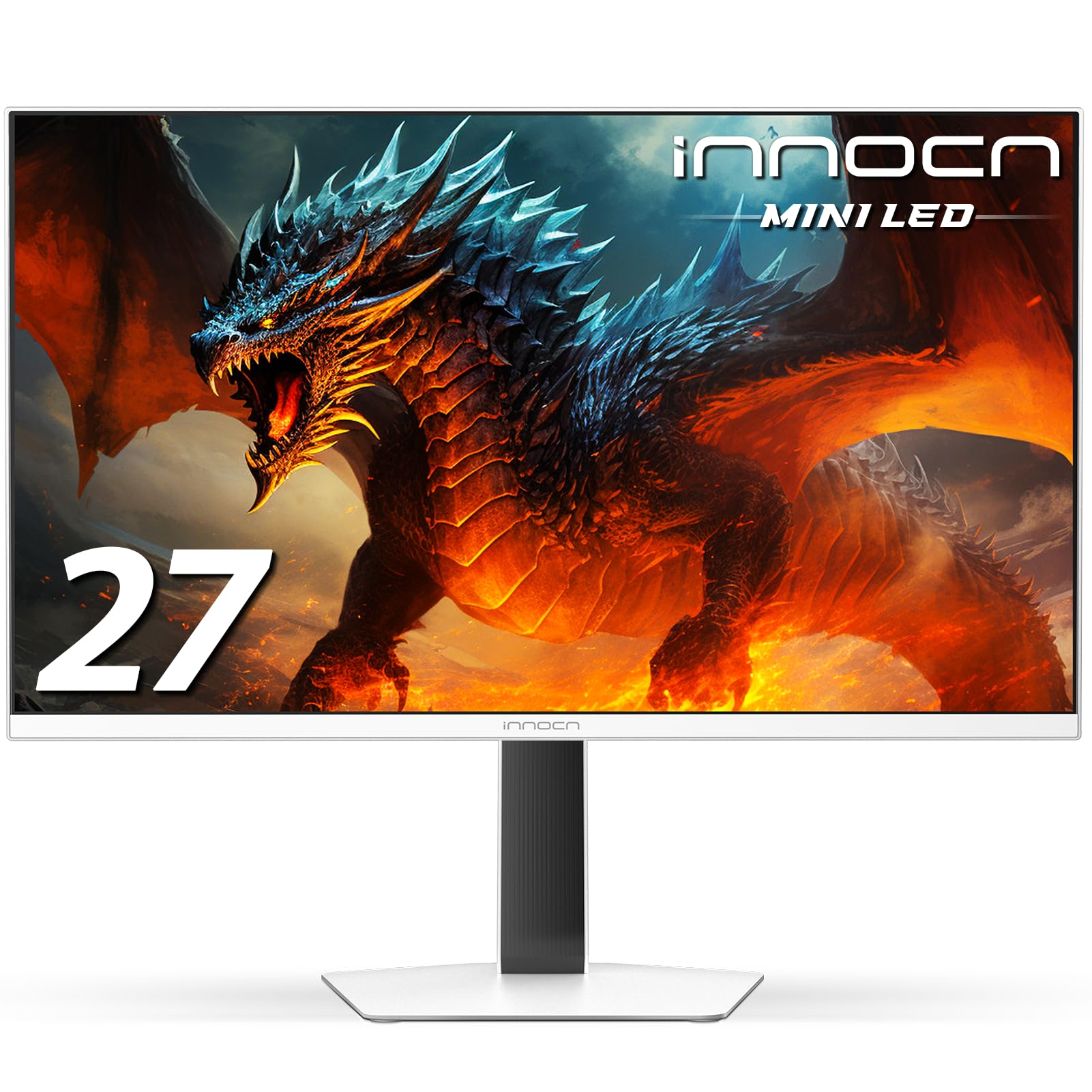
The INNOCN GA27T1M is the only monitor in this guide that does not use OLED technology, but it earns its place here as a compelling alternative for buyers who want OLED-like contrast and brightness without the risk of burn-in. It uses a 27-inch IPS Mini-LED panel with 1152 local dimming zones, delivering a peak brightness of 1000 nits in HDR mode. The 320Hz refresh rate and 0.5ms GtG response time match or exceed many OLED panels in motion clarity, and the lack of organic pixels means there is no burn-in concern even after years of static desktop use.
Color accuracy is strong with 100% sRGB coverage, and the IPS Mini-LED technology avoids the purple-tinted reflections of QD-OLED. The monitor supports G-Sync compatibility, HDMI 2.1 for console use, and includes a blue light reduction mode for long work sessions. The white chassis with a metal stand and integrated RGB atmosphere lighting gives it a distinctive look that stands out from the black-box competition. The stand offers tilt and VESA mounting but lacks height, swivel, and pivot adjustment out of the box.
Local dimming performance in desktop use and SDR mode is not as refined as OLED’s pixel-level control — you will notice some blooming around bright UI elements on dark backgrounds. The documentation for the numerous OSD settings is sparse, so expect a learning curve to dial in the picture. For productivity-first users who want high brightness and a fast refresh without any burn-in anxiety, this is a rational and excellent-performing alternative.
Why it’s great
- Zero burn-in risk with Mini-LED technology
- 320Hz refresh rate with 1000 nits peak
- 1152-zone local dimming for deep blacks
Good to know
- Noticeable blooming in SDR desktop use
- Stand lacks height adjustment out of box
FAQ
Will a 2K OLED monitor suffer from burn-in if I use it for 8 hours of office work daily?
Is the 360Hz or 480Hz refresh rate noticeably better than 240Hz on a 2K OLED monitor?
Should I choose QD-OLED or WOLED for a 2K monitor with mixed use?
Do I need a high-end graphics card to drive a 360Hz 2K OLED monitor?
Can I use a 2K OLED monitor with my PlayStation 5 or Xbox Series X?
Final Thoughts: The Verdict
For most users, the best 2k oled monitor winner is the MSI MPG 271QRX QD-OLED because it delivers 360Hz speed, full HDMI 2.1 bandwidth, and excellent color accuracy with a strong OLED care suite. If you want the highest possible competitive advantage, grab the LG 27GX790A-B Ultragear for its 480Hz refresh rate and future-ready DisplayPort 2.1. And for a burn-in-free alternative with extreme brightness, nothing beats the INNOCN GA27T1M Mini-LED.