
Our readers keep the lights on and the weekend projects moving. As an Amazon Associate, I earn from qualifying purchases.
Whether you are a gamer with a library of titles, a creative professional backing up projects, or simply someone whose laptop is constantly blinking “storage full,” the jump to a 2TB hard drive is the sweet spot between capacity and cost. The market is split between rugged portable drives built for travel and high-speed internal units designed for desktop performance, and picking the wrong one means wasted money on speed you don’t need or durability you lack.
I’m Rikta — the co-founder and writer behind FitlyFast. I’ve spent hundreds of hours analyzing HDD specs, reading through thousands of verified buyer reports, and comparing transfer rates, shock resistance certifications, and real-world reliability data to identify the drives that actually deliver on their promises.
This guide breaks down the best options across internal, gaming, and rugged external drives so you can match the right hardware to your actual workflow. After extensive research, these are the drives that define the best 2tb hard drive category for 2025 and beyond.
How To Choose The Best 2TB Hard Drive
Picking a 2TB drive is less about brand loyalty and more about matching the internal mechanics and enclosure build to your specific use case. A drive that works great as a backup for your photo library may feel frustratingly slow for playing the latest console games.
Speed: 7200 RPM vs. 5400 RPM
The spindle speed of the platters dictates how fast data is read and written. A 7200 RPM drive will load games, transfer large video files, and boot applications noticeably faster than a 5400 RPM unit. For general file storage and backups, 5400 RPM is quieter and runs cooler, but if you are building a PC or using the drive for active game storage, prioritize 7200 RPM.
Form Factor: Internal vs. External
Internal 3.5-inch drives are ideal for desktop PCs where speed and capacity are primary concerns. External 2.5-inch portable drives are powered over USB, require no AC adapter, and are designed for travel. If you need to move files between locations, an external drive with a ruggedized casing is the safer bet. For a fixed installation, an internal SATA drive offers better sustained performance.
Durability: Shock Resistance and Waterproofing
Portable drives face bumps, drops, and moisture. Look for an IP68 rating if you anticipate exposure to water or dust, and MIL-STD-810G certification for drop protection. A standard plastic enclosure offers minimal protection, while a rubberized or multi-layered shell can mean the difference between a working drive and a brick after a fall.
Quick Comparison
On smaller screens, swipe sideways to see the full table.
| Model | Category | Best For | Key Spec | Amazon |
|---|---|---|---|---|
| Seagate BarraCuda | Internal HDD | PC Gaming & Desktop | 7200 RPM / 256MB Cache | Amazon |
| Toshiba Canvio Basics | External HDD | Everyday Backup | USB 3.0 / 5 Gbps | Amazon |
| WD Elements | External HDD | Portable File Storage | USB 3.2 Gen 1 / 5 Gbps | Amazon |
| Transcend StoreJet | Rugged External | On-the-Go Durability | 600 MB/s / Shock Resistant | Amazon |
| ADATA HD710 Pro | Rugged External | Outdoor & Travel | IP68 / MIL-STD-810G | Amazon |
| Seagate Game Drive Xbox | Console External | Xbox Game Storage | USB 3.2 Gen 1 / LED Bar | Amazon |
| Avolusion Gaming HDD | Console External | PS4 Game Storage | USB 3.0 / Pre-Formatted | Amazon |
In‑Depth Reviews
1. Seagate BarraCuda 2TB Internal HDD

The Seagate BarraCuda is the benchmark for desktop HDD performance. Its 7200 RPM spindle speed and 256MB cache give it a significant edge over slower 5400 RPM drives when loading games, editing video, or transferring large project files. The SATA 6Gb/s interface ensures it works with nearly any modern motherboard out of the box.
Seagate includes DiscWizard software for cloning old drives, which saves hours when migrating an existing system. The drive runs quietly under load, and the 20-year manufacturing track record of the BarraCuda line gives confidence in long-term reliability. It is a 3.5-inch unit, so it requires a desktop bay — not suitable for laptops.
For anyone building a gaming PC or upgrading an older system, this drive delivers the best balance of speed, capacity, and proven engineering. It is the go-to choice for internal storage where every second of load time matters.
Why it’s great
- Fast 7200 RPM read/write speeds for gaming and editing
- Large 256MB cache improves multi-file transfer efficiency
- Free cloning software simplifies drive migration
Good to know
- Requires a 3.5-inch desktop bay; no laptop compatibility
- No screws or cables are included in the packaging
2. Toshiba Canvio Basics 2TB

The Toshiba Canvio Basics strips away unnecessary frills to deliver a reliable external drive at an accessible price. It comes pre-formatted NTFS for Windows, so you can plug it in and start transferring files immediately without any software installation. The matte smudge-resistant finish keeps the drive looking clean even after being tossed into a bag.
Performance is consistent with a 5 Gbps USB 3.0 interface, and users report read and write speeds that handle full-system backups in under an hour. The drive is compact and runs cool even during extended use, with no external power adapter needed — bus power over USB is sufficient.
This is the right choice for straightforward backup needs, document storage, or expanding a laptop’s capacity. It does not have a ruggedized casing or a one-touch backup button, but for simple, no-fuss storage expansion, it delivers everything most users need.
Why it’s great
- True plug-and-play with Windows; no software required
- Slim design with a smudge-resistant matte finish
- Remains cool and quiet during continuous operation
Good to know
- Must be reformatted for use with macOS
- Standard plastic casing offers limited drop protection
3. WD 2TB Elements

The WD Elements is one of the most popular external drives on the market for good reason. It uses a SuperSpeed USB 3.2 Gen 1 interface that saturates the 5 Gbps bus, delivering fast file transfers for everyday use. The compact enclosure houses up to 6TB in the same footprint, and the 2TB variant is notably small and easy to pocket.
Users consistently highlight its whisper-quiet operation and low heat output. It works with Windows out of the box, and while macOS requires a quick reformat, compatibility with Time Machine is straightforward. The drive is best for archival storage, photo libraries, and document backups rather than active gaming.
For anyone who needs a dependable, no-frills portable drive that just works, the Elements is a proven performer. Its straightforward design and consistent performance make it a top contender for general-purpose external storage.
Why it’s great
- USB 3.2 Gen 1 delivers full 5 Gbps transfer speeds
- Compact and lightweight for daily portability
- Near-silent operation with minimal heat buildup
Good to know
- Included cable can be a weak point; consider a spare
- Not designed for rugged or outdoor use
4. Transcend StoreJet 2TB Rugged

The Transcend StoreJet is built for users who need their data to survive life on the move. Its three-stage shock protection system encases the drive in a rugged rubber shell designed to absorb impacts from drops. The USB 3.1 Gen 1 interface supports up to 600 MB/s transfer speeds, keeping file migrations fast despite the protective build.
A standout feature is the one-touch auto-backup button. Press it and Transcend Elite software automatically syncs designated folders, making it easy to maintain consistent backups without remembering to do it manually. The included RecoveRx data recovery software adds a safety net for accidental file deletion.
This drive is ideal for photographers, field workers, or students who carry their storage between locations. The rubberized casing adds bulk, but the peace of mind from the shock protection is worth the slightly larger footprint.
Why it’s great
- Three-stage shock protection for drop survival
- One-touch backup button for automated syncing
- Includes Transcend Elite and RecoveRx software
Good to know
- Rubber casing makes the drive thicker than standard portables
- Not fully waterproof; keep away from submersion
5. ADATA HD710 Pro 2TB
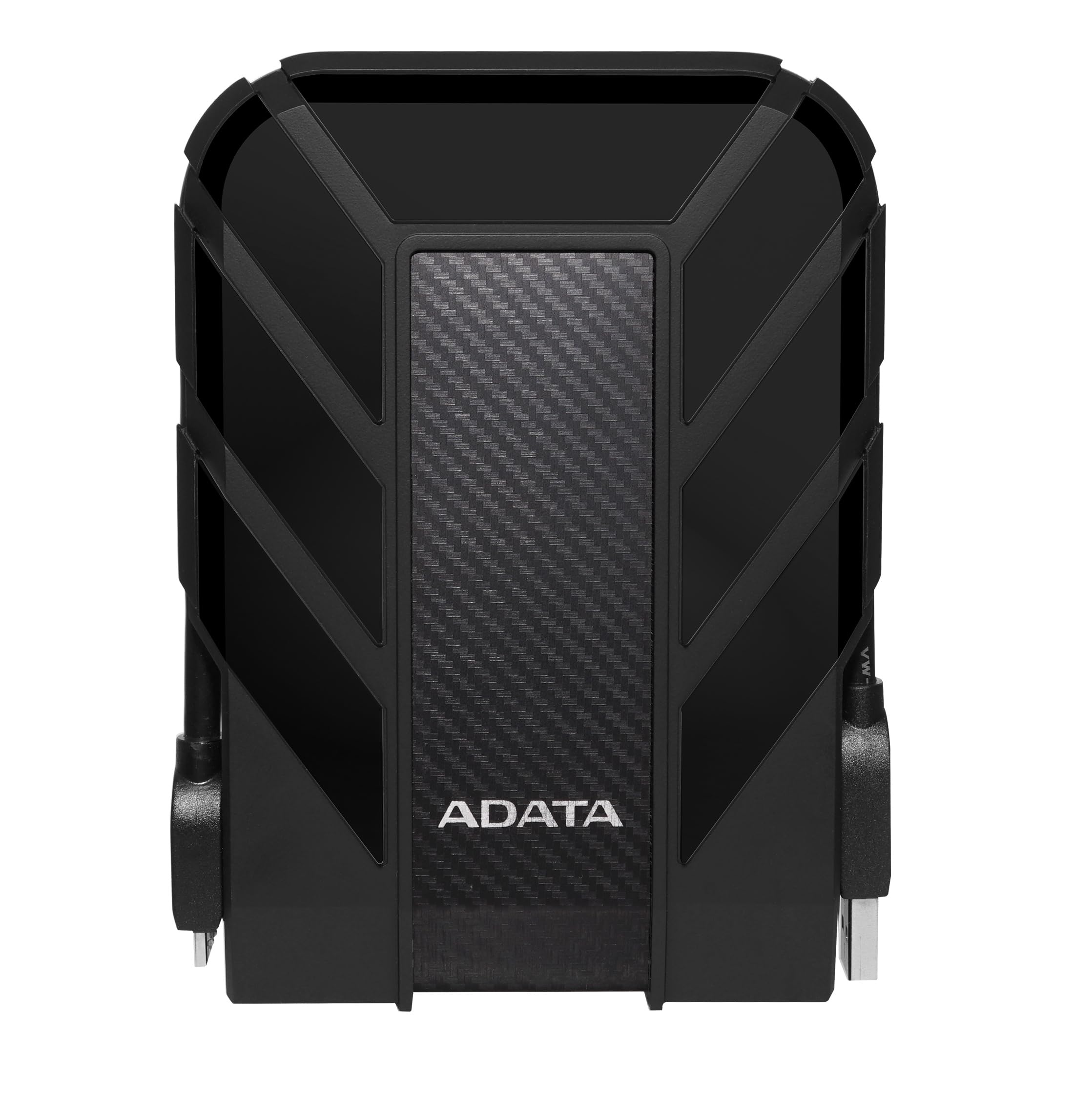
The ADATA HD710 Pro takes ruggedness to the next level with IP68 waterproof and dustproof certification, meaning it can survive immersion in water and exposure to fine dust. It also meets MIL-STD-810G 516.6 for military-grade shock resistance, making it one of the toughest portable 2TB drives available for outdoor and travel use.
The triple-layered construction uses an aluminum and glass enclosure wrapped in a thick rubber bumper. The USB cable attaches securely to the drive with a dedicated latch, preventing accidental disconnection during transfers. Data transfer speeds via USB 3.1 are solid, though users note that fragmented folder transfers are slower than contiguous file copies.
This is the drive to grab if your storage sees rain, drops, or dusty job sites. It is bulkier than the WD Elements or Toshiba Canvio, but for users who work in demanding environments, that trade-off is necessary for data safety.
Why it’s great
- IP68 waterproof and dustproof for harsh conditions
- MIL-STD-810G drop-tested for shock survival
- Cable management system prevents loose connections
Good to know
- Heavier and wider than standard portable drives
- Proprietary cable design; losing it means finding a replacement
6. Seagate Game Drive for Xbox 2TB
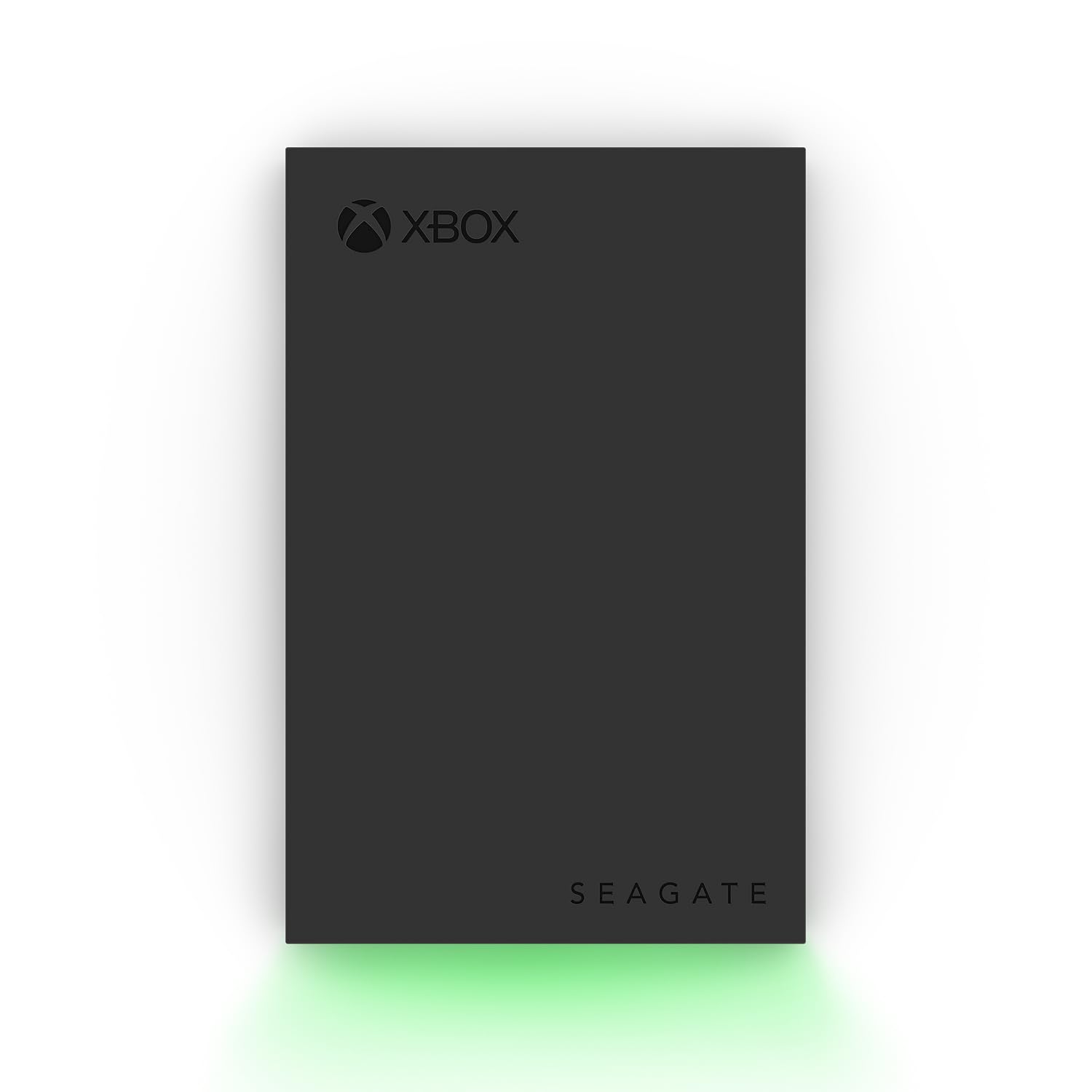
The Seagate Game Drive is purpose-built for Xbox consoles, with official certification for Series X, Series S, and all generations of Xbox One. The 2TB capacity holds roughly 40 to 50 games, eliminating the need to constantly delete and re-download titles. The built-in green LED bar accents the drive and matches the Xbox aesthetic.
Setup is genuinely plug-and-play — the console recognizes the drive immediately and offers to format it for game storage. While Xbox Series X/S optimized games must run from the internal SSD, all backward-compatible titles play directly from this external drive without performance loss. The USB 3.2 Gen 1 interface keeps transfer speeds snappy.
Seagate backs this drive with a 3-year Rescue Data Recovery Services plan, which adds real value for digital collections. If you own an Xbox and need overflow storage without sacrificing speed for older titles, this is the most seamless option.
Why it’s great
- Officially certified for Xbox consoles with instant recognition
- Stores 40+ games without needing to delete your library
- Stylish green LED bar complements Xbox design
Good to know
- Cannot play Series X/S optimized games directly from the drive
- Short Micro USB 3.0 cable included in the box
7. Avolusion 2TB Gaming HDD

The Avolusion 2TB external drive is pre-formatted for PlayStation 4, PS4 Slim, and PS4 Pro, offering a straightforward way to expand game storage without any setup or software installations. Its ultra-slim form factor fits easily next to the console, and the USB 3.0 interface provides sufficient bandwidth for loading game assets.
Users note that while the drive works well as additional game storage, it is locked to the console once formatted — it cannot be repurposed for PC without a full reformat. Some users report the drive can be slightly audible during operation, though this is typical for mechanical drives in this class. The 2-year warranty provides baseline protection.
For PS4 owners who need to keep more games installed without upgrading the internal drive, this is a cost-effective and simple solution. It does not offer the ruggedness of the ADATA or Transcend options, but for dedicated console use, it fulfills its purpose well.
Why it’s great
- Pre-formatted for PS4, PS4 Slim, and PS4 Pro out of the box
- Ultra-slim design takes up minimal space near the console
- 2-year warranty offers basic peace of mind
Good to know
- Locked to console after formatting; not easily reusable on PC
- Audible during operation; not the quietest drive
FAQ
Can I use a 7200 RPM drive in an external enclosure?
Why does my 2TB drive only show 1.81TB of usable space?
Should I defragment my external hard drive?
Final Thoughts: The Verdict
For most users, the 2tb hard drive winner is the Seagate BarraCuda because it offers the fastest spindle speed and largest cache for both gaming and desktop workloads. If you want a rugged portable for travel, grab the Transcend StoreJet. And for an Xbox owner building a game vault, nothing beats the Seagate Game Drive.