
Our readers keep the lights on and the weekend projects moving. As an Amazon Associate, I earn from qualifying purchases.
The right 2TB SSD means the difference between a 15-second boot time and staring at a loading spinner, between a seamless 4K video edit timeline and constant stuttering. With so many interfaces, form factors, and speed tiers on the market, picking the wrong one can lock you into performance you will regret for years.
I’m Rikta — the co-founder and writer behind FitlyFast. I’ve spent months cross-referencing controller chips, NAND flash types, and sequential read/write benchmarks to separate the drives that deliver on their spec sheets from those that don’t.
The information in this guide helps you navigate the landscape of the best 2tb ssd options, making sure your storage upgrade brings the speed and reliability your workflow demands.
How To Choose The Best 2TB SSD
Picking a 2TB SSD boils down to three non-negotiable factors: interface compatibility, sustained write performance, and the physical space inside your machine. Ignore any one of these, and your upgrade will disappoint.
Interface and Form Factor
The interface dictates the speed ceiling. SATA III tops out around 560 MB/s and uses the 2.5-inch form factor — perfect for reviving an older laptop. NVMe drives on the PCIe Gen 4 bus can push past 7,000 MB/s, but require an M.2 slot (usually 2280 length). A portable SSD bridges both worlds via USB-C, with speeds limited by the cable and host port, typically around 1,000 MB/s for Gen 2 or 2,000 MB/s for Gen 2×2.
NAND Type and Controller Quality
Most consumer SSDs use 3D TLC or QLC NAND. TLC stores three bits per cell, balancing speed, endurance, and cost. QLC stores four bits per cell, which can lead to drastically slower write speeds once the pseudo-SLC cache fills. A dynamic SLC cache (like the one in the Fikwot FX660) helps, but a drive’s sustained write speed after the cache fills is the true measure of its quality. Drives with a dedicated DRAM cache or HMB (Host Memory Buffer) handle random writes much better.
Endurance and Warranty
Endurance is measured in Total Bytes Written (TBW). A 2TB SSD should offer at least 300 TBW, with premium models exceeding 1,200 TBW. Shorter warranties (3 years) are fine for budget drives; premium drives typically carry 5 years. For a boot drive or a workstation drive handling daily writes, prioritize higher TBW and longer coverage.
Quick Comparison
On smaller screens, swipe sideways to see the full table.
| Model | Category | Best For | Key Spec | Amazon |
|---|---|---|---|---|
| Bestoss GM988 | NVMe Gen 4 | Gamers & Creators | 7350/6600 MB/s read/write | Amazon |
| fanxiang S880E | NVMe Gen 4 | PS5 & Heavy Workloads | 7100/5300 MB/s read/write | Amazon |
| Kingston NV3 | NVMe Gen 4 | Reliable Everyday Upgrade | 6000 MB/s read | Amazon |
| Fikwot FX660 | NVMe Gen 4 | Price-to-Performance Sweet Spot | 5200/4700 MB/s read/write | Amazon |
| SANDISK Extreme | Portable Gen 2 | Rugged On-the-Go Storage | 1050 MB/s read | Amazon |
| Vansuny External | Portable Gen 2 | Compact Budget External SSD | 500 MB/s read | Amazon |
| Crucial BX500 | SATA III 2.5″ | Reviving Old Desktops/Laptops | 540 MB/s read | Amazon |
| fanxiang S101 | SATA III 2.5″ | Capacity-First Budget Upgrade | 500 MB/s read | Amazon |
| WD Elements | External HDD | Archival Backup | 5 Gbps USB 3.2 | Amazon |
In‑Depth Reviews
1. Bestoss GM988 2TB
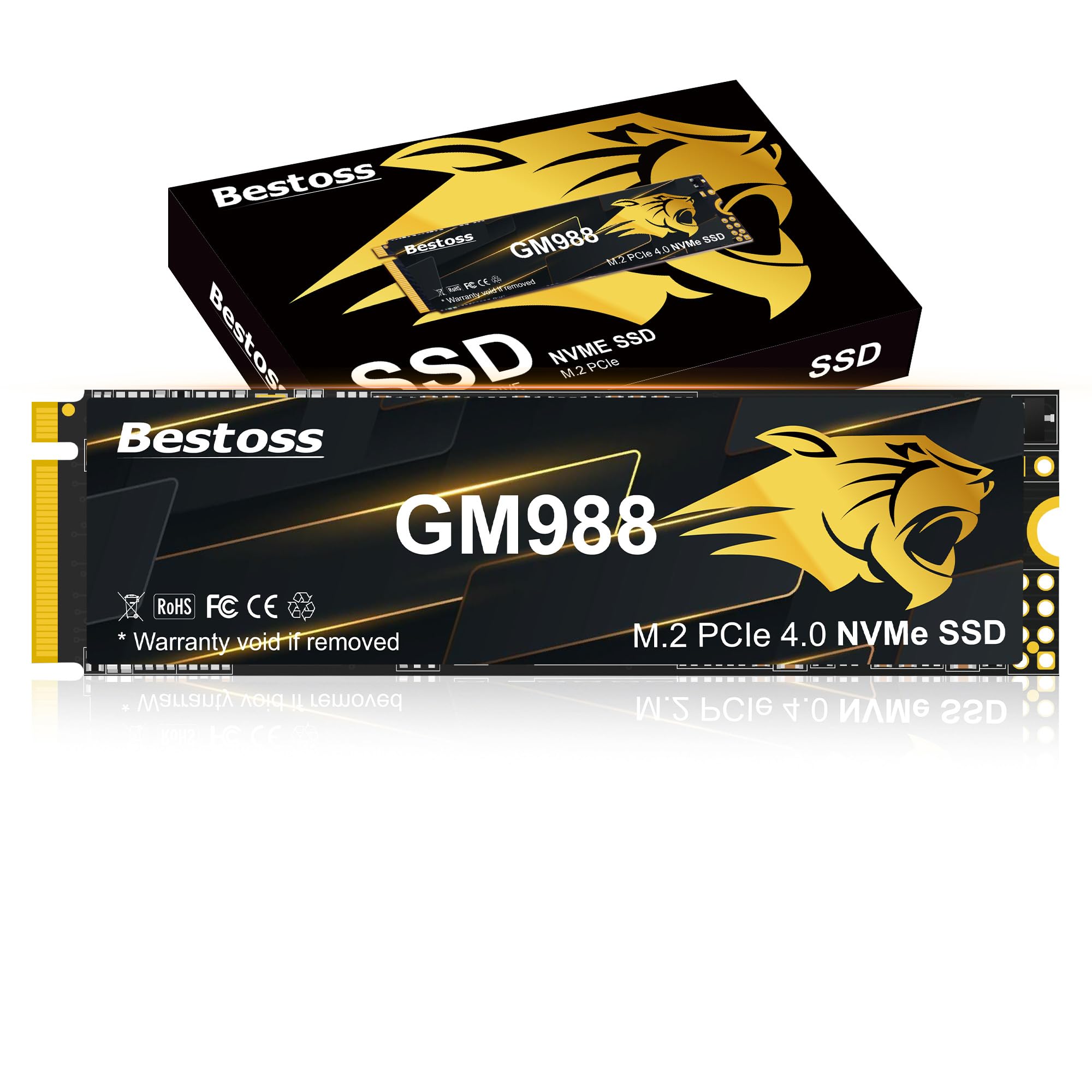
The GM988 lands at the top of our list because it tackles the two things pro users care about most: raw sequential speed and sustained write behavior. With read speeds reaching 7350 MB/s and writes hitting 6600 MB/s over PCIe Gen 4, this drive keeps timelines snappy during 4K exports and level loads in DirectStorage-enabled titles. The HMB (Host Memory Buffer) plus Dynamic SLC Cache architecture means the drive maintains high throughput even after the pseudo-SLC fill — a critical detail that budget QLC drives can’t match.
Build quality is solid for an M.2 2280 drive, with a graphene copper foil sticker that pulls heat away from the controller during extended transfers. Multiple verified buyers confirm the drive works as a drop-in PS5 expansion, giving you seamless compatibility with the console’s storage management. The included screwdriver kit and installation manual make the upgrade process straightforward even for first-timers.
Third-party benchmarks show the GM988 hitting close to its advertised numbers in CrystalDiskMark, though real-world copy speeds of large files naturally dip from the peak. The 3-year manufacturer warranty is shorter than the 5-year coverage some competitors offer, but the raw performance per dollar here is hard to beat for anyone pushing a workstation or gaming rig’s storage limits.
Why it’s great
- Blazing sequential read/write with HMB + SLC cache
- Effective graphene copper cooling sticker
- PS5 compatible and easy to install
Good to know
- Warranty is 3 years instead of 5
- Sustained speeds drop after cache fills during massive writes
2. fanxiang S880E 2TB

The S880E is engineered for the hardcore user who expects consistent throughput during long sessions. Its sequential read speed of 7100 MB/s and write speed of 5300 MB/s keep your system responsive whether compiling code or loading open-world games. The drive uses a custom graphite-coated copper foil layer combined with an aluminum foil layer for thermal management, a thoughtful design choice that prevents throttling during extended writes — an edge over competitors that rely on a simple graphene sticker.
Fanxiang’s build quality draws on over two decades of NAND manufacturing experience, and the S880E reflects that reliability. Verified buyers running the drive in a Ugreen NAS report rsync transfers of 100GB completing in a fraction of the time compared to older SATA SSDs. The drive is fully compatible with the PS5’s internal expansion slot, and users describe the installation as plug-and-play with no BIOS tweaks needed.
The 5-year after-sales service and lifetime technical support provide above-average peace of mind. One consideration: the drive is not compatible with macOS, so Mac users will need to look elsewhere. The thick graphene heat spreader may also interfere with very slim laptop chassis, so measure your clearance before buying.
Why it’s great
- Strong sustained write performance with multi-layer thermal design
- 5-year warranty and lifetime support
- Excellent PS5 compatibility
Good to know
- Not supported on macOS
- Thermal pad may not fit ultra-thin laptops
3. Kingston NV3 2TB

Kingston’s NV3 hits the sweet spot between price and performance for the majority of users. With 6000 MB/s sequential reads over a PCIe Gen 4×4 interface, it’s fast enough to eliminate loading screens in current-gen games and make multi-GB file copies feel instantaneous. The Gen 4 controller is backward compatible with Gen 3 slots, so it works as a drop-in upgrade for older desktops and laptops, albeit at reduced speeds.
Verified reviews consistently highlight the drive’s cool and stable operation, even under daily writing loads. One user reported over 1300 MB/s reads when installed in an older laptop limited to PCIe Gen 3 — essentially doubling the performance of the original drive. The 2TB capacity in the M.2 2280 form factor gives you generous headroom for a game library or a scratch disk for photo editing.
The NV3 is a DRAM-less design, relying on HMB to borrow system memory for its mapping table. This keeps costs low, but the drive’s random write performance won’t match the top-tier competition during heavy multitasking. The 3-year limited warranty is standard for the category, and the drive includes Kingston’s SSD Manager software for firmware updates and health monitoring.
Why it’s great
- Excellent Gen 4 read speed at a competitive price
- Backward compatible with Gen 3 motherboards
- Runs cool and stable during prolonged use
Good to know
- DRAM-less design; performance dips in heavy random write tasks
- 3-year warranty is shorter than some 5-year options
4. Fikwot FX660 2TB

The FX660 punches above its price bracket with sequential read speeds of 5200 MB/s and write speeds of 4700 MB/s over PCIe Gen 4. It uses a dynamic SLC cache that accelerates burst write performance, making it a strong contender for gamers who want faster level loading and for content creators handling large project files. The M.2 2280 form factor fits nearly any desktop or laptop with an available slot, and verified users report seamless operation in PS5 expansion ports.
A graphene heat dissipation sticker keeps the controller temperature in check, which is especially important for maintaining near-peak throughput during multi-hour gaming sessions or batch exports. The drive’s intelligent power management system adjusts temperature regulation and power draw to extend laptop battery life when the drive isn’t under load. This dual approach to thermal and power efficiency makes it a solid choice for mobile workstations.
One potential compatibility issue: several M.2 slots on older motherboards are Key E type and will not accept this drive. Verify your motherboard’s M.2 keytype before purchase. The 5-year registration warranty provides long-term coverage that beats many direct competitors in the same price tier.
Why it’s great
- Dynamic SLC cache for excellent burst writes
- Graphene sticker maintains thermal performance
- 5-year warranty and power efficiency management
Good to know
- Some motherboards have incompatible M.2 Key E slots
- Not the fastest sustained write speed among Gen 4 drives
5. SANDISK Extreme 2TB

The SANDISK Extreme is built for people who need their data accessible outside the PC tower or laptop chassis. This portable drive delivers up to 1050 MB/s read and 1000 MB/s write through USB 3.2 Gen 2, which is enough to edit 4K video directly from the drive or quickly transfer a full photo card. The rubberized enclosure is rated IP65 for water and dust resistance and survives drops from up to 3 meters — a ruggedness spec that external HDDs simply can’t match.
Included hardware encryption with 256-bit AES password protection ensures your files stay private if the drive is lost or stolen. The drive ships with both a USB-C to C cable and a USB-C to A adapter, guaranteeing compatibility with modern laptops, smartphones, and older desktops alike. The integrated carabiner loop lets you secure it to a backpack strap, making it a practical travel companion for photographers and videographers.
One verified reviewer described it as “smaller than expected,” which is a benefit for portability but means you should keep the drive in a secure pocket. The drive can get slightly warm during sustained large transfers, which is normal for compact NVMe-based enclosures with limited passive cooling.
Why it’s great
- Fast USB 3.2 Gen 2 performance with IP65 ruggedness
- 256-bit AES hardware encryption for data security
- Compact design with carabiner loop and included cables
Good to know
- Enclosure can warm up during sustained writes
- Small size increases risk of misplacement
6. Vansuny 2TB External SSD

For users who need external storage without paying extra for bleeding-edge speed, the Vansuny delivers a solid 500 MB/s read and 450 MB/s write performance over USB 3.1 Gen 2. That’s fast enough to move a 50GB game folder in under two minutes. The drive is roughly twice the width of a standard flash drive, making it the most pocketable option for carrying work documents or a media library between devices.
The all-aluminum enclosure acts as a passive heatsink, keeping operating temperatures low even during extended file transfers. Build quality feels above average for this price tier, with tight USB-C port tolerances that reviewers noted as “a sign of good manufacturing.” The package includes a Type-A to Type-C cable, a Type-A to Type-C adapter, and a drawstring carry case for storage and transport.
Compatibility covers Windows, macOS, and Android devices over the USB-C port, though the drive may not be recognized on very old USB 2.0 ports. The read/write speeds are capped at SATA-class levels, so it won’t serve as a high-speed editing scratch disk, but it’s a reliable companion for daily backups and file transfers.
Why it’s great
- Extremely compact, smaller than a smartphone
- Aluminum body for effective passive cooling
- Includes carry case, cable, and USB-A adapter
Good to know
- Speeds limited to SATA levels (500 MB/s)
- May not be recognized by older USB 2.0 ports
7. Crucial BX500 2TB

The BX500 is the benchmark for a simple, effective SATA SSD upgrade. With 540 MB/s sequential reads and Micron 3D NAND backing it, it can cut an HDD-based laptop boot time from over a minute down to under 15 seconds. The 2.5-inch form factor fits standard drive bays in nearly any desktop or laptop built in the last decade, and the included Crucial executive software makes firmware updates straightforward.
Verified users report real-world read speeds around 323 GB/s in SATA III mode, which aligns closely with the interface’s theoretical maximum. The drive runs silently and consumes 45 times less energy than a mechanical hard drive, which translates to meaningful battery life gains in a laptop upgrade scenario. One reviewer noted their 2018 laptop felt “like a new machine” after the swap.
The BX500 uses a DRAM-less design with SLC cache for burst speeds, which means sustained write performance drops after the cache fills. This is typical for budget SATA SSDs and rarely a bottleneck for general use. The cloning software included on Crucial’s website sometimes fails — users recommend DiskGenius as a reliable alternative for migrating your operating system.
Why it’s great
- Massive speed boost over HDD, boots <15 seconds
- Low power consumption improves laptop battery life
- Reliable Micron 3D NAND with 3-year warranty
Good to know
- DRAM-less design slows sustained large writes
- Bundled cloning software sometimes fails
8. fanxiang S101 2TB

The fanxiang S101 delivers SATA III speeds of 500 MB/s read and comparable writes in a 2.5-inch format, making it a strong candidate for resurrecting older systems or expanding storage in a home server. It incorporates SLC Cache Technology, TRIM, and advanced wear-leveling to keep performance consistent over the drive’s lifespan. The shockproof design adds a layer of protection against accidental drops while the machine is running.
Owners of aging laptops report boot times dropping to under 10 seconds after installing the S101, with applications loading instantly. The drive runs cool and quiet, a welcome upgrade from the audible whine of a dying HDD. Its compatibility extends to desktops, laptops, and all-in-one PCs running Windows, Linux, or macOS.
The 3-year after-sales service is standard for the budget tier, but some reliability concerns have surfaced. A few verified users reported the drive becoming corrupted after a few months of heavy use, potentially linked to the 2TB variant’s controller handling large write loads. The 500 MB/s speed cap is the interface limit, so expect no improvement over other SATA SSDs in sequential tasks.
Why it’s great
- Very affordable entry point for 2TB of flash storage
- Compatible with Windows, Mac, and Linux systems
- Can revive older PCs with noticeable load time improvements
Good to know
- Some units reported corruption after extended heavy usage
- 3-year warranty shorter than premium options
9. WD Elements 2TB

The WD Elements is included here as the high-capacity backup companion for users who already own a 2TB SSD for active work. This is a portable hard disk drive, not a solid state drive, which means it uses spinning platters and a read/write head. It offers up to 5 Gbps transfer speeds over USB 3.2 Gen 1, translating to roughly 120 MB/s sequential reads in real-world conditions — far slower than any SSD but still adequate for nightly backup jobs and photo archiving.
WD’s 2TB Elements enclosure is compact for an HDD, lightweight, and operates whisper-quiet during normal use. The plug-and-play setup works immediately with Windows, and macOS users need to reformat for Time Machine compatibility. Multiple verified buyers report flawless operation over years of use, noting that the drive is a reliable buffer for cloud backups and local archives of documents and media.
The mechanical nature of this HDD makes it vulnerable to drops and impacts; it should not be treated as a truly mobile drive. The included USB cable is short and can fail over time — a high-quality replacement is a smart investment. If you need portable speed for editing or gaming, skip this and pick one of the portable SSDs above. For static archival storage, the Elements delivers unbeatable capacity per dollar.
Why it’s great
- Excellent cost per gigabyte for archival backups
- Proven reliability from a trusted brand
- Quiet operation and compact HDD design
Good to know
- Mechanical drive — not drop-proof and slower than SSDs
- Included USB cable is prone to early failure
- Only 120 MB/s real-world speeds
FAQ
Can I use a PCIe Gen 4 NVMe SSD in a Gen 3 slot?
What is the difference between TLC and QLC NAND in a 2TB SSD?
How many games can a 2TB SSD typically hold?
Final Thoughts: The Verdict
For most users, the best 2tb ssd winner is the Bestoss GM988 because it combines top-tier sequential throughput with a thermal solution that keeps performance consistent under load. If you want PS5 compatibility and a longer warranty, grab the fanxiang S880E. And for a budget-friendly system revival, nothing beats the Crucial BX500.