
Our readers keep the lights on and the weekend projects moving. As an Amazon Associate, I earn from qualifying purchases.
The gap between a decent screen and a truly productive one comes down to one thing: pixel density at the distance you actually sit. Most 27-inch monitors force you to choose between crisp text at 4K or a comfortable font size without scaling headaches. A properly built 30-inch class monitor solves that tension by giving you enough real estate to tile windows without squinting, while maintaining a pixel pitch that keeps text sharp at arm’s length.
I’m Rikta — the co-founder and writer behind FitlyFast. I’ve spent hundreds of hours analyzing panel specifications, color gamut data, connectivity standards, and ergonomic features across the current market to separate monitors that actually deliver on their specs from those that look good on paper but frustrate in daily use.
Whether you’re building a dual-monitor workstation or upgrading from a laptop-centric setup, finding the right best 30 inch computer monitor means weighing resolution versus refresh rate, panel type versus color accuracy, and connectivity versus build quality.
How To Choose The Best 30 Inch Computer Monitor
The 30-inch monitor category sits at a sweet spot: it offers significantly more screen area than a 27-inch panel without requiring the arm-spanning desk space of a 32-inch or ultrawide. But within this size class, the specs vary dramatically. Understanding what drives real-world performance will help you avoid common pitfalls.
Resolution and Pixel Density
A 30-inch monitor at 2560×1600 offers a pixel density around 100 PPI — readable without scaling on most operating systems. At 4K (3840×2160), the density jumps to roughly 147 PPI, which gives razor-sharp text but often requires scaling to 125% or 150% on Windows. For professional photo or video editing, 4K is basically mandatory. For general office work and coding, a high-quality WQHD panel can still deliver a clean experience without the scaling complexity.
Panel Technology: IPS, VA, or OLED
IPS panels dominate the productivity space because they offer wide viewing angles and consistent color. VA panels deliver superior contrast ratios (3000:1 or higher) and deeper blacks, but viewing angles are narrower. OLED takes contrast to the extreme with true black levels and near-instant response times, but carries burn-in risk for static UI elements and higher cost. For mixed work and media consumption, a good IPS panel with a high contrast ratio remains the most balanced choice.
Connectivity and Power Delivery
If you connect a laptop, USB-C with power delivery is essential. Look for at least 60W of PD to charge a standard ultrabook; 90W or 96W handles larger workstations. Daisy-chaining via DisplayPort or Thunderbolt can simplify desk setups with multiple monitors. HDMI 2.1 support matters for console gaming at 4K 120Hz, while DisplayPort 1.4 is the standard for PC gaming at high refresh rates.
Quick Comparison
On smaller screens, swipe sideways to see the full table.
| Model | Category | Best For | Key Spec | Amazon |
|---|---|---|---|---|
| BenQ MA320U | Mac Monitor | MacBook docking station | 90W USB-C PD, P3 color | Amazon |
| LG 32GX850A-B OLED | Gaming OLED | Competitive and immersive gaming | Dual 165Hz / 330Hz mode | Amazon |
| ASUS ProArt PA279CRV | Color Accuracy | Photo/video editing | ΔE < 2, 99% DCI-P3 | Amazon |
| LG 32UP83AK-W | Productivity | Office work, coding | USB-C 60W PD, IPS | Amazon |
| Dell S2725QS 27″ 4K | Compact 4K | Small desk, mixed use | 120Hz, 99% sRGB | Amazon |
| Samsung Smart Monitor M7 | Smart TV Combo | Streaming + light work | Built-in TV apps, remote | Amazon |
| SOTSU FlipAction Go 14″ | Portable Monitor | Travel companion | 700g, 400 nits | Amazon |
| INNOCN 49C1S | Ultrawide | Multi-window productivity | 5120×1440, 240Hz | Amazon |
| Samsung Odyssey OLED G9 | Ultrawide OLED | Premium immersive gaming | QD-OLED, 144Hz | Amazon |
In-Depth Reviews
1. BenQ MA320U 32″ 4K Monitor for MacBook

The BenQ MA320U is purpose-built for MacBook users, and it shows in every detail. Its P3 wide color gamut is calibrated to match Apple’s display philosophy, so whites stay neutral and skin tones remain natural without having to dig into ICC profiles. The dual USB-C ports deliver 90W of power delivery to your MacBook and an additional 15W for an iPad or iPhone, turning the monitor into a true docking station with a single cable.
Beyond color, the ergonomic stand offers height, tilt, swivel, and pivot adjustments — rare at this level without buying a separate arm. The integrated MacBook controls let you adjust brightness and volume directly from your laptop keyboard, which eliminates the need for an external on-screen display menu. The 32-inch IPS panel at 4K resolution provides sharp text and wide viewing angles, making it a strong choice for coding, design, and general productivity.
Where it falls short is HDR performance — it’s adequate for movies but lacks the peak brightness and local dimming needed for serious HDR editing. The built-in speakers are average, and there’s no integrated webcam or microphone. If you work on a Mac and want seamless integration without paying Apple Studio Display prices, this is the monitor to beat.
Why it’s great
- Native Mac color calibration with P3 gamut
- 90W USB-C PD charges larger MacBooks
- Full ergonomic stand included
Good to know
- Mediocre HDR brightness
- No built-in camera or mic
2. LG 32GX850A-B 32″ UltraGear Glossy OLED

The LG 32GX850A-B brings glossy OLED to the 32-inch form factor, and the difference versus matte IPS or VA is immediately visible. Black levels are truly infinite, colors pop with 98.5% DCI-P3 coverage, and the 1.5M:1 contrast ratio makes HDR content look spectacular. The glossy finish enhances perceived vibrancy compared to aggressive anti-glare coatings, though it does reflect ambient light in bright rooms.
Its standout feature is Dual-Mode: at the press of a button, you can switch between 4K at 165Hz for story-driven titles and Full HD at 330Hz for competitive shooters. The 0.03ms GtG response time eliminates ghosting entirely. G-Sync Compatible and FreeSync Premium Pro support ensure smooth frame delivery regardless of your GPU. The ergonomic stand covers height, tilt, swivel, and pivot, while the ultra-thin bezel design fits cleanly into multi-monitor setups.
OLED burn-in remains a long-term consideration for mixed-use scenarios with static taskbars, though LG’s pixel cleaning and logo detection features mitigate the risk. Text clarity is slightly below a high-end IPS due to the subpixel layout, but not distractingly so for most users. At this price, it’s the best gaming-focused monitor in the 32-inch 4K class.
Why it’s great
- True black OLED with rich HDR
- Dual refresh rate for versatile gaming
- Fast 0.03ms response, no ghosting
Good to know
- Glossy screen reflects ambient light
- Text clarity not as sharp as IPS
3. ASUS ProArt Display PA279CRV 27″ 4K

The ASUS ProArt PA279CRV is the gold standard for color-accurate monitors at a reasonable price. It’s Calman Verified and factory pre-calibrated to a Delta E of less than 2, meaning the colors you see are remarkably close to the intended value out of the box. With 99% DCI-P3 and 99% Adobe RGB coverage, it’s equally suited for video editing and print photography work.
Connectivity is extensive: USB-C with 96 watts of power delivery can charge a 16-inch MacBook Pro at full speed, plus DisplayPort in and out for daisy-chaining, two HDMI ports, and a built-in USB hub. The ergonomic stand supports height, tilt, swivel, and pivot adjustments. The matte IPS panel at 27 inches delivers consistent brightness at all viewing angles, and the 3000:1 contrast ratio — unusually high for IPS — gives better depth than typical 1000:1 panels.
It’s limited to 60Hz, so high-refresh gaming is off the table. The on-screen display menu is controlled via buttons on the bottom bezel, which is less convenient than a joystick. For photographers, video editors, and anyone whose work depends on accurate color, the PA279CRV delivers professional-grade results without the premium of a reference monitor.
Why it’s great
- Factory-calibrated ΔE < 2 accuracy
- 96W USB-C PD for large laptops
- 99% Adobe RGB and DCI-P3 coverage
Good to know
- 60Hz refresh only
- Button controls instead of joystick
4. LG 32UP83AK-W 32″ Ultrafine 4K IPS
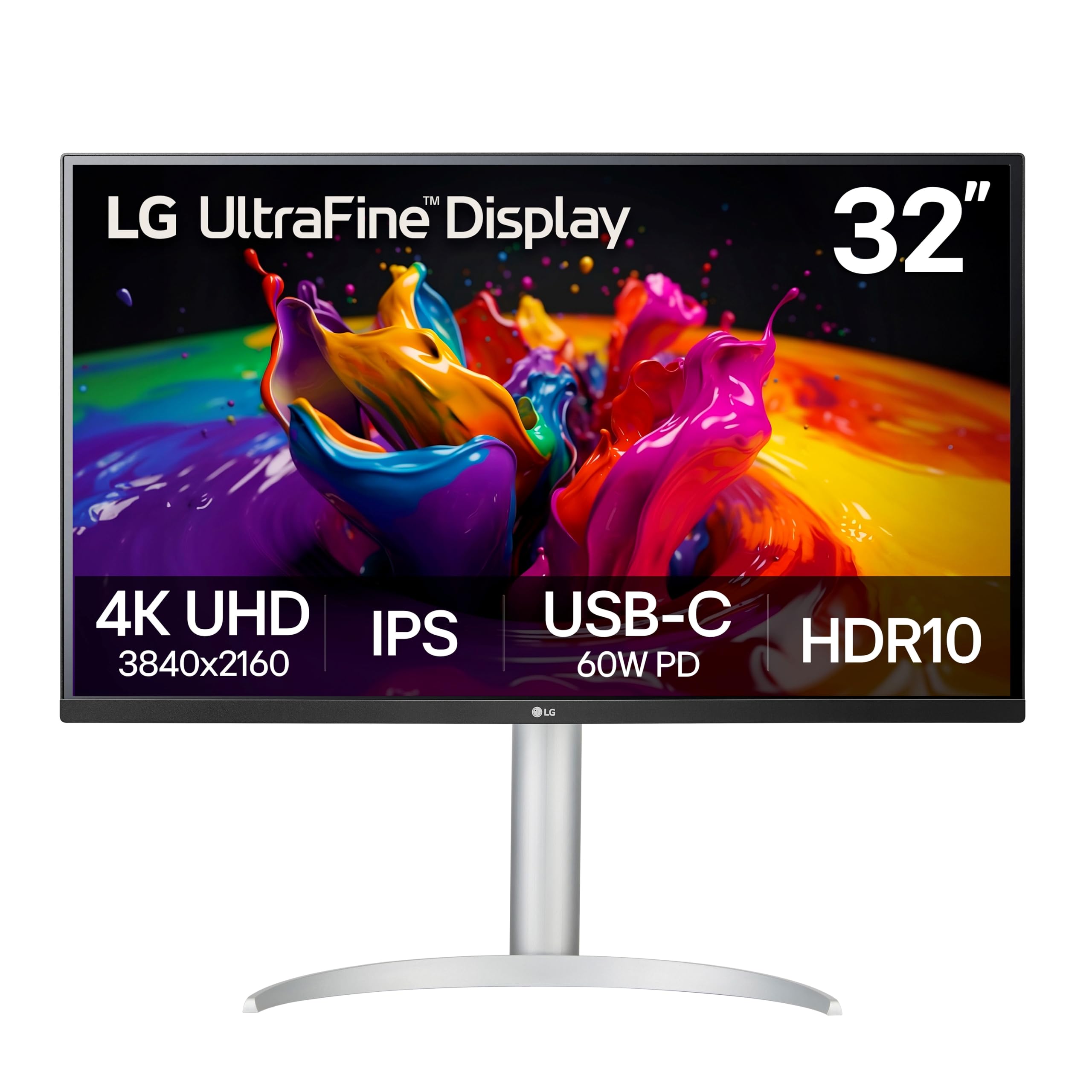
The LG 32UP83AK-W offers a no-nonsense 4K IPS experience at 32 inches with all the essential features for productivity. The USB-C port delivers 60W of power delivery — enough to charge most ultrabooks — while handling video and data over a single cable. HDR10 support and a 95% DCI-P3 color gamut provide decent color performance for media consumption and light creative work.
The ergonomic stand offers height, tilt, and pivot adjustment, which is crucial for long coding or writing sessions. Black Stabilizer and Dynamic Action Sync are useful for occasional gaming, though the 60Hz refresh rate caps competitive play. The built-in speakers are serviceable for video calls and background music, reducing desktop clutter.
Its main trade-offs are a standard 1000:1 contrast ratio — blacks look gray in a dark room compared to VA or OLED — and the semicircular stand base that takes up significant desk depth. If you need a solid all-rounder for office work, data analysis, or general use, this LG delivers reliable IPS quality with smart connectivity.
Why it’s great
- USB-C 60W with single-cable setup
- Full ergonomic stand adjustments
- IPS panel with 95% DCI-P3
Good to know
- 1000:1 contrast ratio, not for dark rooms
- Stand base consumes desk space
5. Dell S2725QS 27″ 4K 120Hz

The Dell S2725QS punches above its class by offering a 120Hz refresh rate at 4K resolution in a 27-inch IPS panel — a combination typically reserved for higher price tiers. AMD FreeSync Premium and an ultra-low 0.03ms response time make this feel responsive for both productivity scrolling and console gaming. The 1500:1 contrast ratio is a noticeable step above typical IPS panels, giving text and UI elements better depth.
ComfortView Plus reduces blue light emissions to 35% or less without the yellow tint that plagues many low-blue-light modes. The ash white finish and ultra-thin bezels give it a clean, modern look that fits minimalist desk setups. The included stand offers height, pivot, swivel, and tilt adjustments.
Some units have reported slight vignetting on the right edge, and while the 120Hz refresh is smooth, it’s not enough for competitive 144Hz+ gaming. The built-in speakers are improved over the previous generation but still lack bass. For a compact 4K monitor that handles both productivity and light gaming at a fair price, this Dell is a strong contender.
Why it’s great
- 4K 120Hz with FreeSync Premium
- ComfortView Plus with minimal color shift
- Full ergonomic stand included
Good to know
- Possible vignetting on some units
- Speakers lack bass
6. Samsung Smart Monitor M7 32″ 4K

The Samsung Smart Monitor M7 is less a traditional monitor and more a hybrid device that functions as both a 4K display and a smart TV. It runs Samsung’s Tizen operating system with built-in streaming apps, Samsung TV Plus, and the Samsung Gaming Hub, letting you watch Netflix or play cloud games without a PC. The included remote control with a solar charging pad is a thoughtful addition for everyday use.
The 4K VA panel delivers a 3000:1 contrast ratio, producing deep blacks that IPS panels can’t match. AI Picture Optimizer adapts visuals based on content, and the Active Voice Amplifier adjusts dialogue volume in noisy environments. Connectivity includes Wi-Fi, Bluetooth, USB-C, and HDMI, plus Samsung Knox security for data protection.
It’s limited to 60Hz, so fast-paced gaming isn’t ideal. The built-in speakers are treble-heavy, and some users report color inaccuracies for productivity work compared to dedicated office monitors. If you want a versatile screen for streaming, light work, and casual gaming in a bedroom or dorm, this Samsung is a compelling multi-function device.
Why it’s great
- Built-in smart TV with remote
- 3000:1 VA contrast for deep blacks
- Solar charging remote included
Good to know
- 60Hz refresh limits gaming
- Color accuracy not for photo editing
7. SOTSU FlipAction Go 14″ Portable Monitor

The SOTSU FlipAction Go is built for mobility: at just 700 grams with an aerospace-grade aluminum frame and tempered glass cover, it’s light enough to slip into a laptop bag without adding noticeable weight. The 14-inch Full HD IPS panel delivers 400 nits of brightness and 100% sRGB coverage, making it a solid companion for photo review, coding, or document work on the road.
The pivot hinge rotates from 0 to 180 degrees, letting you switch between landscape and portrait orientations for reading code or long documents. It runs on low power (5 watts) and supports pass-through charging, so you can power both the monitor and your laptop from a single charger. The included protective case doubles as a stand.
As a 14-inch portable monitor at 1080p, it can’t replace a full-size 4K desktop display. The screen appears slightly fuzzy to some users, and macOS scaling at 1080p produces smaller text without third-party tools. For frequent travelers who need a second screen for productivity, this SOTSU is a well-built, lightweight option.
Why it’s great
- Ultra-light 700g build with aluminum frame
- Pass-through charging for single-cable setup
- Pivot hinge for portrait mode
Good to know
- 1080p only, not 4K
- Mac scaling requires third-party tools
8. INNOCN 49C1S 49″ Curved Ultrawide
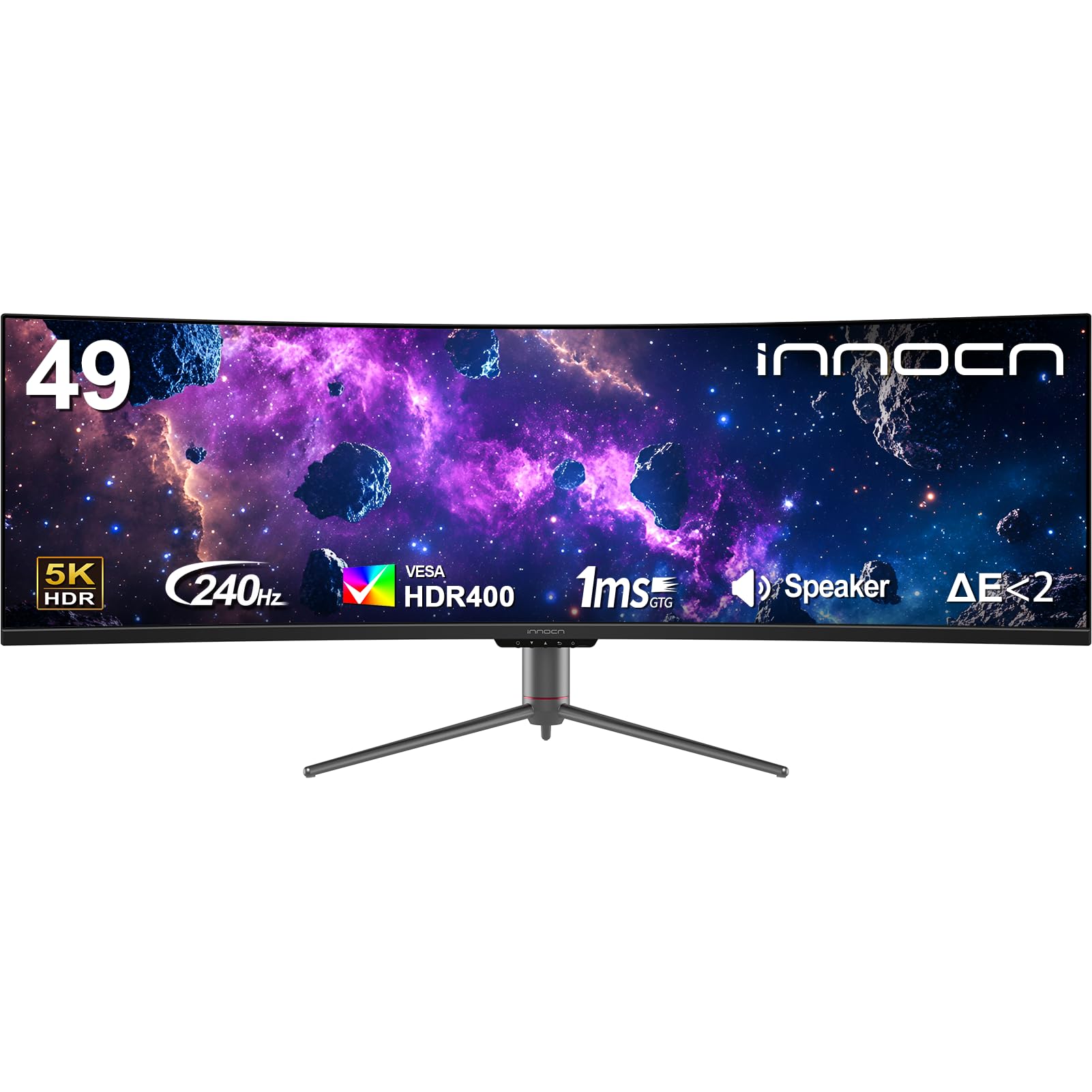
The INNOCN 49C1S is a 49-inch super-ultrawide that effectively replaces two 27-inch monitors with a single 32:9 curved panel. The Dual QHD resolution (5120×1440) gives you the horizontal space of two 1440p monitors without the bezel gap. The 1800R curvature wraps around your field of view, reducing eye strain during long sessions, and the 240Hz refresh rate with Adaptive-Sync makes it viable for fast-paced gaming.
Connectivity is generous: two DisplayPort 1.4 inputs, HDMI 2.1, USB-C with 65W power delivery, USB-A ports, and even an RJ45 Ethernet jack. The built-in KVM function lets you control two PCs with one keyboard and mouse. PIP and PBP modes allow simultaneous input from two sources, perfect for keeping a work PC and a gaming PC connected at once.
The VA panel delivers a 3000:1 contrast ratio for decent blacks, but color accuracy isn’t calibrated for professional photo work. The on-screen display menu requires multiple clicks to adjust settings, and some units have reported pixelation issues. For users who want maximum screen real estate without going the multi-monitor route, the INNOCN 49C1S is a value-packed ultrawide.
Why it’s great
- Replaces two monitors seamlessly
- 240Hz with Adaptive-Sync
- USB-C 65W and built-in KVM
Good to know
- OSD navigation is cumbersome
- Color accuracy not for creative pros
9. Samsung Odyssey OLED G9 49″ Curved

The Samsung Odyssey OLED G9 represents the pinnacle of ultrawide display technology with its QD-OLED panel. Colors are incredibly vibrant across a wider spectrum than standard OLED, true blacks deliver infinite contrast, and the 1,000,000:1 contrast ratio makes HDR content look genuinely three-dimensional. The 49-inch 32:9 curvature at 1800R fully immerses you, and the Dual QHD resolution (5120×1440) keeps pixel density high enough for sharp text.
G-Sync Compatible and FreeSync Premium Pro support ensure tear-free gameplay, while the 0.03ms response time eliminates motion blur. Samsung includes burn-in prevention features like Logo & Taskbar Detection, a thermal modulation system, and a screen saver that activates after 10 minutes of inactivity. The ergonomic stand offers height and tilt adjustments.
The 144Hz refresh rate is lower than some competing ultrawides that reach 240Hz. Some users report a slight brightness mismatch down the center seam where two 27-inch panels are joined, and Samsung’s customer service has received mixed reviews. For those seeking the best visual experience in an ultrawide format — deep blacks, wide color, and immersive curvature — the Odyssey OLED G9 is a class-leading choice.
Why it’s great
- QD-OLED with true blacks and vibrant color
- Burn-in prevention features included
- Immersive 1800R curvature
Good to know
- 144Hz refresh lags behind 240Hz competitors
- Potential center seam gradient on some units
FAQ
Can a 32-inch monitor replace two 24-inch monitors for productivity?
What is the ideal refresh rate for a monitor used for both work and gaming?
Does USB-C power delivery wattage matter for my laptop?
Final Thoughts: The Verdict
For most users, the best 30 inch computer monitor winner is the BenQ MA320U because it delivers Mac-native color accuracy, full ergonomic adjustment, and 90W power delivery in a single-cable setup — a combination that’s hard to beat for productivity. If you want true OLED blacks and dual refresh rate gaming, grab the LG 32GX850A-B. And for color-critical photo or video editing, nothing beats the ASUS ProArt PA279CRV with its factory-calibrated Delta E under 2 and 96W PD.