
Our readers keep the lights on and the weekend projects moving. As an Amazon Associate, I earn from qualifying purchases.
A 32-inch 4K monitor sits right at the sweet spot—big enough for true immersive work and play, but sharp enough that you won’t see individual pixels from a normal viewing distance. The difference between a decent panel and a great one comes down to the display technology, color accuracy, and the specific refresh rate your hardware can actually support.
I’m Rikta — the co-founder and writer behind FitlyFast. I’ve spent countless hours analyzing display specifications, reading through real owner experiences, and comparing panel technologies across dozens of models to find which 32-inch 4K monitors actually deliver on their promises in real-world use.
You want a screen that pairs crisp resolution with the right refresh rate, color depth, and connectivity for your setup. This guide walks through the top performers across every budget and use case to help you find the best 32 inch 4k monitor for your desk.
How To Choose The Best 32 Inch 4K Monitor
Buying a 32-inch 4K monitor means committing to a display you’ll likely use daily for years. Getting the decision right means understanding which specs actually matter for your specific workload—and ignoring marketing fluff that doesn’t affect real-world performance.
Panel Technology: The Foundation of Image Quality
The panel type determines contrast, viewing angles, and color reproduction. VA panels offer strong contrast (3000:1 or higher) and deep blacks but narrower viewing angles. IPS panels deliver better color accuracy and wider viewing angles but lower contrast. OLED and QD-OLED panels provide near-infinite contrast with perfect blacks and vibrant colors, but cost more and require burn-in management. For creative work, IPS or OLED is the safer bet. For gaming and media in a dark room, VA or OLED excels.
Refresh Rate and Adaptive Sync
At 4K resolution, driving high frame rates demands significant GPU power. A 60Hz monitor is fine for office work and media consumption. For gaming, 120Hz to 165Hz provides a noticeable smoothness upgrade without requiring a top-tier graphics card. 240Hz panels exist but only make sense if your PC can consistently push 240 frames per second at 4K in your favorite titles. Adaptive Sync (FreeSync or G-Sync) eliminates screen tearing and is valuable across all refresh rates.
Color Accuracy and HDR Certification
Look for DCI-P3 coverage above 90% if you edit photos or video. sRGB 100% is the minimum for accurate web and print work. HDR certification matters—DisplayHDR 400 is entry-level, while True Black 400 or higher delivers real high dynamic range on OLED panels. Delta E (ΔE) values under 2 indicate factory-calibrated color accuracy suitable for professional use.
Connectivity and Ergonomics
HDMI 2.1 is essential for full 4K at high refresh rates on consoles and newer GPUs. DisplayPort 1.4 with Display Stream Compression (DSC) can also handle 4K at 240Hz. USB-C with power delivery (65W or higher) lets you connect a laptop and charge it through a single cable. A fully adjustable stand—height, tilt, swivel, pivot—adds long-term comfort that a fixed stand cannot match.
Quick Comparison
On smaller screens, swipe sideways to see the full table.
| Model | Category | Best For | Key Spec | Amazon |
|---|---|---|---|---|
| ASUS ROG Swift PG32UCDM | Premium QD-OLED | High-end gaming & media | 240Hz, 0.03ms, True Black 400 | Amazon |
| Samsung Odyssey G8 G81SF | QD-OLED | Competitive gaming | 240Hz, Glare Free, 0.03ms | Amazon |
| MSI MPG 321URX | QD-OLED | Gaming & productivity | 240Hz, 90W USB-C, KVM | Amazon |
| LG UltraGear 32GX850A | OLED | Competitive & story gaming | 165/330Hz Dual-Mode, Glossy | Amazon |
| Dell UltraSharp U3223QE | IPS LCD | Professional office & photo | IPS Black, 450 nits, KVM | Amazon |
| ASUS ProArt PA329CRV | IPS LCD | Color-critical creative work | ΔE < 2, 98% DCI-P3, 96W USB-C | Amazon |
| Samsung Smart Monitor M8 | LCD | All-in-one streaming & work | Smart TV apps, 400 nits | Amazon |
| LG Ultrafine 32-inch | VA | Media & casual gaming | 90% DCI-P3, HDR10, Speakers | Amazon |
| KTC H32P22P | Fast IPS | Mid-range gaming | 165Hz, 1ms, 3000:1 contrast | Amazon |
| Dell S3225QS | VA | Budget gaming & office | 120Hz, FreeSync Premium, HDR | Amazon |
| CRUA Curved 32″ | VA Curved | Entry-level immersive gaming | 160Hz, 1500R, 120% sRGB | Amazon |
In‑Depth Reviews
1. ASUS ROG Swift PG32UCDM

The ASUS ROG Swift PG32UCDM is a 32-inch QD-OLED panel that hits an incredible balance of gaming speed and professional-grade color reproduction. With a 240Hz refresh rate and 0.03ms response time, this monitor delivers fluid motion without ghosting while covering 99% DCI-P3 for accurate, rich colors out of the box. The custom heatsink and graphene film reduce burn-in risk, making this one of the safest OLED investments for mixed-use scenarios.
Real-world performance is outstanding. Owners consistently report near-infinite black levels with no blooming, HDR content that looks genuinely cinematic, and a glossy screen that enhances clarity without excessive reflections. The DisplayWidget Center software gives you mouse-controlled access to OLED Care and settings adjustments, which simplifies daily use. The 90W USB-C port charges a laptop while carrying video, streamlining a single-cable desktop.
Text clarity at normal viewing distance is excellent for a QD-OLED, though some users notice minor fringing on white text against black backgrounds at very close range. The built-in 3-year warranty with burn-in coverage provides peace of mind for long-term ownership. For buyers who want the best all-around 32-inch 4K experience today, this is the benchmark.
Why it’s great
- Stunning HDR with True Black 400 and infinite contrast
- 240Hz refresh with excellent motion clarity
- 90W USB-C charging and full ergonomic stand
Good to know
- Requires pixel refresh maintenance
- Glossy screen may reflect direct light sources
2. Samsung Odyssey G8 G81SF

The Samsung Odyssey G8 G81SF is a QD-OLED monitor built for competitive gaming, combining a 240Hz refresh rate with 0.03ms response time and Samsung’s Glare Free technology that reduces reflections 54% more than conventional anti-reflection coatings. The VESA DisplayHDR True Black 400 certification means deep blacks and bright highlights without light bleed, which is crucial for spotting enemies in dark game scenes.
Owner feedback highlights the near-perfect out-of-box calibration: vibrant colors, jet-black shadows, and crisp text rendering that makes it suitable for both gaming and productivity. The Pulsating Heat Pipe cooling system actively manages heat to reduce burn-in risk, and the Thermal Modulation System automatically adjusts brightness to prevent overheating. CoreSync lighting projects on-screen colors into the room for an immersive ambient effect.
Some users note the mini joystick interface can be finicky, and warranty documentation occasionally causes confusion about coverage length—Samsung’s stated 3-year warranty should be confirmed with the seller. The stand is fully adjustable and well-built. For pure gaming performance with minimal reflections, this is one of the best QD-OLED options available.
Why it’s great
- Excellent Glare Free screen for bright rooms
- 240Hz with FreeSync Premium Pro and G-Sync
- Active cooling system reduces burn-in risk
Good to know
- Joystick control can be sensitive
- Warranty details may vary by seller
3. MSI MPG 321URX QD-OLED

The MSI MPG 321URX is a 32-inch QD-OLED that differentiates itself through practical productivity features. Beyond the 240Hz refresh rate and 0.03ms response time, it includes a built-in KVM switch, PiP/PbP modes, and 90W USB-C power delivery—features that make it genuinely useful for multi-device workstations alongside gaming. The panel covers 99% DCI-P3 with Delta E ≤ 2 accuracy straight from the factory.
Users upgrading from IPS or VA panels consistently describe the image quality as breathtaking: perfect blacks, vibrant colors, and HDR that actually looks impactful. The OLED Care 2.0 suite includes pixel shift and panel refresh to prevent burn-in, and MSI’s Gaming Intelligence software adds useful tools like crosshairs and countdown timers. Owners praise the plug-and-play experience and the sturdy, albeit chunky, stand.
A known Mac-specific issue requires turning off Display Stream Compression and manually setting DisplayPort with Auto Scan disabled to run dual 4K monitors at 120Hz, but once configured, the setup is stable. The text clarity is solid for a QD-OLED. For buyers who want premium OLED image quality but also need KVM and USB-C charging, this is the strongest all-rounder.
Why it’s great
- Built-in KVM and PiP/PbP for multi-device workflows
- 240Hz with excellent out-of-box color accuracy
- 90W USB-C power delivery
Good to know
- Mac dual-monitor setup requires manual configuration
- Stand lacks fine-tune swivel adjustment
4. LG UltraGear 32GX850A

The LG UltraGear 32GX850A uses a WOLED panel with Micro Lens Array+ technology, boosting typical brightness to 275 nits—brighter than previous LG OLED monitors while maintaining the infinite contrast and perfect blacks WOLED is known for. The Dual-Mode feature lets you switch between 4K at 165Hz and Full HD at 330Hz via hotkey, offering flexibility for graphically demanding story games versus fast-paced shooters.
Owners consistently mention the glossy screen as a highlight—it makes colors pop and maintains the inky blacks that define OLED without the purple tint common on QD-OLED panels. The 0.03ms response time eliminates ghosting entirely, and the three UL certifications (Anti-Glare, Flicker-Free, Low Blue Light) make long sessions comfortable. The fully adjustable stand includes tilt, swivel, pivot, and height adjustments.
Some users report minor text fringing and banding, which is typical for current-generation WOLED panels at 4K. One owner noted a dead green subpixel, though LG’s warranty process handled it. The design is clean and professional without aggressive gamer aesthetics. For buyers who prefer the color purity of WOLED and want the flexibility of Dual-Mode, this is an excellent choice.
Why it’s great
- WOLED panel with no purple tint
- Dual-Mode: 4K 165Hz and 1080p 330Hz
- UL certified for low blue light and flicker-free
Good to know
- Text rendering may have slight banding
- Glossy finish can reflect ambient light
5. Dell UltraSharp U3223QE

The Dell UltraSharp U3223QE uses IPS Black technology, which delivers a 2000:1 contrast ratio—roughly double what traditional IPS panels achieve—while maintaining the wide viewing angles and color accuracy that make IPS the standard for professional monitors. The 450-nit brightness ensures visibility even in sunny rooms, and the 100% sRGB coverage means consistent colors out of the box.
This monitor is built for productivity. The built-in KVM switch lets you control two computers with a single keyboard and mouse, and the Ethernet port keeps your desk clean. Owners praise its adjustable stand, the ability to match white balance with MacBook screens, and the Picture-by-Picture mode that’s genuinely useful for dual-PC workflows. The USB-C port delivers 90W charging, enough to power most laptops.
The 60Hz refresh rate makes it unsuitable for competitive gaming, and there are no built-in speakers. Some users find the lowest brightness setting still too bright for dark rooms. For office work, photo editing, and long document sessions, this remains one of the most reliable 32-inch 4K monitors available, with build quality that justifies its price over years of daily use.
Why it’s great
- IPS Black panel with excellent contrast for IPS
- Built-in KVM and Ethernet hub
- 90W USB-C charging with consistent color
Good to know
- 60Hz only—not for gaming
- No built-in speakers
6. ASUS ProArt PA329CRV

The ASUS ProArt PA329CRV is factory-calibrated to Delta E < 2 with 98% DCI-P3 coverage, making it a reliable tool for photographers, video editors, and designers who need accurate color straight from the box. The 32-inch IPS panel delivers wide 178-degree viewing angles, and the USB-C port provides 96W power delivery—enough to charge a MacBook Pro while carrying video and data.
Professional users appreciate the Calman Verified certification and the included calibration report. The monitor supports multiple color spaces (sRGB, Adobe RGB, DCI-P3, Rec. 709, Rec. 2020) with independent adjustments per setting. The 400-nit peak brightness is sufficient for SDR work and provides decent HDR performance. The stand offers full ergonomic adjustment including pivot for portrait mode, and the 5-year warranty (with registration) adds long-term value.
Some units have been reported with dead pixels or uneven white point uniformity, particularly on recent production panels, so inspecting the unit within the return window is wise. The built-in speakers are poor—plan to use external speakers or headphones. For color-critical creative work where accuracy matters more than gaming speed, this remains the go-to choice at its price point.
Why it’s great
- Factory calibrated with ΔE < 2 accuracy
- 96W USB-C power delivery and full ergonomic stand
- 5-year warranty with registration
Good to know
- Quality control can vary between units
- Built-in speakers are very weak
7. Samsung Smart Monitor M8 (M80F)

The Samsung Smart Monitor M8 is a 32-inch 4K display that doubles as a smart TV, complete with built-in streaming apps, Samsung Gaming Hub for cloud gaming, and Samsung Vision AI that optimizes picture quality based on content type. The 400-nit brightness and 3000:1 contrast ratio via VA panel deliver solid HDR performance for media consumption, and the Active Voice Amplifier uses AI to adjust dialogue volume over background noise.
Owners love the convenience of having a monitor that also streams Netflix, Disney+, and TV Plus without needing a separate device. The USB-C port handles video and data while charging connected devices. The adjustable stand and slim white design fit well in bright, modern spaces. Samsung Knox security keeps data safe, and Click to Search provides on-screen content details and recommendations.
The 60Hz refresh rate limits gaming, and the built-in speakers are adequate for dialogue but lack bass for music or action movies. Some users report sensitivity to input connection types, requiring initial setup tweaks. For a dorm room, bedroom, or secondary workspace where streaming and productivity coexist, the M8 is uniquely versatile.
Why it’s great
- Built-in smart TV apps and Samsung Gaming Hub
- AI-powered picture and audio optimization
- Sleek design with adjustable stand
Good to know
- Limited to 60Hz—not for high-refresh gaming
- Built-in audio lacks low-end punch
8. LG Ultrafine 32-inch
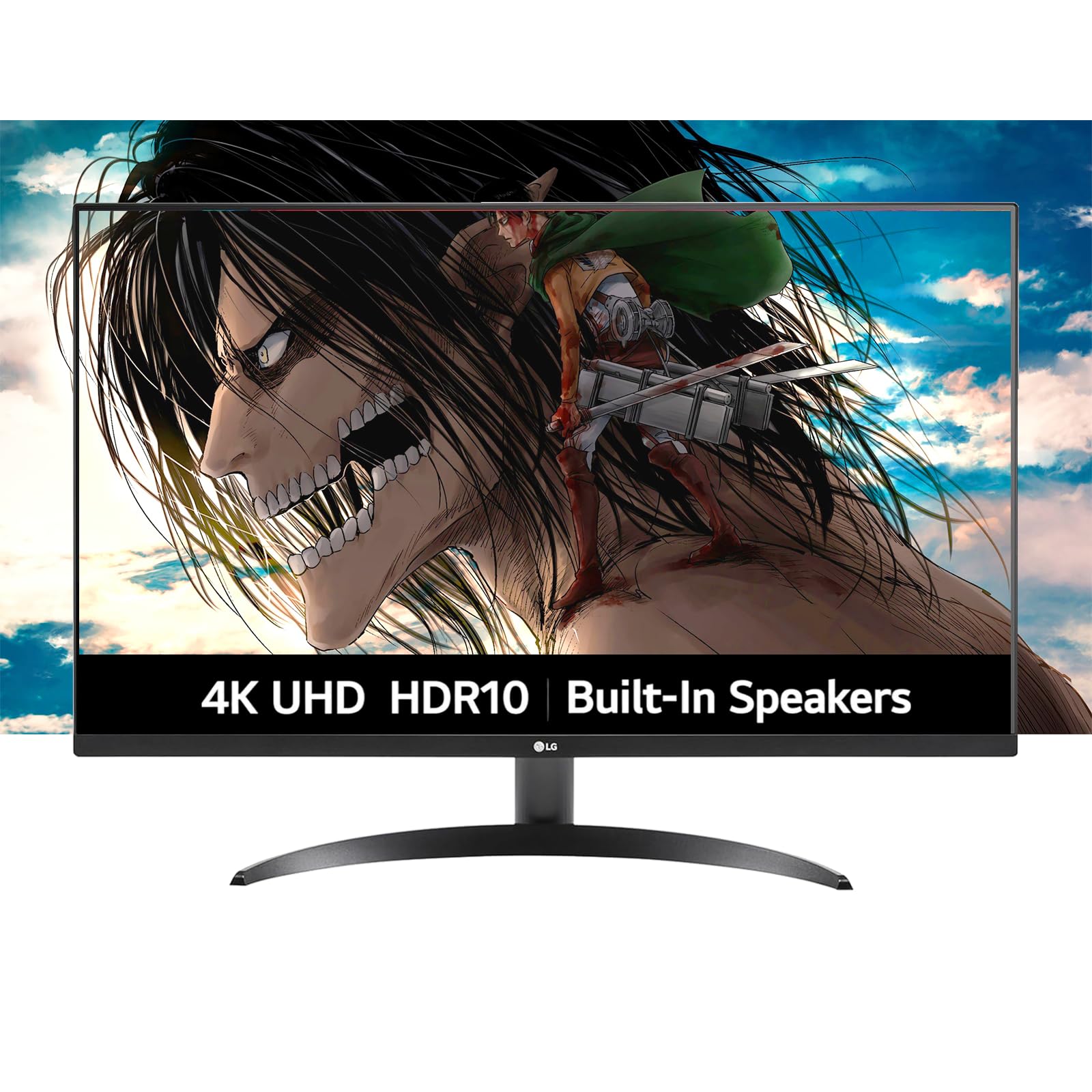
The LG Ultrafine 32-inch monitor balances strong image quality with a practical feature set for everyday use. The VA panel delivers 1000:1 contrast and 90% DCI-P3 color coverage, supported by HDR10 for improved dynamic range in supported content. Dynamic Action Sync reduces input lag for casual gaming, and Black Stabilizer helps spot details in dark scenes without washing out blacks.
Users consistently describe picture quality as vibrant and sharp, with slim bezels that give the display a modern, nearly borderless look. The built-in speakers powered by Waves MaxxAudio deliver clear sound that’s sufficient for video calls and casual media without cluttering the desk. LG’s OnScreen Control software makes screen splitting and settings adjustments straightforward.
The brightness maxes out at 250 nits, which is dim for bright rooms, and the stand offers tilt adjustment only—no height or swivel. The 60Hz refresh rate is standard for productivity but won’t satisfy competitive gamers. For buyers who want a reliable, good-looking 4K screen for mixed productivity and entertainment without spending premium money, this is a solid mid-range option.
Why it’s great
- Vibrant VA panel with 90% DCI-P3 coverage
- Built-in speakers with good clarity for size
- Slim bezel design looks clean on any desk
Good to know
- 250 nits brightness is dim in sunlit rooms
- Stand tilts only—no height adjustment
9. KTC H32P22P

The KTC H32P22P brings a Fast IPS panel to the 4K 32-inch category with a 165Hz refresh rate, 1ms response time, and Adaptive Sync support for both FreeSync and G-Sync. The 3000:1 contrast ratio is unusually high for an IPS panel and contributes to better black depth than typical IPS monitors. The 121% sRGB coverage area means colors are vibrant and punchy right out of the box.
Owners highlight the exceptional value proposition: the combination of high refresh rate, 4K resolution, and strong color performance at a mid-range price point. The monitor includes HDMI 2.1 and DP 1.4 ports for full-bandwidth 4K at high refresh rates, plus VESA mount compatibility. The stand offers height and tilt adjustment, which is a welcome ergonomic feature at this price tier.
Some users report that the menu system takes time to learn, and the 300-nit brightness is adequate but not exceptional for HDR content. A small number of owners mention a non-active display area at the edges. For budget-conscious gamers who want 4K and high refresh without jumping to OLED prices, the KTC H32P22P is a compelling option with a 3-year warranty to back it up.
Why it’s great
- Fast IPS with 165Hz and Adaptive Sync
- 3000:1 contrast for deep blacks
- Height/tilt adjustable stand and HDMI 2.1
Good to know
- Menu navigation has a learning curve
- Brightness limited to 300 nits
10. Dell S3225QS

The Dell S3225QS is a 31.5-inch VA panel that delivers 4K resolution at up to 120Hz with AMD FreeSync Premium, offering a smooth experience for both work and light gaming without breaking the budget. The 1500:1 contrast ratio provides solid black levels, and the 99% sRGB and 95% DCI-P3 coverage ensures good color reproduction. ComfortView Plus reduces blue light emissions to ≤35% without washing out colors.
Owners consistently praise the build quality and value. The picture is described as sharp and bright, with minimal glare thanks to the anti-glare coating. The stand is sturdy and adjustable. Users note that the built-in speakers are surprisingly good for a monitor, with decent volume and range, though the minimum volume setting may still be too loud for quiet environments. The ultra-thin bezels give it a modern, clean appearance.
Viewing angles are typical for VA—color shifts when viewed off-center—so it’s best used directly in front. Some users note a strong smell from the packaging, and the interface button on the back can be annoying to reach. For a mix of office productivity, media consumption, and casual gaming, the Dell S3225QS offers excellent performance per dollar with a trusted brand warranty.
Why it’s great
- 120Hz with FreeSync Premium for smooth gaming
- 95% DCI-P3 and ComfortView Plus eye care
- Sturdy build with ultra-thin bezel design
Good to know
- VA viewing angles shift off-center
- Interface button placement is awkward
11. CRUA Curved 32″

The CRUA Curved 32-inch monitor uses a 1500R VA panel with 3840×2160 resolution and a 160Hz refresh rate, targeting gamers and streamers on a tight budget. The 3000:1 contrast ratio delivers deep blacks typical of VA technology, and the 120% sRGB coverage provides vibrant colors. AMD FreeSync support helps reduce tearing during fast-paced gameplay, and the built-in RGB lighting adds visual flair to gaming setups.
Owners generally find the picture quality impressive for the price, with the 1500R curvature making the screen feel more immersive for gaming and media consumption. The white color variant stands out from the typical black monitor, and the built-in speakers are convenient for casual use. Connectivity includes HDMI 2.1 and DP 1.4, supporting modern consoles and GPUs at full bandwidth.
Build quality concerns are the main caveat. Some owners report screen failure within months, and warranty support may be inconsistent—several users were unable to get replacement units after the 30-day Amazon return window. The brightness maxes at 320 nits, which is adequate indoors but struggles in bright rooms. For buyers who accept the trade-off between price and long-term reliability, the CRUA delivers impressive specs on paper for an entry-level investment.
Why it’s great
- 160Hz refresh with 1500R immersion
- 3000:1 contrast for deep blacks
- HDMI 2.1 and DP 1.4 connectivity
Good to know
- Reliability concerns and warranty may be limited
- 320 nits brightness is dim in bright rooms
FAQ
Is a 32-inch 4K monitor too big for office work?
Can my graphics card handle 4K at 240Hz?
What is the difference between WOLED and QD-OLED?
Do OLED monitors still have burn-in risk?
Should I use HDMI 2.1 or DisplayPort 1.4 for 4K gaming?
Final Thoughts: The Verdict
For most users, the best 32 inch 4k monitor winner is the ASUS ROG Swift PG32UCDM because it combines stunning QD-OLED image quality with a 240Hz refresh rate, practical 90W USB-C charging, and a comprehensive 3-year warranty that includes burn-in coverage. If you want a productivity-focused screen with professional color accuracy and a KVM switch, grab the Dell UltraSharp U3223QE. And for high-end competitive gaming with flexible Dual-Mode refresh rates, nothing beats the LG UltraGear 32GX850A.