
Our readers keep the lights on and the weekend projects moving. As an Amazon Associate, I earn from qualifying purchases.
Specs are compiled from manufacturer listings and verified buyer reviews and can change over time — please confirm the key details on the product page before buying.
If you are shopping for a 32-inch 4K OLED gaming monitor, the main question is not whether OLED looks better — it is which of these high-refresh-rate panels actually delivers rich blacks without burn-in anxiety and stays smooth at 240Hz without stutter. This guide compares four 32-inch 4K OLED gaming monitors side by side, so you know exactly where each one wins and where it falls short.
I’m Rikta — the founder and writer behind FitlyFast. This guide is built by comparing the manufacturers’ published specifications and the patterns across verified customer reviews, so you get each pick’s real strengths and trade-offs instead of marketing spin.
After studying the contrast ratios, color gamut scores (how much of the cinema-grade color range they can show), refresh rates, and user-reported quirks across the leading 32-inch OLED options, one model consistently stands out for combining jaw-dropping HDR (High Dynamic Range, which makes bright and dark parts of the image more distinct) with proven burn-in safeguards — here is your guide to the best 32 inch 4k oled gaming monitor for your setup, budget, and room lighting.
Quick Picks
- ASUS ROG Swift 32” 4K OLED Gaming Monitor (PG32UCDM) — Best Overall
- LG UltraGear 32GS95UE — Dual-Mode Power
- MSI MPG 321URX QD-OLED — Productivity Star
- Samsung 32” Odyssey QD-OLED G8 (G81SF) — Glare Fighter
How To Choose The Best 32 Inch 4K OLED Gaming Monitor
Picking between these monitors depends on three things: how each OLED implementation behaves, how you handle reflections in your room, and which burn-in protections you trust. Every model here runs at 240Hz with a 0.03ms response time, so raw speed is not the differentiator — image quality and long-term confidence are.
Panel Technology
The ASUS, MSI, and Samsung models here use QD-OLED panels, which pair OLED light with quantum dots (tiny particles that convert light to precise colors) to produce red and green light and deliver 99% to 100% DCI-P3 color coverage in this lineup. Panel finish, subpixel layout, and anti-glare treatment still matter just as much in daily use, so the real choice depends on whether you prioritize maximum color saturation, text clarity, or reflection handling.
Anti-Glare Coating Matters More Than You Think
One of the biggest complaints buyers have is how the screen finish handles room light. The Samsung uses a matte coating that Samsung says is 54% less glossy than conventional anti-reflection film, making it easier on the eyes in sunlit rooms — but buyers report it reduces text sharpness slightly. The ASUS uses a glossy finish that buyers call more rich with richer highlights, though it shows reflections if your desk faces a window. The LG sits in the middle with an anti-glare low-reflection coating that most reviewers find balanced.
Burn-In Prevention Features
Every monitor here includes pixel refresh cycles and logo/taskbar dimming, but they run on different schedules. The ASUS requires a pixel refresh every 8 hours according to buyers, and its custom heatsink and graphene film spread heat to reduce burn-in risk. Samsung adds a pulsating heat pipe — a first for monitors — that diffuses heat five times faster than a graphite sheet. MSI includes OLED Care 2.0 with automatic brightness control. LG backs its panel with a two-year limited warranty covering the OLED display itself.
Quick Comparison
| Model | Best For | Contrast Ratio | Color Gamut (DCI-P3) | Brightness | Amazon |
|---|---|---|---|---|---|
| ASUS ROG Swift PG32UCDM | Maximum contrast and HDR pop | 1500000:1 | 100.0% | 1000 cd/m² | Amazon |
| LG UltraGear 32GS95UE | Dual-mode flexibility (4K 240Hz or 1080p 480Hz) | 1500000:1 | 98.5% | 275 cd/m² | Amazon |
| MSI MPG 321URX | Mac dual-monitor setups and productivity | Extremely high | 97% | 250 nits | Amazon |
| Samsung Odyssey G8 G81SF | Glare-free gaming in bright rooms | 1000000:1 | 99% | 260 cd/m² | Amazon |
In‑Depth Reviews
1. ASUS ROG Swift 32” 4K OLED Gaming Monitor (PG32UCDM)

The QD-OLED king that delivers the deepest blacks and richest colors in this lineup.
If you want the deepest blacks in dark game scenes, this ASUS is your monitor. It delivers a 1500000:1 contrast ratio versus the Samsung’s 1000000:1, which means you see absolute black in dark scenes with zero light bleed, and bright highlights punch off the screen. The 100.0% DCI-P3 color gamut (the cinema color standard) is the highest here, versus the MSI’s 97%, so every game and movie looks as saturated as the creator intended.
The glossy screen is a double-edged sword: owners mention it enhances clarity and immersion with minimal reflections, but a glossy finish means you will see window reflections if your room is bright. The custom heatsink, advanced airflow design, and graphene film work together to manage heat and reduce burn-in risk, and customers note the pixel refresh triggers every 8 hours automatically. Reviewers also note the uniform brightness setting keeps luminance consistent, and the DisplayWidget Center lets you tweak OLED Care settings with a mouse rather than fumbling with the on-screen joystick.
Buyers are unanimous on one thing: this is the most visually stunning 32-inch OLED for gaming and media right now, though the premium price and glossy surface mean it suits a darker, controlled room best.
What stands out
- Highest contrast ratio among the picks (1500000:1) delivers true blacks
- Full 100% DCI-P3 color gamut for vibrant, accurate HDR
- Custom heatsink and graphene film reduce burn-in risk
One catch
- Glossy screen shows reflections in bright rooms
- Buyers confirm pixel refresh needed every 8 hours
Reach for this if: you want the absolute best HDR and deepest blacks for gaming and movies in a room you can dim.
Look elsewhere if: your desk sits in a bright, sunlit space where reflections will bother you.
2. LG UltraGear 32GS95UE
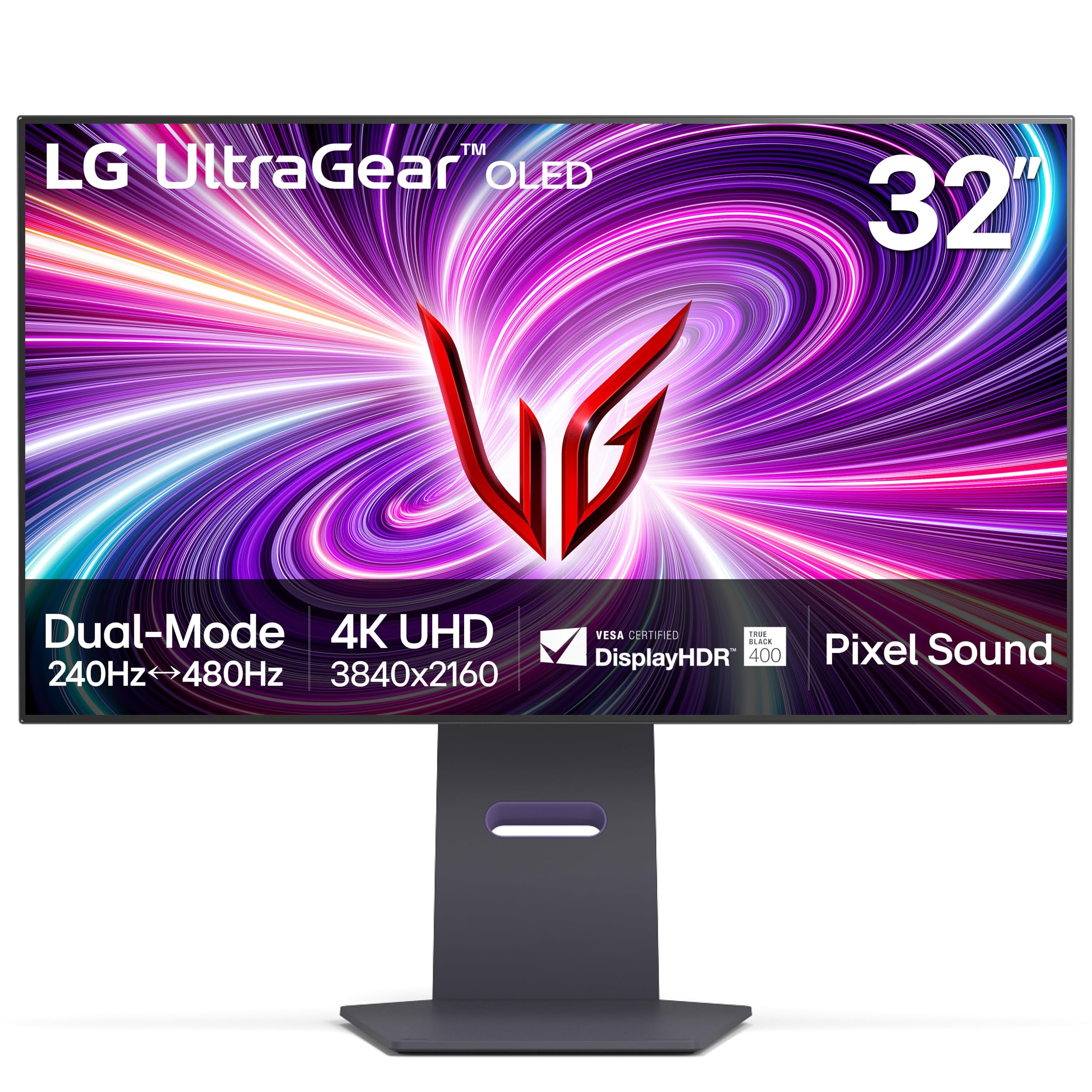
The only 32-inch OLED that switches between 4K 240Hz and 1080p 480Hz at the press of a button.
LG brings something no other monitor here can match: Dual Mode, the world’s first VESA Certified Dual Mode gaming monitor. One button takes you from rich 4K at 240Hz for single-player titles to Full HD at 480Hz for competitive shooters where every millisecond counts. This is the pick if you play both epic RPGs and esports and do not want to choose between resolution and speed.
At 1500000:1 contrast ratio it ties the ASUS for deepest blacks, and the 98.5% DCI-P3 gamut keeps colors rich — just a sliver behind the ASUS’s 100%. The anti-glare low-reflection coating sits between the Samsung’s aggressive matte and the ASUS’s glossy, so text clarity holds up better for productivity work. One reviewer who tried it for programming noted text looks somewhat smudged due to the subpixel layout, but called it “phenomenal” for gaming. A separate buyer using a GTX 1660 reported getting 200fps at 2560×1440 and 60fps at 4K, noting an HDMI-to-DisplayPort switch fixed a “No input” issue.
Pixel Sound is a neat extra — sound waves emit from behind the OLED panel straight at you, so dialogue feels like it comes from the middle of the screen rather than from bottom-firing speakers. The two-year UltraGear OLED warranty covers the panel itself, which is a meaningful peace-of-mind addition.
Why it stands apart
- Dual Mode offers 4K 240Hz and 1080p 480Hz in one monitor
- 1500000:1 contrast ratio ties the ASUS for deepest blacks
- Pixel Sound delivers audio directly from the screen surface
Trade-off
- 275 cd/m² brightness is lower than the ASUS, making it less punchy in HDR
- Text clarity may feel smudged for programming work
Your pick if: you want maximum refresh rate flexibility — 480Hz for esports, 4K for everything else — and value a panel warranty.
Skip if: you need bright HDR highlights or do most of your screen time in word processors and code editors.
3. MSI MPG 321URX QD-OLED

The QD-OLED that solves the Mac dual-monitor headache better than any competitor.
A lot of 32-inch OLEDs struggle when you plug in two Macs or a Mac and a PC — DSC (Display Stream Compression, a method that squeezes more data through a DisplayPort cable) causes handshake conflicts that make screens flicker or refuse to wake. The MSI stands out because buyers have a verified fix: turn DSC off, lock to the DP input, and run both displays at 120Hz. One reviewer called it “excellent for office / productivity work” after applying that fix, noting the True Black HDR 400 produces perfect blacks with zero eye strain.
At 97% DCI-P3 and 250 nits brightness, it does not match the ASUS’s peak color volume or brightness, but the combination of a 0.03ms response time, 240Hz refresh rate, and the 31.5-inch QD-OLED panel still delivers that same vibrant, infinite-contrast gaming experience. Buyers upgrading from IPS (In-Plane Switching) LCD call it “breathtakingly beautiful HDR” with a clear edge in color vibrance and contrast. The stand is large and stable but lacks full adjustment — tilt is fine, but height and swivel are not as smooth as the ASUS or LG.
MSI includes OLED Care 2.0 with automatic brightness control and a KVM switch (Keyboard, Video, Mouse switch) for sharing a keyboard and mouse between two computers, plus HDMI 2.1 and a 90W USB-C port that charges a laptop while displaying video. The color accuracy rating of Delta E ≤2 (a measurement of color error, where less than 2 is excellent) means it is usable for light photo editing too.
Strong suits
- Proven dual-monitor fix for Mac users (DSC Off, 120Hz per display)
- 90W USB-C powers and displays a laptop on one cable
- KVM switch and OLED Care 2.0 built in
Limitations
- 97% DCI-P3 and 250 nits are lower than the ASUS
- Stand lacks full ergonomic adjustment
Best match for: Mac and PC users who work all day at a desk and need a QD-OLED that plays nice with two computers.
Not the one if: you want the highest brightness and widest color gamut for HDR games — the ASUS outshines it.
4. Samsung 32” Odyssey QD-OLED G8 (G81SF)

The matte-coated OLED built for gamers who sit near a sunlit window all day.
Samsung’s Glare Free technology reduces reflections by 54% more than conventional anti-reflection film, which makes this the best pick if your desk faces a bright window or you have overhead lights that bounce off glossy screens. Buyers consistently praise it for being “easy on eyes” and “ideal for sunlight rooms,” though several note the matte finish slightly reduces text crispness compared to the ASUS glossy panel — a minor trade-off for zero glare.
The contrast ratio of 1000000:1 is lower than the ASUS and LG at 1500000:1, but that still puts it far beyond any IPS or VA (Vertical Alignment) panel — blacks are essentially black, and HDR content looks rich with VESA DisplayHDR TrueBlack 400 certification. The 99% DCI-P3 color gamut is close to the MSI at 97%, and Samsung delivers the same 240Hz refresh rate and 0.03ms response time as every pick here. A dynamic cooling system with a pulsating heat pipe — the first ever built into a monitor — diffuses heat five times faster than graphite sheet, which Samsung says reduces the core temperature and prevents burn-ins.
A significant caveat from real buyers: one reviewer noted dead pixel clusters just two months after purchase, stating “unfortunately I spent all this money on a monitor just for a bunch of pixel clusters to stop working just 2 months into use after the return window.” That risk exists with any OLED, but the three-year warranty is a solid backstop. The included ergonomic stand offers tilt and height adjustment, and CoreSync lighting projects on-screen colors behind the monitor for ambient immersion.
Why it wins
- Glare Free coating is rated 54% less glossy than conventional anti-reflection film
- Pulsating heat pipe dissipates heat five times faster than graphite sheet
- Three-year warranty coverage
Heads-up
- 1000000:1 contrast is lower than the ASUS and LG (1500000:1)
- Real buyer reports of dead pixel clusters within two months
Go for this if: your gaming room is bright and you cannot control the lighting — the matte coating is a genuine comfort advantage.
Think twice if: you are after the highest possible contrast ratio and deepest blacks — the ASUS and LG are rated at 1500000:1 versus this Samsung at 1000000:1.
Understanding the Specs
Contrast Ratio
This number tells you how deep the blacks look on screen. A 1500000:1 ratio (found on the ASUS and LG) means white is 1.5 million times brighter than black — so dark scenes in games and movies stay truly black with no gray haze. The Samsung’s 1000000:1 is still far beyond any LCD, but in a side-by-side comparison the ASUS will look noticeably deeper in shadowed scenes.
Color Gamut (DCI-P3)
Measured as a percentage, this tells you how much of the cinema-grade color space the monitor can show. 100% DCI-P3 (the ASUS) means every shade the game or movie throws at it is reproduced exactly. 97% (MSI) or 98.5% (LG) is still excellent — you will only notice the difference on a pure color test slide, not in real gameplay. Samsung sits at 99%, right in the middle.
Refresh Rate and Response Time
240Hz means the screen redraws 240 times every second, making fast motion silky smooth. 0.03ms GtG (grey-to-grey, the time it takes a pixel to shift between two gray shades) response time means each pixel changes color in 0.03 milliseconds, eliminating ghosting and blur behind fast-moving objects. Every monitor here shares these exact numbers, so speed is not a differentiator — panel type and brightness are.
Brightness (cd/m²)
Measured in cd/m² (candelas per square meter), this tells you how bright the screen gets for HDR highlights. The ASUS leads at 1000 cd/m², which makes explosions and sunlight in games genuinely dazzling. The LG (275 cd/m²), Samsung (260 cd/m²), and MSI (250 nits) are much more modest — fine for standard use and HDR gaming in a dim room, but they will not deliver the same eye-popping highlights as the ASUS.
FAQ
Is a 32-inch 4K OLED monitor good for gaming?
Will a 32-inch 4K OLED monitor fit on my desk?
How long does a 32-inch 4K OLED monitor last before burn-in?
Can I use a 32-inch 4K OLED monitor for work and programming?
What GPU do I need for 4K at 240Hz on a 32-inch OLED?
Do these monitors support HDMI 2.1 for consoles?
Which 32-inch OLED has the best anti-glare coating?
Does the 32-inch QD-OLED look better than other OLED monitor designs?
What is the warranty on these 32-inch OLED gaming monitors?
Final Thoughts: The Verdict
For most buyers, the best 32 inch 4k oled gaming monitor winner is the ASUS ROG Swift PG32UCDM because it delivers the highest contrast ratio (1500000:1), the widest color gamut (100% DCI-P3), and the brightest HDR highlights (1000 cd/m²) in a premium package with sturdy burn-in prevention. If you want the flexibility of switching between 4K 240Hz and 1080p 480Hz for different game genres, grab the LG UltraGear 32GS95UE. And for a bright room where glare is the enemy, the Samsung Odyssey G8 G81SF is the one — its matte coating kills reflections better than anything else here.
How We Picked
We do not accept paid placement. Every pick is matched to a real buyer and a real use-case; we do not hands-on test units.
Sources & Methodology
Specifications: manufacturer listings and product documentation. Review insights: verified customer reviews, as of July 2026. Pricing: not shown on this page (it changes often); check the current price via the retailer link.
As an Amazon Associate, FitlyFast earns from qualifying purchases. This does not affect which products we feature.