
Our readers keep the lights on and the weekend projects moving. As an Amazon Associate, I earn from qualifying purchases.
Buying a 32-inch 4K OLED monitor means committing to pixel-level contrast, where every specular highlight punches against absolute black. The panel technology, refresh rate support, and burn-in mitigation features define whether your investment delivers years of service or becomes a source of regret.
I’m Rikta — the co-founder and writer behind FitlyFast. I’ve spent months analyzing QD-OLED vs W-OLED architectures, 240Hz vs 165Hz refresh tradeoffs, and the real-world durability of anti-burn-in algorithms across the current generation of 31.5-inch panels.
This guide cuts through the marketing claims to identify which 32 inch 4k oled monitor deserves a spot on your desk based on measurable specs, real thermal management, and verified user feedback.
How To Choose The Best 32 Inch 4K OLED Monitor
Not every OLED monitor delivers the same real-world experience. Panel generation, cooling design, and warranty terms separate a daily driver from a frustrating purchase. Focus on three core areas before comparing price tags.
Panel Generation and Color Gamut
The current generation uses third-gen QD-OLED panels that hit 99% DCI-P3 coverage with true 10-bit depth. Older W-OLED panels may show slightly less vibrant reds and greens. Look for panels that combine Quantum Dot technology with a custom heatsink or graphene film, as this directly reduces the risk of permanent burn-in over years of static desktop use.
Burn-In Mitigation and Warranty Coverage
All modern OLED monitors include pixel refresh cycles, logo detection, and taskbar dimming. The difference lies in how intrusive these systems are. Some brands force a four-hour refresh that shuts the screen down mid-work, while others run the cycle silently when the monitor enters standby. A three-year warranty that explicitly covers OLED burn-in is the gold standard for peace of mind.
Connectivity and Power Delivery
HDMI 2.1 bandwidth is mandatory for 4K 240Hz with 10-bit color. DisplayPort 1.4 with DSC also works, but DP 2.1 offers headroom without compression. For laptop users, USB-C with 90W power delivery cleans up the desk by handling video, data, and charging through one cable. Ensure the monitor has enough USB-A ports downstream to connect peripherals without a separate hub.
Quick Comparison
On smaller screens, swipe sideways to see the full table.
| Model | Category | Best For | Key Spec | Amazon |
|---|---|---|---|---|
| MSI MPG 321URX | QD-OLED | Overall 4K 240Hz Gaming | 0.03ms GtG / 240Hz / 99% DCI-P3 | Amazon |
| ASUS ROG Swift PG32UCDM | QD-OLED | Premium Gaming & HDR | Custom Heatsink / Graphene Film / 1000 nits | Amazon |
| Acer Predator X32 | QD-OLED | Curved Gaming Immersion | 1700R Curve / 240Hz / 0.03ms | Amazon |
| Samsung Odyssey G8 G81SF | QD-OLED | Glare-Free Gaming | 54% less gloss than AR film / 240Hz | Amazon |
| Alienware AW3423DWF | QD-OLED | Ultrawide Immersion | 34″ 21:9 / 165Hz / 0.1ms | Amazon |
| Samsung Odyssey OLED G8 G80SD | QD-OLED | Smart Monitor & Gaming | NQ8 AI Gen3 Upscaling / 240Hz | Amazon |
| LG UltraGear 32GX870A | W-OLED | Dual-Mode 4K / FHD | 4K 240Hz ↔ FHD 480Hz / MLA+ | Amazon |
| ASUS ProArt PA32UCDM | QD-OLED | Professional Color Work | ∆E < 1 / Dolby Vision / 1000 nits | Amazon |
| Alienware AW3225QF | QD-OLED | High-End Gaming & Media | Dolby Vision / 12-bit Color | Amazon |
| Samsung Smart Monitor M9 M90SF | QD-OLED | All-in-One Smart Hub | Samsung Gaming Hub / 165Hz | Amazon |
| LG UltraGear 45GX900A | W-OLED | Super-Ultrawide Curved | 45″ 21:9 / 800R Curve / 240Hz | Amazon |
| BenQ MA320U | IPS | MacBook Productivity | Mac Color Match / 90W USB-C PD | Amazon |
| Samsung Odyssey Ark 2nd Gen | Mini-LED | Monumental Immersion | 55″ 1000R / 4-Input Multi View | Amazon |
In‑Depth Reviews
1. MSI MPG 321URX QD-OLED

The MSI MPG 321URX packs a third-gen QD-OLED panel that covers 99% DCI-P3 with Delta E ≤ 2 accuracy straight out of the box, making it equally suited for competitive gaming and content creation. The 240Hz refresh rate pairs with a 0.03ms GtG response time that eliminates perceptible motion blur, while OLED Care 2.0 handles pixel refresh and taskbar detection automatically on standby without interrupting workflow. Users consistently report vibrant colors, perfect blacks, and zero eye strain during extended productivity sessions.
Connectivity is future-proof with HDMI 2.1, DisplayPort 1.4a, and a USB-C port that delivers 90W power delivery to a laptop. The KVM switch with PiP/PbP modes lets you control two systems from a single keyboard and mouse, a feature rarely executed this well at this tier. The 4-way adjustable stand offers height, tilt, swivel, and pivot, though some users note the stand lacks the premium build feel of the panel itself.
Mac users should be aware that hitting 240Hz requires disabling DSC and locking to DisplayPort input, which drops the refresh to 120Hz on Apple Silicon. This is a minor compromise for a monitor that otherwise delivers reference-level image quality at a mid-range price point. The three-year warranty covers burn-in, adding confidence for daily desktop use.
Why it’s great
- Third-gen QD-OLED with 99% DCI-P3 and Delta E ≤ 2
- USB-C 90W PD with integrated KVM switch
- Three-year burn-in warranty included
Good to know
- Stand feels less premium than panel quality
- Mac users limited to 120Hz without workaround
2. ASUS ROG Swift PG32UCDM

ASUS has engineered the PG32UCDM with a custom heatsink, advanced airflow, and a graphene film layer that together dissipate heat five times faster than standard graphite sheets. This thermal management directly reduces the long-term risk of burn-in, which is the single biggest anxiety for OLED monitor buyers. The 32-inch QD-OLED panel hits 1000 nits peak brightness in HDR mode, making it one of the brightest 32-inch OLEDs on the market today.
The glossy screen coating has been a topic of discussion among owners. Unlike matte finishes that scatter light and cause eye fatigue, this glossy layer enhances perceived clarity and immersion, with reflections only visible when a direct light source aligns with the panel. The monitor supports Dolby Vision HDR, a rare feature for PC monitors, and FreeSync Premium Pro ensures tear-free gameplay without frame rate capping. The 3-year warranty covers burn-in, matching MSI’s policy for long-term ownership confidence.
Color accuracy measures Delta E < 2 out of the box, and the DisplayWidget Center lets you adjust OLED Care settings and monitor parameters with a mouse instead of fumbling with OSD buttons. The only tradeoff is the price, which sits at the upper end of the mid-range tier. For users who want the best-in-class HDR performance and the most robust thermal design, this monitor justifies the premium.
Why it’s great
- Graphene film heatsink for superior burn-in protection
- 1000 nits peak brightness with Dolby Vision support
- Glossy coating enhances clarity without distracting reflections
Good to know
- Premium price positioning
- Glossy finish may not suit brightly lit rooms
3. Acer Predator X32

The Acer Predator X32 brings a 1700R curvature to the 32-inch 4K OLED category, wrapping the display around your peripheral vision for a genuinely immersive gaming experience. The 240Hz refresh rate and 0.03ms response time pair with AMD FreeSync Premium to eliminate tearing, while the 1000 nits peak brightness at 3% APL delivers punchy HDR highlights that make explosions and neon signs pop. Owners consistently praise the image quality when running titles like Elden Ring and Cyberpunk 2077, calling the blacks and contrast “unreal.”
Assembly takes about ten minutes thanks to a two-piece base design, and the monitor runs noticeably cooler than larger OLED TVs used as monitors. The 16:9 aspect ratio with the 1700R curve creates a sweet spot where the curvature is noticeable without distorting desktop productivity applications. Acer includes built-in speakers, which are adequate for casual use but not a substitute for dedicated desktop speakers.
The main frustration reported by users is the periodic on-screen prompt that requires intervention every couple of hours, likely tied to the pixel refresh cycle. This can be disruptive during work. Additionally, the V-shaped stand base extends six inches from the back, which may overhang narrower desks. At its price point, this monitor offers the best curved-panel option for users who want the immersion of a wrap-around display without moving to an ultrawide format.
Why it’s great
- 1700R curvature enhances gaming immersion
- 1000 nits peak brightness for impactful HDR
- Easy two-piece base assembly
Good to know
- Periodic pixel refresh prompts interrupt workflow
- Stand base has large depth footprint
4. Samsung Odyssey G8 G81SF

The Odyssey G8 G81SF uses Samsung’s Glare Free technology that reduces screen reflections by 54% compared to conventional anti-reflection film, making it the best option for rooms with uncontrolled ambient light. The QD-OLED panel delivers vibrant colors and deep blacks without blooming, and owners report excellent text clarity for both productivity and media consumption. The 240Hz refresh rate and 0.03ms response time keep fast-paced gameplay smooth, and the monitor supports both G-Sync Compatibility and AMD FreeSync Premium Pro for variable refresh rate across any GPU.
Samsung’s Dynamic Cooling System introduces a pulsating heat pipe that diffuses heat five times faster than graphite sheets, reducing the core temperature and preventing burn-in. The Thermal Modulation System algorithms automatically control brightness to prevent overheating, while Logo and Taskbar Detection dims static elements to further protect the panel. The ergonomic stand offers height, tilt, and swivel adjustments, though some users find the anti-glare coating too matte for their taste, slightly reducing perceived contrast in very dark rooms.
A few owners have reported dead pixel clusters appearing after two months of use, which highlights the importance of checking Samsung’s warranty terms. The included paperwork may indicate a one-year warranty, but the product page promises three years. Confirm the warranty length at purchase and test for pixel defects immediately during the return window.
Why it’s great
- Glare Free coating cuts reflections by 54%
- Pulsating heat pipe cooling system
- 240Hz with dual VRR standard support
Good to know
- Reported dead pixel risks in early units
- Warranty paperwork may conflict with advertised coverage
5. Alienware AW3423DWF

The Alienware AW3423DWF stretches the QD-OLED experience across a 34-inch, 21:9 ultrawide panel with an 1800R curve, delivering an immersive field of view that standard 16:9 monitors cannot match. Quantum Dot technology converts blue light directly into red and green through a pixel layer, producing a 99.3% DCI-P3 color gamut with higher peak luminance than WOLED alternatives. Users upgrading from IPS or VA panels consistently describe the colors as “incredible” and the contrast as “unreal,” with deep blacks that make dark scenes in games and movies genuinely visible for the first time.
The 165Hz refresh rate paired with a 0.1ms response time handles fast-paced shooters and racing sims with zero perceptible ghosting. AMD FreeSync Premium Pro and VESA AdaptiveSync certification ensure tear-free gameplay across compatible GPUs. The Creator Mode OSD feature lets you switch between native DCI-P3 and sRGB color spaces with adjustable gamma, a practical tool for game developers and content creators who need color-accurate previews without leaving the gaming setup.
The major caveat is the mandatory pixel refresh cycle that shuts the panel down every four hours. This is a dealbreaker for business productivity environments where the monitor must remain on throughout the workday. Some owners have returned the unit specifically because of this interruption. For dedicated gaming and media consumption, however, this monitor remains one of the most visually striking ultrawide options available. The three-year premium warranty explicitly covers OLED burn-in, providing the best long-term protection in the ultrawide segment.
Why it’s great
- Stunning 21:9 QD-OLED with 99.3% DCI-P3
- Three-year burn-in warranty included
- Creator Mode with adjustable color space and gamma
Good to know
- Mandatory 4-hour pixel refresh shuts down panel
- Not suitable for office productivity workflows
6. Samsung Odyssey OLED G8 G80SD

The G80SD integrates Samsung’s smart TV platform directly into a 32-inch 4K QD-OLED monitor, giving you access to streaming apps, Samsung Gaming Hub, and Samsung TV Plus without needing a separate set-top box. The NQ8 AI Gen3 Processor upscales lower-resolution content to nearly 4K, improving the look of streaming video and older games. The glare-free technology and Dynamic Cooling System with a pulsating heat pipe are carried over from the G81SF, ensuring strong burn-in protection and minimal reflections during daytime use.
The 240Hz refresh rate and 0.03ms response time match the gaming performance of pure gaming monitors, while the built-in speakers and remote control make it a viable secondary TV for a bedroom or office. Owners praise the picture quality, color accuracy, and the convenience of having apps built in. However, the smart TV interface can be intrusive — it blocks the taskbar on wake, forces output switching, and requires a Samsung account for full setup, which some users find frustrating for a primary PC monitor.
A notable quirk reported by several owners is an occasional brief black screen that occurs approximately once per night, possibly triggered by resolution mismatches during sub-4K gaming. The documentation is minimal, and the stand offers limited height adjustment. If you value a clean all-in-one setup that doubles as a media consumption device, this monitor delivers. If you need a no-nonsense PC display, consider the G81SF instead.
Why it’s great
- Built-in smart TV apps and Gaming Hub
- NQ8 AI Gen3 Upscaling for sub-4K content
- Glare Free coating with pulsating heat pipe cooling
Good to know
- Smart OS UI can be intrusive on PC
- Occasional brief black screen reported
7. LG UltraGear 32GX870A

The LG 32GX870A is the only 32-inch 4K OLED monitor that lets you switch between 4K UHD at 240Hz and Full HD at 480Hz via a hotkey. This Dual Mode capability makes it the ideal choice for gamers who play both story-driven open-world titles and competitive esports titles where raw frame rate matters more than resolution. The Micro Lens Array+ technology delivers a typical brightness of 275 nits with a peak of 1300 nits, making it the brightest OLED in this lineup for HDR highlights. The 1.5M:1 contrast ratio and VESA DisplayHDR True Black 400 certification ensure deep blacks without blooming.
The anti-glare low reflection OLED coating handles ambient light well, maintaining black levels and color punch in bright rooms. Built-in speakers deliver crisp, bass-driven audio that outperforms most monitor speakers, and the 4-pole headphone jack supports DTS Headphone:X for 3D spatial audio in FPS titles. The Switch app allows multitasking with up to six screen sections, and the webOS streaming platform is built in for media consumption.
Some users report that the initial unit shows minor vertical banding that disappears after a few hours of use, and text sharpness at native resolution can appear slightly soft — disabling Windows ClearType often resolves this. The firmware can be finicky: the monitor sometimes fails to wake from sleep and requires a manual power cycle, which is frustrating at this price tier. The 2-year warranty is shorter than the 3-year coverage offered by MSI and ASUS, but the panel care tools and pixel cleaning help maintain long-term performance.
Why it’s great
- Exclusive Dual Mode: 4K 240Hz or FHD 480Hz
- 1300 nits peak brightness with MLA+
- Excellent built-in speakers with DTS Headphone:X
Good to know
- Firmware wake-from-sleep issues reported
- 2-year warranty is shorter than competitors
8. ASUS ProArt PA32UCDM
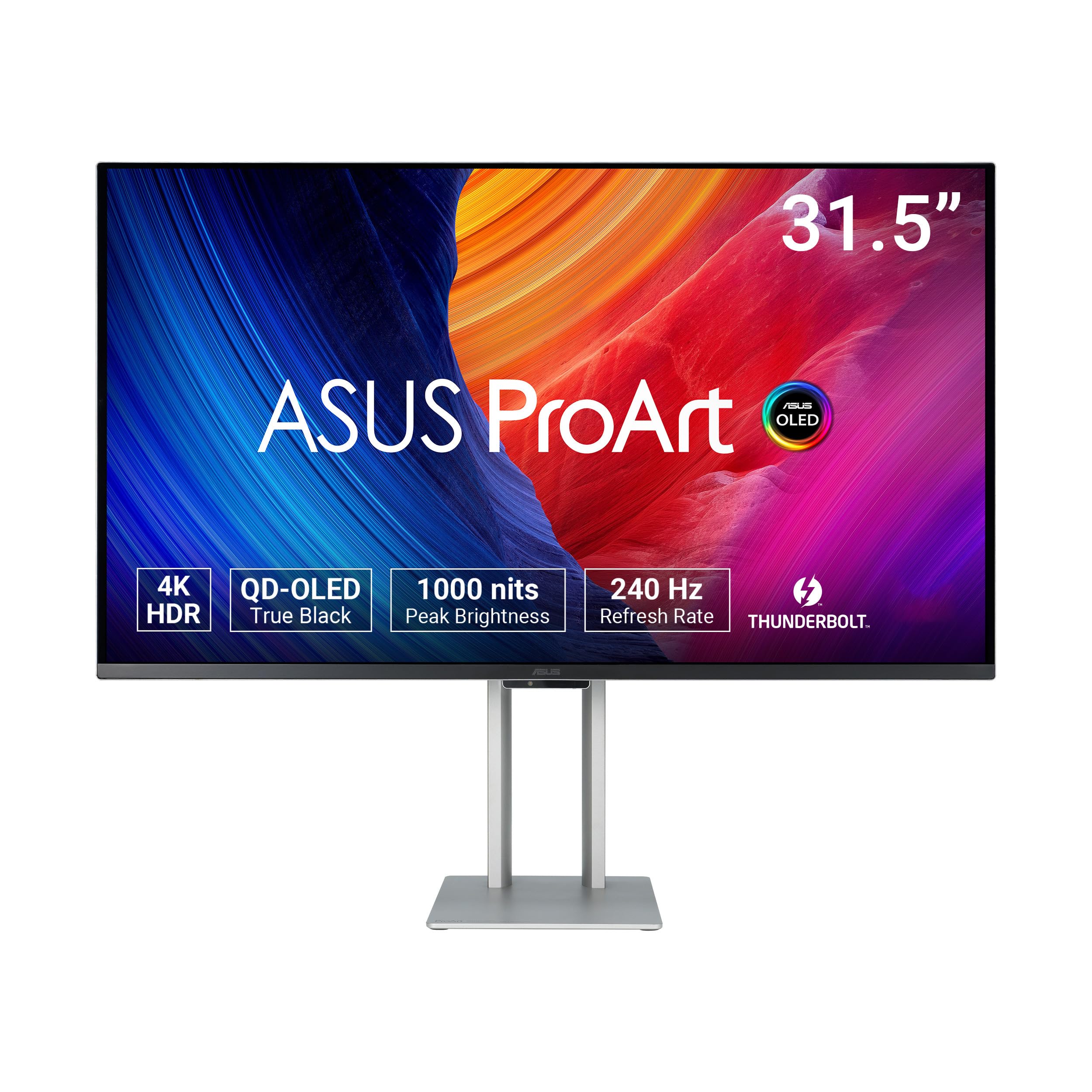
The ProArt PA32UCDM is built for color-accurate professional work, shipping with a factory calibration report that guarantees Delta E < 1 across sRGB, DCI-P3, and BT.2020 color spaces. The 31.5-inch QD-OLED panel covers 100% sRGB and 99% DCI-P3 with true 10-bit depth, and the 1000 nits peak brightness makes HDR grading viable without the artificial sharpening found on gaming-oriented monitors. Owners using it for video grading on DaVinci Resolve report that the HDR PQ tracking is stable enough for reference-level work.
The monitor supports multiple HDR formats including Dolby Vision, HLG, and HDR10, and the ProArt Hardware Calibration Technology allows color profile write-back directly to the monitor’s internal LUT. This is a crucial feature for creative professionals who need consistent color across multiple workstations. The 240Hz refresh rate is a bonus for occasional gaming, and FreeSync Premium Pro ensures smooth motion without tearing.
The biggest complaint is the lack of a DisplayPort input — the PA32UCDM relies entirely on HDMI and Thunderbolt 4. Users report that the monitor occasionally drops into an “initialization” mode that causes a black screen for several minutes, and there is no user-cancellation for this process. The fan noise on early units was loud, but a firmware update via USB-C has resolved this for most owners. At its price point, this is a niche tool for professionals who need reference-grade color, not a general-purpose gaming monitor. The 5-year warranty (3 years plus 2 years with registration) is the longest in this comparison.
Why it’s great
- Delta E < 1 factory calibration for professional color work
- Dolby Vision, HLG, and HDR10 support
- 5-year warranty with hardware calibration LUT write-back
Good to know
- No DisplayPort input, relies on HDMI/Thunderbolt
- Occasional black screen during auto-initialization
9. Alienware AW3225QF

The Alienware AW3225QF brings Dolby Vision support to a 32-inch 4K QD-OLED panel, delivering 12-bit color processing for smoother gradients and more natural HDR tone mapping than 10-bit panels can achieve. The 240Hz refresh rate and near-instant response time make it equally capable for high-frame-rate gaming, while the curved 1800R panel provides mild immersion without the aggressive wrap of the Predator X32. Owners describe the motion clarity as “razor sharp” and the color saturation as “perfect” for both gaming and media consumption.
Connectivity covers HDMI 2.1, DisplayPort 1.4, and USB 3.2 Gen 1 ports, but Mac users should note that HDMI on M1 Macs is limited to 60Hz — a USB-C to DisplayPort cable is required to reach 120Hz. Disabling HDR in macOS is recommended for optimal text sharpness. The design follows Alienware’s Legend 2.0 language with customizable RGB AlienFX lighting, a centralized OSD joystick, and a height-adjustable stand with tilt, swivel, and pivot.
The monitor runs Alienware’s anti-burn-in suite that includes pixel refresh, logo dimming, and taskbar detection, backed by a 3-year warranty that covers burn-in. The main drawback is the price, which sits at the premium end of the mid-range tier without offering a significant brightness advantage over cheaper competitors. For users who prioritize Dolby Vision HDR and prefer the Alienware ecosystem, this monitor delivers a polished experience.
Why it’s great
- Dolby Vision with 12-bit color processing
- 240Hz with burn-in warranty coverage
- Polished design with full ergonomic stand
Good to know
- Mac M1 users limited to 60Hz via HDMI
- Premium price without brightness advantage
10. Samsung Smart Monitor M9 M90SF
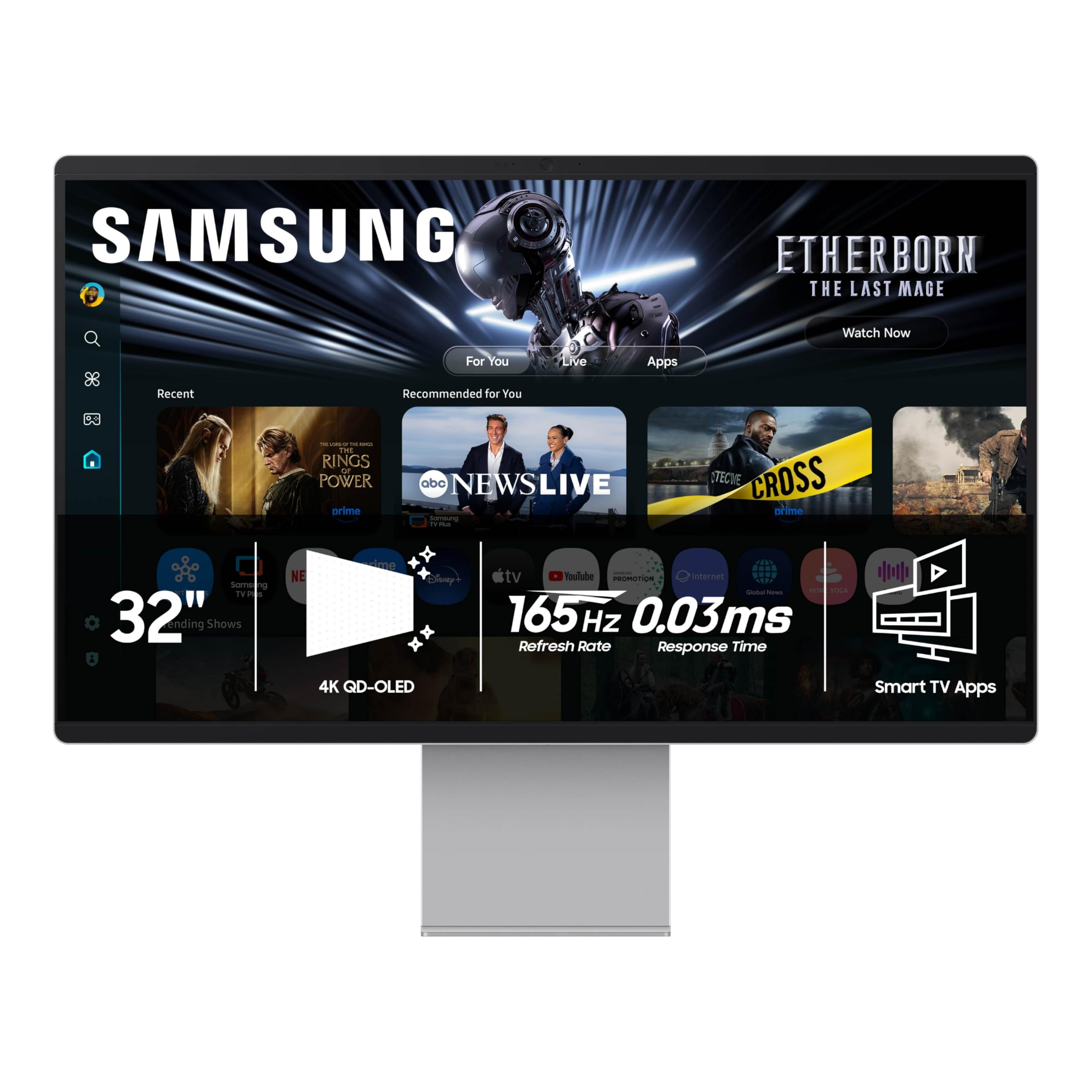
The Samsung Smart Monitor M9 M90SF is a 32-inch 4K QD-OLED that prioritizes versatility over raw gaming performance. The 165Hz refresh rate is lower than the 240Hz offered by dedicated gaming monitors, but it still provides smooth motion for most titles. The real value lies in the integrated smart platform: Samsung Gaming Hub gives instant access to cloud gaming services without a PC or console, and the streaming apps cover Netflix, Prime Video, and more. The built-in speakers and remote control make it a true hybrid display.
Samsung Vision AI automatically adjusts picture settings based on content type, and the Thermal Modulation System with Logo and Taskbar Detection offers basic burn-in protection. The stand includes height adjustment, and connectivity covers HDMI, USB-C, Wi-Fi, and Bluetooth. Owners who use the M9 as a secondary display for media consumption report excellent picture quality and easy setup.
The downsides are significant for primary PC users. The monitor forces a Samsung account setup through the smart OS before it functions as a standard display, and the USB-C auto-detection often fails, requiring manual input selection. The chassis is plastic painted to resemble metal despite “metal build” marketing claims, which feels cheap at this price point. Several owners have noted that the image quality is indistinguishable from monitors costing half the price, making this a poor value for pure PC use. It shines only as a multi-purpose living room or bedroom display where streaming and light gaming coexist.
Why it’s great
- Integrated smart TV and Gaming Hub platform
- 165Hz QD-OLED with Vision AI auto-tuning
- Remote control and built-in speakers included
Good to know
- Forced Samsung account setup for basic use
- Plastic chassis despite premium price
11. LG UltraGear 45GX900A

The 45GX900A is not a 32-inch monitor, but its 45-inch 21:9 W-OLED panel with an aggressive 800R curve deserves mention for users who want the most immersive single-monitor experience possible. The 240Hz refresh rate and 0.03ms response time match the fastest 32-inch panels, while the 1300 nits peak brightness (at 1.5% APL) and 1.5M:1 contrast ratio deliver HDR performance that rivals the LG 32GX870A. The 800R curvature is dramatic enough that the edges of the screen fall into your peripheral vision, creating a cockpit-like feel in racing and flight sims.
Connectivity includes HDMI 2.1, DisplayPort 1.4, and USB-C with 65W power delivery, sufficient for most laptops. The built-in speakers with DTS Headphone:X provide adequate audio for casual use, and the Dynamic Action Sync and Black Stabilizer features give competitive gamers fine-grained control over input lag and shadow visibility. Owners report that the screen pairs exceptionally well with Tobii eye and head tracking for an experience that rivals VR.
The primary drawback is the WQHD resolution (3440 x 1440) instead of true 4K, which results in a lower pixel density than 32-inch 4K panels. Text and fine details will appear less sharp, which may be a dealbreaker for productivity work. The sheer physical size — this monitor is heavy, requires a deep desk, and may not fit in standard office hutches. The 2-year warranty is shorter than the 3-year coverage on most competitors, and some owners have reported QA issues with intermittent vertical lines.
Why it’s great
- Massive 45″ 21:9 canvas with 800R curve
- 1300 nits peak brightness and 240Hz
- Excellent for racing/flight sim immersion
Good to know
- 3440 x 1440 resolution lacks 4K pixel density
- Very large and heavy, needs deep desk
12. BenQ MA320U

The BenQ MA320U is an IPS panel, not OLED, but it earns a spot for Mac users who prioritize color accuracy, eye comfort, and seamless integration over absolute black levels. BenQ’s exclusive color tuning calibrates the monitor to match MacBook displays, delivering a vibrant P3 wide color gamut that aligns with the visual profile of MacBook Pro and MacBook Air screens. The 90W USB-C power delivery handles both video and charging through a single cable, keeping the desk clean, while the dual USB-C ports provide an additional 15W for charging an iPad or iPhone.
The 400 nits brightness is adequate for well-lit rooms, and the adjustable stand offers height, tilt, swivel, and pivot for ergonomic flexibility. Users coming from VA panels report no eye strain thanks to the IPS technology, and the 32-inch 4K resolution provides plenty of screen real estate for coding, design work, and document multitasking. Owners using BetterDisplay at a scaled resolution of 2720 x 1530 find the effective 97.5 PPI nearly indistinguishable from the MacBook Pro’s built-in retina display.
The monitor lacks a webcam and microphone, which may be a limitation for video conferencing compared to the LG UltraFine series. The built-in speakers are average. Some users report that the keyboard brightness and volume keys do not work with Mac Mini, requiring manual OSD adjustment. For users who cannot tolerate the text fringing or burn-in anxiety of OLED, the MA320U offers a reliable, color-accurate IPS alternative that pairs naturally with the Apple ecosystem.
Why it’s great
- Mac-calibrated color matching with P3 gamut
- 90W USB-C PD with dual USB-C ports
- Zero eye strain IPS panel with full ergonomic stand
Good to know
- IPS panel cannot match OLED black levels
- No webcam or microphone built-in
13. Samsung Odyssey Ark 2nd Gen

The Odyssey Ark 2nd Gen is a 55-inch behemoth with a 1000R curvature that wraps around your entire field of view. This is not an OLED but a Quantum Mini-LED panel with 1,000,000:1 contrast ratio and 600 nits typical brightness. The 165Hz refresh rate and 1ms response time are competitive, though not class-leading. The standout feature is 4-Input Multi View, which lets you display up to four different sources simultaneously on the same screen, making it a command center for streamers, traders, or power users who need constant visibility of multiple systems.
The Cockpit Mode rotates the screen 90 degrees with height, tilt, and pivot functionality, and the Eclipse Lighting adds ambient bias lighting that reduces eye strain in dark rooms. The Sound Dome Technology uses 4 corner speakers and 2 central woofers for a 60W 2.2.2 channel audio system with Dolby Atmos support. The Neural Quantum Processor Ultra uses 20 neural network layers to upscale content in real time, improving the clarity of lower-resolution sources.
The sheer size and weight — approximately 100 pounds in the box — make setup a two-person job. The One Connect box is a clever cable management solution, but several owners report boot loop issues and signal drops with the included box, requiring replacement. The monitor’s firmware can be laggy, and the smart TV interface is clearly designed for living room use rather than desktop productivity. This is a specialty product for users who need the largest single-screen canvas possible and are willing to manage the quirks. Multi View performance with multiple PCs can be glitchy, and the high refresh rate benefits are best realized with a top-tier GPU like an RTX 5090.
Why it’s great
- 55-inch 1000R curve for unmatched immersion
- 4-input Multi View for multi-system workflows
- Integrated 60W 2.2.2 channel Dolby Atmos sound
Good to know
- One Connect box reliability issues reported
- Extremely heavy and large; requires dedicated space
FAQ
How does the 4-hour pixel refresh cycle affect daily use?
Can a 32-inch 4K OLED monitor replace a dual-monitor setup?
Is the glossy screen coating on QD-OLED panels a problem in bright rooms?
What monitoring stand should I use for a 32-inch OLED monitor to prevent desk clutter?
How do I clean the delicate QD-OLED anti-glare coating without damaging it?
Final Thoughts: The Verdict
For most users, the 32 inch 4k oled monitor winner is the MSI MPG 321URX because it delivers a third-gen QD-OLED panel with 240Hz, USB-C 90W power delivery, and a built-in KVM switch at a mid-range price point, backed by a three-year burn-in warranty. If you want the absolute best HDR performance and most robust thermal management, grab the ASUS ROG Swift PG32UCDM with its graphene film heatsink and Dolby Vision support. And for a dual-use cinema and gaming display in a bright room, nothing beats the Samsung Odyssey G8 G81SF with its industry-leading glare-free coating.