
Our readers keep the lights on and the weekend projects moving. As an Amazon Associate, I earn from qualifying purchases.
A 32-inch OLED monitor replaces the washed-out grey of standard LCD panels with pixel-level black, infinite contrast, and response times measured in hundredths of a millisecond. The leap from IPS or VA to self-emissive OLED transforms how games render shadows, how HDR content punches, and how fast motion resolves without ghosting. But the category carries real differences in panel technology — QD-OLED versus WOLED, matte versus glossy coatings, and burn-in prevention systems — that directly affect daily use.
I’m Rikta — the co-founder and writer behind FitlyFast. I’ve spent hundreds of hours analyzing panels, pixel structures, thermal management designs, and color-gamut data to separate the marketing from the measurable specs that define a great OLED experience.
This guide covers the thirteen most important 32-inch OLED monitors available now, with deep analysis on refresh rates, color volume, burn-in coverage, and connectivity. Whether you prioritize 4K gaming at 240Hz or professional color work, you’ll find the 32 inch oled monitor that fits your exact needs.
How To Choose The Best 32 Inch OLED Monitor
The jump to OLED is transformative, but not every model delivers the same experience. Your choice hinges on panel type, resolution, refresh rate, and the specific burn-in mitigation features that protect your investment over several years of daily use.
Panel Technology: QD-OLED vs WOLED
QD-OLED panels use a blue OLED emitter with quantum-dot color conversion, producing wider color volume and higher peak brightness in HDR scenes. WOLED panels use a white emitter with color filters, typically delivering lower peak brightness but superior black stability in bright rooms. For a 32-inch monitor, QD-OLED panels dominate the high-end segment, while WOLED appears in dual-mode gaming panels that prioritize refresh-rate flexibility.
Burn-In Prevention: Heatsinks, Pixel Refresh, and Warranty
OLED burn-in is the single biggest concern for buyers. Look for monitors with custom heatsinks, graphene films, or pulsating heat pipes that reduce operating temperatures. Automatic pixel refresh cycles and logo/taskbar brightness detection are standard on premium models. The most critical feature is explicit burn-in coverage in the warranty — brands like ASUS and Alienware offer three-year warranties that include OLED burn-in protection.
Connectivity: HDMI 2.1, DisplayPort 1.4a, and USB-C
Driving a 32-inch 4K OLED at 240Hz requires HDMI 2.1 with full 48Gbps bandwidth or DisplayPort 1.4a with DSC. If you plan to use a MacBook or laptop, USB-C with 90W Power Delivery simplifies the setup. For future-proofing, DisplayPort 2.1 with UHBR20 bandwidth (80Gbps) allows uncompressed 4K at 240Hz. Confirm that your GPU supports the necessary bandwidth before buying.
Glossy vs Matte Coating
Glossy screens deliver punchier colors and sharper text because there is no diffusing layer, but they reflect ambient light. Matte coatings reduce reflections and are preferable in bright rooms, but they introduce a slight graininess over uniform bright backgrounds and can reduce perceived contrast. The best choice depends entirely on your lighting environment and tolerance for reflections.
Quick Comparison
On smaller screens, swipe sideways to see the full table.
| Model | Category | Best For | Key Spec | Amazon |
|---|---|---|---|---|
| ASUS ROG Swift PG32UCDM | QD-OLED | Best Overall 4K Gaming | 240Hz, 0.03ms, custom heatsink | Amazon |
| MSI MPG 321URX | QD-OLED | Best Value 4K QD-OLED | 240Hz, 0.03ms, ΔE ≤2 | Amazon |
| Samsung Odyssey G8 G81SF | QD-OLED | Best Glare-Free Screen | 240Hz, 0.03ms, Glare Free Tech | Amazon |
| MSI MPG 321URXW (White) | QD-OLED | White Aesthetic Build | 240Hz, 0.03ms, graphene heatsink | Amazon |
| LG 32GX870A-B Ultragear | WOLED | Best Dual-Mode Gaming | 4K@240Hz / 1080p@480Hz | Amazon |
| Alienware AW3423DWF | QD-OLED | Best Ultrawide Immersion | 3440×1440, 165Hz, 1800R curve | Amazon |
| Alienware AW3425DW | QD-OLED | High-End Ultrawide Gaming | 3440×1440, 240Hz, ΔE <2 | Amazon |
| ASUS ROG Swift PG27AQWP-W | WOLED | Best for Competitive FPS | 1440p@540Hz, DP 2.1 | Amazon |
| Alienware AW3225QF | QD-OLED | Premium 4K Simplicity | 4K, 240Hz, Dolby Vision | Amazon |
| INNOCN 49Q1S | OLED | Ultrawide Productivity | 5120×1440, 240Hz, USB-C 90W | Amazon |
| LG 40U990A-W Ultrafine | IPS Black | Professional Color Work | 5120×2160, 120Hz, Thunderbolt 5 | Amazon |
| Dell UltraSharp U4025QW | IPS Black | Business Productivity Hub | 5120×2160, 120Hz, Thunderbolt | Amazon |
| Samsung Odyssey G9 G93SD | QD-OLED | Maximum Ultrawide Immersion | 5120×1440, 240Hz, Glare Free | Amazon |
In‑Depth Reviews
1. ASUS ROG Swift PG32UCDM

The ASUS ROG Swift PG32UCDM is the most complete 32-inch QD-OLED monitor available. Its custom heatsink and graphene film deliver industry-leading thermal management, directly reducing burn-in risk while maintaining consistent brightness across long sessions. The 4K resolution at 240Hz with a 0.03ms response time produces fluid motion clarity that eliminates ghosting even in fast-paced shooters.
Color accuracy is outstanding with 99% DCI-P3 gamut coverage, true 10-bit depth, and Delta E under 2 straight from the factory. The DisplayWidget Center software gives granular control over OLED Care features, including pixel refresh scheduling and uniform brightness toggling. Users consistently report negligible text fringing at normal viewing distances, making this a viable hybrid monitor for both gaming and productivity.
The three-year warranty with explicit burn-in coverage provides long-term confidence that most competitors do not match. The glossy screen delivers stunning contrast and color pop, though reflections can be noticeable in rooms with direct overhead light. For buyers seeking the absolute best balance of performance, build quality, and protection, this is the benchmark.
Why it’s great
- Custom heatsink plus graphene film for superior burn-in resistance
- Factory-calibrated Delta E under 2 with 99% DCI-P3 coverage
- Three-year warranty covers OLED burn-in
Good to know
- Glossy screen reflects ambient light in bright rooms
- Premium price point reflects the top-tier feature set
2. MSI MPG 321URX QD-OLED

The MSI MPG 321URX delivers the same Samsung QD-OLED panel found in monitors costing significantly more. The 31.5-inch UHD panel hits 240Hz with a 0.03ms GtG response time, and the 99% DCI-P3 color gamut produces vibrant HDR highlights that competitive panels struggle to match. VESA DisplayHDR True Black 400 certification ensures deep blacks without the blooming or halo effects common to LCD HDR.
OLED Care 2.0 provides a comprehensive suite of burn-in prevention tools, including pixel shift, pixel refresh, and taskbar brightness detection. The built-in KVM with PiP/PbP modes is a rare inclusion at this price tier, allowing seamless switching between a desktop and laptop with shared peripherals. Users working with Macs can achieve 120Hz operation via DisplayPort after disabling DSC in the OSD.
Build quality is solid, though the stand base is relatively large and consumes desk space. The matte coating handles reflections well but introduces a very faint grain on solid white backgrounds. For buyers who want flagship QD-OLED performance without paying flagship pricing, this represents the strongest value in the category.
Why it’s great
- Same core QD-OLED panel as more expensive competitors
- KVM with PiP/PbP for multi-device workflows
- Comprehensive OLED Care 2.0 burn-in prevention
Good to know
- Large stand base takes significant desk space
- Matte coating adds slight grain on bright backgrounds
3. Samsung Odyssey G8 G81SF

Samsung’s Glare Free technology on the Odyssey G8 G81SF reduces reflections by 54% compared to standard anti-reflection films, making this the best option for brightly lit rooms without sacrificing the deep blacks that define OLED. The 32-inch 4K QD-OLED panel runs at 240Hz with a 0.03ms response time, and the 99% DCI-P3 color gamut delivers saturated, accurate colors across the entire luminance range.
The Dynamic Cooling System uses a pulsating heat pipe — a first in monitor design — that diffuses heat five times faster than graphite sheets, significantly reducing the thermal stress that accelerates burn-in. CoreSync lighting projects on-screen colors into the room through the monitor’s rear LEDs, adding ambient immersion without affecting the display itself. The adjustable stand provides tilt, swivel, and height changes for ergonomic setup.
Some users have reported occasional dead pixel clusters appearing after extended use, and the OSD joystick can feel finicky during quick menu navigation. The matte screen also reduces perceived peak luminance compared to glossy panels. For those who game or work in naturally bright environments, the glare reduction alone justifies the consideration.
Why it’s great
- Glare Free coating cuts reflections by 54%
- Pulsating heat pipe cooling system reduces burn-in risk
- Ergonomic stand with full tilt, swivel, and height adjustment
Good to know
- Panel reliability issues reported by some long-term users
- OSD joystick control is not as responsive as competitors
4. MSI MPG 321URXW QD-OLED (White)

The white MSI MPG 321URXW delivers the same exceptional QD-OLED performance as its black counterpart in a colorway that fits lighter desk setups and studio environments. The 31.5-inch UHD panel produces 1.07 billion colors through true 10-bit processing, with 99% DCI-P3 coverage and Delta E under 2 for color-critical work. The graphene heatsink is fanless, ensuring silent operation while keeping the OLED panel at safe operating temperatures.
MSI Gaming Intelligence software includes OLED Care 2.0, AI-supported Smart Crosshair, and console mode for PlayStation and Xbox users. The KVM 1.0 with PiP/PbP allows managing two inputs simultaneously, which is useful for streamers and content creators. Connectivity includes HDMI 2.1 with CEC support, DisplayPort 1.4a, and USB-C with 90W Power Delivery that charges a connected laptop.
The stand lacks the adjustment range of some competitors, with limited tilt and no significant height changes without aftermarket mounting. The matte coating handles reflections well but reduces the HDR punch compared to glossy alternatives. For builders creating an all-white setup, this is the premium QD-OLED to beat.
Why it’s great
- Fanless graphene heatsink for silent, effective cooling
- USB-C with 90W Power Delivery for laptop charging
- True 10-bit color with Delta E under 2 accuracy
Good to know
- Stand adjustment range is limited
- Matte coating slightly reduces peak HDR brightness
5. LG 32GX870A-B Ultragear

The LG 32GX870A-B is a VESA-certified Dual Mode monitor that switches between 4K UHD at 240Hz and Full HD at 480Hz via a single hotkey. This flexibility allows graphically rich single-player games to run at full 4K resolution while competitive shooters can drop to 1080p for the maximum refresh rate. The Micro Lens Array+ technology pushes peak brightness to 1300 nits, making it the brightest OLED in this lineup.
The WOLED panel delivers excellent black stability in bright rooms, and the anti-glare low-reflection coating minimizes distractions without the graininess of heavy matte finishes. Built-in speakers with DTS Headphone:X provide usable audio for casual play, and the four-pole headphone jack supports 3D audio for positional awareness in FPS titles. The virtually borderless design with a slim profile looks clean on any desk.
Some users report initial vertical banding that diminishes after the first few pixel refresh cycles, and the text rendering can appear slightly soft on bright white backgrounds, which is typical of WOLED sub-pixel layouts. The 2-year warranty is shorter than the 3-year coverage offered by ASUS and Alienware. This is the strongest dual-mode option for gamers who want both high-resolution immersion and esports-level response.
Why it’s great
- Dual Mode: 4K@240Hz or 1080p@480Hz via hotkey
- Micro Lens Array+ reaches 1300 nits peak brightness
- Anti-glare coating with excellent black stability
Good to know
- Initial vertical banding may appear before pixel refresh cycles
- 2-year warranty is shorter than category leaders
6. Alienware AW3423DWF

The Alienware AW3423DWF is the most accessible entry into QD-OLED ultrawide gaming. The 34.2-inch 1800R curved panel provides a 21:9 aspect ratio at 3440×1440 resolution, with 99.3% DCI-P3 color gamut and VESA DisplayHDR 400 certification that produces striking contrast between true blacks and bright highlights. The 165Hz refresh rate and AMD FreeSync Premium Pro certification ensure tear-free gameplay across a broad range of frame rates.
The build quality reflects Alienware’s premium positioning, with a height-adjustable stand that includes height markers for repeatable positioning, customizable RGB AlienFX lighting, and improved cable management channels. The three-year premium warranty explicitly covers OLED burn-in, which is a significant advantage over budget OLED monitors.
The 250-nit typical brightness can feel dim in well-lit rooms, and the 1440p resolution at 34 inches produces a lower pixel density than 4K 32-inch panels, making fine text less crisp. The glossy screen also reflects overhead lighting. For gamers who want the immersive ultrawide format with solid burn-in protection, this remains a strong choice.
Why it’s great
- Three-year premium warranty with burn-in coverage
- Immersive 1800R curve with 21:9 aspect ratio
- Solid build with adjustable stand and cable management
Good to know
- Typical brightness of 250 nits is lower than some competitors
- 3440×1440 resolution has lower pixel density than 4K 32-inch panels
7. Alienware AW3425DW

The Alienware AW3425DW takes the ultrawide QD-OLED formula and pushes the refresh rate to 240Hz with a 0.03ms response time, making it one of the fastest ultrawide OLED monitors on the market. The 34.2-inch WQHD panel maintains the same 99.3% DCI-P3 color coverage and Delta E under 2 color accuracy, while VESA DisplayHDR TrueBlack 400 delivers certified HDR performance with infinite contrast in dark scenes.
Adaptive sync support covers NVIDIA G-SYNC Compatible, AMD FreeSync Premium Pro, and VESA AdaptiveSync, giving GPU owners from both camps a tear-free experience. The 1800R curve wraps around the user’s peripheral vision, improving immersion in racing and flight sim games. The included DisplayPort and HDMI cables simplify setup, and the five-axis OSD joystick makes menu navigation straightforward.
Pushing 240Hz at ultrawide resolution requires a powerful GPU, and the 3060 Ti struggles to maintain high frame rates in demanding titles. Text clarity out of the box requires Windows ClearType adjustments for optimal readability. For users with the hardware to drive it, the AW3425DW delivers the smoothest ultrawide OLED experience available.
Why it’s great
- Class-leading 240Hz refresh rate on ultrawide QD-OLED
- Compatible with G-SYNC, FreeSync, and VESA AdaptiveSync
- TrueBlack 400 with infinite contrast in dark scenes
Good to know
- Demanding on GPU for high frame rates at ultrawide resolution
- Text clarity needs ClearType adjustments out of the box
8. ASUS ROG Swift PG27AQWP-W

The ASUS ROG Swift PG27AQWP-W is built exclusively for competitive gaming, offering a dual-mode WOLED panel that runs QHD at 540Hz or HD at 720Hz with a 0.02ms response time. The new TrueBlack Glossy Tandem OLED technology delivers 15% higher peak brightness and 25% larger color volume than previous WOLED generations, while the tandem structure extends OLED lifespan by 60% compared to single-layer WOLED panels.
The Neo Proximity Sensor is a significant burn-in prevention innovation: it detects when the user steps away and automatically switches the screen to black, eliminating static image retention risk during idle periods. DisplayPort 2.1 UHBR20 with full 80Gbps bandwidth allows uncompressed QHD at 540Hz without display stream compression. The white chassis with ROG aesthetic stands out on any desk.
At 27 inches rather than 32 inches, it does not meet the exact screen size criteria for users looking for a large desktop display. The 1440p resolution is also lower than the 4K options in this guide, meaning less pixel density for productivity work. Some users report noticeable grey banding on uniform surfaces and quieter built-in speakers that may require external audio solutions.
Why it’s great
- 540Hz refresh rate with 0.02ms response for competitive edge
- Neo Proximity Sensor automatically prevents burn-in
- DP 2.1 UHBR20 with 80Gbps bandwidth for uncompressed video
Good to know
- 27-inch size is smaller than the 32-inch category focus
- 1440p resolution lacks pixel density for 4K workflow
9. Alienware AW3225QF

The Alienware AW3225QF is a straightforward 32-inch 4K QD-OLED monitor that delivers high-end performance without unnecessary gimmicks. The 3840×2160 resolution panel runs at 240Hz, and the QD-OLED technology provides the deep blacks, infinite contrast, and vibrant color saturation that define the OLED experience. Dolby Vision support enhances HDR content further, making this a strong choice for both gaming and movie consumption.
Build quality reflects Alienware’s premium design language, with a white-and-black finish that stands out. The stand provides height, tilt, and swivel adjustments. Connectivity includes DisplayPort, HDMI, and USB 3.2 Gen 1 ports for connecting peripherals. The 3.5mm audio output allows for simple speaker or headphone connection without reaching the back of the monitor.
The review data for this specific model is limited compared to the more popular AW3423DWF, making it harder to assess long-term reliability trends. Some international buyers note that Mac users require a USB-C to DisplayPort cable to achieve 120Hz operation, as HDMI on M1 Macs caps at 60Hz. For buyers who want Alienware’s QD-OLED in a standard 32-inch 16:9 format, this is the direct option.
Why it’s great
- Dolby Vision support for enhanced HDR movie playback
- Classic 32-inch 16:9 format with 4K QD-OLED panel
- Alienware build quality with adjustable stand
Good to know
- Less long-term review data compared to AW3423DWF
- Mac users need USB-C to DP for 120Hz over 60Hz
10. INNOCN 49Q1S OLED

The INNOCN 49Q1S delivers a massive 49-inch OLED experience at a 32:9 aspect ratio with 5120×1440 resolution, effectively replacing two 27-inch QHD monitors side by side without a bezel gap. The 1800R curvature wraps the display around the user’s field of view, reducing eye strain during long sessions while keeping the entire screen within comfortable peripheral vision. The 240Hz refresh rate and 0.03ms response time ensure smooth motion across the expansive panel.
Connectivity is comprehensive with two DisplayPort 1.4 inputs, an HDMI 2.1 port with 90W USB-C Power Delivery, a USB hub, and an RJ45 Ethernet port for wired network connectivity. The PiP/PbP split-screen technology allows users to display content from two separate sources simultaneously, which is useful for running a work laptop and gaming desktop on a single screen. Built-in surround speakers provide usable audio without external speakers.
The 5120×1440 resolution at 49 inches produces a pixel density of roughly 109 PPI, which is noticeably lower than a 32-inch 4K panel and can make small text appear less sharp. Some customer reviews indicate reliability issues, with at least one report of the unit stopping working after three months. For users who prioritize screen real estate over pixel density, this is the most affordable entry into super ultrawide OLED.
Why it’s great
- 49-inch 32:9 panel replaces dual-monitor setups
- USB-C with 90W Power Delivery plus RJ45 Ethernet hub
- PiP/PbP for multi-source simultaneous display
Good to know
- Pixel density lower than 4K 32-inch panels
- Long-term reliability reports are mixed
11. LG 40U990A-W Ultrafine

The LG 40U990A-W is the world’s first 5K2K (5120×2160) monitor with Thunderbolt 5, offering 96W charging and dual-display support over a single cable. The Nano IPS Black panel delivers a 2000:1 contrast ratio — double that of standard IPS — producing deeper blacks and richer shadows while maintaining the wide viewing angles and color accuracy that creative professionals require. The 120Hz refresh rate provides smooth cursor movement and UI scrolling without the motion artifacts of 60Hz panels.
Color coverage reaches 99% DCI-P3, and VESA DisplayHDR 600 certification ensures that highlights in HDR video projects are rendered with adequate brightness. The 21:9 aspect ratio is ideal for video editing timelines, music production, and software development with multiple panels visible side by side. Connectivity is comprehensive with Thunderbolt 5, two HDMI 2.1 ports, DisplayPort 2.1, and USB-C, all included in the box.
Burn-in is not a concern with IPS technology, but the lack of OLED’s infinite contrast means black levels are still greyish in dark rooms. The monitor faces connectivity reliability complaints on MacBooks, with some users experiencing wake-from-sleep failures that require a power cycle. The large external power brick and plastic chassis feel less premium than the price point suggests.
Why it’s great
- First 5K2K monitor with Thunderbolt 5 and 96W charging
- Nano IPS Black offers 2000:1 contrast for deeper blacks
- 120Hz refresh rate smooths creative workflows
Good to know
- IPS blacks still limited compared to OLED infinite contrast
- MacBook wake-from-sleep compatibility issues reported
12. Dell UltraSharp U4025QW

The Dell UltraSharp U4025QW is a 40-inch 5K2K (5120×2160) IPS Black monitor designed for business professionals who need maximum screen real estate without the bezel gap of multi-monitor setups. The 21:9 curved panel provides 33% more horizontal space than a 32-inch 16:9 monitor, eliminating the need to horizontally scroll through wide spreadsheets, design canvases, or video timelines. The 120Hz refresh rate ensures smooth window animations and cursor tracking.
The built-in hub includes Thunderbolt support, Ethernet, multiple USB ports, and a KVM that allows seamless switching between a work laptop and a desktop computer with shared keyboard and mouse. The IPS Black technology delivers a 2000:1 contrast ratio, which is visibly better than standard IPS panels but still falls short of OLED’s per-pixel black. The 600-nit peak brightness handles well-lit office environments without issues.
Some users find the default color profile too yellow or washed out, requiring calibration through the Dell Display Manager app to achieve accurate whites. The ports are located on the downward-facing side of the chassis, making them difficult to access without tilting the monitor. The plastic construction and lack of a remote control feel out of place at this price point. For professionals who value connectivity and color accuracy over black levels, this is a productivity powerhouse.
Why it’s great
- Built-in Thunderbolt hub with Ethernet and KVM
- 5K2K resolution provides 33% more horizontal space than 4K
- IPS Black delivers 2000:1 contrast for better blacks
Good to know
- Default color profile may require calibration
- Downward-facing ports are difficult to access
13. Samsung Odyssey G9 G93SD
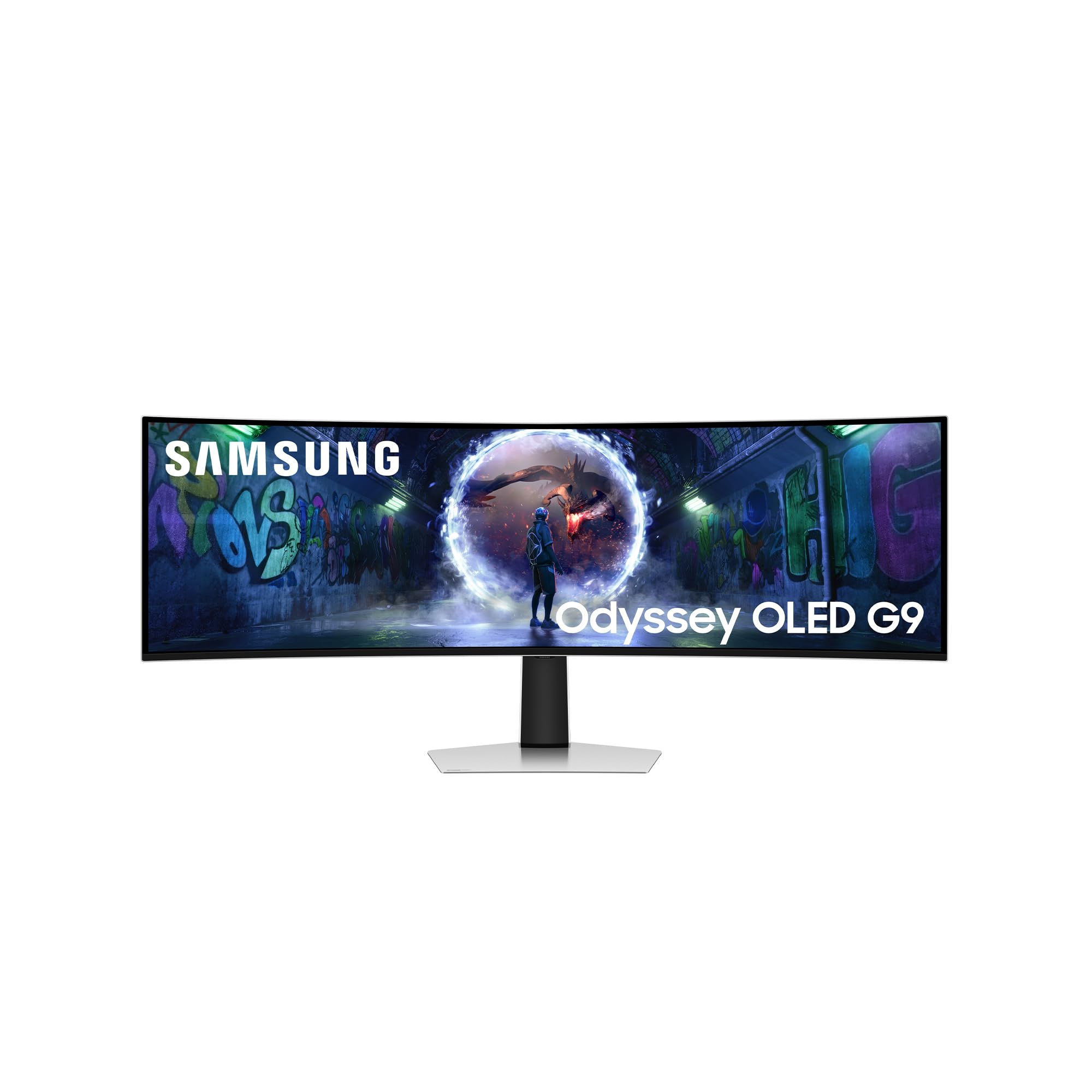
The Samsung Odyssey G9 G93SD is the ultimate ultrawide OLED monitor, offering a 49-inch DQHD (5120×1440) panel at a 32:9 aspect ratio with a 1000R curve that matches the natural curvature of the human eye. The Glare Free QD-OLED panel reduces reflections while maintaining the deep blacks and vibrant colors that define the OLED experience. The 240Hz refresh rate with a 0.03ms GtG response time ensures fluid motion across the entire 49-inch span.
Samsung’s FreeSync Premium Pro and G-Sync compatibility support smooth variable refresh rates across both AMD and NVIDIA GPUs. The 1,000,000:1 contrast ratio produces true blacks that IPS monitors cannot achieve, making dark scenes in games and movies incredibly immersive. The monitor includes a DisplayPort cable and USB-C to USB-A adapter in the box, though no HDMI cable is included.
The monitor does not include internal speakers, which is an important consideration for desktop setups without external audio. The 49-inch width requires significant desk space, and the 5120×1440 resolution at this size produces a pixel density of 109 PPI, which is lower than the standard 32-inch 4K panels in this guide. Some users report initial discomfort from the intense color saturation, but this typically resolves after OSD adjustment. For maximum ultrawide immersion, this is the OLED to get.
Why it’s great
- 49-inch 1000R curve matches natural eye curvature
- Glare Free QD-OLED with infinite contrast
- 240Hz with FreeSync Premium Pro and G-Sync
Good to know
- No internal speakers require external audio
- 109 PPI pixel density lower than 4K 32-inch panels
FAQ
Is 32 inches too large for a gaming monitor?
Can a 32-inch OLED monitor be used for office productivity?
What GPU do I need to drive a 32-inch 4K OLED at 240Hz?
Final Thoughts: The Verdict
For most users, the 32 inch oled monitor winner is the ASUS ROG Swift PG32UCDM because it combines the best QD-OLED panel with a custom heatsink, factory-accurate color, and a three-year burn-in warranty that protects your investment. If you want flagship performance at a lower price, grab the MSI MPG 321URX. And for brightly lit rooms where reflections ruin the experience, nothing beats the Samsung Odyssey G8 G81SF with its Glare Free coating and pulsating heat pipe cooling.