
Our readers keep the lights on and the weekend projects moving. As an Amazon Associate, I earn from qualifying purchases.
A gaming setup lives or dies by its display. Hook a 32-inch screen to your console or PC, and you expect fluid motion and crisp detail — not ghosting, tearing, or a sluggish response that misses the critical headshot. The wrong panel creates a bottleneck between your reflexes and the action, and with so many models claiming high refresh rates and low response times, separating real performance from marketing fluff demands a close look at the specs that actually matter.
I’m Rikta — the co-founder and writer behind FitlyFast. I’ve spent hundreds of hours combing through technical datasheets, tearing through real verified buyer reports, and tracking the actual frame-time consistency and input-lag metrics that define a true gaming display so you get an honest breakdown, not a feature list.
This guide reviews the top nine contenders, examining their real-world refresh rates, response times, panel technologies, and adaptive sync capabilities to help you find the perfect 32 inch tv for gaming that matches your hardware and your play style without wasting your budget on irrelevant extras.
How To Choose The Best 32 Inch TV For Gaming
Selecting a 32-inch gaming monitor isn’t just about finding a big screen. It’s about matching three core specs — refresh rate, response time, and resolution — to the games you play and the hardware you own. A monitor that excels in competitive shooters may underwhelm in story-rich RPGs, and vice versa. Here’s what to prioritize.
Refresh Rate and Frame Rate Harmony
Refresh rate, measured in Hertz (Hz), tells you how many times the screen updates per second. A 60Hz monitor shows 60 frames per second, while 180Hz handles 180 fps. The benefit is only realized if your PC or console can actually output frames at that rate. For competitive titles like Valorant or Call of Duty, a higher refresh rate (144Hz and above) provides a tangible advantage in smoothness and reduced perceived input lag. For slower single-player games, 60Hz or 120Hz may be perfectly adequate, allowing you to allocate budget to better resolution or panel quality instead.
Response Time and Motion Blur
Response time (GtG or MPRT) measures how quickly a pixel changes from one color to another. Lower numbers — 1ms or 0.5ms — mean less ghosting or smearing behind fast-moving objects. This metric is critical for fast-paced genres. VA panels often offer great contrast but can exhibit “black smearing” in dark scenes at lower response time settings. IPS panels generally have faster pixel transitions but trade off some contrast ratio. Do not trust “1ms” claims blindly; they are often measured under ideal conditions. Look for user reports on real-world ghosting performance, especially in dark content.
Resolution and Pixel Density at 32 Inches
At 32 inches, 1080p (1920×1080) has a pixel density of roughly 69 PPI, which can look soft or pixelated from a typical desktop viewing distance. 1440p (2560×1440) at 32 inches sits around 91 PPI — similar to a 24-inch 1080p display — offering a sharper image without the heavy GPU demand of 4K. 4K UHD (3840×2160) at 32 inches provides excellent clarity but requires a powerful graphics card to push high frame rates in modern games. A good rule: if you sit close (arm’s length), prioritize 1440p or higher. If you sit further back (console gaming on a desk), 1080p can still look acceptable and saves significant GPU cost.
Quick Comparison
On smaller screens, swipe sideways to see the full table.
| Model | Category | Best For | Key Spec | Amazon |
|---|---|---|---|---|
| ASUS TUF VG32VQM5AZ | 1080p 240Hz | Competitive PC Gaming | 240Hz / 0.5ms MPRT | Amazon |
| AOC CQ32G4VE | QHD 180Hz | High-Resolution Gaming | 180Hz / 0.5ms MPRT | Amazon |
| Samsung Odyssey G5 G50F | QHD IPS 180Hz | Balanced Performance | 180Hz / 1ms GtG | Amazon |
| LG 32GS60QC-B | QHD 180Hz | Immersive Gaming | 180Hz / 1ms GtG | Amazon |
| Sceptre C325B-FWD240 | 1080p 240Hz | Budget High-FPS | 240Hz / 1ms | Amazon |
| Acer Nitro EDA320Q | 1080p Curved | Starter Immersion | 180Hz / 1ms VRB | Amazon |
| CRUA Curved 32 | 1080p 200Hz | Entry-Level Smoothness | 200Hz / 1ms GTG | Amazon |
| Hisense S5 DécoTV | 1080p Smart TV | Living Space & Casual Play | 60Hz / QLED Panel | Amazon |
| Samsung Smart Monitor M7 | 4K Smart Monitor | Multi-Purpose Desk Use | 60Hz / 4K UHD | Amazon |
In‑Depth Reviews
1. Samsung Odyssey G5 G50F

The Samsung Odyssey G5 G50F strikes a rare and powerful balance. It pairs a sharp QHD (2560×1440) resolution with an IPS panel that delivers consistent, vivid colors from nearly any angle, along with a 180Hz refresh rate and 1ms GtG response time. This combination makes it equally capable for competitive titles demanding speed and for immersive single-player games where color accuracy and clarity matter. The IPS panel shows minimal glow and excellent color vibrancy compared to typical VA alternatives in this price tier.
G-Sync Compatibility and AMD FreeSync support mean it works seamlessly with both Nvidia and AMD graphics cards, virtually eliminating screen tearing and stuttering across varied frame rates. The ergonomic stand offers height, pivot, tilt, and swivel adjustments — a huge advantage for finding your ideal viewing angle. HDR10 support adds extra depth in supported games, though peak brightness is modest at 300 cd/m². Real user feedback after months of use highlights deep colors, crisp text, and no dead pixels, with negligible IPS glow only noticeable on completely black screens.
The main downsides are limited connectivity — just one HDMI and one DisplayPort — and a rear joystick for menu navigation that some find awkward. The virtual crosshair feature also remains on permanently when activated. However, at its price point, the G50F offers a complete package: high resolution, high refresh, a fast IPS panel, and a fully adjustable stand. It is the single most versatile 32-inch gaming display for those who want one monitor for everything.
Why it’s great
- Sharp QHD resolution offers 77% more pixels than 1080p
- IPS panel with excellent color and wide viewing angles
- Fully adjustable stand (height, pivot, swivel, tilt)
Good to know
- Only one HDMI and one DisplayPort input
- Rear joystick menu can be finicky
2. ASUS TUF Gaming VG32VQM5AZ
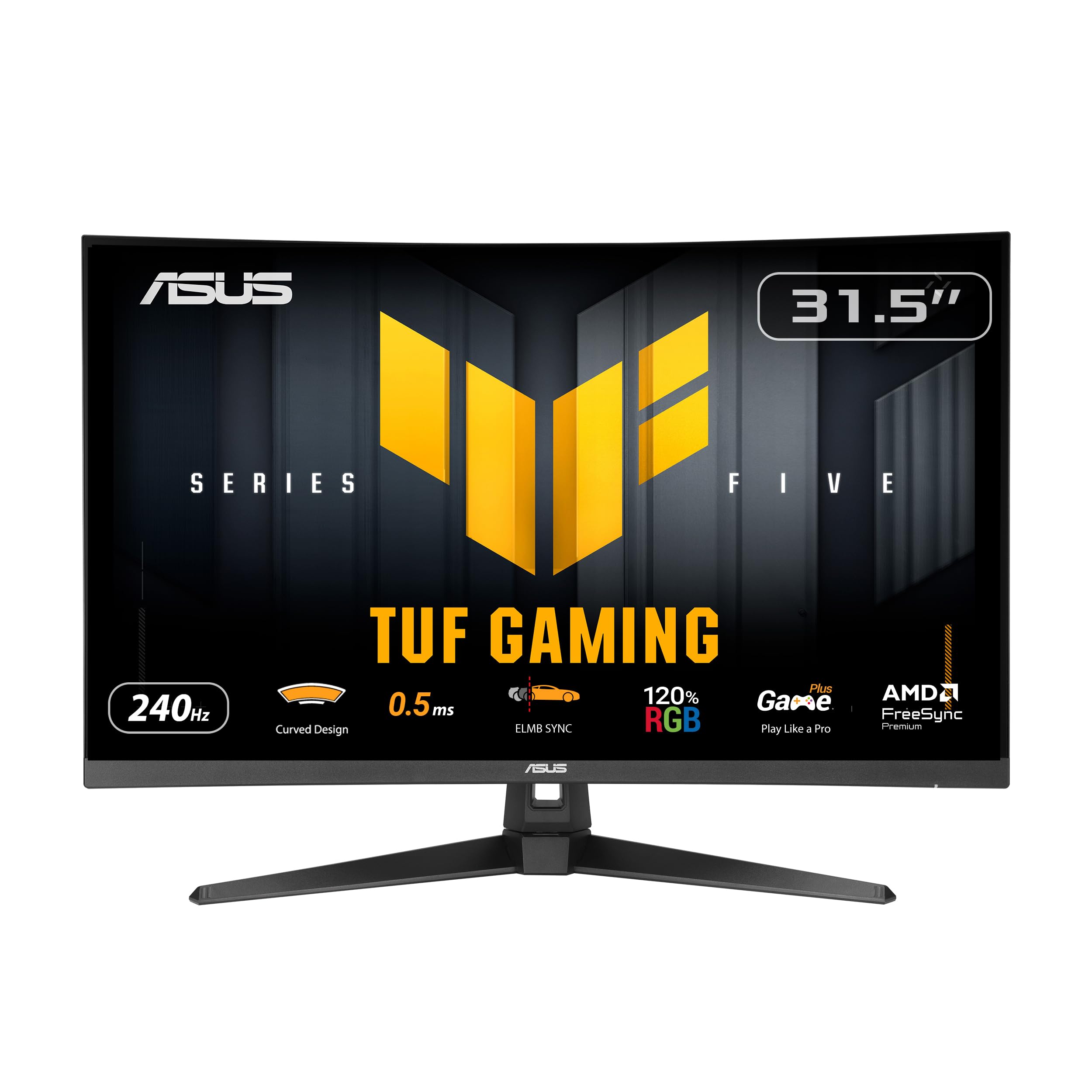
The ASUS TUF VG32VQM5AZ is engineered for one primary mission: maximum frame rate visibility. Its 1500R curved 1080p VA panel overclocks to a blistering 240Hz refresh rate, paired with a 0.5ms MPRT response time and ASUS’s Extreme Low Motion Blur Sync technology. For competitive shooters and high-octane action games, this is a direct line to the smoothest motion possible, with virtually no ghosting or smearing. The 110% sRGB color gamut ensures colors are vibrant, and the built-in speakers add convenience for a clutter-free desk.
FreeSync Premium certification guarantees tear-free variable refresh rate performance, and the DisplayWidget Center software lets you tweak settings via a mouse — a welcome convenience over fiddling with on-screen menus. Real users consistently praise its brightness, smooth frame rate, and sturdy build. The built-in crosshair feature is a handy addition for FPS players, and two HDMI ports provide decent connectivity for multi-device setups. The 1080p resolution at 32 inches will look softer than QHD alternatives, but for raw speed, this monitor delivers.
The main consideration is that 1080p on a 32-inch panel results in a pixel density of about 69 PPI — less sharp than smaller or higher-resolution screens. This is a trade-off for the competitive edge of 240Hz. If you primarily play fast-paced action games and want the absolute smoothest motion without upgrading your GPU to drive 1440p, the ASUS TUF VG32VQM5AZ is an excellent choice that prioritizes performance over pixel count.
Why it’s great
- Blazing 240Hz refresh rate with 0.5ms MPRT response
- ELMB Sync further reduces motion blur
- Built-in speakers and DisplayWidget software
Good to know
- 1080p resolution appears soft on a 32-inch screen
- Not ideal for players seeking high pixel density
3. AOC CQ32G4VE

The AOC CQ32G4VE delivers a compelling value proposition: a 32-inch QHD (2560×1440) VA panel with a 1500R curvature, 180Hz refresh rate, and a 0.5ms MPRT response time, all at a surprisingly accessible mid-range price. It covers over 120% of the sRGB color space, delivering vibrant, punchy images with deep blacks characteristic of VA panels. For gamers seeking a sharp, high-resolution experience without the premium price tag of IPS alternatives, this is a serious contender.
Connectivity is robust with two DisplayPort 1.4 and two HDMI 2.0 ports, making it easy to hook up a PC and a gaming console simultaneously. Real user reviews confirm excellent contrast and color, no dead pixels, and a fast response that avoids VA black smearing even at lower frame rates. AOC’s 3-year zero-bright-dot warranty adds peace of mind. G-Sync Compatible certification ensures smooth tear-free gameplay with both major GPU brands. The console compatibility includes up to 120Hz support via HDMI, maximizing PS5 and Xbox Series X performance.
The biggest criticisms are the stand, which is functional but basic, and the HDR implementation, which is essentially broken — it’s best left turned off. You’ll want to mount this on a VESA arm or replace the stand for full adjustability. But for the core experience of high-refresh QHD gaming on a large curved VA panel, the AOC CQ32G4VE offers remarkable performance per dollar spent. It is the smart pick for the value-conscious gamer who demands sharp resolution and smooth motion.
Why it’s great
- QHD resolution provides crisp, detailed images
- 180Hz with 0.5ms MPRT for smooth, responsive gameplay
- Excellent contrast and color from VA panel
Good to know
- HDR mode is not usable; stick to SDR
- Basic stand lacks height and swivel adjustment
4. LG UltraGear 32GS60QC-B

The LG 32GS60QC-B distinguishes itself with the most aggressive curvature in its class: a 1000R radius that wraps the 32-inch QHD VA panel around your field of view. This creates a genuinely immersive experience for sim racing, flight sims, and open-world exploration, pulling you into the action. The 180Hz refresh rate and 1ms GtG response time keep motion smooth and responsive, while AMD FreeSync and a 3000:1 native contrast ratio deliver deep blacks and tear-free gameplay.
LG’s gaming GUI offers useful presets like FPS and RTS modes, and the Black Stabilizer lifts details out of dark scenes — a real advantage in competitive shooters with shadow-heavy maps. The Dynamic Action Sync feature reduces input lag further, making the monitor feel very responsive. Real users praise its smooth performance, good color vibrancy (99% sRGB), and massive viewing area. The HDR10 support adds a slight dynamic range boost in compatible titles, though brightness tops out at 300 nits. The borderless design looks clean on any desk.
The trade-offs are typical of VA panels: some users report minor ghosting in very dark scenes depending on the response time setting, and the stand only offers tilt adjustment. The power button is controlled by a rear joystick that some find inconsistent. Those who prioritize pure color accuracy for professional design work should look at IPS alternatives. But for immersive gaming where deep contrast and a wraparound feel are key, the LG UltraGear 32GS60QC-B delivers an experience that few monitors at its price point can match.
Why it’s great
- Aggressive 1000R curve for maximum immersion
- 3000:1 contrast ratio for deep black levels
- Black Stabilizer improves visibility in dark games
Good to know
- Stand only offers tilt adjustment
- Potential VA ghosting in dark scenes at certain settings
5. Acer Nitro EDA320Q

The Acer Nitro EDA320Q is a well-rounded entry point into curved gaming monitors. It features a 31.5-inch Full HD VA panel with a 1500R curvature, 180Hz refresh rate, and 1ms VRB response time. For gamers moving from a flat 60Hz display, the immediate difference is smooth motion and a subtle wrap-around effect that makes desktop gaming feel more engaging. The Zero-Frame design keeps the bezels minimal, and VESA mounting support (100x100mm) allows for easy arm or wall installation.
AMD FreeSync Premium certification ensures tear-free performance across the entire refresh range, which is a step above standard FreeSync. The 100,000,000:1 dynamic contrast ratio delivers deep blacks for a VA panel, and the 1500R curve is noticeable without being overbearing. Real users report smooth, lag-free performance with good color and contrast for a 1080p display, making it a great starter monitor for those building a budget gaming setup. Tilt adjustment (-5° to 20°) is present, providing basic ergonomic flexibility. No built-in speakers means you’ll need external audio, but that’s common at this tier.
The main limitation is the 1080p resolution on a 31.5-inch screen, which results in lower pixel density than smaller 1080p monitors. Text and fine details won’t be as sharp as a 27-inch 1080p or any 1440p display. The 1ms VRB (Visual Response Boost) is a backlight-strobing feature that can reduce brightness to achieve that speed. However, for the price, the Acer Nitro EDA320Q offers a compelling package of curve, high refresh, and adaptive sync that makes it a solid foundation for any gamer’s first dedicated gaming display.
Why it’s great
- 1500R curve adds immersion without being too aggressive
- 180Hz refresh with FreeSync Premium for smooth gameplay
- Great value as a starter gaming monitor
Good to know
- 1080p is noticeably soft at 32 inches
- No built-in speakers
6. Sceptre C325B-FWD240

The Sceptre C325B-FWD240 is a price-aggressive 32-inch curved monitor that pushes performance boundaries with a native 240Hz refresh rate on its 1500R VA panel. It includes built-in speakers — a rare and welcome feature at this price — and supports FreeSync Premium for tear-free gaming. The 110% sRGB color gamut provides decent vibrancy, and the 1ms response time (likely MPRT) keeps motion reasonably clear. For budget-conscious gamers who want maximum frame rate fidelity, this monitor delivers.
Real user feedback is a mixed story that demands caution. Many report excellent initial impressions: great color, crystal clear picture, and incredible value for a 240Hz curved monitor. However, several verified long-term reviews mention a troubling failure pattern — after a month or two, the screen loses color contrast, sharpness fades, and the display cuts in and out regardless of input. This suggests potential quality control issues, making the unit feel like a gamble for its intended role as a primary gaming monitor.
If you are willing to accept the risk for the reward of an exceptionally affordable 240Hz curved display, the Sceptre C325B-FWD240 can be a fantastic budget performer. The built-in speakers are serviceable for casual use. The better path is to treat it as a high-refresh secondary or backup screen where failure would be less disruptive. If reliability is your top concern, models like the ASUS TUF VG32VQM5AZ or AOC CQ32G4VE offer higher build quality and consistent long-term performance for a modest increase in investment.
Why it’s great
- 240Hz refresh rate for maximum smoothness on a budget
- Built-in speakers save desk space
- 1500R curve adds immersion
Good to know
- Long-term reliability concerns from multiple verified buyers
- Better suited as a secondary budget screen
7. CRUA Curved 32

The CRUA Curved 32 offers a strong specification sheet for its price bracket: a native 200Hz refresh rate with 1ms GTG response on an 1800R curved VA panel, plus FreeSync support and a 120% sRGB color gamut. The 1800R curve is gentler than 1500R, making it easy to adapt to, even for first-time curved monitor users. The VA panel delivers a solid 4000:1 static contrast ratio, meaning deep blacks for dark scenes. This is a straightforward monitor built for smooth, tear-free gameplay at a very accessible price.
Real user experiences are generally positive. The monitor is described as lightweight, larger than expected, with crisp and clean visuals. The anti-blue light feature is effective for long sessions, and the packaging is good. The DP cable supports the full 200Hz refresh rate. The lack of any ergonomic adjustment (no tilt, height, or swivel) is a significant limitation — the stand is fixed. There are also no built-in speakers, and the on-screen menu is controlled by a small joystick that some find confusing. HDMI is capped at 120Hz, so you must use DisplayPort for full 200Hz.
For gamers on a strict budget who prioritize a high refresh rate and a curved VA panel for immersive single-player titles, the CRUA Curved 32 delivers exactly that. It’s an excellent choice for a cozy gaming corner or a child’s first gaming setup. The fixed stand and lack of speakers are clear trade-offs, but for pure motion smoothness and contrast at the entry-level, this monitor punches above its weight. If you can stretch your budget slightly, the Acer Nitro offers more ergonomic flexibility.
Why it’s great
- Native 200Hz refresh rate for very smooth gameplay
- 4000:1 static contrast ratio for deep blacks
- Lightweight design with a gentle 1800R curve
Good to know
- Fixed stand with no tilt or height adjustment
- No built-in speakers; HDMI limited to 120Hz
8. Hisense 32-inch S5 DécoTV
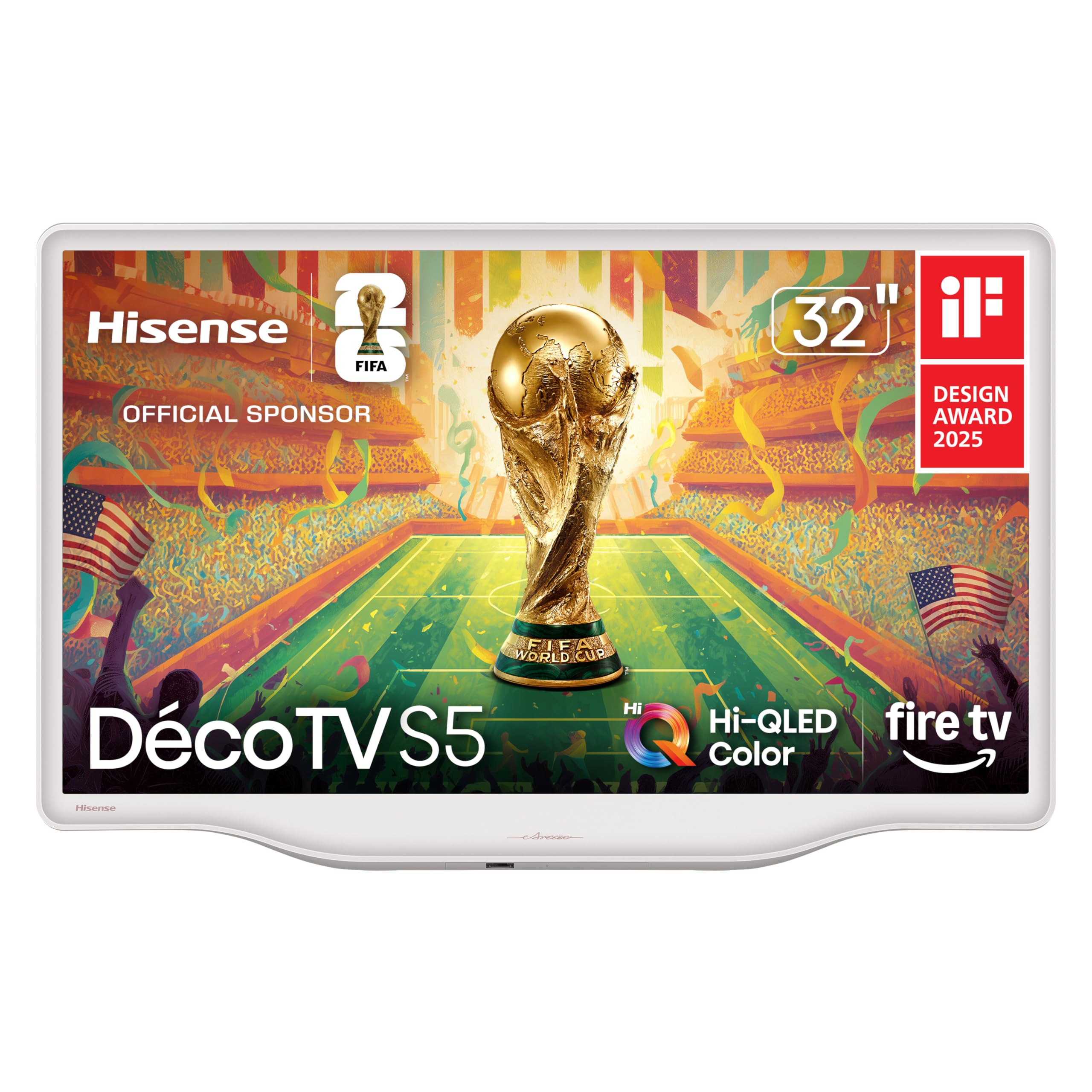
The Hisense S5 DécoTV is a different kind of gaming display. It’s a 32-inch 1080p QLED smart TV designed to blend into living spaces with its Morandi white finish and curved stand, rather than dominate them with aggressive gamer styling. The Hi-QLED Color panel produces rich, vibrant images that far exceed a standard budget TV, making it a delight for casual gaming, streaming shows, and even displaying digital art in “Art Mode.” It includes DTS Virtual:X audio, which delivers surprisingly clear and balanced sound for a built-in speaker system.
Powered by Fire TV, it offers seamless access to major streaming apps and includes Alexa voice control via the remote. This makes it a versatile hub for a bedroom, office, or dorm room. Real users consistently praise its modern aesthetic, easy setup, and picture quality that punches above its price. The 60Hz panel is perfectly adequate for console gaming on a PS5 or Xbox Series S, where many titles target 60 fps. The compact size and fluid central stand mean it can fit on a small desk or dresser.
The key limitation for gaming is the 60Hz refresh rate — it cannot display high-frame-rate gameplay above 60 fps, which competitive PC gamers will find restrictive. It is not a monitor for esports or high-refresh G-Sync/FreeSync gaming. However, if your priority is a stylish, all-in-one device for a living space that handles casual gaming, streaming, and TV duties with beautiful QLED colors, the Hisense S5 DécoTV is an intelligent and attractive choice. It prioritizes aesthetics and versatility over raw gaming speed.
Why it’s great
- Beautiful QLED colors and modern design
- Built-in Fire TV and Alexa for easy streaming
- Great for casual gaming and living spaces
Good to know
- 60Hz panel limits high-fps gaming capability
- No VRR support for PC gaming
9. Samsung 32″ Smart Monitor M7

The Samsung Smart Monitor M7 (M70F) is a 32-inch 4K UHD smart monitor that serves as a central hub for work and play. Its 4K resolution (3840×2160) delivers exceptional sharpness and detail for productivity, spreadsheets, and photo editing, as well as for streaming 4K content from built-in Smart TV apps. Samsung Gaming Hub provides access to cloud gaming services like Xbox Game Pass and GeForce Now, allowing you to play AAA games without a PC or console, directly through Wi-Fi. The USB-C port with 65W power delivery makes it a one-cable solution for modern laptops.
Samsung Vision AI and AI Picture Optimizer adapt the picture for different content types, including a game mode that enhances blacks and contrast. The built-in speakers and solar-charging remote add convenience, and the USB hub functionality (USB-A ports) allows easy connection of peripherals. The 60Hz refresh rate is standard for a 4K display at this price and is fine for streaming and slower-paced games. The Active Voice Amplifier is a clever feature that adjusts volume in noisy environments.
The 60Hz limitation is the core reason this is not a primary gaming monitor for competitive players. Cloud gaming can also introduce latency depending on your internet connection. Some users have reported software-related issues after the return period, such as focus changes or settings not being saved. For high-refresh competitive gaming, a dedicated monitor is necessary. But as a multi-purpose 4K display that handles work, streaming, and cloud gaming from a single clean setup, the Samsung M7 is a uniquely capable and versatile choice, ideal for a desk where productivity is the primary use case.
Why it’s great
- Sharp 4K UHD resolution for productivity and streaming
- Integrated Smart TV and Samsung Gaming Hub
- USB-C with 65W charging simplifies desk setup
Good to know
- 60Hz refresh rate is not for competitive gaming
- Cloud gaming performance depends on internet quality
FAQ
Is 1080p resolution acceptable on a 32-inch gaming monitor?
What does FreeSync Premium add for a gaming monitor?
Which panel type is better for gaming: VA or IPS?
Final Thoughts: The Verdict
For most users, the 32 inch tv for gaming winner is the Samsung Odyssey G5 G50F because it uniquely combines a fast IPS panel, sharp QHD resolution, a high 180Hz refresh rate, and a fully adjustable ergonomic stand — covering every base without compromise. If you prioritize raw motion clarity for competitive shooters and already have a powerful GPU, grab the ASUS TUF VG32VQM5AZ for its overclocked 240Hz performance. And for the best value per dollar spent on a sharp, high-refresh QHD experience, nothing beats the AOC CQ32G4VE.