
Our readers keep the lights on and the weekend projects moving. As an Amazon Associate, I earn from qualifying purchases.
That shoebox of undeveloped rolls and faded slides represents a legacy you cannot afford to lose to time. A dedicated 35mm film scanner bypasses the smartphone snapshot method entirely by capturing the true resolution baked into the emulsion — grain structure, shadow detail, and color density that no flatbed hybrid can match. The wrong choice leaves you with flat JPEGs and wasted hours fighting dust spots.
I’m Rikta — the co-founder and writer behind FitlyFast. After parsing dozens of real-world user tests and technical datasheets, I mapped the performance thresholds that separate a casual desktop toy from a real archival tool.
Below is a category-specific breakdown of the market’s current crop, built to help you find the best 35mm film scanner for your specific workflow and image standards.
How To Choose The Best 35mm Film Scanner
The market splits cleanly into two camps: sensor-based standalone viewers that grab a screen image, and true optical scanners using a CCD array and precision optics. Know your output needs before you decide which camp fits your project.
Sensor Technology: CMOS vs. CCD
Standalone units rely on a small CMOS sensor to photograph the film frame from a fixed distance. This approach is fast and inexpensive but compresses dynamic range and sharpness. Dedicated CCD scanners like the Plustek use a moving linear sensor that captures each row of the frame, delivering true 48-bit color depth and far greater shadow detail.
Resolution That Matters
Ignore interpolated claims like “22MP” or “24MP” from standalone units — those numbers come from upscaling a lower native capture. A true 7200 DPI optical resolution from a CCD scanner resolves actual grain and fine text without artificial sharpening. For 35mm, 3600 to 4000 DPI is the sweet spot for high-quality 8×10 inch prints.
Infrared Dust and Scratch Removal
Dust and scratches embedded in negatives are a top complaint among home digitizers. Scanners with an infrared channel (labeled iSRD or ICE) can identify and remove these defects automatically without softening the image. This feature alone can save hours of manual retouching in Photoshop.
Quick Comparison
On smaller screens, swipe sideways to see the full table.
| Model | Category | Best For | Key Spec | Amazon |
|---|---|---|---|---|
| Plustek OpticFilm 8200i SE | True CCD | Archival-quality scans | 7200 DPI optical resolution | Amazon |
| Kodak Slide N Scan Max | CMOS Viewer | Fast batch slide digitizing | 7-inch tiltable LCD screen | Amazon |
| HP FilmScan 5” Touch | CMOS Viewer | Touchscreen convenience | 13MP CMOS sensor | Amazon |
| ClearClick QuickConvert 2.0 | CMOS Viewer | Cord-free scanning | Built-in rechargeable battery | Amazon |
| Kodak Slide N Scan | CMOS Viewer | Ease of use & brand trust | Quick-feed tray for slides | Amazon |
| Portta NS10 | CMOS Viewer | 22MP enhanced output | Selectable 16/22MP resolution | Amazon |
| Magnasonic FS71 | CMOS Viewer | Budget-friendly workhorse | CCD sensor at this price point | Amazon |
| BEONEGLOBAL S5 | CMOS Viewer | Entry-level high resolution | 24MP interpolated output | Amazon |
| DigitPro C190 | CMOS Viewer | Multi-format compatibility | Supports 126, 110, Super 8 | Amazon |
In‑Depth Reviews
1. Plustek OpticFilm 8200i SE

The Plustek 8200i SE is the only true CCD film scanner in this lineup, delivering a genuine 7200 x 7200 DPI optical resolution that resolves individual silver grain and film texture. Bundled with SilverFast SE Plus 9, it provides professional-grade color management and a 3.6 Dmax dynamic range — essential for pulling shadow detail out of dense negatives. The built-in infrared channel (iSRD) detects and removes dust and scratches automatically, dramatically reducing post-scan retouching time.
The dedicated carrier system loads strips of 35mm film or mounted slides one strip at a time. Users report scanning a 6-frame strip at 3600 DPI in approximately 30 seconds per pass, with an extra pass for infrared cleaning. The SilverFast software has a steep learning curve, but it offers multi-exposure and HDRi modes for maximum tonal capture. VueScan is a popular alternative for those who find SilverFast overwhelming.
Key limitations include a USB-A connection (requires an adapter for modern USB-C laptops) and a scanning speed best suited for deliberate, high-quality work rather than rapid batch processing. The plastic film carrier can feel fragile under repeated use, and frame alignment can be slightly off, requiring manual cropping. For archival-grade output from a compact desktop unit, this is the standard the others try to meet.
Why it’s great
- True 7200 DPI optical resolution reveals real film grain
- Infrared dust/scratch removal saves hours of retouching
- 48-bit color depth with 3.6 Dmax dynamic range
Good to know
- Requires USB-A adapter for modern USB-C computers
- SilverFast software has a demanding learning curve
- Plastic carrier feels somewhat delicate over time
2. Kodak Slide N Scan Max

The Kodak Slide N Scan Max builds on the standard Slide N Scan formula with a 7-inch tiltable LCD screen that adjusts for comfortable viewing at various angles. This is a sensor-based CMOS unit that captures 13MP native images (4320 x 2880 pixels) rather than using a moving optical scanner, making it ideal for high-speed digitizing of large slide collections. The quick-feed tray allows continuous slide loading without repositioning the mount each time.
Automatic exposure compensation handles over and underexposed slides reasonably well, and the color negative mode inverts black and white and color negatives on the fly. Users report throughputs of 150 to 175 slides per hour. The 7-inch screen doubles as a digital picture frame in gallery mode. However, the scanner does crop a few pixels off each edge, which can be a problem for slides with dense edge composition.
There is no infrared dust removal, so any dust on the slide surface will appear in the final JPEG. The date stamp cannot be set earlier than 1980, which creates EXIF metadata errors for older historical images. Despite these tradeoffs, this scanner offers the fastest workflow for digitizing hundreds of slides without connecting to a computer.
Why it’s great
- 7-inch tiltable screen for comfortable previewing
- Quick-feed tray enables high-speed batch digitizing
- Real-time exposure and color adjustment controls
Good to know
- Edge cropping can cut off slide composition
- No infrared dust or scratch removal
- Date cannot be set before 1980
3. HP Touch Screen Film Scanner

The HP FilmScan HPFS500 brings a full 5-inch touchscreen interface to the standalone film scanner category, allowing intuitive pinch-zoom previewing and one-touch editing directly on the device. Powered by a 13MP CMOS sensor with 22MP interpolation, it supports 135, 126, and 110 negatives and positive slides. The quick-load tray is designed for smooth, jam-free feeding, and USB-C power makes it compatible with modern laptop adapters or external power bricks.
Users report that the touchscreen simplifies the scanning process significantly — color and brightness adjustments are responsive, and the gallery mode works well for sharing scans on the built-in display. The default cropping is generally acceptable for prints, and color accuracy is good out of the box. The scanner stores images directly to an SD card, requiring no computer connection during the scanning session.
Potential drawbacks include a tendency toward slightly saturated red tones that may need correction in post-processing. The sensor-based capture approach produces JPEGs that look like photographs of the film rather than true scans, which means dynamic range is compressed compared to a CCD-based unit. For casual digitizing of family slide collections, the combination of touchscreen control and USB-C convenience is compelling.
Why it’s great
- Responsive 5-inch touchscreen for intuitive control
- USB-C power eliminates wall-wart dependency
- Quick-load tray handles multiple film formats
Good to know
- Red saturation can be slightly aggressive
- Sensor-based capture limits dynamic range
- Requires own SD card for storage
4. ClearClick QuickConvert 2.0

The ClearClick QuickConvert 2.0 stands out from the standalone crowd because of its built-in rechargeable battery, enabling cord-free operation anywhere — a real advantage when you need to sit on the couch and work through a box of slides without being tethered to a power outlet. It captures at 14 native megapixels with 22MP interpolation onto an SD card via a 5-inch preview LCD. Scan time per frame is about 2 to 3 seconds.
The device also scans 4×6 photos directly, a feature the other dedicated film scanners lack. Users appreciate the ability to scan photos without removing them from albums, though the scan area is limited to 4×6 or smaller. The scanner does not have an autofeeder, so each slide or negative strip is a single frame at a time. The included 2-year warranty and tech support from ClearClick, a US small business, provides peace of mind.
Image quality is consistent with other CMOS-based viewers — adequate for 4×6-inch prints and social media sharing, but lacking the tonal depth for large prints or critical archival work. The absence of infrared dust removal means you will need to clean slides carefully before scanning or retouch dust spots later. For family historians who want a self-contained, battery-powered scanning session, this is the most flexible option.
Why it’s great
- Built-in rechargeable battery for cord-free scanning
- Also scans 4×6 photos without removing from albums
- 2-year warranty with US-based tech support
Good to know
- Single-frame manual loading only
- No infrared dust removal installed
- Top scan area is limited to 4×6 inches
5. Kodak Slide N Scan

The standard Kodak Slide N Scan has been a popular entry point for family digitization projects, offering a 5-inch LCD screen, quick-feeding tray inserts for 135, 126, and 110 formats, and straightforward one-touch operation. It captures 22MP interpolated JPEGs from a CMOS sensor and stores them directly to an SD or SDHC card up to 32GB. The included HDMI output allows real-time viewing on a larger monitor.
Real-world users report scanning 500 to 5000 slides with consistent results, describing the image quality as better than expected for 8×10 prints. The learning curve is short — load the film or slide insert, press the scan button, and preview the result. Color and brightness adjustments are available directly on the device, though the controls are coarse with limited steps. Dust on negatives is the most common image flaw.
Some users report screen freezing after transferring images to a computer, requiring a power cycle to resume scanning. The build quality feels lightweight and somewhat plasticky, but the unit has proven reliable under heavy use. The scanner relies on a sensor-based capture rather than a true optical scan, which compresses dynamic range. For a quick, accessible, and brand-recognizable solution, this remains a top choice for beginners.
Why it’s great
- Quick-feed tray technology for fast slide loading
- HDMI output for large-screen previewing
- Extremely straightforward one-button operation
Good to know
- Screen freezing reported after file transfers
- Plasticky build quality feels less durable
- Sensor-based capture compresses dynamic range
6. Portta NS10

The Portta NS10 gives users a choice between 16MP and 22MP output resolution, which is useful for balancing file size and detail needs. The 5-inch LCD screen offers a bright preview with real-time alignment and framing, and the unit operates as a standalone system requiring no computer. It supports 135, 126, 110, and Super 8 formats with color and black and white negative conversion.
User feedback highlights the scanner’s solid build quality and intuitive interface. The sensor-based capture produces clean JPEGs with good color accuracy, especially with well-exposed Kodak Gold 200 negatives. The scan speed is quick, allowing a single frame to be captured in seconds. HDMI output provides a larger viewing option, and SD card storage up to 128GB offers plenty of capacity for large projects.
Notable limitations include a file naming system that duplicates names across batches, making organization tedious without manual renaming. The lack of in-device image adjustment sliders means you cannot edit brightness or contrast before saving. Some users have reported that lighter slides appear blown out compared to viewing them on a traditional light table. The 2-year warranty provides decent coverage for a mid-range device.
Why it’s great
- Selectable 16MP and 22MP output for flexibility
- Bright 5-inch screen aids real-time framing
- Solid build and intuitive standalone operation
Good to know
- File naming duplicates across batches
- No in-device brightness/contrast adjustment
- Some slides appear blown out vs. light table
7. Magnasonic FS71
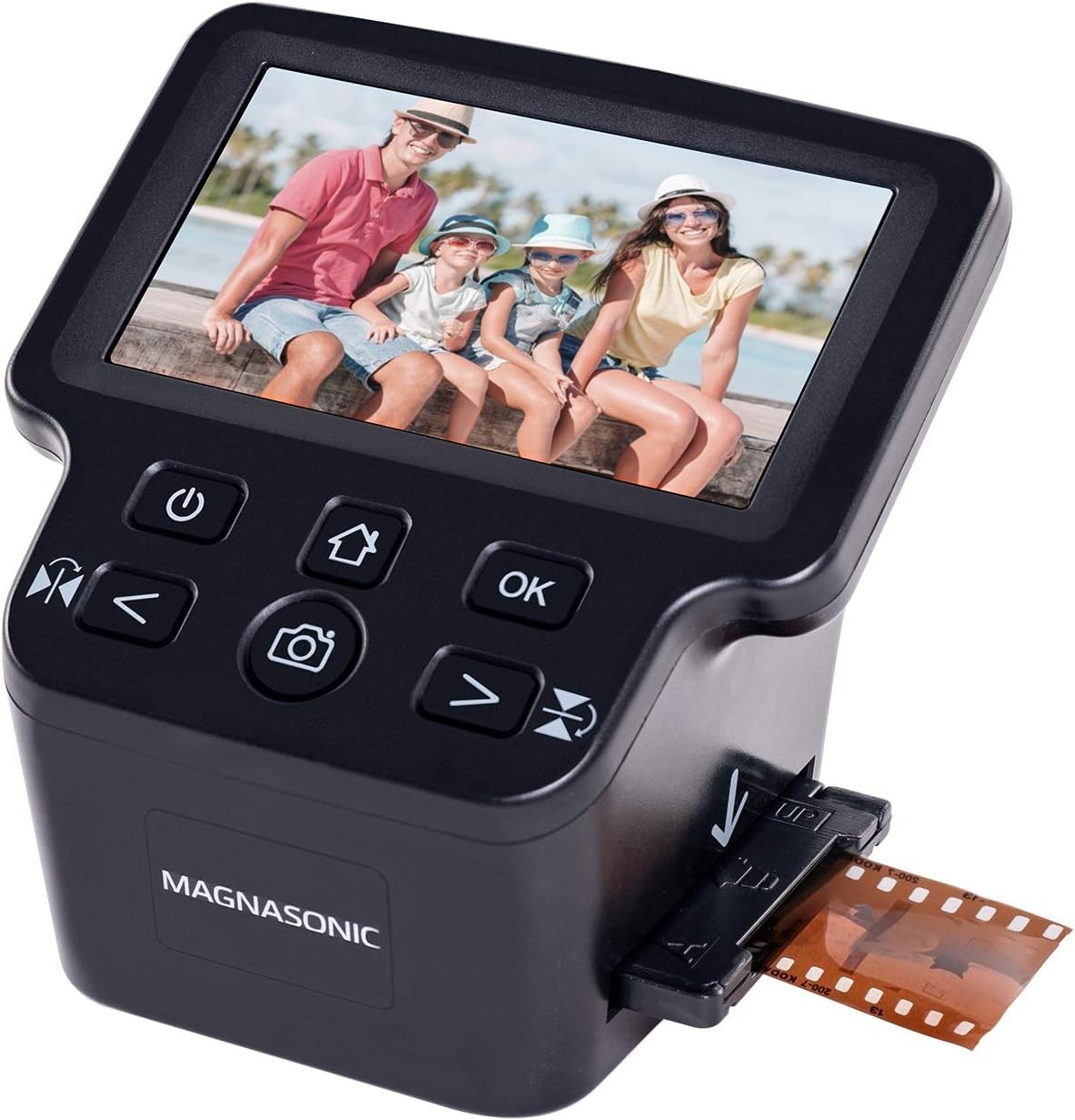
The Magnasonic FS71 is an anomaly in the budget standalone segment: it uses a CCD sensor rather than CMOS, offering better tonal separation and color accuracy at its price point. The 5-inch LCD screen provides live preview, and the built-in controls allow RGB color correction, brightness adjustment, flip, and mirror — all without a computer. It scans 35mm, 110, 126, and Super 8 formats at 24MP interpolated resolution.
Users consistently note that the scanner is fast (under 5 seconds per frame) and produces images sharp enough for 4×6-inch prints and web sharing. The 128MB of internal memory can hold about 15 images before transfer, while the SD card slot accepts cards up to 128GB for extended sessions. The HDMI output is useful for group viewing, though the cable is sold separately.
The most common complaint centers on edge cropping — the scanner routinely cuts off a small portion of the top and bottom of the frame. There is no vertical adjustment to compensate. The default brightness tends to be too dark, requiring the +0.5 to +1.0 EV boost for acceptable exposure. The single-image negative holder can be frustrating when loading strips, and the coarse color adjustment steps (0, 0.5, 1.0) limit fine-tuning. For the price, though, the CCD sensor delivers noticeably richer color than equivalently priced CMOS rivals.
Why it’s great
- CCD sensor provides superior color and tonal depth
- On-device RGB correction without a computer
- Fast under 5-second scan time per frame
Good to know
- Routinely crops top and bottom of the frame
- Default scan is too dark without brightness bump
- Single-image negative holder is tedious for strips
8. BEONEGLOBAL ClearScan S5
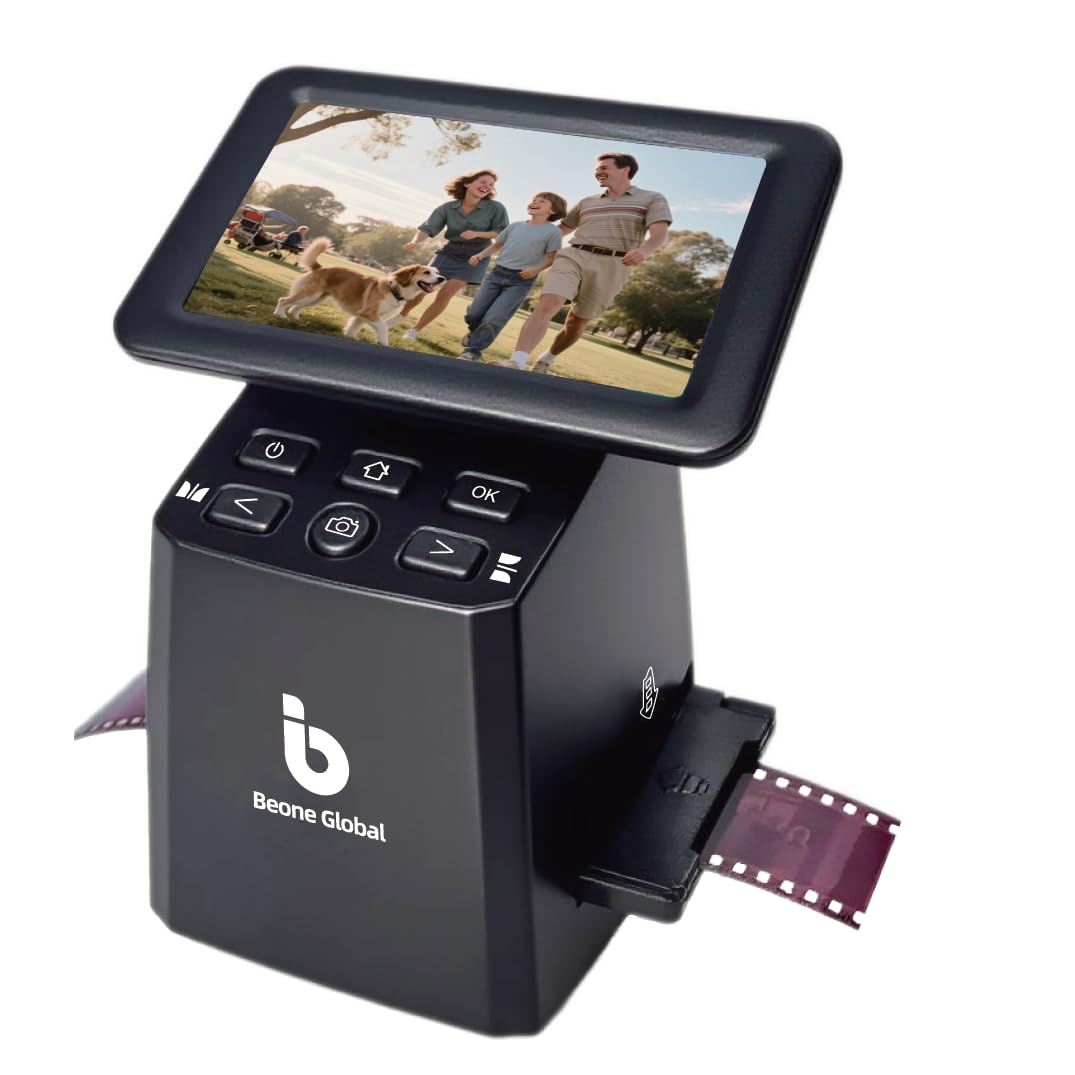
The BEONEGLOBAL ClearScan S5 targets the entry-level buyer with 24MP interpolated output, a 5-inch LCD screen, and front-panel controls placed directly below the display for comfortable operation. A 1/2.3-inch CMOS sensor captures the image, and built-in memory (128MB) plus SD card support up to 32GB provides basic storage flexibility. The scanner supports 135, 126, 110, and Super 8 formats, and offers one-touch scanning for quick digitizing.
User reviews consistently praise the unit for being reliable and easy to operate. Several have completed large projects — one user scanned over 800 slides and was able to share decades of family memories with siblings. The scan quality is adequate for sharing and small prints, with clear results when the lighting is good and the film is clean. The ergonomics of the front controls reduce hand fatigue during long sessions.
Quality control appears to be a concern: a few users received defective units where the SD card slot failed to reformat correctly or would not save images after power off. USB connectivity does not work with Mac systems for direct transfer, requiring the SD card to be removed and read separately. There is no infrared dust removal, and the interpolated 24MP number is not a true optical resolution. This scanner is best suited as a low-cost gateway device for testing the waters of film digitization.
Why it’s great
- Front-panel controls reduce hand fatigue
- Reliable enough for 800+ slide projects
- One-touch scanning requires no technical setup
Good to know
- Occasional SD card slot failure reported
- USB transfer not compatible with Mac systems
- 24MP output is interpolated, not optical
9. DigitPro C190
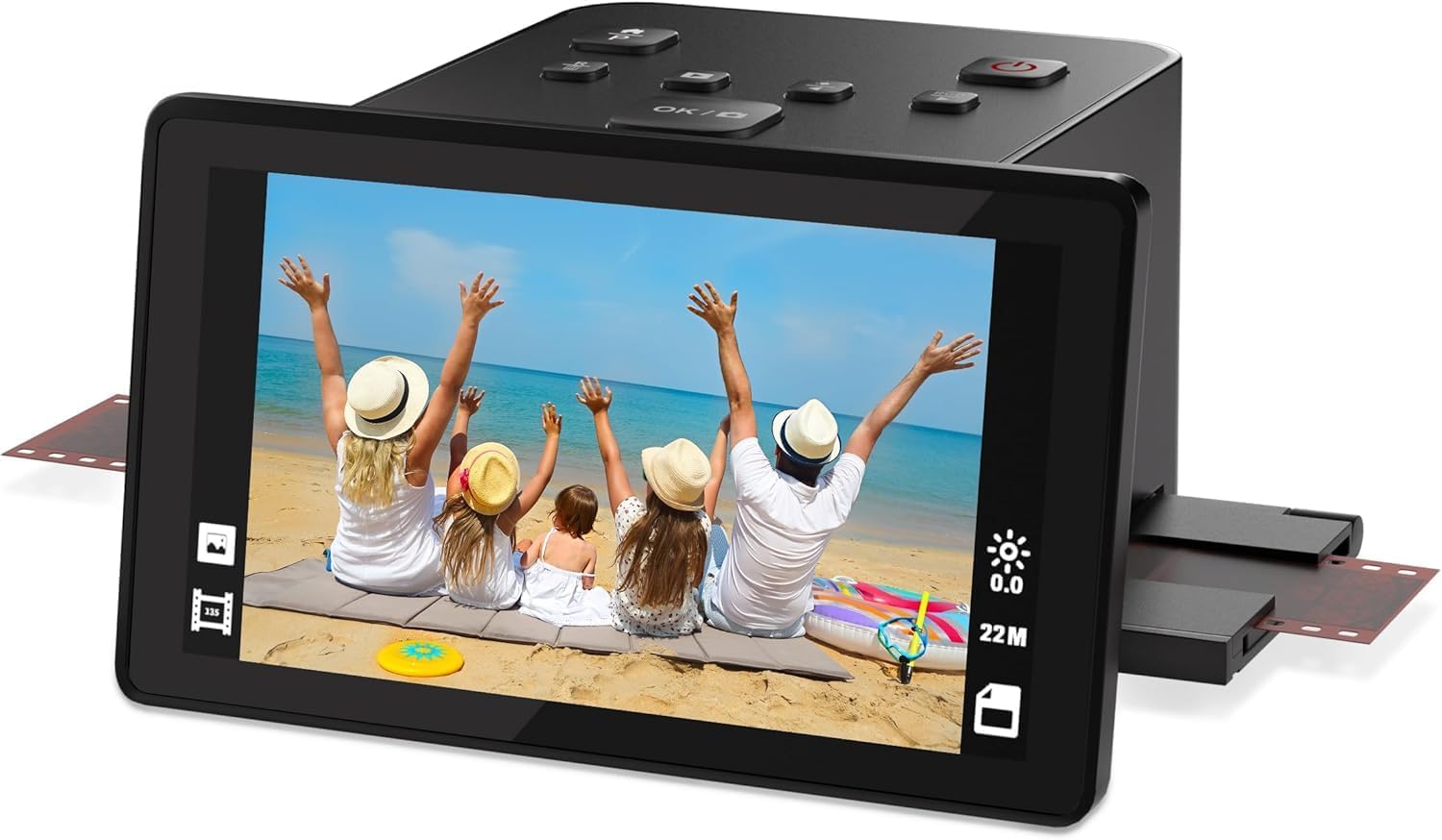
The DigitPro C190 is the most affordable entry in this lineup and the most format-flexible, supporting 35mm, 126, 110, Super 8 film, and 50mm slides. The 5-inch LCD screen is the largest in this tier, and the included accessory kit — film holders for each format, HDMI cable, USB cable, power adapter, and cleaning brush — means you can start scanning immediately with no additional purchases. The HDMI output lets you display scans directly on a TV.
Users describe the image quality as surprisingly good for the price point, with adequate detail for web sharing and basic prints. The scanner is very manual — you handle each negative multiple times during the loading and scanning process, which slows down batch work. The built-in software allows basic color, brightness, and date/time adjustments, but the 1080P output resolution is lower than most competitors in this list.
The most significant limitation is resolution: the C190 outputs at 1080P, which is a native 2MP capture regardless of any marketing claims. This is fine for casual social media sharing but insufficient for prints larger than 4×6 inches or archival projects. Users also note a learning curve with film curvature — negatives from the 1960s may not lay flat in the carriers, affecting focus. For the absolute lowest cost of entry, this scanner digitizes but does not preserve full image detail.
Why it’s great
- Supports 35mm, 126, 110, and Super 8 formats
- Includes full accessory kit with every adapter
- Large 5-inch screen for easy preview
Good to know
- 1080P output is only 2MP native resolution
- Very manual film handling slows batch work
- Negatives may not lay flat in carriers
FAQ
What DPI do I actually need for 35mm film scanning?
Can standalone film scanners handle Kodachrome slides?
Why do my scanned negatives look orange and need color inversion?
How do I clean negatives before scanning to avoid dust spots?
Final Thoughts: The Verdict
For most users, the best 35mm film scanner winner is the Plustek OpticFilm 8200i SE because it delivers true 7200 DPI optical resolution, 48-bit color depth, and infrared dust removal for archival-quality scans from a compact desktop unit. If you want fast, computer-free batch digitizing of hundreds of slides, grab the Kodak Slide N Scan Max. And for the best touchscreen experience with USB-C convenience, nothing beats the HP Touch Screen Film Scanner.