
Our readers keep the lights on and the weekend projects moving. As an Amazon Associate, I earn from qualifying purchases.
Choosing the right 3D laser scanner means balancing raw accuracy against real-world usability — a decision that can make or break a project. Many scanners promise sub-millimeter precision but choke on a reflective surface or drop tracking halfway through a full-body scan.
I’m Rikta — the co-founder and writer behind FitlyFast. I’ve spent years analyzing the hardware specs, software ecosystems, and actual customer experiences across the entire consumer-to-industrial 3D scanning spectrum to separate the real tools from the expensive paperweights.
This guide breaks down eleven top contenders for the task, covering laser types, scanning modes, and material-handling abilities so you can confidently choose the best 3d laser scanner for your specific workflow.
How To Choose The Best 3D Laser Scanner
The 3D laser scanner market has fractured into several distinct price and performance tiers. Understanding where your needs sit — from hobbyist reverse engineering to professional industrial inspection — is the first step toward a purchase you won’t regret.
Laser Wavelength & Material Versatility
Blue laser scanners (typically 450 nm) handle dark, shiny, and metallic surfaces significantly better than infrared structured-light units. If you plan to scan car parts, engine components, or anything reflective, a blue laser or hybrid system is non-negotiable to avoid the expense and mess of scanning spray. Infrared scanners are safer for skin and excellent for people and organic objects, but they struggle with glossy finishes.
Accuracy vs. Volumetric Precision
Single-frame accuracy (e.g., 0.01 mm) tells only part of the story. Volumetric accuracy — expressed as something like “0.015 + 0.04 mm/m” — reveals how error accumulates across larger scans. A scanner with 0.05 mm single-frame precision but poor volumetric stability will create distorted meshes when scanning a car door or a furniture piece. Always check the volumetric spec for projects over 300 mm.
Scanning Speed & Frame Rate
Frame rate (FPS) and point capture rate (points per second) directly impact how long you spend on site. A 60 FPS scanner with 660,000 points/sec can capture a full human bust in under two minutes, while a 14 FPS unit might take ten minutes for the same task. For large objects like vehicles or architectural elements, faster scanning speeds drastically reduce operator fatigue and alignment errors from user shake.
Quick Comparison
On smaller screens, swipe sideways to see the full table.
| Model | Category | Best For | Key Spec | Amazon |
|---|---|---|---|---|
| Creality CR-Scan Raptor Pro | Blue Laser | Industrial parts & cars | 0.02 mm accuracy, 660k pts/sec | Amazon |
| Revopoint MetroY Ultra | Blue Laser | Reverse engineering & inspection | 0.01 mm precision, 90 FPS | Amazon |
| Shining 3D Einstar Vega | All-in-One Wireless | Standalone on-site scanning | Built-in 8-core CPU, 512GB SSD | Amazon |
| Shining3D Einstar Rockit | Blue Laser | Marker-free industrial scanning | 38 laser lines, 0.05 mm HDR | Amazon |
| Creality Sermoon S1 | Blue Laser | Wide-range engineering (5mm-4m) | 34 crossed lasers, 0.02 mm accuracy | Amazon |
| Revopoint INSPIRE 2 | Hybrid IR/Laser | Outdoor scanning & people | 0.03 mm precision, dual scanning modes | Amazon |
| EINSTAR Pro | Infrared Structured Light | Full-color hobbyist / design | 0.1 mm point distance, RGB texture | Amazon |
| Shining 3D Einstar | Infrared Structured Light | Hobbyist & hair/body scanning | 0.1 mm resolution, 14 FPS | Amazon |
| Revopoint POP3 Plus | Structured Light | Entry-level medium objects | 0.04 mm precision, Wi-Fi 6 | Amazon |
| Creality CR-Scan Ferret Pro | Infrared Structured Light | Beginners & face scanning | 0.1 mm accuracy, 60 FPS | Amazon |
| Matterport Pro3 | LiDAR | Large space virtual tours | 100m range, +/-20mm @10m | Amazon |
In‑Depth Reviews
1. Creality CR-Scan Raptor Pro

The Creality CR-Scan Raptor Pro is a hybrid blue/NIR laser beast that delivers measurement-grade 0.02 mm accuracy at 660,000 points per second. Its 22 crossed and 7 parallel blue lasers handle black and reflective materials without spray, while the infrared mode enables safe full-body scans in under two minutes.
Outdoor performance is genuinely impressive — the parallel laser lines remain stable up to 50,000 lux, and the crossed lines push to 100,000 lux, making this one of the few portable scanners that works under direct sunlight. Wireless scanning via a detachable handle adds flexibility for automotive and field work.
The main weak point is software polish, with reports suggesting the V4 software is a step back from V3 in stability. Still, the hardware foundation is so strong that serious users tolerate the software quirks to get professional-grade point clouds at a fraction of the cost of industrial arms.
Why it’s great
- Spray-free scanning on dark & metallic surfaces with 0.02mm accuracy
- Ultra-fast 60fps laser capture reduces project time significantly
Good to know
- Software ecosystem can be buggy, requiring patience for setup and calibration
- High PC requirements (32GB RAM, dedicated GPU with 8GB VRAM) needed for peak performance
2. Revopoint MetroY Ultra
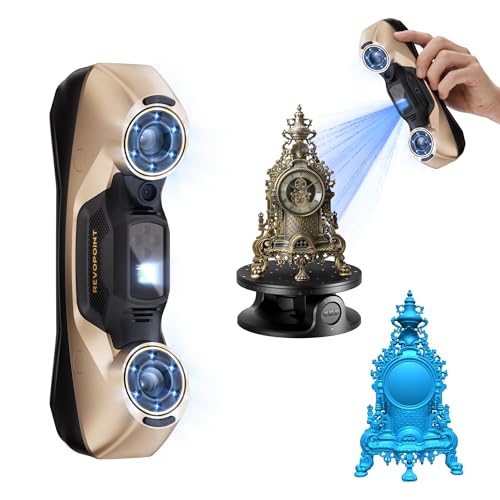
The Revopoint MetroY Ultra is a dedicated blue laser tool for those who need industrial-grade precision — 0.01 mm single-frame accuracy with a volumetric spec of 0.015 + 0.04 mm/m. Its five scanning modes, including a single-line mode for deep holes and full-field blue structured light for marker-free capture, make it versatile across small parts and medium assemblies.
At 90 FPS with an NVIDIA GPU, data acquisition is incredibly fast, and the anti-shaking algorithm keeps tracking stable even during handheld scanning. The included 5500 mAh battery grip provides about 2.5 hours of cord-free operation, which is a real advantage in field settings or on factory floors without convenient outlets.
The trade-off is a fairly steep learning curve and a requirement for a potent PC (RTX 3060 or better, 32 GB RAM). Some users also report that mobile connectivity is absent, so you remain tethered to a laptop via USB or Wi-Fi 6, limiting portability compared to all-in-one units.
Why it’s great
- Unmatched 0.01mm precision for tight-tolerance reverse engineering applications
- No-spray scanning for black, glossy, and metallic industrial parts
Good to know
- Requires a high-end Windows PC with NVIDIA GPU to achieve 90 FPS
- Learning curve is significant; expect time to master settings and alignment modes
3. Shining 3D Einstar Vega

The Einstar Vega is a wireless all-in-one scanner with a built-in 8-core 2.4 GHz CPU, 32 GB RAM, and a 512 GB SSD, meaning it can capture, process, and store data completely untethered from a laptop. The 6.4-inch 2K AMOLED screen provides real-time visual feedback, and the infrared light source handles outdoor scanning up to 20,000 lux.
It offers two scanning modes: Fast Mode using VCSEL for medium-to-large objects up to 1500 mm, and HD Mode using MEMS for small-to-medium objects down to 100 mm. The 48 MP RGB camera captures full-color textures, and the scanning speed reaches 20 FPS in Fast Mode. The hybrid alignment and 12 mm marker support for large objects are thoughtful additions for industrial users.
Battery life exceeds one hour, but some users have reported software glitches with the StarView software when transferring files via USB. It’s also heavier than handheld-only units due to the integrated compute hardware, but for field professionals who want to leave the laptop in the truck, this trade-off is worthwhile.
Why it’s great
- True wireless standalone operation with built-in compute and storage
- Dual scanning technology (VCSEL + MEMS) adapts to different object sizes
Good to know
- Software for file transfer and management can be unreliable on some PCs
- Heavier than traditional handheld scanners due to onboard computer
4. Shining3D Einstar Rockit
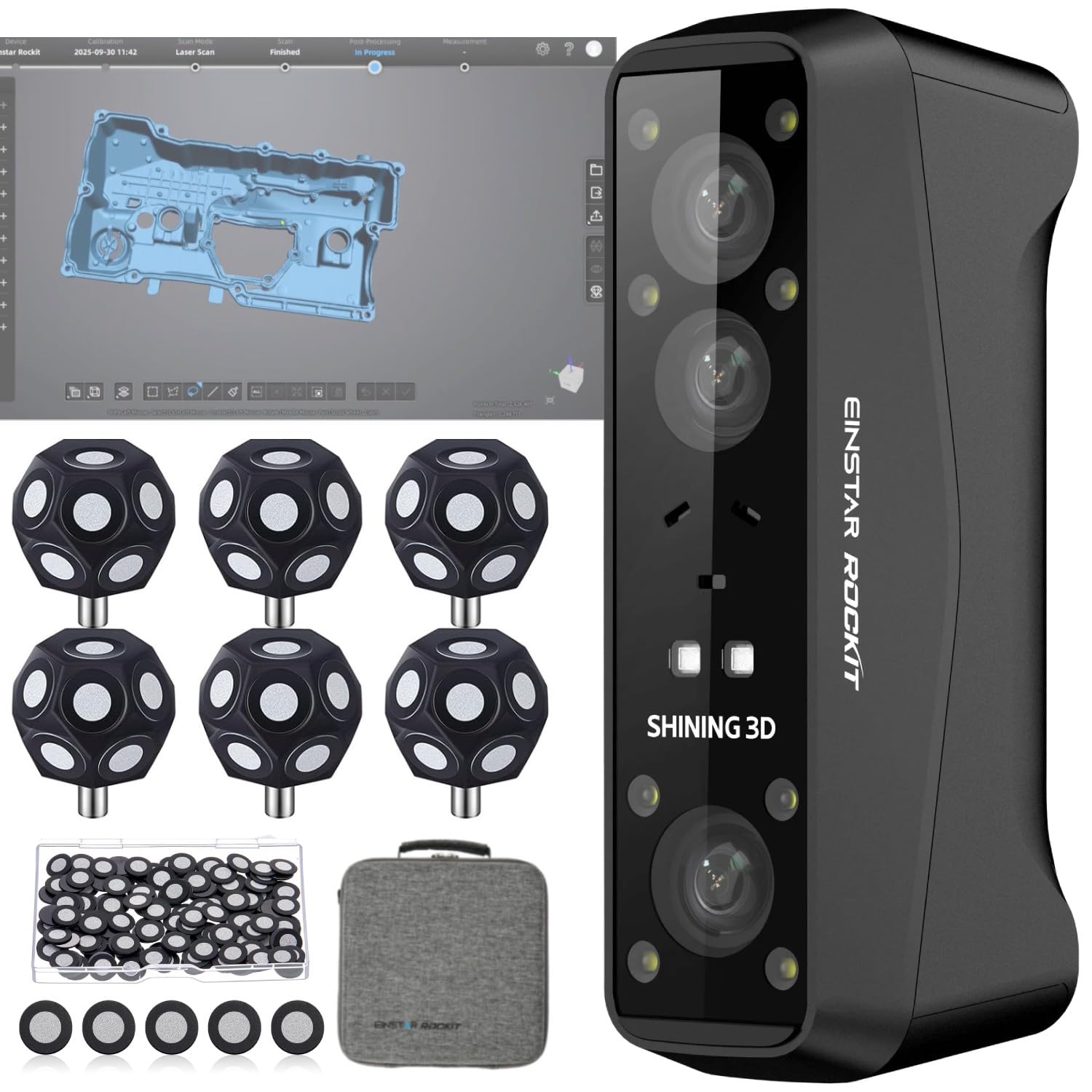
The Einstar Rockit delivers a rare combination: 38 blue laser lines (19 crossed + 19 crossed, plus 7 parallel) for fast, detailed capture, and a marker-free scanning mode that works surprisingly well on feature-rich surfaces. The built-in 5 MP color camera captures vivid textures, and the system achieves 0.05 mm HDR accuracy suitable for reverse engineering and manufacturing.
True wireless connectivity with a swappable battery giving up to 3 hours of runtime is a standout feature — you can scan continuously without being tethered to a power source. The EXStar Hub software unifies the workflow across Einstar devices, helping to reduce system load and improve performance over earlier software generations.
Setup can be a headache: some users report connectivity issues requiring manual driver installation and firewall adjustments. And while marker-free scanning is a time-saver on organic shapes, flat or low-feature parts still benefit from tracking dots. The Rockit is not a casual plug-and-play unit — it rewards technical users who invest time in calibration.
Why it’s great
- Marker-free scanning saves setup time on geometry-rich parts
- 3-hour swappable battery enables extended untethered scanning sessions
Good to know
- Initial driver and connectivity setup can be frustrating for new users
- Marker-free mode struggles on flat or featureless surfaces
5. Creality Sermoon S1
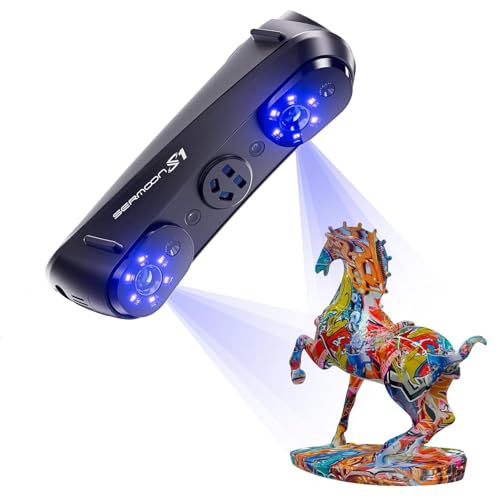
The Sermoon S1 from Creality is designed for wide-range engineering scanning, covering objects from 5 mm to 4000 mm with a triple-mode blue laser system. The 34 crossed laser lines handle fast large-area capture, the 7 parallel lines refine fine details, and the single-line mode reaches into deep holes, grooves, and edges down to 0.1 mm diameter.
With 0.02 mm accuracy and 0.08 mm/m volumetric precision, this scanner fits nicely into reverse engineering, quality inspection, and CAD modeling workflows. The AI-assisted software simplifies alignment and mesh generation, while the 4-lens stereo vision setup supports marker-free scanning on many object types.
On the downside, the software still carries some of the Creality rough edges seen in the Raptor Pro. The system demands a powerful PC for full-speed operation, and some users note that the documentation could be clearer for newcomers. It’s a powerful engineering tool, but not a beginner-friendly one.
Why it’s great
- Ultra-wide scanning range (5mm to 4m) covers micro to large objects with one device
- Deep-hole detection down to 0.1mm for complex industrial geometries
Good to know
- AI-assisted software still has rough edges and a learning curve
- Requires a robust PC (i7 Gen10, 32GB RAM) for optimal performance
6. Revopoint INSPIRE 2
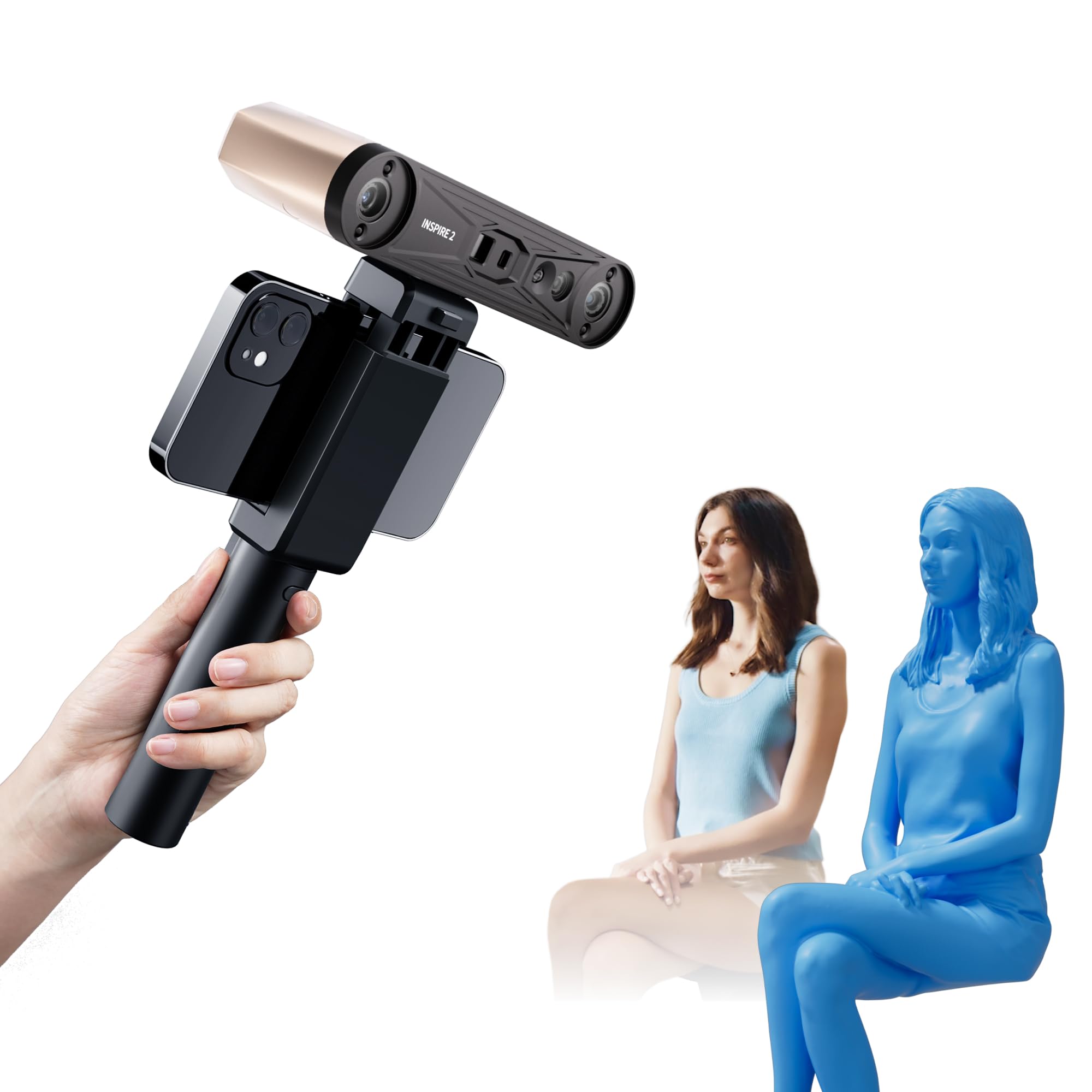
The INSPIRE 2 packs dual-scanning technology — infrared structured light and multi-line laser — in a lightweight 190-gram chassis. The 11 infrared laser lines handle challenging surfaces like reflective and dark materials without spray, while the structured light mode is ideal for people scanning and full-color texture capture via the built-in RGB camera.
Wireless scanning via Wi-Fi 6 is a practical feature for remote operation, and the interactive stream mode lets a colleague monitor your scan on a separate device. The optical zoom (1.5x, 2x magnification) is genuinely useful for capturing mixed-geometry surfaces with more detail. Accuracy reaches 0.05 mm, with precision up to 0.03 mm after calibration.
Outdoor scanning works up to 20,000 lux, which covers shaded outdoor conditions but won’t handle direct summer sun. The calibration stickers (sticky dots) have drawn complaints, and the Revo Metro software, while packed with features, requires a powerful GPU and patience to master. Still, for the price, the feature set is hard to beat.
Why it’s great
- Dual structured light and laser modes handle diverse materials and environments
- Extremely lightweight (190g) with wireless Wi-Fi 6 connectivity
Good to know
- Calibration markers may not adhere well; backup markers recommended
- Outdoor performance is limited to shaded conditions (20,000 lux max)
7. EINSTAR Pro

The EINSTAR Pro uses infrared VCSEL structured light to capture detailed 3D data from dark, textured, and even reflective surfaces without requiring spray. The point distance down to 0.1 mm and built-in RGB color camera deliver full-color models that look impressive for portfolio work, digital archiving, and 3D printing preparation.
At just 1.1 pounds, it’s genuinely portable, and the software supports output to OBJ, STL, PLY, ASC, and 3MF for broad compatibility with design and fabrication tools. Users who invest time in learning the optimal scanning distance and lighting conditions report results that rival scanners costing several times more.
However, this is not a plug-and-play device. Several users report frustration with lost tracking, software instability, and a steep learning curve. The scanner demands a capable PC — at least a Ryzen 5 or equivalent, 32 GB RAM, and a decent GPU — and beginners should expect to spend hours practicing before getting usable scans.
Why it’s great
- Excellent full-color texture capture for design and archiving at a reasonable price
- VCSEL structured light handles dark surfaces without spray
Good to know
- Steep learning curve; expect to practice before getting professional-grade results
- Software can be buggy and tracking may drop on featureless surfaces
8. Shining 3D Einstar

The original Shining 3D Einstar remains a benchmark in the sub-k range, using three infrared VCSEL projectors and two stereo depth cameras to deliver point clouds with up to 0.1 mm point distance. Its standout feature is “Hair Mode,” which uses special algorithms to capture sufficient data from human hair — a notoriously difficult material for most structured-light scanners.
Outdoor stability is surprisingly solid thanks to the infrared light source, and the scanning speed of 14 FPS is acceptable for small-to-medium objects. The EXstar software includes a data quality indicator that helps guide your scanning path, which is genuinely useful for beginners who don’t yet have an intuitive feel for the device’s limits.
Despite the positive buzz, the Einstar has its share of critics. Tracking can be lost on featureless surfaces, requiring tracking dots or spray for best results. The ergonomics are decent but the cable — single USB for both power and data — is a single point of failure. Some users report hardware defects like faulty fans, though performance isn’t always impacted.
Why it’s great
- Hair Mode is genuinely unique and useful for scanning human subjects
- Infrared structured light works well outdoors in shaded conditions
Good to know
- Tracking dots or spray still needed for dark, reflective, or flat surfaces
- Single USB cable for power and data is a fragile link; requires careful handling
9. Revopoint POP3 Plus

The POP3 Plus is Revopoint’s refinement of their popular handheld scanner, offering 0.04 mm precision and a 9-axis IMU that stabilizes scans to reduce faulty frames. The photolithographic calibration board claims to keep accuracy within 20 microns, and the optical zoom (1.5x and 2x) adds 30% more point cloud detail for intricate parts.
At only 190 grams, it’s one of the lightest options on the market, making long scanning sessions much less fatiguing. Connectivity options include Wi-Fi 6 and USB Type-C, and the free Revo Scan software is regularly updated with new features like Global Marker tracking mode. The POP3 Plus supports scanning objects from 20 mm to 2 meters, which covers most hobbyist needs.
User reviews are mixed: some praise the customer support and solid scan quality after mastering the workflow, while others report an inability to get reliable scans even on simple objects. The learning curve is real, and the software is compatible only with x86_64 architecture, so Mac users with Apple Silicon need Rosetta 2. It’s a capable entry-level tool, but novices should budget time for practice.
Why it’s great
- Very lightweight (190g) with Wi-Fi 6 and USB-C connectivity for flexible workflows
- Optical zoom function adds significant detail for small-object scanning
Good to know
- Steep learning curve; many users report difficulty achieving reliable scans initially
- Software only supports x86_64 architecture, requiring Rosetta on Apple Silicon Macs
10. Creality CR-Scan Ferret Pro

The Creality CR-Scan Ferret Pro is positioned as an accessible entry point into 3D scanning, offering 0.1 mm accuracy and 60 FPS scanning speed at a price that’s hard to beat. Its built-in ASIC chip handles the compute load, enabling fast scanning of medium to large objects like car parts and tires without requiring a tethered PC for basic operation.
Anti-shake tracking and a unique face-mapping algorithm make it a decent choice for portrait scanning, and the 24-bit full-color capture via the 2 MP camera produces reasonably good texture maps. The inclusion of a Wi-Fi 6 wireless box, tripod-integrated power bank, and carrying case makes this a complete starter kit right out of the box.
However, the Ferret Pro has significant downsides. Mac users report that the iOS app requires the PC software to set the Wi-Fi password, and the Mac desktop app asks for SUDO access — a security concern. Some users also report inaccurate scans even after careful setup. Review data suggests that while the hardware is acceptable for the price, the software experience lags badly behind competitors like Revopoint and Shining3D.
Why it’s great
- Complete starter kit with Wi-Fi box, tripod, and carrying case included
- 60 FPS scanning speed and anti-shake tracking reduce user error
Good to know
- Software has serious security and usability issues on Mac and iOS platforms
- Scan accuracy and consistency are reported as poor by several users
11. Matterport Pro3

The Matterport Pro3 is a completely different type of device — a LiDAR-based spatial camera designed for capturing large indoor and outdoor spaces for virtual tours and architectural documentation. With a scanning range up to 100 meters and a precision of +/-20 mm at 10 meters, it’s purpose-built for real estate, construction, and facility management, not industrial part scanning.
Each sweep completes in under 20 seconds, and the LiDAR sensor takes millions of measurements per scan to create detailed 3D models. The Performance Kit includes two removable batteries, a tripod, a wheeled dolly, and a backpack, making it a comprehensive field kit. The 20.3 MP camera captures 4K photography that’s stitched into immersive 360-degree tours.
The Pro3’s greatest limitation is the ecosystem lock-in: you need a Matterport subscription to process and host the data, and there’s an extra fee to download raw scan files. With a premium price point, competitors with more open data policies and higher scan quality offer better value for those who need point clouds rather than virtual tours. The subscription model is a non-starter for anyone wanting full ownership of their scan data.
Why it’s great
- Industry-standard for creating professional virtual tours with 100m LiDAR range
- Comprehensive Performance Kit with dual batteries, dolly, and transport case
Good to know
- Mandatory Matterport subscription and extra fees for data download lock in users
- Scan quality and image resolution are criticized at its premium price point
FAQ
What is the difference between 0.01 mm precision and 0.1 mm resolution in a scanner?
Can a 3D laser scanner scan transparent glass or clear plastic directly?
How powerful of a computer do I need to run a high-end 3D scanner?
Final Thoughts: The Verdict
For most users, the best 3d laser scanner is the Creality CR-Scan Raptor Pro because it combines blue laser spray-free versatility, extremely fast 60 FPS capture, and professional-grade 0.02 mm accuracy at a mid-range price point that outperforms many more expensive units. If you need the absolute highest precision for reverse engineering, grab the Revopoint MetroY Ultra with its 0.01 mm spec and 90 FPS speed with an NVIDIA GPU. And for standalone field scanning without a laptop, nothing beats the Shining 3D Einstar Vega, which packs an entire PC into the scanner handle.