
Our readers keep the lights on and the weekend projects moving. As an Amazon Associate, I earn from qualifying purchases.
Handing a complex machine to a 10-year-old often leads to frustration for both parent and child. The best 3D printers for this age group eliminate lengthy assembly, tricky bed leveling, and confusing software, delivering a straight path from unboxing to a finished toy in under 30 minutes.
I’m Rikta — the co-founder and writer behind FitlyFast. I’ve spent months analyzing the hardware specs, reading hundreds of verified owner experiences, and comparing the safety features that define a truly child-friendly printing setup.
This guide separates printers that genuinely serve young beginners from those that only claim to, helping you confidently select the right 3d printer for 10 year old.
How To Choose The Best 3D Printer For A 10 Year Old
Choosing a 3D printer for a child is fundamentally different from buying one for an adult hobbyist. The priority shifts from raw speed and massive build volume to autonomy, safety, and a forgiving learning curve.
Auto Leveling: The Make-or-Break Feature
Manual bed leveling is the single biggest frustration for beginners. A 10-year-old lacks the tactile feel to properly adjust four bed screws. Look for printers with full-auto leveling that compensates for minor bed imperfections, ensuring the first layer sticks every time.
Assembly and Setup Time
A printer that arrives fully assembled wins instantly. Kits that require screwing together frames and wiring electronics are inappropriate for this age group. Aim for models that print their first test model within minutes of opening the box.
Safety and Noise Considerations
PLA filament is non-toxic and the standard for children. Look for printers with a magnetic removable build plate (no scraping tools needed) and a low-noise operation below 50 dB so the machine can run in a bedroom or playroom without disruption.
Software and Workflow Simplicity
Children aged 10 are comfortable with tablets and phones. Printers offering a companion app with a one-tap print function and a built-in model library allow them to operate independently without needing a laptop or slicing knowledge.
Quick Comparison
On smaller screens, swipe sideways to see the full table.
| Model | Category | Best For | Key Spec | Amazon |
|---|---|---|---|---|
| Bambu Lab A1 Mini Combo | Premium | Multi-color prints | 10,000 mm/s² acceleration | Amazon |
| Geeetech M1 | Premium | Kid autonomy via app | 3.94 x 4.33 x 3.94 in | Amazon |
| FLASHFORGE Adventurer 5M | Premium | Speed and quality | 600 mm/s print speed | Amazon |
| AOSEED X-Maker Joy AI+ | Premium | AI-powered creativity | 8,000+ model library | Amazon |
| Entina Tina2C | Mid-Range | App & WiFi control | 8-minute first print | Amazon |
| HEPHi3D TINA2C WiFi | Mid-Range | One-tap phone printing | 3,000+ built-in models | Amazon |
| Wiiboox TINA2S | Mid-Range | Open-source flexibility | Dual Z-axis rails | Amazon |
| Entina Tina2 Basic | Mid-Range | Reliable starter for beginners | Fully assembled, 6 lb unit | Amazon |
| HEPHI3D TINA2 Basic | Mid-Range | Budget-friendly entry | Resume printing function | Amazon |
In‑Depth Reviews
1. Bambu Lab A1 Mini Combo

The Bambu Lab A1 Mini Combo is the gold standard for a 10-year-old’s first printer. Its full-auto calibration handles bed leveling, Z-offset, and vibration compensation without any manual input. The AMS Lite accessory enables multi-color prints, turning a single-colored toy into a vibrant creation that keeps kids engaged for hours.
Active noise cancellation keeps operation ≤48 dB, quiet enough for a bedroom desk. The quick-swap nozzle design allows a parent or older child to switch between material types in seconds without tools. With a print volume of 180 x 180 x 180 mm, it handles the majority of toys, fidgets, and small STEM projects a 10-year-old would attempt.
Some users note that the multi-color feature wastes filament through purge towers, but this is typical for the technology. The machine requires a solid, rigid surface at ludicrous speed to avoid wavy layers, so a wobbly desk may cause minor artifacts. Overall, it is the most beginner-friendly, high-performance option available.
Why it’s great
- Fully automatic calibration out of the box
- Multi-color printing with AMS Lite
- Very quiet, suitable for any room
Good to know
- Multi-color mode increases filament waste
- Best performance requires a sturdy table
2. Geeetech M1
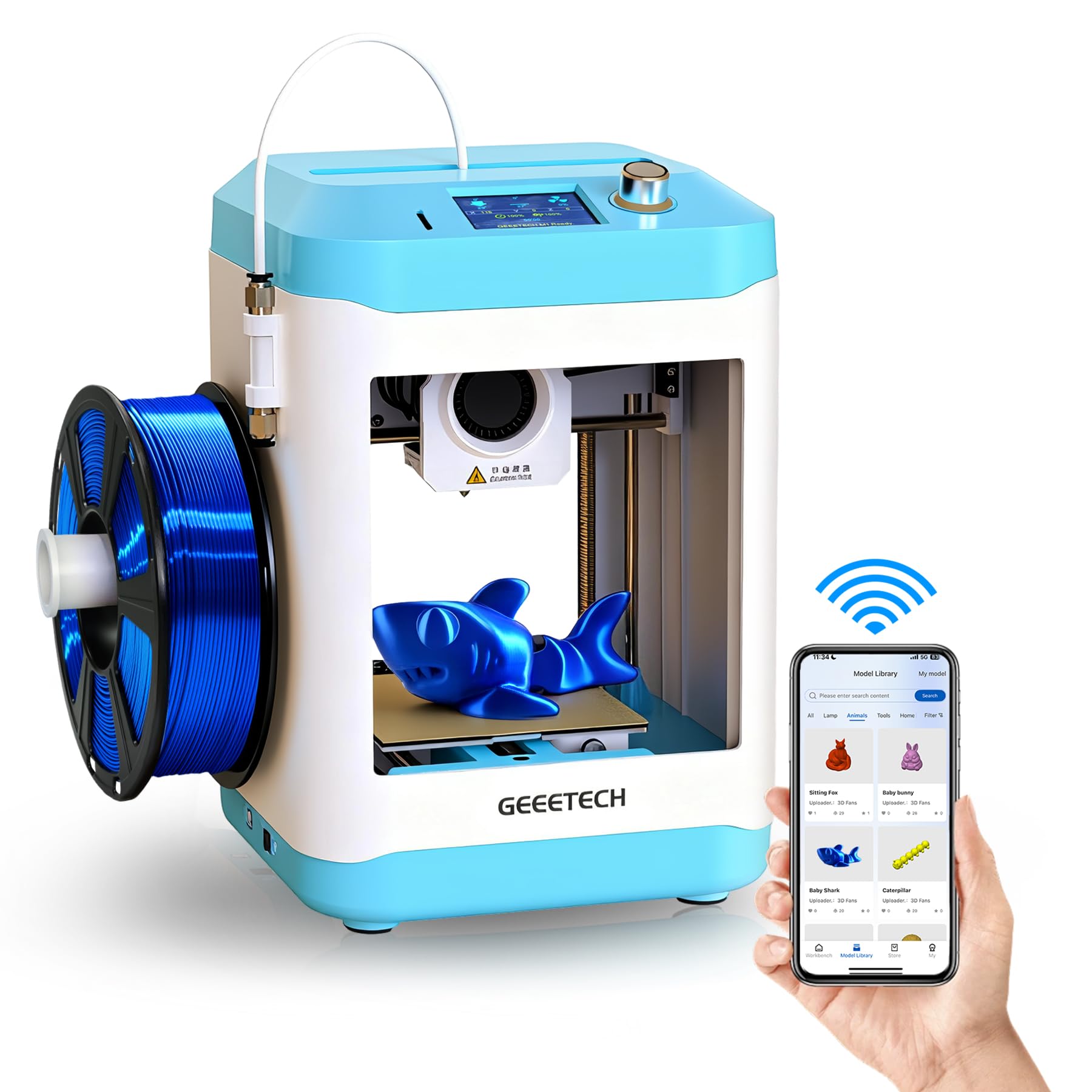
The Geeetech M1 pairs a compact 3.94-inch cubic build volume with app-based control that eliminates the need for a laptop. A 10-year-old can browse the built-in model library, select a toy, and start printing from a phone or tablet. The 16-point auto-leveling system ensures reliable first-layer adhesion without parental intervention.
Its direct-drive extruder with a 1:5 gear ratio handles flexible TPU materials along with standard PLA, opening up soft-toy projects that rigid plastics cannot deliver. The 50W heating rod brings the nozzle to temperature quickly, and the flexible magnetic build plate makes removing finished prints as simple as bending the plate.
The small build volume is the primary trade-off for its compact footprint. Larger projects must be split into multiple parts and glued together. Some users report that the design has a minor learning curve for the first few prints, but once mastered, the machine is highly reliable.
Why it’s great
- Full phone-based control for independent kid use
- Handles both PLA and TPU filaments
- One-button filament loading simplifies material changes
Good to know
- Build volume is on the smaller side
- Initial multi-part prints require adult help
3. FLASHFORGE Adventurer 5M

The Flashforge Adventurer 5M delivers industrial-grade speed at a price accessible for home use. With a maximum print speed of 600 mm/s and acceleration of 20,000 mm/s², small toys print in under 20 minutes. Core XY architecture provides dimensional accuracy that keeps ghosting and ringing artifacts to a minimum, a must for detailed fidgets and articulated models.
Auto-leveling is a true one-click process, and the dual-sided PEI-coated plate provides excellent adhesion for PLA, PETG, and TPU without glue. The 280°C quick-detachable nozzle allows for material versatility, though most 10-year-olds will stick to PLA. The 220 x 220 x 220 mm build volume is generous enough for helmets and larger structures.
The machine is heavier at 23.8 pounds and takes up more desk space than the mini options. Beginner reviews note that the touchscreen interface is responsive but sensitive to small fingers tapping too fast. Open-frame design means it should be placed in a well-ventilated area, though PLA fumes are minimal.
Why it’s great
- Extremely fast, reduces waiting time for kids
- Large build volume for a wide variety of projects
- Vibration compensation produces clean prints
Good to know
- Heavier build, requires dedicated desk space
- Open frame should be used in ventilated area
4. AOSEED X-Maker Joy AI+
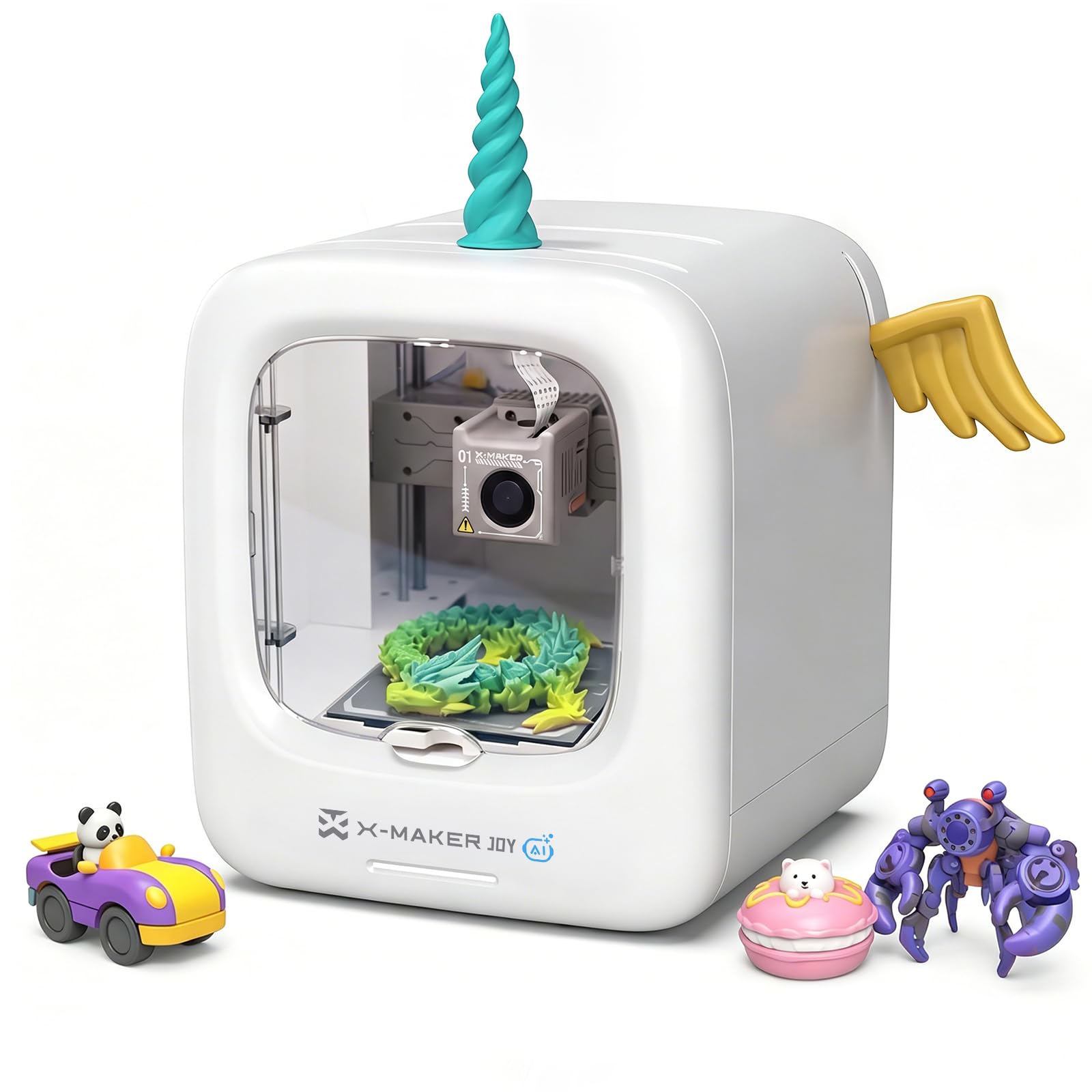
The AOSEED X-Maker Joy AI+ is built around AI-assisted design tools that let a 10-year-old turn a scribble into a 3D model. The AI Doodle feature accepts voice, text, or image prompts, generating printable models without any CAD knowledge. The built-in camera enables real-time monitoring and automatic time-lapse recording, so families can watch creations come to life from another room.
Print speeds reach up to 400 mm/s with a precision of 0.05 mm, meaning small articulated toys finish in about 20 minutes. The enclosed frame and TÜV Rheinland-tested PLA filament add safety margins that give parents peace of mind. The magnetic build plate and quick-release nozzle make maintenance straightforward even for younger users.
The 8,000+ model library is updated weekly, reducing the need for parents to hunt for printable files. The app-based workflow requires a compatible phone or tablet, and some users found that AI generation sometimes produces files with off measurements. Still, the creative empowerment it provides is unmatched in this price tier.
Why it’s great
- AI design tools let kids create custom models
- Enclosed frame for safer operation
- Built-in camera for remote monitoring
Good to know
- Some AI-generated models need size adjustments
- App required for full creative workflow
5. Entina Tina2C

The Entina Tina2C shrinks the time from unboxing to first print to about 8 minutes. It connects via 2.4G WiFi to the Poloprint Cloud app, which offers AI-powered search and photo-to-print functionality. Twenty creative STEM modules and a 3,000+ model library provide enough variety to keep a 10-year-old exploring without reaching for a laptop.
Auto leveling is built in, and the power-loss recovery function means an interrupted print resumes from the last layer, not from scratch. The self-cleaning nozzle design reduces clogs, a common frustration for beginners. The 3.9-inch cubic build volume limits projects to smaller toys and accessories, which suits the typical attention span of a child this age.
The machine runs quietly enough for a bedroom, and the magnetic build plate makes removing prints easy. Some users note that the app occasionally requires troubleshooting for initial connection, but once paired, printing is as simple as tapping a model and pressing start.
Why it’s great
- Fast setup, prints in under 10 minutes
- STEM modules and huge model library included
- Power-loss recovery prevents wasted filament
Good to know
- Small build volume limits projects
- Initial app connection may need adult help
6. HEPHi3D TINA2C WiFi
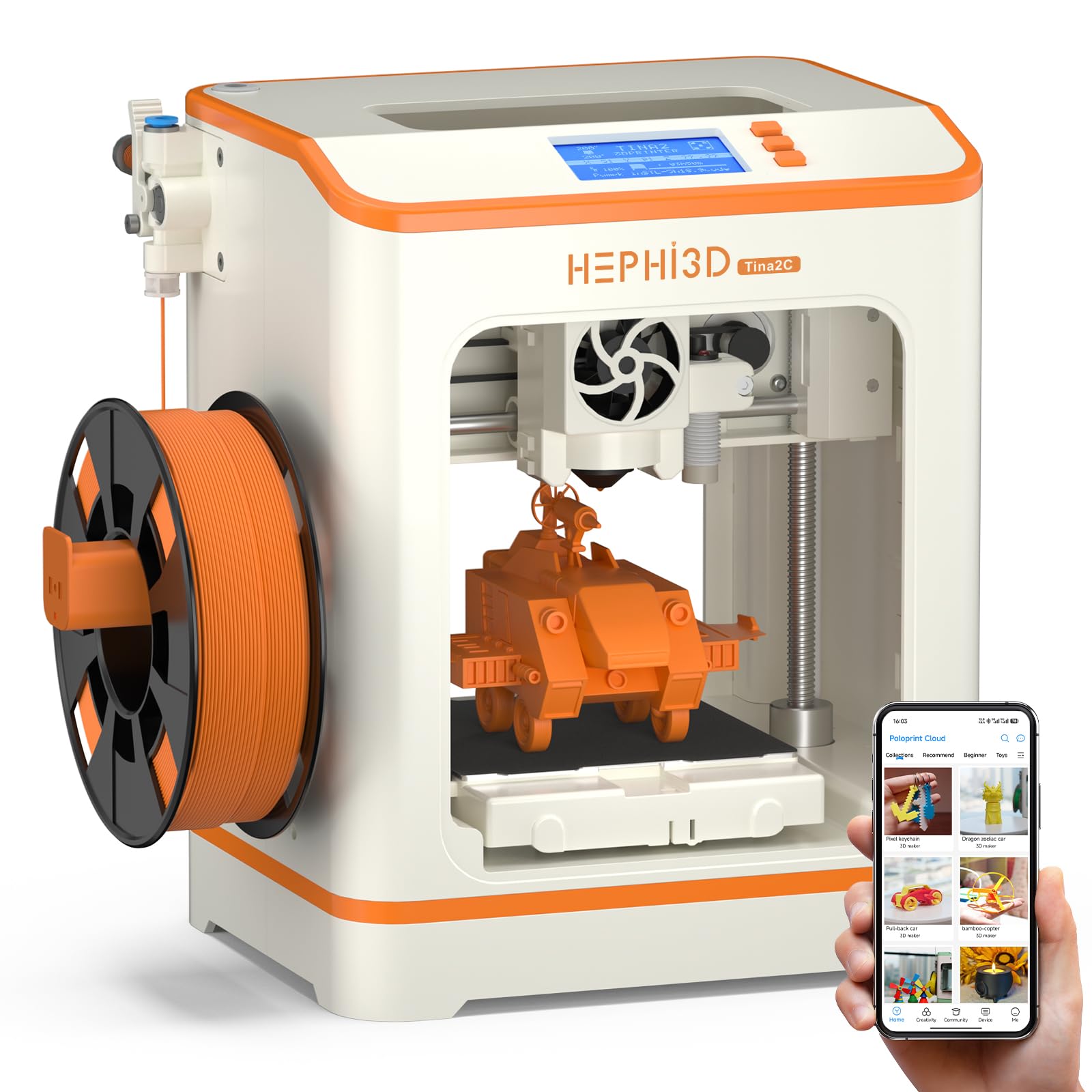
The HEPHi3D TINA2C variant adds WiFi cloud printing to the proven Tina2 platform, allowing kids to send models directly from a phone without touching a USB cable or SD card. The app contains 3,000+ ready-to-print models updated weekly, and the one-tap print function reduces the workflow to browsing and tapping.
Auto bed leveling and a 3-second fast-release hotend keep maintenance low. The fully open-source design means it works with Cura and Simplify3D for more advanced slicing projects as the child’s skills grow. The STEM Education Module within the app offers 20+ design modules for customizing existing models, integrating a gentle learning curve for design principles.
The print volume is identical to other Tina2 models at roughly 100 x 105 x 100 mm, which handles small toys and phone stands well but cannot produce larger items. Some parents report that the user interface is still slightly complicated for a 9-year-old to navigate entirely alone on the first few sessions. Once the workflow is learned, independent operation is smooth.
Why it’s great
- WiFi cloud print from phone, no PC needed
- Large built-in model library with weekly updates
- Open-source for future advanced slicing
Good to know
- Small build volume, not for large projects
- Initial learning curve for very young children
7. Wiiboox TINA2S

The Wiiboox TINA2S is a fully assembled FDM printer that ships with 10 meters of PLA filament, an SD card pre-loaded with models, and a magnetic flexible build plate. Auto leveling and a dual Z-axis rail produce consistent, high-precision prints. The one-touch filament loading button makes material changes possible for a 10-year-old without adult assistance.
WiFi compatibility allows connection to Mac, Windows, and Linux machines, and it supports multiple slicing software options including Cura and Simplify3D. The active pause and resume function is a lifesaver when a child forgets to check the filament level before starting a long print. The compact 8.3 x 8.3 x 11.4-inch footprint fits easily on a standard desk.
The bed size is small (100 x 120 x 100 mm), so larger projects must be split. A few users report that the proximity sensor requires a metal build plate specifically — non-magnetic plates will cause malfunctions. This is well-documented but worth noting for any replacement parts. For the price, it represents a fantastic value for a child who wants reliable prints with minimal fuss.
Why it’s great
- Comes with everything needed in the box
- One-touch filament loading is kid-friendly
- Dual Z-axis improves print stability
Good to know
- Only works with magnetic metal build plates
- Small bed size requires splitting larger objects
8. Entina Tina2 Basic

The Entina Tina2 Basic strips away app complexity to focus on a simple, reliable offline workflow. It prints directly from an SD card, and the 2.4-inch LCD screen with knob navigation allows the selection of pre-loaded test models without a phone or computer. Setup takes about 5 minutes — remove the tape, insert filament, insert the SD card, and press print.
Auto-leveling and the dual Z-axis design keep prints consistent, and the magnetic build plate makes removal easy. The resume printing function recovers from power outages, saving projects that would otherwise be lost. The open-source nature means it can work with Cura if a parent wants to introduce custom slicing later.
The lack of an app or WiFi means children cannot print from a phone, which may be a positive for families limiting screen-based control. The light 6-pound weight makes it easy to move between rooms. A few users mention that the included SD card has limited storage, but swapping in a larger card is straightforward.
Why it’s great
- Super simple SD card workflow, no phone needed
- Lightweight and portable design
- Auto-leveling reduces setup frustration
Good to know
- No app or WiFi connectivity
- Included SD card has limited storage
9. HEPHI3D TINA2 Basic

The HEPHI3D TINA2 Basic is functionally identical to the Entina Basic, operating via SD card or USB-C cable. It includes a sample PLA filament roll and a Micro SD card with multiple model files already loaded, allowing a child to print within minutes of unboxing. The fully assembled design means zero frame building or wiring.
The auto-leveling system compensates for small bed inconsistencies, and the dual Z-axis plus dual Y-axis rails provide extra stability for high-precision prints. The pause and resume function stops and restarts prints if the nozzle encounters an issue. It supports PLA, PLA Pro, and TPU filaments, giving a child room to experiment with different textures after mastering the basics.
Parents should note that while the printer is marketed as beginner-friendly, some 9-year-olds found the setup process confusing without adult guidance for the first few prints. The printer is compatible with Wiibuilder, Cura, Simplify3D, and PrusaSlicer, offering a path for skill progression. It is the most budget-conscious option that does not compromise on auto-leveling.
Why it’s great
- Fully assembled, prints right out of the box
- Dual Y-axis and Z-axis for stable prints
- Compatible with multiple free slicing programs
Good to know
- First few prints may need an adult guide
- App noted as less intuitive than paid alternatives
FAQ
Is PLA filament safe for a child to use in a bedroom?
Can a 10-year-old set up and operate a 3D printer alone?
How long does a typical 3D print take for a beginner toy?
What size prints can a small build volume handle?
Final Thoughts: The Verdict
For most users, the 3d printer for 10 year old winner is the Bambu Lab A1 Mini Combo because it combines full-auto calibration, quiet operation, and multi-color capability in a compact package that a child can operate independently after the first guided print. If you want a machine with a built-in model library and app-based control, grab the Entina Tina2C. And for families on a mid-range budget who want a reliable, fully assembled printer that prints from an SD card without any app complexity, the Entina Tina2 Basic delivers consistent prints at a great value.