
Our readers keep the lights on and the weekend projects moving. As an Amazon Associate, I earn from qualifying purchases.
Choosing a classroom 3D printer means balancing speed, safety, and a steep learning curve. Many entry-level machines require constant bed-leveling and clog-prone extruders that frustrate young learners and burn through curriculum time.
I’m Rikta — the co-founder and writer behind FitlyFast. I’ve spent hundreds of hours analyzing FDM extruder specs, auto-leveling algorithms, enclosed chamber designs, and multi-color support to identify which machines survive daily student use without becoming a maintenance sink.
This guide focuses on models with reliable auto-leveling, quiet operation, and enclosed or kid-safe builds. Each review prioritizes the specific specs that matter in a shared learning environment. You’ll find both premium workhorses and budget-friendly starters to match different classroom needs and budgets — all to help you find the best 3d printer for education.
How To Choose The Best 3D Printer For Education
Selecting a 3D printer for a school or educational setting goes beyond raw speed. You need a machine that simplifies daily setup, minimizes failed prints, runs quietly in shared spaces, and can handle the enthusiastic (and sometimes clumsy) hands of young students. Focus on the features below to avoid wasting budget on constant repairs and filament waste.
Auto Bed Leveling is Non-Negotiable
Skipping auto bed leveling in a classroom guarantees a steady stream of first-layer failures and frustrated students. A printer with a 49-point or similar mesh-based system, like the LeviQ 3.0 on the Anycubic Kobra X, ensures consistent adhesion without teachers manually adjusting Z-offset before each class period. Look for a system that recalibrates automatically before every print, not just at startup.
Enclosed Build Chamber for Safety and Material Versatility
An enclosed printer physically prevents students from touching a hot nozzle or moving parts during a print cycle. It also keeps the temperature stable for engineering-grade plastics like ABS and ASA, which warp in open air. If the printer will live in a library or a general-purpose classroom, check for an active carbon filter or HEPA system — the Flashforge Adventurer 5M Pro and Bambu Lab P1S both offer dual-layer filtration that cuts fumes down to safe levels for young lungs.
Quiet Operation (Below 50 dB)
A printer that hums at 45–48 dB can run during lessons without distracting the class. Loud stepper motors or poorly dampened fans at 55 dB and above become a constant annoyance in a quiet learning space. The Anycubic Kobra X at 45 dB and the Bambu Lab A1 Combo at 48 dB are both rated quiet enough for a library or shared makerspace.
Multi-Color and Multi-Material Capability
Native multi-color printing (like the 4-color system on the Kobra X or the AMS-ready Bambu Lab models) allows students to print functional prototypes with soluble supports or create colorful models without manual filament swaps mid-print. This feature increases the creative range of class projects — geography models, mechanical assemblies with moving parts, and biology replicas all benefit from material variety without extra supervision.
Support for Educational Slicer Software and Remote Monitoring
Teachers need a printer that integrates with a modern slicer (like Bambu Studio, Orca, or PrusaSlicer) and offers over-the-air firmware updates. A built-in camera with spaghetti detection and remote progress monitoring lets educators check prints from across the room or from home. The AOSEED X-Maker AI+ goes a step further with an AI assistant that generates 3D models from text and images, removing the CAD barrier for younger students.
Quick Comparison
On smaller screens, swipe sideways to see the full table.
| Model | Category | Best For | Key Spec | Amazon |
|---|---|---|---|---|
| Anycubic Kobra X (Multicolor) | CoreXY / Multi-Color | Best all-around for classrooms | 45 dB noise, 260 mm³ build volume | Amazon |
| Anycubic Kobra X (Fast) | CoreXY / Quiver | Multi-color creative projects | 49-point LeviQ 3.0 leveling | Amazon |
| ELEGOO Centauri Carbon | CoreXY, Enclosed | High-speed carbon fiber printing | 320°C nozzle, die-cast frame | Amazon |
| Toybox Alpha Three | Entry-Level, Kid-Safe | Ages 6–12, home and classroom | 7,000+ preloaded designs | Amazon |
| Flashforge Adventurer 5M Pro | CoreXY, Enclosed | Multi-material & enclosed safety | 600 mm/s, 280°C nozzle | Amazon |
| Flashforge AD5M Pro | CoreXY, Enclosed | Quiet enclosed for libraries | 3-second nozzle swap, HEPA filter | Amazon |
| Bambu Lab P1S | CoreXY, Enclosed | Multi-color & large build volume | 500 mm/s, up to 16 colors | Amazon |
| Creality K1C | CoreXY, Enclosed | Carbon fiber without a premium budget | 300°C nozzle, 600 mm/s | Amazon |
| AOSEED X-Maker AI+ | AI-Driven, Kid-Safe | AI-assisted design for STEM courses | AI Doodle, 1,500+ model library | Amazon |
| Bambu Lab A1 Combo | Bedslinger, Multi-Color | Fast multi-color with auto calibration | 10,000 mm/s² acceleration, 48 dB | Amazon |
| Original Prusa MK4S | Open-Source, Bedslinger | Reliability for advanced classrooms | Input shaping, 1 kg Prusament included | Amazon |
In‑Depth Reviews
1. Anycubic Kobra X Multicolor 3D Printer

The Anycubic Kobra X hits the sweet spot for educational settings by combining native 4-color printing, a 45 dB noise floor, and a 260 mm³ build volume that handles everything from pencil cases to articulated skeletons. The LeviQ 3.0 auto-leveling system uses 49 points to ensure the first layer sticks reliably, which is critical when a teacher is juggling 15 students instead of troubleshooting bed adhesion. The hardened steel nozzle handles abrasive filaments like glow-in-the-dark PLA and carbon fiber blends without degrading, expanding the material palette beyond basic PLA.
Setup takes roughly 15 minutes out of the box — the gantry is pre-assembled, and the magnetic PEI bed requires zero tape or glue. The ACE 2 Pro system reduces purge waste by 81 percent compared to external multi-color units, meaning less filament cost per school project. The built-in 720p camera detects spaghetti failures and foreign objects on the bed, then sends an alert to the teacher’s phone. Dual-band Wi-Fi (2.4 GHz/5 GHz) keeps it connected even on congested school networks.
The touchscreen interface is responsive enough for younger students to navigate without assistance. The bundled library includes over 10,000 models, though teachers will likely want to upload their own STL files for curriculum-aligned projects. The only real trade-off is the single-nozzle multi-color design, which requires more frequent purging than a dedicated multi-tool head, but at this price point, it is the most classroom-ready machine on the market.
Why it’s great
- Fast 600 mm/s print speed cuts project time
- LeviQ 3.0 leveling guarantees first-layer success
- AI spaghetti detection reduces wasted filament
Good to know
- Single nozzle means more purging between color changes
- Build size limits very large engineering projects
2. Anycubic Kobra X Fast 3D Printer
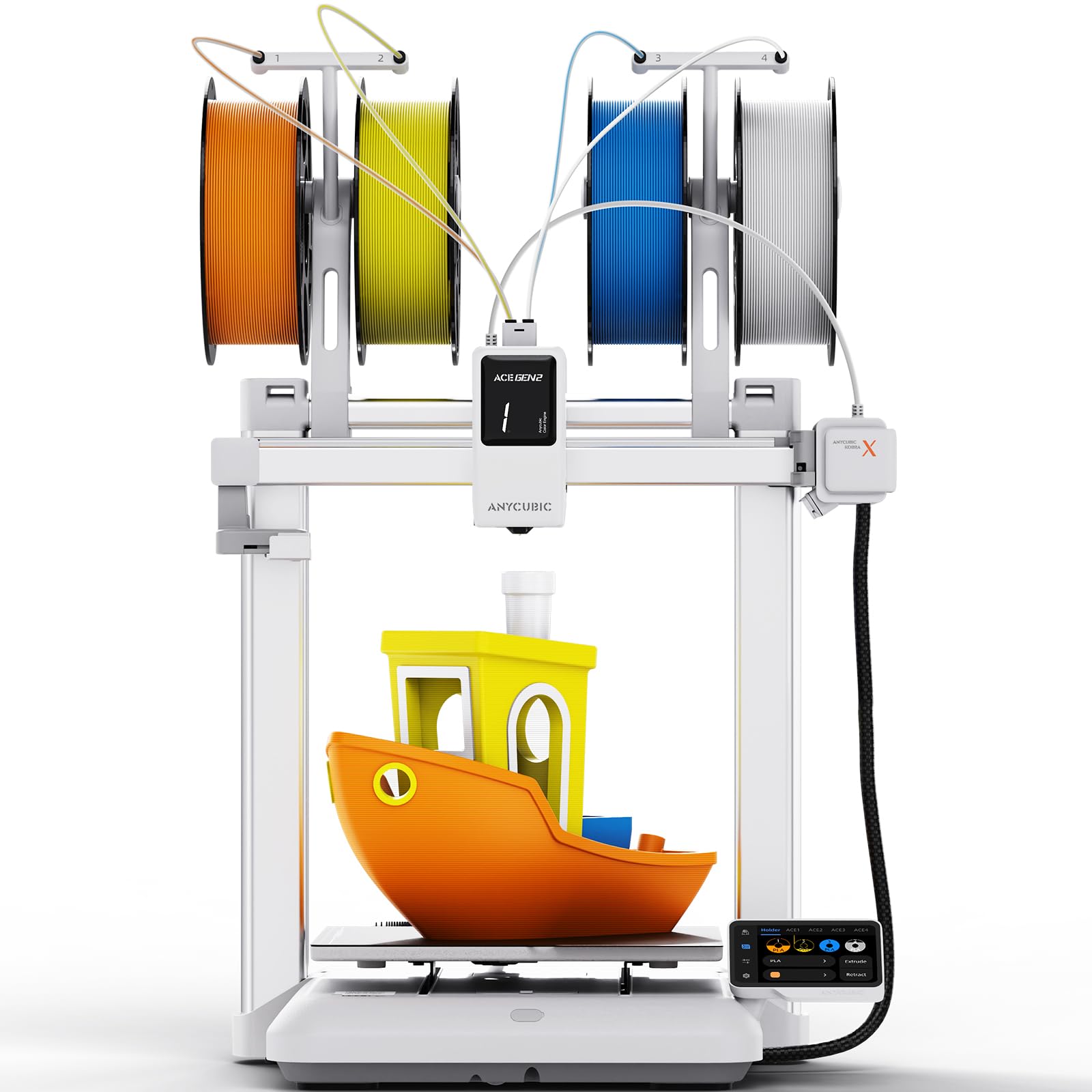
This variant of the Kobra X strips out multi-color hardware to offer the same CoreXY chassis and 45 dB quiet operation at a lower cost — making it ideal for classrooms that want reliable single-color printing without paying for the ACE 2 Pro system. The 49-point LeviQ 3.0 auto-leveling and a 0.02 mm accuracy bed ensure students can load a file and hit print without teacher assistance, even on the first day. The 260 mm³ build volume is generous enough for most K–12 projects, including phone stands, toy prototypes, and geometric models.
The printer arrives pre-assembled with a modular design that takes 15 minutes from unboxing to first print. The 720p AI camera monitors prints remotely and automatically pauses if it detects a spaghetti failure or a foreign object on the bed — a real time-saver in a makerspace where machines run unattended overnight. The ACE Gen 2 technology reduces filament waste during color changes, and the dual-band Wi-Fi keeps it connected on campus networks.
The main limitation is the lack of a heated enclosure, which means ABS and ASA require careful draft management. However, for PLA, PETG, and TPU — the three materials most common in education — it performs flawlessly. The touchscreen interface is intuitive enough for middle schoolers, and the included spool indicator on the printhead helps students track filament levels mid-project. For schools on a tight budget, this is the most reliable entry point into FDM printing.
Why it’s great
- Ultra-fast 600 mm/s speed suits tight class schedules
- 45 dB noise level allows printing during lessons
- AI foreign object detection saves repairs
Good to know
- No multi-color without separate ACE purchase
- Open frame limits high-temperature filament use
3. ELEGOO Centauri Carbon 3D Printer

The ELEGOO Centauri Carbon is a fully enclosed CoreXY machine that reaches 500 mm/s and 20,000 mm/s² acceleration right out of the box. The die-cast aluminum frame dampens vibration so effectively that first layers remain consistent even at top speed — a key feature when students need fast turnaround before the bell rings. The 320°C brass-hardened steel nozzle unlocks carbon fiber reinforced filaments, making it suitable for engineering and robotics clubs that print functional parts like drone frames or gear assemblies.
Setup is genuinely unbox-and-print: the printer arrives pre-calibrated with auto bed leveling active. The dual-sided build plate has a PLA-specific surface that grips material at lower bed temperatures, reducing electricity costs during back-to-back class prints. The built-in camera supports remote monitoring and time-lapse recording, which helps teachers review print quality without hovering over the machine. The intuitive touchscreen is easy enough for a 7th grader to operate independently.
The 256 mm³ build volume is slightly smaller than the Kobra X, and the single-nozzle design limits multi-color options without a separate AMS. Some units have reported early USB-C connection failures on the moving print head due to cable routing stress — something to watch during high-volume classroom use. The ElegooSlicer software works well with Wi-Fi file transfer, but it can crash on complex STL files when using an older laptop. For pure speed and material versatility, though, it is a standout in its price class.
Why it’s great
- 500 mm/s CoreXY speed with stable die-cast frame
- 320°C nozzle handles carbon fiber filaments
- Excellent first-layer adhesion on PLA surface
Good to know
- USB-C cable routing may wear over time
- Slicer can struggle with very complex models
4. Toybox 3D Printer for Beginners and Kids (Alpha Three)
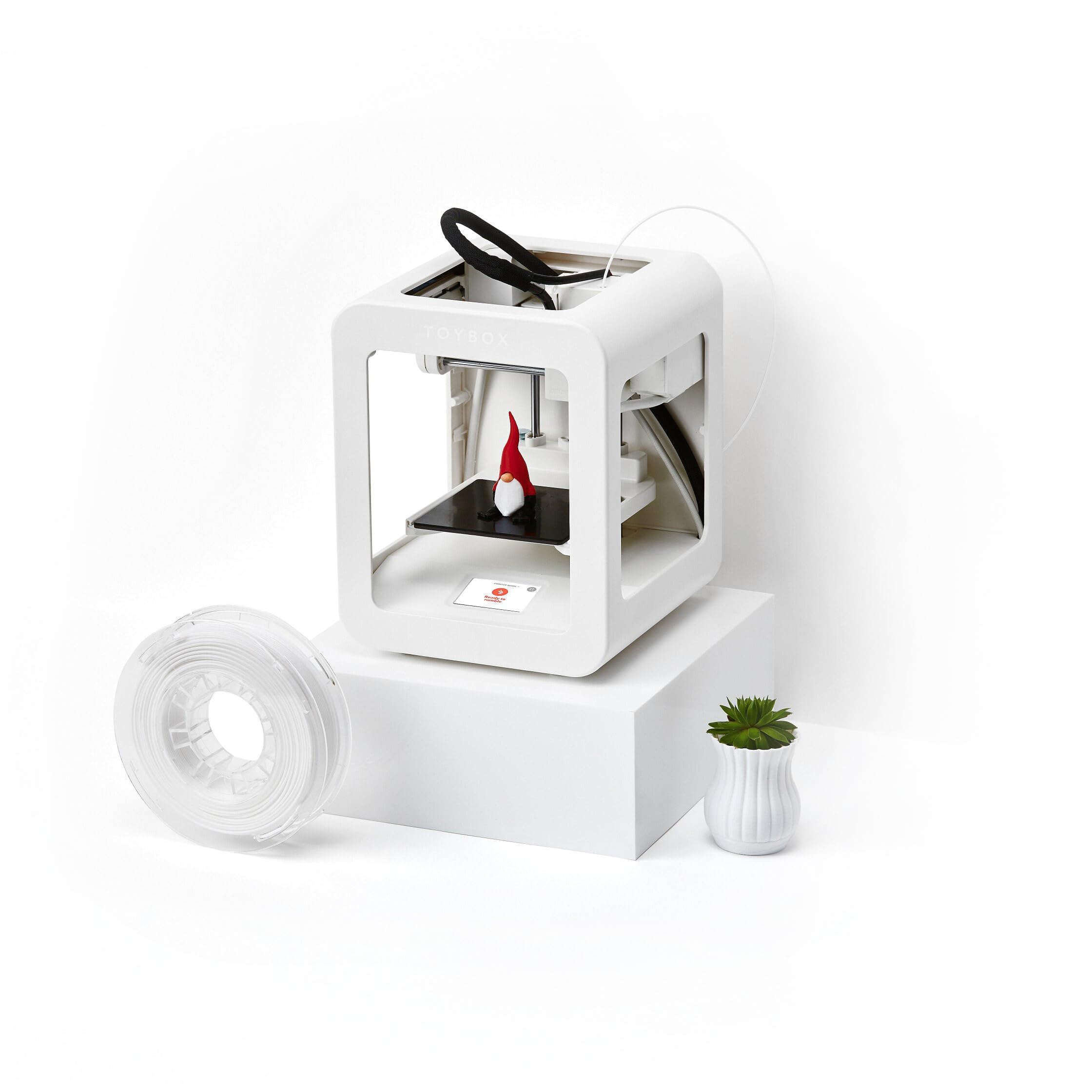
The Toybox Alpha Three is built specifically for children ages 6–12, with an ultra-lightweight 8.88-pound frame, non-toxic PLA filament, and a software ecosystem that eliminates the CAD learning curve. The Toybox app includes over 7,000 ready-to-print designs, including licensed characters from SpongeBob and Batman, so kids can start printing within minutes of unboxing. The one-touch printing and tool-free calibration mean no teacher supervision is needed once the file is queued.
Alpha Three is rated twice as fast and 50 percent more detailed than its predecessor. The build volume is limited to roughly a 3-inch cube, which is fine for toys and small classroom rewards but restrictive for engineering projects or large prototype assemblies. The app supports custom uploads (STL, OBJ, and gCode), but complex models often require support structures that can be tricky to remove without breaking delicate parts.
Several users report that after six months of daily use, machines can develop nozzle clogs or bed adhesion problems that affect reliability. The warranty support process is inconsistent, with some users receiving fast replacements and others getting no response. For a dedicated elementary-school makerspace that prints only small, simple items, the Toybox is a great on-ramp. For long-term durability or larger projects, a more robust CoreXY machine is a better investment.
Why it’s great
- Kid-safe design with non-toxic materials
- Huge library of licensed, ready-to-print designs
- Super lightweight and easy to move between rooms
Good to know
- Small build volume limits project scale
- Reliability drops after several months of daily use
5. FLASHFORGE Adventurer 5M Pro 3D Printer

The Adventurer 5M Pro from Flashforge wraps a CoreXY all-metal frame in a fully enclosed chamber with dual-layer HEPA plus carbon filtration — making it one of the safest enclosed options for classrooms that want to print ABS, ASA, and PC without worrying about fumes. The maximum travel speed hits 600 mm/s with 20,000 mm/s² acceleration, and the nozzle reaches 200°C in only 35 seconds, so students spend less time waiting and more time iterating. The 220 mm³ build volume is adequate for most educational projects, though not as spacious as the Kobra X.
The pressure-sensing auto bed leveling requires no paper calibration or Z-axis tweaks — the platform self-detects height through multi-point precision and compensates for any tilt. The dual-sided PEI plate allows tool-free model removal by simply flexing the plate when it cools. The Flash Maker mobile app provides remote video monitoring, real-time progress updates, and filament runout alerts, which teachers can use to manage multiple printers from a single tablet.
One common concern is the software installation: the included FlashPrint 5 and Orca-Flashforge slicers on the USB drive may not work with newer macOS versions (Sequoia 15.0.1 and later), forcing users to download legacy versions or switch to an older computer for slicing. Some units arrive with a broken handle or stripped screws — though Flashforge’s customer support is generally responsive, sending replacement parts within a few days. For a school that needs enclosed safety and a broad material range, this printer is a reliable daily driver once the initial setup hurdles are cleared.
Why it’s great
- HEPA + carbon filter for safe enclosed printing
- 35-second nozzle heat-up time saves lesson time
- Dual-sided PEI plate for easy model removal
Good to know
- Slicer may need legacy version on newer macOS
- Smaller 220 mm³ build volume than some competitors
6. FLASHFORGE AD5M Pro 3D Printer

The AD5M Pro is essentially an updated version of the Adventurer 5M Pro with a refined enclosed chamber that better seals the HEPA and carbon filter system, making it even more suitable for libraries and shared learning spaces. The 600 mm/s CoreXY motion system paired with vibration compensation ensures smooth layers at high speed, and the quick-swap nozzle system lets teachers change between 0.4 mm and 0.6 mm nozzles in three seconds without tools — ideal when switching from detailed miniatures to faster functional prototypes.
The all-metal direct-drive extruder handles flexible TPU, ABS, PETG, and carbon fiber composites with consistent extrusion pressure. The auto-leveling process runs before each print, so a student can load a new file and have a perfect first layer without adult intervention. The Maker app provides remote control, real-time camera feed, and automatic pause on filament runout, allowing a single teacher to manage a classroom of printers.
The main downsides are the 220 mm³ build volume, which feels restrictive for group projects that need large assemblies, and the lack of a multi-color option — there is only one extruder, so color changes require manual filament swaps and purging. The included USB slicer software is outdated; users should download the latest version from the Flashforge website immediately. Some units have experienced extruder failures after a few prints, though the warranty process appears responsive. For a quiet, enclosed, single-color classroom machine, this printer works well for schools that value air quality over build size.
Why it’s great
- 3-second hot-swap nozzle for quick material changes
- Dual-layer HEPA and carbon filter for safe air
- Reliable auto-leveling before each print
Good to know
- Small 220 mm³ build volume limits large projects
- No multi-color support without manual swaps
7. Bambu Lab P1S 3D Printer

The Bambu Lab P1S is a fully enclosed CoreXY printer that supports up to 16 colors when paired with the Bambu AMS system, making it the most versatile multi-color machine available for educational environments that can justify the premium. The 500 mm/s speed and 20,000 mm/s² acceleration keep print times short, and the enclosed chamber stabilizes temperature for ABS and ASA without warping. The 260 mm³ build volume gives students enough room for larger projects like articulated robots or anatomical models.
Auto bed leveling runs before every print, and the Bambu Studio slicer streamlines the workflow from file to print in just a few clicks. The local-network file transfer means no USB sticks are needed — students can send files directly from their Chromebook or laptop. The printer is noticeably louder than the Kobra X at roughly 50 dB under load, but the noise is a consistent hum rather than sharp pitches, so it blends into a busy makerspace. The AMS handles multi-material transitions smoothly, including soluble support materials that make complex designs easier to clean.
The biggest restriction is the filament compatibility: carbon fiber and glass fiber reinforced polymers are not recommended by Bambu, which limits engineering clubs from using advanced composites. The P1S also lacks the AI spaghetti detection found on some competitors — teachers must rely on the built-in camera for manual checks. The initial setup takes about 30 minutes, and the printer stores filament profiles in the AMS, reducing nozzle clogs from incorrect temperature settings. For schools with a larger budget and a need for multi-color, the P1S is a reliable, fast workhorse that students can depend on for semester-long projects.
Why it’s great
- Up to 16 colors with AMS for vibrant models
- Enclosed chamber allows ABS/ASA printing
- Bambu Studio slicer is intuitive for beginners
Good to know
- Carbon fiber filaments not recommended
- No built-in AI spaghetti detection
8. Creality K1C 3D Printer

Creality’s K1C brings a 300°C high-temperature nozzle and a clog-free direct extruder to the educational market at a mid-range price point, opening up carbon fiber reinforced filaments for robotics and engineering clubs without requiring a thousand-dollar investment. The 600 mm/s print speed and 20,000 mm/s² acceleration mean a benchy prints in under 18 minutes. The enclosed frame keeps the chamber warm for ABS and ASA, though the lack of a HEPA filter means teachers should ventilate the room during long ABS runs.
The K1C arrives 85 percent pre-assembled — users need to attach the gantry and spool holder, which takes about 30 minutes. The auto-leveling with auto Z-offset and input shaping runs a full calibration cycle at startup, which takes a few minutes but eliminates the paper-leveling ritual. The AI camera detects spaghetti failures and foreign objects and can pause the print automatically, then send a notification to the Creality app — a feature that sets it apart from the Bambu P1S at a similar price.
The build volume is only 220 mm³, which limits large-scale classroom projects, and the spool holder design can cause filament feed issues if the material is not perfectly aligned. Some users report the magnetic build plate wears out after several months of heavy use, and the bottom bed flexes slightly in the middle, requiring a shim to keep the mesh leveling consistent. The Creality slicer works fine, but Cura has an offset bug that starts prints at the extreme left front of the bed. For schools that specifically need carbon fiber printing capability without breaking the budget, the K1C is a compelling option.
Why it’s great
- 300°C nozzle for carbon fiber and advanced materials
- Clog-free extruder with reliable feed pressure
- AI spaghetti detection for unattended printing
Good to know
- No HEPA filter; requires ventilation for ABS
- Build plate may develop center flex over time
9. AOSEED 3D Printer X-Maker AI+
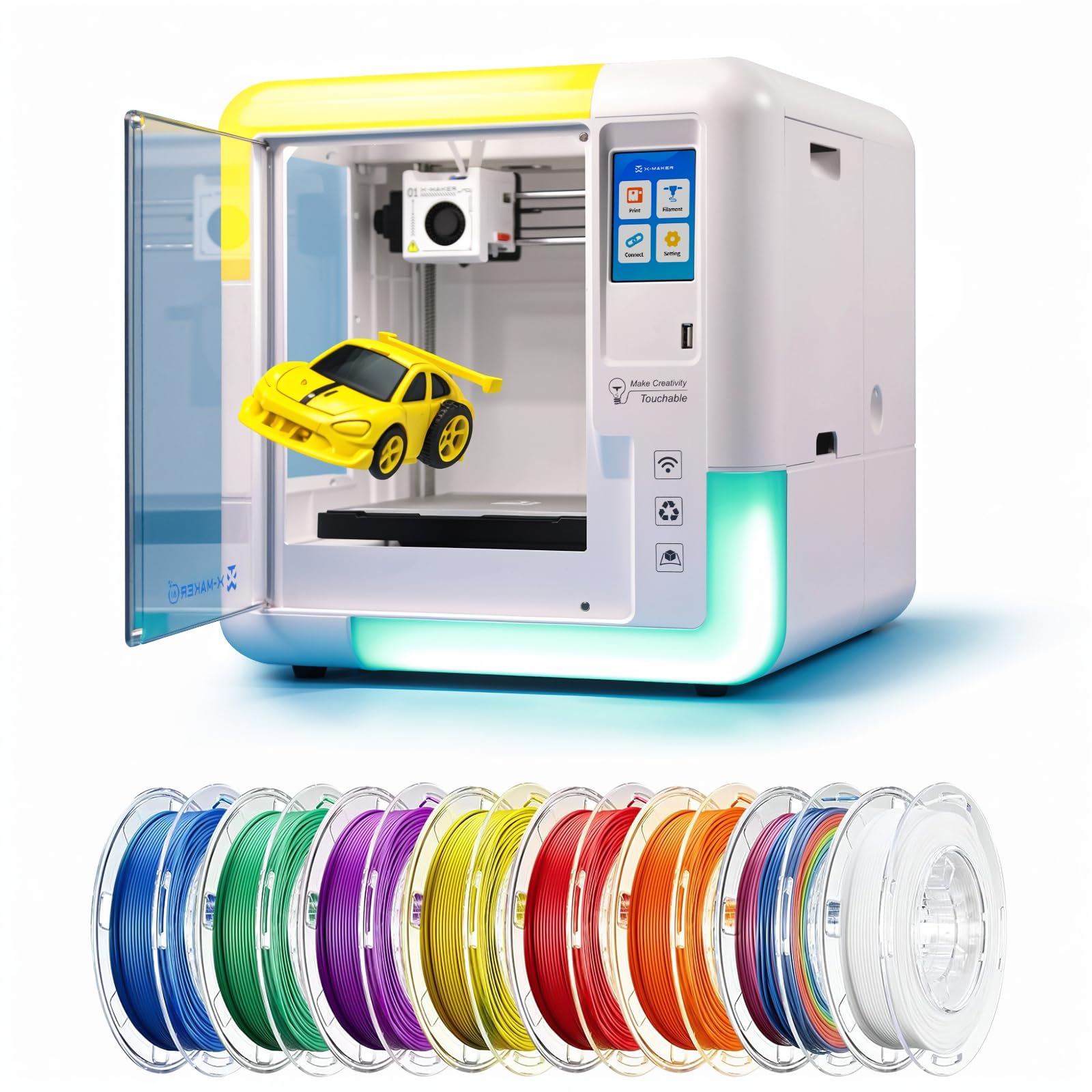
The AOSEED X-Maker AI+ reimagines the classroom printer as a creative assistant: the built-in AI Doodle generates 3D models from voice descriptions, text prompts, or uploaded photos. This removes the entire CAD barrier for students ages 9–16, letting them focus on design thinking rather than modeling software. The printer comes with 8 TÜV-tested PLA spools and a library of over 1,500 digital toys and STEM modules, so teachers can integrate printing into lessons from day one without sourcing materials separately.
The fully enclosed body keeps moving parts and the hot nozzle out of reach, and the magnetic build plate simplifies model removal for small hands. The 3.5-inch touchscreen supports one-click printing via Wi-Fi, SD card, or USB — no computer needed after the initial setup. The noise level stays under 50 dB, which is barely louder than a classroom projector, and the print speed reaches 400 mm/s for smaller toys that finish in about 20 minutes, keeping young attention spans engaged.
The main limitation is the proprietary ecosystem: the printer works best with AOSEED’s own slicer and model library, and educators report that custom STL uploads sometimes fail or require significant scaling adjustments. Some users have encountered firmware glitches after several months of use, and customer support can be unresponsive once the return window closes. The build volume is limited to roughly 150 mm on each side, making it unsuitable for large-format engineering projects. For elementary and middle-school STEM programs that prioritize AI-assisted creativity over raw build volume, the X-Maker AI+ is an innovative tool that genuinely excites young learners.
Why it’s great
- AI Doodle generates 3D models from text and images
- Fully enclosed body with 8 included PLA spools
- Ultra-quiet operation under 50 dB
Good to know
- Small build volume limits large projects
- Customer support can be slow after warranty period
10. Bambu Lab A1 Combo + LED Lamp Kit

The Bambu Lab A1 Combo is a bedslinger design that pairs a 10,000 mm/s² acceleration with the AMS Lite multi-color system, enabling four-color prints without a separate printer upgrade. The LED Lamp Kit included in this bundle allows students to print illuminated models — lampshades, nightlights, and holiday decorations — which adds a cross-curricular dimension to art and design classes. The A1’s active flow rate compensation algorithm reads the extruder’s back pressure and adjusts the flow mid-print, reducing over-extrusion blobs and under-extrusion gaps that plague cheaper machines.
Full-auto calibration covers bed leveling, Z-offset, and input shaping — the printer self-analyzes its own vibration pattern and compensates accordingly, which means a teacher can set up the machine once and walk away. The noise level is 48 dB, slightly louder than the Kobra X but still quiet enough for a library setting. The 1-clip quick swap nozzle makes maintenance quick, and the touchscreen interface with pre-loaded Bambu Studio profiles is generally beginner-friendly. The AMS Lite holds four spools and supports third-party PLA as long as you print an adapter.
The downside is the open-frame design: there is no enclosed chamber, so ABS and ASA are impractical without a separate enclosure. The A1 also has a smaller 256 mm³ build volume compared to some enclosed CoreXY competitors. Some users report the AMS Lite plastic connectors are fragile and can snap if moved frequently. The included filament sample is only a few grams, so schools need to order extra spools immediately. For educators who want fast, multi-color prints for design iteration and decorative projects, the A1 Combo is one of the easiest machines to get running.
Why it’s great
- AMS Lite supports vibrant multi-color prints
- Active flow rate compensation for smooth finishes
- Full-auto calibration eliminates setup fuss
Good to know
- Open frame limits high-temperature materials
- AMS Lite plastic parts can be fragile
11. Original Prusa MK4S High-Speed 3D Printer

The Original Prusa MK4S represents the gold standard of open-source desktop printing, with input shaping that reduces ringing at high speeds while maintaining the dimensional accuracy that Prusa machines are known for. The printer ships fully assembled and tested from Prusa Research, backed by lifetime technical support and a reputation for reliability that makes it a favorite in university engineering labs and advanced high-school robotics teams. The 9.84 x 8.3 x 8.6 inch build volume is slightly smaller than many enclosed CoreXY competitors, but the modular, upgradeable architecture means schools can replace individual parts over years rather than buying a new printer.
The MK4S includes a 1 kg spool of Prusament PLA Galaxy Black and supports generic profiles that work with almost any PLA, PETG, or TPU on the market. The self-cleaning nozzle and automatic first-layer calibration keep failed prints rare, even when students rush through the setup. The Prusa Connect ecosystem offers easy remote monitoring, and the PrusaSlicer profiles are widely considered the most well-tuned in the industry for a broad range of materials. The printer is open-source friendly — teachers can modify firmware, add custom hardware, and teach students how 3D printing actually works, rather than treating the machine as a black box.
The biggest drawback is the sticker price, which is roughly two to three times higher than the feature-equivalent Chinese closed-source machines. The bedslinger design also means the print bed moves back and forth, taking up more desk space than a CoreXY system. Some users report that complex models with sharp overhangs can warp during cooling if the print is not oriented correctly. For schools that value long-term repairability, open-source learning, and print consistency over raw speed, the MK4S is the most future-proof investment you can make in educational 3D printing.
Why it’s great
- Open-source, fully upgradeable design for years of use
- Input shaping for clean prints at high speed
- Lifetime technical support from Prusa Research
Good to know
- Costs significantly more than comparable CoreXY machines
- Bedslinger design uses more desk space
FAQ
What is the best build volume for a school 3D printer?
Is multi-color printing necessary for education?
How loud is too loud for a classroom printer?
Can students slice their own models on school Chromebooks?
How often does a classroom printer need maintenance?
Final Thoughts: The Verdict
For most users, the 3d printer for education winner is the Anycubic Kobra X (Multicolor) because it combines native 4-color printing, a 45 dB noise floor, and a 260 mm³ build volume in a machine that auto-levels and detects print failures via AI — all at a price that fits school budgets without sacrificing safety or speed. If you want an enclosed chamber for ABS and carbon fiber materials, grab the Flashforge Adventurer 5M Pro. And for AI-assisted design and an ultra-simple interface for younger students, nothing beats the AOSEED X-Maker AI+.