
Our readers keep the lights on and the weekend projects moving. As an Amazon Associate, I earn from qualifying purchases.
A prototype that fails mid-print, a dimension that’s off by half a millimeter, or a surface finish that looks like sandpaper instead of smooth plastic—these are the costly realities of choosing the wrong 3D printer for prototyping. Whether you are iterating a mechanical bracket, a cosplay helmet, or a precision engineering model, the printer you pick determines your iteration speed and part quality. The difference between a machine that delivers a serviceable draft and one that produces production-ready results comes down to specific hardware architecture, material compatibility, and calibration reliability.
I’m Rikta — the co-founder and writer behind FitlyFast. I have spent hundreds of hours analyzing the build volumes, motion systems, hotend temperatures, and material ecosystems of modern prototyping printers to separate the machines that genuinely accelerate development from those that just create more desk clutter.
This guide identifies the most reliable 3d printer for prototyping by evaluating CoreXY speed, enclosure capability, multi-material support, and user-reported print success rates across mid-range and premium price tiers.
How To Choose The Best 3D Printer For Prototyping
Selecting a prototyping printer requires shifting from hobbyist thinking—where print quality is a happy surprise—to engineering thinking, where repeatability and material versatility are baseline requirements. The following criteria will help you match a machine to your specific prototyping needs.
Motion System: CoreXY vs. Bedslinger
For prototyping, CoreXY architecture is the clear winner. Bedslingers move the print bed on the Y-axis, which introduces wobble at higher speeds and limits acceleration. CoreXY printers move only the print head, allowing speeds above 500 mm/s without sacrificing part quality. If you plan to iterate quickly on complex geometries, skip the bedslinger and start with a CoreXY machine. The stability of a CoreXY frame directly translates to sharper corners and fewer print failures during long runs.
Enclosure and Heated Chamber
An enclosed printer with a heated chamber is not optional if you intend to prototype with engineering-grade materials like ABS, ASA, polycarbonate, or carbon-fiber composites. These materials shrink as they cool, causing warping and layer separation on open-frame printers. A chamber capable of holding 55°C to 65°C ensures that layers bond evenly. Even if you start with PLA, buying an enclosed printer now future-proofs your setup for advanced material needs.
Multi-Material and Multi-Color Capability
For functional prototypes that require dissolvable support structures or multi-color visual validation, a printer with an Automatic Material System (AMS) or similar multi-filament unit is invaluable. Systems like Bambu Lab’s AMS or Creality’s CFS allow you to switch between PLA for the main body and PVA for supports, reducing post-processing. The trade-off is added complexity and occasional jams, but for serious prototyping, the time saved in cleanup justifies the cost.
Nozzle Temperature and Flow Rate
A nozzle capable of reaching at least 300°C is necessary for printing high-temperature materials like polycarbonate or nylon. Higher flow rates, enabled by a high-flow hotend, allow faster volumetric extrusion without under-extrusion gaps. For prototyping, a direct-drive extruder is preferred over Bowden setups because it provides better control over flexible filaments and reduces retraction issues.
Quick Comparison
On smaller screens, swipe sideways to see the full table.
| Model | Category | Best For | Key Spec | Amazon |
|---|---|---|---|---|
| Bambu Lab P1S Combo | Enclosed CoreXY | Reliable multi-material prototyping | 500mm/s speed, 16-color AMS | Amazon |
| Creality K2 Combo | Enclosed CoreXY | Large-scale multicolor production | 260mm³ build volume, CFS system | Amazon |
| QIDI Q2 Combo | Enclosed CoreXY | High-temp materials with filtration | 65°C chamber, 370°C nozzle | Amazon |
| Original Prusa MK4S KIT | Open-Frame DIY | Open-source, upgradeable reliability | Input shaping, 250x210x220mm volume | Amazon |
| IdeaFormer IR3 V2 | Belt Printer | Continuous Z-axis production runs | Infinite Z length, 400mm/s | Amazon |
| ELEGOO Centauri Carbon | Enclosed CoreXY | Carbon-fiber and advanced filaments | 320°C nozzle, die-cast frame | Amazon |
| FLASHFORGE AD5X | Open-Frame CoreXY | Budget multicolor with good speed | 600mm/s, 4-color IFS system | Amazon |
| Anycubic Kobra X | Open-Frame Bedslinger | Beginner-friendly multicolor FDM | 600mm/s, 260mm³ volume | Amazon |
| Bambu Lab A1 | Open-Frame Bedslinger | Quick, quiet prototyping on a budget | 48dB quiet, 10k mm/s² accel | Amazon |
| ELEGOO Mars 5 Ultra | Resin MSLA | High-detail micro prototypes | 9K LCD, 18μm XY resolution | Amazon |
| ANYCUBIC Photon Mono 4 Ultra | Resin MSLA | Jewelry and miniature prototyping | 10K screen, 17μm pixel size | Amazon |
In‑Depth Reviews
1. Bambu Lab P1S Combo

The Bambu Lab P1S Combo is the benchmark for prototyping reliability in this class. Its enclosed CoreXY frame with auto bed leveling delivers a reported 95% success rate across hundreds of prints, a figure that separates genuinely production-ready machines from experimental tools. The 500 mm/s print speed with 20,000 mm/s² acceleration means a functional bracket that might take an hour on a bedslinger finishes in under 20 minutes without sacrificing layer adhesion or dimensional accuracy.
The AMS (Automatic Material System) supports up to 16 colors or multi-material setups, enabling dissolvable PVA supports or rigid PETG main bodies in a single print run. Users consistently note the seamless device connectivity and quiet operation, which makes it viable for an office or shared workshop environment. The enclosed design also handles ABS and ASA with minimal warping, though Bambu Lab recommends avoiding carbon-fiber and glass-fiber reinforced polymers through this nozzle.
Setup takes roughly 15 minutes out of the box. The slicer experience is intuitive even for beginners, but the ecosystem is somewhat closed—the P1S works best with Bambu Lab’s own slicer and filaments. For a team that needs consistent, repeatable prototyping with an easy path to multicolor, this combo remains the most complete package at its price point. The main drawback is the initial investment, but the reduction in failed prints quickly offsets the cost.
Why it’s great
- Industry-leading print success rate for a mid-priced enclosure
- AMS enables effortless multi-material and PVA support structures
- Quiet enough for shared spaces at under 48 dB
Good to know
- Not recommended for carbon or glass-fiber reinforced filaments
- Proprietary slicer and filament ecosystem limits advanced tinkering
2. Creality K2 Combo

The Creality K2 Combo targets prototype runs that outgrow standard build volumes. With a 260 x 260 x 260 mm build area, you can print larger enclosures or functional assemblies in fewer parts, reducing post-processing joinery. The 600 mm/s CoreXY motion system, paired with step-servo motors that adjust torque in under a millisecond, delivers stable extrusion at speed—a must for prototyping thin-walled structures without vibration artifacts.
The CFS (Creality Filament System) supports up to 16 colors across four units, and the included dry-box with humidity display keeps filaments conditioned during long prints. Users report excellent first-layer adhesion thanks to the auto-leveling sensor that probes only the print area, saving time on large beds. The chamber temperature is not actively regulated like the QIDI Q2, but the enclosed frame reduces drafts enough for reliable ABS printing with minor tuning.
Assembly claims of a 15-minute setup are optimistic—plan for closer to an hour installing the screen and connecting the CFS. The proprietary slicer is required to unlock full features, though stock Orca profiles work manually. A few users reported early issues with CFS jams and camera connectivity, but Creality’s support has been responsive with firmware updates. For teams prototyping large functional parts who need multicolor or multi-material capability, the K2 Combo offers the biggest canvas without jumping to industrial pricing.
Why it’s great
- Generous 260mm³ build volume for large prototype assemblies
- Step-servo motors eliminate VFA at high print speeds
- Included CFS dry-box actively conditions filament during prints
Good to know
- Setup time is closer to an hour despite plug-and-play claims
- CFS requires adapter prints for non-standard spool sizes
3. QIDI Q2 Combo
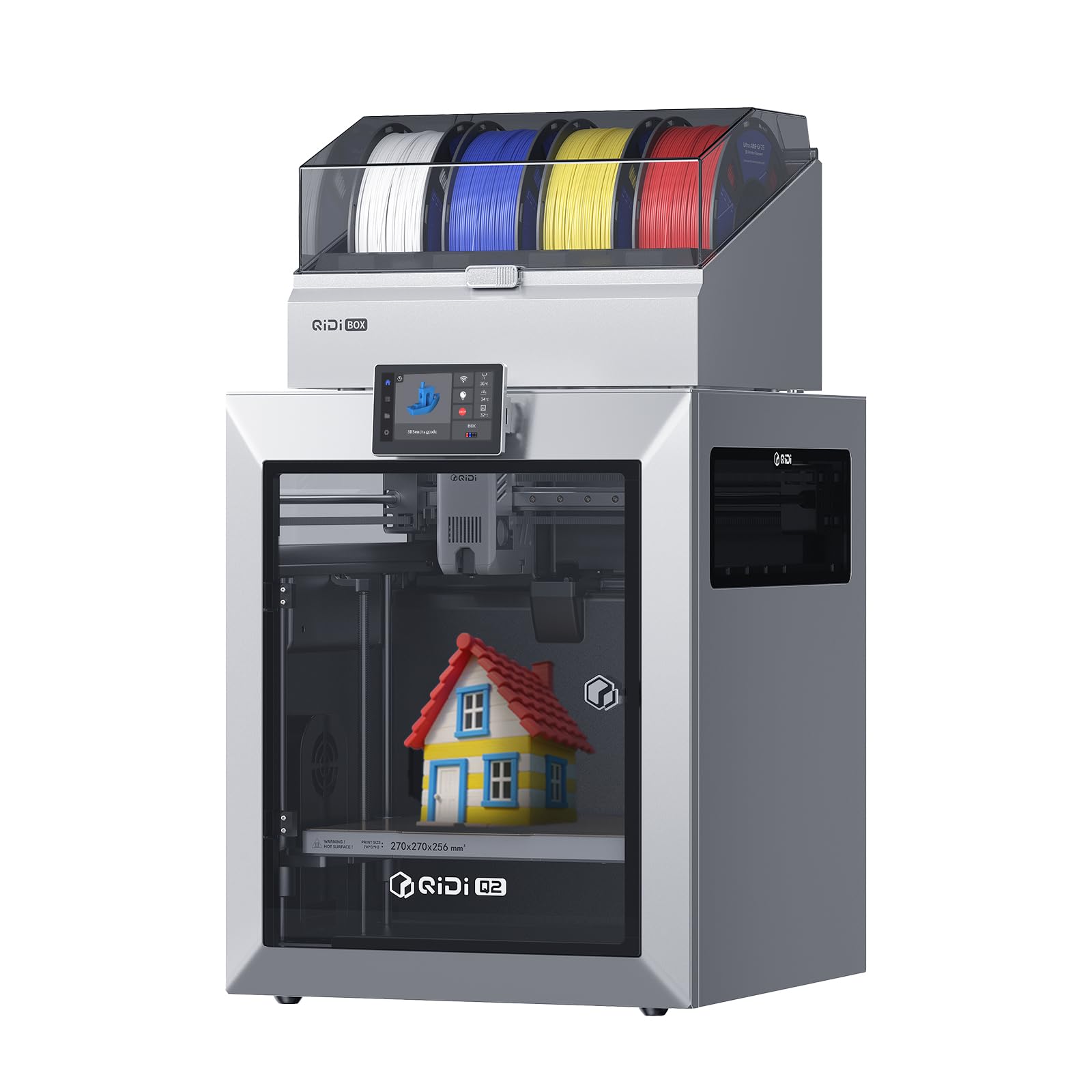
The QIDI Q2 Combo is engineered for prototyping with challenging materials. Its second-generation PTC heated chamber reaches 65°C, reducing warping in ABS, polycarbonate, and carbon-fiber composites to near zero. The 370°C hardened steel nozzle handles these high-temp materials without degradation, and the direct-drive extruder ensures consistent filament advance even with abrasive composites. For engineers prototyping functional parts that must withstand heat or stress, this capability is a force multiplier.
The QIDI BOX multi-material system features NFC-based filament recognition—it auto-applies correct temperature and retraction settings for QIDI spools. The built-in dryer conditions filament up to 65°C, so you can start a print with nylon that has been actively dried rather than relying on a separate oven. The triple filtration (G3 pre-filter, H12 HEPA, activated carbon) makes it one of the few prototyping machines safe for indoor use with ABS, as it effectively traps styrene fumes.
Users praise the perfect first layers achieved by the nozzle-as-leveling-sensor design, which is immune to bed surface variations. The open Klipper firmware allows deep customization, making it a favorite among experienced users who want to tweak acceleration profiles or integrate with home automation. The main caveat is a steeper learning curve for multicolor setup, and the QIDI BOX occasionally requires firmware updates to resolve connection glitches. For material scientists or product designers pushing filament boundaries, the Q2 Combo is the safest buy.
Why it’s great
- 65°C actively heated chamber eliminates warping in engineering materials
- Triple filtration system makes ABS printing safe for indoor workshops
- Open Klipper firmware for advanced tuning and customization
Good to know
- Multicolor setup has a learning curve for new users
- Box connection issues occasionally require firmware updates
4. Original Prusa MK4S KIT
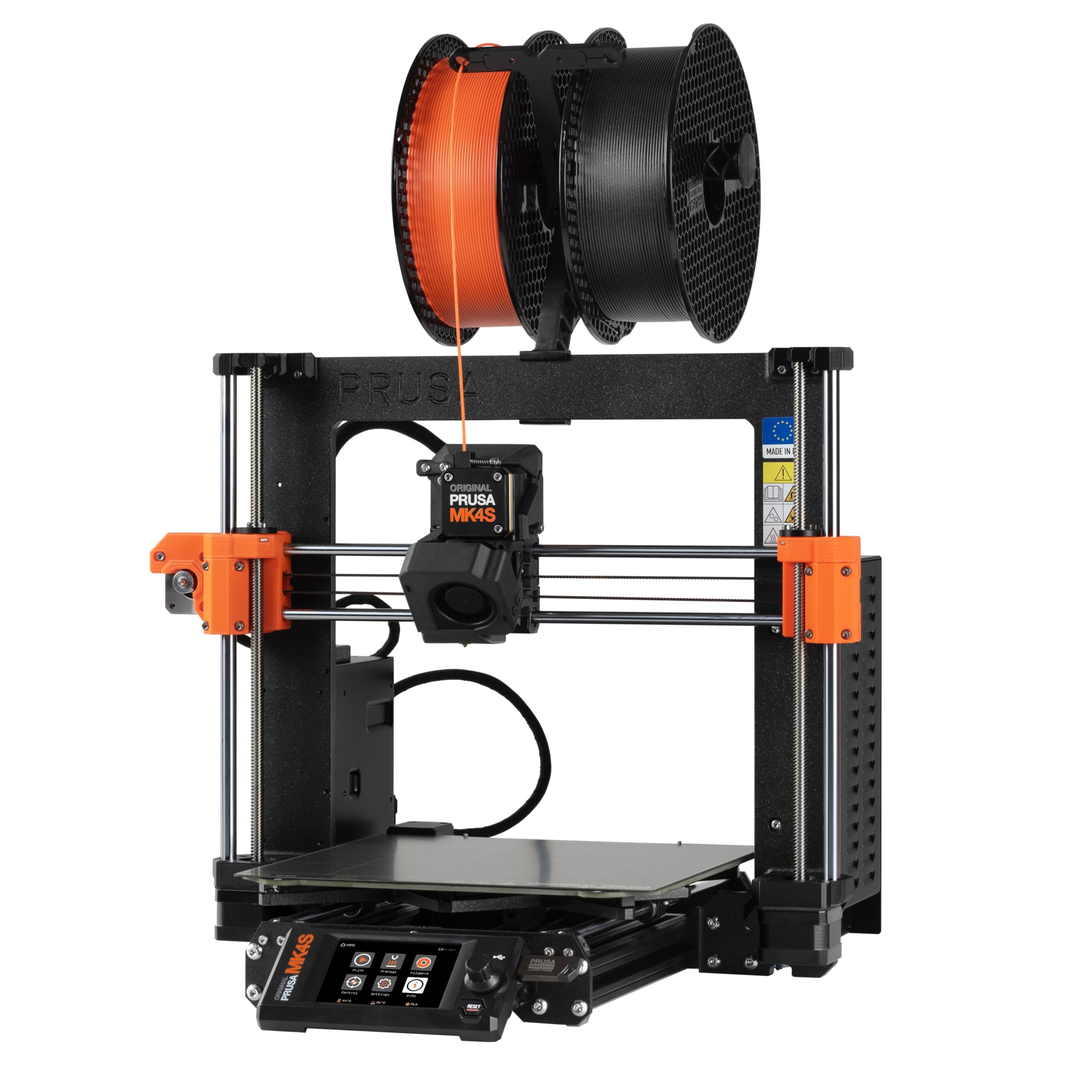
The Prusa MK4S KIT is the gold standard for open-source prototyping reliability. The input shaping algorithm actively cancels ringing and vibration, producing sharp edges and consistent dimensional accuracy even at higher speeds—a critical factor when prototyping parts that need to mate with existing assemblies. Users report immediate success with generic profiles for PLA, PETG, and even more exotic filaments, a rarity in the DIY kit segment.
The self-assembly process takes roughly a day, but the interactive step-by-step guide teaches the mechanics of professional FDM printing. This is a deliberate trade-off: you trade instant gratification for deep understanding and modular upgradability. Prusa supports the platform with long-term firmware updates and hardware upgrades, meaning the MK4S you build today will still receive improvements in five years. The print volume of 250 x 210 x 220 mm is adequate for most functional prototypes, though restrictive for large single-piece enclosures.
Where the MK4S falls short is speed—it cannot match the 600 mm/s of CoreXY competitors. Its open-frame design also limits material choice: printing ABS requires an enclosure, and carbon-fiber composites are not officially supported. For engineers who value serviceability, community support, and a printer that will not become obsolete with the next software update, the Prusa MK4S KIT is the long-term investment. It is less “fast prototyping” and more “reliable prototyping partner.”
Why it’s great
- Open-source design ensures long-term firmware and hardware upgrades
- Input shaping delivers clean, ringing-free parts at moderate speed
- Generous community support and Prusa’s lifetime technical assistance
Good to know
- DIY assembly takes a full day, not suitable for instant-out-of-box use
- Open-frame design limits high-temp material printing without additional enclosure
5. IdeaFormer IR3 V2

The IdeaFormer IR3 V2 occupies a unique niche: it is a conveyor-belt printer with an infinite Z-axis, capable of producing long continuous parts or batch-producing identical prototypes without manual intervention. The 250 x 250 mm bed feeds onto a moving belt with a durable PEI coating, enabling prints that extend well beyond the machine’s footprint. For prototyping long components like cosplay swords, architectural trusses, or continuous functional tests, this eliminates the need to split models across multiple prints.
The upgraded metal conveyor belt reduces warping at the leading edge, and Klipper firmware provides smooth XY-axis motion at 400 mm/s. Users running the printer 24/7 in a print-farm configuration praise its ability to run with zero intervention, limited only by filament spool capacity. The Y-offset strain sensor eliminates the need for calibration cards, and the auto-leveling system adjusts for belt tension variations across prints.
This machine is not for beginners—the 45° print orientation requires designing parts specifically for belt geometry, and the included IdeaMaker slicer software has a learning curve. Users also report that the screen interface lags occasionally, and the printer produces mid-tones that carry noise. For a prototyping workshop that needs continuous small-batch production of long or identical parts, the IR3 V2 is a specialized powerhouse. For general prototyping of standard-geometry parts, a traditional CoreXY printer is more practical.
Why it’s great
- Infinite Z-axis enables continuous printing of long parts and mass production runs
- Klipper firmware provides smooth motion and remote monitoring via web GUI
- Auto-leveling Y-offset sensor eliminates manual calibration cards
Good to know
- Requires designing parts specifically for 45° belt geometry
- Screen interface is laggy, and software ecosystem is less polished than Bambu Lab
6. ELEGOO Centauri Carbon

The ELEGOO Centauri Carbon is a closed-source CoreXY printer built around a rigid die-cast aluminum frame that minimizes vibrations even at its 500 mm/s top speed. This structural rigidity is critical for prototyping thin-walled parts where even micron-level wobble can cause surface defects or dimensional drift. The automatic vibration compensation and pressure advance algorithms further smooth out inconsistencies, producing clean first layers right out of the box.
With a 320°C brass-hardened steel nozzle and a fully enclosed chamber, the Centauri Carbon handles carbon-fiber reinforced filaments and other advanced composites without clogging—a prerequisite for prototyping durable, lightweight parts for drones, automotive brackets, or athletic gear. Users report that the pre-calibrated, ready-to-print experience is genuinely achievable: unbox, load filament, and start printing within minutes.
The built-in camera and dual LED lighting allow real-time monitoring and time-lapse capture, which is useful for documenting prototype iterations. However, some users have experienced reliability issues—one unit died within a week due to a cable connector design, and support took weeks to resolve. For its price, the Centauri Carbon offers exceptional build quality and material capability, but it is not immune to early adopter teething problems. If you need a budget-friendly entry into carbon-fiber prototyping, it delivers far beyond expectations when it works.
Why it’s great
- Die-cast aluminum frame provides vibration-free printing at high speed
- 320°C nozzle handles carbon-fiber composites for functional prototypes
- Truly ready-to-print out of the box with pre-calibration
Good to know
- Some units have suffered early reliability issues with cable connectors
- Customer support response time can be slow for hardware defects
7. FLASHFORGE AD5X

The FLASHFORGE AD5X brings CoreXY multicolor printing to a more accessible price point. With a 600 mm/s print speed and 20,000 mm/s² acceleration, it competes directly with Bambu Lab’s P1S on raw motion specs while offering a 4-color Independent Filament System (IFS) for multicolor prototyping. The 300°C direct-drive extruder supports PLA, PETG, and TPU, and the vibration compensation system reduces ringing on complex geometries.
One-click auto leveling and automatic filament feeding simplify the workflow, and the built-in resume printing function protects against power-loss mid-prototype. Users transitioning from older Flashforge models report a significant leap in print quality and speed. The hardware feels robust, with a solid PEI plate that provides excellent adhesion without glue or tape, and the dual-channel cooling fan handles overhangs and bridging effectively.
The main friction point is the software ecosystem. Flashforge’s proprietary Orca fork has a steeper learning curve, and standard Orca profiles require manual setup for the IFS multicolor system. Some units have experienced jams at the 4-in-1 filament connector, and the filament rewinder can let filament slip, causing the print to run air for one color mid-model. For users willing to experiment with slicer profiles, the AD5X offers good hardware value. Beginners may find the S1 smoother.
Why it’s great
- CoreXY 600mm/s speed rivals more expensive printers in its motion class
- 4-color IFS system brings multicolor prototyping to a lower price bracket
- Solid PEI bed provides excellent first-layer adhesion
Good to know
- Proprietary Orca slicer fork has a learning curve for multicolor setup
- 4-in-1 filament connector can jam without careful filament quality control
8. Anycubic Kobra X Multicolor
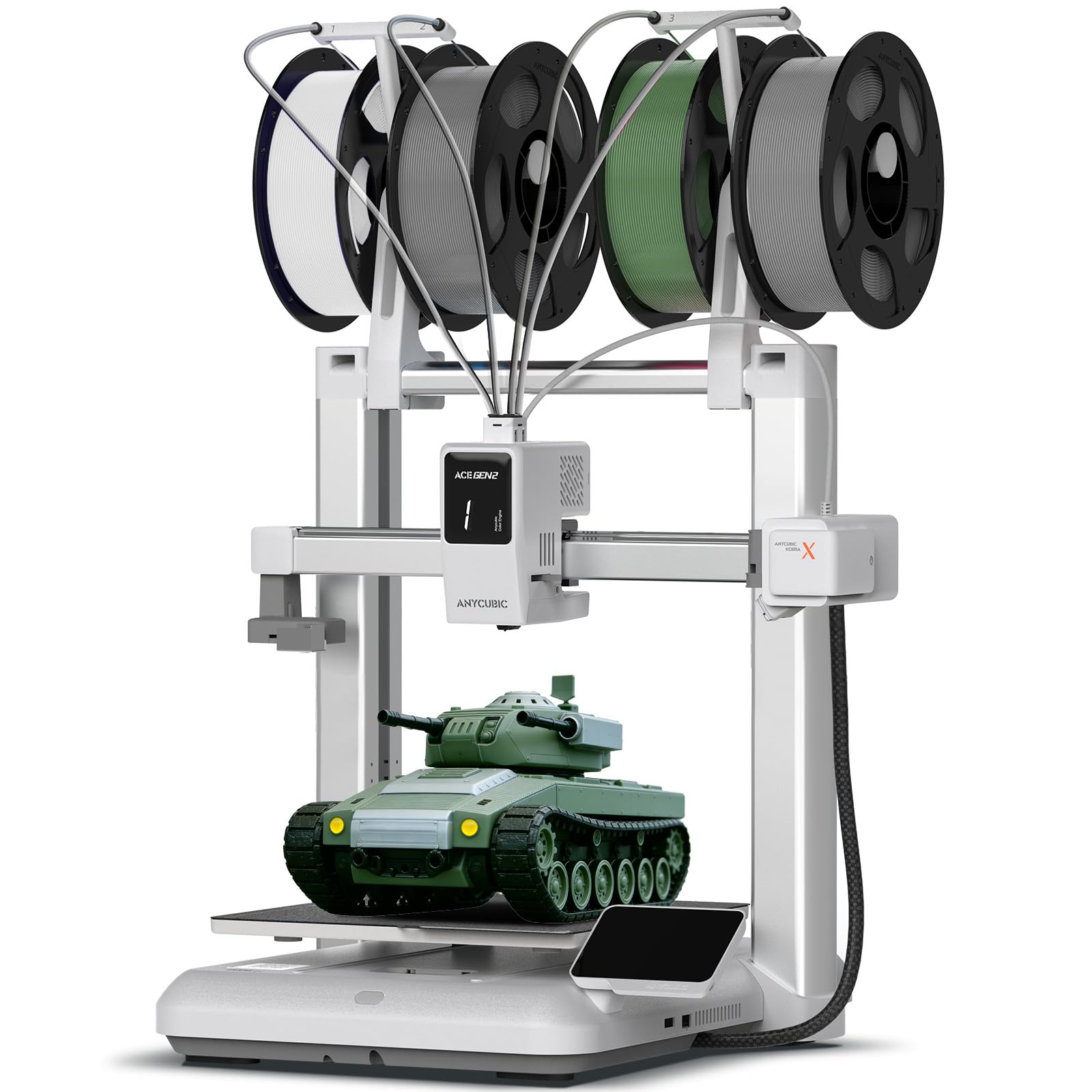
The Anycubic Kobra X is a bedslinger designed for prototyping beginners who need a low-friction entry point. The LeviQ 3.0 system uses 49-point full-auto leveling to ensure a perfect first layer without manual adjustments—a major relief for users who have struggled with unlevel beds on budget machines. The 600 mm/s print speed is competitive, though the bedslinger design introduces Y-axis wobble that limits acceleration compared to CoreXY alternatives.
The 4-color ACE 2 Pro system (sold separately) allows up to 19 colors, and the adaptive extrusion force compensator handles flexible materials like TPU without manual tuning. This makes the Kobra X one of the few beginner printers that can produce multi-material prototypes with flexible and rigid sections in a single print. Users consistently report that setup to first print takes roughly 15 minutes, and the included AI-powered camera with spaghetti detection helps prevent print failures from turning into wasted filament.
The trade-off for its ease of use is long-term reliability. A number of users reported clogs and difficult nozzle changes after extended use, and the machine’s open-frame design limits advanced material use. The print volume of 260 x 260 x 260 mm is generous for a bedslinger, but the mechanical noise from the moving bed at high speeds can be intrusive. For a classroom, home office, or first prototyping station where simplicity matters more than absolute throughput, the Kobra X is a solid choice.
Why it’s great
- LeviQ 3.0 49-point auto-leveling ensures zero-adjustment first layers
- Supports TPU and flexible materials without manual extrusion tuning
- Included AI camera with spaghetti detection saves filament from failed prints
Good to know
- Bedslinger design limits acceleration compared to CoreXY rivals
- Some users report clogs and hard nozzle swaps after prolonged use
9. Bambu Lab A1

The Bambu Lab A1 is a quiet, beginner-oriented bedslinger that does not sacrifice print quality for accessibility. Active motor noise canceling brings operation to ≤48 dB, quiet enough for a shared living space or a small office where constant whirring is unacceptable. The full-auto calibration handles Z-offset, bed leveling, and flow rate compensation automatically, reducing the learning curve to essentially zero—a major advantage for users who want to focus on design iteration rather than printer maintenance.
The 256 x 256 x 256 mm build volume is sufficient for most small to medium functional prototypes, and the 10,000 mm/s² acceleration produces decently fast prints for a bedslinger. Users consistently highlight the Bambu mobile app’s simplicity for finding and slicing models, and the 1-Clip quick-swap nozzle makes material changes fast. The A1 is compatible with the AMS Lite for multi-color printing, though this accessory is sold separately.
Where the A1 falls short for serious prototyping is its open-frame design—it cannot print ABS, ASA, or other high-temperature materials reliably. The bedslinger motion system also introduces visible ringing on tall, thin parts that require high Z-axis moves. For prototyping with PLA and PETG only, and for users who value near-silent operation, the A1 is the best low-volume, no-fuss option. It is a prototyping printer for the home designer, not the production shop.
Why it’s great
- Near-silent 48dB operation fits into home and office environments
- Full-auto calibration eliminates manual bed leveling and Z-offset setup
- Bambu mobile app simplifies model finding and slicing for quick iteration
Good to know
- Open-frame design limits material choice to PLA, PETG, and TPU
- Bedslinger construction introduces ringing on tall, thin prototype parts
10. ANYCUBIC Photon Mono 4 Ultra

The ANYCUBIC Photon Mono 4 Ultra is a resin printer built for micro-prototyping applications where surface detail is paramount. Its 10K monochrome LCD screen delivers a 9024 x 5120 resolution with a pixel size of just 17 x 17 microns—fine enough to render jewelry wax patterns, dental molds, and miniature mechanical parts without visible layer lines. The COB light source with Fresnel lenses maintains light uniformity above 90%, preventing the dimensional drift that occurs with uneven curing across the build plate.
The 120 mm/h print speed, enabled by the ACF film and Intelligent Release Algorithm, makes this one of the faster resin printers in its class. The 5 intelligent detection systems—printer auto-inspection, residual resin detection, leftover resin monitoring, failed print detection, and intelligent lifespan management—reduce the risk of wasting expensive prototyping resin. Users consistently praise the surface finish quality for jewelry and tabletop miniatures.
Resin printing, of course, requires post-processing: washing, curing, and dealing with strong chemical odors. The Photon Mono 4 Ultra has a smaller build volume (6.04 x 3.42 x 6.49 inches) compared to FDM alternatives, and some users note that the stock FEP film is fragile—a plastic spatula can pierce it during part removal. For prototyping where dimensional accuracy and surface finish trump raw size, this is a top-tier choice. It is a complementary machine to an FDM printer, not a replacement.
Why it’s great
- 10K resolution with 17μm pixels delivers jewelry-grade surface finish
- Smart detection systems prevent failed prints with expensive resin
- Fast 120mm/h print speed for a resin MSLA printer
Good to know
- Small build volume limits prototyping to small parts only
- Resin printing requires additional washing and curing equipment
11. ELEGOO Mars 5 Ultra

The ELEGOO Mars 5 Ultra combines a 9K monochrome LCD (8520 x 4320 pixels) with a Tilt Release mechanism that reduces separation force and accelerates print speed up to 150 mm/h. This makes it one of the fastest resin prototypes in its segment—a full chess piece or batch of mechanical bushings can complete in roughly half the time of earlier Mars models. The XY resolution of 18 x 18 microns translates to crisp edges with no visible stepping.
The built-in AI camera offers real-time monitoring with empty build plate and warping detection, plus time-lapse recording for documenting prototype iterations. WiFi cluster printing allows multiple Mars 5 Ultras on the same LAN to print simultaneously, enabling small-scale production runs. Users switching from older Mars models report that the detail improvement is noticeable, and the compatibility with original vats and build plates lowers upgrade costs.
The main practical challenge is temperature management. The resin needs to be warmed to its recommended operating temperature, and failure to heat the build plate to around 30°C leads to consistent print failures—a frustration echoed by multiple users. The Chitubox slicer also has a learning curve for support placement, particularly for lightweight models. For users willing to dial in their resin settings and preheat the build plate, the Mars 5 Ultra delivers exceptional detail at a competitive price point. It is best suited for prototyping small mechanical components and tabletop models.
Why it’s great
- 9K resolution with 18μm XY pixel size for detail-rich prototypes
- 150mm/h tilt-release mechanism is among the fastest resin speeds
- Built-in AI camera with time-lapse and cluster printing for batch production
Good to know
- Resin and build plate must be preheated to avoid failed prints
- Chitubox slicer has a learning curve for support placement
FAQ
What is the best 3D printer for prototyping functional mechanical parts?
Should I get an FDM or resin printer for prototyping?
Is a heated chamber necessary for PLA prototyping?
What does multi-color printing add to prototyping?
Final Thoughts: The Verdict
For most users, the 3d printer for prototyping winner is the Bambu Lab P1S Combo because it delivers the highest combination of print success rate, speed, and multi-material capability in a mid-priced enclosed package. If you need a 65°C heated chamber for engineering materials like polycarbonate and carbon-fiber, grab the QIDI Q2 Combo. And for a long-term, open-source workhorse that you can repair yourself for years, nothing beats the Original Prusa MK4S KIT.