
Our readers keep the lights on and the weekend projects moving. As an Amazon Associate, I earn from qualifying purchases.
Choosing a production tool for your workshop is a decision that directly impacts your turnaround time and material costs. The right machine needs to deliver consistent first-layer adhesion, handle engineering-grade filaments without warping, and maintain dimensional accuracy across long print runs — all while keeping operational noise and maintenance downtime to a minimum.
I’m Rikta — the co-founder and writer behind FitlyFast. I’ve spent hundreds of hours analyzing build volumes, nozzle temperatures, chamber heating capabilities, motion systems, and real-user reliability data across the current market to help you identify the machine that fits your specific production needs.
Whether you need a fast prototyping workhorse or a large-format multi-material system, this guide breaks down the best options to help you find your ideal 3d printer for small business.
How To Choose The Best 3D Printer For Small Business
Selecting a production printer is a process of matching your specific material needs and daily print volume to the machine’s capabilities. A printer that excels at PLA prototypes might struggle with the chamber temperatures required for polycarbonate or nylon-carbon fiber composites. Understanding a few key specifications will prevent costly downtime and material waste.
Build Volume vs. Part Size
Your typical part dimensions dictate the minimum build volume you need. A 256mm³ machine handles most medium-sized prototypes, but a 350mm³ or 400mm³ platform lets you print larger components in one piece, avoiding the strength loss and post-processing time of gluing multiple segments. For production of smaller parts, a larger build plate also enables batch printing, significantly increasing throughput per cycle.
Hotend Temperature and Active Chamber Heating
If your product line includes functional parts in ABS, polycarbonate, or carbon-fiber-reinforced nylon, a hotend capable of 300°C or higher is essential. More critically, an actively heated chamber (targeting 55°C to 65°C) dramatically reduces warping and layer separation in engineering materials. Without chamber heating, large ABS prints often fail due to uneven cooling, which wastes both material and production time.
Motion System and Print Speed
CoreXY architecture generally provides higher speed and better part quality at accelerations above 10,000 mm/s² compared to bed-slinger designs. A machine rated for 500–600 mm/s with vibration compensation can produce a detailed prototype in under two hours. For a production environment, consistency across dozens of print cycles matters more than peak speed — look for machines with rigid frames and reliable auto-leveling systems.
Quick Comparison
On smaller screens, swipe sideways to see the full table.
| Model | Category | Best For | Key Spec | Amazon |
|---|---|---|---|---|
| Bambu Lab P1S | Enclosed CoreXY | Reliable all-around production | 500 mm/s & 260 mm³ | Amazon |
| Creality K2 Plus Combo | Large Format Multi-Color | Large batch builds with 16 colors | 350 mm³ & 600 mm/s | Amazon |
| Anycubic Kobra X | Multi-Color Value | Fast multicolor prints on a budget | 260 mm³ & 600 mm/s | Amazon |
| Flashforge AD5M Pro | Quiet CoreXY | Office-friendly silent operation | 220 mm³ & 50 dB | Amazon |
| ELEGOO Centauri Carbon | Plug-and-Play CoreXY | Zero-assembly high-speed printing | 256 mm³ & 500 mm/s | Amazon |
| Creality K2 Combo | Mid-Range Multi-Color | Entry-level multicolor with CFS | 260 mm³ & 600 mm/s | Amazon |
| QIDI PLUS4 | Engineering Filament Specialist | High-temp materials & heated chamber | 305 mm³ & 65°C chamber | Amazon |
| Original Prusa MK4S | Open-Source Workhorse | Dependability and long-term support | 250 mm³ & Input Shaping | Amazon |
| QIDI Max4 Combo | Ultra-Large Production | Large industrial-grade prints | 390 mm³ & 800 mm/s | Amazon |
| Snapmaker Artisan | 3-in-1 Modular | 3D printing, laser, and CNC in one | 400 mm³ & Dual Extruder | Amazon |
| Original Prusa XL 5-Tool | Professional Multi-Material | Advanced 5-material production | 360 mm³ & 5 Independent Tools | Amazon |
In‑Depth Reviews
1. Bambu Lab P1S

The Bambu Lab P1S delivers the most balanced combination of speed, reliability, and ease-of-use in the mid-range segment. Its enclosed CoreXY architecture supports 500 mm/s printing with 20,000 mm/s² acceleration, while the fully enclosed body allows reliable printing with ABS and ASA without a separate enclosure. The 260 mm³ build volume is generous enough for most small business prototypes and batch production of smaller parts.
User reviews consistently highlight the 15-minute setup time and the excellent print quality right out of the box. The auto-leveling system probes the bed before every print, and the machine supports up to 16 colors when paired with the Bambu AMS system. The Bambu Studio slicer streamlines workflow, and the MakerWorld community provides a vast library of models to iterate from quickly.
For consistent, high-quality output across PLA, PETG, and ABS with minimal maintenance downtime, the P1S is the most dependable option in this class. While it does not recommend carbon-fiber-reinforced polymers, its material support covers the vast majority of small business needs.
Why it’s great
- Fast setup and reliable auto-leveling
- Excellent print quality with sharp details
- Quiet operation even at high speeds
Good to know
- TPU can be tricky to print
- Not recommended for carbon/glass fiber filaments
2. Creality K2 Plus Combo

The Creality K2 Plus Combo is a large-format powerhouse designed for businesses that need to produce big parts or batch-print many items in one run. With a 350 mm³ build volume and a 600 mm/s top speed, it handles helmets, large brackets, and production runs of smaller components with ease. The step-servo motor system delivers 30,000 mm/s² acceleration, making it one of the fastest large-frame printers available.
The CFS (Creality Automatic Material System) enables up to 16 colors, and the actively heated chamber unlocks printing with PA-CF, PLA-CF, and other engineering filaments. Dual AI cameras monitor for spaghetti failures and foreign objects. Users report excellent print quality with minimal calibration, though the machine is heavy and requires two people for safe unboxing.
The rigid die-cast matrix frame and strain gauge-based auto-leveling ensure consistent first layers across the entire build plate. For businesses that need large multi-color parts or high throughput of medium-size components, the K2 Plus Combo delivers industrial-level capability at a fraction of the cost of dedicated production systems.
Why it’s great
- Massive 350 mm³ build volume
- Actively heated chamber for engineering filaments
- Fast 30,000 mm/s² acceleration
Good to know
- Very heavy — plan for two-person setup
- Loud during color changes
3. Anycubic Kobra X Multicolor

The Anycubic Kobra X brings native 4-color printing to the mid-range market without requiring an external material unit. Its 600 mm/s maximum speed and 260 mm³ build volume make it suitable for both rapid prototyping and small production runs. The integrated ACE 2 Pro system reduces purge waste by 81.25% compared to conventional multi-color setups, saving material costs over time.
The LeviQ 3.0 auto-leveling system uses a 49-point calibration to ensure 100% bed flatness, and the hardened steel nozzle withstands abrasive filaments. Users report excellent print quality with PLA, PETG, and TPU, and the machine handles multi-color prints with crisp color transitions. The 45 dB noise level makes it office-friendly.
For businesses that need multi-color capability without stepping up to premium pricing, the Kobra X offers the best cost-to-feature ratio. The AI camera with spaghetti detection and remote monitoring via the Anycubic app adds production safety without extra hardware cost.
Why it’s great
- Native 4-color printing included
- Very quiet at 45 dB
- Low purge waste design saves filament
Good to know
- ACE 2 Pro not compatible with older ACE Pro
- Some users report adhesion issues out of box
4. Flashforge AD5M Pro
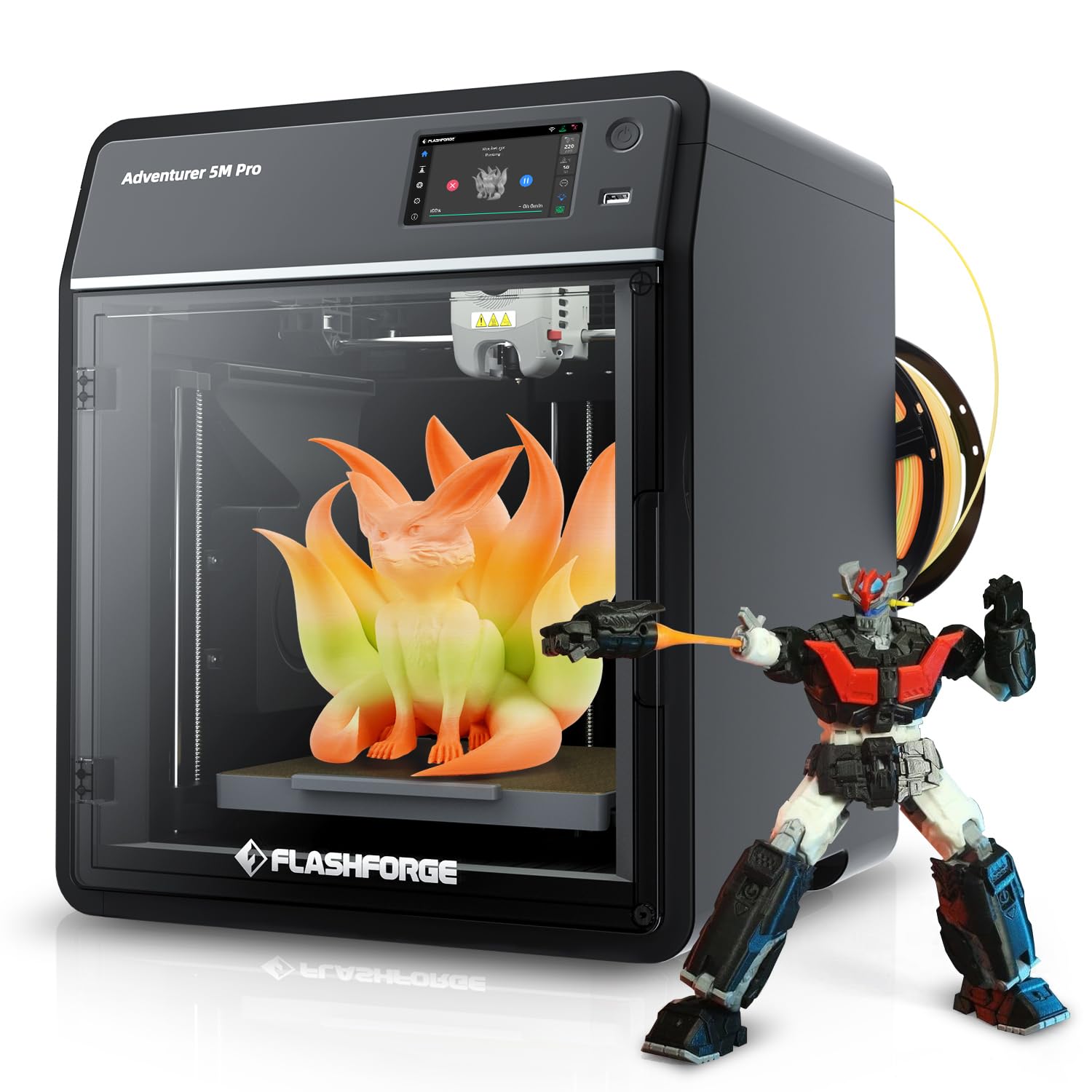
The Flashforge AD5M Pro is built for environments where noise matters. Its 50 dB noise level allows it to run in an open office or near a workspace without disturbance. The CoreXY design delivers 600 mm/s printing speed with high precision, and the 280°C quick-swap hotend comes with both 0.4 mm and 0.6 mm nozzles, giving flexibility for different detail levels.
Users upgrading from older printers like the Adventurer 4 report dramatic improvements in speed and accuracy. The built-in camera enables remote monitoring, and the auto-leveling system produces consistent first layers. Some users note that the slicer is a proprietary Flash Print version, but it works reliably for standard workflows.
For a small business running a printer in a shared space, the AD5M Pro offers the best balance of speed and silence. The 220 mm³ build volume is smaller than some competitors, but for prototyping and smaller production parts, the trade-off is worthwhile for the noise reduction alone.
Why it’s great
- Extremely quiet operation
- Dual nozzle sizes included
- Fast setup and reliable print adhesion
Good to know
- 220 mm³ build volume is smaller than many competitors
- Uses proprietary Flash Print slicer
5. ELEGOO Centauri Carbon

The ELEGOO Centauri Carbon is designed for users who want to unbox and print immediately. It arrives fully assembled and pre-calibrated, with auto bed leveling and an intuitive touchscreen. The 256 mm³ build volume is matched with a 320°C brass-hardened steel nozzle, capable of handling carbon fiber reinforced filament and other advanced materials.
The die-cast aluminum frame minimizes vibrations even at 500 mm/s speeds, and the built-in chamber camera with dual LED lighting enables real-time monitoring and time-lapse capture. Users note excellent bed adhesion with the dual-sided plate, and the enclosed chamber with enhanced cooling supports consistent print quality for PLA and PETG.
For a small business that needs a reliable second machine or a fast production unit with minimal setup fuss, the Centauri Carbon delivers solid performance. Some early units reported hotend communication errors, but replacements have demonstrated reliable operation over hundreds of hours.
Why it’s great
- Zero assembly required
- 320°C nozzle for high-temp materials
- Die-cast frame for stability at speed
Good to know
- Some initial quality control variability reported
- Heavy at 38.5 pounds
6. Creality K2 Combo

The Creality K2 Combo pairs a high-speed K2 3D printer with the CFS (Creality Filament System) to enable up to 16-color printing. The 260 mm³ build volume is sufficient for most small business needs, and the 600 mm/s printing speed with 20,000 mm/s² acceleration ensures fast turnaround. The step-servo motors in the extruder and X/Y axes improve extrusion consistency and accuracy.
The chamber AI camera monitors for spaghetti and foreign object failures, alerting users through the app. The direct drive extruder with hardened steel gears handles repeated filament changes without wear, and the 40 mm³/s high-flow hotend performs well with ABS and PETG. Users report that the magnetic bed provides good adhesion, though some prefer switching to a glass bed for certain materials.
For businesses wanting to explore multi-color production without jumping to the larger K2 Plus, the K2 Combo offers a solid entry point. The CFS system automatically manages multiple filaments and keeps them dry, reducing waste and downtime.
Why it’s great
- CFS enables 16-color printing
- Step-servo motors for accurate extrusion
- AI camera with failure detection
Good to know
- Bed warping reported by some users
- Test print profiles may need optimization
7. QIDI PLUS4

The QIDI PLUS4 is purpose-built for engineering-grade filaments. Its 65°C active chamber heating system uses a 400W heater with air circulation to maintain consistent temperatures, almost eliminating warping for ABS, PC, and nylon. The 370°C hotend with a multi-metal integrated throat nozzle handles PPS-CF, PPA-CF, and other abrasive composites without rapid wear.
The 305 mm³ build volume (12x12x11 inches) allows for batch printing of multiple parts or large single components. The independent dual motor-driven Z-axis and 10 mm diameter linear shafts provide the rigidity needed for high-speed precision. Users with over 4,000 hours of operation report zero issues, and the open-source Klipper firmware gives advanced users full control.
For a small business specializing in functional prototypes or end-use parts in demanding materials, the PLUS4 offers unmatched value. The heated chamber and high temperature range make it capable of materials that most printers in its class cannot handle reliably.
Why it’s great
- 65°C active chamber heating
- 370°C hotend for advanced materials
- Open-source Klipper firmware
Good to know
- Some quality control issues reported (SSR, bed leveling)
- Not a true plug-and-play experience for beginners
8. Original Prusa MK4S

The Prusa MK4S represents the gold standard for reliability and long-term support in desktop FDM printing. Its Input Shaping technology reduces ringing and vibrations for clean results at higher speeds, and the open-source design ensures continuous firmware updates and hardware upgrade paths. The 9.84 x 8.3 x 8.6 inch build volume is sufficient for prototyping and small production runs.
The MK4S comes fully assembled and tested, with a 1 kg spool of Prusament PLA included. Prusa’s lifetime technical assistance and professional customer support provide peace of mind for businesses that depend on uptime. Users report excellent print quality with PLA, PETG, and other common materials, and the Prusa Connect ecosystem enables remote monitoring and management.
For businesses that prioritize reliability, open-source flexibility, and manufacturer support over raw speed or build volume, the MK4S is the clear choice. The kit version is also available for those comfortable with assembly, offering cost savings and a deeper understanding of the machine.
Why it’s great
- Excellent build quality and reliability
- Open-source with long-term upgrades
- Lifetime technical support included
Good to know
- Build volume is smaller than many competitors
- Premium pricing for the feature set
9. QIDI Max4 Combo

The QIDI Max4 Combo delivers an ultra-large 390 x 390 x 340 mm build volume — 55% larger than its predecessor — making it suitable for industrial-scale parts, molds, and custom prototypes printed in one piece. The 800 mm/s maximum speed with 30,000 mm/s² acceleration ensures that even large prints complete quickly. Closed-loop motors on the X and Y axes maintain precision at high speeds.
The 65°C active heated chamber and Polar Cooler system create ideal conditions for high-temperature materials like ABS-CF, PC, and PPS-CF. The 40 mm³/s high-flow hotend with hardened steel nozzle handles abrasive composites without issue. The QIDI BOX system enables up to 16-color multi-material printing, and the AI camera detects spaghetti failures and pauses automatically.
For a small business that needs to produce large-scale functional parts or batch-print multiple components in one cycle, the Max4 Combo provides exceptional value. The machine is heavy at 120 pounds, so plan for a permanent installation location with adequate ventilation.
Why it’s great
- Ultra-large 390 mm³ build volume
- 800 mm/s printing speed
- 65°C active chamber for engineering materials
Good to know
- Very heavy — requires permanent placement
- High power draw during initial heat-up
10. Snapmaker Artisan

The Snapmaker Artisan is a modular 3-in-1 system that combines 3D printing, laser engraving, and CNC carving in a single frame with a 400 mm³ build volume. The dual-extrusion 3D printing module uses a 7:5:1 planetary gear system for reliable dual-material prints, including easy-to-remove support structures. The all-metal industrial-grade linear rails and die-cast base plate provide the rigidity needed for high-speed machining.
The 7-inch touchscreen offers a smooth workflow, and the modular design lets users swap between 3D printing, laser, and CNC heads in under a minute. The machine supports over 600 materials across its three functions, from PLA and ABS in 3D printing to wood and metal in laser and CNC modes. Users praise the build quality and versatility, though the software has a learning curve.
For a small business that needs fabrication capabilities beyond just 3D printing, the Artisan consolidates three tools into one footprint. The 3D printing performance is reliable if not the fastest, while the laser and CNC functions add significant value for prototyping and small-batch production.
Why it’s great
- Three functions in one machine
- Large 400 mm³ build volume
- Industrial-grade linear rails and base
Good to know
- Software has a steep learning curve
- 3D printing speed is average for the price
11. Original Prusa XL 5 Independent Toolhead

The Original Prusa XL with five independent toolheads is the ultimate production machine for businesses that need maximum material and color flexibility. Each toolhead can carry a different material, enabling complex prints with up to five different filaments in a single job — from dissolvable PVA supports to rigid PETG to flexible TPU. The 360 mm³ build volume supports large functional prototypes and production parts alike.
The CoreXY motion system maintains speed and precision even during frequent tool changes, and the segmented heated bed uses intelligent heating zones to reduce warping and save energy. The printer integrates seamlessly with Prusa’s software ecosystem and the Printables.com model library. Users highlight the open-source design and the company’s commitment to long-term support and repairability.
For a small business operating at a professional level where material combinations and color accuracy are critical, the XL 5-Toolhead is unmatched. The investment reflects its industrial-grade capabilities, and while assembly requires some technical skill, the resulting reliability and output quality are worth the commitment.
Why it’s great
- Five independent toolheads for multi-material
- Segmented heated bed reduces warping
- Open-source with lifetime support
Good to know
- Significant investment for small budgets
- Some assembly required despite “assembled” label
FAQ
What is the ideal build volume for a small business 3D printer?
Do I need an actively heated chamber for PLA printing?
How much purge waste do multi-color printers generate?
Final Thoughts: The Verdict
For most users, the 3d printer for small business winner is the Bambu Lab P1S because it delivers the best balance of speed, reliability, and ease-of-use across a wide range of materials and part sizes. If you need a large build volume and multi-color capability for production runs, grab the Creality K2 Plus Combo. And for engineering-grade materials like carbon-fiber nylon and polycarbonate, nothing beats the QIDI PLUS4 with its 65°C active chamber heating.