
Our readers keep the lights on and the weekend projects moving. As an Amazon Associate, I earn from qualifying purchases.
Knowing your 3D printer will actually finish a small project without stripping a gear or clogging halfway through is the difference between a hobby that lasts and a box that collects dust. The compact desktop market is flooded with machines that promise the world but deliver tangled filament and failed first layers.
I’m Rikta — the co-founder and writer behind FitlyFast. After hundreds of hours analyzing print resolution, build volume, and the reliability of auto-leveling systems across entry-level and mid-range FDM printers, I built this guide to separate the machines that work from those that frustrate.
Whether you’re prototyping a part, printing a gift, or teaching a child the basics of additive manufacturing, finding the right 3d printer for small projects means focusing on speed consistency, heated bed performance, and the quality of the slicer ecosystem — not just the sticker on the box.
How To Choose The Best 3D Printer For Small Projects
Not every compact printer is built for small projects that demand precision and repeatability. Distinguishing a capable machine from a disposable gadget comes down to a few key hardware and software decisions.
Build Volume and Your Project Reality
For small projects, a build volume of 100 x 100 x 100 mm is the absolute minimum. In practice, a 220 x 220 x 220 mm bed offers far more versatility for printing multiple parts in one session or medium-sized enclosures. A printer with a 256 mm³ build cube, like the ELEGOO Centauri Carbon, opens up the possibility of larger functional parts without crowding the bed.
Auto-Leveling: The Make-or-Break Feature
Manual bed leveling is the single biggest frustration for new users and a common source of failed small prints where first-layer adhesion is critical. Look for printers with strain-gauge or inductive probe-based auto-leveling that compensates for minor warps in the build plate. The most reliable systems — like those on the Bambu Lab P1S — measure the bed at multiple points before every print and adjust the nozzle offset automatically.
Speed vs. Quality: Where the Specs Lie
Manufacturers love to quote maximum travel speeds of 600 mm/s, but the real-world variable that affects print quality for small, detailed projects is acceleration. A printer with 20,000 mm/s² acceleration and active input shaping will produce smooth walls and sharp corners at any speed. Without input shaping, high speeds create ringing artifacts that ruin surface finish on small parts.
Quick Comparison
On smaller screens, swipe sideways to see the full table.
| Model | Category | Best For | Key Spec | Amazon |
|---|---|---|---|---|
| Bambu Lab P1S | Premium Enclosed | Multi-color / Advanced Materials | 260 mm³ build volume | Amazon |
| Creality K2 Plus Combo | Large Format | Big parts & multi-color | 350 mm³ build volume | Amazon |
| ELEGOO Centauri Carbon | Mid-Range Enclosed | Strong parts / Carbon fiber | 256 mm³ build volume | Amazon |
| Creality K2 SE | Mid-Range Open | Fast open-frame printing | 600 mm/s travel speed | Amazon |
| FLASHFORGE AD5M | CoreXY Open | Quick-swap nozzles / Beginners | 3-second quick-release nozzle | Amazon |
| AOSEED X-Maker Joy AI+ | Kids’ Creative | Children / AI model generation | 8,000+ built-in models | Amazon |
| Bambu Lab A1 Mini | Entry-Level Open | Beginners / Quick setup | 20-minute setup time | Amazon |
| HEPHi3D Tina2 Plus | Budget Mini | Kids / Very small parts | 100 mm³ build volume | Amazon |
| Entina Tina2 Plus | Budget Mini | School / STEM learning | PEI spring steel plate | Amazon |
In‑Depth Reviews
8. Bambu Lab P1S

The Bambu Lab P1S stands out as the most reliable enclosed FDM printer for small-to-medium projects that demand consistency. Its 260 mm³ build volume handles everything from articulate toys to functional enclosures, and the fully enclosed body lets you print ABS and ASA without warping. Auto-leveling runs before every print, removing the need for manual bed calibration entirely.
At 500 mm/s with 20,000 mm/s² acceleration, it prints fast without sacrificing surface quality. The Bambu Studio slicer and MakerWorld integration make model discovery and slicing seamless. The printer connects via Wi-Fi for remote monitoring, and the optional AMS unit enables up to 16-color multi-material prints — a rare feature in this segment.
Some users note the TPU filament path can be tricky, and the initial setup involves a few more steps than ultra-budget alternatives. However, for small project creators who value uptime and print success rate, the P1S is the most dependable choice in its price tier. Its reliability is reflected in consistently positive owner feedback.
Why it’s great
- Enclosed chamber enables ABS/ASA printing
- Auto-leveling before every print ensures flawless first layers
- Multi-color capability with optional AMS unit
Good to know
- TPU filament path can cause feeding issues
- AMS unit sold separately
- Enclosed design limits access during printing
9. Creality K2 Plus Combo

The Creality K2 Plus Combo redefines what a small-project printer can be by offering a massive 350 mm³ build volume in a CoreXY frame that hits 600 mm/s and 30,000 mm/s² acceleration. Step-servo motors keep the motion smooth and quiet, while the dual AI cameras monitor for spaghetti failures and filament runout.
The Creality Automatic Material System (CFS) manages up to four spools per unit, and daisy-chaining four CFS units delivers 16-color printing. The actively heated chamber and hardened steel nozzle unlock advanced materials like PA-CF and PPA-CF. The anti-tilt auto-leveling uses strain-gauge sensors to produce a perfect first layer every time.
Setup requires two people due to the machine’s weight, and the assembly instructions have been described as vague. Some users report early communication errors that required reseating cables or firmware adjustments. Once dialed in, however, the K2 Plus Combo prints large, multi-color projects with industrial-grade precision.
Why it’s great
- 350 mm³ build volume handles big projects easily
- CFS delivers true 16-color multi-material printing
- Step-servo motors provide quiet, precise movement
Good to know
- Assembly instructions lack clarity
- Very heavy — two people needed for unboxing
- Early units had communication cable issues
7. ELEGOO Centauri Carbon
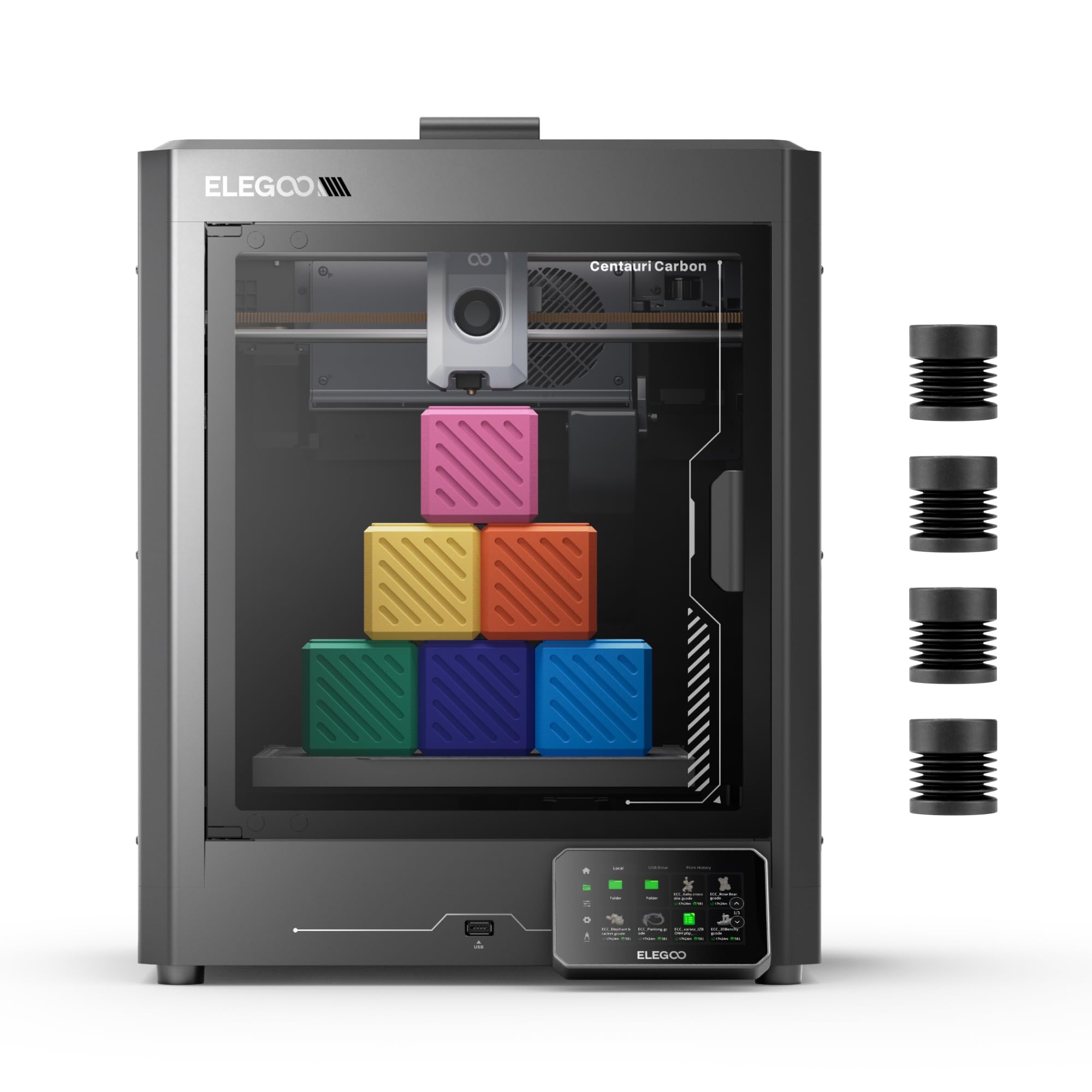
The ELEGOO Centauri Carbon arrives fully assembled and pre-calibrated, reducing the time from unboxing to first print to minutes. Its CoreXY structure delivers 500 mm/s speeds and 20,000 mm/s² acceleration, while the die-cast aluminum frame absorbs vibrations that would otherwise cause layer artifacts. The 256 mm³ build volume suits small functional parts like drone frames or automotive brackets.
A 320°C brass-hardened steel nozzle and enclosed chamber enable printing with carbon fiber reinforced filament, producing parts that are strong, lightweight, and heat-resistant. The built-in camera and dual LED lighting support real-time monitoring and time-lapse capture. The dual-sided PEI build plate includes a PLA-specific surface that minimizes warping at lower bed temperatures.
Some users report the printer shakes noticeably on unstable surfaces, and the initial hotend failed on one unit after six days. ELEGOO’s support is responsive but can take time for replacements. Despite these notes, the Centauri Carbon delivers exceptional print quality for its price point.
Why it’s great
- 320°C hotend handles carbon fiber filaments
- Die-cast aluminum frame minimizes vibration
- Built-in camera with remote monitoring
Good to know
- Heavy vibration on unstable surfaces
- Hotend communication errors reported in early units
- Support response can be slow for replacements
6. Creality K2 SE
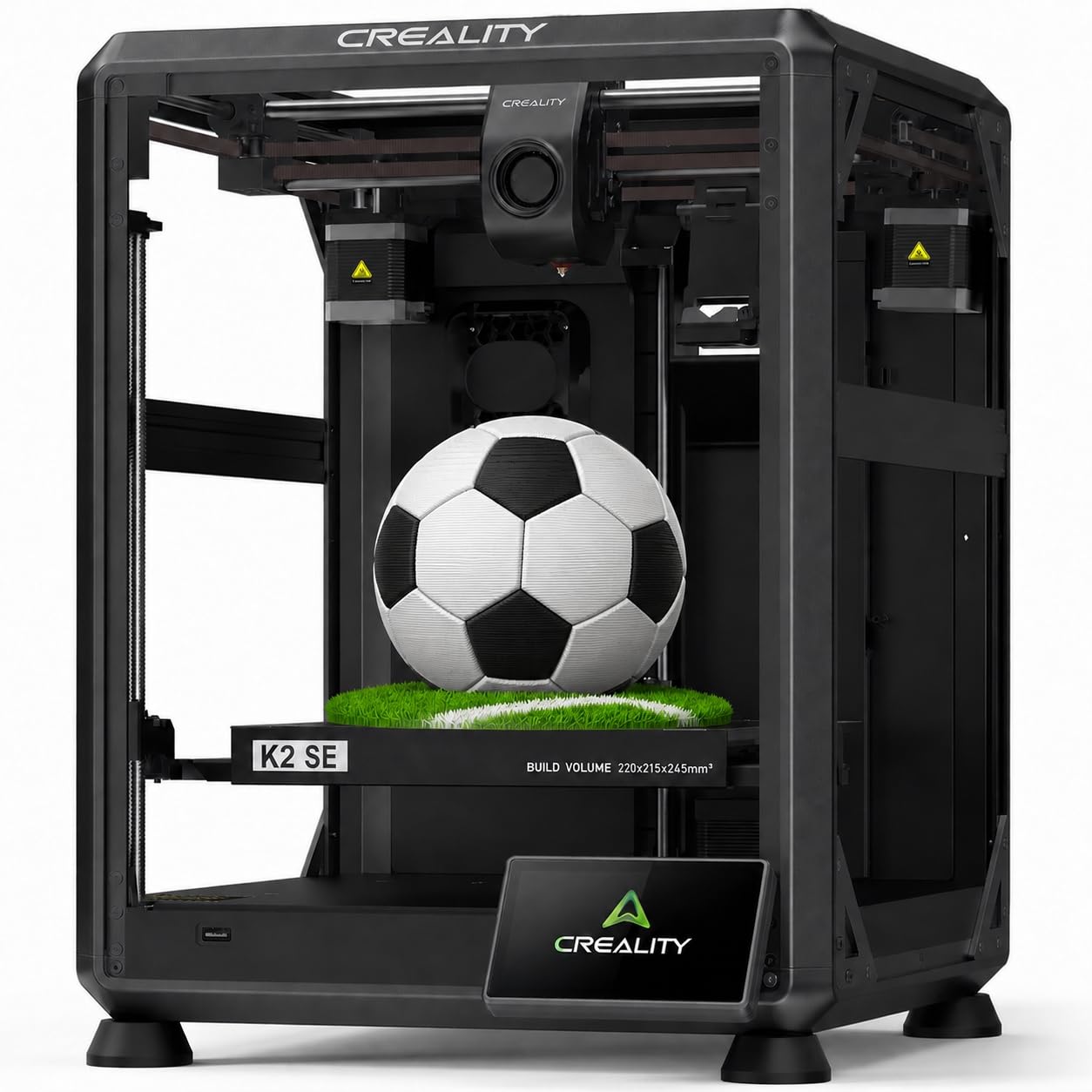
The Creality K2 SE is a pre-assembled open-frame CoreXY printer that reaches 600 mm/s travel speed and 20,000 mm/s² acceleration. It auto-calibrates out of the box, eliminating the traditional paper-leveling chore. The dynamically balanced part cooling fan combined with active input shaping reduces ringing on small, detailed prints.
The tri-metal nozzle — a steel-tipped copper nozzle with a titanium alloy heatbreak — resists heat creep and can be swapped one-handed in about three seconds. A 300°C dual-gear direct drive extruder handles PLA, PETG, ABS, and flexible TPU. Pre-installed damping pads further reduce vibrations, improving overall print stability.
Some users report that the Amazon listing shows a different cable guide configuration than what ships, and the touchscreen failed on arrival for at least one buyer. The printer also requires a glue stick as a release agent for some materials. When it works, it delivers fast, consistent prints for the money.
Why it’s great
- Single-handed quick-swap tri-metal nozzle
- Active input shaping reduces ringing artifacts
- 300°C extruder handles flexible TPU
Good to know
- Listing mismatch with actual cable guide
- Must use glue stick as release agent with some filaments
- Touchscreen can be defective out of the box
4. FLASHFORGE AD5M

The FLASHFORGE AD5M uses a CoreXY all-metal motion structure and fully automatic one-click leveling to produce reliable first layers without manual calibration. Its 220 mm³ build volume matches the sweet spot for small projects, and the Orca-flashforge slicer enables one-click batch file transmission and multi-printer network monitoring.
The patent quick-release nozzle supports multiple diameters (0.25, 0.4, 0.6, 0.8 mm) that swap in under three seconds tool-free, making it easy to switch between high-detail and high-speed modes. Power-loss detection saves the current layer and resumes after an outage. The double-sided PEI steel plate with a PETG-friendly reverse side improves adhesion flexibility.
Some owners report that the nozzle clogs easily and the small screw inside the nozzle can break during cleaning. The extruder board has failed on at least one unit within six months. The lack of mobile app connectivity for direct printing is a limitation for those who prefer tablet control.
Why it’s great
- Tool-free nozzle swap in under 3 seconds
- One-click auto-leveling guarantees first layer success
- Power-loss resume feature protects long prints
Good to know
- Nozzle prone to clogging with certain filaments
- Extruder board failure reported within 6 months
- No direct mobile app printing support
5. AOSEED X-Maker Joy AI+
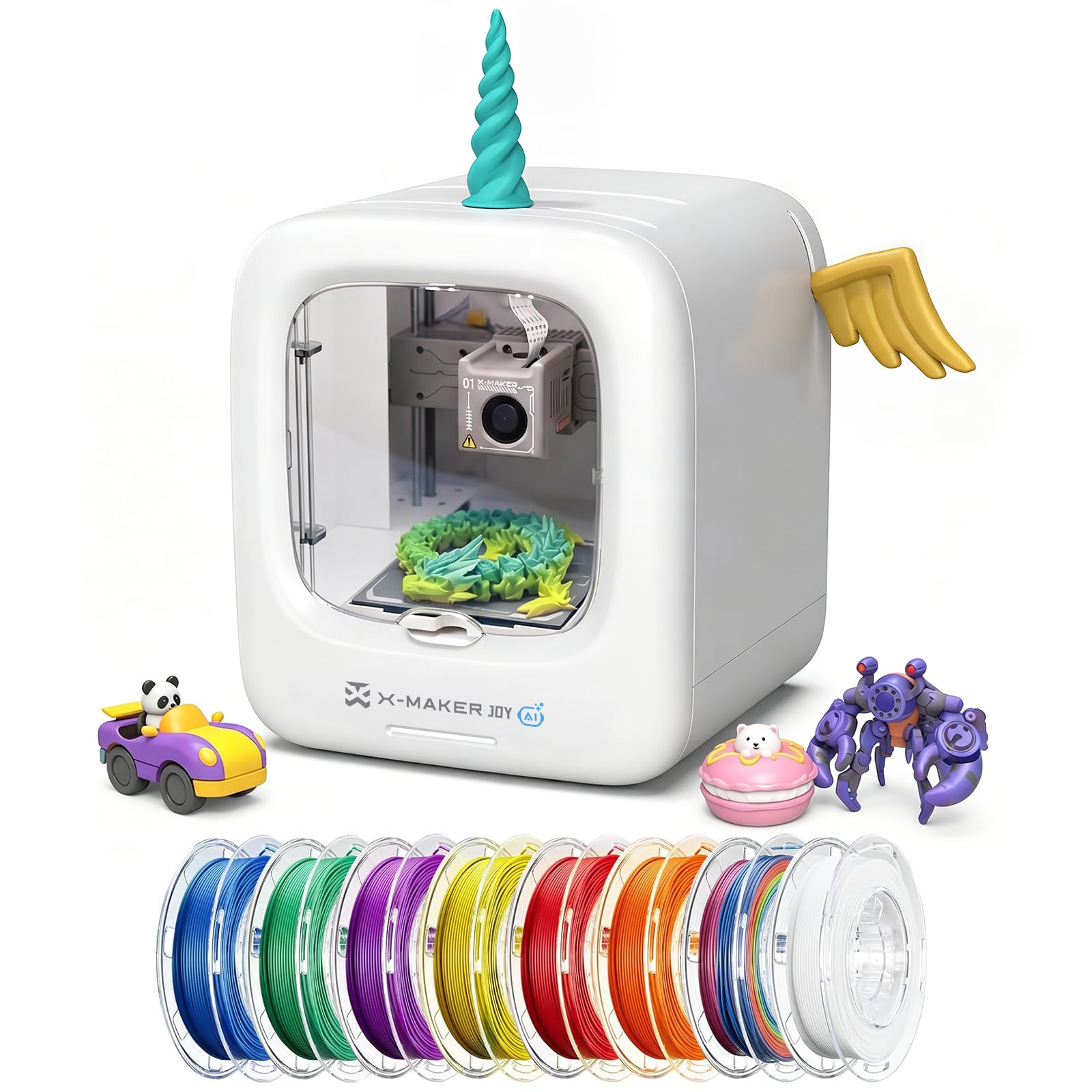
The AOSEED X-Maker Joy AI+ is purpose-built for children and families, packaging 8,000+ digital toy models and 17 themed design modules into a single ecosystem. The AI Doodle feature lets kids create custom models from voice, text, or image prompts, while AI MiniMe transforms photos into cartoon 3D figures — all without any CAD experience.
Leveling-free operation, an enclosed pinch-resistant frame, and TÜV Rheinland ISO 16000-tested PLA make it safer for unsupervised use. Speeds reach 250 mm/s with 0.05 mm precision, and small toys can print in roughly 20 minutes. The built-in camera supports real-time monitoring and automatic time-lapse capture.
Some users note that printed items can be fragile and break easily, especially fidget toys. Print times are sometimes longer than the claimed 20 minutes for more complex models. When it works, the quality and ease of use are excellent for a child-focused printer.
Why it’s great
- AI-powered model creation perfect for kids
- Enclosed design enhances safety for young users
- Comes with 8 rolls of filament and complete toolkit
Good to know
- Printed parts can be brittle and break easily
- Actual print times often exceed 20 minutes
- Limited to PLA-compatible filaments
3. Bambu Lab A1 Mini
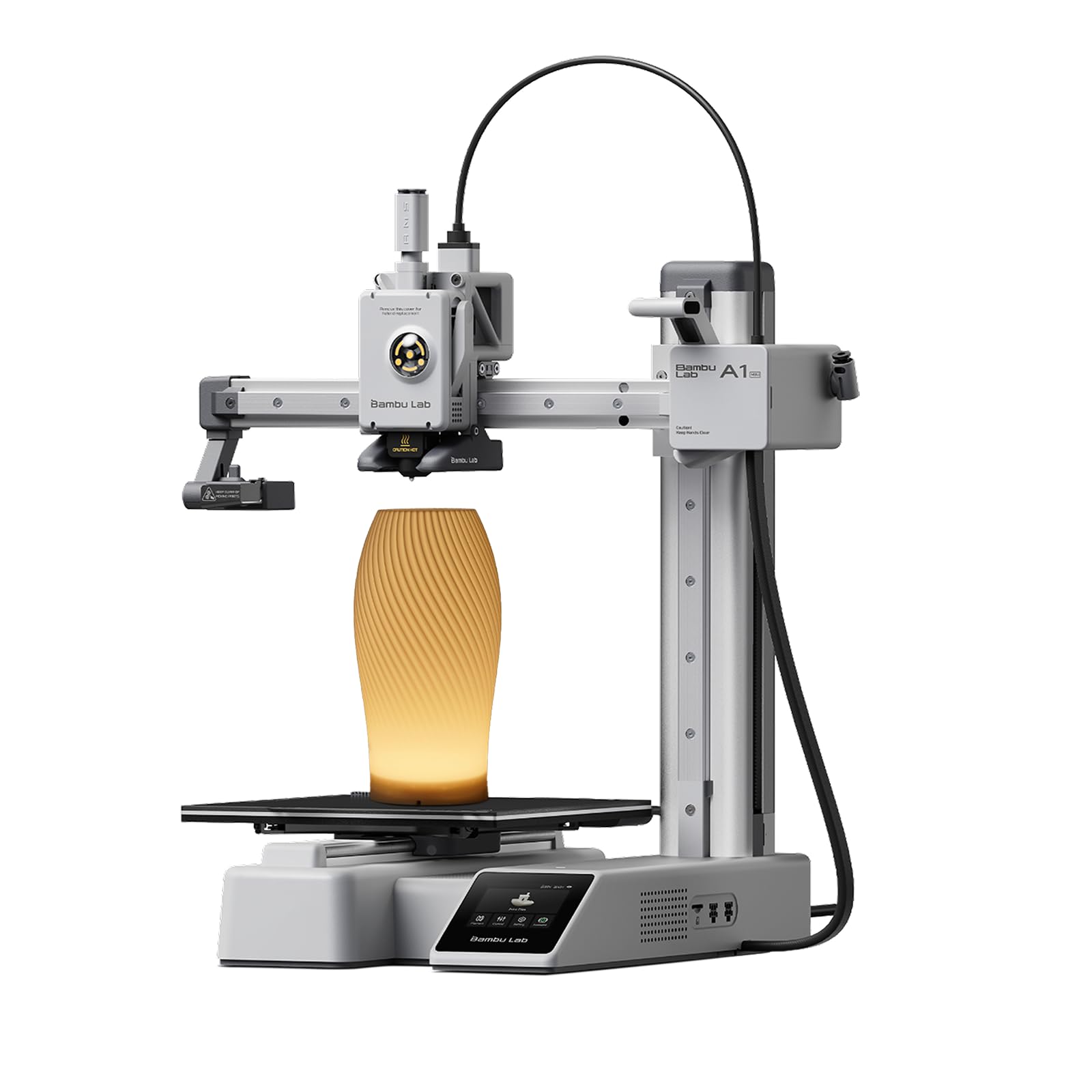
The Bambu Lab A1 Mini is the most beginner-friendly open-frame FDM printer for small projects, with a setup time of roughly 20 minutes. Its full auto-calibration handles bed leveling, nozzle offset, and flow rate compensation automatically. The printer operates at ≤ 48 dB during prints, making it unobtrusive in a home or classroom environment.
The A1 Mini connects to the Bambu Handy app for mobile control and accesses MakerWorld’s library of ready-to-print models. The included LED Lamp Kit lets users print functional decorative lights, adding a creative twist to small projects. Print quality is consistently good with minimal stringing and clean layer lines.
Some units have suffered from nozzle failures on the first print, including one where the nozzle shot out and the rubber cover melted. The build area of 180 mm³ limits what you can produce, and the printer is loud during the pre-print calibration phase. Despite these issues, most owners find it reliable for everyday small projects.
Why it’s great
- Extremely fast and simple out-of-box setup
- Quiet ≤48 dB operation during printing
- LED Lamp Kit included for creative projects
Good to know
- Nozzle failure reported on first print for some units
- Loud during pre-print calibration phase
- Small 180 mm³ build volume limits part size
1. HEPHi3D Tina2 Plus
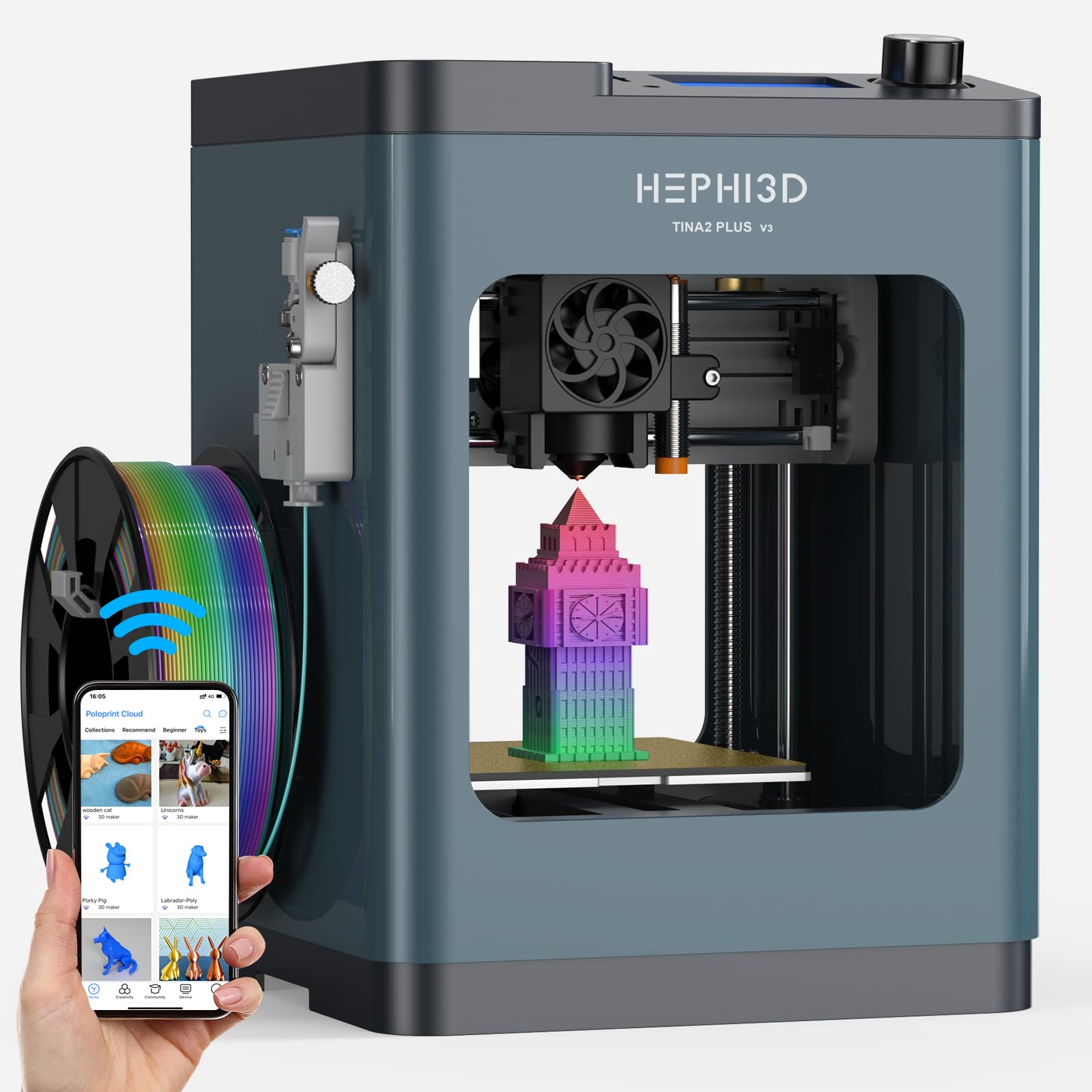
The HEPHi3D Tina2 Plus is an entry-level mini 3D printer that arrives fully assembled with auto bed leveling and a 250 mm/s maximum print speed. Its compact footprint (8.27 x 8.72 x 11.42 inches) fits on any desk, and the 100 mm³ build volume handles small toys, fidgets, and learning models. The printer connects via the Poloprint Cloud app for Wi-Fi slicing and printing.
The included 3,000+ model library and 20 design modules help beginners start printing immediately. The ceramic hotend heats in 40 seconds, and the quick-release nozzle simplifies maintenance. The printer is open-source and compatible with Cura, PrusaSlicer, and Simplify3D for advanced users who want full control.
App reliability is a common complaint — Wi-Fi and Bluetooth connection can be extremely difficult, especially on 5 GHz networks. Some users report server errors and glitchy behavior in the Poloprint app. The build volume is also the smallest on this list, limiting project possibilities.
Why it’s great
- Truly plug-and-play with auto leveling out of the box
- Very quiet for a machine in this price range
- Open-source slicer compatibility for advanced users
Good to know
- Poloprint app has persistent Wi-Fi/Bluetooth connection issues
- 100 mm³ build volume severely limits project size
- App server errors disrupt the printing workflow
2. Entina Tina2 Plus

The Entina Tina2 Plus is nearly identical to the HEPHi3D variant but comes with a PEI spring steel build plate and dual Z-axis structure that improve print adhesion and stability. It is fully assembled out of the box, requires no calibration, and connects via the Poloprint Cloud app. The 250 mm/s maximum speed and 40-second ceramic hotend are shared features.
The 1,500+ model library accessed through the app is smaller than the HEPHi3D’s 3,000+, but the design modules and AI/photo model generation remain available. The dual Z-axis significantly reduces wobble during high-speed printing, producing cleaner vertical walls. The printer supports TF card, Wi-Fi, and USB connectivity.
Customer reviews for this specific SKU are sparse, which makes long-term reliability harder to gauge. The Poloprint app issues described on the HEPHi3D variant apply here as well. For buyers who want the same hardware with a better build plate, the Entina version is the pick.
Why it’s great
- PEI spring steel plate provides excellent adhesion
- Dual Z-axis reduces wobble for cleaner prints
- Comes completely assembled with no setup required
Good to know
- Limited customer reviews to gauge long-term reliability
- Same Poloprint app connection issues as other Tina2 models
- Smaller built-in model library than competing variants
FAQ
What build volume is truly enough for small projects?
Why does my 3D printer keep failing on small detailed prints?
Is CoreXY better than a bed slinger for small projects?
Final Thoughts: The Verdict
For most users, the 3d printer for small projects winner is the Bambu Lab P1S because it combines enclosed reliability with multi-color capability and auto-leveling that never fails. If you want a fast, open-frame machine with tool-free nozzle changes, grab the FLASHFORGE AD5M. And for true large-format multi-color printing with industrial material support, nothing beats the Creality K2 Plus Combo.