
Our readers keep the lights on and the weekend projects moving. As an Amazon Associate, I earn from qualifying purchases.
A 3D printer kit should feel like the start of a creative journey, not a crash course in mechanical engineering. The best options blend a rewarding build process with reliable prints that actually look like the model on your screen — no warped corners, no mystery parts left over.
I’m Rikta — the co-founder and writer behind FitlyFast. I spend my time dissecting hardware specifications and reading through thousands of user reports to separate marketing hype from real-world performance in additive manufacturing.
Whether you’re assembling your first machine or looking for a high-speed upgrade with multi-color capabilities, this guide covers the best 3d printer kit options across every skill level and budget tier.
How To Choose The Best 3D Printer Kit
Selecting the right kit is about matching the assembly experience and print capability to your goals. A kit that demands precision wiring and calibration offers a deeper learning curve, while a fully assembled unit with auto-leveling lets you start printing within minutes. The choice defines your first week with the machine.
Build Volume and What It Unlocks
The build volume sets the maximum physical size of a single print. Smaller machines like the Tina2C with a 3.9-inch cube are perfect for miniatures, keychains, and educational parts. Going up to an 11.8-inch cube on the Longer LK5 Pro lets you print cosplay helmets, large brackets, or prototype enclosures without splitting and gluing pieces. Measure the largest object you plan to print — that number dictates your platform.
The Real Value of Auto-Leveling
Manual bed leveling with a piece of paper is a rite of passage, but it can also be the source of most failed prints. Modern auto-leveling systems — like the load cell sensor on the Prusa MK4 or the 1-click calibration on the Flashforge AD5X — remove the guesswork and ensure consistent first-layer squish across every print. For beginners, this single feature separates frustration from enjoyment.
Motion System: Gantry vs. CoreXY
Traditional gantry systems (used on the Longer LK5 Pro) move the print bed on the Y-axis and the print head on the X and Z axes. CoreXY designs (used on the ELEGOO Centauri Carbon and Flashforge AD5X) keep the bed stationary and move only the print head using belts and pulleys. CoreXY systems are faster and more stable at high speeds, but gantry machines are often cheaper and easier to repair. Choose by your priority: speed and quality versus simplicity and cost.
Quick Comparison
On smaller screens, swipe sideways to see the full table.
| Model | Category | Best For | Key Spec | Amazon |
|---|---|---|---|---|
| Bambu Lab A1 Combo + LED Lamp Kit | Multi-Color Premium | Seamless multi-color printing | Multi-color AMS lite, 10,000 mm/s² acceleration | Amazon |
| Creality K2 Combo (A) | Multi-Color Enthusiast | High-speed multi-color prints | 16-color CFS system, 600 mm/s printing speed | Amazon |
| Original Prusa MK4S KIT | DIY Build Pro | Rewarding assembly with pro results | Input shaping, automatic calibration, 9.84 x 8.3 x 8.6 in print volume | Amazon |
| Original Prusa MK4 3D Printer Kit | Workhorse Kit | Long-term reliability and open-source upgrades | Nextruder extruder, load cell sensor, 250×210×220 mm | Amazon |
| ELEGOO Centauri Carbon | Enclosed Speedster | Out-of-box high-speed with carbon fiber filaments | 320°C nozzle, enclosed chamber, 500 mm/s | Amazon |
| FLASHFORGE AD5X | Multi-Color High-Speed | Fast, precise multi-color prototyping | 600 mm/s CoreXY, 4-color system, 300°C direct drive | Amazon |
| Longer LK5 Pro | Large Format Builder | Large-scale models on a budget | 11.8 x 11.8 x 15.7 in build volume, dual Z-axis | Amazon |
| Entina Tina2C | Entry-Level Educational | STEM learning and first prints for kids | 8-min setup, app & WiFi control, 3.9-inch cube | Amazon |
| Fully Assembled Mini 3D Printer (TINA2S) | Starter Value | Ultra-low friction intro to 3D printing | Fully assembled, auto-leveling, WiFi, 10M PLA included | Amazon |
In‑Depth Reviews
1. Bambu Lab A1 Combo + LED Lamp Kit

The Bambu Lab A1 Combo is the closest you can get to a consumer-grade appliance in the FDM space. It arrives with the AMS Lite multi-color system, a 10,000 mm/s² acceleration profile, and full-auto calibration that handles Z-offset and bed leveling before every print. Users report printing nonstop for over ten days without a single failure — a feat most budget machines cannot match.
The included LED Lamp Kit turns functional prints into lit decorations, expanding what a tool can produce beyond parts and prototypes. The active motor noise canceling keeps the noise profile under 48 dB, so you can run it in a bedroom or office without distraction. The 1-Clip quick-swap nozzle design makes material changes or maintenance painless even for first-time owners.
Some users note the lack of printed operational instructions, but the intuitive interface and MakerLab app (with thousands of ready-to-print designs) offset that shortcoming. The AMS lite handles various third-party spools with adapter prints, though you may need to print adapters for wider spools. For a combination of speed, quality, and multi-color capability, this is the easiest recommendation.
Why it’s great
- AMS Lite multi-color system works reliably with various filament types
- Full-auto calibration ensures perfect first-layer adhesion every time
- Quiet operation below 48 dB suitable for shared spaces
Good to know
- No printed operational instructions included
- Only a small sample of filament strands provided
2. Creality K2 Combo (A)

Hooking up multiple CFS units unlocks up to 16 colors without needing to swap spools mid-print. The 260 mm cubic build volume covers most user scenarios, from prototypes to decorative projects.
The smart AI camera monitors prints in real-time, watching for spaghetti failures and filament run-out. The auto-leveling system only probes the area relevant to your print, speeding up calibration compared to full-bed probing. Pre-assembled to 95%, the setup involves installing the screen and running the first calibration — users report being up and running within an hour of unboxing.
Some users found the CFS does not fit standard filament spools out of the box and requires printing adapters, which takes 4-5 hours per adapter. The lack of 5 GHz Wi-Fi support is a minor connectivity limitation, and a few units have reported extruder clogs. The AI detection isn’t perfect — some failed prints weren’t caught. Still, for the speed and color range, this is a top-tier option.
Why it’s great
- Step-servo motors provide exceptional speed and extrusion consistency
- Smart AI camera monitors for print failures in real-time
- Pre-assembled to 95% — quick setup out of the box
Good to know
- CFS requires printed adapters for standard spools
- No 5 GHz Wi-Fi support, only 2.4 GHz
3. Original Prusa MK4S KIT
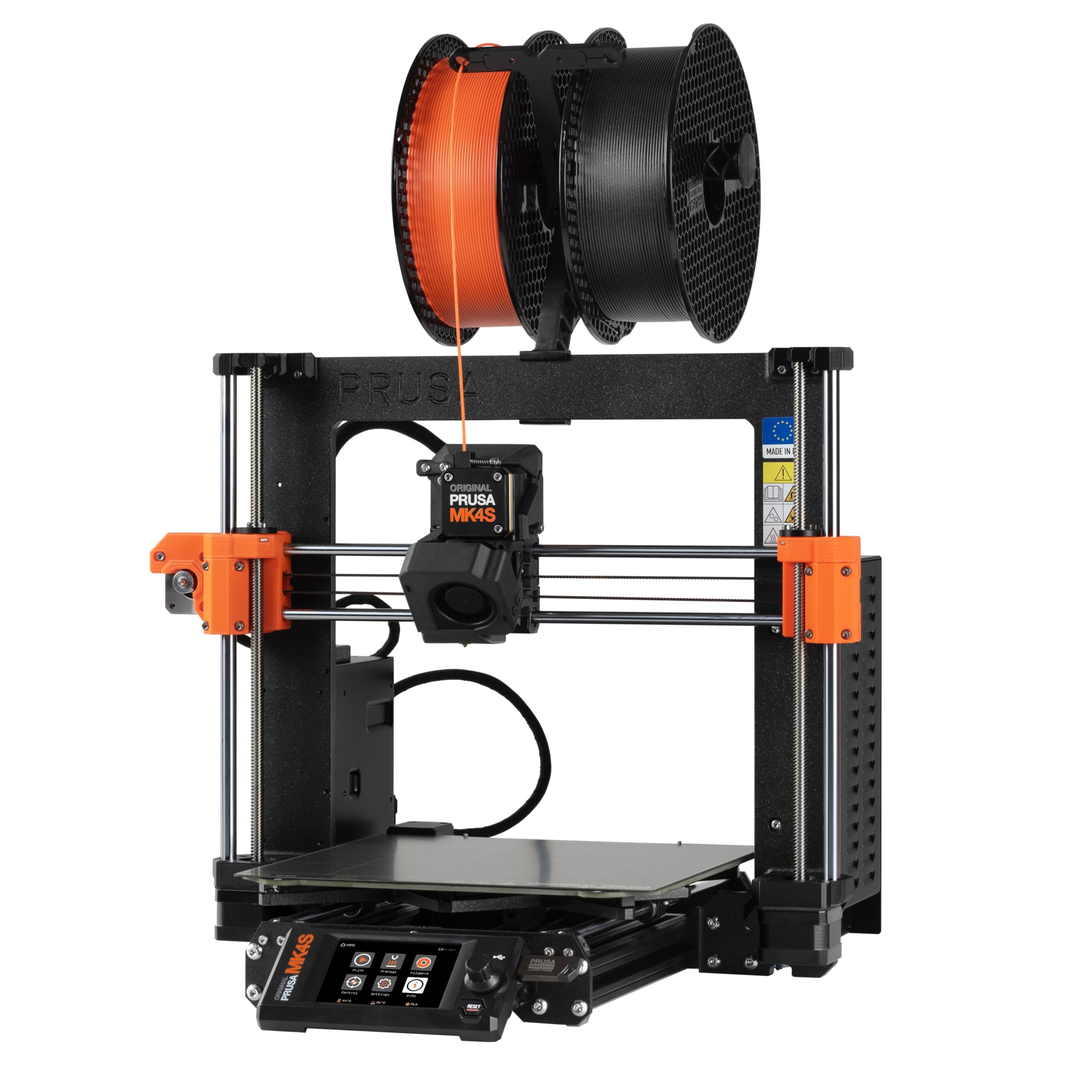
The Prusa MK4S KIT is designed for users who want to build their machine from the ground up. The assembly process takes one to three days with step-by-step interactive instructions that teach the mechanics and electronics of professional FDM printing. Input shaping compensates for ringing and vibration, delivering clean edges at higher speeds without sacrificing print quality.
The build volume of 9.84 x 8.3 x 8.6 inches covers medium-sized prints, and the open-source design ensures long-term firmware support and modular hardware upgrades. The Nextruder extruder handles a wide variety of materials, and the automatic calibration (including the load cell sensor for first-layer pressure) removes the manual tweaking that plagues cheaper builds. Users report zero supports needed for complex overhangs and a smooth surface finish on the very first big print.
Some users noted the printer is slightly noisy during the self-check phase, and a few experienced warping during cooling, which may be related to user settings. The price premium reflects the professional-grade reliability and lifetime technical support rather than raw speed. For those who value a deep understanding of their machine, the MK4S KIT delivers an unmatched learning experience.
Why it’s great
- Interactive build guide teaches printer mechanics and electronics
- Input shaping produces clean edges at faster speeds
- Open-source and upgradeable platform with lifetime support
Good to know
- Assembly takes one to three days
- Self-check phase is noticeably noisy
4. Original Prusa MK4 3D Printer Kit

The Prusa MK4 Kit is the DIY edition of the company’s flagship workhorse, now updated with Input Shaper support for high-speed performance. The load cell sensor on the Nextruder extruder measures pressure against the print surface directly, delivering perfectly smooth first layers without any manual bed leveling. Users report printing more in one month with this kit than they did over five years with a budget machine.
The 32-bit connected platform provides remote printing via Prusa Connect and the EasyPrint app, plus a customizable UI with one-click printing. The removable PEI powder-coated spring steel sheets hold prints firmly during the job and release them with a simple flex when the bed cools. Quality reports show nozzle accuracy to within 0.004 inches, and holes print dimensionally spot-on without post-processing.
The kit takes three days for a patient builder, and the online instructions, while detailed, could use clearer images. A few users needed help from the Prusa Discord community for belt tension issues. The Mk4 supports upgrade to the MK4S specification later, ensuring the machine evolves with user needs. For a long-term investment in a printer you’ll repair and upgrade, this is the benchmark.
Why it’s great
- Load cell sensor ensures perfect first layers with no manual leveling
- PEI sheet makes print removal effortless with a simple flex
- Open-source platform supports long-term upgrades and repairs
Good to know
- Kit assembly takes 1-3 days for first-time builders
- Slightly noisy during operation
5. ELEGOO Centauri Carbon

The ELEGOO Centauri Carbon arrives fully assembled and pre-calibrated, so users can unbox, remove shipping screws, and start printing within minutes. The CoreXY motion system pushes speeds up to 500 mm/s with 20,000 mm/s² acceleration, and the enclosed chamber — combined with a 320°C brass-hardened steel nozzle — enables printing with tough filaments like carbon fiber reinforced PLA, ABS, and PETG.
The die-cast aluminum frame minimizes vibrations even at high speeds, and automatic vibration compensation ensures smooth first layers. The built-in chamber camera with dual LED lighting provides real-time monitoring and time-lapse recording. Users report printing 24-hour jobs in five hours with better quality than a standard Ender 3, and the dual-sided plate features a PLA Specific Surface that reduces bed temperature requirements.
Some users experienced vibration and shaking during faster prints, requiring a stable surface. The software stack (ElegooSlicer) is functional but not as polished as Bambu’s offerings. The first unit on one user failed after six days, and tech support took seven weeks for a replacement — though the replacement unit ran 300-400 error-free hours. The price difference compared to fully assembled competitors makes this an exceptional value.
Why it’s great
- Ready to print out of the box with pre-calibration
- 320°C nozzle and enclosure support advanced materials like carbon fiber
- Rigid die-cast frame minimizes vibration at high speeds
Good to know
- Shakes notably during fast prints; needs a stable table
- Tech support can be slow for warranty replacements
6. FLASHFORGE AD5X

The FLASHFORGE AD5X brings CoreXY speed and multi-color capability into a mid-range package. With a 600 mm/s printing speed and 20,000 mm/s² acceleration, it handles rapid prototyping and batch production efficiently. The 1-click auto leveling calibrates the print bed automatically, and the 300°C direct-drive extruder supports a range of materials including PLA, PETG, and TPU.
The printer supports four nozzle sizes from 0.25 mm to 0.8 mm, giving users control over detail and print speed. The dual-channel cooling fan and vibration compensation system produce clean overhangs and precise corners. Users report excellent first layers with strong bed adhesion on the PEI plate, and no clogs or jams after 100 hours of printing. The Flash Maker mobile app provides remote monitoring and control.
Some users report the stock software stack is poor — the included Orca Slicer lacks pre-configured profiles for multi-color. The filament purge sound is loud, though an enclosure helps dampen it. A few units had jamming issues at the 4-in-1 connector, and one unit stopped working entirely. The hardware build quality is solid, but the software experience lags behind Bambu’s ecosystem. For the price, it offers strong multi-color capabilities.
Why it’s great
- CoreXY platform delivers 600 mm/s print speeds
- 1-click auto leveling ensures consistent first-layer adhesion
- Four nozzle sizes provide flexibility for detail or speed
Good to know
- Stock software stack is unpolished, especially for multi-color
- Noisy during filament purge; an enclosure is recommended
7. Longer LK5 Pro
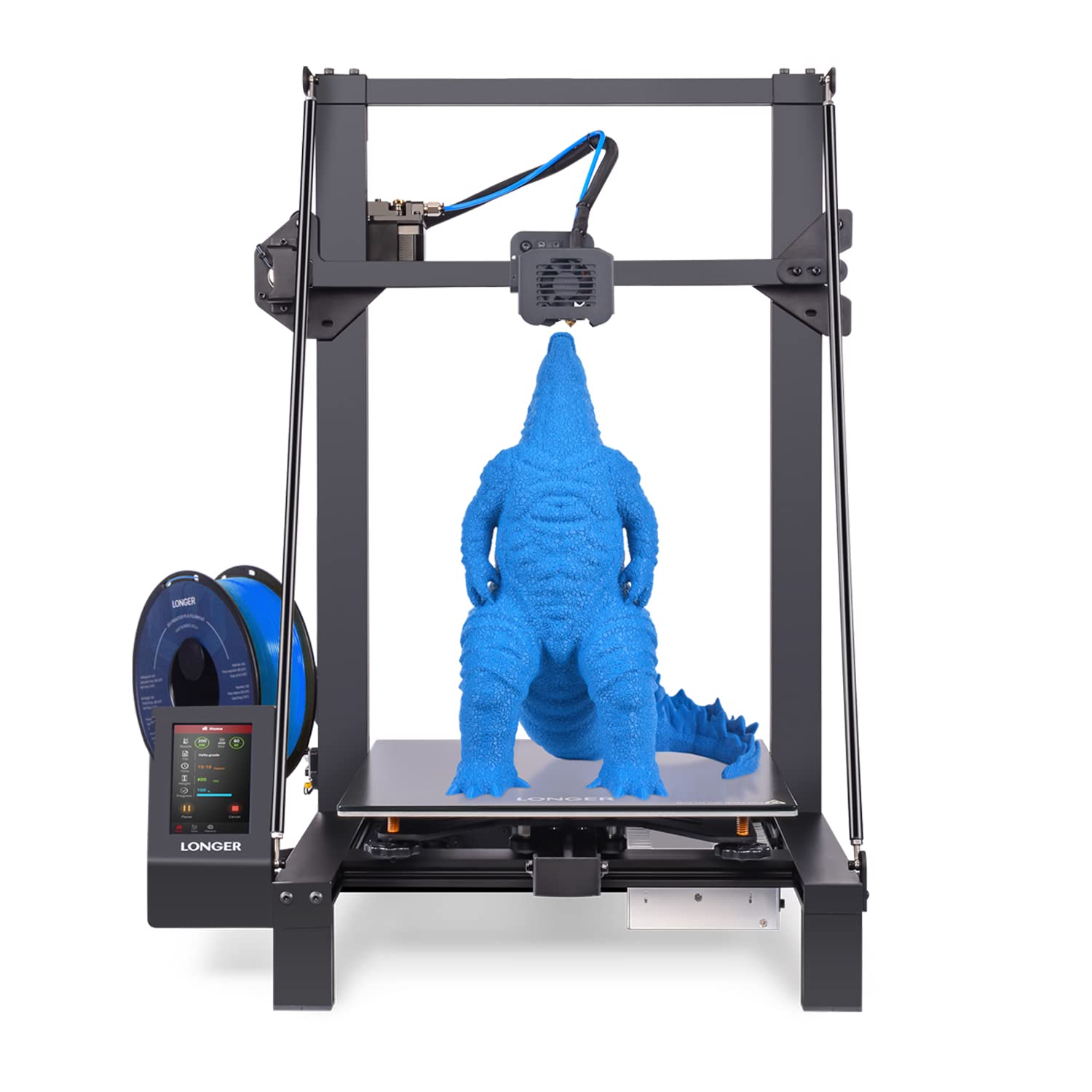
The Longer LK5 Pro delivers an impressive build volume of 11.8 x 11.8 x 15.7 inches at a price point that undercuts most machines with similar capacity. The dual Z-axis upgrade enhances stability and reduces bed leveling effort over the long term. The reinforced diagonal bar design forms a stable triangular structure that minimizes vibration, even when printing tall objects that could wobble on lesser frames.
The lattice glass plate provides a flatter hotbed surface compared to standard glass, and the included filament run-out sensor and power-loss recovery feature prevent wasted material. The TMC2209 silent driver keeps noise levels manageable, and the open-source firmware lets users modify G-code and experiment with custom profiles. Users report the 180 mm/s printing speed hits a good balance between productivity and quality for a gantry machine.
Manual bed leveling is still required, and many users recommend adding a BLTouch probe for consistent results. The included Cura version is outdated, and the glass bed adhesion can be too strong, sometimes making part removal difficult — a flexible steel sheet upgrade is a common recommendation. Fans on some units failed early, but after replacing them with quality parts, users have logged over 600 hours without issues. For the price, the LK5 Pro offers unmatched build volume.
Why it’s great
- Massive 11.8-inch cubic build volume fits large models
- Dual Z-axis improves stability and reduces bed leveling effort
- Open-source firmware allows full customization
Good to know
- Manual bed leveling is required; BLTouch upgrade recommended
- Glass bed adhesion can be too strong; flexible sheet upgrade advised
8. Entina Tina2C

The Entina Tina2C targets the educational and family market with a guided setup through the Poloprint Cloud app that can have users printing their first model in as little as eight minutes. The 3.9-inch cubic build volume is small but perfectly adequate for STEM projects, keychains, toys, and small parts. The app includes AI-powered search and photo-to-print features, plus over 20 creative modules and regular STEM learning courses.
The printer supports both 2.4 GHz WiFi printing for direct-from-app control and TF card offline mode for flexibility. The self-cleaning nozzle design simplifies maintenance, and the quick-swap printhead structure means even first-time users can replace parts without professional help. Auto-leveling combined with power-loss recovery improves print success rates significantly for young users.
The small build size limits what can be printed in one piece — anything larger than a 3.9-inch cube requires splitting models. Some users with experience in larger printers find the learning curve for the app slightly clunky when downloading custom prints. The build quality is adequate for the entry-level price, but it won’t handle advanced materials beyond PLA and basic TPU. For a child’s first printer or a classroom setting, the Tina2C is a solid, low-friction introduction.
Why it’s great
- Set up and start printing in as fast as 8 minutes
- App includes AI photo-to-print and STEM learning modules
- Self-cleaning nozzle and quick-swap printhead reduce maintenance
Good to know
- 3.9-inch build volume limits print size significantly
- App interface for custom downloads could be more intuitive
9. Fully Assembled Mini 3D Printer (TINA2S)

The TINA2S offers the most friction-free start into 3D printing with a fully assembled machine that requires no tools or calibration. It includes a 10-meter spool of PLA filament, a microSD card pre-loaded with model designs and splicing software, and all the accessories needed for the first prints. The compact size of 8.3 x 8.3 x 11.4 inches makes it easy to place on a desk or classroom shelf.
Auto-leveling and a dual Z-axis rail help maintain print quality over time, while the one-touch filament loading and retraction system simplifies material changes. The magnetic flexible build plate allows finished prints to pop off with a simple bend. WiFi compatibility with Windows, macOS, and Linux ensures broad support, and the open-source design works with WiiBuilder, Cura, Simplify3D, and Slic3r.
Some users report that auto-leveling can be unreliable, leading to poor first-layer adhesion and failed prints. The small 250-gram filament spools are non-standard diameter, so finding replacements that fit the holder can be a challenge. A few users had to return units due to defects or poor build quality. The included glue stick is essential for bed adhesion, and without it, prints may not stick. For a true zero-effort introduction at the lowest entry point, the TINA2S works — but patience is required when it doesn’t.
Why it’s great
- Fully assembled with no tools required out of the box
- Includes filament, SD card with software, and all accessories
- WiFi connectivity works with Mac, Windows, and Linux
Good to know
- Auto-leveling can be unreliable for some units
- Non-standard filament spool size limits replacement options
FAQ
How long does it take to assemble a 3D printer kit?
What build volume do I need as a beginner?
Is multi-color printing worth the extra cost?
Do I need an enclosure for my 3D printer kit?
Final Thoughts: The Verdict
For most users, the best 3d printer kit winner is the Bambu Lab A1 Combo because it combines fully automatic calibration, a reliable multi-color system, and quiet operation into a package that works predictably from the first print. If you want the deep learning experience of building your own machine with professional-grade reliability, grab the Original Prusa MK4S KIT. And for the largest build volume at the best price, nothing beats the Longer LK5 Pro.