
Our readers keep the lights on and the weekend projects moving. As an Amazon Associate, I earn from qualifying purchases.
The promise of a 3D printer under $200 is tantalizing, but the reality often involves hours of bed leveling, failed first layers, and a pile of stringy plastic. The best machines in this price tier skip the frustration and deliver reliable prints right out of the box, turning a potential tinkering nightmare into a genuine creative tool for beginners, kids, and hobbyists.
I’m Rikta — the co-founder and writer behind FitlyFast. I’ve spent countless hours analyzing build volumes, extrusion systems, and auto-leveling sensors to separate the plug-and-play winners from the projects that never end.
After reviewing dozens of filament diameters, print speeds, and bed adhesion systems, I’ve curated the definitive list of options that actually work. This guide covers the best options for anyone searching for a 3d printer under $200.
How To Choose The Best 3D Printer Under $200
Finding a capable printer in this budget range requires understanding where manufacturers cut corners and where they invest in genuine quality. The key is prioritizing features that affect print reliability—auto-leveling, a flexible build plate, and a fully assembled frame—over raw build volume or maximum claimed speed.
Auto-Leveling is Non-Negotiable for Beginners
A manual leveling procedure on an entry-level printer can take 30 to 45 minutes and must be repeated after every few prints. Printers with a one-touch auto-leveling system use a proximity sensor to map the build plate, ensuring the first layer sticks without guesswork. In the sub-$200 bracket, this feature alone separates a frustration-free experience from a discarded hobby.
Build Volume: Small Parts, Big Value
Most printers in this price range offer a build volume around 100 x 100 x 100 mm or slightly larger. This is perfectly adequate for miniatures, toys, phone stands, and small functional parts. Machines boasting larger volumes often sacrifice print quality or structural rigidity, leading to layer shifting and poor surface finish. Focus on precision within a smaller footprint rather than chasing a larger bed.
Fully Assembled vs. DIY Kits
A DIY kit saves money but demands two to four hours of assembly and calibration before the first print. A fully assembled machine lets you unbox, load filament, and print within minutes. For a first-time buyer or a gift for a child, the premium for a pre-assembled unit is well worth the saved time and avoided frustration. Some kits offer excellent value for the tinkerer, but the ready-to-run models dominate this list for a reason.
Quick Comparison
On smaller screens, swipe sideways to see the full table.
| Model | Category | Best For | Key Spec | Amazon |
|---|---|---|---|---|
| Entina Tina2C | FDM | AI-powered STEM learning | 100 x 100 x 100 mm build volume | Amazon |
| ELEGOO Mars 5 | Resin | High-detail miniatures | 4K mono LCD, 143 x 89.6 x 150 mm | Amazon |
| WEEFUN TINA2 | FDM | Kids and schools | 100 x 105 x 100 mm build volume | Amazon |
| HEPHI3D TINA2C | FDM | WiFi cloud printing | 100 x 100 x 100 mm build volume | Amazon |
| Wiiboox TINA2S | FDM | Complete starter kit | 100 x 100 x 100 mm build volume | Amazon |
| Entina Tina2 Basic | FDM | Compact desktop use | 100 x 105 x 100 mm build volume | Amazon |
| Geeetech M1 | FDM | Direct drive extruder | 100 x 110 x 100 mm build volume | Amazon |
| XZN Mini 3D Printer | FDM | High speed 250mm/s | 100 x 100 x 100 mm build volume | Amazon |
| Creality Ender 3 | FDM | DIY tinkerers/projects | 220 x 220 x 250 mm build volume | Amazon |
In‑Depth Reviews
1. Entina Tina2C 3D Printer

The Entina Tina2C elevates the entry-level experience with an integrated AI engine that powers photo-to-print conversion and a library of over 3,000 models within the Poloprint Cloud app. Its self-cleaning nozzle and quick-swap printhead reduce maintenance downtime, a rare feature at this price point. The 100 mm cubed build volume is standard for this class, but the included STEM learning modules make it uniquely suited for educational environments.
Auto-leveling and power-loss recovery are standard, ensuring consistent first-layer adhesion even after interruptions. The 2.4G WiFi connectivity allows direct printing from a phone or tablet, eliminating the need for a PC during the creative process. The machine operates quietly, with an integrated LED that illuminates the build plate without glare.
Some users note that downloading models from third-party sites requires a slight learning curve, but the included pre-loaded SD card provides immediate gratification. The flexible magnetic build plate makes model removal as simple as a gentle bend, and the quick-swap printhead minimizes downtime when switching filament colors or types.
Why it’s great
- AI-powered print creation from photos
- Self-cleaning nozzle reduces clogs
- WiFi and app control for phone-only operation
Good to know
- Small 3.9-inch cube build volume limits larger projects
- App reliance may frustrate users wanting full slicer control
2. ELEGOO Mars 5 Resin 3D Printer
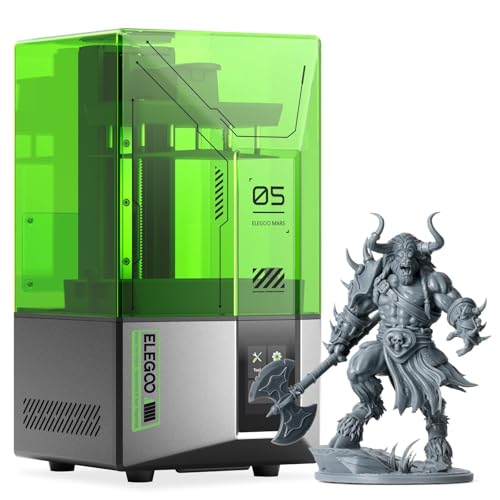
The ELEGOO Mars 5 brings resin printing to the sub-$200 price point with a 4K mono LCD that resolves intricate details far beyond what any FDM machine can achieve at this cost. The one-click auto-leveling system uses a smart mechanical sensor to map the build plate, eliminating the messy manual calibration that plagues older resin printers. Its 5.65 x 3.53 x 5.91 inch build volume is ideal for tabletop miniatures, jewelry molds, and dental models.
An integrated overheat protection system halts the printer if the LED temperature exceeds 80°C, while the residue detection feature prevents LCD screen damage from cured resin debris. The textured build plate provides excellent adhesion out of the box, and users report that removing prints with hot water is cleaner than using a scraper. The machine includes a self-check routine that verifies component function before each print run.
Resin printing requires ventilation and post-processing (washing and curing), which adds complexity compared to FDM. Some units have reported screen failures, though customer support has been responsive. The vat FEP film replacement is finicky, requiring careful tensioning to maintain seal integrity. For users who prioritize surface finish and detail over ease of use, this is the top performer.
Why it’s great
- Stunning 4K resolution for ultra-fine details
- One-click auto-leveling removes calibration guesswork
- Overheat protection and residue detection increase reliability
Good to know
- Requires ventilation and post-processing equipment
- Small build plate limits practical part size
3. WEEFUN TINA2 Mini 3D Printer

This version of the TINA2, marketed under the WEEFUN brand, offers the same auto-leveling and magnetic build plate as its peers but adds dual Z-axis and dual Y-axis rails for enhanced stability during long prints. The 100 x 105 x 100 mm build volume is standard for this mini platform, but the extra rail reinforcement reduces layer shifting on taller prints. The printer ships fully assembled and requires only filament loading and SD card insertion before the first print.
The open-source firmware allows advanced users to tweak slicer settings in Cura, Simplify3D, or PrusaSlicer, while beginners can stick to the included WiiBuilder software. The one-touch auto-leveling uses an inductive sensor that works with the magnetic steel plate, but users must avoid non-metal replacement plates to prevent sensor malfunctions. The power-loss resume function saves the print position after an outage, preventing total rebuilds on multi-hour projects.
Setup instructions for connecting via USB-C can be confusing for first-timers, and some users report that the included guide is minimal. The flexible build plate performs well with PLA and PLA Pro, but TPU requires a glue stick for reliable adhesion. For a school environment where multiple users need consistent, low-maintenance operation, this machine fits well.
Why it’s great
- Dual Z and Y rails improve print stability
- Fully assembled with auto-leveling out of the box
- Open-source firmware for advanced customization
Good to know
- Setup instructions are sparse for complete beginners
- Non-metal build plates will disable the leveling sensor
4. HEPHI3D TINA2C 3D Printer
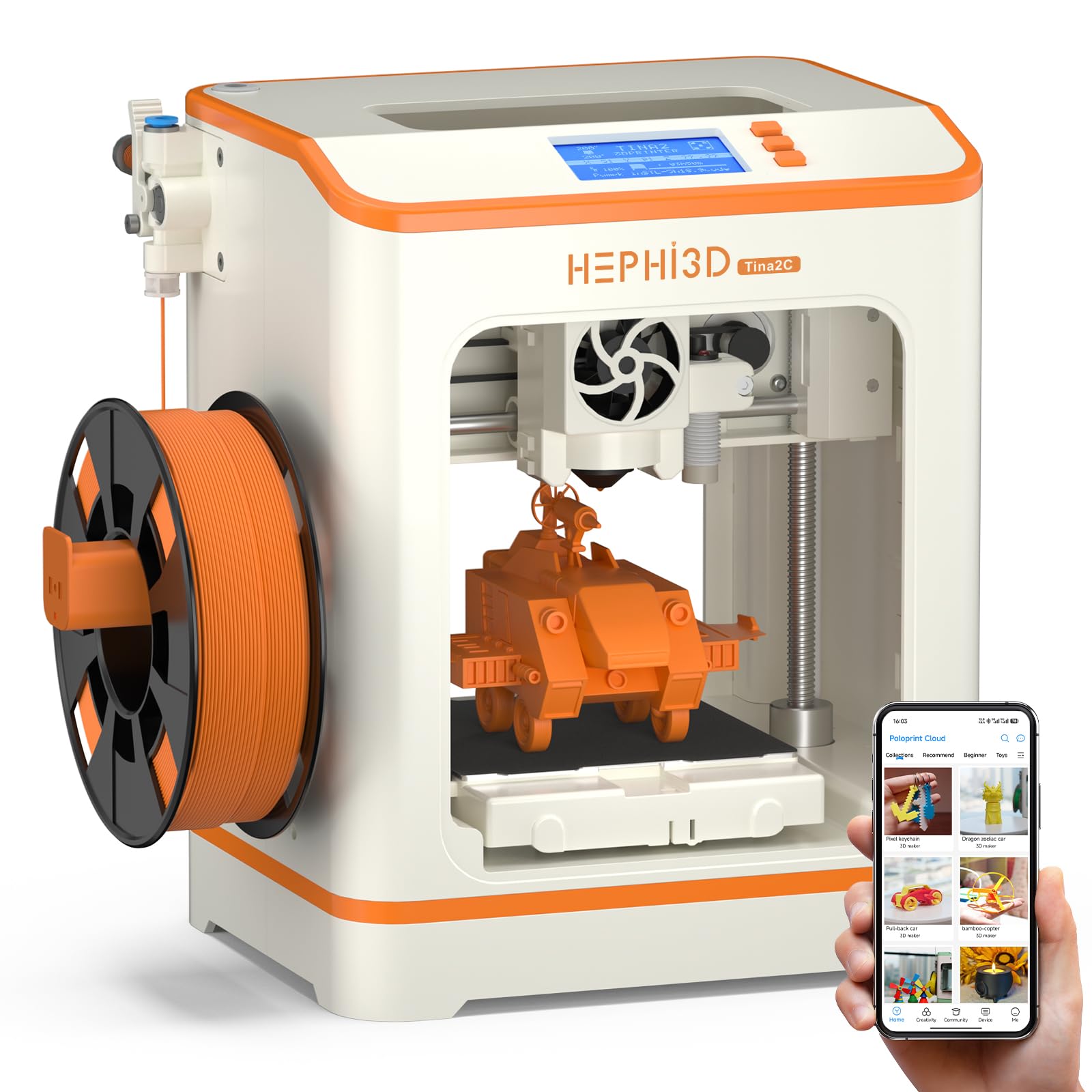
The HEPHI3D TINA2C focuses on connectivity with WiFi cloud printing and an app that provides access to over 3,000 pre-validated models updated weekly. The machine auto-levels before each print via an integrated proximity sensor and features a 3-second fast-release hotend that simplifies nozzle swaps. The fully assembled frame requires only filament loading and a network connection to begin, making it one of the most accessible models for non-technical users.
The AIGC and photo-to-print functions allow users to turn a simple picture into a 3D model within the app, which is particularly engaging for children. The printer also supports STEM education modules within the app, providing guided design challenges. The flexible magnetic plate and power-loss recovery round out the feature set, reducing failed prints and material waste.
Some users find the app-driven workflow restrictive when they want full control over slicer parameters. The build volume remains the standard 100 mm cube, which limits larger functional prints. The included starter filament spool is small—expect to purchase additional material after a few projects. For families wanting an immediate, app-centric printing experience, this model delivers.
Why it’s great
- WiFi cloud printing from phone or tablet
- 3-second fast-release hotend for easy maintenance
- Extensive built-in model library updated weekly
Good to know
- Starter filament spool runs out after a few prints
- App limitation may frustrate power users wanting full slicer control
5. Wiiboox TINA2S Mini 3D Printer

The Wiiboox TINA2S ships as a complete starter kit that includes 10 meters of PLA filament, a microSD card pre-loaded with models and splicing software, and all necessary tools. The fully assembled printer features a one-touch filament loading system that heats the nozzle and feeds material automatically. Auto-leveling and a flexible magnetic build plate ensure that first layers stick and models pop off without a scraper.
The printer uses a 2.4-inch LCD screen with knob control for offline operation, and its WiFi capability supports printing from Windows, macOS, and Linux via WiiBuilder or Cura. The compact 8.3 x 8.3 x 11.4 inch footprint fits easily on a desk or shelf. Dual Z-axis rails contribute to stable, high-precision prints even at the smaller layer heights that beginners often attempt.
The included filament spool is small (250g), so users will need to purchase full-size rolls after the initial projects. It is not compatible with non-metal build plates, as the inductive sensor requires a steel surface. Some users report that downloading third-party models and saving them correctly via the app is not entirely intuitive for young children. For a user who wants everything in one box, this kit is hard to beat.
Why it’s great
- Complete kit includes filament, SD card, and tools
- One-touch filament loading simplifies material changes
- Compact footprint ideal for small workspaces
Good to know
- Small 250g starter spool requires frequent replacement
- Non-metal build plates will cause sensor errors
6. Entina Tina2 Basic Mini 3D Printer

The Entina Tina2 Basic is the stripped-down, no-frills version of the Tina2 family, designed for users who want the smallest possible barrier to entry. It ships fully assembled and requires only the removal of packing tape and filament loading before printing. The auto-leveling system is identical to its more expensive siblings, and the flexible magnetic build plate makes model removal effortless.
The 100 x 105 x 100 mm build volume is paired with a knob-controlled 2.4-inch LCD screen for offline printing via microSD card. The printer supports 1.75mm PLA, PLA Pro, and TPU filaments. The open-source firmware allows advanced users to adjust settings in Cura, but the out-of-box experience is designed for a child or first-timer to have a successful print within five minutes.
Some users note that the included instructions for downloading and slicing third-party models are minimal, requiring a bit of online research. The printer does not include WiFi or app control, so all prints must be initiated from the SD card. For parents wanting a simple, safe introduction to 3D printing for a child, and who don’t mind managing the file transfer themselves, this is a solid, reliable choice.
Why it’s great
- Fastest setup time: printing within 5 minutes
- Simple knob operation suitable for young users
- Reliable auto-leveling and magnetic plate
Good to know
- No WiFi or app connectivity – SD card only
- Limited instructions for third-party slicing software
7. Geeetech M1 Mini 3D Printer
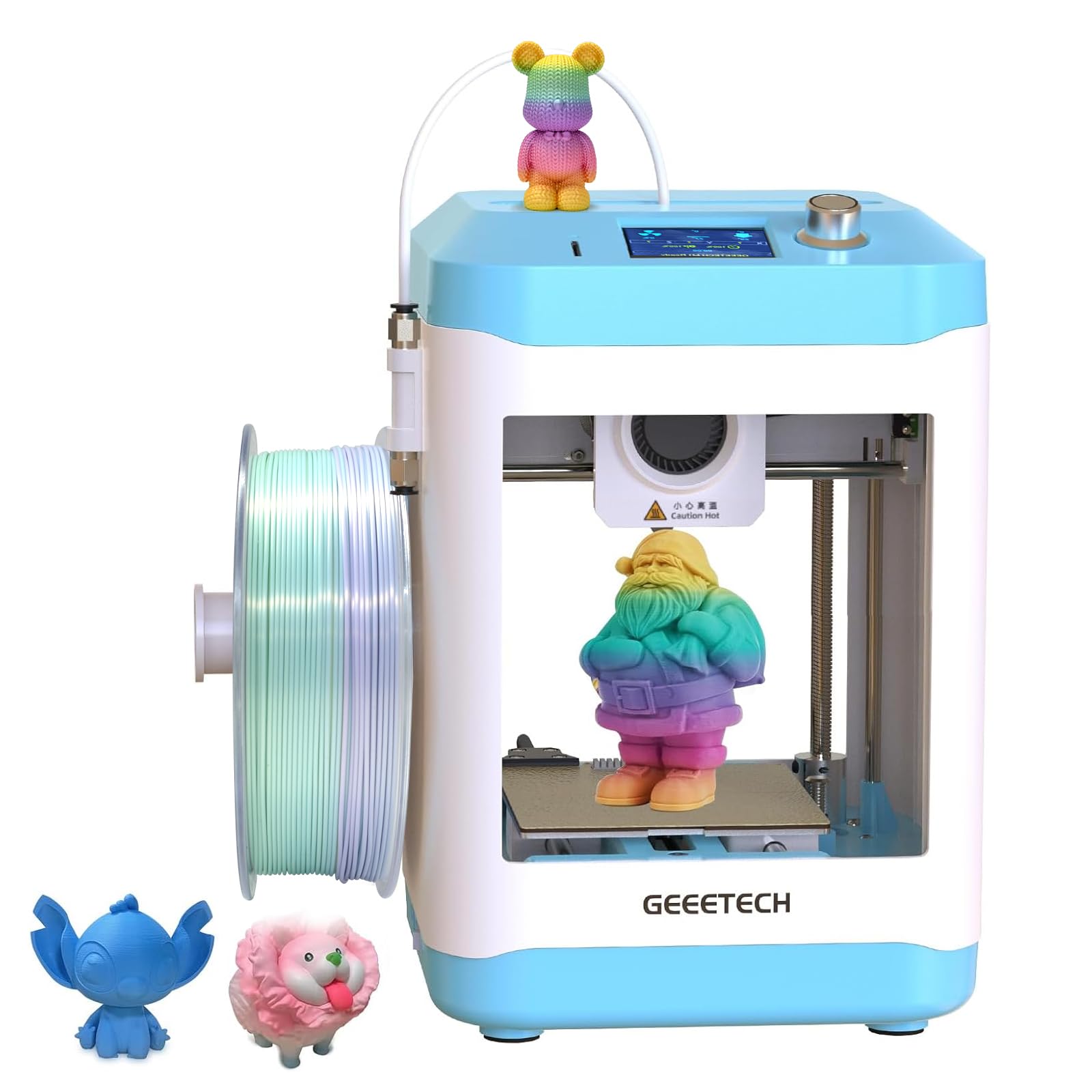
The Geeetech M1 brings a genuine direct-drive extruder with a 1:5 gear ratio to the sub-$200 market, providing the torque needed to print flexible TPU reliably without stringing. Its maximum print speed of 250 mm/s is among the highest in this price bracket, and the 50W hot-end heating rod allows it to reach printing temperatures quickly. The 16-point full-auto leveling system compensates for minor bed irregularities before every print.
The printer includes a PEI coated build plate that offers excellent adhesion when heated and releases prints easily once cooled. The machine is fully assembled and features a 2.4-inch LCD color screen with knob control. The nozzle wiper integrated into the print head clears residue before each print, reducing the chance of blobs on the first layer. The included filament spool is small, but the SD card contains a pre-sliced file for printing a 1kg spool holder adapter.
Some users note that the printer lacks a filament runout sensor and does not display remaining print time on the screen. The direct-drive extruder is heavier than a Bowden setup, which can limit maximum acceleration without introducing ghosting on fast prints. For a user who wants to experiment with TPU or speed-optimized PLA prints, this machine offers capabilities usually found at a higher price.
Why it’s great
- True direct-drive extruder for flexible TPU printing
- Fast 250mm/s print speed with good layer consistency
- PEI bed provides strong adhesion and easy release
Good to know
- No filament runout sensor included
- Direct-drive weight can cause ghosting at high speeds
8. XZN Fully Assembled Mini 3D Printer
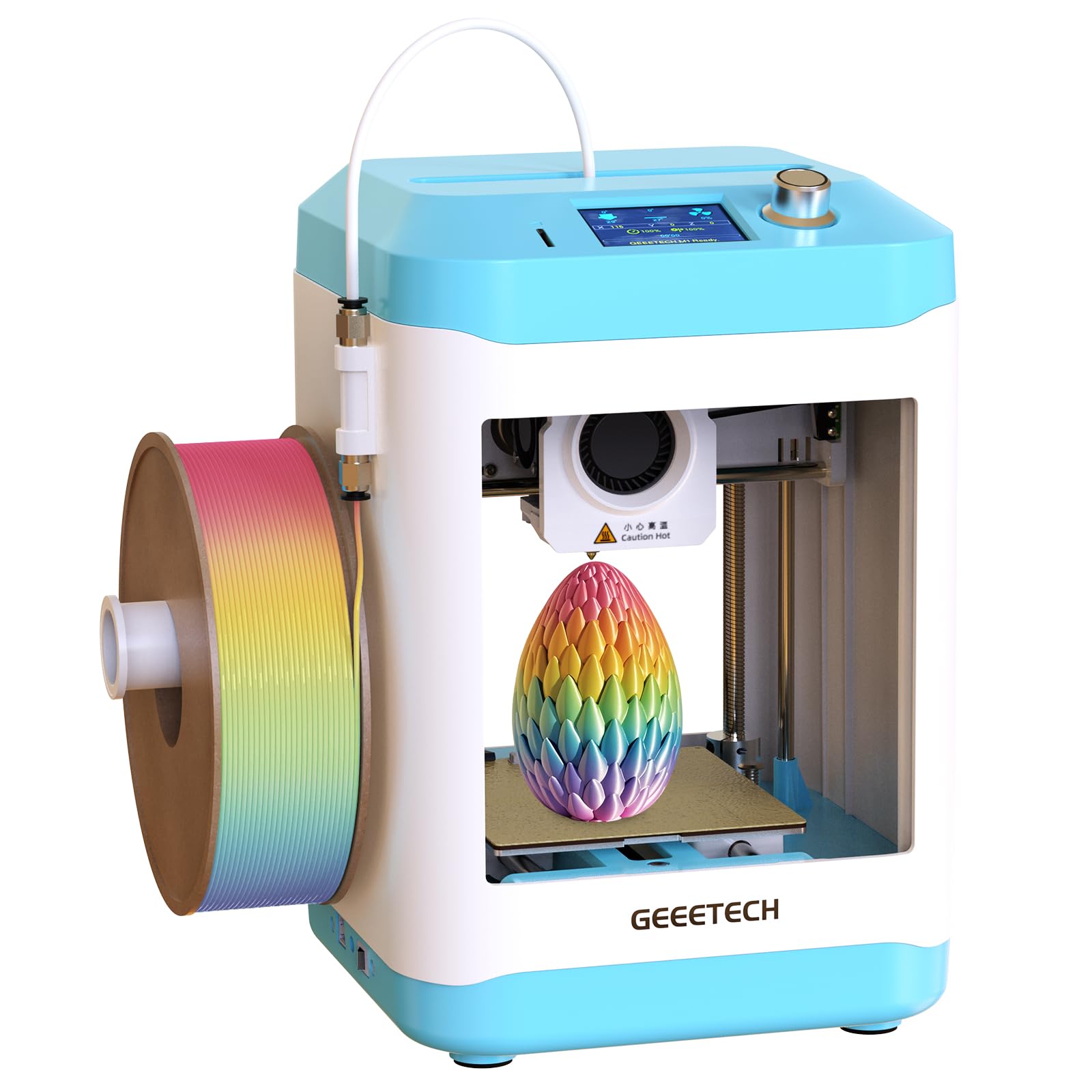
This XZN entry-level printer matches the Geeetech M1’s top speed of 250 mm/s while adding an automatic nozzle cleaning routine that wipes the tip against a silicone pad before each print. The one-button auto-leveling system and PEI heated bed combine to deliver reliable first-layer adhesion without manual intervention. One-touch filament loading and unloading further simplify the workflow for beginners.
The printer includes a test spool of PLA filament and a microSD card pre-loaded with sliced models, including a file for a 1kg spool holder that must be printed before using standard-sized filament rolls. The machine is fully assembled, requiring only removal of packaging tape and filament loading. It offers a 0.01 mm layer resolution at its finest setting, though practical prints typically run at 0.1 or 0.2 mm layers.
Some users report that the included starter filament runs out after printing only two or three small objects, which can be frustrating. The printer is compatible with Orca Slicer, but the provided software is WiiBuilder. For a user who values speed and wants a machine that handles nozzle maintenance automatically, this model offers a unique feature at this price point.
Why it’s great
- Automatic nozzle cleaning for reduced maintenance
- Fast 250mm/s print speed with PEI bed adhesion
- One-touch filament loading for material changes
Good to know
- Starter filament runs out after only 2-3 small prints
- Must print a spool holder for standard 1kg filament
9. Creality Ender 3 3D Printer

The Creality Ender 3 is the iconic entry-level DIY kit that built the budget 3D printing community. Its 220 x 220 x 250 mm build volume is by far the largest in this price bracket, making it suitable for functional parts, cosplay props, and larger prototypes. The open-source design has spawned an enormous ecosystem of upgrade parts—metal extruders, Capricorn tubing, BLTouch sensors, and glass beds—that can transform it into a capable machine.
This is a kit that requires two to four hours of assembly, manual bed leveling, and significant calibration before producing a successful print. The resume printing function saves the print position after a power outage, which protects multi-hour projects. The V-slot wheels with POM rollers provide smooth, quiet motion on the aluminum extrusion frame.
Out of the box, the Ender 3 demands patience. It does not include auto-leveling, a flexible build plate, or any filament. Upgrades such as a glass bed, upgraded springs, and a metal extruder are almost mandatory for reliable operation. For a user who enjoys tinkering and wants the largest possible print volume below $200, the Ender 3 remains the definitive project platform—but it is not for anyone seeking a ready-to-run experience.
Why it’s great
- Massive 220 x 220 x 250 mm build volume
- Huge community support and upgrade ecosystem
- Resume printing function for power outages
Good to know
- Requires hours of assembly and manual bed leveling
- Expected to need upgrades (metal extruder, glass bed) for reliability
FAQ
Is auto-leveling really necessary on a printer this affordable?
What is the maximum print speed I should expect from a sub-$200 FDM printer?
Should I choose an FDM printer or a resin printer for my first machine?
Can I print with standard 1kg filament spools on these mini printers?
Final Thoughts: The Verdict
For most users, the 3d printer under $200 winner is the Entina Tina2C because it combines true AI-powered print creation, WiFi control, and a self-cleaning nozzle in a package that works for both kids and adults. If you want the highest detail resolution for miniatures and models, grab the ELEGOO Mars 5 resin printer. And for the largest build volume and a tinkerer’s project that can grow with your skills, nothing in this price range beats the versatility of the Creality Ender 3.