
Our readers keep the lights on and the weekend projects moving. As an Amazon Associate, I earn from qualifying purchases.
Buying a 3D printer under $2000 is a seriously exciting moment — you’re past the toy stage and eyeing a real production tool. The hardest part isn’t the budget; it’s filtering through the hype to find a machine that delivers consistent first layers, churns through engineering-grade materials, and doesn’t leave you fighting the firmware at 2 AM. With CoreXY kinematics, auto-leveling, and heated chambers now standard at this price point, the choice comes down to build volume, material versatility, and how much you value a locked-in ecosystem versus an open-source path to upgrades.
I’m Rikta — the co-founder and writer behind FitlyFast. I’ve spent months analyzing print head acceleration curves, chamber temperature stability, and real-world adhesion patterns across the FDM and resin landscape to separate workflow champions from weekend tinkerer traps.
This guide breaks down the best choices for fast prototyping, multi-color art pieces, and industrial-strength parts, helping you zero in on the 3d printer under $2000 that matches your actual shop floor needs.
How To Choose The Best 3D Printer Under $2000
The –$2000 range is the most competitive segment in desktop 3D printing. You’ll find everything from budget resin workstations to fully-enclosed production-grade FDM rigs. To make the right call, you need to weigh build volume, motion system robustness, material compatibility, and the level of automation that suits your workflow.
Motion System: CoreXY vs. Bedslinger
At this price, CoreXY is the dominant architecture for a reason. It keeps the print head light and the bed stationary, allowing higher acceleration without ringing artifacts. Bedslingers still exist at the entry-level of this range, but if you plan to print taller parts or use a chamber enclosure, a CoreXY frame like those found on the Bambu Lab P1S or QIDI Q2 delivers superior stability and speed consistency.
Heated Chamber & Material Versatility
If you plan to print ABS, ASA, polycarbonate, or nylon-carbon-fiber composites, a heated chamber is non-negotiable. Machines with active chamber heaters (like the QIDI Q2 at 65°C) drastically reduce inter-layer warping and improve layer adhesion. Passive enclosures (like the Creality K2 Plus) trap heat from the bed but can’t reach the same consistent temperature without active elements, making them better suited for PLA and PETG with occasional ABS prints.
Multi-Color Systems vs. Single Material Output
Multi-color printing is one of the most compelling features in this bracket. The Bambu Lab A1 Combo and Anycubic Kobra X offer native multi-material support with automatic filament switching. However, the trade-off is purge waste — some systems dump a significant volume of filament during color changes. If your primary goal is rapid prototyping in a single material, a dedicated single-extruder machine like the Original Prusa MK4S will give you higher reliability and less material waste.
Quick Comparison
On smaller screens, swipe sideways to see the full table.
| Model | Category | Best For | Key Spec | Amazon |
|---|---|---|---|---|
| Bambu Lab P1S | FDM Enclosed | Reliable speed & 16-color expansion | 500mm/s speed, 20000mm/s² accel | Amazon |
| Bambu Lab A1 Combo | FDM Open | Multi-color & quiet operation | 10,000 mm/s² acceleration, 48dB | Amazon |
| QIDI Q2 | FDM Enclosed | Active 65°C chamber & engineering materials | 600mm/s, 370°C nozzle, active chamber heat | Amazon |
| ELEGOO Centauri Carbon | FDM Enclosed | Carbon fiber prints out of the box | 500mm/s, 320°C hardened steel nozzle | Amazon |
| Anycubic Kobra X | FDM Open | 19-color multi-material & beginners | 600mm/s, 4-ACE built-in, 45dB | Amazon |
| FLASHFORGE AD5X | FDM Enclosed | Multi-color with IFS & TPU support | 600mm/s, 300°C hotend, 4-color IFS | Amazon |
| ELEGOO Saturn 4 Ultra 16K | Resin MSLA | Ultra-fine detail & miniatures | 16K LCD, 150mm/h, auto-leveling | Amazon |
| ANYCUBIC Photon P1 | Resin MSLA | Industrial resin & high-viscosity materials | 14K LCD, 8000cps resin compatible | Amazon |
| Creality Ender 5 Max | FDM Open | Very large volume production batches | 400mm³ build, 700mm/s speed | Amazon |
| Creality K2 Plus Combo | FDM Enclosed | Large multi-color with CFS system | 350mm³, 600mm/s, 30000mm/s² accel | Amazon |
| Original Prusa MK4S | FDM Open | Open-source reliability & long-term support | Input Shaping, 9.84 x 8.3 x 8.6 in | Amazon |
In‑Depth Reviews
1. Bambu Lab P1S 3D Printer

The Bambu Lab P1S is the benchmark for this price tier, combining a fully enclosed CoreXY design with a 500mm/s top speed and 20000mm/s² acceleration. The 260mm³ build volume is a sweet spot — large enough for helmet halves and functional prototypes, yet compact enough to fit on a standard desk. Out of the box, the auto bed leveling and flow rate compensation produce consistent first layers without manual probing, a major time-saver over older generation machines.
Where the P1S truly shines is its AMS ecosystem. With the optional AMS unit, you can expand to up to 16 colors or multi-material combinations, handling PLA, PETG, TPU, and ABS with ease. The Bambu Studio software streamlines slicing, and the machine is quiet enough to run overnight in a shared workshop. The only real limitation is that hardened filaments like carbon-fiber-reinforced polymers are not officially recommended, so keep that in mind if you plan to print abrasives regularly.
Reliability is the P1S’s strongest card. Customer reviews consistently report flawless operation straight out of the box with minimal tweaking. It is the safest recommendation for a buyer who wants premium speed, multi-color capability, and a polished user experience without crossing into the true premium tier.
Why it’s great
- Fast, reliable, and easy to set up in under 30 minutes
- Excellent print quality with auto-leveling and vibration compensation
- Supports up to 16 colors with optional AMS system
Good to know
- Not recommended for abrasive carbon-fiber filaments
- Requires AMS for multi-color capability (sold separately)
- Size is comparable to a mini fridge; needs dedicated bench space
2. Bambu Lab A1 Combo + LED Lamp Kit

The Bambu Lab A1 Combo takes a different approach than the enclosed P1S, opting for an open-frame design that keeps noise under 48 decibels. This makes it ideal for home offices or apartments where the hum of a cooling fan is a dealbreaker. The 10,000 mm/s² acceleration is still blistering for an open-frame machine, and the full-auto calibration — covering Z-offset, bed leveling, and flow rate — removes nearly all beginner friction points.
The included AMS Lite system supports up to 4 colors out of the box, and the bundled LED Lamp Kit turns prints into functional light fixtures. Active flow rate compensation ensures that even rapid direction changes don’t produce under-extrusion artifacts. The 1-Clip quick-swap nozzle design makes maintenance simple, and the phone app adds remote monitoring with time-lapse capture.
The trade-off is the open frame: materials like ABS and ASA that require a heated chamber will struggle without an aftermarket enclosure. For PLA, PETG, and TPU projects, though, this machine is exceptionally reliable. Customer reviews highlight the “nonstop” printing capability and how user-friendly it is for families and first-time owners. If quiet operation and multi-color convenience top your list, the A1 Combo is a strong contender.
Why it’s great
- Extremely quiet operation (≤48dB) suitable for home use
- AMs Lite delivers reliable 4-color printing
- Full-auto calibration means zero manual leveling
Good to know
- Open frame limits material compatibility to PLA, PETG, TPU
- Includes only a few grams of sample filament; order extra spools
- Setup instructions could be more detailed for beginners
3. QIDI Q2 3D Printer 2025 Upgrade

The QIDI Q2 is purpose-built for users who need to print engineering-grade materials like ABS, polycarbonate, and carbon-fiber nylons without warping. Its 2nd-generation PTC heated chamber reaches a steady 65°C, which is a genuine differentiator at this price — most competitors rely on passive enclosure heat from the bed. The 370°C hardened steel nozzle handles abrasives, and the full-metal CoreXY structure with precision linear rails keeps the X/Y motion stable at 600mm/s.
The Q2’s nozzle-based auto-leveling is a clever design choice: the nozzle itself acts as the probe, reading bed topology directly without needing a separate sensor. This gives a more precise first layer, especially on textured build plates. The triple-filtration system (G3 pre-filter, H12 HEPA, activated carbon) makes it safe for indoor use, even when printing strong-smelling materials. The 270x270x256mm build volume is slightly larger than the Bambu P1S, offering an extra margin for taller functional parts.
Customer feedback is overwhelmingly positive, with users praising the “best bang for the buck” value and the “unmatched features and capabilities” for engineering materials. The main areas for improvement are the AI spaghetti detection (which can false-trigger) and a firmware UI that occasionally has Mandarin strings. If you need a workshop machine that can run engineering filaments all day, the Q2 is the strongest option below the premium boundary.
Why it’s great
- Active heated chamber (65°C) eliminates ABS/PC warping
- 370°C nozzle with hardened steel for carbon-fiber composites
- Excellent customer support with lifetime technical assistance
Good to know
- AI spaghetti detection can trigger false alarms
- Firmware UI occasionally displays untranslated Mandarin text
- Requires a printed riser for the glass top when printing tall models
4. ELEGOO Centauri Carbon 3D Printer

The ELEGOO Centauri Carbon punches above its price bracket with a rigid die-cast aluminum frame and a 320°C brass-hardened steel nozzle that is ready for carbon-fiber reinforced filaments straight out of the box. The 256x256x256mm build volume is a standard cube, large enough for drone frames and automotive brackets. The CoreXY structure delivers up to 500mm/s with 20,000 mm/s² acceleration, and the built-in vibration compensation keeps ringing minimal even at top speeds.
Setup is genuinely plug-and-play — the machine arrives fully assembled and pre-calibrated. The automatic vibration compensation and pressure advance algorithms produce smooth first layers with minimal user input. A dual-sided build plate features a PLA Specific Surface for excellent adhesion at lower bed temperatures, and the enclosed chamber with enhanced cooling is optimized for advanced filaments. The built-in camera with dual LED lighting allows real-time monitoring and time-lapse capture.
Users report that it’s around 5x faster than older Ender 3-style machines, with better surface quality. A small number of reviews note early reliability issues — one unit had a hotend communication error after six days — but replacement units performed well over hundreds of hours. For the price, the Centauri Carbon offers a unique combination of a pre-assembled carbon-fiber-ready printer that rivals machines costing significantly more.
Why it’s great
- Hardened steel nozzle handles carbon-fiber composites straight out of the box
- Rigid die-cast frame minimizes vibrations for high-speed accuracy
- Pre-calibrated and fully assembled; ready to print immediately
Good to know
- Some early units reported hotend communication errors
- WiFi file transfer can be unreliable on certain networks
- Heavy machine (38.5 lbs); plan for a sturdy desk
5. Anycubic Kobra X Multicolor 3D Printer

The Anycubic Kobra X is a multicolor specialist that breaks the mold. It comes with native 4-color printing built into the chassis, and with up to four ACE 2 Pro units, you can expand to a staggering 19 colors. The 600mm/s maximum speed and 49-point LeviQ 3.0 auto bed leveling make it a fast and forgiving machine for beginners and families. The vibration compensation keeps layer lines clean despite the open-frame design.
The key engineering innovation here is the reduced purge waste — the filament and machine travel path is shortened by 81.25%, cutting material costs in half compared to earlier multi-color systems. The hardened steel nozzle handles a wide range of filaments including PLA, PETG, TPU, PVA, and ASA at 300°C. The AI camera detects spaghetti failures and foreign objects, and the top-mount spool holder frees up desktop space.
Customer feedback is enthusiastic, particularly from first-time owners who appreciate the “no troubleshooting” design. A small number of units arrived with a defective filament sensor, but the overwhelming majority report “flawless” prints and excellent adhesion. The open frame does limit high-temperature materials, and the phone app could be more polished. For anyone who wants to jump straight into multi-color creation without a steep learning curve, the Kobra X is an outstanding entry point in the mid-range.
Why it’s great
- Native 4-color printing with expansion up to 19 colors
- Low purge waste design (81.25% shorter travel path)
- Exceptional auto-leveling (49-point) with high first-layer success
Good to know
- Open frame limits ABS/ASA printing without enclosure
- Occasional defective filament sensor on early units
- Phone app control is functional but lacks polish
6. FLASHFORGE AD5X Multi-Color 3D Printer

The FLASHFORGE AD5X brings an Intelligent Filament System (IFS) to the sub- price bracket, supporting 4-color printing with auto loading/unloading and a 4kg auto-refill function. The CoreXY all-metal frame hits 600mm/s with 20,000 mm/s² acceleration, and the 300°C nozzle with 32mm³/s large flow hotend reduces wait time for multi-color parts. The build volume is a compact 220x220x220mm, which is small enough for detailed parts but might feel tight for larger functional prints.
The AD5X differentiates itself with strong TPU and carbon-fiber filament support — the high-flow hotend and hardened nozzle handle flexible materials more reliably than many competitors in this bracket. The 4.3-inch color touchscreen, vibration compensation, and resume printing feature make it beginner-friendly. The Flash Maker and Orca-Flashforge ecosystem enables remote management of hundreds of printers, which is a bonus for small print farms.
Reviews highlight the “serious printer for people who actually want to learn” angle, praising its tunability and open slicer compatibility. However, some users report significant purge waste during color changes, and the lack of a built-in air filter means fumes from ABS are noticeable without a separate enclosure. The printer is also on the noisier side, so it’s better suited to a workshop than a bedroom office.
Why it’s great
- IFS auto loading/unloading for 4-color printing with low manual intervention
- 32mm³/s high-flow hotend reduces print time for multicolor parts
- Strong TPU and carbon-fiber composite support
Good to know
- No built-in air filter; fumes from ABS are noticeable
- Multi-color material waste is relatively high
- Cloud connectivity can be unreliable; LAN connection preferred
7. ELEGOO Saturn 4 Ultra 16K Resin 3D Printer

The Saturn 4 Ultra 16K is ELEGOO’s flagship resin printer for detail-obsessed creators. The 10-inch monochrome LCD packs a 16K resolution (13,312 x 5,120 pixels), rendering surfaces so smooth that post-processing sanding is often unnecessary for tabletop miniatures and jewelry patterns. The tilt-release technology peels the model from the FEP film faster than traditional z-axis lift systems, enabling a peak speed of 150mm/h without sacrificing layer accuracy.
The heated tank system maintains the resin at a steady 30°C, reducing viscosity variations that cause bubbles and layer separation. This is a genuine advantage in colder workshops where standard resin printers struggle with adhesion. The AI camera monitors for empty build plates and warped models, sending alerts to your phone. The auto-leveling is truly hands-off — no manual screws to adjust — making it a strong candidate for first-time resin users.
Users coming from older Mars and Saturn models report a “massive” leap in detail and reliability. The build plate size (8.33 x 4.66 x 8.66 inches) is generous for a desktop resin machine. The main downsides are that the AI detection can sometimes vary by lighting conditions, and the fumes from standard resin still require proper ventilation despite the chamber design. For anyone whose work demands micro-detail — cosplay props, dental models, or art miniatures — the Saturn 4 Ultra is the definitive resin choice in this guide.
Why it’s great
- 16K resolution delivers exceptionally smooth surfaces with minimal layer lines
- Heated resin tank (30°C) reduces defects in cold environments
- Tilt-release mechanism speeds up printing without quality loss
Good to know
- AI detection accuracy varies with lighting and resin type
- Resin fumes require a well-ventilated area despite chamber design
- Build plate may need fine sanding for optimal adhesion
8. ANYCUBIC Photon P1 Resin 3D Printer
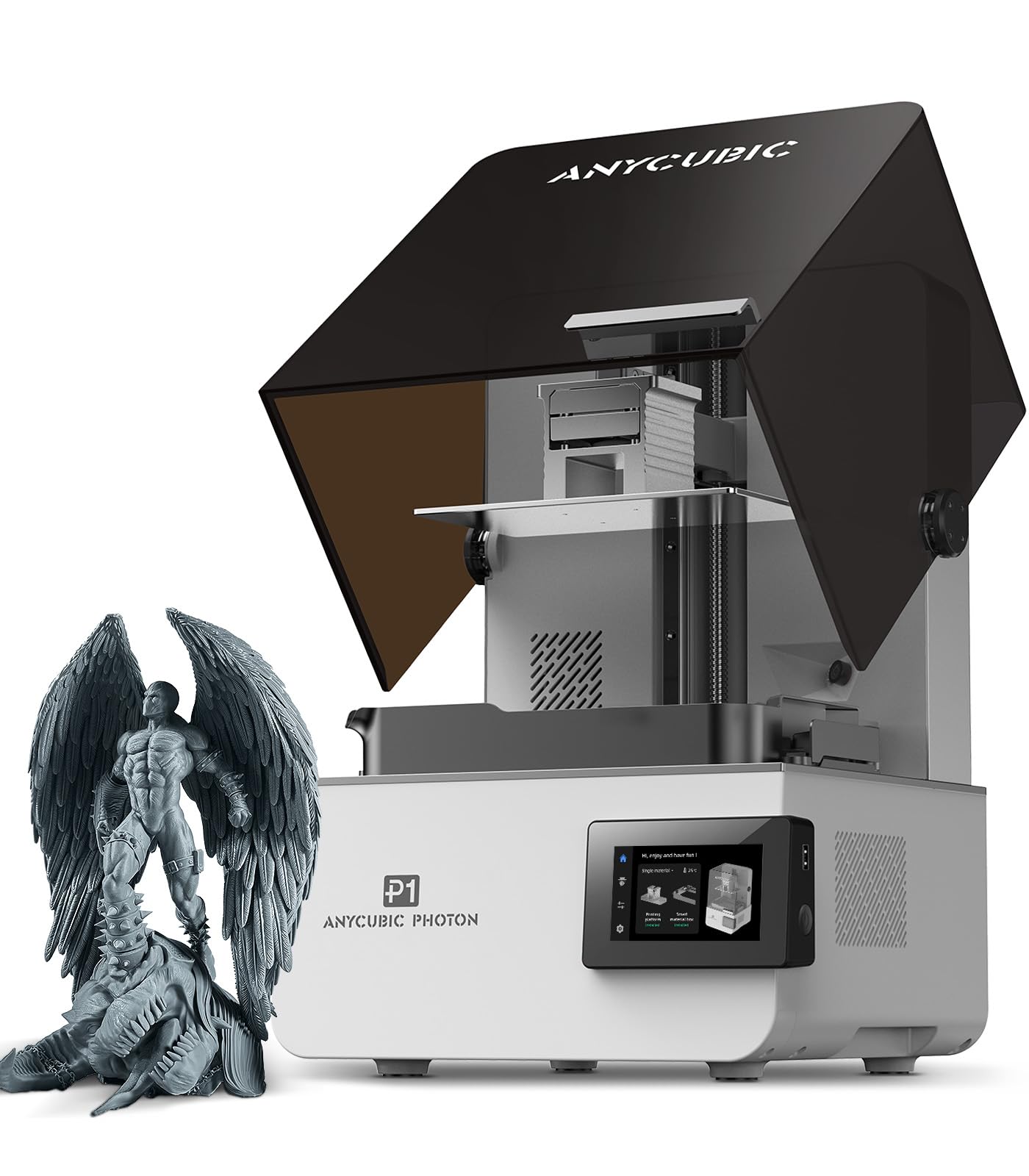
The Anycubic Photon P1 is engineered for users who push resin materials to their limits. It handles ultra-high-viscosity resins up to 8,000 cps — about 40 times thicker than standard formulas — which opens the door to engineering-grade resins with higher strength and temperature resistance. The 10.1-inch 14K LCD (13,312 x 5,120 pixels) delivers a pixel size of 16.8 x 24.8 micrometers, enough to reproduce 0.3mm apertures with extreme fidelity.
The ball screw and precision guide rail design is a step up from lead-screw printers, reducing motion vibration and enabling smoother layer transitions. The Wave Release Technology creates micro-airflow during lifting to reduce peel force by 60%, which translates to higher success rates on delicate models with complex supports. The Smart Leveling 3.0 system is factory-calibrated and performs a four-corner pressure check before each print, removing the need for manual leveling entirely.
Customer reviews consistently note the “phenomenal upgrade” in build quality compared to earlier Mono X models, with exceptional detail at 0.010mm layer heights. A small number of units shipped with defective UV LED matrices, but Anycubic’s support was responsive in sending replacements. The P1 is also remarkably quiet for a resin printer. If your workflow involves high-strength, high-temperature resins for functional parts or professional patterns, the Photon P1 is the most capable option in its range.
Why it’s great
- Handles ultra-high-viscosity resins (8000 cps) for industrial-strength parts
- 14K LCD resolution captures extremely fine details (0.3mm apertures)
- Ball screw design reduces vibration for smoother layer transitions
Good to know
- Some units shipped with defective UV LED matrices
- Static discharge can damage the acrylic cover; handle with care
- Voltage selector switch not mentioned in manual — confirm setting before first use
9. Creality Ender 5 Max 3D Printer

The Creality Ender 5 Max is built for volume — literally. The 400x400x400mm build envelope is the largest in this guide, capable of printing oversized prototypes or batch-producing dozens of smaller parts in one run. The CoreXY structure and high-torque motors deliver 700mm/s travel speed, and the 1000W rapid-heating bed reaches working temperature in minutes. The all-metal die-cast aluminum frame with a precision X-axis linear rail keeps vibrations in check even when printing tall, heavy models.
The 64-point auto-leveling system with automatic Z-offset is responsive and reduces the manual calibration burden. The direct-drive dual-gear extruder is built for continuous production, with hardened gears that resist wear. WLAN multi-printer control and a tri-color status indicator make it viable for small production lines. The material support is broad, covering PLA, PETG, ABS, ASA, PA, and more.
Customer feedback is polarized. Some users report “love at first print” and call it the perfect small business starter machine. Others report serious issues with bed adhesion and parts shaking loose during operation. The Creality AI failure detection has also been described as unreliable. The build volume is undeniably impressive, but the consistency and quality control may not match the tighter tolerances of the QIDI Q2 or Bambu P1S. It’s a volume-first choice for users who need raw size and are prepared to do some tuning.
Why it’s great
- Massive 400mm³ build volume for oversized parts or batch production
- 700mm/s travel speed and 1000W rapid-heating bed
- WLAN multi-printer management for small print farms
Good to know
- Quality control can be inconsistent; some units have major adhesion issues
- AI failure detection is not reliable; manual monitoring recommended
- Weighs nearly 69 lbs; requires a heavy-duty desk
10. Creality K2 Plus Combo 3D Printer

The Creality K2 Plus Combo sits at the top of the premium bracket with a 350mm³ build volume and a step-servo motor system that hits a staggering 30,000 mm/s² acceleration — making it one of the fastest large-format machines available. The included CFS (Creality Filament System) supports up to 16 colors when connected to four CFS units, and the actively heated chamber enables printing with PPA-CF and other high-temperature composites.
The K2 Plus features a dual AI camera setup: one for spaghetti detection and foreign object monitoring, and another for real-time time-lapse. The “Matrix” frame uses die-cast tech with four linear rods on dual Z-axes to virtually eliminate layer shift at high speeds. The strain gauge auto-leveling compensates for tilt automatically without manual intervention. The direct-drive extruder with hardened steel tip keeps feeding force consistent even with abrasive materials.
Reviews are largely positive, with users calling it a “beast” and praising the “amazing” print quality straight from the box. Some owners experienced initial Y-axis and extruder communication issues that required warranty replacements, but Creality’s support was responsive. The sheer size and mass mean you need a dedicated, sturdy workspace. If you need to print large functional parts in multiple colors with minimal calibration hassles, the K2 Plus is a flagship contender in this bracket.
Why it’s great
- Extreme acceleration (30000 mm/s²) for very fast large-format prints
- CFS system enables 16-color printing with active filament drying
- Strain gauge auto-leveling with dual Z-axes for high precision
Good to know
- Initial setup may require firmware adjustments for communication errors
- Very heavy (requires two people to unbox safely)
- No hard-copy manual included; assembly instructions are brief
11. Original Prusa MK4S High-Speed 3D Printer

The Original Prusa MK4S represents the opposite philosophy from the locked-in ecosystems of Bambu and Creality. It’s fully open-source, with long-term firmware updates, hardware upgrade paths, and a massive community that spares no effort in improving profiles and troubleshooting. The Input Shaping feature reduces ringing at higher speeds, and the 9.84 x 8.3 x 8.6-inch build volume is smaller than the competition but completely reliable for functional prototyping and production runs.
The MK4S is delivered fully assembled and tested, and includes a 1kg spool of Prusament PLA Galaxy Black. The Nextruder extruder with load cell-based bed leveling ensures a perfect first layer every time. The machine is quiet, durable, and the part cooling is exceptional, which makes overhangs and bridges more forgiving than on many closed-source alternatives. The Prusa Connect ecosystem provides reliable remote monitoring via the mobile app.
The major trade-off is the build size: it costs roughly the same as the much larger Creality K2 Plus, so you are paying for superior reliability, community support, and open upgradability, not raw volume. Customer reviews rave about the “workhorse” nature of the MK4S, with owners praising its consistency across hundreds of prints. The kit assembly version takes a committed three days but is an excellent learning experience. For professionals who value long-term repairability and open-source freedom over size, the MK4S is the gold standard.
Why it’s great
- Open-source design with long-term firmware and hardware upgrade path
- Exceptional print quality with Input Shaping and Nextruder extruder
- Backed by lifetime technical support and an extensive community
Good to know
- Build volume is relatively small (9.84 x 8.3 x 8.6 inches)
- Kit assembly takes three days; requires patience and attention to detail
- Premium price for a smaller machine compared to competitors
FAQ
Is a CoreXY frame worth the extra cost for a 3D printer under $2000?
Can the Bambu Lab P1S print carbon-fiber filaments?
What is the trade-off between multi-color printing and material waste?
Do resin printers produce harmful fumes?
How important is auto bed leveling at this price point?
Final Thoughts: The Verdict
For most users, the 3d printer under $2000 winner is the Bambu Lab P1S because it combines a fully enclosed CoreXY design, 500mm/s speed, and a seamless AMS ecosystem for up to 16-color prints — all with reliability that requires almost no tinkering. If you need an actively heated chamber for engineering-grade materials like ABS and carbon-fiber nylons, grab the QIDI Q2. And for ultra-detailed resin miniatures and jewelry, nothing beats the ELEGOO Saturn 4 Ultra 16K.