
Our readers keep the lights on and the weekend projects moving. As an Amazon Associate, I earn from qualifying purchases.
Whether you’re a media professional transporting massive video files, a gamer tired of juggling installations, or simply someone whose photo library has outgrown every laptop on the market, a 4 Terabyte external hard drive is the sensible answer. It’s the capacity sweet spot—big enough to hold hundreds of hours of 4K footage or a console’s entire game backlog, yet still portable enough to slip into a bag.
I’m Rikta — the co-founder and writer behind FitlyFast. My deep market research for this guide involved analyzing terabytes of real user feedback on read/write stability, enclosure durability, and interface compatibility across the most popular 4TB portable and desktop drives available today.
After comparing transfer speeds, shock ratings, encryption features, and long-term reliability reports, this guide breaks down the best options to help you choose the storage that actually fits your workflow. These are my top picks for the 4 terabyte external hard drive.
How To Choose The Best 4 Terabyte External Hard Drive
Not all 4TB drives are built the same. The biggest mistake buyers make is ignoring the difference between a portable drive, which is powered by your USB port, and a desktop drive, which requires an AC adapter. The former is for travel and convenience; the latter offers faster sustained performance and often longer warranties.
Portable vs. Desktop Form Factor
Portable 2.5-inch drives are slim, bus-powered, and easy to pack. They rely on the USB port for power, so a single USB cable handles both data and electricity. Desktop 3.5-inch drives are larger, require a power outlet, but often include higher RPMs, better cooling, and more robust encryption features. For a 4TB drive carried daily, a portable form factor is the practical choice.
Shock & Durability
If the drive moves, it will eventually be dropped. Look for drives with rubber bumpers, shock protection systems, or military-grade drop ratings. A drive rated for a 4-foot drop can survive a slip off a desk. A plastic shell with no padding is a gamble for any serious mobile workflow.
Interface & Data Transfer Speed
USB 3.0 is the dominant standard, offering a theoretical ceiling of 5 Gbps, though real-world HDD speeds top out around 120-150 MB/s. Some drives list USB 3.2 Gen 1 compatibility — it’s the same 5 Gbps spec, just rebranded. Expect slower writes after the drive’s cache fills, especially on SMR (Shingled Magnetic Recording) drives, which are common in this price range.
Quick Comparison
On smaller screens, swipe sideways to see the full table.
| Model | Category | Best For | Key Spec | Amazon |
|---|---|---|---|---|
| WD 5TB My Passport | Portable | On-the-go backup & security | 256-bit AES hardware encryption | Amazon |
| WD 4TB My Book | Desktop | Dedicated desktop backup | 3.5-inch / AC-powered | Amazon |
| LaCie Rugged Mini 4TB | Rugged Portable | Field work & travel | 4-foot drop / IP54 resistant | Amazon |
| WD 4TB Elements | Portable | Simple plug-and-play storage | USB 3.2 Gen 1 / 5Gbps | Amazon |
| Seagate Portable 4TB | Portable | Multi-platform (PC, Mac, Xbox) | 1-Year Rescue Service included | Amazon |
| Toshiba Canvio Basics 4TB | Portable | Budget-friendly & reliable | Matte finish / USB 3.0 | Amazon |
| Transcend StoreJet 4TB | Rugged Portable | High-durability mobile use | 3-stage shock / One-touch backup | Amazon |
In‑Depth Reviews
1. WD 5TB My Passport

The WD My Passport stands out by packing two critical features into a slim aluminum-and-glass enclosure: robust hardware encryption and WD’s device management software that includes ransomware defense. It connects via USB 3.1 (backward compatible with USB 3.0) and offers a market-leading 3-year limited warranty. While the listed capacity is 5TB, the build and software suite are identical to the 4TB models, making it a smart buy if you need a bit more headroom.
Real-world performance from verified buyers confirms that the drive is compact, portable, and delivers decent transfer speeds for an HDD. The plug-and-play setup works seamlessly out of the box for Windows, and users praise the 5TB capacity as a solid upgrade over standard 4TB options. The build quality is excellent, combining a slim profile with a durable metallic finish and textured top.
Where the My Passport occasionally stumbles is its software. Several reviewers report that the WD backup utility can hang during installation and that the password-protection tool requires admin privileges on the host device. The drive’s hardware is rock-solid, but expect to rely on the drive’s native capabilities rather than the bundled software for long-term use.
Why it’s great
- Hardware-based 256-bit AES encryption adds a real security layer
- Ransomware defense and backup software included
- Slim, premium build with a 3-year warranty
Good to know
- Bundled software can be buggy and may require manual setup
- Password protection requires admin rights on the host computer
2. Western Digital 4TB My Book

If the drive stays on a desk, the WD My Book delivers where portable drives fall short. This 3.5-inch desktop unit requires an AC adapter but compensates with superior sustained performance, better heat management, and the most robust data protection stack in this list: 256-bit AES hardware encryption and WD backup software with password protection. The SuperSpeed USB (5 Gbps) interface matches any portable drive, but the desktop platform allows for higher RPM platters and more reliable long-haul reads.
Buyers consistently report that the My Book is quiet, reliable, and fast for a mechanical drive. It works well with Time Machine on macOS after reformatting, and the included power cord means no bus-power worries — the drive receives consistent voltage regardless of your USB port’s output. Multiple reviewers own several of these drives across different capacities (from 750GB to 8TB+) and report excellent long-term reliability when handled with care.
The main trade-off is the form factor. It’s heavier and needs an outlet, so it’s not for travel. Some users report a 5-10 second spin-up delay when the drive wakes from sleep, and the included WD software can cause initial hiccups — a quick reformat with Apple Disk Utility often resolves Mac compatibility issues. Still, for a true secondary backup hub, the My Book is hard to beat.
Why it’s great
- Desktop-class sustained performance with no USB power limitations
- Hardware encryption and backup software out of the box
- Excellent long-term reliability reports from multi-drive users
Good to know
- Requires AC power — not suitable for portable use
- Spin-up delay when waking from sleep can be noticeable
3. LaCie Rugged Mini 4TB
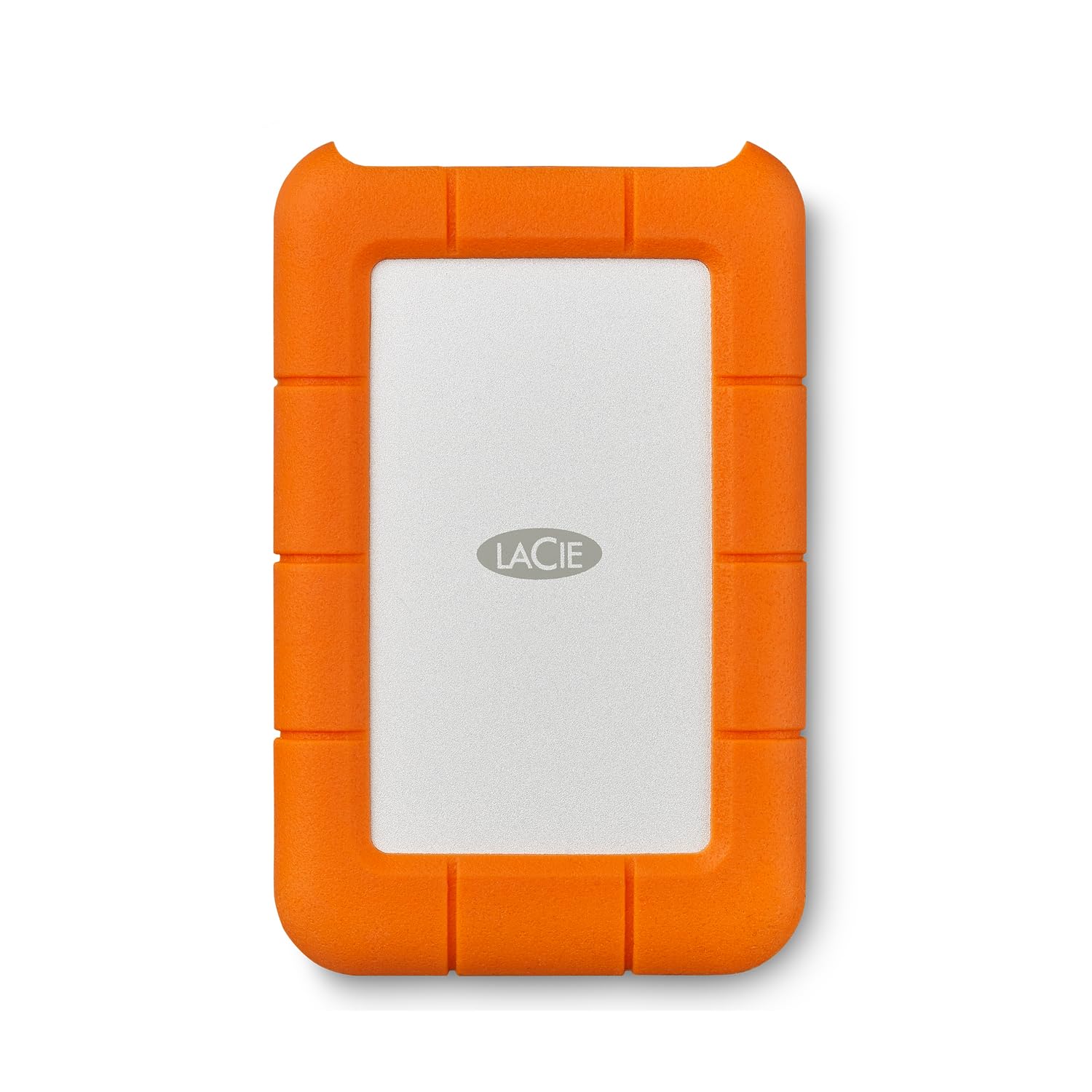
The LaCie Rugged Mini is the field-tested workhorse for photographers, videographers, and anyone who moves their data through unpredictable environments. Its orange rubber bumper absorbs shock from drops up to 4 feet, and the enclosure is both dust- and water-resistant (IP54 rated). Pre-formatted in exFAT, it works with Windows and macOS out of the box — no reformatting required. The USB 3.0 interface delivers a rated maximum speed of 130 MB/s, competitive for a portable HDD in this class.
Long-time users vouch for its durability — one reviewer reported using these drives for 11 years without a single failure. Another filmmaker using 16 Transcend drives (a similar rugged category) cited zero failures, echoing the reliability expectation. The drive runs cool even during extended use. The compact footprint, combined with the rugged sleeve, means it slides into a camera bag pocket without adding noticeable bulk.
The primary downside is the interface: it still uses a micro USB cable rather than USB-C, which feels dated in 2025. Some Mac users report intermittent mounting issues after extended use (attributed to exFAT formatting quirks, not hardware failure), and one reviewer noted that files required recovery via an older device after two years of Mac use. The included Adobe Creative Cloud trial is also expired.
Why it’s great
- Genuinely rugged — 4-foot drop rating and weather-resistant shell
- Pre-formatted exFAT for cross-platform plug-and-play
- Proven long-term reliability from field users
Good to know
- Still uses micro USB, not USB-C
- Some Mac users report exFAT-related mounting issues over time
4. WD 4TB Elements

The WD Elements is the most stripped-down, utilitarian drive in this lineup — and that’s its strength. No bundled software, no encryption gimmicks, no fancy branding. It’s a 2.5-inch portable HDD with a SuperSpeed USB 3.2 Gen 1 (5 Gbps) interface. Just plug it in and it shows up. For anyone who just wants a reliable, high-capacity drive for basic file storage and backup without paying for features they won’t use, this is the most direct option.
Buyers across hundreds of reviews consistently call it “reliable” and “great value.” It works flawlessly with Windows, requires reformatting for Time Machine on Mac, and is compact enough for a laptop bag. The drive stays quiet and runs only slightly warm during prolonged transfers. Performance is typical for a 5400 RPM HDD — fast enough for media storage and backup, not for active editing.
The main criticism comes from Mac users: the drive ships NTFS-formatted, so you must reformat it to APFS or exFAT before use. One reviewer noted that Time Machine on Monterey auto-reformats to APFS and locks the drive exclusively, which can be confusing. The included USB-A cable is also prone to wear — replacing it with a sturdier cable is a cheap fix that many users recommend.
Why it’s great
- No-nonsense, plug-and-play setup for Windows users
- Compact and lightweight for daily carry
- Reliable WD build quality at a very accessible price point
Good to know
- No bundled software, encryption, or hardware security
- Mac users must reformat; included cable may need upgrading
5. Seagate Portable 4TB

Seagate’s 4TB Portable Drive is one of the most versatile options for mixed-platform households. It is compatible with Windows, Mac, Xbox Series S, and PlayStation consoles — simply plug it in and the console recognizes it immediately for game storage expansion. The drive comes with a 1-year Rescue Service plan, which provides data recovery services if the drive fails — a tangible safety net that adds significant value for users storing irreplaceable files.
Verified buyers praise its quiet operation and lightweight design — ideal for college students and young professionals who carry it daily. It works great for offloading iPhone photos and videos, transferring large project files, and storing media libraries. The 18-inch USB 3.0 cable is short but functional for desktop use. Many reviewers note it’s “college kid friendly” because of its simplicity and silent performance.
The major technical caveat is that this drive uses SMR (Shingled Magnetic Recording) technology. After the onboard cache fills up (roughly 100GB of continuous writes), write speeds drop dramatically to around 25 MB/s. This makes it unsuitable for heavy, sustained workloads like video editing or large database transfers. Some Mac users also report that antivirus software can interfere with initial detection, requiring a software reinstall to resolve.
Why it’s great
- Works natively with Xbox and PlayStation for game storage
- Includes 1-year Rescue Service for data recovery
- Very quiet and lightweight for daily carry
Good to know
- SMR drive — write speeds drop significantly after cache fills
- Initial detection issues possible with active antivirus software
6. Toshiba Canvio Basics 4TB

The Toshiba Canvio Basics is the solid, no-frills entry-level option that consistently delivers. Its matte black polycarbonate shell resists fingerprints and smudges, and the drive is entirely bus-powered — no external adapter needed. It ships pre-formatted NTFS for Windows and offers plug-and-play setup with no software installation. The USB 3.0 interface provides data transfer rates up to 5 Gbps, though real-world speeds are governed by the 5400 RPM hard drive inside.
Customer feedback highlights the drive’s compact footprint and ease of use. One reviewer replaced a dying Toshiba drive with this model and saw backup times drop from hours to under 60 minutes. Another noted it runs cool even after three hours of continuous downloads. The drive is consistently described as a “power horse” for its combination of speed, size, and price.
Mac users need to reformat the drive before use since it ships NTFS. The drive does not include backup software, encryption, or any rugged protection — it’s a bare-bones storage device. Long-term reliability reports are generally positive, but as with any mechanical hard drive, it should not be your only copy of critical data. The lack of a shock-resistant design means it requires careful handling in transit.
Why it’s great
- Smudge-resistant matte finish — stays looking clean
- Consistent, reliable read/write performance for basic backup
- Stays cool during extended use
Good to know
- No encryption, software, or rugged protection included
- Must be reformatted for Mac compatibility
7. Transcend StoreJet 4TB

The Transcend StoreJet is built for the harshest mobile environments. Its three-stage shock protection system includes a rubber bumper, internal suspension, and a reinforced casing that meets military drop-test standards. It’s one of the few drives in this category that includes a physical one-touch auto-backup button — press it and the Transcend Elite software initiates a pre-configured backup. The USB 3.1 Gen 1 interface supports UASP (USB Attached SCSI Protocol) for potentially faster sequential transfers than standard USB 3.0.
Indie filmmakers and field professionals swear by the StoreJet. One user who owns 16 of these drives reports zero failures across years of heavy use, compared to stuttering and failures from other brands. The drive lies flat, making it more secure on a desk than vertical drives that can be knocked over. Real-world speeds hover around 70+ MB/s for large files and 25 MB/s for small random files — typical for a 5400 RPM drive with UASP optimization.
The downsides are minor but noticeable. The drive uses an awkward dual-USB cable (one data, one power for older ports), though most modern USB 3.0 ports handle it with a single cable. The included Transcend Elite backup software is functional but described by some as “quirky.” The drive also has a reputation for being slightly heavier than competitors due to the extra shock protection layers. For pure durability, however, it’s the class leader.
Why it’s great
- Three-stage shock protection meets military drop standards
- One-touch auto-backup button for quick backups
- Proven zero-failure track record from heavy-use professionals
Good to know
- Dual-USB cable can be awkward on some setups
- Slightly heavier and bulkier than non-rugged portable drives
FAQ
Do I need to reformat a 4TB external hard drive for Mac?
Can a 4TB external hard drive work with a gaming console?
How long does a 4TB external hard drive typically last?
Final Thoughts: The Verdict
For most users, the 4 terabyte external hard drive winner is the WD 5TB My Passport because it combines genuine hardware encryption, a slim premium build, and ransomware defense software all backed by a 3-year warranty. If you need a rugged daily driver that can survive drops in the field, grab the LaCie Rugged Mini 4TB. And for a dedicated desktop backup hub that stays plugged in at home, nothing beats the sustained reliability of the Western Digital 4TB My Book.