
Our readers keep the lights on and the weekend projects moving. As an Amazon Associate, I earn from qualifying purchases.
Specs are compiled from manufacturer listings and verified buyer reviews and can change over time — please confirm the key details on the product page before buying.
A 40-inch OLED monitor changes how you see games, movies, and even your desktop — not just because it is bigger. The problem is most models you find are either 48 inches (too big for a desk) or 34 inches (not enough of a leap). The real balance sits around 39 to 42 inches, where OLED’s perfect blacks and instant response times meet a size that actually fits a normal desk without overwhelming your peripheral vision. This guide covers four carefully vetted picks — two dedicated gaming monitors and two versatile displays — so you know exactly which one belongs on your desk.
I’m Rikta — the founder and writer behind FitlyFast. This guide is built by comparing the manufacturers’ published specifications and the patterns across verified customer reviews, so you get each pick’s real strengths and trade-offs instead of marketing spin.
Here is everything you need to make a confident choice — a 40 inch oled monitor that finally matches what you actually do at your desk.
Our Picks at a Glance

How To Choose The Best 40 Inch OLED Monitor
OLED is the king of picture quality — perfect black levels, near-instant response times, and colors that look lifelike. But not every OLED monitor is built the same way. The size, resolution, curve, and connectivity all change which one is right for your setup. Here are the three factors that matter most.
Size and Resolution: The Real Trade-Off
A true 40-inch OLED is rare — most manufacturers build 39-inch or 42-inch models instead. At this size, the resolution decides how sharp the image looks. A 3440 x 1440 (WQHD) ultrawide gives you a wider field of view for racing and shooters, but the text can look a little soft when sitting close. A 3840 x 2160 (4K) display packs more detail, making text and small icons razor-sharp — ideal for multitasking and movies — but demands more from your graphics card to run games at high frame rates.
The Curve: 800R vs Flat
An 800R curve means the screen wraps around you in a tight half-circle with an 800-millimetre radius. In real terms, that feels like the edges of the screen are closer to your face, pulling you into the middle of the action. It works brilliantly for gaming but can feel cramped for photo editing or spreadsheet work, where straight lines should look straight. A flat panel — or a much gentler curve — gives you a more natural view for productivity and movies watched from a distance.
Connectivity and Extra Features
If your PC has an HDMI 2.1 port, you can run the monitor at its full 240Hz refresh rate. If you plug in a console like a PS5 or Xbox Series X, HDMI 2.1 delivers 4K at 120Hz without compression. A USB-C port with power delivery (look for 65W or higher) turns the monitor into a dock for your laptop — one cable handles video, data, and charging. Built-in speakers vary widely: some manage loud but muffled audio, while others are barely usable for anything beyond system sounds.
Quick Comparison
| Model | Best For | Resolution | Refresh Rate | Curve | Amazon |
|---|---|---|---|---|---|
| LG 39GX90SA-W★ Best Overall | Gaming + streaming | 3440 x 1440 | 240 Hz | 800R | Amazon |
| LG 39GS95QE | Competitive gaming | 3440 x 1440 | 240 Hz | 800R | Amazon |
| LG 39GX900A-B | Gaming + productivity | 3440 x 1440 | 240 Hz | 800R | Amazon |
| LG 39GX950B-B | Sharpest detail + creating | 5120 x 2160 | 165 Hz | 1500R | Amazon |
In‑Depth Reviews
1. LG 39GX90SA-W 39-inch Ultragear WQHD OLED Curved Gaming Monitor
Our pick — over 4★ from 550+ verified ratings; the strongest balance of quality and price.
The 39-inch panel that doubles as a streaming hub — webOS built right in.
The LG 39GX90SA-W takes the normal gaming monitor idea and adds something unexpected: a full smart-TV operating system. With webOS24 baked in, you get direct access to Netflix, Prime Video, Disney+, and over 300 free LG channels — no need to fire up your PC just to watch a show. You can also jump into cloud gaming services like NVIDIA GeForce NOW and Amazon Luna without a console or gaming PC attached, which makes this an all-in-one entertainment centre for a desk setup.
The gaming specs are every bit as serious as the streaming features. A 240Hz refresh rate and a 0.03ms response time (GtG) mean motion stays crisp even during fast-paced shooters, and the 800R curve wraps the 39-inch WQHD — 3440 x 1440 — panel around your peripheral vision. The DisplayHDR True Black 400 rating and a 1.5M:1 contrast ratio deliver the deep blacks OLED is known for, paired with a peak brightness of 1300 nits (APL 1.5%) for highlights that pop. Reviewers consistently praise the rich feel, incredible colours, and how full-screen movies fill the entire display edge to edge. One common note is that the built-in speakers are loud but can sound a little muffled — fine for casual watching, not for critical listening.
On the connectivity side, you get HDMI 2.1, DisplayPort 1.4, and a USB-C port, plus FreeSync Premium and G-Sync compatibility so screen tearing stays out of the picture. The anti-glare surface keeps reflections low, and the 2-year limited warranty covers the OLED panel, with pixel-cleaning and panel-care tools included to prevent burn-in. A small number of owners flagged that LG pushes ad and data-tracking software through Windows Update — a privacy concern note if you connect a Windows PC directly.
Curved OLED immersion
- Built-in webOS for streaming and cloud gaming — no PC required
- 240Hz + 0.03ms response for buttery-smooth competitive play
- Deep blacks and 1300-nit peak brightness with DisplayHDR True Black 400
- Anti-glare surface keeps reflections manageable in lit rooms
Limited connectivity options
- Built-in speakers are loud but sound muffled — plan for external audio
- Some buyers report unwanted ad and data software pushed through Windows Update
- WQHD (3440 x 1440) means text clarity is good but not as sharp as 4K
Best curved OLED: If you want a single screen for gaming, streaming, and cloud play — no second device needed — this monitor delivers the full package. The catch is the privacy concern around LG’s ad software on Windows; if you use a PC primarily for competitive gaming where every millisecond counts, the 39GS95QE below is a more focused choice for tear-free play and may suit you better.
2. LG 39GS95QE Ultragear OLED Curved Gaming Monitor 39-Inch WQHD

Aggressive curve and pure gaming focus — no smart-TV extras, just raw speed.
The LG 39GS95QE strips away everything except the gaming essentials, and that focus shows. It shares the same 240Hz refresh rate and 0.03ms response time as its webOS-equipped sibling, but the 800R curve here feels even more purposeful because the entire monitor is built around one job: immersion. The 39-inch WQHD — 3440 x 1440 — OLED panel wraps around your field of view so tightly that periphery motion feels natural, which is a real advantage in racing sims and first-person shooters.
DisplayHDR True Black 400 and a 1.5M:1 contrast ratio deliver the signature OLED black levels and vibrant colours, and the anti-glare coating keeps reflections down during long sessions. The monitor supports both AMD FreeSync Premium Pro and NVIDIA G-Sync, validated as G-Sync Compatible, so screen tearing is essentially eliminated no matter which graphics card you use. The HDMI 2.1 and DisplayPort 1.4 connections let you hit the full 240Hz, and the stand offers height, tilt, and swivel adjustments. Owners praise the stunning picture quality, perfect blacks, and how the 240Hz paired with the curve creates deep immersion — the 2-year burn-in warranty provides confidence over time.
The recurring trade-off here is text clarity. At 3440 x 1440 on a 39-inch panel, some owners find 100% scaling makes text look large and slightly soft, which can be tiring for all-day spreadsheet or coding work. The anti-glare coating also has a minor side effect: it can lift black levels in a very bright room. A small but notable number of owners reported flickering or a black-screen issue within the first two weeks — enough to suggest keeping the return window in mind.
Pure gaming focus
- 240Hz and 0.03ms for competitive-grade smoothness
- 800R curve provides some of the strongest immersion in this list
- FreeSync Premium Pro and G-Sync Compatible for tear-free play
- 2-year burn-in warranty backs the OLED panel
No built-in speakers
- Text clarity at 3440 x 1440 on a 39-inch screen is not sharp enough for heavy productivity
- Anti-glare coating can slightly lift black levels in bright rooms
- A small number of early units developed flickering or black-screen issues
Gaming specialist: If you sit close and your top priority is feeling surrounded by the game world, this is the most focused pick — no webOS, no ads, just the curve and the speed. The limitation is that it is not great as a work monitor; if you split your time 50/50 between gaming and productivity, the 39GX900A-B below handles both better.
3. LG Ultragear 39GX900A-B 39” OLED Curved WQHD Gaming Monitor
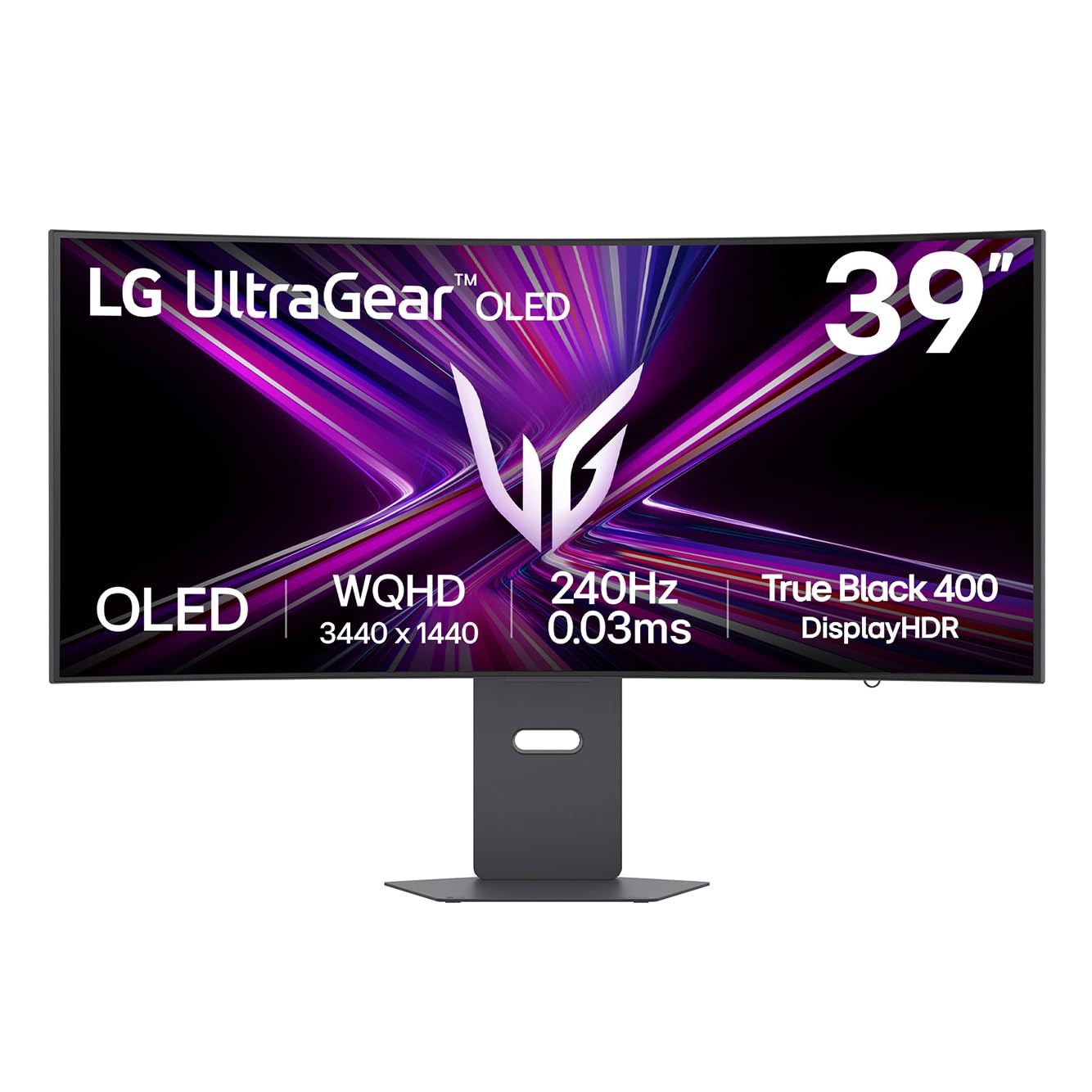
The 240Hz OLED that actually works for spreadsheets — crisp text and USB-C power.
The LG 39GX900A-B splits the difference between the gaming-first 39GS95QE and the smart-feature-heavy 39GX90SA-W. You get the same 240Hz refresh rate and 0.03ms response time, the same 800R curve, and the same 39-inch WQHD — 3440 x 1440 — OLED panel, but the connectivity is where this model pulls ahead. A USB-C port delivers up to 65W power delivery, so a single cable handles video, data, and laptop charging — a much cleaner setup for a desk that hosts both a gaming PC and a work notebook.
The colour performance is a standout here. The panel covers up to 98.5% of the DCI-P3 colour space, paired with a 1.5M:1 contrast ratio and DisplayHDR True Black 400. Owners consistently call the picture quality the best they have ever owned — deep blacks, vibrant colours, and auto-HDR switching that works smoothly. The 39-inch size gets praised for being large enough to feel rich without overwhelming a standard desk, and the built-in speakers are considered acceptable for a monitor, with some owners noting a pleasant depth effect.
The most-discussed aspect is picture quality, with 11 owners singling it out as the top positive — followed closely by build quality at 11 mentions and colour quality at 10. The 800R curve is described as aggressive but rich, especially from around 30 inches viewing distance. The upside is you get gaming-grade speed, colour-accurate visuals, and a single-cable laptop dock in one package. The downside is the menu button feels awkward, 16:9 console content will show black bars on the ultrawide panel, and an occasional unit arrives with a defective panel — return protection is a smart idea here.
Hybrid work-play
- USB-C with 65W power delivery — one cable charges and connects a laptop
- 240Hz + 0.03ms for smooth gaming, plus 98.5% DCI-P3 for colour work
- 39-inch size is rich without overwhelming a standard desk
- Built-in speakers are better than most monitor audio — acceptable for casual use
Mediocre HDR brightness
- Menu control via a joystick button feels awkward compared to dedicated buttons
- Ultrawide format means black bars on 16:9 console games and movies
- An occasional panel arrives with a blue/green pixel line — test early
Versatile hybrid: If your desk is home to both a gaming PC and a work laptop, the USB-C 65W port makes this the most practical single-monitor setup in the list. The curve is a lot for productivity, so if you mainly do spreadsheets and detail work, the gentler 1500R curve of the LG 39GX950B-B below is the better fit.
4. LG 39GX950B-B 39-inch Ultragear evo 5K2K OLED Curved Gaming Monitor
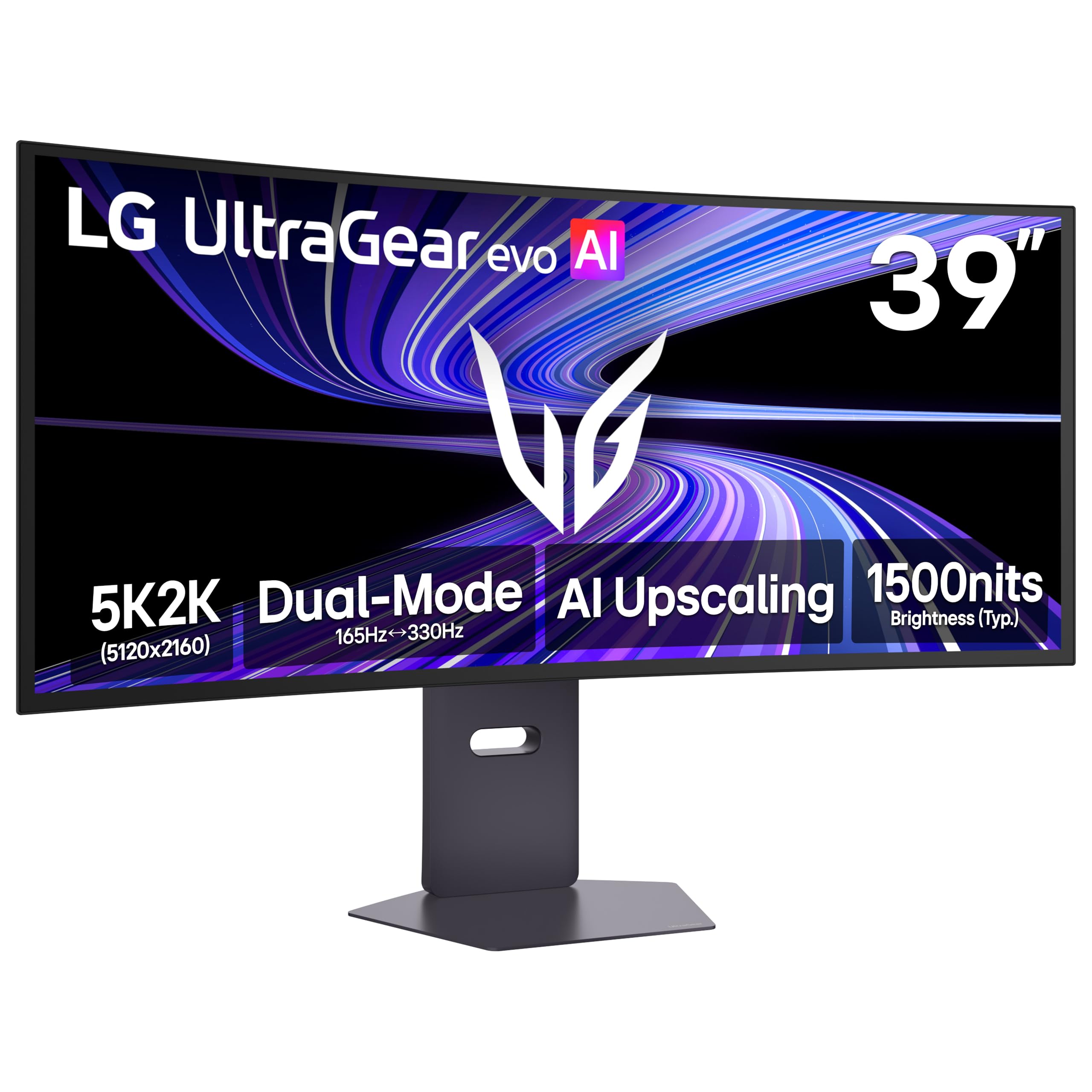
A 39-inch OLED that trades refresh rate for pixels — 5120 x 2160 and the sharpest text here.
The LG 39GX950B-B keeps the same 39-inch curved ultrawide footprint as the rest of the list but pushes the panel far further on resolution. LG bills it as the world’s first 39-inch 5K2K OLED gaming monitor, and the native 5120 x 2160 resolution lifts pixel density to a listed 143 PPI — roughly the same physical screen as the WQHD models, with far more pixels packed into it. The curve is gentler here too: 1500R rather than the 800R used on the other three, which keeps straight lines looking straighter for spreadsheets, timelines and photo work while still wrapping the 21:9 field of view around you.
The panel is LG’s 4th Gen Primary RGB Tandem OLED, rated at up to 335 nits typical brightness with VESA DisplayHDR True Black 500, up to 99.5% DCI-P3 coverage and a quoted Delta E of 2 or better. Response time is the same 0.03ms (GtG) as the other UltraGear panels, and adaptive sync covers both NVIDIA G-SYNC Compatible and AMD FreeSync Premium Pro. A VESA-certified Dual Mode lets you flip between 5K2K at 165Hz for cinematic single-player games and Wide FHD at 330Hz when you want the fastest possible frames. Connectivity runs to two HDMI 2.1 ports, DisplayPort, USB-C and USB-A, and LG includes an AI Upscaling engine that pushes lower-resolution sources toward the panel’s native 5K2K. The finish is matte, the chassis weighs 23.6 pounds, and it ships with a 2-year manufacturer warranty.
The trade-offs are real. At 5K2K the refresh rate tops out at 165Hz rather than the 240Hz the other three manage, so competitive shooter players give something up unless they drop into the 330Hz Wide FHD mode. Driving 5120 x 2160 also asks a great deal more of a graphics card than 3440 x 1440 does. Listed typical brightness of 335 nits is respectable for OLED but not a headline number, and this is the most expensive pick in the guide by a clear margin. It is also the newest: at the time of writing it carries a 4.2-star average from only 32 Amazon ratings, so the pool of long-term owner feedback is still small compared with the established models above.
5K2K clarity
- Native 5120 x 2160 at a listed 143 PPI — the sharpest text in this list
- Dual Mode switches to Wide FHD at 330Hz when you want raw speed
- DisplayHDR True Black 500 with up to 99.5% DCI-P3 and Delta E ≤ 2
- Gentler 1500R curve is easier to live with for document and photo work
165Hz ceiling
- 165Hz at full resolution, where the other three picks run 240Hz
- 5120 x 2160 demands a much stronger graphics card to drive well
- The priciest option here, with only 32 Amazon ratings so far
The detail and workstation pick: If you write code, edit photos or video, or simply want the crispest text a 39-inch OLED can give you, the 5K2K panel is a genuine step up from everything else here. The catch is the 165Hz ceiling and the graphics card it takes to feed 5120 x 2160 — if frame rate matters more than pixel count, the 240Hz models above are the correct choice.
Understanding the Specs
DisplayHDR True Black 400
This is the HDR rating specifically for OLED panels. It certifies that the monitor can produce deep, true blacks — where no light leaks at all — while still hitting 400 nits of brightness on highlights. In real use, it means a dark scene in a game or movie shows the shadow detail without washing out the blacks into grey. A standard HDR 400 rating on an LCD monitor cannot do this because LCDs always let some backlight bleed through.
800R Curve
The R stands for radius in millimetres. An 800R curve bends the screen into a circle with an 800mm radius. The smaller the number, the tighter the curve. At 800R, sitting about 30 inches away makes the edges of the screen feel roughly the same distance from your eyes as the centre, which tricks your brain into feeling more immersed. Flat panels are better for colour-critical work (curves can distort straight lines), and gently curved panels (1800R or 1500R) are more subtle for mixed use.
FAQ
Will a 39-inch OLED monitor fit on a standard desk?
Is 3440 x 1440 (WQHD) sharp enough on a 39-inch screen?
Does an OLED monitor burn in like an OLED TV?
Is 5K2K worth it over 3440 x 1440?
What is the difference between the LG 39GX90SA-W and the 39GX900A-B?
Do I need HDMI 2.1 for 240Hz on these monitors?
Which monitor is best for console gaming?
Are the built-in speakers any good on these monitors?
Final Thoughts: The Verdict
Across the board, the 40 inch oled monitor winner is the LG 39GX90SA-W because it combines top-tier gaming speed (240Hz, 0.03ms) with built-in webOS for streaming and cloud gaming — one screen that covers everything you do at a desk. If you want the absolute best text clarity and the most desktop real estate, grab the LG 39GX950B-B. And for the smoothest competitive gaming with the tightest curve, the LG 39GS95QE is the one to reach for.
How We Picked
We do not accept paid placement. Every pick is matched to a real buyer and a real use-case; we do not hands-on test units.
Sources & Methodology
Specifications: manufacturer listings and product documentation. Review insights: verified customer reviews, as of July 2026. Pricing: not shown on this page (it changes often); check the current price via the retailer link.
As an Amazon Associate, FitlyFast earns from qualifying purchases. This does not affect which products we feature.