
Our readers keep the lights on and the weekend projects moving. As an Amazon Associate, I earn from qualifying purchases.
The 40-inch class sits in a sweet spot where bedroom, dorm, and compact living room buyers face a real trade-off: you want clear Full HD resolution and a responsive smart platform, but the sub- market is littered with TVs that trade picture quality for a sluggish operating system. A bad OS — with bloatware, freezes, and limited app stores — can ruin an otherwise decent panel.
I’m Rikta — the founder and writer behind FitlyFast. Over the last decade I’ve analyzed hundreds of TV spec sheets, cross-referencing contrast ratios, HDMI port counts, Bluetooth versions, and smart-platform reliability to separate the sets that deliver genuine long-term value from the ones that frustrate within a month.
This guide focuses specifically on sets that hit a true 1920 x 1080 resolution, use a modern OS that doesn’t stutter, and offer at least three HDMI inputs. After weeks of research, the best 40 inch tv choices here balance panel quality, connectivity, and smart features for real home use.
How To Choose The Best 40 Inch TV
Not all 1080p panels perform equally. Two sets with the same resolution can have drastically different color vibrancy, contrast depth, and motion clarity depending on the backlight technology and processing chip. Here is what separates a capable 40-inch set from one you will regret six months later.
Panel Technology: QLED vs Standard LED
A standard 40-inch LED-backlit LCD TV uses white LEDs to light the panel. A QLED (quantum dot) layer converts that backlight into purer red, green, and blue light, which boosts color volume by roughly 30 percent and improves brightness without increasing power draw. In the 40-inch class, QLED sets like the Hisense QD4 series produce a visible difference in skin tones and nature scenes compared to basic LED models that look flat by comparison.
Smart Platform: Roku, Fire TV, Google TV, or None
The operating system determines how fast the menu responds, how many apps you can install, and whether you see ads on the home screen. Roku is the leanest, with the least bloatware and the simplest navigation. Fire TV integrates deeply with Alexa and has a huge app selection but can feel sluggish on budget hardware. Google TV offers excellent voice search and Cast support but sometimes stutters on lower-end chips. A non-smart TV is the best choice if you plan to use an external streaming device and want zero ads.
Audio and Connectivity Essentials
Built-in TV speakers in this size range are weak — most produce only 8 to 10 watts per channel with poor bass. Look for DTS Virtual:X or Dolby Audio processing to improve clarity, but plan on adding a soundbar for any room where dialogue matters. On the connectivity side, three HDMI inputs are the practical minimum for a streaming device, game console, and cable box. Bluetooth 5.0 or later lets you connect wireless headphones for late-night viewing without disturbing others.
Quick Comparison
On smaller screens, swipe sideways to see the full table.
| Model | Category | Best For | Key Spec | Amazon |
|---|---|---|---|---|
| Hisense QD4 40-Inch | QLED / Fire TV | Vibrant colors, Alexa control | 6000:1 Contrast Ratio | Amazon |
| Westinghouse Roku 40-Inch QLED | QLED / Roku TV | Smooth OS, QLED picture | Bluetooth 5.2 | Amazon |
| Samsung F6000 40-Inch | HDR / Tizen | Object Tracking Sound, Knox | Bezel-less Design | Amazon |
| Amazon Ember 2-Series 40-Inch | Fire TV / Omnisense | Fast processor, Alexa+ | Wi-Fi 6 Support | Amazon |
| FPD Palette-Series 40-Inch | Google TV / HDR10 | Google Assistant, Chromecast | 5000:1 Contrast Ratio | Amazon |
| Westinghouse 40-Inch Xumo TV | FHD / Xumo OS | Dolby Atmos, AirPlay 2 | 3500:1 Contrast Ratio | Amazon |
| INSIGNIA 50-Inch F50 Series | 4K / Fire TV | 4K upscaling at budget price | DTS Virtual-X Sound | Amazon |
| TuTu 40-Inch Non-Smart TV | FHD / No OS | Ad-free, instant-on simplicity | 5ms Response Time | Amazon |
| Sony BRAVIA 2 II 43-Inch | 4K / Google TV | PS5 gaming, premium processing | 4K Processor X1 | Amazon |
In‑Depth Reviews
1. Hisense 40-Inch QD4 Series Hi-QLED FHD Smart Fire TV (40QD4QF, 2025 Model)
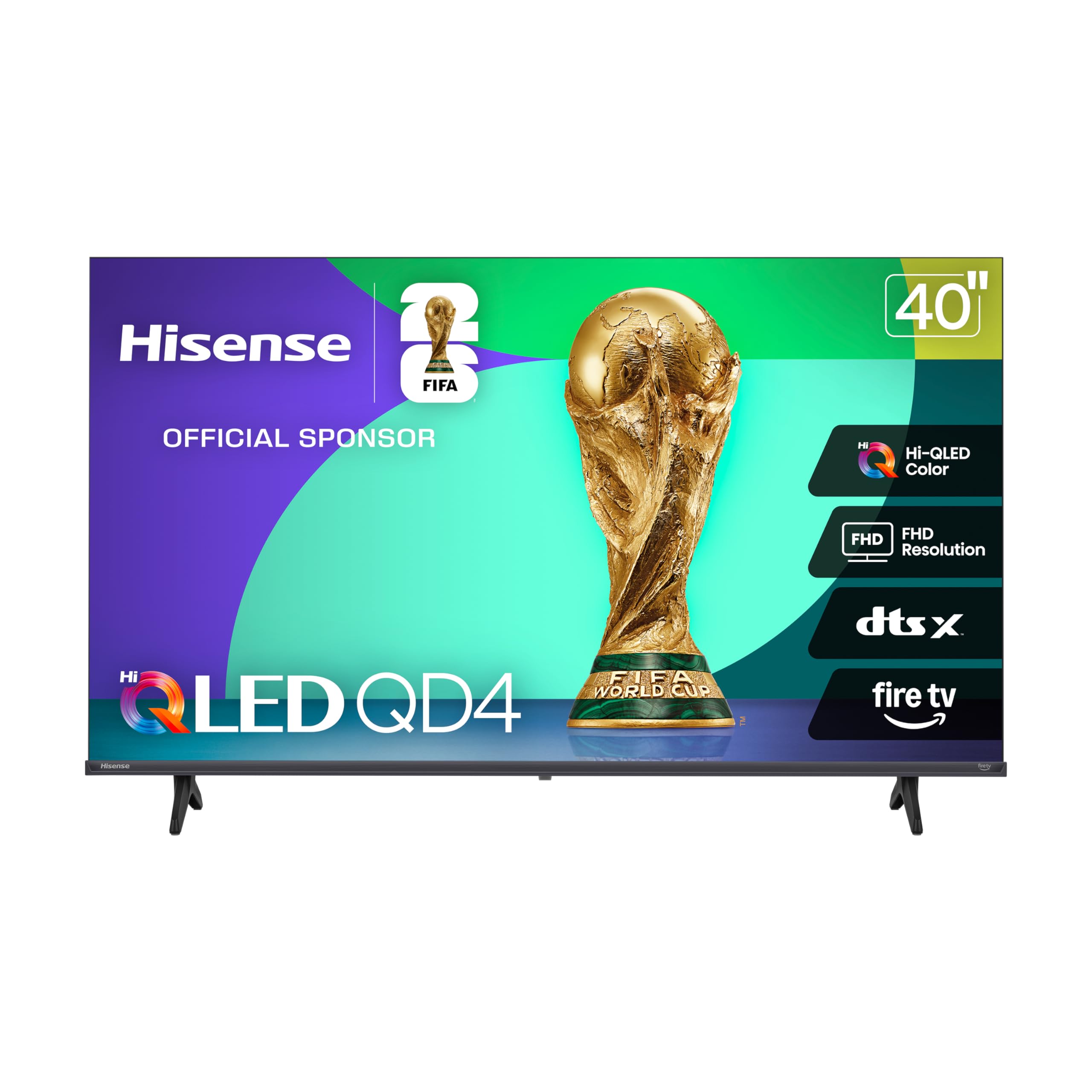
The Hisense QD4 stands out in the 40-inch class because it brings quantum dot color to a form factor that usually gets basic LED panels. The Hi-QLED layer produces noticeably richer reds and greens than standard 1080p sets, and the 6000:1 contrast ratio gives dark scenes real depth instead of a washed-out gray haze. In a bedroom or small living room, the color pop alone makes this the most visually engaging option under the mid-range ceiling.
Fire TV integration means Alexa is built into the voice remote, and you get access to the full Amazon app ecosystem plus Freevee and Prime Video channels without needing an external stick. DTS Virtual:X processing helps the built-in speakers deliver clearer dialogue than most competitors, though the bass still lacks punch. The slim bezel design keeps the footprint small — the set fits on most standard 36-inch media consoles without overhang.
Two HDMI inputs is a limitation if you plan to connect a streaming device, a game console, and a soundbar simultaneously. A small trade-off given the QLED panel quality at this size, but something to consider before you buy. If you only need one streaming device and a console, the pair of HDMI ports will cover you.
Why it’s great
- Quantum Dot color is visibly richer than standard 1080p panels
- 6000:1 contrast ratio delivers true black levels for dark scenes
- Alexa built into the remote with Fire TV platform
- DTS Virtual:X improves dialogue clarity without a soundbar
Good to know
- Only two HDMI inputs may limit multi-device setups
- App switching can feel slightly slower than Roku-based TVs
- Remote is small and easy to misplace between couch cushions
2. Westinghouse Roku TV – 40 Inch Smart TV, FHD QLED Television
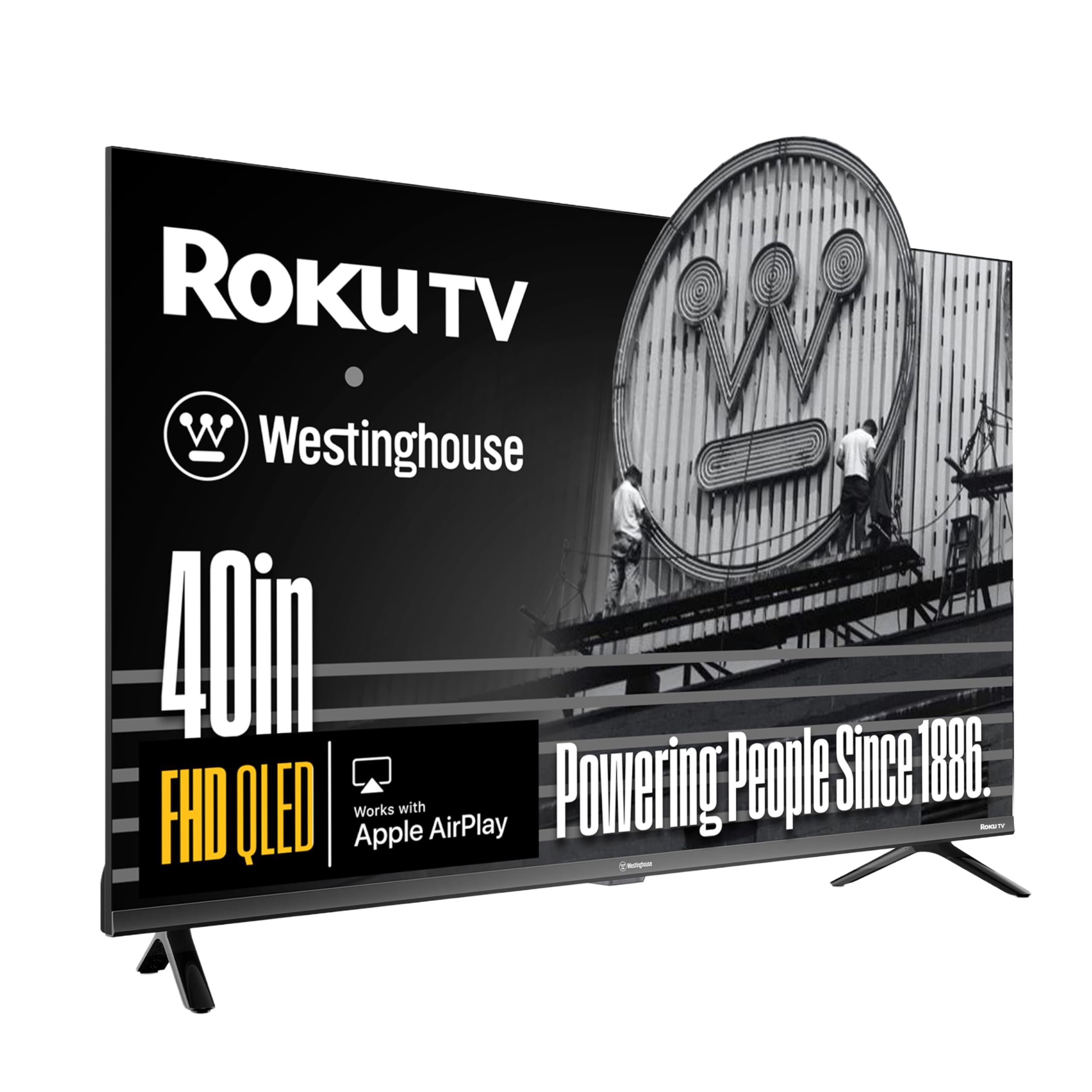
Westinghouse pairs a quantum dot FHD panel with Roku OS, which is the smart platform that consistently gets the least complaints about lag, bloatware, and confusing menus. The QLED display delivers the same color vibrancy advantage as the Hisense, but Roku’s interface is noticeably snappier — app loading and navigation feel instant rather than delayed. For buyers who prioritize OS smoothness above all, this is the set to beat.
Bluetooth 5.2 is the newest wireless standard in this comparison, meaning faster pairing and more stable connections to wireless headphones or a soundbar. The bezel-less design extends the image nearly edge-to-edge, which makes the 40-inch screen feel larger than it measures on paper. Apple AirPlay 2 and the free Roku mobile app make casting from a phone or tablet seamless without needing an extra remote.
The contrast ratio here is 1200:1, which is standard for a QLED panel but significantly lower than the Hisense’s 6000:1. Blacks won’t look as deep in a dark room, so if you watch a lot of movies in dim lighting, the Hisense may be the better visual choice. The three HDMI ports give you more flexibility for connecting multiple devices.
Why it’s great
- Roku OS is the smoothest, least bloated smart platform available
- Bluetooth 5.2 provides fast, stable wireless audio pairing
- Three HDMI ports accommodate multiple devices easily
- Bezel-less design maximizes screen real estate
Good to know
- 1200:1 contrast ratio is lower than the Hisense QD4
- Built-in speakers lack deep bass for movie watching
- Some units reported self-cycling power issues at certain outlets
3. Samsung 40-Inch Class Full HD F6000 Smart TV (2025 Model)

Samsung brings its Q-Symphony and Object Tracking Sound Lite technologies to the 40-inch class, which is rare at this size. The virtual top channel makes audio feel like it follows on-screen movement — a helicopter flyover genuinely shifts sound from left to right across the room. For a panel this compact, the immersive audio trick is impressive and makes daytime sports and action movies more engaging without needing a soundbar immediately.
The One UI Tizen platform is clean and integrates well with Samsung phones through auto-detection and screen mirroring. PurColor processing delivers vibrant, lifelike skin tones, and Mega Contrast adjusts brightness dynamically based on scene content. The three bezel-less sides (top and left/right) give the TV a near-floating look on a stand or wall mount.
Multiple user reviews flag a slow remote response — a 1 to 4 second delay when changing apps, and in rare cases the TV resets to initial setup on every power cycle. These software issues appear inconsistent across units, but they are worth noting. The energy consumption rating of 774.8 kWh per year is also significantly higher than competitors, which could add to your electricity bill over time.
Why it’s great
- Object Tracking Sound Lite creates immersive, directional audio
- PurColor delivers rich, accurate skin tones
- Bezel-less design on three sides looks premium
- Seamless integration with Samsung smartphones
Good to know
- Remote lag issues reported by multiple users
- Some units experience resetting to initial setup screen
- Higher annual energy consumption than competitors
4. Amazon Ember 40″ 2-Series with Fire TV (Newest Model)

The Amazon Ember 2-Series differentiates itself with Omnisense technology — built-in sensors that wake the display when you walk into the room and show artwork or a photo slideshow. It is a genuinely useful feature for bedrooms and living spaces where the TV doubles as a digital picture frame. The 40-inch 1080p panel is sharp enough for casual viewing at standard seating distances, and the quad-core processor makes the Fire TV interface feel faster than previous Amazon-branded sets.
Wi-Fi 6 support is a meaningful upgrade for households with congested networks. If you have multiple devices streaming simultaneously, the Ember maintains a stable connection without buffering. The Alexa Voice Remote Enhanced includes preset buttons for Prime Video, Netflix, and other services, cutting down the need to navigate through menus.
The Ambient Mode has a frustrating limitation — the photo slideshow automatically turns off after five minutes with no option to extend it, which defeats the digital picture frame purpose many buyers want. Onboard speakers are thin, and the two HDMI inputs are restrictive compared to the three-port competition. The 720p version of this same model has confused some buyers, so confirm you are getting the 1080p variant.
Why it’s great
- Omnisense motion sensor wakes TV to show art or photos
- Wi-Fi 6 provides stable streaming on congested networks
- Fast quad-core processor improves Fire TV responsiveness
- Alexa Voice Remote Enhanced with preset app buttons
Good to know
- Ambient photo slideshow cuts off after five minutes
- Only two HDMI inputs limit device connections
- Onboard speakers are weak — external audio recommended
5. FPD 40-inch Smart TV, 1080p Full HD Google TV (Palette-Series, CG40-P3)

For buyers who prefer Google TV over Fire TV or Roku, the FPD Palette-Series delivers the full Google smart experience with Chromecast built-in and Google Assistant voice control. The 5000:1 contrast ratio is strong — it sits between the Hisense QD4 and the Westinghouse Roku in black-level performance, producing decent shadow detail for a 1080p panel. HDR10 support adds a layer of dynamic range that makes streaming content from Netflix and YouTube look punchier than standard SDR.
The dual HDMI 1.4 ports and dual USB 2.0 ports give you flexibility for connecting a soundbar and gaming console while keeping a USB slot for media playback. Bluetooth 5 and Wi-Fi 5 cover wireless connectivity adequately for 1080p streaming, which doesn’t require the bandwidth of 4K. The included AV adapter cable is a nice touch for legacy devices like older DVD players or camcorders.
The viewing angle is narrow — colors start to wash out beyond about 45 degrees from center, which makes this a poor choice for wide rooms where people sit off to the side. A few user reports mention a non-functional remote out of the box, so test it immediately upon arrival. The 90-degree field of view is a real limitation for group watching, so reserve this for a single-person desk setup or a bedroom where you face the screen directly.
Why it’s great
- Google TV with Chromecast built-in for easy casting
- 5000:1 contrast ratio delivers solid black levels
- HDR10 support improves color and contrast in supported content
- Dual HDMI and dual USB ports for flexible connectivity
Good to know
- Narrow viewing angle — colors wash out beyond 45 degrees
- Some units ship with defective remote control
- Best suited for solo viewing or directly-facing seating
6. Westinghouse 40-inch Smart TV, FHD 1080P Xumo TV
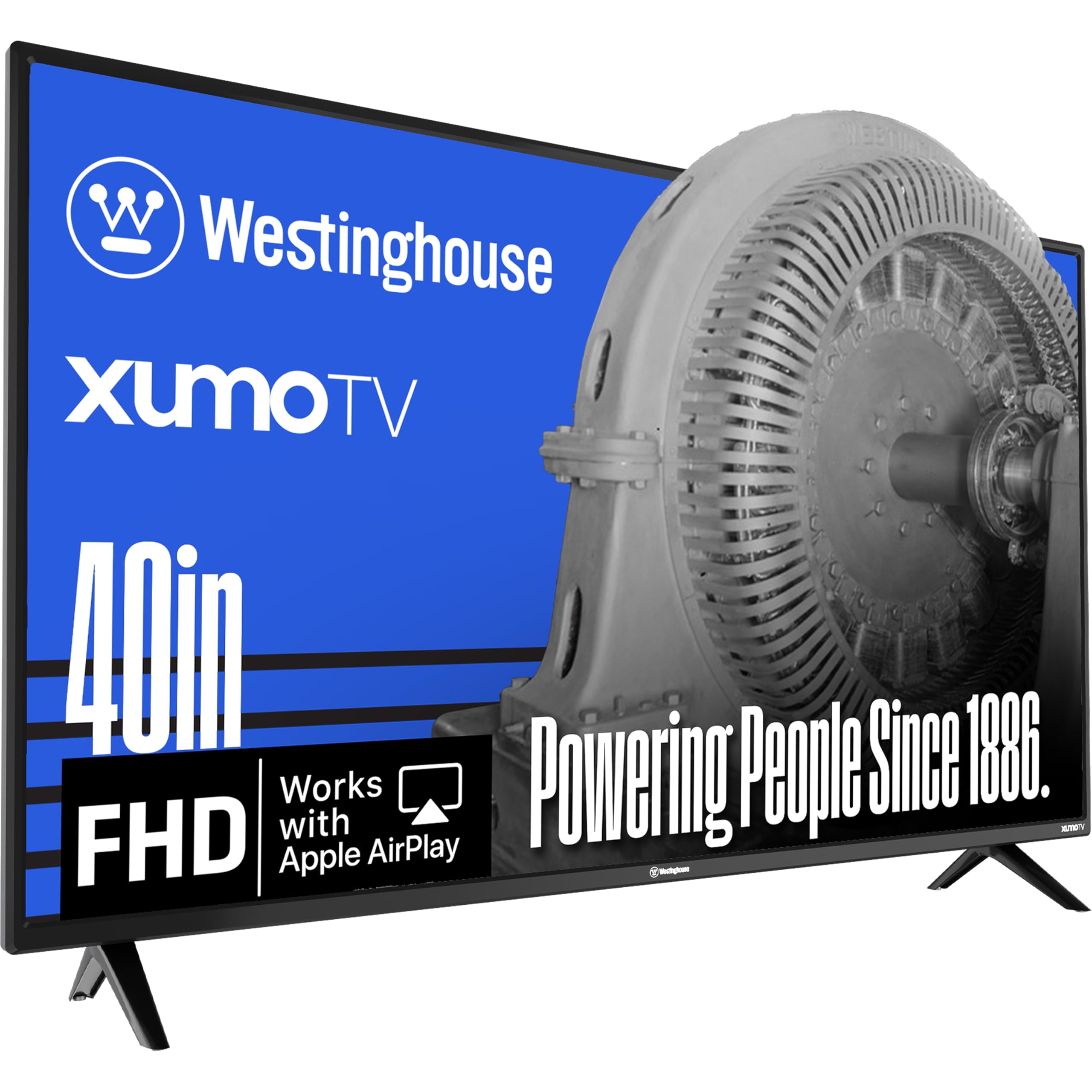
Westinghouse’s Xumo TV is a solid hardware package — a 3500:1 contrast ratio panel, Dolby Atmos processing, and Bluetooth 5.1 for wireless audio — but the Xumo OS is the divisive factor. The interface is clean and gives you access to Netflix, Prime Video, Disney+, and the Xumo Play app with 350 free live channels. For a buyer who just wants a simple, inexpensive TV that works out of the box with major streaming services, it delivers.
The three HDMI inputs, USB port, composite video input, and optical digital audio output make this one of the most versatile connectivity options in the entry-level tier. Apple AirPlay 2 and built-in Bluetooth mean you can mirror an iPhone or connect wireless headphones without any additional hardware. Dynamic contrast enhancement helps the panel handle bright and dark scenes reasonably well for a 1080p set at this price.
Multiple user reviews report that the Xumo OS suffers from preloaded bloatware, an inability to download desired apps, and occasional freezing during live sports — even over a stable Ethernet connection. The TV hardware itself gets consistent praise; the OS is the bottleneck. If you are willing to use an external streaming stick, this is a great monitor-style panel. If you want a seamless built-in smart experience, choose the Roku or Fire TV version instead.
Why it’s great
- Dolby Atmos processing for improved audio depth
- Three HDMI inputs and optical audio for versatile connectivity
- AirPlay 2 and Bluetooth 5.1 for wireless casting and audio
- Good 3500:1 contrast ratio for the entry-level price
Good to know
- Xumo OS has bloatware and limited app selection
- OS freezes reported during live sports streaming
- Better used with an external streaming device like Roku
7. INSIGNIA 50″ Class F50 Series LED 4K UHD Smart Fire TV

At 50 inches and 4K resolution, the INSIGNIA F50 Series delivers a bigger, sharper picture than any 40-inch 1080p set. The 2160p panel with HDR10 support provides four times the pixel density of Full HD, so streaming content from Prime Video and Netflix looks noticeably more detailed. DTS Virtual-X processing creates a three-dimensional sound effect from the built-in speakers, which is a useful upgrade in a budget 4K TV that normally ships with flat audio.
Fire TV integration with the Alexa voice remote gives you access to over a million movies and TV episodes, plus free ad-supported channels through Fire TV Channels, Pluto TV, and Tubi. The three HDMI ports include one with eARC support, which lets you transmit uncompressed audio to a soundbar for the highest quality sound. The 200×200 VESA pattern makes wall mounting straightforward.
Setup complexity is a recurring complaint — some users report endless update loops, remote connection issues, and a sluggish interface that can freeze. The slim remote has tiny text that is hard to read, and the power cord is hidden awkwardly. For the 4K resolution and size, the picture quality is strong, but you will want external speakers and a tolerance for occasional Fire TV sluggishness.
Why it’s great
- 4K UHD resolution at 50 inches provides excellent detail for streaming
- DTS Virtual-X adds immersive sound without a soundbar
- HDMI eARC support for high-quality audio transmission
- VESA 200×200 compatible for easy wall mounting
Good to know
- Setup can be complex with update loops and remote issues
- Sluggish interface reported by multiple users
- Onboard speakers are weak — external audio recommended
8. TuTu 40 Inch FHD TV, 2K LED Small Flat Screen Non-Smart Television
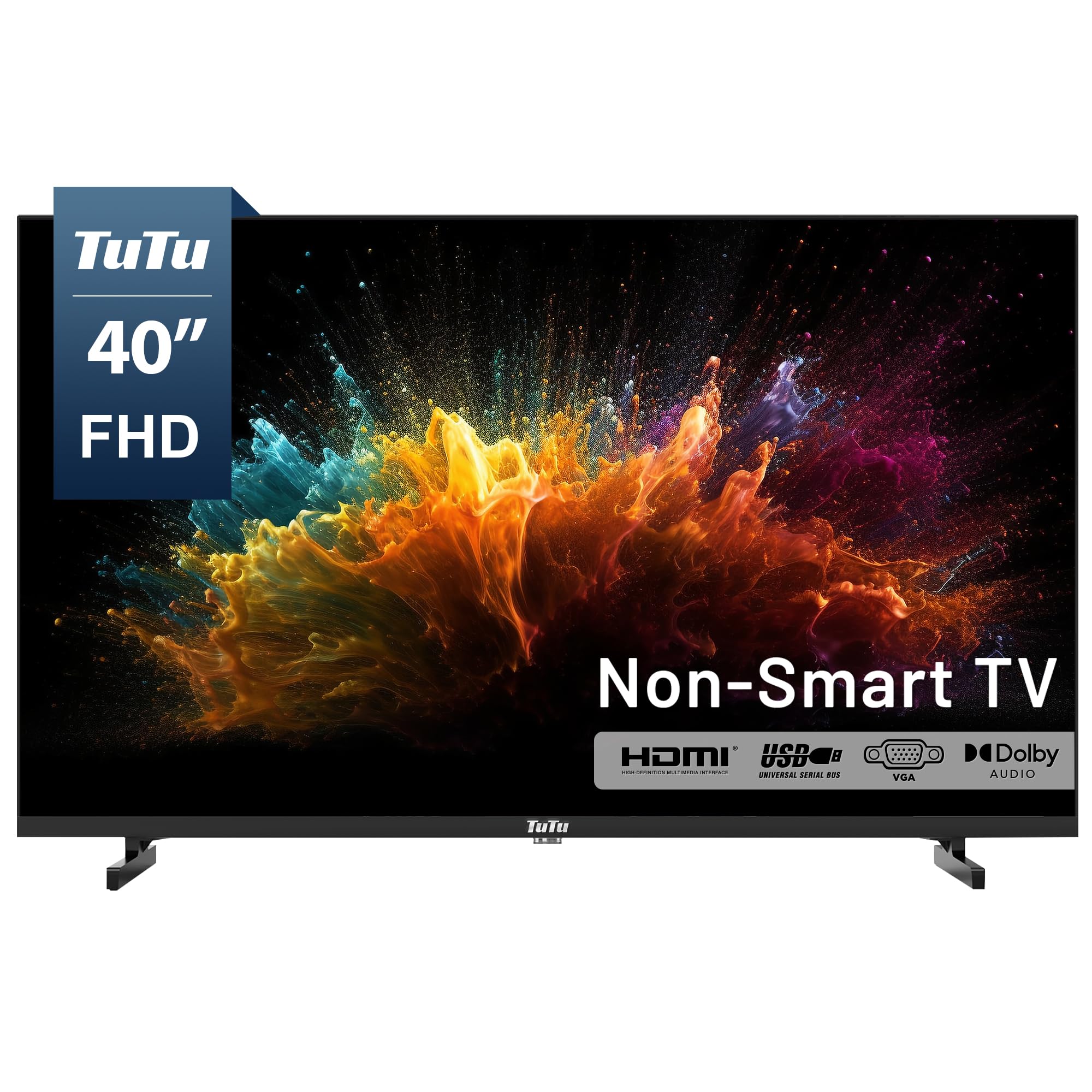
The TuTu 40-inch non-smart TV is the ultimate solution for anyone tired of smart OS bloatware, forced ads, and slow menus. It boots in about 10 seconds directly to the last-used HDMI input — no home screen, no loading wheel, no waiting. The 1080p panel delivers sharp images, and the 5ms response time makes it a solid choice for gaming consoles where input lag matters more than smart features.
The connectivity options are generous for a non-smart set: two HDMI inputs, a VGA port for PC use, AV inputs, an RF antenna input, and a USB port that supports photo, music, and text file playback. The built-in ATSC tuner lets you access free over-the-air HD channels without any subscription. Dolby Audio processing provides clear dialogue, though the shallow internal speakers still benefit from an external soundbar for fuller sound.
The IR remote is basic and cycles through inputs sequentially rather than offering direct input buttons. If you lose the remote, there is no universal remote code readily available, meaning you will have to use the manual buttons on the back of the TV. The lack of ARC or Bluetooth means you cannot connect wireless headphones or control a soundbar through HDMI — everything must be wired through optical or analog outputs.
Why it’s great
- No smart OS means zero ads, bloatware, or lag
- Instant boot to last-used HDMI input
- 5ms response time is excellent for gaming
- ATSC tuner provides free over-the-air HD channels
Good to know
- Basic IR remote with sequential input cycling only
- No ARC or Bluetooth for wireless audio
- Speaker housing blocks rear inputs — use HDMI extension cables
9. Sony BRAVIA 2 II 43 Inch 4K Ultra HD LED Smart TV with Google TV (K-43S20M2)

The Sony BRAVIA 2 II sits at the top of this list for a reason — it delivers 4K resolution through a 4K Processor X1 that upscales 1080p and 720p content to near-4K quality with impressive texture and detail recovery. The Google TV platform works smoothly on Sony’s hardware, and the exclusive PlayStation 5 features — Auto HDR Tone Mapping and Auto Genre Picture Mode — make this the best companion display for PS5 gaming. The TV automatically detects when a PS5 is connected and optimizes the picture settings for gaming or streaming without manual adjustment.
The Motionflow XR technology handles fast motion exceptionally well, keeping sports and action scenes blur-free. Dolby Atmos and DTS:X audio decoding, combined with Bluetooth 5.3, give you premium audio options whether you use the built-in speakers or a wireless sound system.
The 43-inch screen size is slightly larger than the 40-inch focus of this guide, but it fits the same physical footprint and delivers a noticeably bigger viewing area. A small number of user reviews report freezing issues that require unplugging the TV to reset, which could indicate a defective unit. Sony’s build quality and processing power justify the premium price, but budget-conscious buyers should confirm they need the PS5 integration and 4K upscaling before spending more.
Why it’s great
- 4K Processor X1 upscales content to near-4K detail
- Exclusive PS5 Auto HDR and Auto Genre features
- Motionflow XR keeps fast sports and action blur-free
- Very low energy consumption at 95 watts
Good to know
- 43-inch size is slightly larger than the 40-inch class focus
- Some units reported freezing issues requiring a hard reset
- Premium price may not be justified for non-PS5 users
FAQ
Is QLED worth the extra money on a 40-inch 1080p TV?
Can I use a 40-inch TV as a computer monitor?
How many HDMI ports do I really need on a 40-inch TV?
Final Thoughts: The Verdict
For most users, the best 40 inch tv winner is the Hisense QD4 Series because it combines quantum dot color, a 6000:1 contrast ratio, and the Alexa-enabled Fire TV platform in a package that outperforms every other 40-inch set in picture quality. If you want a smooth, ad-light OS and still get QLED color, grab the Westinghouse Roku QLED. And for a completely ad-free, instant-on experience that pairs perfectly with a Roku stick or Apple TV, nothing beats the TuTu non-smart TV.