
Our readers keep the lights on and the weekend projects moving. As an Amazon Associate, I earn from qualifying purchases.
Choosing a monitor that delivers true 4K clarity alongside a buttery-smooth 120Hz refresh rate is a balancing act between resolution fidelity and motion handling. Most displays excel at one or the other, but a genuine 4K 120Hz monitor must render 3840×2160 pixels at a full 120 frames per second without compromise, requiring a robust panel that can eliminate motion blur and stutter.
I’m Rikta — the co-founder and writer behind FitlyFast. My approach to this guide involved deep analysis of panel technology, refresh rate accuracy, color gamut coverage, and adaptive sync compatibility across eleven distinct models to isolate the ones that actually deliver on their performance promises.
After dissecting specs and real user feedback, these are the top contenders that define the best 4k 120hz monitor landscape right now.
How To Choose The Best 4K 120Hz Monitor
Selecting a 4K 120Hz monitor means prioritizing a panel that can handle 8.3 million pixels at high frame rates without ghosting or tearing. Three factors define the experience: the panel technology, the connectivity bandwidth, and the adaptive sync features that tie your GPU and display together.
Panel Technology: The Foundation of Motion and Color
IPS panels offer wide viewing angles and consistent color, making them reliable for both gaming and creative work. Fast IPS variants, like those in the LG 27G810A-B, push response times down to 1ms GtG while maintaining color accuracy. VA panels, like the CRUA 32-inch curved, provide higher native contrast ratios (3000:1) for deeper blacks but can show slower pixel transitions in dark scenes. OLED and QD-OLED screens, found in the MSI MPG 321URX and ASUS PG32UCDM, achieve near-instant 0.03ms response times and infinite contrast, but they require careful burn-in management and are premium-priced.
Bandwidth and Inputs: The Hidden Bottleneck
Driving 4K at 120Hz requires HDMI 2.1 or DisplayPort 1.4 with DSC (Display Stream Compression). HDMI 2.1 provides the full 48Gbps bandwidth needed for uncompressed 4K 120Hz at 10-bit color depth. Older HDMI 2.0 ports cap out at 4K 60Hz, so if your console or graphics card uses HDMI, verify 2.1 support. USB-C with DP Alt Mode, such as the 90W USB-C on the MSI MPG 321URX, allows single-cable laptop connectivity but still needs enough bandwidth for high-refresh 4K.
Adaptive Sync: Eliminating Tear and Stutter
Variable refresh rate technology matches the monitor’s refresh rate to the GPU’s frame output, eliminating screen tearing without adding input lag. AMD FreeSync Premium and NVIDIA G-Sync Compatible both accomplish this, but their effectiveness depends on the monitor’s VRR range. Premium-tier monitors like the Samsung Odyssey G8 cover 48-240Hz, ensuring smooth gameplay even during frame dips. Always check if the monitor is officially validated for your GPU brand to avoid compatibility surprises.
Quick Comparison
On smaller screens, swipe sideways to see the full table.
| Model | Category | Best For | Key Spec | Amazon |
|---|---|---|---|---|
| LG 32GX850A-B | Premium OLED | Competitive & cinematic gaming | 0.03ms response / 4K 165Hz | Amazon |
| Samsung Odyssey G8 (G81SF) | QD-OLED Flagship | High-refresh HDR gaming | 240Hz / DisplayHDR TrueBlack 400 | Amazon |
| ASUS ROG Swift PG32UCDM | QD-OLED Premium | Color-critical gaming & media | 99% DCI-P3 / Custom Heatsink | Amazon |
| MSI MPG 321URX | QD-OLED Power | Fast-action 4K gaming | 240Hz / 90W USB-C PD | Amazon |
| Dell UltraSharp U3225QE | Professional Hub | Productivity & Thunderbolt workflow | Thunderbolt 4 / 140W PD | Amazon |
| LG 27G810A-B | Fast IPS Dual-Mode | Dual-resolution gaming | Dual Mode 4K 180Hz/FHD 360Hz | Amazon |
| ASUS ROG Strix XG32UCG | Fast IPS Dual-Mode | Versatile console & PC gaming | 0.3ms / 4K 160Hz/FHD 320Hz | Amazon |
| Samsung Odyssey G7 (G70D) | Smart IPS Gaming | All-in-one gaming & streaming | 144Hz / 4K AI Upscaling | Amazon |
| CRUA 32″ Curved | Curved VA Value | Immersive media & desktop use | 240Hz / 1500R / 3000:1 contrast | Amazon |
| InnoView 27″ Dual Mode | Portable Dual-Mode | Travel & dual-purpose work/game | 500 nits / 100% sRGB | Amazon |
| UPERFECT 17.3″ QLED | Portable QLED | On-the-go 4K gaming & creation | 100% DCI-P3 / 0.1ms / 500 nits | Amazon |
In‑Depth Reviews
1. LG 32GX850A-B UltraGear

The LG 32GX850A-B combines a glossy 32-inch 4K UHD OLED panel with a dual-mode that hits 165Hz at 4K and 330Hz at 1080p, making it a genuine hybrid for both story-driven titles and competitive shooters. The Micro Lens Array+ technology pushes typical brightness to 275 nits, which improves viewing angles and makes HDR content on TrueBlack 400 feel punchy without crushing shadow detail. Its near-instant 0.03ms GtG response time eliminates ghosting entirely, so fast-moving objects remain razor-sharp even during chaotic scenes.
The stand offers height, tilt, swivel, and pivot adjustments, which is critical for dialing in ergonomics over long sessions. With both NVIDIA G-Sync Compatible and AMD FreeSync Premium Pro validation, this monitor locks frame rates smoothly regardless of your GPU ecosystem. The glossy finish enhances perceived contrast and color pop, though it does pick up reflections in brightly lit rooms—something to consider if your desk faces a window.
Three UL certifications (Anti-Glare, Flicker-Free, Low Blue Light) back up its eye comfort claims, and buyers consistently report a noticeable reduction in eye strain compared to previous IPS panels. The only real hardware drawback is the 165Hz ceiling at native 4K, but for most users, that refresh rate is indistinguishable from 240Hz in real gameplay while keeping demanding GPUs from being pushed beyond their limits.
Why it’s great
- Glossy OLED delivers infinite contrast and vibrant color with no blooming
- Dual-mode hotkey lets you switch between 4K 165Hz and FHD 330Hz instantly
- Fully adjustable ergonomic stand with pivot support for portrait mode
Good to know
- Glossy screen surface reflects ambient light in direct sun
- 165Hz refresh rate is lower than premium 240Hz OLED competitors
2. Samsung Odyssey G8 (G81SF)

The Samsung Odyssey G8 G81SF pushes 4K UHD at a native 240Hz on a 32-inch QD-OLED panel with Glare Free technology that reduces reflections by 54% compared to standard anti-reflective coatings. That matte-like finish is a real advantage for users who play in rooms with uncontrolled lighting, as it preserves black depth and contrast without the mirror effect typical of glossy OLEDs. The 0.03ms GtG response time ensures pixel transitions are effectively instantaneous, so motion clarity at 240Hz is exceptional for competitive gaming.
VESA DisplayHDR TrueBlack 400 certification means the panel can sustain deep blacks while hitting bright highlights, which gives HDR games a level of dimensionality that IPS or VA panels cannot match. Samsung’s Dynamic Cooling System uses a Pulsating Heat Pipe to dissipate heat faster than graphite sheets, reducing the risk of burn-in during extended static-UI sessions. The thermal modulation system and auto-brightness for logos and taskbars add extra layers of protection for mixed-use scenarios.
The silver-finished stand is sturdy and adjustable, but reports of dead pixel clusters appearing after a couple of months in a small number of units highlight the importance of checking Amazon’s return window immediately. CoreSync lighting that mirrors on-screen colors adds a nice ambient gaming touch, though it’s a secondary feature rather than a deciding factor.
Why it’s great
- Glare Free QD-OLED surface handles bright rooms better than glossy rivals
- 240Hz + 0.03ms response for incredibly fluid motion
- Advanced cooling and burn-in prevention features extend panel life
Good to know
- Some units have reported dead pixel issues after initial use
- Mini joystick control can feel finicky for frequent menu navigation
3. ASUS ROG Swift PG32UCDM

The ASUS ROG Swift PG32UCDM pairs a 32-inch 4K QD-OLED panel with a 240Hz refresh rate and a custom heatsink backed by graphene film for advanced thermal management. This combination delivers sustained peak brightness up to 1000 nits in HDR content while keeping the panel safe from burn-in—ASUS includes a 3-year warranty with burn-in coverage, which is rare in the industry. The 0.03ms GtG response time and 99% DCI-P3 coverage make it equally capable for color-graded creative work and high-speed gaming.
DisplayHDR 400 True Black compliance means black levels are truly infinite, and the Delta E < 2 factory calibration ensures out-of-box accuracy that rivals professional monitors. The optional uniform brightness setting maintains consistent luminance across the entire screen, which is useful for desktop productivity where edge dimming can be distracting. With HDMI 2.1, DP 1.4a, and a 90W USB-C port that supports DP Alt mode, connectivity flexibility is excellent for both desktop PCs and laptops.
Users transitioning from IPS panels note the dramatic jump in contrast and the near-total elimination of backlight bleed. The glossy screen enhances clarity but, like all glossy OLEDs, requires some awareness of room lighting. A 1/4-inch tripod socket on the stand is a thoughtful addition for streamers who mount a webcam or mic arm directly to the monitor.
Why it’s great
- 3-year warranty with explicit burn-in coverage for long-term peace of mind
- Custom heatsink + graphene film keeps temperatures low during extended sessions
- Factory-calibrated Delta E < 2 for accurate color work out of the box
Good to know
- Glossy surface shows reflections in direct light sources
- Premium pricing positions it firmly in the high-end category
4. MSI MPG 321URX QD-OLED

The MSI MPG 321URX delivers a 32-inch 4K UHD QD-OLED panel with a 240Hz refresh rate and 0.03ms GtG response time, making it one of the fastest 4K monitors available for competitive play. Its 90W USB-C port with Power Delivery allows single-cable laptop connectivity, charging your device while transmitting the display signal—a feature that productivity-focused users who also game will appreciate. The 1.07 billion colors with 99% DCI-P3 and Delta E ≤ 2 ensure that creative work like photo editing or video grading retains professional-level accuracy.
OLED Care 2.0 includes pixel refresh, panel protection, and taskbar detection algorithms to minimize burn-in risk, which is essential for users who split time between gaming and static desktop applications. The stand offers height, tilt, and swivel adjustments, though some users note the base is quite deep and consumes substantial desk space. KVM support with PiP/PbP allows controlling two input sources with a single keyboard and mouse, useful for a work PC and a gaming rig on the same monitor.
HDR performance with VESA DisplayHDR True Black 400 is striking, with inky blacks and bright highlights that make HDR titles look transformative. Mac users should note that achieving 240Hz requires disabling DSC on the DP input, which caps the refresh rate at 120Hz—still excellent for the Mac ecosystem but something to plan for if you need the full 240Hz.
Why it’s great
- 90W USB-C Power Delivery simplifies laptop connectivity and charging
- KVM switch with PiP/PbP supports dual-source workflows without extra hardware
- OLED Care 2.0 provides robust burn-in mitigation for mixed-use scenarios
Good to know
- Deep stand base takes up significant desk surface area
- Mac DP input limits to 120Hz when DSC is disabled for compatibility
5. Dell UltraSharp U3225QE
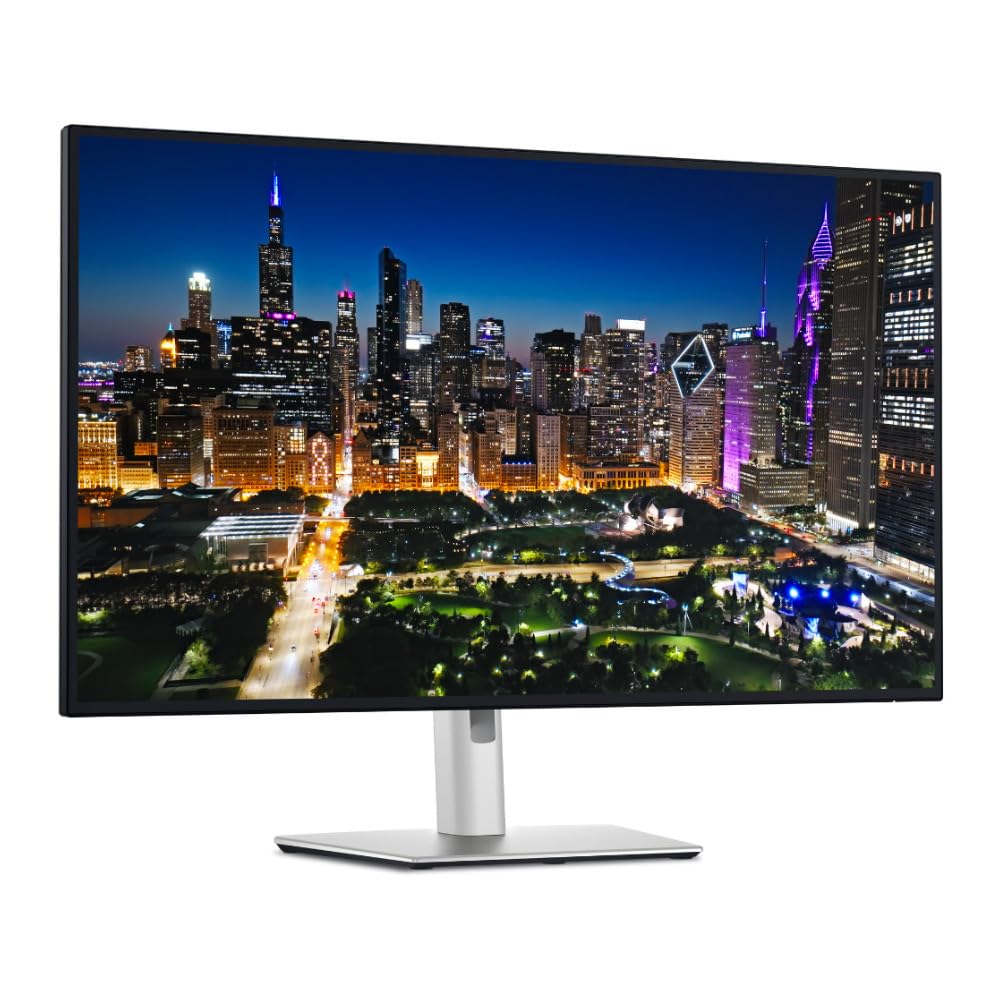
The Dell UltraSharp U3225QE is a 32-inch 4K UHD IPS Black monitor with a native 120Hz refresh rate and a Thunderbolt 4 hub that delivers up to 140W of power delivery. This is not a gaming-first monitor, but its combination of high pixel density, wide color coverage, and a smooth 120Hz refresh rate makes it ideal for professionals who also enjoy occasional gaming. The IPS Black technology provides a 3000:1 contrast ratio, which is significantly better than standard IPS panels, reducing the glow effect around white text on dark backgrounds.
The built-in Thunderbolt 4 hub supports daisy-chaining multiple monitors and connecting peripherals through a single cable, simplifying a cluttered desk. The stand offers full ergonomic adjustability including height, tilt, swivel, and pivot, making it suitable for collaborative work environments where screen orientation changes frequently. Factory color calibration ensures consistent accuracy for photo and video editing right out of the box.
Mac users report excellent text clarity and brightness (600 nits), but some have experienced issues with the monitor failing to recognize the signal from a Mac after sleep or startup, requiring a manual power cycle. At 120Hz, it is smooth enough for casual gaming, but the 5ms typical response time means it is not suitable for high-speed competitive play. This monitor is best for those who prioritize a stunning 4K desktop experience with Thunderbolt convenience over raw gaming performance.
Why it’s great
- Thunderbolt 4 hub with 140W PD simplifies single-cable docking
- IPS Black panel achieves 3000:1 contrast for deep blacks without OLED cost
- 600 nits peak brightness and factory color calibration for creative work
Good to know
- Mac users report signal detection issues after sleep on some units
- 5ms response time is not suitable for competitive 120Hz gaming
6. LG 27G810A-B UltraGear

The LG 27G810A-B packs a 27-inch 4K UHD Fast IPS panel with a dual-mode system that runs at 4K 180Hz or FHD 360Hz, giving you the flexibility to prioritize visual fidelity or raw frame rate depending on the game. The 1ms GtG response time keeps motion clean, and the 95% DCI-P3 coverage ensures that colors remain vivid and accurate for both gaming and content consumption. VESA DisplayHDR 400 support provides enough brightness for HDR content to feel impactful without the expense of an OLED panel.
NVIDIA G-Sync Compatible and AMD FreeSync Premium validation means this monitor will lock frame rates smoothly across virtually any modern GPU. The 4-pole headphone jack with DTS HP:X provides spatial audio immersion without needing an external DAC, a thoughtful touch for gamers who use headsets. The stand offers height, tilt, swivel, and pivot adjustments, making it easy to find a comfortable viewing angle for long sessions.
Users moving from an older 60Hz panel report a massive improvement in perceived smoothness, and the dual-mode hotkey makes transitioning from a visually rich RPG to a fast-paced FPS seamless. The main trade-off is that at 27 inches, 4K pixel density is high (163 PPI), which makes text crisp but can require scaling adjustments in the OS for comfortable reading. Some users note a slight fan noise from the internal cooling, though it is generally not audible during gaming with sound.
Why it’s great
- Dual-mode offers 4K 180Hz or FHD 360Hz for flexible gaming scenarios
- 95% DCI-P3 and DisplayHDR 400 provide strong HDR and color performance
- Full ergonomic stand with pivot for multi-purpose desk setups
Good to know
- 27-inch 4K screen requires OS scaling for comfortable text reading
- Internal fan produces slight audible noise in quiet environments
7. ASUS ROG Strix XG32UCG

The ASUS ROG Strix XG32UCG is a 32-inch 4K UHD Fast IPS monitor that supports dual-mode operation—4K at 160Hz or FHD at 320Hz—with a minimum 0.3ms response time in its fastest overdrive setting. ASUS Extreme Low Motion Blur Sync (ELMB SYNC) works in tandem with variable refresh rate to eliminate ghosting and tearing, providing sharp motion even during fast camera pans. The 95% DCI-P3 color gamut and ASUS advanced gray-scale tracking ensure smooth color gradation without banding in gradients.
The monitor includes a USB-C port with DP Alt mode for single-cable laptop connectivity, plus a tripod socket for streamers wanting to mount a camera close to the screen. DisplayWidget Center software lets you adjust settings with a mouse rather than fumbling with the on-screen display joystick. The 32-inch size at 4K provides a large, immersive canvas without needing aggressive scaling, making it suitable for both gaming and productivity.
Owners note that the semi-gloss screen treatment balances color vibrancy with decent reflection handling, and the overall build quality feels premium with a sturdy stand. HDR performance is solid for a Fast IPS panel, though it cannot match the contrast of OLED displays. The 3-year warranty and 3-month Adobe Creative Cloud subscription add value for creative professionals eyeing this as a work-and-play display.
Why it’s great
- 0.3ms response with ELMB SYNC delivers near-OLED motion clarity
- Dual-mode (4K 160Hz / FHD 320Hz) covers high-fidelity and fast-action needs
- Great 32-inch size for combining gaming with desktop productivity
Good to know
- HDR contrast is limited compared to OLED competitors
- Fast IPS panel has slightly lower native contrast than VA alternatives
8. Samsung Odyssey G7 (G70D)

The Samsung Odyssey G7 G70D merges a 27-inch 4K UHD Fast IPS panel with Samsung’s Gaming Hub and Smart TV platform, effectively doubling as a standalone streaming device without needing a PC or console. The 144Hz refresh rate and 1ms GtG response time provide smooth gameplay, while G-Sync Compatibility and AMD FreeSync Premium ensure tear-free motion. The 99% sRGB coverage and DisplayHDR 400 support deliver vibrant colors and decent HDR punch for a monitor in its category.
The built-in Smart TV apps, including Netflix and YouTube, make this monitor a versatile living room or bedroom companion, and the Gaming Hub provides access to cloud gaming services. The 4K AI Upscaling processor attempts to improve lower-resolution content, which works reasonably well for 1080p streams but cannot create detail that does not exist. The Dynamic Black Equalizer automatically adjusts brightness and contrast in dark scenes, helping spot enemies in shadows without manual tweaking.
One common complaint is the confusing on-screen interface and the presence of smart TV ads in the menu system, which some users find intrusive. The display runs noticeably warm during extended use, and the lack of a USB-C port limits modern laptop connectivity options. That said, for someone who wants a gaming monitor that also functions as a secondary TV, the G70D is a uniquely convenient package.
Why it’s great
- Built-in Smart TV platform eliminates the need for a separate streaming device
- 4K AI Upscaling improves lower-resolution content on the 27-inch panel
- G-Sync Compatible and FreeSync Premium provide broad GPU flexibility
Good to know
- Smart TV ads and cluttered UI detract from the pure monitor experience
- No USB-C port limits single-cable laptop connectivity
9. CRUA 32″ Curved Gaming Monitor

The CRUA 32-inch curved gaming monitor uses a 4K UHD VA panel with a 1500R curvature and a 240Hz refresh rate, creating an immersive viewing experience that wraps slightly around the user’s field of view. The 3000:1 native contrast ratio is a key advantage—VA panels deliver deeper blacks than IPS, making dark scenes in games and movies look more dimensional. The 120% sRGB color gamut covers a wide spectrum, and the 1.07 billion colors (8-bit + FRC) reduce color banding in gradients.
AMD FreeSync support helps minimize screen tearing, and with HDMI 2.1 and DP 1.4 inputs, it can handle 4K 120Hz from consoles like the PS5 or Xbox Series X without issue. The white chassis with RGB back lighting offers a distinctive aesthetic for those building a light-themed battlestation. Built-in speakers and PIP/PBP mode add convenience for dual-source setups, such as monitoring a work PC and a gaming PC simultaneously.
Users note that the stand is functional but lacks height adjustment, so placing the monitor on a riser or VESA arm (75x75mm compatible) is recommended for proper ergonomics. The VA panel’s response time in dark transitions can show some smearing in fast-paced scenes, but at 240Hz, the effect is minimized. At its tier, this monitor offers a compelling balance of size, curve, and refresh rate for users prioritizing immersion over absolute competitive speed.
Why it’s great
- 1500R curvature and 32-inch size create a genuinely immersive viewing experience
- VA panel’s 3000:1 contrast ratio delivers deep blacks for media consumption
- HDMI 2.1 allows full 4K 120Hz from next-gen consoles
Good to know
- Stand lacks height adjustment, requiring a VESA arm for proper ergonomics
- VA panel shows some dark-level smearing during fast transitions
10. InnoView 27″ Dual Mode
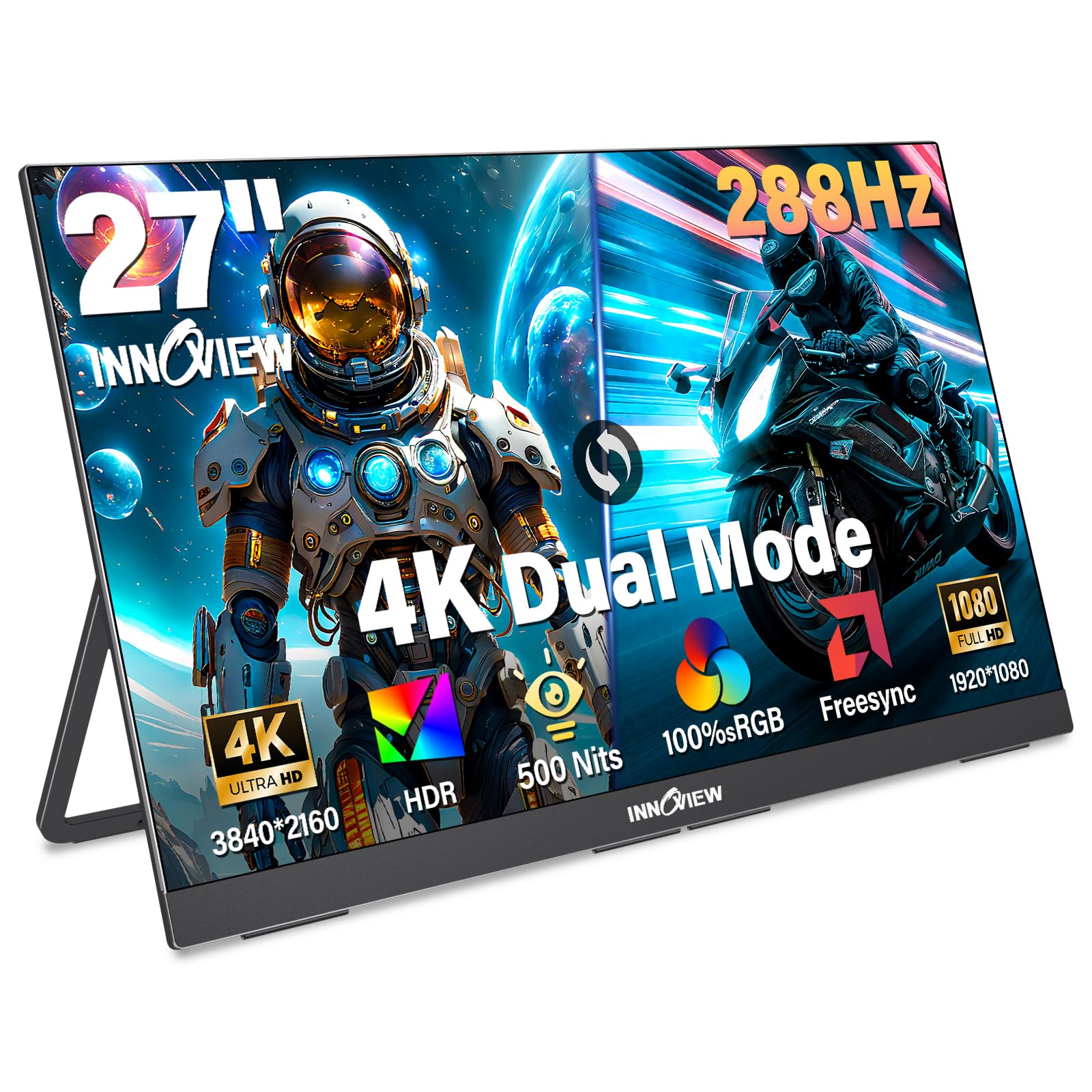
The InnoView 27-inch dual-mode monitor switches between 4K at 120Hz and FHD at 288Hz, making it a flexible option for users who want a single screen for both creative work and high-speed gaming. The IPS panel delivers 100% sRGB coverage and 500 nits of brightness, ensuring accurate colors and enough luminance to make HDR content visible even in well-lit environments. At 9.5 pounds and 0.7 inches thick, it is relatively portable for a 27-inch monitor, though its metal construction means it is best moved occasionally rather than daily.
Connectivity includes two full-function USB-C ports and an HDMI input, supporting plug-and-play compatibility with laptops, PCs, smartphones, and game consoles like the Nintendo Switch or PlayStation. The built-in fold-out stand adjusts from 0 to 180 degrees, and VESA 100x100mm compatibility allows wall mounting. DC dimming and AI-enhanced rendering reduce eye strain during long editing or coding sessions.
A notable real-world report details one unit that died after 10 months, but InnoView support responded within 48 hours and shipped a replacement within 24 hours—demonstrating responsive after-sales service. The dual-speaker system is functional for casual media but lacks bass, so external speakers or headphones are recommended for a better audio experience. This monitor is best for users who need a moderately portable 4K display that can double as a 288Hz gaming screen when needed.
Why it’s great
- Dual-mode switching between 4K 120Hz and FHD 288Hz covers work and play
- 500 nits brightness and 100% sRGB provide excellent color and visibility
- Responsive 18-month warranty and 24/7 customer support reported by users
Good to know
- 9.5-pound weight limits portability for frequent travel
- Built-in speakers lack depth for immersive audio experiences
11. UPERFECT 17.3″ QLED

The UPERFECT 17.3-inch QLED portable monitor delivers 4K UHD resolution at 120Hz with a claimed 0.1ms response time, targeting mobile gamers and on-the-go creators who need a high-refresh display that fits in a backpack. QLED technology achieves 100% DCI-P3 color coverage and 500 nits peak brightness, resulting in vivid colors that outperform standard IPS portable panels. The 1500:1 contrast ratio provides deeper blacks than typical portable IPS displays, making movies and games look more dynamic.
The aluminum chassis is both durable and recyclable, and the built-in 180-degree adjustable stand allows flexible viewing angles without extra accessories. VESA 75x75mm compatibility enables desk or wall mounting for a semi-permanent setup. Connectivity is straightforward with USB-C and HDMI ports, and the display works plug-and-play with most laptops, phones, and game consoles, though the power supply must be connected separately for 4K 120Hz operation—single USB-C power alone results in dimmer output.
Most users praise the build quality and the responsive customer support team, with one report of a replacement unit being shipped within days after a defect emerged. The speakers are adequate for basic audio but benefit from external headphones. The 17.3-inch size is large enough for immersive gaming but compact enough for travel, making it a niche but effective solution for those who regularly move between desk and couch setups.
Why it’s great
- True 4K 120Hz in a 17.3-inch portable form factor with QLED color quality
- 100% DCI-P3 and 500 nits provide desktop-grade color and brightness on the go
- Recyclable aluminum chassis is both lightweight and durable for travel
Good to know
- Requires dedicated power supply for full 4K 120Hz brightness
- Speakers are functional but not suitable for immersive audio experiences
FAQ
Can a 4K 120Hz monitor run at 4K 120Hz on a standard HDMI 2.0 port?
Does a 120Hz refresh rate make a noticeable difference over 60Hz in 4K gaming?
Is an OLED 4K 120Hz monitor worth the premium for gaming?
Final Thoughts: The Verdict
For most users, the best 4k 120hz monitor winner is the LG 32GX850A-B because it delivers stunning glossy OLED contrast and color with a dual-mode system that works beautifully for both cinematic and competitive gaming without sacrificing build quality or ergonomics. If you want a blazing-fast 240Hz QD-OLED with Glare Free technology for brighter rooms, grab the Samsung Odyssey G8 G81SF. And for a balanced work-and-play setup with Thunderbolt hub convenience, nothing beats the Dell UltraSharp U3225QE.