
Our readers keep the lights on and the weekend projects moving. As an Amazon Associate, I earn from qualifying purchases.
Specs are compiled from manufacturer listings and verified buyer reviews and can change over time — please confirm the key details on the product page before buying.
A 4K monitor running at 240Hz gives you sharp detail and smooth motion together — you no longer have to pick between a crisp desktop and fluid gameplay. The problem is that many monitors claiming these specs hide behind VA (Vertical Alignment) or IPS (In-Plane Switching) panels that cannot match the instant response and perfect blacks of OLED (Organic Light-Emitting Diode). This guide finds the monitors that actually deliver both numbers without compromise.
I’m Rikta — the founder and writer behind FitlyFast. This guide is built by comparing the manufacturers’ published specifications and the patterns across verified customer reviews, so you get each pick’s real strengths and trade-offs instead of marketing spin.
Upgrading from 1440p or building a new rig means finding the right 4k 240hz gaming monitor depends on understanding panel type, color accuracy, and which connectivity ports actually support that bandwidth — and this guide walks you through every decision.
Quick Picks
- ASUS ROG Swift PG32UCDM — Best Overall
- LG 32GS95UE — Dual-Mode Champion
- MSI MPG 321URX QD-OLED — Productivity & Gaming
- GIGABYTE MO27U2 — Best Value OLED
- Samsung Odyssey Neo G8 — Best Mini-LED
- INNOCN GA27W1Q — Budget-First OLED
- KOORUI S3241XO — Entry-Level OLED
How To Choose The Best 4K 240Hz Gaming Monitor
Not all 4K monitors that claim 240Hz are built the same. The panel technology underneath determines how fast pixels actually change color (response time), how dark blacks appear (contrast ratio), and how accurate colors look from the start. You need to match these specs to your GPU, the games you play, and whether you also use the monitor for work.
Panel Type: OLED vs Mini-LED vs IPS
OLED panels deliver true black by turning off individual pixels, giving you an infinite contrast ratio (the difference between the brightest white and darkest black). That is why every pick in this list except one uses OLED. The exception — Samsung’s Odyssey Neo G8 — uses Mini-LED (small LED backlights) on a VA (Vertical Alignment) panel, which gets impressively close to black levels without the burn-in risk, but cannot match OLED’s per-pixel precision. IPS (In-Plane Switching) panels at 4K 240Hz exist but fall short on contrast, so they are not recommended here.
Response Time: 0.03ms vs 1ms
The response time is how fast a pixel changes from one color to another. OLED monitors hit 0.03ms GTG (gray-to-gray), which is essentially instant — you get zero ghosting (faint after-image trails) or motion blur even in fast-paced shooters. The Samsung Mini-LED panel uses 1ms GTG, which is still very fast but 33 times slower than OLED; you may see faint trails on high-contrast edges. For competitive gaming, OLED’s 0.03ms is a real advantage.
Connectivity: HDMI 2.1 and DisplayPort
To drive 4K at 240Hz, you need HDMI 2.1 (full 48Gbps bandwidth) or DisplayPort 1.4 with Display Stream Compression (DSC, a method that squeezes video data so it fits the cable). Most monitors in this list include both. If you use a Mac in a dual-monitor setup, DSC can cause handshake issues — some users report needing to disable DSC and run at 120Hz instead for stability. The GIGABYTE MO27U2 lacks DP 2.1 but works well with PS5 Pro and Mac via HDMI 2.1.
Quick Comparison
| Model | Best For | Panel Type | Response Time | Contrast Ratio | Amazon |
|---|---|---|---|---|---|
| ASUS ROG Swift PG32UCDM | Premium gaming & HDR | 32″ QD-OLED | 0.03ms GTG | 1,500,000:1 | Amazon |
| LG 32GS95UE | Dual-mode (4K 240Hz / FHD 480Hz) | 32″ OLED | 0.03ms GTG | 1,500,000:1 | Amazon |
| MSI MPG 321URX QD-OLED | Productivity & gaming mix | 32″ QD-OLED | 0.03ms GTG | Extremely high | Amazon |
| GIGABYTE MO27U2 | Best value mid-range OLED | 27″ QD-OLED | 0.03ms GTG | 1,500,000:1 | Amazon |
| Samsung Odyssey Neo G8 | Curved Mini-LED with high brightness | 32″ VA (Mini-LED) | 1ms GTG | 1,000,000:1 | Amazon |
| INNOCN GA27W1Q | Budget OLED with premium panel | 27″ QD-OLED | 0.03ms GTG | 1,500,000:1 | Amazon |
| KOORUI S3241XO | Entry-level OLED | 32″ OLED | 0.03ms GTG | 1,500,000:1 | Amazon |
In‑Depth Reviews
1. ASUS ROG Swift PG32UCDM

The 1,500,000:1 contrast and 0.03ms response of this 32-inch QD-OLED are covered by a 3-year burn-in warranty — a rare combo that makes the premium feel safer.
You get deep blacks and vibrant colors from the 32-inch QD-OLED panel with a 1,500,000:1 contrast ratio, and the 0.03ms GTG (gray-to-gray) response time — 33 times faster than the 1ms on the Samsung Neo G8 — means zero ghosting in fast scenes. The 240Hz refresh rate paired with G-Sync (NVIDIA’s variable refresh rate tech) compatibility delivers tear-free gameplay, and VESA DisplayHDR True Black 400 compliance (a standard for HDR performance on OLEDs) makes HDR (High Dynamic Range) content look natural — dark scenes keep detail without washing out. Buyers report that the glossy screen enhances clarity and immersion with minimal reflections when focused, and that the color accuracy from the start (Delta E < 2, meaning colors are very close to the intended shade) means you do not need to calibrate for photo editing.
The custom heatsink with graphene film reduces the risk of burn-in, and ASUS covers the panel with a 3-year warranty including burn-in — rare confidence. The main trade-off is the 27-inch size of the GIGABYTE MO27U2 cannot match the rich presence of this 32-inch panel. You also need a powerful GPU (RTX 4080 or above) to push 4K at 240Hz in demanding titles.
What makes it shine
- 3-year warranty with burn-in coverage included
- QD-OLED panel with 1,500,000:1 contrast delivers perfect blacks
- 0.03ms GTG response time eliminates motion blur
- DisplayWidget Center lets you adjust settings with a mouse
Where it falls short
- Glossy screen shows reflections in bright rooms
- Requires a pixel refresh every 8 hours of use
- No DP 2.1 — relies on DSC (Display Stream Compression) for 4K 240Hz
The right call if: you want the best-looking 4K gaming screen available and value the burn-in warranty protection.
Think twice if: you game in a sun-drenched room — the glossy coating will reflect light.
2. LG 32GS95UE
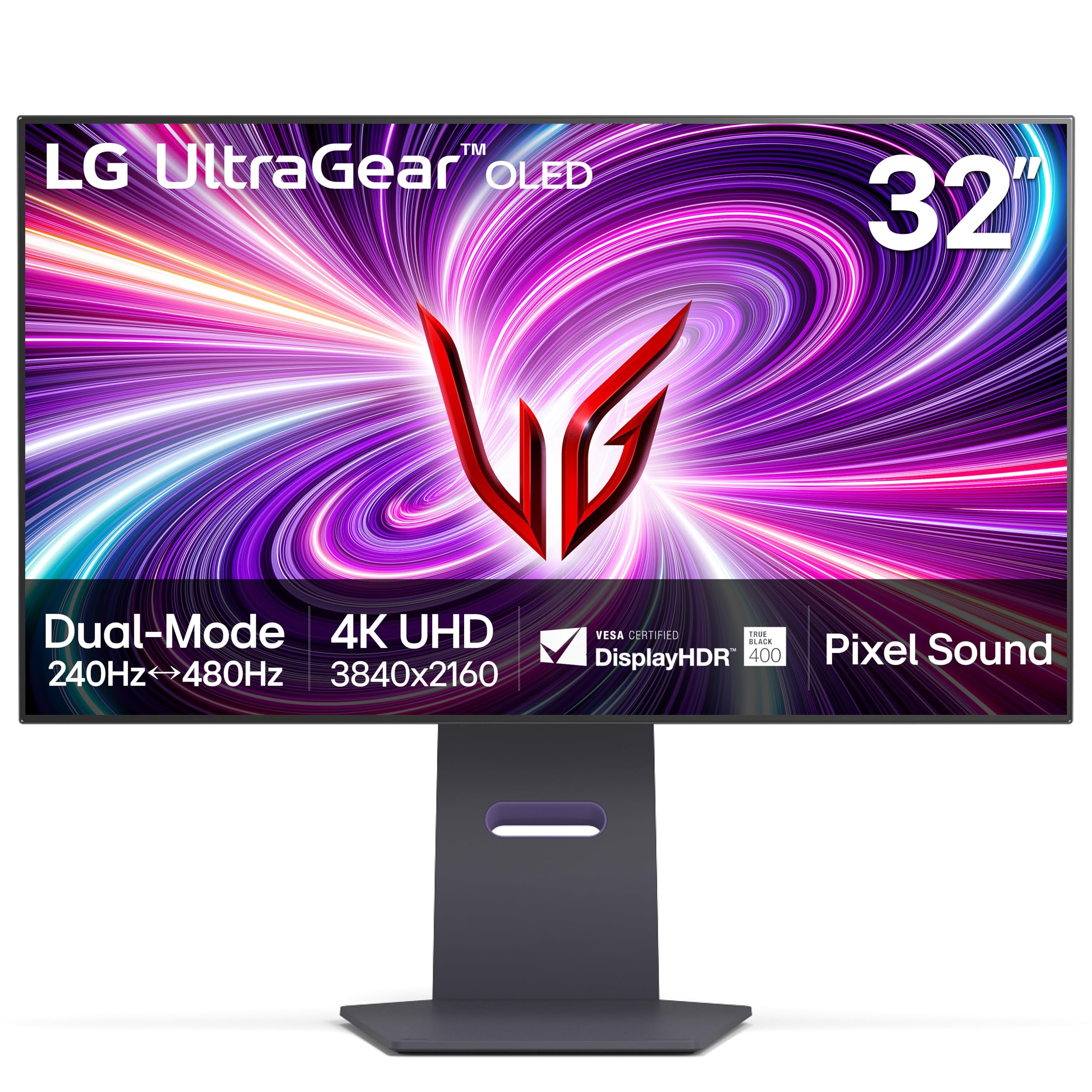
The world’s first certified dual-mode monitor — 4K at 240Hz or Full HD (1080p) at 480Hz in one screen.
Press a button and the LG switches from a sharp 4K UHD (Ultra High Definition, 3840×2160) desktop at 240Hz to a blazing-fast 1080p at 480Hz for competitive esports titles. The 0.03ms GTG (gray-to-gray) response time means the transition is instant, with no ghosting. The OLED panel delivers a 1,500,000:1 contrast ratio and DisplayHDR True Black 400 certification, so blacks are true black and highlights pop. Owners mention that the 480Hz mode at 1080p is a standout for fast-paced shooters, and that the 32-inch screen is excellent for movies and YouTube in 4K.
The anti-glare with low reflection display helps in moderate lighting, though some users note the text looks smudged or discolored due to the sub-pixel layout (the arrangement of red, green, and blue dots), making it less ideal for programming or heavy productivity. The Pixel Sound feature — audio emitted from behind the OLED panel — is a nice bonus for desk setups without external speakers. Unlike the ASUS PG32UCDM, the LG lacks a full three-year burn-in warranty, offering only a 2-year limited warranty instead.
Biggest strengths
- Dual Mode lets you switch between 4K 240Hz and FHD (Full HD) 480Hz
- 0.03ms response time for instant motion clarity
- Anti-glare matte screen reduces reflections
- Pixel Sound projects audio from the screen itself
Notable drawbacks
- Text clarity is blurry for desktop work due to sub-pixel layout
- Not bright enough in a well-lit room (275 Candela typical, a measure of brightness)
- Only a 2-year warranty — shorter than ASUS
Go for this if: you play both story-driven 4K games and competitive shooters and want one monitor for both.
Pass on this if: you need crisp text for all-day coding or document work — the sub-pixel layout is a real issue.
3. MSI MPG 321URX QD-OLED

A QD-OLED that balances vivid gaming visuals with genuine office usability — the 90W USB-C port charges a laptop on the same cable.
The 32-inch QD-OLED panel offers a 240Hz refresh rate and 0.03ms GTG (gray-to-gray) response time for gaming, while the 90W USB-C port charges a laptop on the same cable — handy for a desk setup that switches between a gaming PC and a work MacBook. The 1.07 billion colors (10-bit) with 99% DCI-P3 gamut and Delta E ≤ 2 accuracy mean colors are accurate straight from the box, reducing the need for calibration. Customers note that the jump from 1440p to 4K is massive, and that the Premium Color preset with HDR is excellent for games.
One catch for Mac users: a dual-monitor setup had handshake issues with DSC (Display Stream Compression, a compression method for video data) on. The fix is to disable DSC, lock to DisplayPort with Auto Scan off, and run at 120Hz — a workaround, not a plug-and-play experience. The stand lacks height adjustment (unlike the fully adjustable ASUS PG32UCDM), but the OLED Care 2.0 system and MSI Gaming Intelligence AI provide sturdy burn-in protection.
Where it excels
- 90W USB-C powers and charges a laptop in one cable
- Delta E ≤ 2 color accuracy right from the start
- DisplayHDR True Black 400 certified
- OLED Care 2.0 for burn-in prevention
Where it struggles
- Mac dual-monitor setup requires DSC workaround to avoid handshake issues
- Stand lacks height adjustment — fixed position
- Purple tint visible in reflections on the glossy screen
Best suited for: someone with a single gaming PC or Mac who wants one high-quality monitor for both work and play.
Not ideal for: dual-monitor Mac setups — you will need to tweak settings to avoid DSC handshake problems.
4. GIGABYTE MO27U2
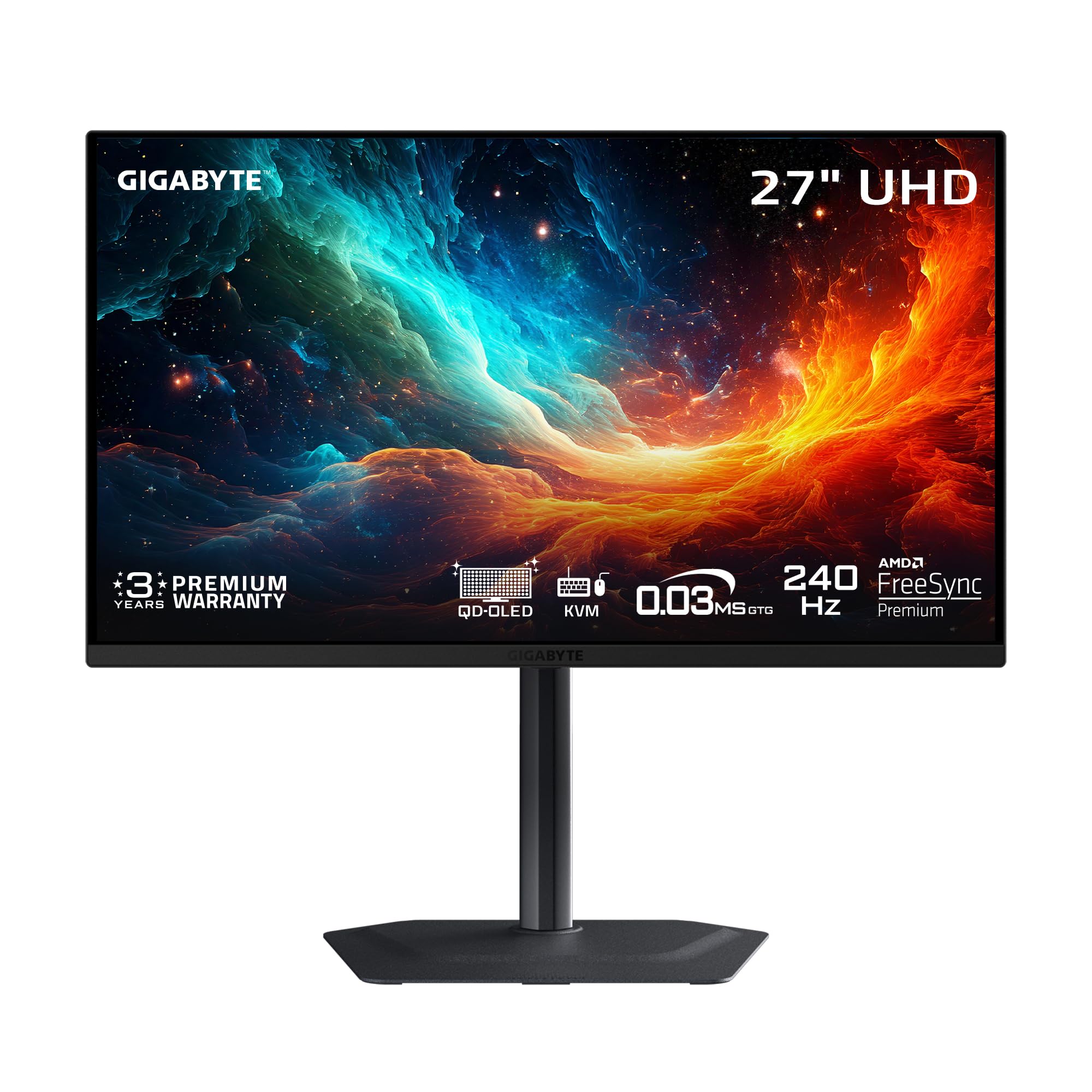
A 27-inch QD-OLED that undercuts the competition by hundreds while keeping the critical specs — its 166 PPI (pixels per inch) makes text sharper than the 140 PPI of the 32-inch MSI MPG 321URX.
The MO27U2 packs a 27-inch QD-OLED panel with 4K resolution (3840×2160) and a 240Hz refresh rate, plus a 0.03ms GTG (gray-to-gray) response time — matching the premium ASUS and MSI panels at a significantly lower cost. The 5-layer tandem OLED and graphene thermal film help manage heat and reduce burn-in risk. GIGABYTE’s exclusive AI-based OLED Care algorithm runs in the background to adjust pixel usage and prevent burn-in. Reviewers point out that using AI features to prevent burn-in during 8-hour workdays is a standout advantage — one reviewer noted the monitor advises low brightness for work and mid brightness for gaming.
The 27-inch size is a double-edged sword: the 166 PPI (pixels per inch) pixel density makes text and images incredibly sharp (sharper than the 32-inch MSI MPG 321URX), but the smaller screen means less rich presence compared to the 32-inch ASUS or LG. There is no DP 2.1 port — you rely on HDMI 2.1 for 4K 240Hz — but buyers confirm it works well with PS5 Pro and Mac via HDMI 2.1. The built-in speakers are weak; external speakers are recommended.
Why it is a contender
- AI-based OLED Care for burn-in prevention during long workdays
- 166 PPI makes text and images incredibly sharp
- Graphene thermal film and fanless design for silent cooling
- Elegant small stand saves desk space
Its limitations
- No DP 2.1 — 4K 240Hz requires HDMI 2.1 or DSC
- 27-inch size feels small for rich single-player games
- Built-in speakers are poor; budget for external ones
Reach for this if: you want OLED quality at a mid-range price and value high pixel density for sharp text in productivity work.
Look elsewhere if: you want a large, rich screen for cinematic gaming — go 32-inch instead.
5. Samsung Odyssey Neo G8

A curved Mini-LED alternative to OLED that hits 2,000 nits (a unit of brightness) peak — bright enough that specular highlights in HDR look blindingly real.
The Samsung Odyssey Neo G8 uses a 32-inch VA (Vertical Alignment) panel with Quantum Mini-LED backlighting, delivering a 1,000,000:1 contrast ratio — close to OLED levels — with a 2,000 nit (a measure of brightness) peak brightness for HDR. The 1000R (a curvature radius of 1000mm) curve wraps around your field of view for deep immersion, though shoppers say the curvature takes about two weeks to adjust to. The 1ms GTG (gray-to-gray) response time is faster than typical VA panels but 33 times slower than the 0.03ms OLED panels from GIGABYTE and ASUS — you may notice faint motion blur in fast-paced scenes.
Where this monitor differs from every other pick is its tolerance for high brightness without burn-in risk — Mini-LED does not degrade from static UI (user interface) elements like OLED does. The matte display absorbs reflections, keeping you focused in bright rooms. However, buyer reports paint a mixed picture: some report scan lines (visible horizontal or vertical lines on solid colors) appearing at 240Hz (a known issue that requires dropping to 120Hz to fix), and others note that the monitor can develop divided-screen problems after weeks of use. The buttons are located underneath the screen and are hard to operate by feel.
Its standout features
- 2,000 nits peak brightness for eye-searing HDR highlights
- 1000R curvature for rich gaming
- No OLED burn-in risk — safe for static desktop use
- Matte screen absorbs light in bright rooms
The real downsides
- Scan line issues reported at 240Hz by multiple buyers
- 1ms response time is not as fast as OLED’s 0.03ms
- Requires a powerful GPU and proper power-on sequence to avoid divided screen
Choose this if: you want high brightness in a bright room and worry about OLED burn-in from static taskbars.
skip it if: competitive gaming at 240Hz is your priority — the scan-line issue and slower response time are real drawbacks.
6. INNOCN GA27W1Q

A 27-inch QD-OLED that delivers flagship-level picture quality — 1,500,000:1 contrast and 0.03ms response — at a price that undercuts the big names, but the cheap chassis is a real compromise.
The INNOCN GA27W1Q uses the same QD-OLED (Quantum Dot OLED) panel technology as the ASUS PG32UCDM — 1,500,000:1 contrast ratio, 99% DCI-P3 color gamut (a measure of color range), 10-bit color depth — giving you the same perfect blacks and vivid colors. The 240Hz refresh rate and 0.03ms GTG (gray-to-gray) response time match the premium picks for motion clarity. Buyers report the jump from 1080p to this display is “upsurd” and that ASUS would have cost more for the same panel quality.
The catch is the build quality — owners mention the monitor uses cheap, flimsy materials. The on-screen display (OSD, the menu system) is poor, the presets are badly tuned, and the included cables are short with a bulky external power brick. One buyer gave it a 2/5 rating specifically for these issues, saying it is not worth the and recommending spending an extra on LG or ASUS instead. The white color and LED atmosphere lights look stylish, but the overall construction does not match the premium panel inside.
What you get for the price
- Same 1,500,000:1 contrast ratio as top-tier QD-OLEDs
- 0.03ms response time for instant motion clarity
- Supports MAC-View modes for Mac color matching
- LED atmosphere lights for gaming ambiance
The compromises you make
- Flimsy build quality — cheap plastic chassis and stand
- Poor OSD menu and bad picture presets from the start
- Short cables and bulky external power brick
Get this if: your priority is the QD-OLED panel’s picture quality and you are willing to accept a cheaper build to save money.
Spend more if: build quality, a decent OSD menu, and long cables matter to you — the ASUS PG32UCDM is a better all-round experience.
7. KOORUI S3241XO
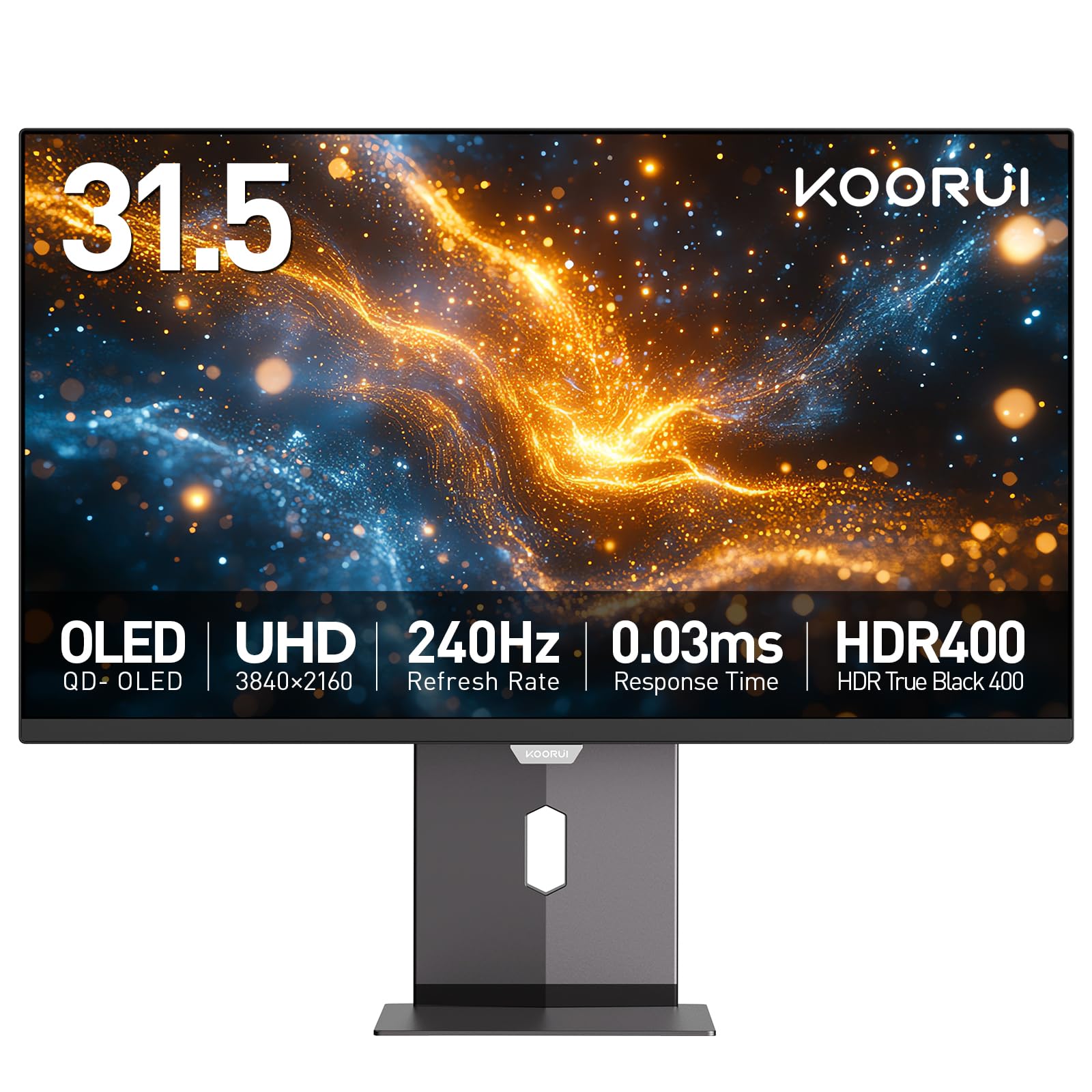
A 32-inch OLED that delivers the 1.5M:1 (1,500,000:1) contrast ratio and 0.03ms response at the lowest entry point, plus a full ergonomic stand that the pricier INNOCN GA27W1Q lacks.
The KOORUI S3241XO offers a 32-inch OLED panel with a 1,500,000:1 contrast ratio and 0.03ms GTG (gray-to-gray) response time — the same core specs as monitors costing hundreds more. The 240Hz refresh rate and AdaptiveSync (a variable refresh rate technology similar to FreeSync and G-Sync) deliver smooth gameplay, and the HDR True Black 400 certification means dark scenes in games look natural. Unlike the INNOCN GA27W1Q, this monitor includes a fully ergonomic stand with tilt (-5 to 20 degrees), swivel (-20 to 20 degrees), pivot (+/- 90 degrees), and height adjustment (110mm), plus VESA 100x100mm compatibility for mounting.
Connectivity includes dual HDMI 2.1, DisplayPort 1.4, TYPE-C, and USB-A/B ports — enough for a multi-device setup. Customers note that the graphics are “sick” in games and that the monitor feels like you are really in the game. The 1-year warranty on the display screen and 3 years on accessories is shorter than the 3-year burn-in coverage from ASUS. The brightness is rated at 280 Candela, which is lower than the ASUS (1000 Candela) and Samsung (350 Candela), making it less ideal for very bright rooms.
Key selling points
- 32-inch OLED with 1,500,000:1 infinite contrast ratio
- Full ergonomic stand with height, swivel, tilt, and pivot
- Dual HDMI 2.1 ports for console and PC
- No light bleeding reported by buyers
Areas to watch
- Peak brightness of 280 Candela is lower than premium OLEDs
- Only a 1-year warranty on the panel
- On-screen control menu takes time to get used to
Pick this if: you want a large 32-inch 4K OLED without paying premium prices and value a fully adjustable stand from the start.
Step up if: you need higher brightness for a bright room or want the longer burn-in warranty that ASUS offers.
Understanding the Specs
Response Time (GTG)
Gray-to-gray (GTG) response time measures how fast a pixel changes from one shade of gray to another — the lower the number, the less motion blur you see in fast-moving scenes. OLED panels achieve 0.03ms GTG, which is essentially instant and eliminates ghosting entirely. VA panels like the Samsung Neo G8 reach 1ms GTG, which is still good but 33 times slower — you may see faint trails on high-contrast edges during rapid camera movement.
Contrast Ratio
This is the difference between the brightest white and the darkest black a monitor can display. A 1,500,000:1 contrast ratio (standard for OLED) means blacks are truly black because each pixel can turn itself off completely. The Samsung Neo G8’s 1,000,000:1 ratio is close but uses Mini-LED local dimming — you may see halos around bright objects on a black background. Higher contrast makes HDR content look more three-dimensional.
FAQ
Can my current GPU run a 4K 240Hz gaming monitor?
Do I need DisplayPort 2.1 for 4K 240Hz?
Is OLED burn-in still a problem on these monitors?
What is the difference between QD-OLED and WOLED?
Can I use a 4K 240Hz monitor with a PS5 or Xbox Series X?
Why do some 4K 240Hz monitors have scan lines?
What is the ideal screen size for 4K at 240Hz?
Do I need to calibrate a 4K 240Hz gaming monitor?
Does a glossy or matte screen matter for gaming?
What is the real-world difference between 240Hz and 144Hz at 4K?
Final Thoughts: The Verdict
For the majority of shoppers, the 4k 240hz gaming monitor winner is the ASUS ROG Swift PG32UCDM because its 32-inch QD-OLED panel delivers perfect blacks, a 1,500,000:1 contrast ratio, and a 0.03ms response time, all backed by a 3-year burn-in warranty that makes the premium price easier to stomach. If you want the Dual Mode flexibility to switch between 4K 240Hz and FHD (Full HD, 1080p) 480Hz, grab the LG 32GS95UE. And for the best value in a compact size with high pixel density (166 PPI), the GIGABYTE MO27U2 packs OLED quality at a mid-range price.
How We Picked
We do not accept paid placement. Every pick is matched to a real buyer and a real use-case; we do not hands-on test units.
Sources & Methodology
Specifications: manufacturer listings and product documentation. Review insights: verified customer reviews, as of July 2026. Pricing: not shown on this page (it changes often); check the current price via the retailer link.
As an Amazon Associate, FitlyFast earns from qualifying purchases. This does not affect which products we feature.