
Our readers keep the lights on and the weekend projects moving. As an Amazon Associate, I earn from qualifying purchases.
Shopping for a monitor where 4K resolution is the non-negotiable starting point, but price tags above five hundred dollars feel like a dealbreaker, creates a very specific tension. You need the pixel density to spot enemies at range and the screen real estate for immersive single-player worlds, without sacrificing the fluid refresh rate that makes competitive gaming viable.
I’m Rikta — the co-founder and writer behind FitlyFast. After spending hundreds of hours analyzing panel types, refresh rate behavior, color gamut coverage, connectivity standards, and real-world durability data across the current mid-range and entry-level 4K monitor landscape, I’ve separated the genuine performers from the spec-sheet traps.
You need a display that delivers true 4K sharpness, a refresh rate that won’t hold you back in fast-paced titles, and reliable build quality — all without breaking your budget. That’s exactly why this review of the best 4k budget gaming monitor prioritizes real-world gaming performance and value above all else.
How To Choose The Best 4K Budget Gaming Monitor
Navigating the budget 4K gaming monitor market requires separating genuine value from marketing hype. Key specs like refresh rate, panel type, and connectivity define whether a monitor delivers a satisfying gaming experience or becomes a bottleneck. Understanding these factors helps you allocate your budget to what matters most for your specific gaming habits.
Refresh Rate and Response Time: The Smoothness Equation
For a 4K gaming monitor, a 60Hz panel will feel sluggish in fast-paced shooters and racing games. Aim for at least 120Hz to experience fluid motion, with 144Hz or 180Hz providing a noticeable advantage in competitive titles. Response time, measured in milliseconds (ms), determines how quickly pixels change color; look for 1ms (GtG) on IPS panels or even lower on OLEDs to minimize ghosting and motion blur. A monitor with a high refresh rate but slow pixel response can still exhibit noticeable smearing, so both specs must be balanced.
Panel Technology: IPS vs. VA vs. OLED
In-plane switching (IPS) panels are the current standard for budget 4K gaming monitors, offering superior color accuracy and wide viewing angles, though contrast ratios typically hover around 1000:1. Vertical alignment (VA) panels deliver deeper blacks and higher contrast (3000:1 or more), making them better for dark-room gaming and HDR content, but they can suffer from slower pixel response times and black-level smearing. OLED panels, found in premium budget models, provide true blacks and instant pixel response, but come at a higher price and carry burn-in risks if used for static productivity work. For a budget-focused 4K monitor, a good Fast IPS panel with a high refresh rate represents the safest, most versatile choice.
Connectivity: HDMI 2.1 and DisplayPort 1.4
To run a 4K monitor at high refresh rates (120Hz or more), you need sufficient bandwidth from your graphics card and the monitor’s ports. DisplayPort 1.4 with Display Stream Compression (DSC) is the standard for achieving 4K at 144Hz+ on PCs and is widely supported on mid-range and premium monitors. HDMI 2.1 is equally important for next-gen console gamers (PS5, Xbox Series X) as it supports 4K at 120Hz without compression. Avoid monitors that rely solely on HDMI 2.0 for 4K high-refresh, as they will cap out at 60Hz. A monitor with both a solid DisplayPort implementation and HDMI 2.1 is the most future-proof.
HDR and Color Gamut: Beyond Resolution
Marketing often highlights HDR support, but true high dynamic range requires high brightness and local dimming. On budget monitors, VESA DisplayHDR 400 certification is a baseline that ensures decent brightness (400 nits) and some contrast improvement, but it won’t match the impact of higher-tier HDR. Focus on color gamut coverage like 95% DCI-P3 or 99% sRGB, which ensures vibrant, accurate colors for both gaming and content consumption. A monitor with good color coverage but no local dimming will still look rich and immersive, whereas a monitor claiming HDR with only 300 nits of brightness will look washed out.
Quick Comparison
On smaller screens, swipe sideways to see the full table.
| Model | Category | Best For | Key Spec | Amazon |
|---|---|---|---|---|
| ASUS ROG Swift PG32UCDMR | Premium | Competitive & HDR Gaming | 32″ QD-OLED / 240Hz / 0.03ms | Amazon |
| LG 32GX850A-B | Premium | High-End OLED & Dual Mode | 32″ WOLED / 165Hz / 0.03ms | Amazon |
| LG 27G810A-B | Mid-Range | Versatile Dual-Mode Gaming | 27″ IPS / 180Hz / 1ms | Amazon |
| MSI MAG 322URDF E16 | Mid-Range | Ultra-Fast 320Hz Gaming | 32″ Rapid IPS / 320Hz / 0.5ms | Amazon |
| Samsung Odyssey G7 G70D | Mid-Range | Smart Features & Console Gaming | 27″ IPS / 144Hz / 1ms | Amazon |
| ASUS ROG Strix XG27UCG | Mid-Range | Dual-Mode & Productivity | 27″ Fast IPS / 160Hz / 1ms | Amazon |
| Samsung Odyssey G7 G70F | Mid-Range | Competitive 360Hz Dual-Mode | 27″ Fast IPS / 180Hz / 1ms | Amazon |
| KTC H32P22P | Mid-Range | Color-Accurate 4K Work & Play | 32″ Fast IPS / 165Hz / 1ms | Amazon |
| CRUA 32” 4K Curved | Budget | Immersive Curved & High Speed | 32″ VA / 240Hz / 0.03ms | Amazon |
| Alienware AW3425DWM | Budget | Ultrawide Immersion & Productivity | 34″ VA / 180Hz / 1ms | Amazon |
| Dell S3225QS | Budget | All-Day Comfort & Hybrid Use | 32″ VA / 120Hz / 0.03ms | Amazon |
In‑Depth Reviews
1. ASUS ROG Swift 32” 4K OLED Gaming Monitor (PG32UCDMR)

The ASUS ROG Swift PG32UCDMR is the premium benchmark in the 4K budget gaming monitor space, but earns its top spot by justifying its price with uncompromising performance. The combination of a 32-inch QD-OLED panel, a 240Hz refresh rate, and a 0.03ms response time creates an experience that makes older monitor technology feel obsolete. Colors are incredibly rich, with a 99% DCI-P3 gamut, and the DisplayHDR 400 True Black certification delivers deep, inky blacks that IPS panels can only dream of. The inclusion of DisplayPort 2.1 and a USB-C port with 90W Power Delivery ensures this monitor is ready for the next generation of GPUs and docking scenarios.
Gaming on this display reveals the true potential of 4K at high refresh rates. Fast-paced shooter titles feel incredibly responsive, with no ghosting or motion blur, while single-player open-world games become visually arresting thanks to the wide color volume and high contrast. The OLED Care Pro features, including a proximity sensor that automatically switches to a black screen when you step away, provide genuine peace of mind regarding potential burn-in. User reviews consistently highlight the night-and-day difference in clarity and smoothness compared to traditional 1440p or TN panels.
While the price is the highest on this list, the PG32UCDMR offers a future-proof feature set that will remain relevant for years. It handles competitive gaming at 4K with ease and provides a stunning canvas for HDR movies and creative work. The only significant trade-off is the glossy finish, which can reflect ambient light in a bright room, and the large stand footprint. For buyers who can stretch their budget, this monitor delivers a premium OLED experience that redefines what is possible from a 4K budget gaming monitor.
Why it’s great
- Stunning QD-OLED image quality with perfect blacks and vibrant colors.
- Very high 240Hz refresh rate with near-instant 0.03ms response time.
- OLED Care Pro with proximity sensor for burn-in protection.
- Includes DisplayPort 2.1 and USB-C with 90W Power Delivery.
Good to know
- Glossy screen can cause reflections in brightly lit rooms.
- Significant price premium over other options on this list.
- Large stand base takes up considerable desk space.
2. LG 32GX850A-B 32″ UltraGear 4K UHD Glossy OLED Gaming Monitor

The LG 32GX850A-B offers a compelling alternative to the QD-OLED standard, utilizing a WOLED panel that excels in black depth and color vibrancy, especially in darker rooms. Its native 165Hz refresh rate is perfectly suited for the majority of graphics cards, and the Dual-Mode feature allows a quick switch to 1080p at 330Hz for competitive shooters where raw frame rate is king. The glossy finish, combined with VESA DisplayHDR True Black 400 certification, provides an incredibly immersive viewing experience with micro-lens array technology boosting typical brightness to 275 nits, a significant improvement over previous OLED generations.
User feedback highlights the massive upgrade from LCD panels, with perfect blacks and instant pixel response creating a clarity that makes fast motion look almost impossibly smooth. The built-in speakers are decent for casual use, and the ergonomic stand offers full height, tilt, swivel, and pivot adjustments. The monitor is also three times UL-certified for anti-glare, flicker-free, and low blue light, making it comfortable for extended sessions. One minor but common complaint is the presence of a slight fan noise from the internal cooling, which is noticeable in a silent room.
For gamers who prioritize competitive frame rates and deep black levels over the absolute peak brightness of QD-OLED, the LG 32GX850A-B is an outstanding choice. The WOLED panel delivers excellent text clarity, reducing the fringing issues sometimes seen on QD-OLED displays. Its Dual-Mode functionality is a legitimate tool for varying game genres, and the robust build quality with a metal border feels premium. It stands as a top-tier performer for the discerning 4K gamer who wants OLED-level contrast without the very highest price tag.
Why it’s great
- Excellent WOLED image quality with true blacks and high contrast.
- Dual Mode (4K 165Hz / FHD 330Hz) for peak flexibility.
- UL-certified for comfort with anti-glare and low blue light.
- Full ergonomic stand with height, tilt, swivel, and pivot.
Good to know
- Audible fan noise can be distracting in quiet environments.
- Glossy screen may still reflect light in specific setups.
- Brightness is lower than high-end QD-OLED monitors.
3. LG 27G810A-B 27-inch UltraGear 4K UHD IPS Gaming Monitor

The LG 27G810A-B strikes a near-perfect balance between performance, features, and price, making it a strong candidate for the best overall value in the mid-range 4K gaming monitor category. It uses a Fast IPS panel capable of a dual-mode operation: 4K UHD at 180Hz for immersive, story-driven titles, and Full HD at 360Hz for ultra-competitive matches. This flexibility alone makes it a versatile tool for gamers who play a wide variety of genres. The 1ms GtG response time, combined with both AMD FreeSync Premium and NVIDIA G-Sync compatibility, ensures a tear-free, blur-free experience at any refresh rate.
Users consistently praise its excellent image quality, noting vibrant colors and sharp 4K detail that make both gaming and productivity look fantastic. The HDR400 certification provides a noticeable boost in contrast and highlights, though it doesn’t offer the local dimming found on more expensive models. The ergonomic stand is sturdy and offers a full range of adjustments, including height, tilt, swivel, and pivot, which is a welcome feature for a monitor in this price tier. The 4-pole headphone jack with DTS HP:X audio is a thoughtful addition for immersive sound without desk clutter.
The primary compromise for hitting this price point is the contrast ratio typical of IPS panels, around 1000:1, which means blacks appear more like a dark gray in a dim room. However, for the vast majority of gamers playing in a normally lit room, this is a non-issue. The LG 27G810A-B represents a mature, well-rounded product that offers a premium feature set—particularly the true dual-mode refresh—at a price that makes it accessible to a broader audience. It is the definitive choice for the gamer who wants high-end performance without the OLED price premium.
Why it’s great
- Excellent value with dual-mode (4K 180Hz / FHD 360Hz).
- Fast IPS panel with 1ms response, G-Sync and FreeSync compatible.
- Full ergonomic stand with height, tilt, swivel, and pivot.
- DTS HP:X audio through 4-pole headphone jack.
Good to know
- Standard IPS contrast ratio (1000:1) limits black depth.
- Some users report a slight fan noise in quiet rooms.
- Not an OLED, so motion clarity is slightly lower.
4. MSI MAG 322URDF E16 32-inch 4K UHD Gaming Monitor
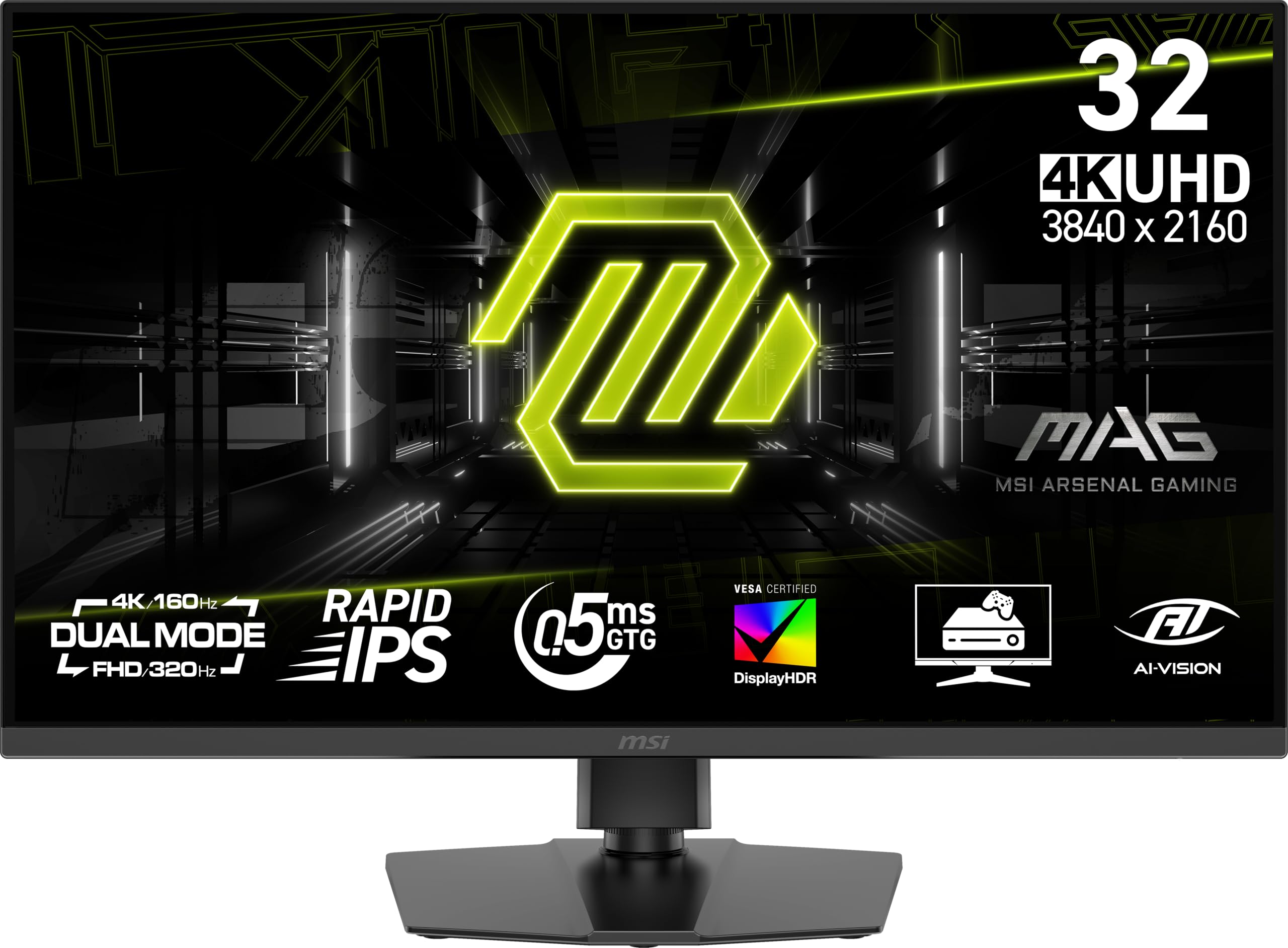
The MSI MAG 322URDF E16 redefines what “budget” means for high-refresh 4K gaming by offering a native 320Hz refresh rate, a spec typically reserved for much more expensive panels. This makes it an absolute beast for competitive first-person shooters where every millisecond matters, providing an incredibly fluid and responsive visual experience. The Rapid IPS panel maintains strong color accuracy with 93% DCI-P3 coverage and VESA DisplayHDR 400 certification, ensuring that the high frame rates don’t come at the expense of image quality. The dual-mode feature allows switching to a lower resolution to push even higher frame rates if your GPU can handle it.
User feedback is generally positive, with many praising the sharp 4K resolution and beautiful colors that make both gaming and productivity a joy. The monitor includes a Console Mode for optimized compatibility with PS5 and Xbox Series X. However, some users have noted that the viewing angles are not as wide as premium IPS monitors, requiring you to sit more directly in front of the screen. There have also been isolated reports of the monitor failing after a short period, though this seems to be an exception rather than the rule. The included stand allows for tilt and height adjustment, adding to its versatility.
The key trade-off for this ultra-high refresh rate is in the panel’s overall image quality; it does not match the color volume or contrast of OLED or even top-tier Fast IPS displays. The stand, while functional, is not as premium-feeling as some competitors. For the competitive gamer who plays fast-paced shooters like Valorant or Overwatch at 4K or lower resolutions, the MSI MAG 322URDF E16 offers a 320Hz refresh rate that few monitors in its price bracket can match. It’s a specialized tool that excels in its primary purpose: extreme smoothness.
Why it’s great
- Very high 320Hz refresh rate for elite motion fluidity.
- Sharp 32-inch 4K UHD resolution with good color accuracy.
- Includes Console Mode for optimized PS5/Xbox support.
- Quick 0.5ms response time (GtG).
Good to know
- Viewing angles are narrower than typical IPS panels.
- Isolated reports of early failure or defects.
- Image quality does not match premium OLED or IPS displays.
5. Samsung 27” Odyssey G7 (G70D) 4K UHD IPS Smart Gaming Monitor

The Samsung Odyssey G7 (G70D) takes a unique approach by integrating Samsung’s Tizen Smart TV platform directly into a 4K gaming monitor. This allows you to stream from apps like Netflix, YouTube, and Xbox Game Pass without needing a PC or console attached, making it a versatile media hub. Beyond the smart features, it’s a capable gaming monitor with a 27-inch Fast IPS panel, a 144Hz refresh rate, and a 1ms GtG response time. The 4K AI Upscaling feature enhances lower-resolution content, making it look sharper than a standard 1080p signal.
Gamers will appreciate the smooth 144Hz performance and the G-Sync compatibility, which ensures tear-free gameplay. The Dynamic Black Equalizer helps spot enemies in dark corners, a useful feature for competitive shooters. The built-in speakers are serviceable for casual viewing, and the included remote control makes navigating the Smart TV interface convenient. The ergonomic stand offers height, tilt, and swivel adjustments. However, some users find the Smart TV interface clunky, with a confusing menu structure and unwanted advertisements on the home screen.
The primary drawback is the monitor’s nature as a smart device; it can feel slow to wake from sleep and requires setup similar to a TV. The 144Hz refresh rate, while smooth, is not the highest available in this class, and the contrast ratio is standard IPS-level (1000:1). For a gamer who wants a single screen for both console/PC gaming and streaming media, the G70D is an excellent space-saver. If you prioritize pure gaming performance above all else, a standard gaming monitor without smart features may offer a more streamlined experience at a similar price.
Why it’s great
- Integrated Smart TV platform for direct streaming.
- AI Upscaling improves quality of lower-resolution content.
- Ergonomic stand with full height, tilt, and swivel.
- Includes remote control for easy navigation.
Good to know
- Smart interface can be slow and cluttered with ads.
- 144Hz refresh rate is decent but not class-leading.
- Standard IPS contrast ratio with limited black depth.
6. ASUS ROG Strix 27” 4K HDR USB-C Gaming Monitor (XG27UCG)

The ASUS ROG Strix XG27UCG is a well-rounded 4K gaming monitor that balances high refresh rates with solid productivity features, making it a great all-rounder for the modern gamer. Its dual-mode capability allows you to run at 4K 160Hz for immersive gameplay or switch to 1080p 320Hz for ultra-smooth competitive play. The Fast IPS panel delivers sharp visuals with a 1ms response time, and the integration of Extreme Low Motion Blur Sync (ELMB SYNC) allows for simultaneous use of ELMB and variable refresh rate, which effectively eliminates ghosting and tearing. Color performance is excellent with 95% DCI-P3 coverage and ASUS’s advanced gray-scale tracking.
Users consistently commend the monitor’s excellent build quality, vibrant colors, and deep contrast for an IPS panel. The ergonomic stand is a highlight, offering height, tilt, swivel, and pivot adjustments, and the RGB lighting on the back adds a premium touch. The inclusion of a USB-C port with 90W Power Delivery is a standout feature, allowing you to charge a laptop and use peripherals through the monitor with a single cable. The DisplayWidget Center software is also a nice bonus for adjusting settings with a mouse rather than the on-screen display.
The 27-inch screen size is a sweet spot for 4K, offering high pixel density for sharp text without needing excessive desk space. The primary consideration is that it sits in the middle of the budget range, offering a great feature set but not the absolute peak of color or contrast found in OLED panels. For a gamer who needs a monitor for both high-performance gaming and a clean, single-cable productivity setup, the XG27UCG is an outstanding choice that delivers a premium experience without a premium price tag.
Why it’s great
- Excellent dual-mode (4K 160Hz / FHD 320Hz) for versatile gaming.
- USB-C with 90W Power Delivery for single-cable laptop setup.
- Superb 1ms response time with ELMB SYNC for blur-free action.
- Top-tier build quality with full ergonomic stand.
Good to know
- Image quality is excellent but not OLED-level.
- Requires specific cables (DisplayPort) for 4K 160Hz.
- Features are strong but not the absolute cheapest option.
7. Samsung 27” Odyssey G7 G70F 4K Gaming Monitor

The Samsung Odyssey G7 G70F is a purpose-built competitive gaming monitor that pairs a sharp 4K UHD resolution with a high 180Hz refresh rate. Its dual-mode capability is a key feature, allowing you to switch from 4K at 180Hz to 1080p at 360Hz with the press of a hotkey, giving you the flexibility to prioritize image quality or raw speed depending on the game. The Fast IPS panel delivers vibrant, consistent colors from any angle, and the near-instant 1ms response time (GtG) ensures fast motion remains crisp and blur-free.
User reviews highlight the monitor’s excellent image quality, sharp text, and bright, vibrant colors. It includes both NVIDIA G-Sync compatibility and AMD FreeSync Premium, providing a smooth, tear-free experience for a wide range of GPUs. The ergonomic stand offers full adjustability, and the Auto Source Switch+ feature simplifies switching between connected devices. A common note is the lack of built-in speakers, so you will need separate audio. Some users also mention a slow wake-from-sleep time, which can be a minor inconvenience.
The G70F’s main advantage is its accessible price point for a monitor offering 4K at 180Hz. It provides a fluid and sharp experience for competitive titles without the cost of OLED. The trade-off is the typical IPS contrast ratio, so blacks won’t be as deep as on a VA or OLED panel. For a gamer on a budget who wants a high-performing 4K monitor for both competitive and casual gaming, the Odyssey G7 G70F is a very strong and cost-effective choice.
Why it’s great
- Strong dual-mode (4K 180Hz / FHD 360Hz) for any genre.
- Vibrant Fast IPS panel with great color accuracy.
- Full ergonomic stand with height, tilt, and swivel.
- G-Sync and FreeSync Premium compatible.
Good to know
- No built-in speakers.
- Standard IPS contrast ratio limits black depth.
- Slow wake-from-sleep reported by some users.
8. KTC 32 Inch 4K Gaming Monitor (H32P22P)

The KTC H32P22P positions itself as a strong value option for users who need both a high-refresh-rate gaming monitor and a color-accurate display for productivity or creative work. It features a 32-inch Fast IPS panel with a 165Hz refresh rate, a 1ms MPRT response time, and an impressive 121% sRGB color gamut coverage. The 3000:1 contrast ratio is higher than typical IPS figures, which helps with black depth and overall image pop. It also supports both FreeSync and G-Sync, minimizing screen tearing across different GPU setups.
User feedback highlights its fantastic value for the price, with many praising the crisp 4K resolution and vivid colors that make games and media look great. The stand is ergonomic, offering height and tilt adjustments, and the monitor supports VESA mounting. The connectivity is solid, with two HDMI 2.1 ports and a DisplayPort 1.4, making it suitable for next-gen consoles. Some users have noted that the power button is a small joystick on the back, which can be a bit awkward to reach, and the default color temperature is slightly on the cool side.
The main area where the KTC H32P22P compromises is in its HDR performance, as it lacks VESA DisplayHDR certification, meaning HDR content will not be as impactful as on certified monitors. For users who prioritize color-critical work and competitive gaming over true HDR, this monitor is an excellent buy. It offers a large, sharp screen with high refresh rates and good color accuracy, making it a versatile and budget-friendly centerpiece for a mixed-use setup.
Why it’s great
- Excellent value with large 32-inch 4K Fast IPS panel.
- High 121% sRGB color gamut for vivid and accurate colors.
- Higher-than-average contrast ratio (3000:1) for an IPS panel.
- Full ergonomic stand with height and tilt adjustment.
Good to know
- No VESA DisplayHDR certification for HDR content.
- Power button is a small, awkwardly placed joystick on the back.
- Default color temperature may require calibration.
9. CRUA 32” 4K Curved Gaming Monitor (B0GXZTQL5Q)

The CRUA 32” 4K Curved Gaming Monitor is an aggressive value proposition, offering a high 240Hz refresh rate and a 1500R curved VA panel at a price that significantly undercuts the competition. The VA panel provides a high 3000:1 contrast ratio, meaning deep blacks and good shadow detail, which is excellent for immersive single-player games and media consumption. The 240Hz refresh rate is a standout spec for the price, making it a great option for fast-paced FPS and racing sims where fluidity is key. The 120% sRGB color gamut ensures colors are vibrant and saturated.
Users generally appreciate the large, beautiful, and colorful screen, noting that it’s a great upgrade for gaming. The inclusion of HDMI 2.1 ports makes it compatible with PS5 and Xbox Series X for 4K at 120Hz. It also includes Picture-in-Picture (PIP) and Picture-by-Picture (PBP) modes, which are useful for multitasking. Some user feedback mentions that the monitor’s brightness is adequate but not exceptional for HDR, and the VA panel’s viewing angles are not as wide as IPS, with some color shift off-axis. A few users also reported potential minor backlight uniformity issues.
The trade-off for the aggressive price and high refresh rate is in the brand’s customer support and the build quality, which feels less premium compared to established brands. The height is not adjustable, and the stand only offers tilt. For a budget-conscious gamer who values a large, curved screen with a high refresh rate for immersive gaming and doesn’t need the absolute best color accuracy or viewing angles, the CRUA monitor is an incredibly compelling and surprisingly capable option.
Why it’s great
- Excellent budget value with 32-inch 4K and 240Hz refresh rate.
- VA panel with 3000:1 contrast for deep blacks and immersive scenes.
- 1500R curve enhances viewing comfort and immersion.
- Includes HDMI 2.1 and PIP/PBP modes.
Good to know
- Stand only offers tilt adjustment; height is fixed.
- Viewing angles are narrower than IPS panels.
- Customer support and build quality are budget-tier.
10. Alienware 34 Curved Gaming Monitor – AW3425DWM

The Alienware AW3425DWM is an ultrawide gaming monitor that offers a unique value proposition: an immersive, 34-inch, 1500R curved screen with a WQHD resolution (3440×1440) and a 180Hz refresh rate. While not a traditional 4K monitor, it provides significantly more horizontal screen real estate than a standard 16:9 4K display, which is excellent for open-world games, flight sims, and productivity workflows. The VA panel delivers a strong 3000:1 contrast ratio and 95% DCI-P3 color coverage, making visuals rich and immersive. It also features AMD FreeSync Premium and VESA AdaptiveSync for smooth, tear-free gaming.
Users praise its excellent value for an ultrawide, noting the incredible immersion in games and the versatility for productivity, allowing two full-width documents to sit side-by-side at 125% scaling. The ergonomic stand with height and tilt adjustments is appreciated, and the packaging is noted as high-quality. The main point of contention is that it’s not an OLED display, so blacks are not inky, and it exhibits some blooming in high-contrast scenes, which is common for VA panels. Some users also note that it lacks built-in speakers.
For the gamer who prioritizes an ultrawide aspect ratio for immersive single-player experiences and productivity, the Alienware AW3425DWM is a fantastic entry point. It offers a premium design, a high refresh rate, and solid color performance at a budget-friendly ultrawide price. The trade-off is a WQHD resolution rather than true 4K, and the inherent limitations of VA panel contrast in dark scenes. If you are open to a wider, less tall format, this monitor delivers a unique and compelling experience.
Why it’s great
- Immersive 34-inch ultrawide 1500R curved VA panel.
- Excellent value for a high-refresh 180Hz ultrawide.
- Great for productivity with ample horizontal screen space.
- Good 95% DCI-P3 color coverage.
Good to know
- WQHD (3440×1440) resolution, not true 4K.
- VA panel exhibits blooming in high-contrast scenes.
- No built-in speakers.
11. Dell 32 Plus 4K Monitor (S3225QS)

The Dell S3225QS is an entry-level 4K budget gaming monitor that prioritizes a high-quality viewing experience and comfort features over competitive-grade refresh rates. It features a 31.5-inch VA panel with a 1500:1 contrast ratio, delivering deep blacks and vibrant colors with 99% sRGB and 95% DCI-P3 coverage. Its 120Hz refresh rate and 0.03ms response time, combined with AMD FreeSync Premium, provide a smooth and tear-free experience that is still a significant upgrade from a standard 60Hz office monitor. The ComfortView Plus technology reduces harmful blue light to ≤35% without washing out colors, making it ideal for long sessions or work-from-home use.
Users consistently praise its outstanding picture quality for the price, noting it is very bright, sharp, and has great color accuracy. The built-in speakers are a pleasant surprise, being louder and offering more depth than many monitor speakers. The stand is sturdy and offers height and tilt adjustments, and the thin bezel design looks modern. The monitor excels as a hybrid for work and casual gaming, but its 60Hz refresh rate in some modes and lack of HDMI 2.1 mean it’s not optimized for the highest-end competitive play or next-gen consoles at full bandwidth.
For the gamer who needs a 4K monitor for a mix of work, media, and less competitive gaming, the Dell S3225QS is an excellent choice. It offers a premium Dell build quality, strong ergonomics, and a vibrant, comfortable display for all-day use. The main compromise is the 120Hz refresh rate, which is sufficient for casual gaming but will be a limiting factor for high-level competitive players. It is a fantastic daily driver that balances productivity and entertainment features with solid gaming performance.
Why it’s great
- Excellent image quality with deep contrast from a VA panel.
- ComfortView Plus reduces eye strain without sacrificing color.
- High-quality built-in speakers for casual use.
- Premium stand with height and tilt adjustments.
Good to know
- 120Hz refresh rate is lower than competitive-focused options.
- Lacks HDMI 2.1 for full-bandwidth console support.
- Not optimized for ultra-competitive, high-frame-rate gaming.
FAQ
Can my graphics card run a 4K 144Hz gaming monitor?
Is it better to get a 4K 60Hz monitor or a 1440p 144Hz monitor for gaming?
Do I need HDMI 2.1 for a 4K gaming monitor?
What is the ideal screen size for a 4K gaming monitor?
Final Thoughts: The Verdict
For most users, the best 4k budget gaming monitor winner is the LG 27G810A-B because it delivers an outstanding balance of a high 180Hz refresh rate, a versatile dual-mode feature, and solid IPS image quality at a very reasonable price. If you want unrivaled visual fidelity with perfect blacks and lightning-fast response times, grab the ASUS ROG Swift PG32UCDMR. And for the pure competitive gamer who needs the absolute highest frame rates, nothing on this list beats the ultra-fast 320Hz refresh rate of the MSI MAG 322URDF E16 at its price point.